


17,99 €
Mehr erfahren.
- Herausgeber: John Wiley & Sons
- Kategorie: Wissenschaft und neue Technologien
- Sprache: Englisch
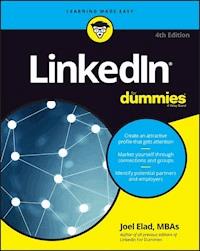
Build your network, find a job, and been seen as a thought leader LinkedIn is your number-one personal branding tool, and this friendly guide shows you how to harness it to build connections and relationships--and stand out in the world's largest professional network. LinkedIn For Dummies walks you step by step through creating an eye-catching profile and demonstrates how to successfully expand your reach by connecting with colleagues, customers, and like-minded individuals from around the globe. Plus, you'll discover how to become a thought leader by publishing your cutting-edge research on LinkedIn's native publishing network, Pulse, and interact with your connections through updates. Connections have never been more vital to a successful career, and this new edition of LinkedIn For Dummies is here to make sure you don't miss out on your next big opportunity! From keeping track of your LinkedIn activities and writing and requesting recommendations to finding a job and using LinkedIn to cultivate sales leads, this friendly guide is the missing piece you've been waiting for to take your career from good to great--all with the click of a few buttons. * Create a LinkedIn profile that showcases your skills and attracts contacts * Find and connect with colleagues and industry leaders * Understand LinkedIn etiquette and best practices * Use LinkedIn to find a job, develop sales leads, and market your services Don't be left out--link up with this fully updated introduction to the Internet's hottest professional networking tool.
Sie lesen das E-Book in den Legimi-Apps auf:
Seitenzahl: 447
Veröffentlichungsjahr: 2016
Ähnliche



















LinkedIn® For Dummies®, 4th Edition
Published by: John Wiley & Sons, Inc., 111 River Street, Hoboken, NJ 07030-5774, www.wiley.com
Copyright © 2016 by John Wiley & Sons, Inc., Hoboken, New Jersey
Published simultaneously in Canada
No part of this publication may be reproduced, stored in a retrieval system or transmitted in any form or by any means, electronic, mechanical, photocopying, recording, scanning or otherwise, except as permitted under Sections 107 or 108 of the 1976 United States Copyright Act, without the prior written permission of the Publisher. Requests to the Publisher for permission should be addressed to the Permissions Department, John Wiley & Sons, Inc., 111 River Street, Hoboken, NJ 07030, (201) 748-6011, fax (201) 748-6008, or online at http://www.wiley.com/go/permissions.
Trademarks: Wiley, For Dummies, the Dummies Man logo, Dummies.com, Making Everything Easier, and related trade dress are trademarks or registered trademarks of John Wiley & Sons, Inc. and may not be used without written permission. LinkedIn is a registered trademark of LinkedIn, Ltd. All other trademarks are the property of their respective owners. John Wiley & Sons, Inc. is not associated with any product or vendor mentioned in this book.
LIMIT OF LIABILITY/DISCLAIMER OF WARRANTY: THE PUBLISHER AND THE AUTHOR MAKE NO REPRESENTATIONS OR WARRANTIES WITH RESPECT TO THE ACCURACY OR COMPLETENESS OF THE CONTENTS OF THIS WORK AND SPECIFICALLY DISCLAIM ALL WARRANTIES, INCLUDING WITHOUT LIMITATION WARRANTIES OF FITNESS FOR A PARTICULAR PURPOSE. NO WARRANTY MAY BE CREATED OR EXTENDED BY SALES OR PROMOTIONAL MATERIALS. THE ADVICE AND STRATEGIES CONTAINED HEREIN MAY NOT BE SUITABLE FOR EVERY SITUATION. THIS WORK IS SOLD WITH THE UNDERSTANDING THAT THE PUBLISHER IS NOT ENGAGED IN RENDERING LEGAL, ACCOUNTING, OR OTHER PROFESSIONAL SERVICES. IF PROFESSIONAL ASSISTANCE IS REQUIRED, THE SERVICES OF A COMPETENT PROFESSIONAL PERSON SHOULD BE SOUGHT. NEITHER THE PUBLISHER NOR THE AUTHOR SHALL BE LIABLE FOR DAMAGES ARISING HEREFROM. THE FACT THAT AN ORGANIZATION OR WEBSITE IS REFERRED TO IN THIS WORK AS A CITATION AND/OR A POTENTIAL SOURCE OF FURTHER INFORMATION DOES NOT MEAN THAT THE AUTHOR OR THE PUBLISHER ENDORSES THE INFORMATION THE ORGANIZATION OR WEBSITE MAY PROVIDE OR RECOMMENDATIONS IT MAY MAKE. FURTHER, READERS SHOULD BE AWARE THAT INTERNET WEBSITES LISTED IN THIS WORK MAY HAVE CHANGED OR DISAPPEARED BETWEEN WHEN THIS WORK WAS WRITTEN AND WHEN IT IS READ.
For general information on our other products and services, please contact our Customer Care Department within the U.S. at 877-762-2974, outside the U.S. at 317-572-3993, or fax 317-572-4002. For technical support, please visit www.wiley.com/techsupport.
Wiley publishes in a variety of print and electronic formats and by print-on-demand. Some material included with standard print versions of this book may not be included in e-books or in print-on-demand. If this book refers to media such as a CD or DVD that is not included in the version you purchased, you may download this material at http://booksupport.wiley.com. For more information about Wiley products, visit www.wiley.com.
Library of Congress Control Number: 2016935256
ISBN 978-1-119-25113-2 (pbk); ISBN 978-1-119-25115-6 (ebk); ISBN 978-1-119-25114-9 (ebk)
LinkedIn® For Dummies®
To view this book's Cheat Sheet, simply go to www.dummies.com and search for “LinkedIn For Dummies Fourth Edition Cheat Sheet” in the Search box.
Table of Contents
Cover
Introduction
About This Book
And Just Who Are You?
Icons Used in This Book
Beyond the Book
Where to Go from Here
Part 1: LinkedIn Basics
Chapter 1: Looking into LinkedIn
Discovering Your New Contact Management and Networking Toolkit
Learning About What You Can Do with LinkedIn
Understanding LinkedIn Costs and Benefits
Navigating LinkedIn
Chapter 2: Sign Up and Create Your Profile
Joining LinkedIn
Starting to Build Your Network
Chapter 3: Completing Your Profile
Adding Your Summary and Basic Information to LinkedIn
Completing the Contact Info and Additional Information for Your Profile
Adding a Position to Your LinkedIn Profile
Reporting Your Education on Your Profile
Reviewing Your LinkedIn Profile
Part 2: Finding Others and Getting Connected
Chapter 4: Searching LinkedIn
Searching Your First-Degree Connections
Searching the LinkedIn Network
Chapter 5: Managing Introductions and InMail
Using InMail Versus Asking for Introductions
Setting Up an Introduction
Sending InMail
Managing Introduction Requests
Chapter 6: Growing Your Network
Building a Meaningful Network
Checking for LinkedIn Members
Sending Connection Requests
Accepting (or Gracefully Declining) Invitations
Chapter 7: Connecting with and Endorsing Your Network
Interacting with Your Network with LinkedIn Contacts
Giving and Receiving Endorsements on LinkedIn
Part 3: Growing and Managing Your Network
Chapter 8: Staying in the Know with LinkedIn Pulse
Understanding LinkedIn Pulse
Configuring LinkedIn Pulse
Enjoying LinkedIn Pulse on the Go
Setting Up Digest Notifications
Writing a Long-Form Post for LinkedIn
Managing Your Post Interactions
Chapter 9: Exploring the Power of Recommendations
Understanding Recommendations
Writing Recommendations
Requesting Recommendations
Gracefully Declining a Recommendation (or a Request for One)
Managing Recommendations
Chapter 10: Monitoring Your LinkedIn Activities Through Your Home Page
Using the LinkedIn Home Page as Your Command Console
Tracking Your InMail Messages
Tracking Invitations
Chapter 11: Using LinkedIn with Your Internet Activity
Importing Contacts into LinkedIn
Exporting Contacts from LinkedIn to Your E-Mail Application
Chapter 12: Accessing LinkedIn with Your Mobile Devices
Surveying the Different LinkedIn Apps
Installing a LinkedIn Mobile App
Breaking Down the Sections of the LinkedIn Mobile App
Connecting Your App Usage with Website Usage
Part 4: Finding Employees, Jobs, and Companies
Chapter 13: Finding Employees
Managing Your Job Listings
Screening Candidates with LinkedIn
Using Strategies to Find Active or Passive Job Seekers
Chapter 14: Finding a Job
Using LinkedIn to Search for a Job
Implementing Job Search Strategies That Involve LinkedIn
Chapter 15: Following Companies on LinkedIn
Searching for Companies
Putting Your Company on LinkedIn
Part 5: Using LinkedIn for Everyday Business
Chapter 16: Getting Connected with LinkedIn Groups
Reaping the Benefits of LinkedIn Groups
Understanding the Two Types of LinkedIn Groups
Joining a Group
Starting and Participating in Group Discussions
Viewing a Group’s Membership List
Creating a Group
Setting Up the Group and Inviting Members
Chapter 17: Using Sales and Marketing Techniques for Yourself and Your Business
Marketing Yourself Through LinkedIn
Marketing Your Business Through LinkedIn
Mining for Clients
Closing the Deal
Chapter 18: Using LinkedIn Ads
Understanding LinkedIn Ads
Finding Out About Filtering Options
Creating a New Ad Campaign
Managing Your LinkedIn Ad Campaign
Chapter 19: Miscellaneous Creative Uses of LinkedIn
Mashing LinkedIn with Other Services
Building Your Focus Group
Using Location-Based LinkedIn Ideas
Part 6: The Part of Tens
Chapter 20: Ten LinkedIn Do’s and Don’ts
Do Keep Your Profile Complete and Current
Don’t Use Canned Invitations
Don’t Expect Everyone to Network Like You Do
Do Your Homework
Do Give LinkedIn Messages Equal Importance
Don’t Spam
Do Be Proactive About Making New Connections
Do Cross-Promote
Do Add Value to the Process
Don’t Confuse Quantity with Quality
Chapter 21: Ten LinkedIn Resources
The Official LinkedIn Blog
LinkedIn Instagram
LinkedIn Learning Webinars
The Sophisticated Marketer
LinkedIn YouTube Channel
Linked Intelligence Blog
Linked Conversations — Podcast
Digsby Social Networking/IM/E-Mail Tool
Turn Business Cards into LinkedIn Contacts with Evernote
One Update for Multiple Sites with Buffer
About the Author
Advertisement Page
Connect with Dummies
End User License Agreement
Guide
Cover
Table of Contents
Begin Reading
Pages
iii
iv
vii
viii
ix
x
xi
xii
1
2
3
4
5
6
7
8
9
10
11
12
13
14
15
16
17
18
19
20
21
22
23
24
25
27
28
29
30
31
32
33
34
35
36
37
38
39
40
41
43
44
45
46
47
48
49
50
51
52
53
54
55
56
57
58
59
60
61
62
63
64
65
67
68
69
70
71
72
73
74
75
76
77
78
79
80
81
82
83
84
85
86
87
88
89
90
91
92
93
94
95
96
97
98
99
101
102
103
104
105
106
107
108
109
110
111
112
113
114
115
116
117
118
119
120
121
122
123
125
126
127
128
129
130
131
132
133
134
135
136
137
138
139
140
141
142
143
145
146
147
148
149
150
151
152
153
154
155
156
157
158
159
160
161
162
163
164
165
166
167
168
169
170
171
172
173
174
175
176
177
178
179
180
181
182
183
184
185
186
187
188
189
190
191
192
193
194
195
196
197
198
199
200
201
202
203
204
205
207
208
209
210
211
212
213
214
215
216
217
218
219
220
221
222
223
224
225
226
227
228
229
230
231
232
233
234
235
236
237
238
239
240
241
242
243
244
245
246
247
248
249
250
251
252
253
254
255
256
257
258
259
261
262
263
264
265
266
267
268
269
270
271
272
273
274
275
276
277
278
279
280
281
282
283
284
285
286
287
288
289
290
291
292
293
294
295
296
297
298
299
300
301
302
303
304
305
306
307
308
309
310
311
312
313
314
315
316
317
318
319
320
321
322
323
324
325
326
327
328
329
331
332
333
334
335
336
337
338
339
340
341
342
343
344
345
346
347
348
369
370
371
372
Introduction
Relationships matter. Ever since the dawn of time, when Fred Flintstone asked Barney Rubble whether there was any work down at the quarry, human beings have always networked. We're social creatures who like to reach out and talk to someone. As the Internet developed and grew in popularity, people rapidly took advantage of this new technology for communication, with e-mail; instant messaging; personal web pages sharing voice, video, and data with each other; and lots of other applications to keep everybody connected. But how can the Internet help you do a better job with your professional networking? I'm glad you asked! Welcome to LinkedIn For Dummies, Fourth Edition.
LinkedIn was founded in 2003 by a guy named Reid Hoffman, who felt that he could create a better way to handle your professional networking needs. He saw lots of websites that let you build your own page and show it to the world, extolling your virtues and talents. But a lot of the popular websites that Hoffman came across at that time focused more on the social aspects of your life and not that much on the professional side. LinkedIn changed all that with its approach of augmenting all the professional networking you do (or should do) on a daily basis. You don't have to be looking for a job to use LinkedIn, but if you're looking, LinkedIn should be a part of your search. As Hoffman put it, LinkedIn was designed to “find and contact the people you need through the people you already trust.”
In short, LinkedIn allows you to coordinate your professional identity on the Internet and make you more effective in your career. The site is designed to make the aspects of networking less time consuming and more powerful, so you can open doors with your professional connections and tap the connections of people you know who make up your extended network. LinkedIn doesn't require a huge amount of time or usage to be effective, and is focused only on providing tools that help your professional career.
Perhaps you've heard of LinkedIn, but you don't understand fully what it is, how it works, and most importantly, why you should care about it. Maybe you got an invitation to join the LinkedIn website. Perhaps you've gotten multiple invitations, or you keep hearing about it and want to find out more. Well, you're taking the right first step by reading this book. In it, I talk about the whys as well as the hows. If you're looking to enhance your professional life, I truly believe you need to look at LinkedIn. If you want to go straight to the beach and retire, though, maybe this isn't the book for you!
This book covers LinkedIn from start to finish. In case you haven't already joined, I show you how you can sign up. If you're already a member, this book is also very useful because I show you how to build your identity and take advantage of LinkedIn's functionality. This book is useful regardless of your skill level, whether you want to join or you've been on LinkedIn for years but feel stuck.
About This Book
This book covers all aspects of using the LinkedIn site: from signing up and building your profile, to growing your network of contacts, to taking advantage of some of the sophisticated options, and everything in between. I include a lot of advice and discussion of networking concepts, but you also find a lot of step-by-step instructions to get things done. In this fourth edition, I revisit some of the newer facets of LinkedIn, including its Groups, mobile apps, Pulse, and Companies sections, and have updated all the core processes, from creating your profile to looking for a job.
This book is organized as a guide; you can read each chapter one after the other, or you can go straight to the chapter on the topic you're interested in. After you start using LinkedIn, think of this book as a reference where you can find the knowledge nugget you need to know and then be on your merry way. Lots of details are cross-referenced, so if you need to look elsewhere in the book for more information, you can easily find it.
And Just Who Are You?
I assume that you know how to use your computer, at least for the basic operations, like checking e-mail, typing up a document, or surfing the great big World Wide Web. If you're worried that you need a Ph.D. in Computer Operations to handle LinkedIn, relax. If you can navigate your way around a website, you can use LinkedIn.
You may be utterly new to the idea of social networking, or the specific ins and outs of using a site like LinkedIn. LinkedIn allows you to do some really cool stuff and enhance your professional life. There's more to it, and this book is here to show you the ropes — and help you take full advantage of what LinkedIn has to offer.
This book assumes that you have a computer that can access the Internet; any PC or Macintosh line of computer is fine, as well as Linux or any other operating system with a web browser. All the main web browsers can access LinkedIn just fine. In some parts of the book, I discuss specific applications such as Microsoft Outlook; if you have Outlook, I assume you know how to use it for the purposes of importing and exporting names from your address book.
Icons Used in This Book
As you go through this book, you'll see the following icons in the margins.
The Tip icon notifies you about something cool, handy, or nifty that I highly recommend. For example, “Here's a quicker way to do the described task the next time you have to do it.”
Don't forget! When you see this icon, you can be sure that it points out something you should remember, possibly even something I said earlier that I'm repeating because it's very important. For example, “If you are only going to do one of my bullet point suggestions, do the last one because it's the most powerful.”
Danger! Ah-oo-gah! Ah-oo-gah! When you see the Warning icon, pay careful attention to the text. This icon flags something that's bad or that could cause trouble. For example, “Although you may be tempted to go into personal details in your profile, you should never post anything that could embarrass you in a future job interview.”
Beyond the Book
In addition to what you’re reading right now, this product comes with a free access-anywhere Cheat Sheet that gives you steps on building your LinkedIn network, tips for enhancing your LinkedIn profile, advice for getting the most out of LinkedIn, and tips for using LinkedIn to search for a job. To get this Cheat Sheet, simply go to www.dummies.com and search for “LinkedIn For Dummies Fourth Edition Cheat Sheet” in the Search box.
Where to Go from Here
You can read this book cover to cover, or just jump in and start reading anywhere. Open the Table of Contents and pick a spot that interests or concerns you or that has piqued your curiosity. Everything is explained in the text, and important details are cross-referenced so that you don't waste your time reading repeated information.
Good luck with LinkedIn. Happy networking!
Part 1
LinkedIn Basics
IN THIS PART …
Explore all that LinkedIn has to offer.
Navigate the LinkedIn website.
Sign up with LinkedIn and create an account.
Build a LinkedIn profile that details your professional and educational experience.
Lesen Sie weiter in der vollständigen Ausgabe!
Lesen Sie weiter in der vollständigen Ausgabe!
Lesen Sie weiter in der vollständigen Ausgabe!
Lesen Sie weiter in der vollständigen Ausgabe!
Lesen Sie weiter in der vollständigen Ausgabe!
Lesen Sie weiter in der vollständigen Ausgabe!
Lesen Sie weiter in der vollständigen Ausgabe!
Lesen Sie weiter in der vollständigen Ausgabe!
Lesen Sie weiter in der vollständigen Ausgabe!
Lesen Sie weiter in der vollständigen Ausgabe!
Lesen Sie weiter in der vollständigen Ausgabe!
Lesen Sie weiter in der vollständigen Ausgabe!
Lesen Sie weiter in der vollständigen Ausgabe!
Lesen Sie weiter in der vollständigen Ausgabe!
Lesen Sie weiter in der vollständigen Ausgabe!
Lesen Sie weiter in der vollständigen Ausgabe!
Lesen Sie weiter in der vollständigen Ausgabe!
Lesen Sie weiter in der vollständigen Ausgabe!
Lesen Sie weiter in der vollständigen Ausgabe!
Lesen Sie weiter in der vollständigen Ausgabe!
Lesen Sie weiter in der vollständigen Ausgabe!
Lesen Sie weiter in der vollständigen Ausgabe!
Lesen Sie weiter in der vollständigen Ausgabe!
Lesen Sie weiter in der vollständigen Ausgabe!
Lesen Sie weiter in der vollständigen Ausgabe!
Lesen Sie weiter in der vollständigen Ausgabe!
Lesen Sie weiter in der vollständigen Ausgabe!
Lesen Sie weiter in der vollständigen Ausgabe!
Lesen Sie weiter in der vollständigen Ausgabe!
Lesen Sie weiter in der vollständigen Ausgabe!




