


27,99 €
Mehr erfahren.
- Herausgeber: John Wiley & Sons
- Kategorie: Wissenschaft und neue Technologien
- Sprache: Englisch
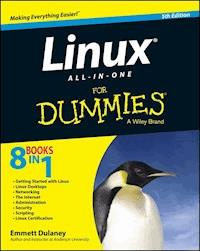
Eight minibooks in one volume cover every important aspect of Linux and everything you need to know to pass level-1 certification Linux All-in-One For Dummies explains everything you need to get up and running with the popular Linux operating system. Written in the friendly and accessible For Dummies style, the book ideal for new and intermediate Linux users, as well as anyone studying for level-1 Linux certification. The eight minibooks inside cover the basics of Linux, interacting with it, networking issues, Internet services, administration, security, scripting, and level-1 certification. * Covers every major topic for anyone just getting familiar with Linux * Includes a test-prep section for passing the level-1 Linux certification exam * Written by the expert author of more than thirty books, including CompTIA Security+ Study Guide, 3rd Edition Including everything beginners need to know to get started with Linux, Linux All-in-One For Dummies, 5th Edition is the ultimate resource and reference for aspiring professionals.
Sie lesen das E-Book in den Legimi-Apps auf:
Seitenzahl: 778
Veröffentlichungsjahr: 2014
Ähnliche


















Linux® All-in-One For Dummies®, 5th Edition
Published by: John Wiley & Sons, Inc., 111 River Street, Hoboken, NJ 07030-5774, www.wiley.com
Copyright © 2014 by John Wiley & Sons, Inc., Hoboken, New Jersey
Published simultaneously in Canada
No part of this publication may be reproduced, stored in a retrieval system or transmitted in any form or by any means, electronic, mechanical, photocopying, recording, scanning or otherwise, except as permitted under Sections 107 or 108 of the 1976 United States Copyright Act, without the prior written permission of the Publisher. Requests to the Publisher for permission should be addressed to the Permissions Department, John Wiley & Sons, Inc., 111 River Street, Hoboken, NJ 07030, (201) 748-6011, fax (201) 748-6008, or online at http://www.wiley.com/go/permissions.
Trademarks: Wiley, For Dummies, the Dummies Man logo, Dummies.com, Making Everything Easier, and related trade dress are trademarks or registered trademarks of John Wiley & Sons, Inc. and may not be used without written permission. Linux is a registered trademark of Linus Torvalds. All other trademarks are the property of their respective owners. John Wiley & Sons, Inc. is not associated with any product or vendor mentioned in this book.
LIMIT OF LIABILITY/DISCLAIMER OF WARRANTY: THE PUBLISHER AND THE AUTHOR MAKE NO REPRESENTATIONS OR WARRANTIES WITH RESPECT TO THE ACCURACY OR COMPLETENESS OF THE CONTENTS OF THIS WORK AND SPECIFICALLY DISCLAIM ALL WARRANTIES, INCLUDING WITHOUT LIMITATION WARRANTIES OF FITNESS FOR A PARTICULAR PURPOSE. NO WARRANTY MAY BE CREATED OR EXTENDED BY SALES OR PROMOTIONAL MATERIALS. THE ADVICE AND STRATEGIES CONTAINED HEREIN MAY NOT BE SUITABLE FOR EVERY SITUATION. THIS WORK IS SOLD WITH THE UNDERSTANDING THAT THE PUBLISHER IS NOT ENGAGED IN RENDERING LEGAL, ACCOUNTING, OR OTHER PROFESSIONAL SERVICES. IF PROFESSIONAL ASSISTANCE IS REQUIRED, THE SERVICES OF A COMPETENT PROFESSIONAL PERSON SHOULD BE SOUGHT. NEITHER THE PUBLISHER NOR THE AUTHOR SHALL BE LIABLE FOR DAMAGES ARISING HEREFROM. THE FACT THAT AN ORGANIZATION OR WEBSITE IS REFERRED TO IN THIS WORK AS A CITATION AND/OR A POTENTIAL SOURCE OF FURTHER INFORMATION DOES NOT MEAN THAT THE AUTHOR OR THE PUBLISHER ENDORSES THE INFORMATION THE ORGANIZATION OR WEBSITE MAY PROVIDE OR RECOMMENDATIONS IT MAY MAKE. FURTHER, READERS SHOULD BE AWARE THAT INTERNET WEBSITES LISTED IN THIS WORK MAY HAVE CHANGED OR DISAPPEARED BETWEEN WHEN THIS WORK WAS WRITTEN AND WHEN IT IS READ.
For general information on our other products and services, please contact our Customer Care Department within the U.S. at 877-762-2974, outside the U.S. at 317-572-3993, or fax 317-572-4002. For technical support, please visit www.wiley.com/techsupport.
Wiley publishes in a variety of print and electronic formats and by print-on-demand. Some material included with standard print versions of this book may not be included in e-books or in print-on-demand. If this book refers to media such as a CD or DVD that is not included in the version you purchased, you may download this material at http://booksupport.wiley.com. For more information about Wiley products, visit www.wiley.com.
Library of Congress Control Number: 2013958402
ISBN 978-1-118-84435-9 (pbk); ISBN 978-1-118-84431-1 (ebk); ISBN 978-1-118-84432-8 (ebk)
Manufactured in the United States of America
10 9 8 7 6 5 4 3 2 1
Linux All-in-One For Dummies
Visit www.dummies.com/cheatsheet/linuxaio to view this book's cheat sheet.
Table of Contents
Introduction
About This Book
Foolish Assumptions
Icons Used in This Book
Beyond the Book
Where to Go from Here
Book I: Getting Started with Linux
Chapter 1: Introducing Linux
What Is Linux?
Linux distributions
Making sense of version numbers
Linux Standard Base (LSB)
Contents of a Linux Distribution
GNU software
GUIs and applications
Networks
Internet servers
Software development
Online documentation
Managing Your PC with Linux
Distribution media
Peripheral devices
File systems and sharing
Network
Getting Started
Step 1: Install
Step 2: Configure
Step 3: Explore
Step 4: Find out more
Chapter 2: Installing Linux
Following the Installation Steps
Checking Your PC’s Hardware
Setting Aside Space for Linux
Trying a Live CD
Installing Linux on a Flash Drive
Creating the bootable flash drive
Troubleshooting the workstation
Working daily with the new drive
Chapter 3: Troubleshooting and Configuring Linux
Using Text Mode Installation
Troubleshooting X
Resolving Other Installation Problems
Using Knoppix boot commands
The fatal signal 11 error
Getting around the PC reboot problem
Using Linux kernel boot options
Setting Up Printers
Managing DVDs, CD-ROMs, and Flash Drives
Installing Other Software
Installing software in Debian and Ubuntu
Installing software in Fedora
Installing software in SUSE
Installing software in Xandros
Chapter 4: Trying Out Linux
Starting Linux
Playing with the Shell
Starting the bash shell
Understanding shell commands
Trying a few Linux commands
Shutting Down
Book II: Linux Desktops
Chapter 1: GNOME, Unity, Cinnamon, and MATE
Getting to Know the GNOME Desktop
Understanding the GNOME Panels
The top panel
The desktop
The bottom panel
Looking at Unity
Looking at Cinnamon
Looking at MATE
Chapter 2: The KDE Desktop
Getting to Know the KDE Desktop
Desktop context menus
Icon context menus
Understanding the KDE Panel
The Main Menu button
Panel icons
Configuring the KDE Bottom Panel
Configuring the KDE Desktop
Chapter 3: Commanding the Shell
Opening Terminal Windows and Virtual Consoles
Using the bash Shell
Understanding the syntax of shell commands
Combining shell commands
Controlling command input and output
Typing less with automatic command completion
Going wild with asterisks and question marks
Repeating previously typed commands
Discovering and Using Linux Commands
Becoming root (superuser)
Managing processes
Working with date and time
Processing files
Writing Shell Scripts
Chapter 4: Navigating the Linux File System
Understanding the Linux File System
Navigating the File System with Linux Commands
Commands for directory navigation
Commands for directory listings and permissions
Commands for changing permissions and ownerships
Commands for working with files
Commands for working with directories
Commands for finding files
Commands for mounting and unmounting
Commands for checking disk-space usage
Chapter 5: Introducing Linux Applications
Taking Stock of Linux Applications
Introducing Office Applications and Tools
LibreOffice.org office suite
Calendars
Calculators
Checking out Multimedia Applications
Using a digital camera
Playing audio CDs
Playing sound files
Burning a CD or DVD
Using Graphics and Imaging Apps
The GIMP
GNOME Ghostview
Chapter 6: Using Text Editors
Using GUI Text Editors
Text Editing with ed and vi
Using ed
Using vi
Book III: Networking
Chapter 1: Connecting to the Internet
Understanding the Internet
Deciding How to Connect to the Internet
Connecting with DSL
How DSL works
DSL alphabet soup: ADSL, IDSL, SDSL
Typical DSL setup
Connecting with a Cable Modem
How a cable modem works
Typical cable modem setup
Chapter 2: Setting Up a Local Area Network
Understanding TCP/IP
IP addresses
Internet services and port numbers
Setting Up an Ethernet LAN
How Ethernet works
Ethernet cables
Configuring TCP/IP Networking
Connecting Your LAN to the Internet
Chapter 3: Going Wireless
Understanding Wireless Ethernet Networks
Understanding infrastructure and ad hoc modes
Understanding Wired Equivalent Privacy (WEP)
Setting Up Wireless Hardware
Configuring the Wireless Access Point
Configuring Wireless Networking
Chapter 4: Managing the Network
Discovering the TCP/IP Configuration Files
/etc/hosts
/etc/networks
/etc/host.conf
/etc/resolv.conf
/etc/hosts.allow
/etc/hosts.deny
/etc/nsswitch.conf
Checking Out TCP/IP Networks
Checking the network interfaces
Checking the IP routing table
Checking connectivity to a host
Checking network status
Sniffing network packets
Using GUI tools
Configuring Networks at Boot Time
Book IV: The Internet
Chapter 1: Browsing the Web
Discovering the Web
Like a giant spider’s web
Links and URLs
Web servers and web browsers
Web Browsing in Linux
Checking out web browsers for Linux
Introducing Firefox’s user interface
Changing your home page
Surfing the Internet with Firefox
Chapter 2: Reading Newsgroups and RSS Feeds
Understanding Newsgroups
Newsgroup hierarchy
Top-level newsgroup categories
Linux-related newsgroups
Reading Newsgroups from Your ISP
Taking stock of newsreaders
Reading newsgroups with Thunderbird
Newsgroup subscriptions
Posting news
Using KNode
Reading and Searching Newsgroups at Websites
Reading RSS Feeds
Examining an RSS Feed
Reading RSS Feeds
Chapter 3: Using FTP
Using Graphical FTP Clients
Using gFTP
Introducing FileZilla
Using a web browser as an FTP client
Using the Command-Line FTP Client
Chapter 4: Hosting Internet Services
Understanding Internet Services
TCP/IP and sockets
Internet services and port numbers
Using the Internet Super Server
Using inetd
Using xinetd
Running Standalone Servers
Starting and stopping servers manually
Starting servers automatically at boot time
Chapter 5: Managing Mail and News Servers
Installing the Mail Server
Using sendmail
A mail-delivery test
The mail-delivery mechanism
The sendmail configuration file
Syntax of the sendmail.cf file
Other sendmail files
The .forward file
The sendmail alias file
Installing the INN Server
Configuring and Starting the INN Server
InterNetNews components
The incoming.conf file
The readers.conf file
InterNetNews startup
Setting Up Local Newsgroups
Defining a newsgroup hierarchy
Updating configuration files
Adding the newsgroups
Testing your newsgroups
Chapter 6: Managing DNS
Understanding Domain Name System (DNS)
What is DNS?
Discovering hierarchical domain names
Exploring Berkeley Internet Name Domain (BIND)
Configuring DNS
Configuring the resolver
Configuring a caching name server
Configuring a primary name server
Book V: Administration
Chapter 1: Introducing Basic System Administration
Taking Stock of System Administration Tasks
Introducing Some GUI Sysadmin Tools
How to Become root
Using the su - command
Becoming root for the GUI utilities
Recovering from a forgotten root password
Understanding How Linux Boots
Understanding the init process
Examining the /etc/inittab file
Trying a new run level with the init command
Understanding the Linux startup scripts
Manually starting and stopping servers
Automatically starting servers at system startup
Taking Stock of Linux System Configuration Files
Monitoring System Performance
Using the top utility
Using the uptime command
Using the vmstat utility
Checking disk performance and disk usage
Viewing System Information with the /proc File System
Understanding Linux Devices
Device files
Persistent device naming with udev
Managing Loadable Driver Modules
Loading and unloading modules
Using the /etc/modprobe.conf file
Scheduling Jobs in Linux
Scheduling one-time jobs
Scheduling recurring jobs
Chapter 2: Managing Users and Groups
Adding User Accounts
Managing user accounts by using a GUI user manager
Managing user accounts by using commands
Understanding the /etc/passwd File
Managing Groups
Other User and Group Administration Values
Exploring the User Environment
Changing User and Group Ownership of Files
Chapter 3: Managing File Systems
Exploring the Linux File System
Understanding the file-system hierarchy
Mounting a device on the file system
Examining the /etc/fstab file
Sharing Files with NFS
Exporting a file system with NFS
Mounting an NFS file system
Backing Up and Restoring Files
Selecting a backup strategy and media
Commercial backup utilities for Linux
Using the tape archiver — tar
Accessing a DOS or Windows File System
Mounting a DOS or Windows disk partition
Mounting those ancient DOS floppy disks
Mounting an NTFS partition
Chapter 4: Working with Samba and NFS
Sharing Files with NFS
Exporting a file system with NFS
Mounting an NFS file system
Setting Up a Windows Server Using Samba
Installing Samba
Configuring Samba
Trying out Samba
Book VI: Security
Chapter 1: Introducing Linux Security
Why Worry about Security?
Establishing a Security Framework
Determining business requirements for security
Performing risk analysis
Establishing a security policy
Implementing security solutions (mitigation)
Managing security
Securing Linux
Understanding the host-security issues
Understanding network-security issues
Delving into Computer Security Terminology and Tools
Keeping Up with Security News and Updates
Chapter 2: Securing Linux
Securing Passwords
Shadow passwords
Pluggable authentication modules (PAMs)
Protecting Files and Directories
Viewing ownerships and permissions
Changing file ownerships
Changing file permissions
Setting default permission
Checking for set user ID permission
Encrypting and Signing Files with GnuPG
Understanding public key encryption
Understanding digital signatures
Using GPG
Monitoring System Security
Securing Internet Services
Turning off standalone services
Configuring the Internet super server
Configuring TCP wrapper security
Using Secure Shell (SSH) for Remote Logins
Setting Up Simple Firewalls
Using NAT
Enabling packet filtering on your Linux system
Security Files to Be Aware Of
Chapter 3: Computer Security Audits and Vulnerability Testing Types
Understanding Security Audits
Nontechnical aspects of security audits
Technical aspects of security audits
Implementing a Security Test Methodology
Some common computer vulnerabilities
Host-security review
Network-security review
Vulnerability Testing Types
Exploring Security Testing Tools
nmap
Book VII: Scripting
Chapter 1: Introductory Shell Scripting
Trying Out Simple Shell Scripts
Exploring the Basics of Shell Scripting
Storing stuff
Calling shell functions
Controlling the flow
Exploring bash’s built-in commands
Chapter 2: Advanced Shell Scripting
Trying Out sed
Working with awk and sed
Step 1: Pull out the ISBN
Step 2: Calculate the 13th digit
Step 3: Add the 13th digit to the other 12
Step 4: Finish the process
Final Notes on Shell Scripting
Chapter 3: Programming in Linux
An Overview of Programming
Exploring the Software-Development Tools in Linux
GNU C and C++ compilers
The GNU make utility
The GNU debugger
Understanding the Implications of GNU Licenses
The GNU General Public License
The GNU Library General Public License
Book VIII: Linux Certification
Chapter 1: Studying for the Linux Essentials Certification Exam
Overview of Linux Essentials
The Linux Community and a Career in Open Source
Using the Command Line to Get Help
The Power of the Command Line
The Linux Operating System
Security and File Permissions
Chapter 2: Studying for the CompTIA Linux+ Powered by LPI Certification Exams
Overview of the CompTIA Linux+ Exams
System Architecture
Linux Installation and Package Management
GNU and Unix Commands
Devices, Linux File Systems, Filesystem Hierarchy Standard
Shells, Scripting, and Data Management
User Interfaces and Desktops
Administrative Tasks
Essential System Services
Networking Fundamentals
Security
Chapter 3: Other Linux Certifications
Vendor-Neutral Certifications
Vendor-Specific Certifications
About the Author
Cheat Sheet
More Dummies Products
Guide
Table of Contents
Begin Reading
Pages
1
2
3
4
5
7
8
9
10
11
12
13
14
15
16
17
18
19
20
21
22
23
24
25
26
27
28
29
30
31
32
33
34
35
36
37
38
39
40
41
42
43
44
45
46
47
48
49
50
51
52
53
54
55
57
58
59
60
61
62
63
64
65
67
68
69
70
71
72
73
74
75
76
77
79
80
81
82
83
84
85
86
87
88
89
90
91
92
93
94
95
96
97
98
99
100
101
102
103
104
105
106
107
108
109
110
111
112
113
114
115
116
117
118
119
120
121
122
123
124
125
127
128
129
130
131
132
133
134
135
136
137
138
139
140
141
142
143
144
145
146
147
148
149
151
152
153
154
155
156
157
158
159
160
161
162
163
164
165
166
167
168
169
170
171
172
173
174
175
176
177
178
179
180
181
182
183
184
185
186
187
188
189
190
191
192
193
194
195
196
197
198
199
200
201
203
204
205
206
207
208
209
210
211
212
213
214
215
216
217
218
219
220
221
222
223
224
225
226
227
228
229
230
231
232
233
234
235
236
237
238
239
240
241
242
243
244
245
246
247
248
249
250
251
252
253
254
255
257
258
259
260
261
262
263
264
265
266
267
268
269
270
271
272
273
274
275
276
277
279
280
281
282
283
284
285
286
287
288
289
290
291
292
293
294
295
296
297
298
299
300
301
302
303
304
305
306
307
308
309
310
311
312
313
314
315
316
317
318
319
320
321
322
323
324
325
326
327
328
329
330
331
332
333
334
335
336
337
338
339
340
341
342
343
344
345
346
347
348
349
350
351
352
353
354
355
356
357
358
359
360
361
362
363
364
365
366
367
368
369
370
371
373
374
375
376
377
378
379
380
381
382
383
384
385
386
387
388
389
390
391
392
393
394
395
396
397
398
399
400
401
402
403
404
405
406
407
408
409
410
411
412
413
414
415
416
417
418
419
420
421
422
423
424
425
426
427
429
430
431
432
433
434
435
436
437
438
439
440
441
442
443
444
445
446
447
448
449
450
451
452
453
454
455
457
458
459
460
461
462
463
465
466
467
468
469
470
471
472
473
474
475
476
477
478
479
480
481
482
483
484
485
486
487
489
490
491
492
493
494
495
496
497
498
499
501
502
503
504
505
506
507
508
509
510
511
512
513
514
515
516
517
518
551
552
Introduction
Linux is truly amazing when you consider how it originated and how it continues to evolve. From its modest beginning as the hobby of one person — Linus Torvalds of Finland — Linux has grown into a full-fledged operating system with features that rival those of any commercial Unix operating system. To top it off, Linux — with all of its source code — is available free to anyone. All you have to do is download it from an Internet site or get it on CDs or a DVD for a nominal fee from one of many Linux CD vendors.
Lesen Sie weiter in der vollständigen Ausgabe!
Lesen Sie weiter in der vollständigen Ausgabe!
Lesen Sie weiter in der vollständigen Ausgabe!
Lesen Sie weiter in der vollständigen Ausgabe!
Lesen Sie weiter in der vollständigen Ausgabe!
Lesen Sie weiter in der vollständigen Ausgabe!
Lesen Sie weiter in der vollständigen Ausgabe!
Lesen Sie weiter in der vollständigen Ausgabe!
Lesen Sie weiter in der vollständigen Ausgabe!
Lesen Sie weiter in der vollständigen Ausgabe!
Lesen Sie weiter in der vollständigen Ausgabe!
Lesen Sie weiter in der vollständigen Ausgabe!
Lesen Sie weiter in der vollständigen Ausgabe!
Lesen Sie weiter in der vollständigen Ausgabe!
Lesen Sie weiter in der vollständigen Ausgabe!
Lesen Sie weiter in der vollständigen Ausgabe!
Lesen Sie weiter in der vollständigen Ausgabe!
Lesen Sie weiter in der vollständigen Ausgabe!
Lesen Sie weiter in der vollständigen Ausgabe!
Lesen Sie weiter in der vollständigen Ausgabe!
Lesen Sie weiter in der vollständigen Ausgabe!
Lesen Sie weiter in der vollständigen Ausgabe!
Lesen Sie weiter in der vollständigen Ausgabe!
Lesen Sie weiter in der vollständigen Ausgabe!
Lesen Sie weiter in der vollständigen Ausgabe!
Lesen Sie weiter in der vollständigen Ausgabe!
Lesen Sie weiter in der vollständigen Ausgabe!
Lesen Sie weiter in der vollständigen Ausgabe!
Lesen Sie weiter in der vollständigen Ausgabe!
Lesen Sie weiter in der vollständigen Ausgabe!
Lesen Sie weiter in der vollständigen Ausgabe!
Lesen Sie weiter in der vollständigen Ausgabe!
Lesen Sie weiter in der vollständigen Ausgabe!
Lesen Sie weiter in der vollständigen Ausgabe!
Lesen Sie weiter in der vollständigen Ausgabe!
Lesen Sie weiter in der vollständigen Ausgabe!
Lesen Sie weiter in der vollständigen Ausgabe!
Lesen Sie weiter in der vollständigen Ausgabe!
Lesen Sie weiter in der vollständigen Ausgabe!
Lesen Sie weiter in der vollständigen Ausgabe!
Lesen Sie weiter in der vollständigen Ausgabe!
Lesen Sie weiter in der vollständigen Ausgabe!
Lesen Sie weiter in der vollständigen Ausgabe!
Lesen Sie weiter in der vollständigen Ausgabe!




