


39,59 €
Mehr erfahren.
- Herausgeber: Packt Publishing
- Kategorie: Wissenschaft und neue Technologien
- Sprache: Englisch
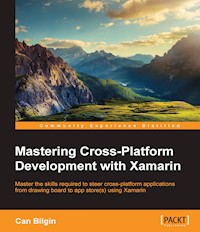
Master the skills required to steer cross-platform applications from drawing board to app store(s) using Xamarin
About This Book
- Develop your Xamarin development skills with this comprehensive guide on various patterns and features so you can create elegant and high-quality applications
- Create adaptive user interfaces on separate platforms without compromising the user experience and platform identity
- Implement application lifecycle management concepts to manage and finalize cross-platform projects and efficiently collaborate with others
Who This Book Is For
This book is ideal for those who want to take their entry–level Xamarin mobile development skills to the next level to become the go-to person within their organization. To fully understand the patterns and concepts described, you should possess a reasonable level of knowledge about the core elements of Xamarin and cross-platform application development with it.
What You Will Learn
- Configure your environment for cross-platform projects with Xamarin
- Gain memory management skills to avoid memory leaks and premature code cycles while decreasing the memory print of your applications
- Employ asynchronous and parallel patterns to execute non-interactive and non-blocking processes
- Create and use SQLite databases for offline scenarios
- Integrate network resources with cross-platform applications
- Design and implement eye-catching and reusable UI components without compromising nativity in mobile applications
- Manage the application lifecycle of cross-platform development projects
- Distribute Xamarin applications through public or private channels
In Detail
The main goal of this book is to equip you with the required know-how to successfully analyze, develop, and manage Xamarin cross-platform projects using the most efficient, robust, and scalable implementation patterns.
This book starts with general topics such as memory management, asynchronous programming, local storage, and networking, and later moves onto platform-specific features. During this transition, you will learn about key tools to leverage the patterns described, as well as advanced implementation strategies and features. The book also presents User Interface design and implementation concepts on Android and iOS platforms from a Xamarin and cross-platform perspective, with the goal to create a consistent but native UI experience.
Finally, we show you the toolset for application lifecycle management to help you prepare the development pipeline to manage and see cross-platform projects through to public or private release.
Style and approach
This is a comprehensive guide on various Xamarin features and patterns. Each topic is explained and demonstrated with code samples, which are revised in each section in an iterative manner and analyzed with available diagnostic tools to demonstrate the benefits of different patterns.
Sie lesen das E-Book in den Legimi-Apps auf:
Seitenzahl: 383
Veröffentlichungsjahr: 2016
Ähnliche

















Table of Contents
Mastering Cross-Platform Development with Xamarin
Mastering Cross-Platform Development with Xamarin
Copyright © 2016 Packt Publishing
All rights reserved. No part of this book may be reproduced, stored in a retrieval system, or transmitted in any form or by any means, without the prior written permission of the publisher, except in the case of brief quotations embedded in critical articles or reviews.
Every effort has been made in the preparation of this book to ensure the accuracy of the information presented. However, the information contained in this book is sold without warranty, either express or implied. Neither the author, nor Packt Publishing, and its dealers and distributors will be held liable for any damages caused or alleged to be caused directly or indirectly by this book.
Packt Publishing has endeavored to provide trademark information about all of the companies and products mentioned in this book by the appropriate use of capitals. However, Packt Publishing cannot guarantee the accuracy of this information.
First published: March 2016
Production reference: 1280316
Published by Packt Publishing Ltd.
Livery Place
35 Livery Street
Birmingham B3 2PB, UK.
ISBN 978-1-78528-568-4
www.packtpub.com
Credits
Author
Can Bilgin
Reviewers
Engin Polat
Lance McCarthy
Toni Petrina
Commissioning Editor
Veena Pagare
Acquisition Editors
Vinay Argekar
Meeta Rajani
Content Development Editor
Siddhesh Salvi
Technical Editors
Pramod Kumavat
Siddhi Rane
Copy Editor
Roshni Banerjee
Project Coordinator
Nidhi Joshi
Proofreader
Safis Editing
Indexer
Hemangini Bari
Graphics
Kirk D'Penha
Production Coordinator
Shantanu N. Zagade
Cover Work
Shantanu N. Zagade
About the Authors
Can Bilgin currently works for Authority Partners Inc. as a program architect. He has been working in the software industry, primarily with Microsoft technologies, for over a decade and has been recognized as a Microsoft Most Valuable Professional (MVP) for his technical contributions. In this period, he played key roles in projects for high profile clients using technologies such as BizTalk, SharePoint, Dynamics CRM, Xamarin, WCF, and other web technologies.
His main passion lies in mobile and IoT development using the modern toolset available for developers.
He tries to share his experience on his blog (http://canbilgin.wordpress.com), social media (@can_bilgin), and through speaking engagements at both local and international conferences and community events in the Balkans region.
This book is dedicated to three girls who shaped my life and still are doing so: my best friend and beloved wife, Sanja Grebovic Bilgin, our little daughter, Dilara Bilgin, and my loving mother, Turkan Bilgin.
About the Reviewers
Engin Polat has been involved in many large and medium-scale projects on .NET technologies as a developer, architect, and consultant, and has won many awards since 1999.
Since 2008, he has been giving training to many large enterprises in Turkey about Windows development, web development, distributed application development, software architecture, mobile development, cloud development, and so on.
Apart from this, he organizes seminars and events in many universities in Turkey about .NET technologies, Windows platform development, cloud development, web development, game development, and so on.
He shares his experiences on his personal blog (http://www.enginpolat.com).
He has MCP, MCAD, MCSD, MCDBA, and MCT certifications.
In 2012, he was recognized as a Windows Platform Development MVP (Most Valuable Professional) by Microsoft.
Between 2013 and 2015, he was recognized as a Nokia Developer Champion; very few people in the world are given this award. In 2015, he was recognized as the Regional Director by Microsoft.
I'd like to thank my dear wife, Yeliz, and my beautiful daughter, Melis Ada, for all the support they gave me while I was working on this book project.
Lance McCarthy, Microsoft MVP, is a community leader with an acute expertise for all things, such as .NET and C#, especially on the XAML stack, including WPF, Silverlight, Windows Phone, and Windows Store apps. He is very helpful online and guides and answers questions from Microsoft developers on Twitter as @lancewmccarthy. In his free time, he writes his blog at http://WinPlatform.wordpress.com, which focuses on Windows Universal apps. He organizes and hosts events in the Boston area, such as user group nights, mini-code camps, and full hackathons.
During the day, he is a senior technical support engineer at Telerik where he supports developers with their Classic Windows, Universal Windows Platform, Web and Mobile application development (Xamarin, Android native, and iOS native). He is also a technical consultant for the Windows Developer social media team where he helps respond to development questions via the official @WindowsDev Twitter account.
Previously, he worked for Nokia/Microsoft as a developer ambassador where he sought out and engaged developers through outreach programs and provided them with technical support and resources to make them successful on the Windows Phone and Windows 8 platforms.
He was also an assistant professor at Harvard University for a short time where he helped students build, market, and publish successful Windows Phone apps. At Boston University, he was a guest professor for the Cloud computing course and would teach one class a semester.
He has also appeared on podcasts, such as the Windows Developer Show, has been a technical editor for publications and books, has won several app building contests and hackathons (including the first place in the Microsoft Build 2013 hackathon), and is a published developer with over a million downloads in the Windows Store.
I'd like to thank my wife Amy for her undying patience while I did "more work after I got home from work" and to Can Bilgin for the opportunity to review this.
www.PacktPub.com
eBooks, discount offers, and more
Did you know that Packt offers eBook versions of every book published, with PDF and ePub files available? You can upgrade to the eBook version at www.PacktPub.com and as a print book customer, you are entitled to a discount on the eBook copy. Get in touch with us at <[email protected]> for more details.
At www.PacktPub.com, you can also read a collection of free technical articles, sign up for a range of free newsletters and receive exclusive discounts and offers on Packt books and eBooks.
https://www2.packtpub.com/books/subscription/packtlib
Do you need instant solutions to your IT questions? PacktLib is Packt's online digital book library. Here, you can search, access, and read Packt's entire library of books.
Why subscribe?
Preface
Although it was initially born as a community effort to port the .NET libraries and common language runtime compilers to various operating systems, the Xamarin product suite soon became the common ground to develop applications for Android and iOS operating systems using the .NET framework and the most popular CLR language, C#. The emergence of the Xamarin development platform created a new development niche, serving products to a variety of platforms at the same time while letting users adapt their existing .NET development skills to these new platforms and produce applications for a wider range of devices and operating systems. Thanks to Xamarin, developers are now enjoying a new era where development efforts don't target only a single application platform, but span multiple devices including smart phones, tablets, personal computers, and even wearable devices, creating highly efficient native applications.
What this book covers
Chapter 1, Developing with Xamarin, provides an insightful look at the Xamarin framework and architecture on target platforms. It also includes introductory information and tips on preparing the development environment for Xamarin.
Chapter 2, Memory Management, investigates how memory is managed on iOS and Android with Xamarin runtime. While drawing parallels with .NET platform, it provides examples of pitfalls, patterns, and best practices.
Chapter 3, Asynchronous Programming, dives deep into asynchronous and multi-threaded programming concepts. Platform-specific problems in various threading scenarios on different platforms are discussed.
Chapter 4, Local Data Management, provides useful patterns and techniques to efficiently use, manage, and roam data on mobile devices using Xamarin.
Chapter 5, Networking, contains a detailed look at the networking capabilities of Xamarin applications and various service integration scenarios. Networking implementations are illustrated with real-world examples, including the use of local storage for data caching.
Chapter 6, Platform Extras, concentrates on platform-specific APIs and features. It explains some of the peripherals that can be employed in Xamarin applications. A look at native libraries and how to include them in cross-platform Xamarin applications is also included in this chapter.
Chapter 7, View Elements, provides introductory information about UX (User Experience) and design concepts, and an explanation of the differences and similarities between design principles on Xamarin platforms.
Chapter 8, Xamarin.Forms, focuses on the various features and extensibility options of Xamarin. It also covers the forms extension module and how to use it to generate consistent user interfaces on multiple platforms.
Chapter 9, Reusable UI Patterns, discusses the strategies and patterns for reusing visual assets in cross-platform projects. Some advanced software architectural topics about MVC and MVVM patterns are also analyzed and demonstrated.
Chapter 10, ALM – Developers and QA, provides an introduction to Application Lifecycle Management and continuous integration methodologies for Xamarin cross-platform applications. As the part of the ALM process that is the most relevant to developers, unit testing strategies are discussed and demonstrated, as well as automated UI testing.
Chapter 11, ALM – Project and Release Management, explains the essentials of version control and automated continuous integration workflows. Source control options, as well as automated build strategies for Xamarin projects, are demonstrated.
Chapter 12, ALM – App Stores and Publishing, explains the processes related to app package preparation and release, which constitutes the last step of the application lifecycle.
What you need for this book
In order to build the sample project and make use of the code samples in this book, you will need a Xamarin.iOS and/or Xamarin.Android subscription, depending on the platform you want to target. Most of the diagnostic tools used are distributed as part of the development SDKs for the target platforms. As a development IDE, you will need Visual Studio 2013 (or higher) or Xamarin Studio if you are using or configuring a Windows based development environment, but only Xamarin Studio otherwise. For testing and diagnostics, real mobile devices or SDK-provided emulators can be used.
Who this book is for
This book is ideal for those who want to take their novice or intermediate-level Xamarin mobile development skills to the next level to become the go-to person within their organization. To fully understand the patterns and concepts described, you should possess a reasonable level of knowledge and an understanding of the core elements of cross-platform application development with Xamarin.
Conventions
In this book, you will find a number of text styles that distinguish between different kinds of information. Here are some examples of these styles and an explanation of their meaning.
Code words in text, database table names, folder names, filenames, file extensions, pathnames, dummy URLs, user input, and Twitter handles are shown as follows: "For instance, Objective-C types such as NSObject, NSString, NSArray are exposed in C# and provide binding to underlying types."
A block of code is set as follows:
Any command-line input or output is written as follows:
New terms and important words are shown in bold. Words that you see on the screen, for example, in menus or dialog boxes, appear in the text like this: "It can still be accessed using the Run with Mono HeapShot menu item under the Project menu in Xamarin Studio."
Note
Warnings or important notes appear in a box like this.
Tip
Tips and tricks appear like this.
Reader feedback
Feedback from our readers is always welcome. Let us know what you think about this book—what you liked or disliked. Reader feedback is important for us as it helps us develop titles that you will really get the most out of.
To send us general feedback, simply e-mail <[email protected]>, and mention the book's title in the subject of your message.
If there is a topic that you have expertise in and you are interested in either writing or contributing to a book, see our author guide at www.packtpub.com/authors.
Customer support
Now that you are the proud owner of a Packt book, we have a number of things to help you to get the most from your purchase.
Downloading the example code
You can download the example code files for this book from your account at http://www.packtpub.com. If you purchased this book elsewhere, you can visit http://www.packtpub.com/support and register to have the files e-mailed directly to you.
You can download the code files by following these steps:
Once the file is downloaded, please make sure that you unzip or extract the folder using the latest version of:
Errata
Although we have taken every care to ensure the accuracy of our content, mistakes do happen. If you find a mistake in one of our books—maybe a mistake in the text or the code—we would be grateful if you could report this to us. By doing so, you can save other readers from frustration and help us improve subsequent versions of this book. If you find any errata, please report them by visiting http://www.packtpub.com/submit-errata, selecting your book, clicking on the Errata Submission Form link, and entering the details of your errata. Once your errata are verified, your submission will be accepted and the errata will be uploaded to our website or added to any list of existing errata under the Errata section of that title.
To view the previously submitted errata, go to https://www.packtpub.com/books/content/support and enter the name of the book in the search field. The required information will appear under the Errata section.
Piracy
Piracy of copyrighted material on the Internet is an ongoing problem across all media. At Packt, we take the protection of our copyright and licenses very seriously. If you come across any illegal copies of our works in any form on the Internet, please provide us with the location address or website name immediately so that we can pursue a remedy.
Please contact us at <[email protected]> with a link to the suspected pirated material.
We appreciate your help in protecting our authors and our ability to bring you valuable content.
Questions
If you have a problem with any aspect of this book, you can contact us at <[email protected]>, and we will do our best to address the problem.
Chapter 1. Developing with Xamarin
This chapter examines the Xamarin framework and architecture on different target platforms and identifies the differences and similarities. It also includes introductory information and tips on preparing the development environment for Xamarin and covers some of the Xamarin development essentials. This chapter is divided into the following sections:
Cross-platform projects with Xamarin
Developers are enjoying a new era in which development is not restricted to one single application platform but spans across various media such as cellphones, tablets, personal computers, and even wearable devices. The shared code and assets between the development projects improves the elegance and the quality of the work. There is also a direct correlation between the robustness, the effort required for maintaining a multi-platform application, and the reusable modules.
Universal application is a term previously used to identify applications targeting devices running on the iOS operating system (the iPhone and iPad). However, the same term is now used to describe Windows Runtime applications (Windows Store and Windows Phone 8.1 - WinRT) and Android applications for phones and tablets. With the release of Xamarin, a truly universal application concept was born. When considering Xamarin applications, the term, universal, refers to applications that run on all three platforms and adapt to the system resources.
In this universal application context, developers are now finding it difficult to get the necessary solutions for common tasks on all three platforms. Moreover, taking on each platform as a separate development project results in wasted developer hours even though the main driving factors for such an application, namely data, business logic, and UI, are conceptually almost identical on all platforms.
Development strategies and patterns for the Xamarin platform, some of which are described in the rest of this book, try to resolve some of these problems and provide the developers with the tools and strategies necessary to produce cross-platform, manageable, and quality products.
Xamarin as a platform
Xamarin was initially born as a community effort to port the .NET libraries and common language runtime compilers to different operating systems. Initial attempts intended to create a set of binaries to develop, compile, and run applications written in C#, the indigenous language of .NET, on Unix-based platforms. This project, Mono, was later ported to many other operating systems, including iOS (Mono-Touch) and Android (Mono for Android).
The emergence of the Xamarin development platform created a new development niche creating products for three separate platforms at the same time, while allowing users to adapt their existing .NET development skills to these new platforms and produce applications for a wider range of devices and operating systems.
Note
Microsoft has been a strong supporter of Xamarin platform and toolset since the early phases. As you will see in the remainder of the chapter, Xamarin tools were fully integrated into Visual Studio and finally included in the Visual Studio 2015 setup. This partnership lasted until the eventual acquisition of Xamarin by Microsoft which was publicly announced in March 2016.
Xamarin provides compilers for each of the mentioned platforms so that the code written in the .NET framework (-alike) is compiled into native applications. This process provides highly efficient applications that differ greatly from interpreted mobile HTML applications.
As well as native compilation, Xamarin also provides access to strongly typed platform-specific features. These features are used in a robust manner with compile-time binding to the underlying platform. Platform-specific execution can also be extended with native invocations which is possible with the interop libraries.
Xamarin as a product
Xamarin, as a development suite, comes in different flavors. Developers with different sets of knowledge and experience can use these tools to set up their development environment according to their own needs. The Xamarin development environment can be configured on different operating systems. However, it is currently not possible to develop for all three platforms on the same operating system.
For developers who are looking to use the familiar interface of Visual Studio and leverage existing skills, Xamarin extensions for Visual Studio offer a suitable option. Once the extensions are installed, the environment is ready to develop Android and Windows Phone applications. This extension lets the developers take full advantage of Visual Studio, which includes designers for both of these platforms. In order to develop iOS applications, you need to go through the so-called pairing process of Visual Studio with an Apple OS X build machine. The build machine is used in return to visualize storyboards in the development environment (Visual Studio), compile iOS code, and debug applications.
The second option is to use Xamarin Studio. Xamarin Studio is a complete IDE with some of the features you are familiar with from Visual Studio, such as intellisense (smart code completion), code analysis, and code formatting. If you run Xamarin Studio on Apple OS X, you can develop for Android and iOS platforms with this IDE. However, with Xamarin Studio on Windows, you can only target the Android platform.
An important part of this development suite is the real-time monitoring tool called Xamarin Insights. Xamarin Insights lets developers monitor their live applications to help detect and diagnose performance issues and exceptions, and discover how the application is used. Xamarin Insights can also be connected to other applications so, for instance, application errors can be directly pushed into a bug tracking system.
Target platforms
As mentioned, Xamarin created a new platform in which the development efforts target multiple operating systems and a variety of devices. Most importantly, compiled applications do not run an interpreted sequence but have a native code base (such as Xamarin.iOS) or an integrated .NET application runtime (such as Xamarin.Android). In essence, Xamarin replaces the Common Language Runtime and IL for .NET applications with compiled binaries and an execution context, the so-called mono runtime.
Xamarin on Android
With Android applications, mono runtime is placed right on top of the Linux kernel. This creates a parallel execution context to the Android runtime. Xamarin code is then compiled into IL and accessed by mono runtime. On the other hand, Android runtime is accessed by the so-called Managed Callable Wrappers (MCW) which is a marshalling wrapper between the two runtimes. The MCW layer is responsible for converting managed types to Android runtime types and invoking Android code at execution time. Every time that .NET code needs to invoke Java code, this JNI (Java Interop) bridge is used. MCW provides a wide range of applications including inheriting Java types, overriding methods and implementing Java interfaces.
The following image shows the Xamarin.Android architecture:
Figure 1: Xamarin.Android Architecture
Android.* and Java.* namespaces are used throughout the MCWs to access device- and platform-specific features in Android runtime and Java APIs such as facilities like audio, graphics, OpenGL, and telephony .
Using the interop libraries, it is also possible to load native libraries and execute native code in the execution context with Xamarin.Android. The reverse callback execution in this case is handled through Android Callable Wrappers (ACW). ACW is a JNI bridge which allows the Android runtime to access the .NET domain. An ACW is generated at compile-time for each managed class that is directly or indirectly related to Java types (those that inherit Java.Lang.Object).
Xamarin on iOS
In iOS applications, the use of an integrated parallel runtime is (unfortunately) not permissible under the iOS SDK agreement. According to the iOS SDK agreement, interpreted code can only be used if all of the the scripts and code are downloaded and run by Apple's WebKit framework.
With this restriction in place, developers can still develop applications in .NET and share code over the other three platforms. At compile time, projects are first compiled into IL code and then (with the Mono Touch Ahead-Of-Time compiler—mtouch) into static native iOS bits. This means that iOS applications developed with Xamarin are completely native applications.
Figure 2: Xamarin.iOS Compilation
Xamarin.iOS, like Xamarin.Android, contains an interop engine that bridges the .NET world with the Objective-C world. Through this bridge, under the ObjCRuntime namespace, users are able to access iOS C-based APIs, as well as using the Foundation namespace, and can use and derive from native types and access Objective-C properties. For instance, Objective-C types like NSObject, NSString, and NSArray are exposed in C# and provide binding to underlying types. These types can be used either as memory references or as strongly-typed objects. This improves the development experience and also increases type-safety.
This static compilation is the main reason for using a build machine to develop iOS applications with Xamarin on the Windows platform. Therefore, there is no reverse-callback functionality in Xamarin.iOS where calls to native runtime from .NET code are supported but calls from native code back to .NET domain are not. There are other features that are disabled because of the way that Xamarin.iOS applications are compiled. For example, no generic types are allowed to inherit from NSObject. Another important limitation is the fact that no dynamic type creation is allowed at runtime which, in return, disables the use of dynamic keywords in Xamarin.iOS applications.
Note
Xamarin.iOS application packages, if built in a debug configuration, are much larger than their Release counterparts when compared to other platforms. These packages are instrumented and not optimized by the linker. Profiling of these packages is not allowed in Xamarin.iOS applications.
In a similar way to Xamarin.Android development, with Xamarin.iOS, it is also possible to re-use native code and libraries from managed code. To do this, Xamarin provides a project template called a binding library. A binding library helps developers create managed wrappers for native Objective-C code.
Windows Runtime apps
Even though Xamarin does not include Windows Runtime as a target platform nor provide specialized tools for it (other than Xamarin.Forms), cross-platform projects that involve Xamarin can and generally do include Windows Runtime projects. Since .NET and C# are indigenous to Windows Runtime, most of the shared projects (such as portable libraries, shared projects, and Xamarin.Forms projects) can be reused in Windows Runtime with no further modification.
With Windows Runtime, developers can create both Windows Phone 8.1 and Windows Store applications. Windows Phone 8 and Windows Phone 8.1 Silverlight can also be targeted and included in the PCL description.
Setting up the development environment
Xamarin projects can be carried out in various development environments. Since a number of platforms are involved in such projects, the operating system, the IDE selection, and the configuration are all crucial parts of the preparation.
Note
Environment setup not only depends on the target application platforms but also on the Xamarin license. A comparison between different licensing options and pricing information can be found on the Xamarin website (https://store.xamarin.com/).
Choosing the right development OS
Android applications can be developed and compiled on Windows using both Xamarin Studio and Visual Studio with Xamarin extensions installed, as well as on an Apple OS X operating system with Xamarin Studio for Mac installed.
For iOS application development, whether using Visual Studio on Windows or Xamarin Studio on Apple OS X, an Apple Macintosh computer, running at least OS X Mountain Lion, is required. The build machine should have the Xcode development tools with iOS SDK together with the Xamarin.iOS suite installed.
On the other hand, Windows Store applications can only be developed on the Windows platform.
Apple OS X
Microsoft Windows
Xamarin Studio
Xamarin Studio
Visual Studio
iOS Apps
Yes
Yes (with OS X Build Machine)
Android Apps
Yes
Yes
Yes
Windows Store Apps
Yes
Figure 3: Development IDEs on OS X and Windows
On the virtualization front, developers are also limited. OS X cannot be installed and run on a non-Apple branded machine nor can it be virtualized, according to the end user agreement. On the other hand, you can set up a virtual machine on an OS X development machine for Microsoft Windows and Visual Studio. However, in this case, the system should be running nested virtualization for Hyper-V to run Visual Studio for Windows Phone and Android emulators. Even though Parallels and VMWare Fusion support nested virtualization, Microsoft doesn't support nesting Hyper-V and, therefore, such machines may be unstable.
Xamarin Studio setup and configuration
Xamarin Studio can be set up on both the Windows and OS X operating systems. Developers can download it from www.xamarin.com and follow the installation instructions. Xamarin components for target platforms (for example, Xamarin.iOS, Xamarin.Android, and so on) together with the dependencies for these platforms (for example, Android SDK) should be downloaded and installed on the development machine. One required component for OS X, which has to be installed separately and configured, is the iOS SDK with the Xcode development environment.
Figure 4: Xamarin Setup on Mavericks (OS X 10.9)
On Microsoft Windows, it is important to mention that Xamarin Studio only supports the development of Android applications. Neither Windows Phone nor iOS application (even with the remote build machine) projects can be viewed, modified, or compiled with Xamarin Studio on Windows.
Figure 5: Xamarin Dev. Environment Setup on OS X
While developing on OS X, the only option for developing Windows Phone applications together with iOS and Android, is to use a Windows virtual machine and run Visual Studio in parallel with Xamarin Studio. This setup is also helpful for developers who use Team Foundation Server as the source control, since they can use the enhanced integration offered by Visual Studio Client rather than the standalone TFS Everywhere. It can also be set up so that the OS host machine can be paired with Visual Studio to become the build host for iOS applications.
Visual Studio setup and configuration
A typical Windows development platform configuration for Xamarin projects includes Visual Studio 2013 or 2015, an Apple OS X build host and Hyper-V and/or VirtualBox to be able to use Android and Windows Phone emulators. Xamarin.iOS applications are then compiled and emulated on the Apple OS X build host.
Figure 6: Windows Platform Xamarin Development Environment
Note
In spite of the fact that it is technically possible to run OS X with a virtual machine in the Microsoft Windows environment, Apple's license agreement does not allow this:
"2.H. Other Use Restrictions: The grants set forth in this License do not permit you to, and you agree not to, install, use or run the Apple Software on any non-Apple-branded computer, or to enable others to do so."
On Microsoft Windows, the Xamarin installation is similar to the Xamarin Studio setup on Apple OS X. All of the prerequisites for Xamarin development are installed with the Xamarin for Windows package, together with the Visual Studio extension.
Figure 7: Visual Studio 2015 Setup
One of the key differences between OS X and Microsoft Windows is that Visual Studio 2015 now includes cross-platform development tools such as Android SDK, development kits, and Xamarin project templates. Therefore, the Xamarin installation is only responsible for installing the extensions for the requested platforms (that is, Xamarin.iOS and/or Xamarin.Android).
In order to develop and test iOS applications and visualize and edit storyboards with Visual Studio, an Apple OS X machine must be connected to Visual Studio as a build host. Xamarin 4.0 introduced the concept of Xamarin Mac Agent, which is a background process on the OS X machine providing the required SSH connection to Visual Studio (a secure connection over port 22). Prior to Xamarin 4.0, the build host machine needed to run the so-called Mac build host which was used to pair the Mac host with Visual Studio. The only prerequisites for Xamarin Mac Agent are to have Xamarin.iOS installed on both the Windows workstation and the OS X build host and the build host to have a remote login enabled for the current user. In Visual Studio, the Find Xamarin Mac Agent dialog helps establish the remote connection.
Figure 8: Xamarin.iOS Build Host
It is important to keep in mind that the Mac machine paired with Visual Studio has to have Xcode with iOS SDK installed. A developer account (either enrolled into the app developer program or not) must also be added to the accounts configuration section of Xcode.
Note
If the account associated with Xcode does not have a paid subscription to the developer program, the platform for the iOS projects can only be set for simulator and debug selection to one of the simulator options, not an actual device. Otherwise, the user will be presented with an error message such as, No valid iOS code signing keys found in keychain.
Emulator options
There are a number of emulators for compiled Xamarin projects for the target platform and the development environment. Developers have most flexibility with the emulator for the Android platform, whereas the options for iOS and Windows Store Apps are limited to the SDK-provided emulators.
Emulators for Android
Android applications can be run and tested on a number of emulators on both Microsoft Windows and Apple OS X operating systems.
Android SDK comes with the default emulator that is installed on the development machine. This emulation option is available both on OS X and Windows operating systems.
Figure 9: AVD and Genymotion Emulators
This Android emulator uses the Android Virtual Devices (AVD) to emulate the Linux kernel and the Android runtime. It does not require any additional virtualization software to run, however, the lack of virtualization support makes AVD much less responsive and makes the startup time relatively longer. It also provides a wide range of emulation options for developers, from SMS and telephony to hardware, peripherals, and power events.
The Genymotion emulator (https://www.genymotion.com/) is one of the most popular emulation options for Xamarin and Android developers. Although it is available with a free license, the free version only allows for GPS and camera emulation. The Genymotion emulator runs on (and is installed with) VirtualBox virtualization software.
Tip
VirtualBox together with Hyper-V
Virtual Box software cannot be run alongside Hyper-V virtualization software, which is required for Windows Phone development and emulation on Windows operating systems. In order to use both the Windows Phone emulator and the Genymotion Android emulator, you can create a dual boot option to disable and enable Hyper-V on Windows start-up.
This would create a second boot option to start Windows without the Hyper-V feature so that the virtualization can be used by VirtualBox.
The last and the most recent Android emulation option is the Visual Studio Android emulator. This Android emulator runs on Hyper-V and provides various device API versions and emulation options for developers.
Figure 10: Visual Studio Android Emulator
The Visual Studio Android emulator is installed as part of the Visual Studio 2015 installation and can also be installed as an extension later. The emulator provides a similar experience to the Windows Phone emulator and allows developers and testers to use almost the same set of emulation options with different device profiles as well as different API levels.
iOS emulation
iOS emulation is only possible with the Xcode tools and iOS SDK. The iOS simulator can be started either directly on Apple OS X while developing with Xamarin Studio, or by pairing the build machine with the Visual Studio Xamarin extension running on Microsoft Windows. It also can be used to test both iPhone and iPad applications.




