


46,44 €
Mehr erfahren.
- Herausgeber: Packt Publishing
- Kategorie: Wissenschaft und neue Technologien
- Sprache: Englisch
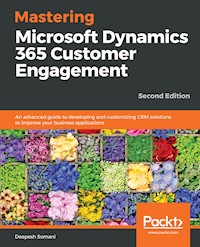
A comprehensive guide packed with the latest features of Dynamics 365 for customer relationship management
Key Features
- Create efficient client-side apps and customized plugins that work seamlessly
- Learn best practices from field experience to use Dynamics 365 efficiently
- Unleash the power of Dynamics 365 to maximize your organization's profits
Book Description
Microsoft Dynamics 365 is an all-in-one business management solution that's easy to use and adapt. It helps you connect your finances, sales, service, and operations to streamline business processes, improve customer interactions, and enable growth. This book gives you all the information you need to become an expert in MS Dynamics 365.
This book starts with a brief overview of the functional features of Dynamics 365. You will learn how to create Word and Excel templates using CRM data to enable customized data analysis for your organization. This book helps you understand how to use Dynamics 365 as an XRM Framework, gain a deep understanding of client-side scripting in Dynamics 365, and create client-side applications using JavaScript and the Web API.
In addition to this, you will discover how to customize Dynamics 365, and quickly move on to grasp the app structure, which helps you customize Dynamics 365 better. You will also learn how Dynamics 365 can be seamlessly embedded into various productivity tools to customize them for machine learning and contextual guidance.
By the end of this book, you will have mastered utilizing Dynamics 365 features through real-world scenarios.
What you will learn
- Manage various divisions of your organization using Dynamics 365 customizations
- Explore the XRM Framework and leverage its features
- Provide an enhanced mobile and tablet experience
- Develop client-side applications using JavaScript and the Web API
- Understand how to develop plugins and workflows using Dynamics 365
- Explore solution framework improvements and new field types
Who this book is for
Mastering Microsoft Dynamics 365 Customer Engagement is for you if you have knowledge of Dynamics CRM and want to utilize the latest features of Dynamics 365. This book is also for you if you're a skilled developer looking to move to the Microsoft stack to build business solution software. Extensive Dynamics CRM development experience will be beneficial to understand the concepts covered in this book.
Das E-Book können Sie in Legimi-Apps oder einer beliebigen App lesen, die das folgende Format unterstützen:
Seitenzahl: 259
Veröffentlichungsjahr: 2019
Ähnliche

















Mastering Microsoft Dynamics 365 Customer Engagement Second Edition
Copyright © 2019 Packt Publishing
All rights reserved. No part of this book may be reproduced, stored in a retrieval system, or transmitted in any form or by any means, without the prior written permission of the publisher, except in the case of brief quotations embedded in critical articles or reviews.
Every effort has been made in the preparation of this book to ensure the accuracy of the information presented. However, the information contained in this book is sold without warranty, either express or implied. Neither the author, nor Packt Publishing or its dealers and distributors, will be held liable for any damages caused or alleged to have been caused directly or indirectly by this book.
Packt Publishing has endeavored to provide trademark information about all of the companies and products mentioned in this book by the appropriate use of capitals. However, Packt Publishing cannot guarantee the accuracy of this information.
Commissioning Editor: Richa TripathiAcquisition Editor: Sandeep MishraContent Development Editor: Rohit Kumar SinghTechnical Editor: Ketan KambleCopy Editor:Safis EditingProject Coordinator: Vaidehi SawantProofreader: Safis EditingIndexer: Mariammal ChettiyarGraphics: Alishon MendonsaProduction Coordinator: Aparna Bhagat
First published: November 2017 Second edition: February 2019
Production reference: 1280219
Published by Packt Publishing Ltd. Livery Place 35 Livery Street Birmingham B3 2PB, UK.
ISBN 978-1-78899-022-6
www.packtpub.com
Mapt is an online digital library that gives you full access to over 5,000 books and videos, as well as industry leading tools to help you plan your personal development and advance your career. For more information, please visit our website.
Why subscribe?
Spend less time learning and more time coding with practical eBooks and videos from over 4,000 industry professionals
Improve your learning with Skill Plans built especially for you
Get a free eBook or video every month
Mapt is fully searchable
Copy and paste, print, and bookmark content
Packt.com
Did you know that Packt offers eBook versions of every book published, with PDF and ePub files available? You can upgrade to the eBook version at www.packt.com and as a print book customer, you are entitled to a discount on the eBook copy. Get in touch with us at [email protected] for more details.
At www.packt.com, you can also read a collection of free technical articles, sign up for a range of free newsletters, and receive exclusive discounts and offers on Packt books and eBooks.
Contributors
About the author
Deepesh Somani is a Microsoft Dynamics CRM architect/practice lead at Dynamisity and a corporate trainer. He has been a Microsoft MVP awardee since 2015 and was recognized as one of the top 50 CRM bloggers in 2019 by Feedspot. He has developed 14 free tools with 7,000 downloads and a Learning Dynamics CRM app with 1,500 downloads and 4.4 rating on the Play Store. He is experienced in working in different domains with teams from many countries and multinational companies and has authored two other Packt books.
About the reviewer
Simaranjit Singh Bhalla has been working with Dynamics since 2011. He is currently working as a technical architect-manager for KPMG. He also has experience of working in EMEA. Before coming to Australia, he was working in Dublin, Ireland, with Storm technologies. He has also worked with Accenture Avanade as a team lead and at Microsoft Global Services as a consultant in Hyderabad, India. He has extensive experience in development with the Microsoft technology stack. He has done multiple successful engagements in .NET, Azure, SSIS, SSRS, HTML, JavaScript and CRM. He has been working with Dynamics since CRM 4.0 and is currently working with Dynamics 365.
Packt is searching for authors like you
If you're interested in becoming an author for Packt, please visit authors.packtpub.com and apply today. We have worked with thousands of developers and tech professionals, just like you, to help them share their insight with the global tech community. You can make a general application, apply for a specific hot topic that we are recruiting an author for, or submit your own idea.
Table of Contents
Title Page
Copyright and Credits
Mastering Microsoft Dynamics 365 Customer Engagement Second Edition
About Packt
Why subscribe?
Packt.com
Contributors
About the author
About the reviewer
Packt is searching for authors like you
Preface
Who this book is for
What this book covers
To get the most out of this book
Download the example code files
Download the color images
Conventions used
Get in touch
Reviews
Section 1: Introduction to Sales, Service, and Marketing Modules with a Unified User Interface
Working with Sales
The stages of the sales process
Entities in Dynamics 365
Case studies
Scenario 1
Scenario 2
Scenario 3
Summary
Working with Service
Entities in the Service module
The Customer Service Hub
Case studies
Scenario 1 – configuration of the Customer Service Hub
A walkthrough of the Customer Service Hub
The TIMELINE tab
The RELATED tab
Scenario 2
Scenario 3
Summary
Working with Marketing
Contents of the Marketing module
The structure of the Marketing module
The marketing list
Creating a marketing list
Campaigns
Quick campaigns
Scenario 1
Scenario 2
Scenario 3
Summary
Understanding the New Unified User Interface
An overview of Dynamics 365 Hub
Accessing Hubs in Dynamics 365
Adding Sales and the Customer Service Hub in Dynamics 365
Creating a Unified Interface
New UI updates in Unified Interface
Understanding the Sales Hub in Dynamics 365
Understanding the Customer Service Hub
Summary
Section 2: Understanding Customization and App Design
Designing Unified Interface Apps
Scenario
Resolving the scenario
Creating the Vendor custom entity
Product management
Creating the Vendor Management application
Creating applications from existing solutions and site maps
Managing security roles
Creating new views in the Vendor Management application
Showing a default welcome page
Summary
Customization Enhancements in Dynamics 365
New enhancements in Dynamics 365
New attribute type – MultiSelect Option Set
Custom grid controls in Dynamics 365
Scenario 1
Resolving the scenario
Scenario 2
Resolving the scenario
Scenario 3
Resolving the scenario
Scenario 4
Resolving the scenario
Summary
Business Process Flows and Rules in Dynamics 365
Key components
Key changes
Creating a business rule
Scenario walkthrough
Scenario
Business process flows
Attributes
Creating a business process flow
Scenario walkthrough
Scenario
Summary
Section 3: Development Enhancements and Code Improvements in Dynamics 365
Client-Side Scripting
Scenario 1
Resolving the scenario
Source code
Microsoft Dynamics 365 web API
Authenticating with the web API
Scenario 2
Resolving the scenario
Source code
Scenario 3
Retrieving metadata using the web API
Source code
Scenario 4
Resolving the scenario
Source code
Summary
Plugin Development with Dynamics 365
Event execution pipeline
Pipeline stages
Database transaction
Plugin isolation mode
Writing a plugin
Registering a plugin step
Scenario walkthrough
Scenario 1
Scenario 2
Scenario 3
Summary
Working with the XRM Framework
Scenario walkthrough
Adding resources
Creating custom fields
Attributing data types
The Calculated and Rollup fields
What operations can the Rollup fields perform?
What types of formula are allowed on Calculated fields?
Relationships
1:N relationships
N:1 relationships
N:N relationships
Scenario 1
Scenario 2
Entity forms
Entity views
Sample scenarios
Summary
Mobile Enhancements in Dynamics 365
Dynamics 365 mobile application requirements
Dynamics 365 tablet application requirements
Dynamics 365 web browser support for tablet
Scenario
Visual controls in Dynamics 365
Scenario – For visual controls
Scenario – Configuring the timeline control
Scenario – Configuring the Pen Control
Summary
Virtual Entities in Dynamics 365
Scenario demonstrating use of virtual entities
Resolving the scenario
Getting JSON data for the virtual entities
Creating the OData v4 source
Publishing the OData v4 source in Azure
Creating the virtual entity data source
Creating a virtual entity
Creating the Zip Code virtual entity
Currency conversions virtual entity
Limitations of virtual entities
Summary
Section 4: Learning about the Portal, Configuration, and Security Enhancements in Dynamics 365
Working with Dynamics 365 Portals
Overview of Dynamics 365 portal
Configuring the customer service portal
Managing portal pages and setup using the portal content editor
Scenario 1
Scenario 2
Scenario 3
Scenario 4
Scenario 5
Summary
Configuration Enhancements in Dynamics 365
Dynamics 365 theme
Scenario one
Dynamics 365 organization settings
Scenario two
Dynamics 365 personal option settings
Scenario three
Summary
Analytics with Dynamics 365 (Word and Excel Templates)
Word templates
Scenario
Creating a Word template
An alternative way to create a template
Types of controls
Uploading the template to Dynamics 365
Excel templates
Customizing data present in the document
Uploading the template
Configuring the security roles in templates
Summary
Other Books You May Enjoy
Leave a review - let other readers know what you think
Preface
Microsoft has introduced a new product named Dynamics 365, based on Dynamics 365. It consists of seven components and has extended functionality compared to any other CRM systems. It is equipped to be flexible to meet the needs of businesses. This book provides a comprehensive coverage of Dynamics 365 and helps you make your tasks much simpler.
Through this book, you will learn how to create efficient applications and customized plugins with the help of best practices from field experience. This books takes a practical, step-by-step approach, providing real-world case studies that enable you to leverage the latest and most advanced features of Dynamics 365.
Who this book is for
If you have knowledge of Dynamics 365 and want to utilize the latest features of Dynamics 365, this book is for you. It will also be of help if you're a skilled developer looking to move to the Microsoft stack to build business solution software. Extensive Dynamics 365 development experience will be beneficial to understand the concepts covered in this book.
What this book covers
Chapter 1, Working with Sales, focuses on understanding Dynamics 365 sales life cycle using scenarios from the previous edition, with addition of new screenshots and more explanation for each steps. This will also make you familiar with sales entities and explain how to work with these entities.
Chapter 2, Working with Service, introduces the Service module and its related entities in Dynamics 365. The scenarios covered in this chapter are the same as the previous chapter on sales. All the scenarios will include an explanation of the new user interface presented in Dynamics 365.
Chapter 3, Working with Marketing, helps you understand how the marketing life cycle works with the new Dynamics 365 UI. This includes introduction and entities for marketing. You will learn about marketing entities, use of marketing list, and creating or managing campaign.
Chapter 4, Understanding the New Unified User Interface, discusses new Dynamics 365, covering the new enhancements in the UI. You will be able to grasp the new UI and its usability, which makes the new version of Dynamics 365 more convenient, efficient, and attractive to use.
Chapter 5, Design Unified Interface Apps, helps you acquire the skills required to design an app for Dynamics 365. You will introduced to the usability and designing of an app in Dynamics 365 using real-world examples. You will learn about the customization options available in order to edit apps in Dynamics 365.
Chapter 6, Customization Enhancements in Dynamics 365, covers new fields and customizations in Dynamics 365 and helps you to keep track of web resources. You will learn about the new sub-grid customization enhancement and other enhancements for customizations.
Chapter 7, Business Process Flows and Rules in Dynamics 365, covers how business process flows can be used in Dynamics 365. It will also cover how business rules can be used in Dynamics 365 to manage validations and client-side rules.
Chapter 8, Client-Side Scripting, focuses on the use of the new client-side API with a few scenarios. After covering client-side scripts, the Web API will be the focus of this chapter. This will increase your understanding of Web API and client-side enhancements using the new features with the help of real-world scenarios.
Chapter 9, Plugin Development with Dynamics 365, covers how plugins can be used by power users in Dynamics 365 to create automation and enhance Dynamics 365 functionality. It will also cover how plugins can be debugged in Dynamics 365, and takes a look at best practices. This chapter also explains every step in light of the new changes to Dynamics 365.
Chapter 10, Working with the XRM Framework, covers the XRM Framework of Dynamics 365. This chapter focuses on entities, processes, and dashboards that extend Dynamics 365 to fit any business requirements using the XRM framework via real-world examples in the new UI of Dynamics 365.
Chapter 11, Mobile Enhancements in Dynamics 365, covers the Dynamics 365 client for mobile and tablet devices. It covers the new navigation for the mobile app and the use of different features in the mobile app. It also includes examples that support zoom charts in dashboards, along with newly added chart types, support for forms such as switching forms, and filtering support.
Chapter 12, Virtual Entity in Dynamics 365, focuses on the virtual entities feature. Real-world scenarios will be used to demonstrate the use of virtual entities, which is a new and great feature available in Dynamics 365, and this chapter will also cover their creation and limitations.
Chapter 13, Working with Dynamics 365 Portals, introduces the customer engagement portal with Dynamics 365 and how to use and customize it for user needs. This chapter will elaborate how the customer engagement portal is useful and how to use it. It also includes the basics customer engagement portal that will make the design process of Customer engagement portal simpler.
Chapter 14, Configuration Enhancements in Dynamics 365, shows how to use new configurations in Dynamics 365 and how to use them to apply different kinds of timeout and other settings.
Chapter 15, Analytics with Dynamics 365 (Word and Excel Templates), covers a new feature of Dynamics 365 – Word and Excel templates. It contains an example scenario that explains how to implement the features. It also describes how to utilize and embed Power BI dashboards into Dynamics 365. It focuses on the Service connector, introduced with the latest release of Power BI, to connect the Dynamics 365 Service module for analytics with Power BI. All of this will be done in the new UI for Dynamics 365.
To get the most out of this book
All the required instructions are given at appropriate instances within each chapter.
Download the example code files
You can download the example code files for this book from your account at www.packt.com. If you purchased this book elsewhere, you can visit www.packt.com/support and register to have the files emailed directly to you.
You can download the code files by following these steps:
Log in or register at
www.packt.com
.
Select the
SUPPORT
tab.
Click on
Code Downloads & Errata
.
Enter the name of the book in the
Search
box and follow the onscreen instructions.
Once the file is downloaded, please make sure that you unzip or extract the folder using the latest version of:
WinRAR/7-Zip for Windows
Zipeg/iZip/UnRarX for Mac
7-Zip/PeaZip for Linux
The code bundle for the book is also hosted on GitHub at https://github.com/PacktPublishing/Mastering-Microsoft-Dynamics-365-Customer-Engagement-Second-Edition. In case there's an update to the code, it will be updated on the existing GitHub repository.
We also have other code bundles from our rich catalog of books and videos available at https://github.com/PacktPublishing/. Check them out!
Download the color images
We also provide a PDF file that has color images of the screenshots/diagrams used in this book. You can download it here: https://www.packtpub.com/sites/default/files/downloads/9781788990226_ColorImages.pdf.
Conventions used
There are a number of text conventions used throughout this book.
A block of code is set as follows:
<head> <h1>Welcome to Vendor Management App</h1> <img src="..//webresources/mdl_bathroomimage" alt="Trulli" width="500" height="333"> </head>
When we wish to draw your attention to a particular part of a code block, the relevant lines or items are set in bold:
<head> <h1>Welcome to Vendor Management App</h1> <img src="..//webresources/mdl_bathroomimage" alt="Trulli" width="500" height="333"> </head>
Any command-line input or output is written as follows:
$ mkdir css
$ cd css
Bold: Indicates a new term, an important word, or words that you see onscreen. For example, words in menus or dialog boxes appear in the text like this. Here is an example: "Select Vendor Management to load the app."
Get in touch
Feedback from our readers is always welcome.
General feedback: If you have questions about any aspect of this book, mention the book title in the subject of your message and email us at [email protected].
Errata: Although we have taken every care to ensure the accuracy of our content, mistakes do happen. If you have found a mistake in this book, we would be grateful if you would report this to us. Please visit www.packt.com/submit-errata, selecting your book, clicking on the Errata Submission Form link, and entering the details.
Piracy: If you come across any illegal copies of our works in any form on the Internet, we would be grateful if you would provide us with the location address or website name. Please contact us at [email protected] with a link to the material.
If you are interested in becoming an author: If there is a topic that you have expertise in and you are interested in either writing or contributing to a book, please visit authors.packtpub.com.
Reviews
Please leave a review. Once you have read and used this book, why not leave a review on the site that you purchased it from? Potential readers can then see and use your unbiased opinion to make purchase decisions, we at Packt can understand what you think about our products, and our authors can see your feedback on their book. Thank you!
For more information about Packt, please visit packt.com.
Section 1: Introduction to Sales, Service, and Marketing Modules with a Unified User Interface
This first section will introduce you to sales and service life cycles in Dynamics 365. Your knowledge of these topics will be supplemented with applicable scenarios. Further on, you will learn how the marketing module works. Finally, you will come to understand the new UI and its usability, which makes the new version of Dynamics 365 better, more convenient, and more efficient, as well as attractive to use.
The following chapters will be covered in this section:
Chapter 1
,
Working with Sales
Chapter 2
,
Working with Service
Chapter 3
,
Working with Marketing
Chapter 4
,
Understanding the New Unified User Interface
Working with Sales
The main purpose of the Dynamics 365 Sales module is to support the typical sales cycle followed in any organization. It automates the entire process, starting with the acquisition of a new lead, until its logical conclusion, in the form of either a lost or won opportunity.
The Sales module in Dynamics 365 helps organizations provide effective selling capabilities. It helps the organization track sales activities and see its Sales pipeline.
Some examples of sales activities are as follows:
Creating a lead for potential sales in an organization
Adding notes and activities to the lead while trying to sell a product or service to the customer
Qualifying a lead to opportunity
Generating quotations and orders
Capturing competitor information
The stages of the sales process
A typical sales process consists of the following stages:
Lead-generation
: This involves generating potential customers who may be interested in the products that the organization has to offer. Leads may be generated via different means. They could either be generated by the CRM Marketing process or by activities such as phone calls, emails, appointments, and so on.
Qualifying leads
: After the leads are captured, each lead needs to be evaluated to understand their requirements in detail and the related products or services that the organization has to offer. Based upon the interaction with the lead, the lead may be converted into a viable opportunity.
Demonstrate value
: After an opportunity has been identified, the next step is to identify the resources and the personnel that will pursue the lead prospect. They will try to capture different information, such as the main customer contact details, requirements, and the list of competitors. They may also do a SWOT analysis to compare their product with that of their competitors.
Quote creation/negotiation
: Finally, after proper calibration, the organization may share a quote with the client. A quote basically consists of the product information and the associated price, along with other major information. The client may ask for some negotiation, and accept or reject the quote.
Closing out the quote
: When the client finally accepts the quote, the organization issues an invoice to the client. An invoice is a formal contract consisting of product information, associated cost, and support details. It should be on the same lines as that of the quote. The buyer must then sign the contract and pay the organization as agreed in the contract. At this stage, the lead is identified as a won opportunity.
Supporting the customer
: After the lead is converted to a won opportunity, the organization must manage the customer as per the agreement details in the contract. If the customer requires any support, the organization creates service requests either at the client's onsite location or via a call.
Entities in Dynamics 365
Dynamics 365 provides revenue management and goal management processes, which can be easily customized to suit the business process of an organization. The following are the entities provided by Dynamics 365:
Leads
,
Contact
, and
Account
: These entities are already listed as a part of the Marketing module. They represent the same business actors in the Sales module and in the Marketing module.
Opportunities
: This represents an interaction with a lead that may be converted into a revenue-generating avenue for the organization.
Competitors
: These represent third-party organizations that are competing with the organization for the services required by the customer.
Product
: This may represent a resource, service, or item offered by the organization for the services of the client.
Product unit
: This represents the possible unit of groups in which the product is available.
Price list
: This identifies the price that the organization charges the client for its products. Dynamics 365 allows us to configure different prices for different regions/countries.
Currency
: Each price list is associated with the currency of the underlying region/country.
Quotes
: Dynamics CRM captures the list of product line items, which the company offer to the client as a quote. Along with the product information, it also captures the contact details of the prime contact, shipping information, and discount, if any.
Invoices
: As in the general sales cycle, when the customer accepts the terms and conditions mentioned in the quote, the quote is converted into an invoice. Dynamics CRM captures the same information as that of the quote; however, it just acts as a formal contract between the organization and the customer.
Goals
: Dynamics 365 allows the organization to capture preset targets in terms of won opportunities, revenue generated, and so on, which a sales representative should strive to adhere to.
The following is a sequence diagram explaining the interaction involved in the Sales life cycle within Dynamics 365:
Case studies
In the following section, we will go through case studies to understand the Sales module of Dynamics 365.
Scenario 1
Acme Ltd. utilizes Dynamics 365's out-of-the-box Sales module capabilities to capture leads from across three global sales offices and process them through lead qualification and the opportunity management life cycle.
The following are the three global offices:
New York head office, USA
London sales office, UK, for Europe
Mumbai sales office, India, for Asia
The requirements of Acme Ltd. are as follows:
Central reporting of opportunity management at the New York head office
Lead-capturing and qualification based on the location
Opportunity management
The following steps explain the process adopted by Acme Ltd. for capturing leads, filling in the required information in the lead records, and then qualifying a lead to generate opportunities and closing them as won or lost:
Click on the chevron or arrow to the right of the
Dynamics 365
text to display the navigation menu. Click on the
Sales
CRM module:
Next, click on
Sales
in the top-left corner, and then click on the
Leads
entity under
Sales
:
The browser will be directed to the
My Open Leads
view on the
Leads
entity. Click
New
in the top-left corner to launch the
New Lead
form:
The required fields,
Topic
, and
Name
, with the red asterisk showcase fields that need to be entered before the user can save the record:
Add details regarding the lead contact and company, and set the
Lead Source
in the header section in the top-right corner of the form:
These steps are outlined in the
Qualify
stage of the
Lead to Opportunity Sales Process
business process flow.
Existing Contact
?
and
Existing Account
?
do not apply, as this lead relates to a new contact and a new account. Fill out the remaining fields as appropriate and click
QUALIFY
:
To move the lead to the
OPPORTUNITY
stage, select the
Qualify
option from the command bar. Note that when a lead is qualified, an
OPPORTUNITY
record is created and the
Lead to Opportunity Sales Process
business process flow moves to the
Develop
stage:
In addition, a new
CONTACT
record is created and populated with the data that was entered in the
Lead Contact
and
Company
sections:
The lead record will now be set to read-only.
Navigate back to the opportunity record (by choosing the
Develop
stage); enter a value for the
Est.
Close Date
and the
Est. Revenue
in the header section in the top-right corner of the form:
Optionally, the users of Acme Ltd. may complete the fields in the
Develop (Active)
stage of the
Lead to Opportunity
business process flow. They may enter a description for the
Customer Need
and the
Proposed Solution
. Mark the
Identify Stakeholders
as complete (note that the contact for the opportunity has been automatically set as the stakeholder for this opportunity):
Optionally, users may complete the other fields in the
Develop (Active)
stage. To complete the other fields, such as
Identify Competitors
, it is necessary to create a new
Competitor
record.
The completion of this data enables the reporting process to track closed opportunities that were lost to the competitor. Scroll down to the competitor sub-grid on the
Opportunity
form and click on the
+
icon. Then, click on the lookup icon, and, finally, click on the + option to add a new
COMPETITORS
record:
This will launch the
Quick Create
form for the
Competitor
entity on the top of the screen. Fill out the required fields and click
Save
:
The
COMPETITORS
record is added to
Opportunity
. Mark
Identify Competitors
on the process bar as complete and click the
Next Stage
link:
The
Opportunity
record now moves to the
Propose
stage. Complete the actions in the current stage, and complete the required fields for the
Propose
stage:
The opportunity is closed, dependent on the outcome of the sales activity. Opportunities can be closed as won or lost from the command bar.
In this case, the opportunity was lost by Acme Ltd. to
Bluebell XX Ltd.
, so select
CLOSE AS LOST
from the command bar:
The opportunity is now marked as lost and set to read-only:
The preceding scenario explains the sale's life cycle, from leads to opportunity, in a case where Acme Ltd. lost the opportunity.
Scenario 2
Peter leads the sales team at Contoso, and wishes to go through the goals set for each of the sales members and understand how they are performing against the goals that have been set for them:
Create
Goals
for each of the team members:
In Dynamics 365, we can define goals for each of the sales members. To define goals, navigate to Sales|Goals.
To create goals, we first need to define the
Goal Metrics
.
Goal Metrics




