


39,59 €
Mehr erfahren.
- Herausgeber: Packt Publishing
- Kategorie: Wissenschaft und neue Technologien
- Sprache: Englisch
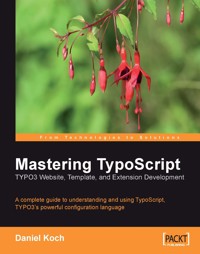
Free, open-source, flexible, and scalable, TYPO3 is one of the most powerful PHP content management systems. It is well suited for creating intranets and extranets for the enterprise. While providing an easy-to-use web interface for non-technical authors and editors of content, its messaging and workflow system enable shared authoring and collaboration. TYPO3 provides flexible and powerful interfaces for both content editors and administrators, giving them full control of the core aspects the system. However for developers who need to customize the system, TYPO3 offers a powerful configuration language called TypoScript. Good knowledge of TypoScript is really a prerequisite for implementing complex applications with TYPO3 and gives developers full control over the configuration of TYPO3 and its template engine. TypoScript enables the complete output template to be created and manipulated, giving you full control over the layout of the site.
TypoScript also allows you to integrate dynamic contents, JavaScript-based menus, Flash, Graphics, etc. with ease. You have maximum control over the design of the website and can control all options that would otherwise be addressed by HTML-simple text output, formatting, and much more. TypoScript also allows you to generate graphics at run time and display different content dynamically.
Das E-Book können Sie in Legimi-Apps oder einer beliebigen App lesen, die das folgende Format unterstützen:
Seitenzahl: 413
Veröffentlichungsjahr: 2006
Ähnliche


















Table of Contents
Mastering TypoScript: TYPO3 Website, Template, and Extension Development
Daniel Koch
Mastering TypoScript: TYPO3 Website, Template, and Extension Development
Copyright © 2006 Packt Publishing
All rights reserved. No part of this book may be reproduced, stored in a retrieval system, or transmitted in any form or by any means, without the prior written permission of the publisher, except in the case of brief quotations embedded in critical articles or reviews.
Every effort has been made in the preparation of this book to ensure the accuracy of the information presented. However, the information contained in this book is sold without warranty, either express or implied. Neither the author, Packt Publishing, nor its dealers or distributors will be held liable for any damages caused or alleged to be caused directly or indirectly by this book.
Packt Publishing has endeavored to provide trademark information about all the companies and products mentioned in this book by the appropriate use of capitals. However, Packt Publishing cannot guarantee the accuracy of this information.
First published: December 2006
Production Reference: 3141206
Published by Packt Publishing Ltd. 32 Lincoln Road Olton Birmingham, B27 6PA, UK.
ISBN 1-904811-97-3
www.packtpub.com
Cover Image by www.visionwt.com
Copyright © 2005
Carl Hanser Verlag, Munich/FRG
All rights reserved.
Authorized translation from the original German language edition published by Carl Hanser Verlag, Munich/FRG.
Credits
Author
Daniel Koch
Development Editor
Louay Fatoohi
Translator
Wolfgang Spegg
Technical Editor
Ashutosh Pande
Editorial Manager
Dipali Chittar
Project Manager
Patricia Weir
Indexer
Bhushan Pangaonkar
Proofreader
Chris Smith
Layouts and Illustrations
Shantanu Zagade
Cover Designer
Shantanu Zagade
About the Author
Daniel Koch is a freelancing author and developer. His main focus is on Open Source Web Applications and Content Management Systems.
Daniel lives in Hamburg, Germany. He has authored/coauthored eighteen books and frequently contributes to IT magazines. His website is http://www.medienwerke.de/.
Thanks to Sarah for the last 11 years, which have been wonderful.
Preface
Free, open-source, flexible, and scalable, TYPO3 is one of the most powerful PHP content management systems. It is well suited for creating intranets and extranets for the enterprise. While providing an easy-to-use web interface for non-technical authors and editors of content, its messaging and workflow system allow shared authoring and collaboration.
TYPO3 provides flexible and powerful interfaces for both content editors and administrators, giving them full control of the core aspects the system. However for developers who need to customize the system, TYPO3 offers a powerful configuration language called TypoScript. Good knowledge of TypoScript is really a prerequisite for implementing complex applications with TYPO3 and gives developers full control over the configuration of TYPO3 and its template engine.
TypoScript enables the complete output template to be created and manipulated, giving you full control over the layout of the site. TypoScript also allows you to integrate dynamic contents, JavaScript-based menus, Flash, Graphics, etc. with ease. You have maximum control over the design of the website and can control all options that would otherwise be addressed by HTML—simple text output, formatting, and much more. TypoScript also allows you to generate graphics at run time and display different content dynamically.
What This Book Covers
Chapter 1 provides an introduction to TYPO3 and TypoScript, its configuration language.
Chapter 2 looks at the main features of TypoScript and also explains its basic principles. Objects, properties, operators, and datatypes in TypoScript are explained. The chapter winds up with a brief discussion on using TSref, the TypoScript online reference.
Chapter 3 covers certain development tools that make creating TypoScript code easier. UltraEdit is a simple text editor that allows syntax highlighting. The Constant Editor is used to edit standard templates by modifying constants. The HTMLArea Rich-Text Editor is now bundled with TypoScript (from Version 4). Since the Rich-Text Editor (RTE) was the standard tool for entering and editing content until version 3.8.x of TYPO3, it is still widely used, and hence included in this chapter. We cover defining custom classes, paragraph formats, menus, colors, and customizing the front-end output.
Chapter 4 covers design templates, which control the basic layout of any TYPO3 website. They are different from normal templates. All design templates contain static and dynamic elements. All static elements are hard-coded in the HTML file. On the other hand, everything dynamic is marked with placeholders. These placeholders can then easily be replaced with dynamic content. There are two different types of placeholders—markers and subparts. We also discuss using HTML comments to maintain clarity in subparts.
Chapter 5 covers using templates in TYPO3. We discuss the integration of design templates using TypoScript, defining page properties, menu generation, dynamic image generation, and integrating extensions. We also cover TemplaVoilà, a new extension that makes it possible for TypoScript developers to integrate templates using a graphical user interface. The biggest advantage of TemplaVoilà is that various layouts can be implemented without any PHP knowledge.
Chapter 6 covers graphics processing in TypoScript. We discuss embedding and modifying the size of graphics. Next we look at creating graphics dynamically using the GIFBUILDER tool. Using this tool you can create and position levels, draw boxes, create text as graphics, and enable anti-aliasing. We then discuss the advanced graphical options available in TYPO3, such as creating shadows and embossing. The chapter winds up with a discussion on caching in TypoScript.
Chapter 7 Menu creation is the one of the most powerful functions of TYPO3 and text, graphical, JavaScript, and layer-based menus can be created. The HMENU (hierarchical menu) object assembles menus in TypoScript, while sub-objects are responsible for rendering menu elements. This chapter takes a detailed look at creating and customizing different kinds of menus in TypoScript.
Chapter 8 covers creating and configuring frames in TYPO3. We also cover creating Iframes using the IFRAME and IFRAME2 extensions.
Chapter 9 covers building forms and searching in TYPO3. TYPO3 supports three basic types of forms—Mail forms, Search forms, and Login forms. The chapter discusses building forms with the Forms Wizard. Forms can contain mandatory fields that must be filled out by the user before submission. Custom form fields can be defined using CSS and HTML. We then discuss setting up a password-protected area (user authentication) using TypoScript. The Front End User Admin extension allows user registration and the MailformPlus extension can simultaneously send form data to a number of email addresses.
Chapter 10 covers handling SQL queries in TYPO3.We take a quick look at the structure of the database used in TYPO3. We can dynamically read specific database fields from pages and output content from database tables. It is possible to select individual columns as well as format the elements of different columns differently. The second half of this chapter discusses creating and testing an extension with Kickstarter, populating some records, and finally outputting the records using SQL queries.
Chapter 11 covers installing and updating extensions using the Extension Manager. We then introduce some of the most important applications in real-life scenarios such as News, Calendar, Newsletter, and Chat room extensions. The second half of the chapter focuses on developing, testing, documenting, and deploying your own extensions.
Chapter 12 covers a very important concept—creating true barrier-free websites with TYPO3. This is very difficult, but TYPO3 offers various resources and extensions to help you achieve partial barrier freedom. The first part of this chapter covers extensions like CSS Styled Content, Accessible Content, CSS Styled Imagetext, Accessible XHTML Template, Acronym Manager, and Accessible Tables. The second half of the chapter discusses how to create barrier-free tables, forms, and menus in TYPO3.
Chapter 13 covers some quick-and-easy methods of optimizing a TYPO3 project using TypoScript. We cover creating multilingual websites using two approaches—the multiple-tree concept and the one-tree-fits-all-languages concept. Users can manually set their languages via flags or this can be done automatically by reading browser settings. Next we cover creating PDF versions of your pages using HTMLDoc and the PDF generator extension. You can also allow users to view print-friendly pages by using special templates.
We then explore TYPO3's advanced search-engine optimization functions, such as the integration of meta tags as well as replacing dynamic URLs with static URLs through Apache's mod_rewrite and the RealURL extension. The chapter winds up with a discussion on TYPO3's spam protection features such as e-mail address encryption.
Chapter 14 discusses the back-end configuration of TYPO3 on two levels—the page level and the user level. We cover configuring individual pages of the website using Page TSConfig and site-wide configuration for users or groups of users using User TSConfig.
Appendix A is a condensed version of the TypoScript Reference (TSref) and covers the important elements that you are likely to encounter in your day-to-day work.
Who This is Book For
This book is suitable for TYPO3 web developers, administrators, and designers who want to develop a fully featured TYPO3 website using the power of TypoScript. A basic knowledge of TYPO3 is expected, and PHP and MySQL programming experience is useful, though not essential for using this book.
Reader Feedback
Feedback from our readers is always welcome. Let us know what you think about this book, what you liked or may have disliked. Reader feedback is important for us to develop titles that you really get the most out of.
To send us general feedback, simply drop an email to <[email protected]>, making sure to mention the book title in the subject of your message.
If there is a book that you need and would like to see us publish, please send us a note in the SUGGEST A TITLE form on www.packtpub.com or email <[email protected]>.
If there is a topic that you have expertise in and you are interested in either writing or contributing to a book, see our author guide on www.packtpub.com/authors.
Customer Support
Now that you are the proud owner of a Packt book, we have a number of things to help you to get the most from your purchase.
Downloading the Example Code for the Book
Visit http://www.packtpub.com/support, and select this book from the list of titles to download any example code or extra resources for this book. The files available for download will then be displayed.
The downloadable files contain instructions on how to use them.
Errata
Although we have taken every care to ensure the accuracy of our contents, mistakes do happen. If you find a mistake in one of our books—maybe a mistake in text or code—we would be grateful if you would report this to us. By doing this you can save other readers from frustration, and help to improve subsequent versions of this book. If you find any errata, report them by visiting http://www.packtpub.com/support, selecting your book, clicking on the Submit Errata link, and entering the details of your errata. Once your errata have been verified, your submission will be accepted and the errata added to the list of existing errata. The existing errata can be viewed by selecting your title from http://www.packtpub.com/support.
Questions
You can contact us at <[email protected]> if you are having a problem with some aspect of the book, and we will do our best to address it.
Chapter 1. Introduction to TypoScript
TYPO3 is one of the most popular Content Management Systems in use today. This is hardly surprising, given that it can handle large web projects comfortably. However, if you want to have control not only over the content but also the design and functionality of your online presence, you require a good knowledge of TypoScript. This book introduces you to TypoScript and shows you how to create templates, generate menus and frames, and prepare your website for search engines.
Prerequisites
This book is targeted at experienced TYPO3 users and is meant to help you primarily during your day-to-day work. However, before you start with TypoScript, we must clarify the selection of packages and extensions that need to be installed to use this book. It does not matter in principle which TYPO3 package you have installed—TypoScript can be learned with any package. The following instructions are based on an installed dummy package.
Dummy Package
You of course want to use TypoScript for your own projects. As already mentioned, it does not matter in principle which TYPO3 package you have installed. However, for starting out with TypoScript the dummy package is recommended—you get an empty database and can experiment with TypoScript as much as you want. The installation of the dummy package is not shown here. You can download the dummy package from http://typo3.org/1274.0.html.
Setting up an Example Page Structure
You have bought this book to learn to use TypoScript in your own projects. Here TypoScript is explained using small independent examples, so that the book serves as a reference without you having to work through a large example or case study. However, some topics, such as the template auto-parser can only be explained with the help of a detailed example page structure. So in order to avoid having to define a new example each time in such cases, the following steps define a specific one. You can use the book quite well even if you don't use this example structure; however it makes things easier. The time spent on creating the example pages is less than 5 minutes.
First right-click TYPO3 and point to New. In the right frame New record click on Page (inside):
Give this page a title (e.g. Index); disable the Hide page checkbox in the upper area of the window and save the page.
Call the Index page and click on Functions in the left menu. Make sure that the Create multiple pages wizard is selected in the drop-down list as pages can be created quite easily using this wizard.
All you have to do is to enter the desired page titles.
The pages are created via the Create pages button. You can inspect the results immediately in the page tree.
You can now assign sub-pages to the newly created pages. To do this, point to About Us, select the Create multiple pages wizard again, and create a few sub-pages.
Repeat these steps for additional pages. The result should look like this in the page tree:
That's it. You can always build on this sample installation and keep coming back to it.
Declarative Programming with TypoScript
The name TypoScript is confusing. TypoScript is not a classical script, let alone a programming language in the usual sense. It cannot even be classified as a descriptive language similar to HTML. What then is TypoScript? To answer this question you must take a look at the basic principle of all Content Management Systems—content and layout must be separated from each other and can be manipulated through templates and stylesheets. Tags that are dynamically replaced by the CMS's content are preferred. The type of tag varies mostly between<Tag> and {Tag}, but the principle is always the same.
But TYPO3 doesn't stop here—because of the ability to create the complete output template with TypoScript, the developer has full control over the layout. The influence of this template on the final design in comparison to normal HTML templates is disproportionately higher.
Then what is TypoScript? The statement that it is not a programming language is not entirely true, since TypoScript, strictly speaking, can be regarded as a declarative programming language. TypoScript is a tool with which you specify what the output of the website and/or TYPO3 will look like. In contrast to a true programming language, you simply use TypoScript to describe the look of the result; the actual path to the solution is not programmed.
What is TypoScript?
Obviously TypoScript is not a normal programming or scripting language, and yet is very powerful. So how do we ultimately classify TypoScript? TypoScript can be used to configure TYPO3; it can thus be described as a configuration language for which no programming knowledge is necessary. In contrast to true programming or scripting languages, TypoScript lacks elements (such as loops) that are typical of such languages. In fact, TypoScript consists of configuration instructions that are incredibly simple in structure and are reminiscent of CSS in their simplicity (with respect to their syntax and not the effect).
How TypoScript is structured can be seen with the help of the TypoScript Object Browser tool. For this, go to Web | Template and select the TypoScript Object Browser menu from the drop-down list.
Here you can see the TypoScript objects in a clear tree structure. You will learn more about the TypoScript Object Browser and the objects on the following pages.
Back-end Configuration with TypoScript
Using so-called TSConfig instructions you can personalize the back-end for individual users or user groups. For instance, certain modules can be masked out in a user's working environment. For a different user one can, in turn, deactivate single options in a checkbox list. The entire back end can be controlled this way and be customized to the needs of the respective editors.
TypoScript Templates
You will get a detailed introduction to TypoScript templates in the next chapter. At this point we want you to simply make an initial contact. If one wants to describe a template, the word 'mould' immediately comes to mind. A template is simply nothing more than a master that is used over and over. Templates determine how the content that is entered by the editor and stored in the database will be displayed on the website. To put it bluntly, you can enter as much as you want into the database—TYPO3 will not be able to display it in the front end without templates. You can check this out with an easy experiment. As an experienced TYPO3 user you have no doubt encountered the error message Error: No pages are found on the rootlevel. This message tells you that no page has been created yet for the current project. The following message, however, is rarer:
When this error message appears all the time in the front end you have to create a template before any content can be displayed. In Chapter 5 you will learn how this works, what template inheritance is, and what peculiarities you need to be aware of when creating templates.
TYPO3 offers ready-made templates to make your work easier for most areas of application. You don't have to develop a new template each time you want to create a link, for example. However, the focus in this book is on the development of your own templates. This will help you create an appropriate solution for each and every application.
Without spending too much time on templates at this time, we want to make the following observations:
You now have an idea of how powerful templates are and what possibilities they offer. In a nutshell, the quality of a TYPO3 website depends on the quality of its templates.
Summary
In this chapter we provided an introduction to TYPO3 and the prerequisites for installing it. We set up an example page structure that we will use in the examples throughout this book.
We then introduced TypoScript, a configuration language for which no programming knowledge is necessary. In contrast to true programming or scripting languages, TypoScript lacks elements (such as loops) that are typical of such languages. In fact, TypoScript consists of configuration instructions that are incredibly simple in structure.
We wound up with an introduction to TypoScript templates.




