


32,99 €
Mehr erfahren.
- Herausgeber: John Wiley & Sons
- Kategorie: Wissenschaft und neue Technologien
- Sprache: Englisch
Enhance productivity in any Office application with zero programming experience
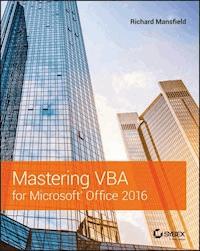
Mastering VBA for Microsoft Office 2016 helps you extend the capabilities of the entire Office suite using Visual Basic for Applications (VBA). Even if you have no programming experience , you'll be automating routine computing processes quickly using the simple, yet powerful VBA programming language. Clear, systematic tutorials walk beginners through the basics, while intermediate and advanced content guides more experienced users toward efficient solutions. This comprehensive guide starts at the beginning to get you acquainted with VBA so you can start recording macros right away. You'll then build upon that foundation to utilize the full capabilities of the language as you use loops and functions, message boxes, input boxes, and dialog boxes to design your own Office automation program. Add-ins, embedded macros, content controls, and more give you advanced tools to enhance productivity, and all instruction is backed by real-world practice projects in Word, Excel, Outlook, and PowerPoint.
Productivity is the name of the game, and automating certain computing tasks is an easy solution with significant impact for any business. This book shows you how, with step-by-step guidance and expert insight.
- Expand Office 2016 functionality with macros
- Learn how to work with VBA and the entire Office suite
- Create effective code, even with no programing experience
- Understand ActiveX, XML-based files, the developer tab, and more
VBA is designed to be understandable and accessible to beginners, but powerful enough to create specialized business applications. If you're ready to begin exploring the possibilities, Mastering VBA for Microsoft Office 2016 gets you started right away.
Sie lesen das E-Book in den Legimi-Apps auf:
Seitenzahl: 1673
Veröffentlichungsjahr: 2016
Ähnliche

















Table of Contents
Title Page
Copyright
Dedication
Acknowledgments
About the Author
Introduction
Where to Get This Book's Example Code
If You Have Questions
What Can I Do with VBA?
What's in This Book?
How Should I Use This Book?
Is This Book Suitable for Me?
Conventions Used in This Book
The Mastering Series
For More Information
Part 1: Recording Macros and Getting Started with VBA
Chapter 1: Recording and Running Macros in the Office Applications
What Is VBA and What Can You Do with It?
Understanding Macro Basics
Recording a Macro
Running a Macro
Recording a Sample Word Macro
Recording a Sample Excel Macro
Specifying How to Trigger an Existing Macro
Deleting a Macro
The Bottom Line
Chapter 2: Getting Started with the Visual Basic Editor
Opening the Visual Basic Editor
Using the Visual Basic Editor's Main Windows
Setting Properties for a Project
Customizing the Visual Basic Editor
The Bottom Line
Chapter 3: Editing Recorded Macros
Testing a Macro in the Visual Basic Editor
Editing a Word Macro
Editing the Excel Macro
Editing a PowerPoint Macro
The Bottom Line
Chapter 4: Creating Code from Scratch in the Visual Basic Editor
Setting Up the Visual Basic Editor to Create Macros
Creating a Procedure for Word
Creating a Macro for Excel
Creating a Procedure for PowerPoint
Creating a Procedure for Access
The Bottom Line
Part 2: Learning How to Work with VBA
Chapter 5: Understanding the Essentials of VBA Syntax
Getting Ready
Procedures
Statements
Keywords
Expressions
Operators
Variables
Constants
Arguments
Objects
Collections
Properties
Methods
Events
The Bottom Line
Chapter 6: Working with Variables, Constants, and Enumerations
Working with Variables
Working with Constants
Working with Enumerations
The Bottom Line
Chapter 7: Using Array Variables
What Is an Array?
Declaring an Array
Storing Values in an Array
Multidimensional Arrays
Declaring a Dynamic Array
Redimensioning an Array
Returning Information from an Array
Erasing an Array
Determining Whether a Variable Is an Array
Finding the Bounds of an Array
Sorting an Array
Searching an Array
The Bottom Line
Chapter 8: Finding the Objects, Methods, and Properties You Need
What Is an Object?
Working with Collections
Finding the Objects You Need
Using Object Variables to Represent Objects
Team Programming and OOP
The Bottom Line
Part 3: Making Decisions and Using Loops and Functions
Chapter 9: Using Built-In Functions
What Is a Function?
Using Functions
Using Functions to Convert Data
Using the
Asc
Function to Return a Character Code
Using the Val Function to Extract a Number from the Start of a String
Using the
Format
Function to Format an Expression
Using the
Chr
Function and Constants to Enter Special Characters in a String
Using Functions to Manipulate Strings
Using the
Left
,
Right
, and
Mid
Functions to Return Part of a String
Using
InStr
and
InStrRev
to Find a String Within Another String
Using
LTrim
,
RTrim
, and
Trim
to Remove Spaces from a String
Using
Len
to Check the Length of a String
Using
StrConv
,
LCase
, and
UCase
to Change the Case of a String
Using the
StrComp
Function to Compare Apples to Apples
Using VBA's Mathematical Functions[[Page_232]]
Using VBA's Date and[[Page_233]] Time Functions
Using the
DatePart
Function to Parse Dates
Calculating Time Intervals Using the
DateDiff
Function
Using the
DateAdd
Function to Add or Subtract Time from a Date
Using File-Management Functions
Checking Whether a File Exists Using the
Dir
Function
The Bottom Line
Chapter 10: Creating Your Own Functions
Components of a Function
Creating a Function
Examples of Functions for Any VBA-Enabled Office Application
Creating a Function for Word
Creating a Function for Excel
Creating a Function for PowerPoint
Creating a Function for Access
The Bottom Line
Chapter 11: Making Decisions in Your Code
How Do You Compare Things in VBA?
Testing Multiple Conditions by Using Logical Operators
Select Case
Blocks
The Bottom Line
Chapter 12: Using Loops to Repeat Actions
When Should You Use a Loop?
Understanding the Basics of Loops
Using
For
…Loops for Fixed Repetitions
Using
Do
…Loops for Variable Numbers of Repetitions
While…Wend
Loops
Nesting Loops
Avoiding Infinite Loops
The Bottom Line
Part 4: Using Message Boxes, Input Boxes, and Dialog Boxes
Chapter 13: Getting User Input with Message Boxes and Input Boxes
Opening a Macro
Displaying Status-Bar Messages in Word and Excel
Message Boxes
Input Boxes
Forms: When Message Boxes and Input Boxes Won't Suffice
The Bottom Line
Chapter 14: Creating Simple Custom Dialog Boxes
When Should You Use a Custom Dialog Box?
Creating a Custom Dialog Box
Working with Groups of Controls
Linking a Form to a Procedure
Retrieving the User's Choices from a Dialog Box
Examples of Connecting Forms to Procedures
Using an Application's Built-In Dialog Boxes from VBA
The Bottom Line
Chapter 15: Creating Complex Forms
Creating and Working with Complex Dialog Boxes
Using Events to Control Forms
The Bottom Line
Part 5: Creating Effective Code
Chapter 16: Building Modular Code and Using Classes
Creating Modular Code
Creating and Using Classes
The Bottom Line
Chapter 17: Debugging Your Code and Handling Errors
Principles of Debugging
The Different Types of Errors
VBA's Debugging Tools
Dealing with Infinite Loops
Dealing with Runtime Errors
Suppressing Alerts
Handling User Interrupts in Word, Excel, and Project
Documenting Your Code
The Bottom Line
Chapter 18: Building Well-Behaved Code
What Is a Well-Behaved Procedure?
Retaining or Restoring the User Environment
Leaving the User in the Best Position to Continue Working
Keeping the User Informed During the Procedure
Making Sure a Procedure Is Running Under Suitable Conditions
Cleaning Up After a Procedure
The Bottom Line
Chapter 19: Exploring VBA's Security Features
Understanding How VBA Implements Security
Signing Your Macro Projects with Digital Signatures
Choosing a Suitable Level of Security
Locking Your Code
The Bottom Line
Part 6: Programming the Office Applications
Chapter 20: Understanding the Word Object Model and Key Objects
Examining the Word Object Model
Working with the
Documents
Collection and the
Document
Object
Saving a Document
Opening a Document
Closing a Document
Printing a Document
Working with the
ActiveDocument
Object
Working with the
Selection
Object
Creating and Using Ranges
Manipulating Options
The Bottom Line
Chapter 21: Working with Widely Used Objects in Word
Using Find and Replace via VBA
Working with Headers, Footers, and Page Numbers
Working with Sections, Page Setup, Windows, and Views
Working with Tables
The Bottom Line
Chapter 22: Understanding the Excel Object Model and Key Objects
Getting an Overview of the Excel Object Model
Understanding Excel's Creatable Objects
Managing Workbooks
Working with Worksheets
Working with the Active Cell or Selection
Working with Ranges
Setting Options
The Bottom Line
Chapter 23: Working with Widely Used Objects in Excel
Working with Charts
Working with Windows Objects
Working with Find and Replace
Adding Shapes
The Bottom Line
Chapter 24: Understanding the PowerPoint Object Model and Key Objects
Getting an Overview of the PowerPoint Object Model
Understanding PowerPoint's Creatable Objects
Working with Presentations
Working with Windows and Views
Working with Slides
Working with Masters
The Bottom Line
Chapter 25: Working with Shapes and Running Slide Shows
Working with Shapes
Working with Headers and Footers
Setting Up and Running a Slide Show
The Bottom Line
Chapter 26: Understanding the Outlook Object Model and Key Objects
Getting an Overview of the Outlook Object Model
Working with the
Application
Object
Understanding General Methods for Working with Outlook Objects
Working with Messages
Working with Calendar Items
Working with Tasks and Task Requests
Searching for Items
The Bottom Line
Chapter 27: Working with Events in Outlook
Working with Application-Level Events
Working with Item-Level Events
Understanding Quick Steps
The Bottom Line
Chapter 28: Understanding the Access Object Model and Key Objects
Getting Started with VBA in Access
Getting an Overview of the Access Object Model
Understanding Creatable Objects in Access
Opening and Closing Databases
Working with the
Screen
Object
Using the
DoCmd
Object to Run Access Commands
The Bottom Line
Chapter 29: Manipulating the Data in an Access Database via VBA
Understanding How to Proceed
Preparing to Manage the Data in a Database
Opening a Recordset
Accessing a Particular Record in a Recordset
Lesen Sie weiter in der vollständigen Ausgabe!
Lesen Sie weiter in der vollständigen Ausgabe!
Lesen Sie weiter in der vollständigen Ausgabe!
Lesen Sie weiter in der vollständigen Ausgabe!
Lesen Sie weiter in der vollständigen Ausgabe!
Lesen Sie weiter in der vollständigen Ausgabe!
Lesen Sie weiter in der vollständigen Ausgabe!
Lesen Sie weiter in der vollständigen Ausgabe!
Lesen Sie weiter in der vollständigen Ausgabe!
Lesen Sie weiter in der vollständigen Ausgabe!
Lesen Sie weiter in der vollständigen Ausgabe!
Lesen Sie weiter in der vollständigen Ausgabe!
Lesen Sie weiter in der vollständigen Ausgabe!
Lesen Sie weiter in der vollständigen Ausgabe!
Lesen Sie weiter in der vollständigen Ausgabe!
Lesen Sie weiter in der vollständigen Ausgabe!
Lesen Sie weiter in der vollständigen Ausgabe!
Lesen Sie weiter in der vollständigen Ausgabe!
Lesen Sie weiter in der vollständigen Ausgabe!
Lesen Sie weiter in der vollständigen Ausgabe!
Lesen Sie weiter in der vollständigen Ausgabe!
Lesen Sie weiter in der vollständigen Ausgabe!
Lesen Sie weiter in der vollständigen Ausgabe!
Lesen Sie weiter in der vollständigen Ausgabe!
Lesen Sie weiter in der vollständigen Ausgabe!
Lesen Sie weiter in der vollständigen Ausgabe!
Lesen Sie weiter in der vollständigen Ausgabe!
Lesen Sie weiter in der vollständigen Ausgabe!
Lesen Sie weiter in der vollständigen Ausgabe!
Lesen Sie weiter in der vollständigen Ausgabe!
Lesen Sie weiter in der vollständigen Ausgabe!
Lesen Sie weiter in der vollständigen Ausgabe!
Lesen Sie weiter in der vollständigen Ausgabe!
Lesen Sie weiter in der vollständigen Ausgabe!
Lesen Sie weiter in der vollständigen Ausgabe!
Lesen Sie weiter in der vollständigen Ausgabe!
Lesen Sie weiter in der vollständigen Ausgabe!
Lesen Sie weiter in der vollständigen Ausgabe!
Lesen Sie weiter in der vollständigen Ausgabe!
Lesen Sie weiter in der vollständigen Ausgabe!
Lesen Sie weiter in der vollständigen Ausgabe!
Lesen Sie weiter in der vollständigen Ausgabe!
Lesen Sie weiter in der vollständigen Ausgabe!
Lesen Sie weiter in der vollständigen Ausgabe!
Lesen Sie weiter in der vollständigen Ausgabe!




