


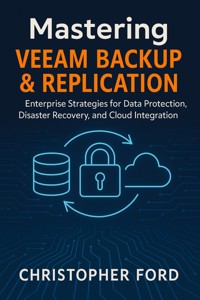
Mastering Veeam Backup & Replication: Enterprise Strategies for Data Protection, Disaster Recovery, and Cloud Integration E-Book
Christopher Ford
3,49 €
Mehr erfahren.
- Herausgeber: Madeley publishing
- Kategorie: Wissenschaft und neue Technologien
- Sprache: Englisch
In today's data-driven world, protecting your organization's critical information is no longer optional—it's essential. Mastering Veeam Backup & Replication is the definitive guide for IT professionals, system administrators, and enterprise architects who need to design, implement, and optimize robust backup and disaster recovery strategies.
This comprehensive guide takes you step-by-step through Veeam Backup & Replication, from foundational concepts to advanced enterprise deployments. You'll learn how to safeguard virtual, physical, and cloud-native workloads, implement efficient backup and replication jobs, and build resilient disaster recovery plans. With detailed templates, scripts, and real-world examples, this book equips you to:
· Configure VM backup jobs, backup copy jobs, and replication jobs for maximum efficiency.
· Design multi-tier Scale-Out Backup Repositories (SOBR) with performance and cloud tiers.
· Implement immutable backups and encryption to protect against ransomware and meet regulatory compliance.
· Automate backup, replication, and failover processes for faster, reliable recovery.
· Integrate Kubernetes, cloud-native workloads, and multi-site environments into your backup strategy.
· Optimize performance across proxies, repositories, and WAN links for enterprise-scale deployments.
· Build actionable disaster recovery plans with failover templates, validation scripts, and operational checklists.
Packed with technical depth, practical guidance, and ready-to-use scripts, this book transforms Veeam Backup & Replication from a tool into a strategic advantage for your organization. Whether you are managing a small data center or a global enterprise, Mastering Veeam Backup & Replication is your go-to resource for ensuring data protection, business continuity, and cloud-ready backup strategies.
Das E-Book können Sie in Legimi-Apps oder einer beliebigen App lesen, die das folgende Format unterstützen:
Veröffentlichungsjahr: 2025
Ähnliche


















Mastering
Veeam
Backup
& Replication
Enterprise Strategies for Data Protection,
Disaster Recovery, and Cloud Integration
Christopher Ford
2025
Copyright © 2025 by Christopher Ford
Contents
Introduction
Chapter 1 — Introduction to Modern Data Protection
Chapter 2 — Understanding Veeam Backup & Replication
Chapter 3 — Installation Planning & Requirements
Chapter 4 — Installing the Veeam Backup Server
Chapter 5 — Configuring Backup Repositories & Proxies
Chapter 6 — Backup Job Design
Chapter 7 — Replication Job Design & Disaster Recovery
Chapter 8 — SureBackup, SureReplica, and Automated Testing
Chapter 9 — Monitoring, Reporting, and Performance Tuning
Chapter 10 — Disaster Recovery Orchestration and Automation
Chapter 11 — Security, Ransomware Protection, and Immutable Backups
Chapter 12 — Cloud Integration and Hybrid Backup Strategies
Chapter 13 — Advanced Troubleshooting and Recovery Techniques
Chapter 14 — Enterprise Scaling, Multi-Site Deployments, and Best Practices
Chapter 15 — Veeam for Cloud-Native Workloads and Kubernetes
Chapter 16 — Future-Proofing Your Veeam Infrastructure
Appendix A — Quick Reference Tables
Appendix B — Job Configuration Templates
Appendix C — DR Planning and Failover Templates
Appendix D — Troubleshooting Cheat Sheets
Appendix E — Performance and Optimization Guide
Appendix F — Security and Compliance Checklist
Appendix G — Cloud and Hybrid Deployment Playbook
Appendix H — Scripts and Automation Examples
Appendix I — Glossary of Terms
Introduction
Mastering Veeam Backup & Replication is your comprehensive guide to safeguarding enterprise data, ensuring business continuity, and harnessing the full power of modern backup and replication technologies. Designed for IT professionals, system administrators, and cloud architects, this book takes you beyond the basics to deliver actionable strategies for data protection, disaster recovery, and seamless cloud integration.
Inside, you’ll explore best practices for designing and managing Veeam backup infrastructures, implementing robust replication plans, and optimizing performance for both on-premises and cloud environments. Real-world scenarios, step-by-step guidance, and expert tips make complex concepts approachable, helping you prevent data loss, minimize downtime, and maintain compliance in any organization.
Whether you’re new to Veeam or looking to deepen your expertise, Mastering Veeam Backup & Replication equips you with the knowledge and confidence to protect critical data, recover quickly from disruptions, and leverage cloud technologies to support your enterprise’s evolving needs.
Chapter 1 — Introduction to Modern Data Protection
1.1 The Changing Landscape of Data Availability
Over the last decade, IT environments have transitioned from static, hardware-bound infrastructures to dynamic, cloud-enabled, highly virtualized ecosystems. As this evolution accelerated, traditional backup solutions—built for physical servers, slow networks, and tape media—became inadequate. The modern threat landscape, data growth rates, and platform diversity require a fundamentally different approach to data protection.
Today’s environments typically include:
Virtual machines
(VMware vSphere, Microsoft Hyper-V, Nutanix AHV)
Physical systems
(Windows, Linux, legacy bare-metal workloads)
Cloud-hosted workloads
(AWS EC2, Azure VM, Google Cloud VM)
NAS/file share repositories
Containers and ephemeral workloads
Modern distributed applications
(SQL clusters, Oracle RAC, SAP HANA, Kubernetes)
Protecting these platforms requires a backup solution capable of understanding application consistency, storage integration, immutability, and multi-site replication—all while minimizing downtime and performance impact.
Enter Veeam Backup & Replication, a platform engineered to provide availability for the modern data center.
1.2 From Legacy Backup to Modern Availability: A Technical Timeline
Modern backup has evolved through several key architectural stages. Understanding this evolution is critical to understanding why Veeam is engineered the way it is.
1.2.1 Legacy Agent-Based Backups
The earliest backup systems installed an agent inside every protected server. These agents:
Performed file-level scans
Consumed CPU/memory resources
Required individual configuration
Did not provide VM-level awareness
Often created inconsistent backups
Performance degraded as environments grew. This model does not scale in virtualized ecosystems.
1.2.2 Virtualization-Aware Backups
With VMware ESXi and Hyper-V, agents became unnecessary. Veeam pioneered:
Image-based VM snapshot backups
Agentless architecture
Changed Block Tracking (CBT)
integration
Instant VM Recovery
By leveraging hypervisor APIs, backups became faster, consistent, and far more efficient.
1.2.3 Storage Integration
Modern SANs and HCI architectures introduced the concept of offloaded backups. Veeam advanced this with:
Storage snapshots
Backup from Storage Snapshots
Veeam Backup from NetApp, HPE, Pure, Dell EMC
This eliminated snapshot stun, reduced workload impact, and allowed near-zero-impact backups.
1.2.4 Cloud-Integrated Backups
As organizations adopted IaaS, PaaS, and SaaS, Veeam extended support to:
AWS, Azure, and GCP
S3-compatible object storage
Immutable repositories
Cloud mobility and migration
Backup tiering and archive tiering
This enabled hybrid architectures with seamless data portability.
1.2.5 Ransomware-Resistant Backup
Ransomware changed the industry. Modern backups must be:
immutable
(cannot be altered after creation)
air-gapped
or logically isolated
encrypted
at rest and in transit
auditable
instantly recoverable
Veeam’s hardened Linux repositories, object storage immutability, and Zero Trust controls address this aggressively.
1.3 What Modern IT Requires from Backup Solutions
The design requirements for a modern enterprise backup solution can be broken down technically into six core domains.
1.3.1 Availability
Backup is only half the equation; availability is the real objective.
A modern solution must achieve:
Requirement
Description
Low RPO
Frequent snapshots, incremental and near-continuous protection
Low RTO
Instant VM, NAS, database, and volume recovery
Application consistency
Support for VSS, pre/post scripts, and transaction-level consistency
Orchestration
Automated recovery plans with testing
1.3.2 Platform Agnosticism
The solution must protect:
Virtualized workloads
Bare-metal systems
Cloud workloads
NAS/file shares
Containers
Multi-cloud environments
Veeam offers a unified platform for all of these.
1.3.3 Performance Optimization
A backup system must not degrade production performance. Key performance features include:
Transport modes
(HotAdd, Direct SAN, NBD)
Changed Block Tracking
Data compression and deduplication
Proxy load balancing
Source-side and target-side optimization
Veeam’s architecture distributes workload across Backup Proxies and Backup Repositories, ensuring efficient data flow.
1.3.4 Scalability
A solution must scale vertically and horizontally:
Scale-out Backup Repository (SOBR)
Distributed proxies
Multi-tenant service provider support
Policy-based job orchestration
Support for petabyte-scale environments
1.3.5 Security
Backup is the last line of defense against ransomware. Modern security features include:
Immutable storage
MFA/2FA
Role-based access control (RBAC)
Encrypted backup chains
Credential isolation
Secure API operations
1.3.6 Automation
Infrastructure-as-Code (IaC) and DevOps require:
RESTful APIs
PowerShell automation
Job deployment templates
Event-driven orchestration
Veeam supports these through its REST API and PowerShell module.
1.4 Deep Dive: How Veeam Backup & Replication Works
Veeam Backup & Replication is built on a distributed, modular architecture.
1.4.1 Core Components
Component
Function
Veeam Backup Server
Central management, job scheduling, configuration database
Backup Proxies
Data movers; process backup/restore traffic
Backup Repositories
Storage locations for backup data
WAN Accelerators
Deduplication and acceleration for offsite copies
Enterprise Manager
Centralized web-based management for multi-server environments
Veeam Agent Management
Protects physical servers and systems
Cloud Gateway
Enables secure connectivity with service providers
Each component can be scaled independently.
1.5 Veeam Backup Architecture Overview
The Veeam data flow for a typical backup includes:
VM Snapshot Creation
Using VMware API (VADP) or Hyper-V RCT.
Reading Changed Blocks
Veeam reads only the modified data.
Transport to Proxy
Via Direct SAN, HotAdd, or NBD.
Compression and Deduplication
Processed by the backup proxy.
Encryption (optional)
TLS in transit, AES-256 at rest.
Writing to Backup Repository
Via Veeam Data Mover Service.
Snapshot Removal
Delta consolidation.
This pipeline is designed to minimize VM stun, avoid production impact, and ensure high-speed throughput.
1.6 Threats to Data and How Veeam Mitigates Them
1.6.1 Ransomware
Capabilities:
Immutable Linux repositories
Object-lock enabled storage
Insider threat-resistant credentials
Multi-admin approval
Automated recovery verification (SureBackup)
1.6.2 Hardware Failure
Capabilities:
WAN-based replica failover
Instant VM Recovery
Fast Clone support (ReFS/XFS)
1.6.3 Human Error
Capabilities:
Granular, item-level restore explorers (SQL, Oracle, AD, Exchange, SharePoint)
File versioning
Deleted file protection
1.6.4 Natural Disasters
Capabilities:
Backup Copy Jobs
Secure cloud offsite storage
Disaster Recovery Orchestrator
1.6.5 Compliance Failures
Capabilities:
Audit logs
Encryption
Policy-based retention
Long-term GFS archival
1.7 Use Cases for Veeam Backup & Replication
1.7.1 SMB Environments
Single proxy
Direct NAS or object storage
On-site + cloud copies
1.7.2 Enterprise Data Centers
Hundreds of proxies
Multi-tier repositories
Storage snapshots
Full orchestration
1.7.3 MSPs and Service Providers
Multi-tenant isolation
Cloud Connect
Pay-as-you-go backup services
1.7.4 Hybrid Cloud Environments
Backup across on-prem and cloud
Replication between regions
Cloud mobility
1.8 What This Book Provides (Technical Scope)
Throughout this book, you will learn:
Full architectural planning for SMB → enterprise
How to size repositories and proxies
High-performance job design
Storage integrations and snapshot offloading
Network optimization for LAN and WAN
Ransomware-resistant backup architectures
Immutable backup workflows
Advanced replication scenarios
Cloud Tier and archive tier design
Performance tuning and troubleshooting
Real-world DR scenarios
PowerShell and REST API automation
Multi-site management and orchestration
Each chapter includes:
Technical diagrams
Real deployment examples
Best practices
Configuration checklists
Command references
1.9 Summary
This chapter outlined the modern data protection landscape, the evolution of backup technology, and the technical foundations that make Veeam Backup & Replication the leading platform for availability across virtual, physical, and cloud environments.
As environments continue to grow and threats escalate, solutions must deliver fast recovery, high security, deep automation, and seamless scalability. Veeam is architected precisely for these demands.
In the next chapter, we will explore Veeam’s components, architecture, and design principles in technical detail.
Chapter 2 — Understanding Veeam Backup & Replication
2.1 Introduction
Before deploying Veeam Backup & Replication, you must fully understand its architectural components, how they interact, and how different deployment models scale from SMB environments to global enterprises. Veeam’s modular architecture is designed to maximize flexibility, performance, and security. This chapter provides a detailed examination of each component, internal processes, service-level interactions, and the APIs that drive backup, replication, and recovery operations.
2.2 Veeam Backup & Replication Architecture Overview
Veeam Backup & Replication consists of six major architectural layers:
Management Layer
Control Layer
Data Transport Layer
Repository Layer
Integration Layer (Storage & Virtualization APIs)
Optional Services Layer
Understanding how each layer functions is essential for sizing, performance optimization, network design, and troubleshooting.
2.3 Core Architectural Components
2.3.1 Veeam Backup Server (Management + Control Layer)
The Backup Server is the central intelligence of the Veeam ecosystem. It handles:
Job coordination
Task scheduling
API calls (REST, PowerShell)
Credential management
Logging and auditing
Repository and proxy assignment
Configuration database management
Technical Specifications
OS
: Windows Server (2016+ recommended)
Database
: SQL Server Express/Standard/Enterprise
Services running
:
Veeam Backup Service
Veeam Broker Service
Veeam Data Mover
Veeam RESTful API Service
Veeam Mount Server Service (if acting as mount host)
Veeam Backup Shell Service
Key Responsibilities
Function
Description
Resource scheduling
Assigns proxies, repositories, and transport modes
Snapshot orchestration
Coordinates API calls to vSphere/Hyper-V
Backup chain management
Ensures chain integrity across GFS/Incremental
Licensing enforcement
Tracks workload usage consumption
Component discovery
Auto-detects hosts, clusters, datastores
Performance Considerations
Should ideally run on
dedicated hardware
in larger environments
SQL Express is suitable for < 50 VMs; larger environments require SQL Standard/Enterprise
CPU and RAM affect job scheduling, not data flow (handled by proxies)
2.3.2 Backup Proxies (Data Transport Layer)
Backup Proxies are data mover engines responsible for:
Reading data from production storage
Processing and compressing backup data
Sending output to repositories
Handling restores, replication, and transformations
Each proxy includes the Veeam Data Mover Service, which is crucial for performance.
Proxy Transport Modes
These modes determine how the proxy retrieves VM data:
Transport Mode
Description
Best Use Cases
Direct SAN Access
Reads VM data directly from SAN LUNs
Fibre Channel / iSCSI SAN environments
HotAdd
Data is read through ESXi host where proxy is deployed as a VM
Virtual proxies in VMware environments
NBD/NBDSSL
Reads data over the network using VMware’s management interface
Universal fallback or low I/O requirements
Hyper-V RCT
Uses Hyper-V Resilient Change Tracking
Hyper-V environments
Sizing Proxies
A typical sizing best practice:
1 vCPU per concurrent task + overhead,
4–8 GB RAM per 4 tasks.
Large environments often require dozens of distributed proxies.
2.3.3 Backup Repositories (Storage Layer)
A Backup Repository is a storage endpoint used to hold backup chains (.vbk, .vib, .vrb).
Types of Repositories
Repository Type
Description
Best Use Case
Windows Repository
NTFS/ReFS volume
Simple deployments, Windows shops




