


32,39 €
Mehr erfahren.
- Herausgeber: Packt Publishing
- Kategorie: Wissenschaft und neue Technologien
- Sprache: Englisch
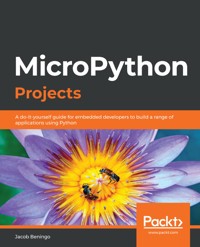
With the increasing complexity of embedded systems seen over the past few years, developers are looking for ways to manage them easily by solving problems without spending a lot of time on finding supported peripherals. MicroPython is an efficient and lean implementation of the Python 3 programming language, which is optimized to run on microcontrollers. MicroPython Projects will guide you in building and managing your embedded systems with ease.
This book is a comprehensive project-based guide that will help you build a wide range of projects and give you the confidence to design complex projects spanning new areas of technology such as electronic applications, automation devices, and IoT applications. While building seven engaging projects, you'll learn how to enable devices to communicate with each other, access and control devices over a TCP/IP socket, and store and retrieve data. The complexity will increase progressively as you work on different projects, covering areas such as driver design, sensor interfacing, and MicroPython kernel customization.
By the end of this MicroPython book, you'll be able to develop industry-standard embedded systems and keep up with the evolution of the Internet of Things.
Das E-Book können Sie in Legimi-Apps oder einer beliebigen App lesen, die das folgende Format unterstützen:
Seitenzahl: 353
Veröffentlichungsjahr: 2020
Ähnliche


















MicroPython Projects
Copyright © 2020 Packt Publishing
All rights reserved. No part of this book may be reproduced, stored in a retrieval system, or transmitted in any form or by any means, without the prior written permission of the publisher, except in the case of brief quotations embedded in critical articles or reviews.
Every effort has been made in the preparation of this book to ensure the accuracy of the information presented. However, the information contained in this book is sold without warranty, either express or implied. Neither the author(s), nor Packt Publishing or its dealers and distributors, will be held liable for any damages caused or alleged to have been caused directly or indirectly by this book.
Packt Publishing has endeavored to provide trademark information about all of the companies and products mentioned in this book by the appropriate use of capitals. However, Packt Publishing cannot guarantee the accuracy of this information.
Commissioning Editor: Richa TripathiAcquisition Editor:Alok DhuriContent Development Editor:Digvijay BagulSenior Editor: Rohit SinghTechnical Editor: Gaurav GalaCopy Editor:Safis EditingProject Coordinator:Francy PuthiryProofreader: Safis EditingIndexer:Manju ArasanProduction Designer: Alishon Mendonsa
First published: April 2020
Production reference: 1160420
Published by Packt Publishing Ltd. Livery Place 35 Livery Street Birmingham B3 2PB, UK.
ISBN 978-1-78995-803-4
www.packt.com
Packt.com
Subscribe to our online digital library for full access to over 7,000 books and videos, as well as industry leading tools to help you plan your personal development and advance your career. For more information, please visit our website.
Why subscribe?
Spend less time learning and more time coding with practical eBooks and Videos from over 4,000 industry professionals
Improve your learning with Skill Plans built especially for you
Get a free eBook or video every month
Fully searchable for easy access to vital information
Copy and paste, print, and bookmark content
Did you know that Packt offers eBook versions of every book published, with PDF and ePub files available? You can upgrade to the eBook version at www.packt.com and as a print book customer, you are entitled to a discount on the eBook copy. Get in touch with us at [email protected] for more details.
At www.packt.com, you can also read a collection of free technical articles, sign up for a range of free newsletters, and receive exclusive discounts and offers on Packt books and eBooks.
Contributors
About the author
Jacob Beningo is an independent consultant who specializes in microcontroller-based embedded systems. He has advised, coached, and developed systems across multiple industries, including the automotive, defense, industrial, medical, and space sectors. Jacob enjoys working with companies to help them develop and improve their processes and skill sets. He publishes a monthly newsletter, Embedded Bytes, and blogs for publications about embedded system design techniques and challenges. Jacob holds bachelor's degrees in electrical engineering, physics, and mathematics from Central Michigan University and a master's degree in space systems engineering from the University of Michigan.
About the reviewer
Bhaumik Vaidya is an experienced computer vision engineer and mentor. He has worked extensively on OpenCV in solving computer vision problems. He got a gold medal in his master's degree and is now doing a PhD in the acceleration of computer vision algorithms built using OpenCV and deep learning libraries on GPUs. He has a background in teaching and has guided many projects in computer vision and very-large-scale integration (VLSI). He has previously worked in the VLSI domain as an ASIC verification engineer, and so has very sound knowledge of hardware architectures as well. Bhaumik, along with his PhD mentor, has also received an NVIDIA Jetson TX1 embedded development platform as a research grant from NVIDIA.
Packt is searching for authors like you
If you're interested in becoming an author for Packt, please visit authors.packtpub.com and apply today. We have worked with thousands of developers and tech professionals, just like you, to help them share their insight with the global tech community. You can make a general application, apply for a specific hot topic that we are recruiting an author for, or submit your own idea.
Preface
Embedded systems developers have traditionally mostly used C when programming, or if they are daring and cutting edge, they've pushed the envelope by using C++. Over the last decade, a lot has changed in the way that we design and build embedded systems and in the way that software is developed in general. Python has become a dominant language in many computer and server applications, with many young and new developers learning Python first over any other language. This makes Python a unique and interesting choice to develop embedded systems.
MicroPython Projects explores how developers can leverage Python to develop applications that use a slimmed-down version Python known as MicroPython. MicroPython came into existence back in 2013 and has been steadily evolving and growing an active and innovative community around it. MicroPython allows developers to work at a higher level of abstraction, focusing on the application early while leaving low-level processor details behind an interface, which makes it easy for even non-software developers to quickly write applications that control and interface with the hardware.
This book will walk you through the background of developing applications using MicroPython and will help developers to get familiar with some design patterns and formulate ideas for their own projects.
Who this book is for
This book is for embedded systems developers or anyone who is interested in building embedded systems using MicroPython.
I expect that the reader has a basic understanding of electronics and Python while some experimentation with MicroPython will be helpful. I've tried throughout the book to reinforce the software development process, which I often find lacking in developers who are designing their own product or working on open source software. No matter what your current skill level, readers will get an understanding of where and when to use MicroPython, along with techniques and patterns they can directly apply to their own projects and some ideas on how to expand the projects that are in this book.
What this book covers
Chapter 1, Down the Rabbit Hole with MicroPython, takes you through embedded software development and where MicroPython fits in. In this chapter, we look at how to decide what language to use, along with some general best practices.
Chapter 2, Managing Real-Time Tasks, helps you explore the different techniques that developers can use to schedule tasks in their MicroPython-based system.
Chapter 3, Writing a MicroPython Driver for an I/O Expander, explains how to write your own driver for an external device.
Chapter 4, Developing an Application Test Harness, takes you through different methods that can be used to test our MicroPython-based application and presents several different options for developers interested in such activities.
Chapter 5, Customizing the MicroPython Kernel Start Up Code, helps you to get behind the scenes with MicroPython by examining and making changes to the MicroPython kernel. In this chapter, we focus on the startup code that developers looking to produce a production system might need to modify.
Chapter 6, A Custom Debugging Tool to Visualize Sensor Data, helps you explore how you can transport sensor and debugging information from our device to a computer that then visualizes what is happening on our system. This can be critical to monitoring key variables, debug statements, or just creating a sensor dashboard.
Chapter 7, Device Control Using Gestures, helps you learn how we can interface a gesture sensor with a development board and write an application that will detect gestures.
Chapter 8, Automation and Control Using Android, helps you learn how we can use an ESP32 microcontroller to create a sensor node that can transmit sensor data and receive commands from an Android template. This project is easily extensible for Internet-of-Things (IoT) applications and device control.
Chapter 9, Building an Object Detection Application Using Machine Learning, demonstrates the use of an OpenMV camera module powered by MicroPython to build an application that can detect objects in an image.
Chapter 10, The Future of MicroPython, explores the future of MicroPython and where we might expect to see it go in the coming years.
Appendix A, Downloading and Running MicroPython Code, explains the process of getting code onto the board and running it.
To get the most out of this book
This book assumes that the reader has a basic understanding of Python and that they have at least built a few embedded systems projects previously. The material is written so that a beginner will not have any problems and a more experienced embedded software developer will be able to quickly learn how to write MicroPython-based applications. I also assume that you are able to read flowcharts and basic wiring diagrams. The reader should also understand how to use a Git repository and install software on their computer.
Software/hardware covered in the book
OS requirements
PyCharm
Windows, Linux, macOS
PuTTY
Windows, Linux, macOS
Linux Virtual Machine
Windows, Linux, macOS
Python 3.x
Windows, Linux, macOS
Anaconda Terminal
Windows, Linux, macOS
Simple TCP Socket Tester
Windows, Linux, macOS
OpenMV IDE
Windows, Linux, macOS
Pyboard
-
RobotDyn I2C 8-bit PCA8574 I/O expander
-
Adafruit RGB Pushbutton PN: 3423 or equivalent
-
STM32L4 IoT Discovery Node
-
Robotdyn I2C 8-bit PCA8574 I/O expander
-
USB to UART Converter
-
Adafruit ADPS9960 breakout board
-
MicroPython supported development board
-
ESP32 WROVER-B
-
OpenMV Camera Module
-
The projects are not necessarily designed to be done in order. With that in mind, I would recommend that developers read the first two chapters in order before jumping to the project that is most interesting to them. These chapters give the background on MicroPython and how to schedule tasks. After that, it's up to the developer to decide on the order. As strange as this may sound, I would also encourage readers to make sure they read the last chapter as well, which introduces the pyboard-D, which may be the development board they decide to go with for most of their experimentation.
If you are using the digital version of this book, we advise you to type the code yourself or access the code via the GitHub repository (link available in the next section). Doing so will help you avoid any potential errors related to the copying and pasting of code.
Download the example code files
You can download the example code files for this book from your account at www.packt.com. If you purchased this book elsewhere, you can visit www.packtpub.com/support and register to have the files emailed directly to you.
You can download the code files by following these steps:
Log in or register at
www.packt.com
.
Select the
Support
tab.
Click on
Code Downloads
.
Enter the name of the book in the
Search
box and follow the onscreen instructions.
Once the file is downloaded, please make sure that you unzip or extract the folder using the latest version of:
WinRAR/7-Zip for Windows
Zipeg/iZip/UnRarX for Mac
7-Zip/PeaZip for Linux
The code bundle for the book is also hosted on GitHub athttps://github.com/PacktPublishing/MicroPython-Projects. In case there's an update to the code, it will be updated on the existing GitHub repository.
We also have other code bundles from our rich catalog of books and videos available athttps://github.com/PacktPublishing/. Check them out!
Download the color images
We also provide a PDF file that has color images of the screenshots/diagrams used in this book. You can download it here: https://static.packt-cdn.com/downloads/9781789958034_ColorImages.pdf.
Get in touch
Feedback from our readers is always welcome.
General feedback: If you have questions about any aspect of this book, mention the book title in the subject of your message and email us at [email protected].
Errata: Although we have taken every care to ensure the accuracy of our content, mistakes do happen. If you have found a mistake in this book, we would be grateful if you would report this to us. Please visit www.packtpub.com/support/errata, selecting your book, clicking on the Errata Submission Form link, and entering the details.
Piracy: If you come across any illegal copies of our works in any form on the Internet, we would be grateful if you would provide us with the location address or website name. Please contact us at [email protected] with a link to the material.
If you are interested in becoming an author: If there is a topic that you have expertise in and you are interested in either writing or contributing to a book, please visit authors.packtpub.com.
Reviews
Please leave a review. Once you have read and used this book, why not leave a review on the site that you purchased it from? Potential readers can then see and use your unbiased opinion to make purchase decisions, we at Packt can understand what you think about our products, and our authors can see your feedback on their book. Thank you!
For more information about Packt, please visit packt.com.
Table of Contents
Title Page
Copyright and Credits
MicroPython Projects
About Packt
Why subscribe?
Contributors
About the author
About the reviewer
Packt is searching for authors like you
Preface
Who this book is for
What this book covers
To get the most out of this book
Download the example code files
Download the color images
Conventions used
Get in touch
Reviews
Down the Rabbit Hole with MicroPython
The embedded software language menagerie
The case for MicroPython
Use cases for MicroPython
Use case #1 – DIY projects
Use case #2 – rapid prototyping
Use case #3 – low-volume production products
Evaluating whether MicroPython is right for you
Selecting the right development platform
Surveying the available architectures
Identifying boards of interest
Selecting a development board using a KT matrix
MicroPython development processes and strategies
Useful development resources
Summary
Questions
Further reading
Managing Real-Time Tasks
Technical requirements
The need for real-time scheduling
Real-time system types
MicroPython scheduling techniques
Round-robin scheduling
Building a task manager using round-robin scheduling
Periodic scheduling using timers
Building a task manager using periodic scheduling
MicroPython thread mechanism
Advantages of using threads in MicroPython
Considerations when using threads in MicroPython
Building a task manager using threads
Event-driven scheduling
Cooperative scheduling
Cooperative multitasking using asyncio
Introducing asyncio
A cooperative multitasking blinky LED example
Going further with asyncio
Summary
Questions
Further reading
Writing a MicroPython Driver for an I/O Expander
Technical requirements
The RGB pushbutton I/O expander project requirements
Hardware requirements
Software requirements
The hardware and software architecture design
The hardware architecture
Detailed hardware design
Selecting a pushbutton
The I/O expander schematic
The software architecture
Project construction
Building the hardware
I/O expander driver construction
RGB driver construction
RGB pushbutton driver construction
Testing and validation
Developing the test cases
Writing the application
Summary
Questions
Further reading
Developing an Application Test Harness
Technical requirements
A brief introduction to test harnesses
Test harness requirements
Hardware requirements
Software requirements
Test harness design
The test harness hardware architecture
The test harness software architecture
Constructing the test harness
Writing the test harness scaffolding
Tests for the PCA8574
Running the test harness
Summary
Questions
Further reading
Customizing the MicroPython Kernel Start Up Code
Technical requirements
An overview of the MicroPython kernel
Downloading the MicroPython kernel
MicroPython kernel organization
Becoming familiar with the STM32L475SE_IOT01A port
mpconfigboard.h
mpconfigboard.mk
pins.csv
stm3214xx_hal_conf.h
Navigating the startup code
Modifying the default GPIO initialization
Adding MicroPython modules to the kernel
The compilation process
Deploying the custom kernel to a board
The compiled output files
Programming the board
Testing the updated kernel
Summary
Questions
Further reading
A Custom Debugging Tool to Visualize Sensor Data
Technical requirements
Debugging and visualizing embedded systems
Visualizer requirements
Hardware requirements
Software requirements
Visualizer design
The visualizer hardware architecture
The visualizer software architecture
Constructing the visualizer
Installing the project libraries
Setting up a serial data stream in MicroPython
Opening a COM port using command-line arguments
Creating a user interface with Matplotlib
Plotting the incoming data stream
Running the visualizer
Going further with visualizer enhancements
Summary
Questions
Further reading
Device Control Using Gestures
Technical requirements
Introducing gesture controllers
Gesture controller requirements
Hardware requirements
Software requirements
Hardware and software design
The gesture hardware architecture
The detailed hardware design
The software architecture
Constructing the gesture controller
The APDS-9960 theory of operation
Analyzing gesture data
The APDS-9960 gesture driver
The APDS-9960 gesture class constructor
The APDS-9960 gesture class detect method
The gesture controller applications
Testing the gesture controller
Summary
Questions
Further reading
Automation and Control Using Android
Technical requirements
The sensor node project requirements
Hardware requirements
Software requirements
Hardware and software design
The hardware architecture
The software architecture
Building a sensor node
Installing MicroPython on the ESP32
Setting up the ESP32 flash utilities
Programming the ESP32 with MicroPython
Testing MicroPython with LEDs
Setting up WebREPL
Simplifying application development with Anaconda
Installing uasyncio
Writing the sensor node application
Imports and supporting objects
LEDs and local control
socket_connect()
socket_receive()
The IotDevice class
Command parsing
The system status task
socket_send()
The main application
Testing the sensor node
The Android socket server
Commanding the sensor node
Testing the commands
Summary
Questions
Further reading
Building an Object Detection Application Using Machine Learning
Technical requirements
Introducing machine learning
The need for intelligent systems
Machine learning from the cloud to the edge
Object detection requirements
Hardware requirements
Software requirements
Object detection design and theory
The CIFAR-10 and CIFAR-100 datasets
Machine learning modeling languages
TFLu
CMSIS-NN
The hardware
Implementing and testing object detection on the OpenMV camera
Getting familiar with OpenMV IDE
Implementing a pretrained CIFAR-10 network
Person detection with a TensorFlow model
Summary
Questions
Further reading
References
The Future of MicroPython
The advancing MicroPython
The pyboard D-series
The pyboard D-series hardware
The pyboard D-series software
Controlling the boot sequence
Recovering from system faults
MicroPython in the real world
Example DIY/maker projects
Example professional projects
The future of MicroPython
Going further
References
Downloading and Running MicroPython Code
Assessments
Chapter 1
Chapter 2
Chapter 3
Chapter 4
Chapter 5
Chapter 6
Chapter 7
Chapter 8
Chapter 9
Other Books You May Enjoy
Leave a review - let other readers know what you think
Down the Rabbit Hole with MicroPython
The C programming language has dominated the embedded systems industry for half a century! C has been extraordinarily successful, but it is no longer meeting the needs of embedded software developers. In this chapter, we will begin to explore the programming language landscape for embedded systems and how Python, particularly MicroPython, is quickly becoming a good fit for a wide range of applications.
The following topics will be covered in this chapter:
The embedded software language menagerie
The case for MicroPython
Use cases for MicroPython
Evaluating whether MicroPython is right for you
Selecting the right development platform
MicroPython development processes and strategies
Useful resources
The embedded software language menagerie
In the history of the embedded software industries, for the most part, developers writing software for microcontroller-based systems have had very few software languages to choose from. At the dawn of the computer age, developers were stuck using low-level assembly language that forced them to learn the instruction set for each microcontroller device that they used. While highly effective and efficient, reading, maintaining, or even understanding assembly language was quite difficult and cumbersome.
Between 1969 and 1973, Dennis Ritchie developed the C programming language while working at Bell Labs and forever changed the way that software was developed. The C programming language caught on, and while general-purpose computing systems have moved on to other object-oriented languages, C has been the dominant language to use with microcontrollers for several different reasons. They include the following:
It is a high-level programming language that doesn't require developers to understand target-specific assembly language.
The ability to access low-level registers and hardware features.
The capability to create high-level software abstractions.
Cross-platform compilation (write the software once and deploy it to multiple targets).
Software that is reusable and portable.
The C language is so popular and successful that it has dominated the embedded software industry as the language of choice for almost half a century. The popularity of C has remained despite major software design paradigm shifts, such as object-oriented design, and new languages being available, such as C++. C fills an important niche that allows developers to efficiently develop software that interacts at the bit and byte levels in the hardware.
While C has been extremely popular among developers, over the past several years, its popularity has been waning for several different reasons. Some of these reasons are listed as follows:
First, the C language has several sticky spots in its specification that can result in developers either getting confused about what the code is doing or that results in different behavior when compiled for a different target. This has caused additional standards such as MISRA-C to be developed, which create a
safe
subset of C features that developers can use in their software.
Second, the C language is no longer taught to university students in many parts of the world. In fact, even C++ is no longer taught at university! Students who want to learn a programming language are often presented with Java or Python as the language of choice, which means that any would-be embedded developers have to learn C on the job. When learning C on the job, the chances are that the developer will not be aware of the gotchas and issues with the C language, resulting in buggy, low-quality code that requires additional time and money to make production-ready.
Next, C is a relatively low-level and verbose programming language. It is quite easy to cause incredibly hard-to-find bugs from memory leaks, buffer overflows, or accidentally accessing an array out-of-bounds. Most modern languages provide explicit protection against these issues with features such as memory management and managed pointers (if pointers exist at all!).
Finally, most development teams use an object-oriented approach to software development when they develop their software architectures. While good software architecture is language agnostic, it can be much more difficult to write object-oriented code in a language such as C. It's often overlooked that C does provide perfect encapsulation and a mechanism for inheritance, but multiple inheritance and polymorphism are far more complicated and error-prone to pull off.
Because of these reasons, over the last few years, there has been a slow push to begin moving away from using C as the language of choice for embedded applications.
In fact, there has been a small explosion in the number of languages that can be used to develop embedded software. These range from the traditional compiled languages, such as Assembly or C, to C++ or Java, or to even more recent scripting languages such as Python or Squirrel. There are even visual programming languages that allow developers to generate high-level concepts and then generate low-level code such as MATLAB.
Every other year, ASPENCORE performs an embedded industry survey that polls a few thousand developers in the embedded systems industry. In the last survey, in 2019, it was found that only 56% of these projects were developed using the C programming language, while 22% of projects were developed using C++. The remaining 22% was a mix of several other languages, including Python. The complete breakdown can be seen in the following diagram. The menagerie of languages demonstrates how developers are desperately grasping at new languages and techniques that can be used to write their software in a more effective and modern manner. What's interesting is that if you compare these results to the 2017 results, the response for Python has doubled from 3% to 6%. Bear in mind, though, that the responses for C and C++ have stayed exactly the same, so while Python has grown more popular, it is not stealing any market share from C or C++.
The breakdown of programming languages used for embedded systems in 2019 is shown in the following image:
The preceding pie chart is from a survey done by https://www.embedded.com/. Note that this is for all embedded systems and includes application processors, not just microcontrollers (ASPENCORE Embedded Systems Survey, 2019,www.embedded.com).
The case for MicroPython
As developers have started to look for alternative programming languages, the opportunity for Python to become a popular embedded language has dramatically risen. Python has several characteristics that make it an interesting choice for an embedded language. These include, but certainly aren't limited to, the following:
It is taught at many universities around the world.
It is easy to learn (I've seen elementary students write Python code).
It is object-oriented.
It is an interpreted scripting language that removes compilation.
It is supported by a robust community, including many add-on libraries that minimize reinventing the wheel.
It includes error handling (something that C didn't get the memo on).
It is easily extensible.
Python has actually become the go-to language for developers working on popular application processors such as the Raspberry Pi board.
Python itself, though, has several challenges a developer must consider before using it on a microcontroller:
First, microcontrollers are resource-constrained devices and, typically,
don't
have a lot of memory or processing power. This means that the Python interpreter would have to be rewritten so that it could easily fit on a microcontroller with a few hundred kilobytes of flash storage and be able to function in sub-200 MHz environments.
Second, microcontrollers are used in real-time systems. This means that there needs to be a mechanism to handle interrupts, which doesn't directly exist in Python.
Third, the Python interpreter would need to be ported to each microcontroller architecture and target in order to
operate
efficiently.
These three considerations could be quite challenging if a developer decided to undertake them alone. Thankfully, this effort has already been undertaken by the MicroPython community, as described by the project itself:
MicroPython aims to bring the best of the Python world to embedded systems and loosen our reliance on developing software in C (even though, under the hood, MicroPython is written in C!).
Use cases for MicroPython
It's important to bear in mind that, just like any programming language, there are specific situations where MicroPython is best suited, and other situations where using MicroPython would be a disaster. In general, I have found that there are three different use cases where MicroPython really shines.
They include the following:
Do-it-yourself
(
DIY
) projects
Rapid prototyping
Low-volume production products
Let's examine each of these use cases in detail.
Use case #1 – DIY projects
MicroPython is extremely well suited for developers who are looking to create a hobbyist or one-off project. As we discussed earlier, Python is a simple scripting language that is very easy to learn. This makes MicroPython extremely accessible to developers who are looking to experiment and create a DIY project such as a MIDI player, robot, drone, or home automation system. The possibilities for its use are really only limited by the imagination of the developer.
There are also, at least, a dozen different low-cost development boards that support MicroPython natively. Being low cost makes it extremely easy to just order a board and, when it arrives, fire it up and start programming with MicroPython. In Chapter 5, Customizing the MicroPython Kernel Start Up Code, we will show you how to customize the MicroPython kernel and deploy it on your own custom development board.
Finally, if you were to select your favorite search engine, you would find that not only are there a lot of examples on how to use MicroPython in different applications but there are also a lot of examples on how to use Python in general. These resources help to build up a great ecosystem around which a sole developer could create their own projects in the comfort of their own home. Throughout this book, we will also examine the most popular and useful resources, which you can also refer to at leisure.
Use case #2 – rapid prototyping
The use of MicroPython is not limited to DIY engineers. MicroPython fits the bill quite nicely for engineering teams that are looking to develop a rapid prototype or proof of concept. The MicroPython kernel abstracts out the low-level microcontroller hardware, which allows developers to start developing application code or even test code from the first day of a development cycle. This makes it particularly well suited for prototyping.
In a prototyping environment, developers could assemble hardware components for their system and develop scripts to show that the end system that they want to create is actually viable. From the issues that they encounter when prototyping in MicroPython, they should then be able to extrapolate the potential issues they will encounter during development. This will then help them to get a handle on issues such as the following:
Development costs
Time to market
Major engineering hurdles
Resources that are required
With these types of activities worked out, the development of production code can go much smoother, and the schedule and project costs will be far more accurate.
In addition to proving that a product concept is viable, developers can also use MicroPython to interface with new sensors and devices that need to be understood for development. For example, if I need to write a C driver for an I2C I/O expander chip, I will often create or buy a development board for the chip and connect it to one of my MicroPython boards. I can then write simple Python scripts to interact with the chip, which allows me to do the following:
Explore the chip registers.
Exercise the device's peripherals.
Monitor I2C bus communication to understand what
good
communication looks like.
Utilizing MicroPython in this manner provides us with an in-depth understanding of the device that we are interfacing with. The result is a better-written driver that is created faster because we can utilize a working example to compare our production driver with. Having that working example dramatically decreases the time spent on debugging.
Use case #3 – low-volume production products
MicroPython is still a relatively new programming language for microcontrollers compared to C or C++, which means that it does still carry some risk with it for use in production systems. For example, using MicroPython in mass production could result in issues such as the following:
A longer programming production cycle
More costly microcontrollers (to handle the larger MicroPython kernel)
Difficulty in securing the application firmware properly
Having to manage firmware updates
Ensuring robust operation and recovery from failure modes
It's not impossible to use MicroPython for high-volume products, but these issues and several others can make such deployments more difficult, at least at the time of writing this book. However, for products that are going to be low volume – that is, maybe a few dozen a year or several hundred to a thousand units – MicroPython could be a really good fit.
MicroPython does allow a team to develop software much faster than if they were writing in C/C++ at a much lower layer of the software stack. Developers can make use of error-handling capabilities, which can help to decrease the time that is spent on debugging a system. Python is so easy to learn that hardware engineers can write basic Python scripts to monitor their hardware and speed up the development process. In general, MicroPython has the potential to help small businesses and low-volume manufacturers decrease costs and time to market.
There have been several real-world examples where MicroPython has been used in production systems. For example, with one of my clients that works in the space industry, developing small satellites for Earth-imaging applications, we used MicroPython to control the spacecraft's Electronic Power Supplies (EPS). MicroPython fit well because of the following factors:
These systems were very low volume.
The business was a start-up and didn't have a large budget for software engineers.
The development time was short for the project.
They had a small software team that was focused on other software priorities within the satellite system and mission.
They could tolerate a greater level of product risk to offset costs and schedules.
Using MicroPython to develop the EPS software turned out to be more manageable for their team since most of the team understood and could write Python code even though they did not know C. The end results were extraordinarily successful.
Using MicroPython in space systems and other commercial products goes beyond just one company that I have personally encountered. The European Space Industry has been evaluating using MicroPython in their own satellite systems. I have also encountered several other start-ups and entrepreneurs using MicroPython to develop their consumer electronics products. This only helps to show that not only can MicroPython be used in such cases, but there is growing interest in using MicroPython in production systems.
Evaluating whether MicroPython is right for you
So far, we have discussed several use cases for MicroPython and when using it could be a big problem. Even if a project we are working on falls within the sanctioned use cases, MicroPython may still not be the best fit. Just like with any project, we need to objectively evaluate whether MicroPython is the right language to use. Let's examine how we can evaluate whether MicroPython is right for us.
There are several steps that can be followed to evaluate whether a programming language meets the needs of a development team or developer:
Identify the key language features needed
Evaluate the team's programming skills
Ascertain the business results the language might achieve
Let's discuss each of these in more detail.
First, it's important to identify the language features that are needed and will be utilized by the development team. For example, it would not be uncommon for a development team to want a language that is the following:
Object-oriented
Has built-in error handling
Has free and available third-party libraries
Has a strong ecosystem
Prevalent examples
of its use can be found
on the internet
If a team required just these bullet points, MicroPython would already be a front runner as the preferred language choice along with C++.
Second, a team's programming skills really need to be evaluated to determine whether the language that is being used fits with the team. There are several skills that need to be reviewed, such as the following:
The team's general understanding of programming principles and processes
Language-specific skill level: beginner, intermediate, or expert
When a team is full of electrical engineers with no formal programming experience, using a language such as Python can be the right choice. We have already discussed that Python is easy to learn, but electrical engineers can use Python scripts to monitor their hardware and get the system working even if the code isn't intended for production. That code can then later be tossed to a software team that makes the software production-ready based on the working, functional examples.
Finally, the business ramifications for the language need to be examined. These could include items such as the following:
Risk tolerance for security vulnerabilities
Cost savings from needing fewer embedded developers
Impact on time to market
Overall system quality and customer reactions
Once all these factors have been reviewed, only then can a developer decide whether MicroPython is acceptable for them to use in their development cycle.
Selecting the right development platform
There are quite a few options available to developers who are interested in working with MicroPython. To date, MicroPython has been ported to approximately a dozen different microcontroller architectures. Each architecture then supports a range of development boards, putting the options for developers at nearly 50 different development boards. With so many different options, it can be a bit challenging to decide which one makes the most sense for your project.
While there are many different ways to go about selecting a development platform, we are going to walk through a simple process that includes this:
Surveying the available architectures
Identifying boards of interests within those architectures
Creating a
Kepner-Tregoe
(
KT
)
matrix to objectively evaluate the best board for the application
This simple process will ensure that you select a development platform that works best for what you want to do with MicroPython.
Surveying the available architectures
The easiest way to survey the available microcontroller architectures is to visit the MicroPython Git repository. The repository is located at https://github.com/micropython/micropython/tree/master/.
From the repository's root, navigate to the ports folder. The ports folder contains a list of all the available microcontroller architectures that run MicroPython and can be viewed as follows:
It's not a bad idea at this point to browse around the repository and see which microcontroller architectures are supported. At the end of the day, you'll want to choose an architecture that is well supported but also one that you are familiar with, in case you need to dive into the MicroPython kernel. For most developers interested in writing code at the Python level, diving into the MicroPython kernel is something they will probably rarely, if ever, do.
Identifying boards of interest
From the ports list, the architecture that is supported the most is the STM32 family. There are several reasons as to why STM32 is supported so well:
STMicroelectronics provides a low-level driver framework that makes it easy to support multiple STM32 devices all using the same APIs.
All the official MicroPython development boards, starting with the PYB1.0, were based on the STM32, which built up knowledge around these processors through early adopters.
There is more support for MicroPython within the STM community than within other microcontroller architecture communities.
Developers will, therefore, find that there are quite a few options to choose from within the STM32 ports, in boards folder, as shown in the following two figures. Different STM32 development boards that are supported by MicroPython, including the Nucleo boards from STMicroelectronics, are shown in the following image:
Here are different STM32 development boards that are supported by MicroPython, including the discovery boards from STMicroelectronics and the flagship PY board (PYB) from the creators of MicroPython:




