


39,59 €
Mehr erfahren.
- Herausgeber: Packt Publishing
- Kategorie: Wissenschaft und neue Technologien
- Sprache: Englisch
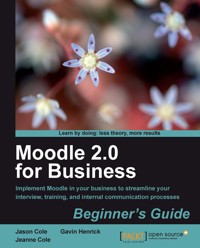
Many people will recognize Moodle as a Virtual Learning Environment that can be used in schools to teach lessons and organize student information. Fewer people will realize that Moodle can be used in businesses to dispense training, share important documents, and encourage teamwork.
Moodle 2.0 for Business Beginner's Guide will show you how to set up Moodle in your corporation. By introducing a system within your company that will allow for a centralized, accessible repository of knowledge, staff training will become a lot more streamlined, and the retention of skills will improve, leading to huge productivity benefits.
An easy-to-access, user-friendly system is crucial to keep communication flowing in any successful business. By putting your H.R. documents, newsletters, discussions, and training documents all in one place, which is accessible from the office or from home, you are giving your employees all the information that they need to be productive and become integrated members of your company. This book will show you how to get your important business documents online, as well as the recruitment and training processes. You will learn how to move any existing processes to Moodle, as well as set up new ones that will have you wondering what you did before Moodle came along!
Das E-Book können Sie in Legimi-Apps oder einer beliebigen App lesen, die das folgende Format unterstützen:
Veröffentlichungsjahr: 2011
Ähnliche


















Table of Contents
Moodle 2.0 for Business Beginner's Guide
Moodle 2.0 for Business Beginner's Guide
Copyright © 2011 Packt Publishing
All rights reserved. No part of this book may be reproduced, stored in a retrieval system, or transmitted in any form or by any means, without the prior written permission of the publisher, except in the case of brief quotations embedded in critical articles or reviews.
Every effort has been made in the preparation of this book to ensure the accuracy of the information presented. However, the information contained in this book is sold without warranty, either express or implied. Neither the authors, nor Packt Publishing, and its dealers and distributors will be held liable for any damages caused or alleged to be caused directly or indirectly by this book.
Packt Publishing has endeavored to provide trademark information about all of the companies and products mentioned in this book by the appropriate use of capitals. However, Packt Publishing cannot guarantee the accuracy of this information.
First published: April 2011
Production Reference: 1190411
Published by Packt Publishing Ltd.
32 Lincoln Road
Olton
Birmingham, B27 6PA, UK.
ISBN 978-1-849514-20-0
www.packtpub.com
Cover Image by Asher Wishkerman (<[email protected]>)
Credits
Authors
Jason Cole
Jeanne R. Cole
Gavin Henrick
Reviewers
Mary Cooch
Sean Keogh
Chad Outten
Jordi Piguillem
Acquisition Editor
Sarah Cullington
Development Editor
Roger D'souza
Technical Editors
Conrad Sardinha
Harshit Shah
Copy Editor
Neha Shetty
Editorial Team Leader
Akshara Aware
Project Team Leader
Priya Mukherji
Project Coordinator
Srimoyee Ghoshal
Proofreader
Steve Maguire
Graphics
Nilesh R. Mohite
Indexer
Tejal Daruwale
Production Coordinator
Melwyn D'sa
Cover Work
Melwyn D'sa
About the Authors
Jason Cole, Ph.D is the Chief Operating Officer for Remote-Learner, US, an official Moodle partner providing hosting, support, and instructional design services. Jason oversees Remote-Learner's daily operations, providing technical services to over 1,100 clients, from small non-profit organizations to Fortune 500 companies.
Jason started using Moodle at San Francisco State University in 2003 when he led the transition from Blackboard to Moodle. Later, he led the implementation of Moodle at the Open University in the UK, currently one of the top three largest Moodle deployments in the world. Over the ensuing two years he successfully architected a system that currently supports over 225,000 student users with multiple enrollments.
Jason is the co-author of Using Moodle (c2006 & 2007) published by O'Reilly Community Press, and has been the organizer of several successful Moodle Conferences in the US and UK.
I would like to thank my wife, Jeanne, for taking the leap and writing this book with me. Her dedication was an inspiration and her support made the book possible.
Jeanne Cole is a Senior Project Manager for Remote-Learner US. She is an experienced Moodle course developer and project manager who has migrated hundreds of courses from other learning management systems to Moodle, as well as created courses from client materials. She also has experience managing projects applying multiple open source products to meet a wide variety of client needs.
Prior to her Moodle career, Jeanne worked as a project engineer/manager for contractors in the US and UK.
I would like to thank both of my very experienced and knowledgeable co-authors for giving me the opportunity to work with them on this book. A special thanks to my husband, Jason, for his never-ending patience and support.
Gavin Henrick has worked with technology in business, learning, and development for over ten years. He has been consulting on using Moodle, Mahara, and other open-source applications for the last four years. He has run several websites and runs his own blog (www.somerandomthoughts.com). He is a regular speaker at a number of Moodlemoots and conferences on the use of Moodle in the corporate space focusing on practical examples of usage.
Gavin recently joined the Moodle Partner Remote-Learner and is based out of Canada working with a range of organizations in Canada and Europe.
Through working on this book he has learned so much on the diverse and innovative ways of using Moodle to support learning, training, and development.
Firstly I would like to thank Enovation Solutions and Remote-Learner for the opportunity to work with and learn from some fantastic people over the last few years.
I would also like to thank all of the participating organizations for their generosity in contributing the case studies. The case studies in the book will provide inspiration to others as they consider rolling out Moodle.
I would like to thank the Packt editorial team and the book reviewers who provided excellent feedback and direction throughout the editing of the book. You have certainly helped make this a better book.
I would like to thank my co-authors who have taught me so much about writing and about new approaches to using Moodle.
A special thanks to Martin Dougiamas for his vision and dedication to learning and Moodle.
About the Reviewers
Chad Outten has worked as an educator and technologist for more than a dozen years in diverse roles and settings in Australia. He is the Company Director at My Learning Space (www.mylearningspace.com.au), an Australian e-learning solutions provider specializing in expert Consultancy, Hosting, Training, and Support services for learning management systems. They work with numerous organizations in the corporate, education, government, and not-for-profit sectors. Their clients include eBay, Shell, Rip Curl, Queensland Health, and Department of Human Services NSW.
Chad is an active member of the Moodle Community. This includes involvement in the Particularly Helpful Moodlers, and Quality Assurance Testers groups. He was involved as a Moodle certified teacher, mentor, and assessor as part of the internationally recognized Moodle Teacher Certification program. He also organized the Australian Moodle Moot in 2008.
Jordi Piguillem is a Computer Software Engineer by Universitat Politecnica de Catalunya. During the last five years, he has been collaborating on several Moodle projects as a programmer and as a software designer. During Summer '08, he had been working in Google Summer of Code initiative, where he had been developing an IMS LTI compliant client for Moodle. Nowadays, he is working on his PhD about integration of information systems. Due to this research job, he has co-authored several papers about software and service engineering, ubiquitous learning, among other things and collaborated in some books about Moodle and Google App Engine.
I would like to thank the project coordinator for having trusted me to review this book and to my PhD advisors for their assistance.
Mary Cooch (known online as @moodlefairy) is a teacher and VLE trainer based in the UK. She is the author of Moodle 1.9 for Teaching 7-14 Year Olds and Moodle 2.0 First Look also published by Packt. She blogs at www.moodleblog.org and can be contacted for consultation on <[email protected]>. Mary will go anywhere to help you Moodle!
I would like to thank my family for their support and Our Lady's Preston Assistant Headteacher Mark Greenwood, and my Moodle manager, for his tolerance!
www.PacktPub.com
Support files, eBooks, discount offers and more
You might want to visit www.PacktPub.com for support files and downloads related to your book.
Did you know that Packt offers eBook versions of every book published, with PDF and ePub files available? You can upgrade to the eBook version at www.PacktPub.com and as a print book customer, you are entitled to a discount on the eBook copy. Get in touch with us at <[email protected]> for more details.
At www.PacktPub.com, you can also read a collection of free technical articles, sign up for a range of free newsletters and receive exclusive discounts and offers on Packt books and eBooks.
http://PacktLib.PacktPub.com
Do you need instant solutions to your IT questions? PacktLib is Packt's online digital book library. Here, you can access, read and search across Packt's entire library of books.
Why Subscribe?
Free Access for Packt account holders
If you have an account with Packt at www.PacktPub.com, you can use this to access PacktLib today and view nine entirely free books. Simply use your login credentials for immediate access.
Preface
Moodle 2.0 for Business will show you how to set up Moodle in your corporation. Think of all the time you could save by putting your existing training material online. Think of the printing costs that you could reduce by putting HR documents on your staff site, and think of the team spirit that could be created by setting up staff forums.
What this book covers
Chapter 1, Getting Started With Moodle introduces you to the background of Moodle. It covers the benefits of using open-source software in business, and how to take your first steps in experimenting with Moodle.
Chapter 2, Moodle in Hiring and Interviewing discusses how to use Moodle to facilitate the hiring and interviewing process. This chapter demonstrates how to use Moodle to accept resumes and job applications, and how to create interviewer resources to support the hiring process.
Chapter 3, Rollout Products and Services with Moodle shows you how to set up a course to cater for product knowledge training. Learn how to set up a glossary and to organize a real-time roleplay using Moodle Chat.
Chapter 4, Moodle for Managing Compliance Training discusses how to deliver compliance training with Moodle. This chapter looks at the Moodle Lesson and how to configure completion tracking for full course completion reporting.
Chapter 5, CPD and Competency Tracking with Moodle explains competencies and how they are used in Moodle. The chapter will shed light on how to use competencies in assessments and how to view them in the gradebook.
Chapter 6, Communities of Practice in Moodle takes a look at building communities with Moodle. You will learn how to set up a wiki, glossary, and database for collaborative projects. You will also learn about how to use roles for specific tasks.
Chapter 7, Web Conferencing with Moodle examines some of the main web conferencing software in use with Moodle and what features and options are available. The chapter covers how to set up and configure two systems with Moodle, BigBlueButton, and Adobe Connect Pro.
Chapter 8, Integrating Moodle with Other Systems introduces a range of systems which can integrate with Moodle including Alfresco, a document management system, Mahara—an e-portfolio platform, and GoogleDocs.
Chapter 9, Integrating Moodle into the Enterprise identifies the authentication options in Moodle. It introduces how enrollment works and how to do basic customizations to the look and feel of your Moodle site.
Who this book is for
If you are responsible for training, recruitment, or maintaining any guidelines within your company, then this book is for you. No previous experience with Moodle is necessary as the examples are easy to follow, although it is assumed that Moodle will be set up and ready to go within your company.
Conventions
In this book, you will find several headings appearing frequently.
To give clear instructions of how to complete a procedure or task, we use:
Time for action – heading
Instructions often need some extra explanation so that they make sense, so they are followed with:
What just happened?
This heading explains the working of tasks or instructions that you have just completed.
You will also find some other learning aids in the book, including:
Time for reflection
This heading asks the reader to deliberate on the things learned in the previous sections from the point of view of their practical application.
Have a go hero – heading
These set practical challenges and give you ideas for experimenting with what you have learned.
You will also find a number of styles of text that distinguish between different kinds of information. Here are some examples of these styles, and an explanation of their meaning.
Code words in text are shown as follows: "We can include other contexts through the use of the include directive."
A block of code is set as follows:
Any command-line input or output is written as follows:
Newterms and importantwords are shown in bold. Words that you see on the screen, in menus or dialog boxes for example, appear in the text like this: "The Maximumnumberofattachments determines how many attachments a user can add to a forum post."
Note
Warnings or important notes appear in a box like this.
Tip
Tips and tricks appear like this.
Reader feedback
Feedback from our readers is always welcome. Let us know what you think about this book—what you liked or may have disliked. Reader feedback is important for us to develop titles that you really get the most out of.
To send us general feedback, simply send an e-mail to <[email protected]>, and mention the book title via the subject of your message.
If there is a book that you need and would like to see us publish, please send us a note in the SUGGESTATITLE form on www.packtpub.com or e-mail <[email protected]>.
If there is a topic that you have expertise in and you are interested in either writing or contributing to a book, see our author guide on www.packtpub.com/authors.
Customer support
Now that you are the proud owner of a Packt book, we have a number of things to help you to get the most from your purchase.
Errata
Although we have taken every care to ensure the accuracy of our content, mistakes do happen. If you find a mistake in one of our books—maybe a mistake in the text or the code—we would be grateful if you would report this to us. By doing so, you can save other readers from frustration and help us improve subsequent versions of this book. If you find any errata, please report them by visiting http://www.packtpub.com/support, selecting your book, clicking on the erratasubmissionform link, and entering the details of your errata. Once your errata are verified, your submission will be accepted and the errata will be uploaded on our website, or added to any list of existing errata, under the Errata section of that title. Any existing errata can be viewed by selecting your title from http://www.packtpub.com/support.
Piracy
Piracy of copyright material on the Internet is an ongoing problem across all media. At Packt, we take the protection of our copyright and licenses very seriously. If you come across any illegal copies of our works, in any form, on the Internet, please provide us with the location address or website name immediately so that we can pursue a remedy.
Please contact us at <[email protected]> with a link to the suspected pirated material.
We appreciate your help in protecting our authors, and our ability to bring you valuable content.
Questions
You can contact us at <[email protected]> if you are having a problem with any aspect of the book, and we will do our best to address it.
Chapter 1. Getting Started with Moodle
Moodle is the world's leading open source learning management system to improve business performance. Moodle is a great tool for developing learning activities for a wide variety of audiences. But it also has the capability to be used as a community and collaboration tool to meet a wide variety of business needs.
In this first chapter, we will discuss the benefits of open source software as it applies to Moodle, explore how to install Moodle and get a basic course up and running. In further chapters, we will explore how to apply Moodle to specific business processes to enhance collaboration, communication, learning, and performance.
In this chapter, we shall:
So let's get on with it...
Why Moodle?
Moodle is an open source LearningManagementSystem (LMS) used by universities, K-12 schools, and both small and large businesses to deliver training over the Web. The Moodle project was created by Martin Dougiamas, a computer scientist and educator, who started as an LMS administrator at a university in Perth, Australia. He grew frustrated with the system's limitations as well as the closed nature of the software which made it difficult to extend.
Martin started Moodle with the idea of building the LMS based on learning theory, not software design. Moodle is based on five learning ideas:
With these five points as reference, the Moodle developer community has developed an LMS with the flexibility to address a wider range of business issues than most closed source systems. Throughout this book we will explore new ways to use the social features of Moodle to create a learning platform to deliver real business value.
Moodle has seen explosive growth over the past five years. In 2005, as Moodle began to gain traction in higher education, there were under 3,000 Moodle sites around the world. As of this writing in July, 2010, there were 51,000 Moodle sites registered with Moodle.org. These sites hosted 36 million users in 214 countries. The latest statistics on Moodle use are always available at the Moodle.org site (http://moodle.org/stats).
As Moodle has matured as a learning platform, many corporations have found they can save money and provide critical training services with Moodle. According to the eLearning Guild 2008 Learning Management System survey, Moodle's initial cost to acquire, install, and customize was $16.77 per learner. The initial cost per learner for SAP was $274.36, while Saba was $79.20, and Blackboard $39.06. Moodle's open source licensing provides a considerable cost advantage against traditional closed source learning management systems. For the learning function, these savings can be translated into increased course development, more training opportunities, or other innovation. Or it can be passed back to the organization's bottom line. As Jim Whitehurst, CEO of RedHat, states: "What's sold to customers better than saying 'We can save you money' is to show them how we can give you more functionality within your budget." With training budgets among the first to be cut during a downturn, using Moodle can enable your organization to move costs from software licensing to training development, support, and performance management; activities that impact the bottom line.
Moodle's open source licensing also makes customization and integration easier and cheaper than proprietary systems. Moodle has built-in tools for integrating with backend authentication tools, such as Active Directory or OpenLDAP, enrollment plugins to take a data feed from your HR system to enroll people in courses, and a web services library to integrate with your organization's other systems. Some organizations choose to go further, customizing individual modules to meet their unique needs. Others have added components for unique tracking and reporting, including development of a full data warehouse.
Moodle's low cost and flexibility have encouraged widespread adoption in the corporate sectors. According to the eLearning Guild LMS survey, Moodle went from a 6.8 % corporate LMS market share in 2007 to a 19.8 % market share in 2008. While many of these adopters are smaller companies, a number of very large organizations, including AA Ireland, OpenText, and other Fortune 500 companies use Moodle in a variety of ways. According to the survey, the industries with the greatest adoption of Moodle include aerospace and defense companies, consulting companies, E-learning tool and service providers, and the hospitality industry.
Why open source?
Moodle is freely available under the General Public License (GPL). Anyone can go to Moodle.org and download Moodle, run it on any server for as many users as they want, and never pay a penny in licensing costs. The GPL also ensures that you will be able to get the source code for Moodle with every download, and have the right to share that code with others. This is the heart of the open source value proposition. When you adopt a GPL product, you have the right to use that product in any way you see fit, and have the right to redistribute that product as long as you let others do the same.
Moodle's open source license has other benefits beyond simply cost. Forrester recently conducted a survey of 132 senior business and IT executives from large companies using open source software. Of the respondents, 92 % said open source software met or exceeded their quality expectations, while meeting or exceeding their expectations for lower costs.
Many organizations go through a period of adjustment when making a conscious decision to adopt an open source product. Most organizations start using open source solutions for simple applications, or deep in their network infrastructure. Common open source applications in the data center include file serving, e-mail, and web servers. Once the organization develops a level of comfort with open source, they begin to move open source into mission critical and customer-facing applications. Many organizations use an open source content management system like Drupal or Alfresco to manage their web presence. Open source databases and middleware, like MySQL and JBoss, are common in application development and have proven themselves reliable and robust solutions.
Companies adopt open source software for many reasons. The Forrester survey suggests open standards, no usage restrictions, lack of vendor lock-in and the ability to use the software without a license fee as the most important reason many organizations adopt open source software.
On the other side of the coin, many CTO's worry about commercial support for their software. Fortunately, there is an emerging ecosystem of vendors who support a wide variety of open source products and provide critical services.
There seem to be as many models of open source business as there are open source projects. A number of different support models have sprung up in the last few years. Moodle is supported by the Moodle Partners, a group of 50 companies around the world who provide a range of Moodle services. Services offered range from hosting and support to training, instructional design, and custom code development. Each of the partners provides a portion of its Moodle revenue back to the Moodle project to ensure the continued development of the shared platform. In the same way, Linux is developed by a range of commercial companies, including RedHat and IBM who both share some development and compete with each other for business.
While many of the larger packages, like Linux and JBoss have large companies behind them, there are a range of products without clear avenues for support. However, the lack of licensing fees makes them easy to pilot. As we will explore in a moment, you can have a full Moodle server up and running on your laptop in under 20 minutes. You can use this to pilot your solutions, develop your content, and even host a small number of users. Once you are done with the pilot, you can move the same Moodle setup to its own server and roll it out to the whole organization.
Tip
If you decide to find a vendor to support your Moodle implementation, there are a few key questions to ask:
Installing Moodle for experimentation
As Kenneth Grahame's character the Water Rat said in The Wind in the Willows, "Believe me, my young friend, there is nothing—absolutely nothing—half so much worth doing as simply messing about in boats." One of the best tools to have to learn about Moodle is an installation where you can "mess about" without worrying about the impact on other people. Learning theory tells us we need to spend many hours practicing in a safe environment to become proficient. The authors of this book have collectively spent more than 5,000 hours experimenting, building, and messing about with Moodle.
There is much to be said for having the ability to play around with Moodle without worrying about other people seeing what you are doing, even after you go live with your Moodle solution. When dealing with some of the more advanced features, like permissions and conditional activities, you will need to be able to log in with multiple roles to ensure you have the options configured properly. If you make a mistake on a production server, you could create a support headache. Having your own sandbox provides that safe place.
So we are going to start your Moodle exploration by installing Moodle on your personal computer. If your corporate policy prohibits you from installing software on your machine, discuss getting a small area on a server set up for Moodle. The installation instructions below will work on either your laptop, personal computer, or a server.
Time for action – download and run the Moodle installer
If you have Windows or a Mac, you can download a full Moodle installer, including the web server, database, and PHP. All of these components are needed to run Moodle and installing them individually on your computer can be tedious. Fortunately, the Moodle community has created full installers based on the XAMPP package. A single double-click on the install package will install everything you need.
To install Moodle on Windows:
To install Moodle on Mac:
Once you have downloaded and installed Moodle, for both systems, follow these steps:
What just happened?
You now have a functioning Moodle site on your laptop for experimentation. To start your Moodle server, double click on the StartMoodle.exe and point your browser at http://localhost.
Now we can look at a Moodle course and begin to look at Moodle functionality. Don't worry about how we will use this functionality now, just spend some time getting to know the system.
Reflection
You have just installed Moodle on a server or a personal computer, for free. You can use Moodle with as many people as you want for whatever purpose you choose without licensing fees.
Some points for reflection:
Creating a course
A course is the basic organizing structure in Moodle. Throughout the book we will be using courses as the primary place to collect resources and activities. You do not need to use Moodle courses just for the delivery of traditional instructions. Over the next few chapters we will use courses to control access to sensitive information and encourage collaboration, as well as deliver traditional instructions.
Time for action – creating your first course
Courses are essentially containers for resources and activities. You can limit access to courses or open them up to the world. We'll start creating a basic course shell, and then we'll look at how to add some resources and a simple forum.
What just happened?
You have now added a blank course to your Moodle site. Courses are containers for resources and tools with controlled access for users on the system. We will be using courses as community sites and resume collection sites, as well as internal and external training sites.




