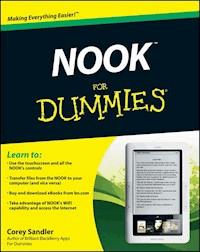
NOOK For Dummies - Corey Sandler - E-Book

NOOK For Dummies E-Book

Corey Sandler

0,0
4,60 €

oder
-100%
Sammeln Sie Punkte in unserem Gutscheinprogramm und kaufen Sie E-Books und Hörbücher mit bis zu 100% Rabatt.

Mehr erfahren.
Beschreibung

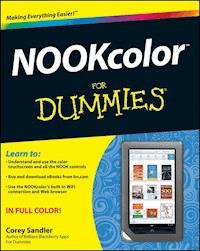
NOOK For Dummies provides readers with all the information they need in order to get the most out of their NOOK e-reader. Key topics covered include: * Introducing the ebook and e-reader concept * Navigating the technical aspects of The NOOK including touchscreen technology, wireless access, software updates * Downloading and shopping for e-books * Listening to music on your NOOK * Powering the NOOK * Formats * Reading an e-book on an e-reader, including lighting, font adjustments, and so on * Using the Android-based applications that come with the NOOK * Listening to audio books on the NOOK * Creating your own ebooks * Personalizing the NOOK, including accessories (B&N expects a strong revenue stream from what they call the "NOOK Eco-System," which will include the accessories, personalizations, applications, and more) * Sharing books on The NOOK * Internet Resources * 10 Things Other Than A Book to Keep on Your NOOK

Sie lesen das E-Book in den Legimi-Apps auf:

Android
iOS
von Legimi
zertifizierten E-Readern

Seitenzahl: 174

Veröffentlichungsjahr: 2011

Bewertungen
0,0
0
0
0
0
0
Mehr Informationen
Mehr Informationen
Legimi prüft nicht, ob Rezensionen von Nutzern stammen, die den betreffenden Titel tatsächlich gekauft oder gelesen/gehört haben. Wir entfernen aber gefälschte Rezensionen.


NOOK™ For Dummies®

Table of Contents

Introduction
About This Book
Conventions Used in This Book
Foolish Assumptions
Icons Used in This Book
How This Book Is Organized
Where to Go from Here
Chapter 1: Knowing Your NOOK
Explaining the 3G
Laying Hands on the NOOK
The left and right sides
The top
The front
The bottom
The back
Getting More Bits on SD or SDHC
Heads of Power State
Off
On
On, with the touchscreen turned off
Sleep
Charging Up for Reading
Reading the battery indicators
Receiving a low power alert
Managing your power for good purposes
Using the USB cable
Configuring It Out: Setting Up and Maneuvering
Operating the touchscreen
Pleading with the reading screen
Navigating forms and data fields
Making settings
Registering Your NOOK
Working with an unregistered NOOK
Your first library synchronization
Chapter 2: Telling a Book by its Cover
Selecting a Book from Your Library
Opening a book
Resuming reading
Turning pages
Making gestures
Adding bookmarks
Adding highlights or notes
Looking up definitions
Finding words and phrases
Changing Type Style and Size
Image files
Changing typeface
Changing type size
Reading Magazines and Newspapers
Making NOOK Look Good
Wallpapering
Screensaving
Traveling Abroad with a NOOK
Chapter 3: Building and Managing Your Library
Knowing What Goes Where
Synchronizing your Library
Asking for a manual download
Building your own shelves
Shopping on Your NOOK
About your Barnes & Noble account
Finding reading material at the B&N Shop
Setting shopping security levels
Using your NOOK in a B&N retail store
Archiving for Posterity
Archiving B&N digital content
Archiving content from other sources
Deleting B&N content
Lending and Borrowing Books
Lending a book
Borrowing a book
Buying Books from Somewhere Other Than B&N
Using Adobe Digital Editions
Using the Google eBookstore
Connecting the NOOK to a Computer
Transferring files to the NOOK
Ejecting a NOOK from a computer
Reading personal files
Playing music files
Organizing your files
Using calibre
Working with DRM-protected files
Chapter 4: Going Wireless, Getting ’Appy
Working without a Wire
Configuring the NOOK for Wirelessness
WiFi specifications
Viewing WiFi hotspots
Forgetting a hotspot
Displaying menus for WiFi hotspot connection
B&N Fast & Free Wireless (3G cell)
Buying content when no wireless signal is available
Scoping out the status bar
Browsing the Web
Just browsing, thanks
Getting around in the browser
Getting ’Appy with a NOOK
Playing Chess
Solving Sudoku
Playing music, audio books, or podcasts
Making contacts
Chapter 5: The Part of Tens: Tips and Tricks
Living with a NOOK
Caring for the NOOK screens
Reawakening a Dead NOOK
The battery doesn’t have enough power
Your recharger may not be getting juice
Updating or Resetting Your NOOK
Updates by WiFi
Updates by USB cable
Resetting your NOOK
Getting the Most from the Battery
Opening Up the Back Cover
Removing the back cover
Replacing the battery
Reattaching the back cover
Adding Storage to Your NOOK
Fixing Wireless Weirdness
Avoiding Evils on the Internet
Improving Your NOOK Warranty

NOOK™ For Dummies®

by Corey Sandler

NOOK™ For Dummies®

Published byWiley Publishing, Inc.111 River St.Hoboken, NJ 07030-5774www.wiley.com

Copyright © 2011 by Wiley Publishing, Inc., Indianapolis, Indiana

Published simultaneously in Canada

No part of this publication may be reproduced, stored in a retrieval system or transmitted in any form or by any means, electronic, mechanical, photocopying, recording, scanning or otherwise, except as permitted under Sections 107 or 108 of the 1976 United States Copyright Act, without either the prior written permission of the Publisher, or authorization through payment of the appropriate per-copy fee to the Copyright Clearance Center, 222 Rosewood Drive, Danvers, MA 01923, (978) 750-8400, fax (978) 646-8600. Requests to the Publisher for permission should be addressed to the Permissions Department, John Wiley & Sons, Inc., 111 River Street, Hoboken, NJ 07030, (201) 748-6011, fax (201) 748-6008, or online at .

Lesen Sie weiter in der vollständigen Ausgabe!

Lesen Sie weiter in der vollständigen Ausgabe!

Lesen Sie weiter in der vollständigen Ausgabe!

Lesen Sie weiter in der vollständigen Ausgabe!

Lesen Sie weiter in der vollständigen Ausgabe!

Lesen Sie weiter in der vollständigen Ausgabe!