


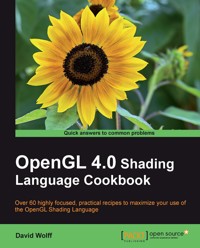
39,59 €
Mehr erfahren.
- Herausgeber: Packt Publishing
- Kategorie: Wissenschaft und neue Technologien
- Sprache: Englisch
The OpenGL Shading Language (GLSL) is a programming language used for customizing parts of the OpenGL graphics pipeline that were formerly fixed-function, and are executed directly on the GPU. It provides programmers with unprecedented flexibility for implementing effects and optimizations utilizing the power of modern GPUs. With version 4.0, the language has been further refined to provide programmers with greater flexibility, and additional features have been added such as an entirely new stage called the tessellation shader.
The OpenGL Shading Language 4.0 Cookbook provides easy-to-follow examples that first walk you through the theory and background behind each technique then go on to provide and explain the GLSL and OpenGL code needed to implement it. Beginning level through to advanced techniques are presented including topics such as texturing, screen-space techniques, lighting, shading, tessellation shaders, geometry shaders, and shadows.
The OpenGL Shading Language 4.0 Cookbook is a practical guide that takes you from the basics of programming with GLSL 4.0 and OpenGL 4.0, through basic lighting and shading techniques, to more advanced techniques and effects. It presents techniques for producing basic lighting and shading effects; examples that demonstrate how to make use of textures for a wide variety of effects and as part of other techniques; examples of screen-space techniques, shadowing, tessellation and geometry shaders, noise, and animation.
The OpenGL Shading Language 4.0 Cookbook provides examples of modern shading techniques that can be used as a starting point for programmers to expand upon to produce modern, interactive, 3D computer graphics applications.
Das E-Book können Sie in Legimi-Apps oder einer beliebigen App lesen, die das folgende Format unterstützen:
Veröffentlichungsjahr: 2011
Ähnliche

















Table of Contents
OpenGL 4.0 Shading Language Cookbook
OpenGL 4.0 Shading Language Cookbook
Copyright © 2011 Packt Publishing
All rights reserved. No part of this book may be reproduced, stored in a retrieval system, or transmitted in any form or by any means, without the prior written permission of the publisher, except in the case of brief quotations embedded in critical articles or reviews.
Every effort has been made in the preparation of this book to ensure the accuracy of the information presented. However, the information contained in this book is sold without warranty, either express or implied. Neither the author, nor Packt Publishing, and its dealers and distributors will be held liable for any damages caused or alleged to be caused directly or indirectly by this book.
Packt Publishing has endeavored to provide trademark information about all of the companies and products mentioned in this book by the appropriate use of capitals. However, Packt Publishing cannot guarantee the accuracy of this information.
First published: July 2011
Production Reference: 1180711
Published by Packt Publishing Ltd.
32 Lincoln Road
Olton
Birmingham, B27 6PA, UK.
ISBN 978-1-849514-76-7
www.packtpub.com
Cover Image by Fillipo (<[email protected]>)
Credits
Author
David Wolff
Reviewers
Martin Christen
Nicolas Delalondre
Markus Pabst
Brandon Whitley
Acquisition Editor
Usha Iyer
Development Editor
Chris Rodrigues
Technical Editors
Kavita Iyer
Azharuddin Sheikh
Copy Editor
Neha Shetty
Project Coordinator
Srimoyee Ghoshal
Proofreader
Bernadette Watkins
Indexer
Hemangini Bari
Graphics
Nilesh Mohite
Valentina J. D’silva
Production Coordinators
Kruthika Bangera
Adline Swetha Jesuthas
Cover Work
Kruthika Bangera
About the Author
David Wolff is an associate professor in the Computer Science and Computer Engineering Department at Pacific Lutheran University (PLU). He received his PhD in Physics from Oregon State University. He has a passion for computer graphics and the intersection between art and science. He has been teaching computer graphics to undergraduates at PLU for over 10 years, using OpenGL.
Special thanks to Brandon Whitley for interesting discussions and helpful insights during the writing of this book. His help has been incredibly valuable. Thanks also to all of the reviewers and editors for their help.
I'd also like to thank my parents for a lifetime of support, love and encouragement.
About the Reviewers
Martin Christen graduated with a Computer Science degree. Today, he is a senior research associate at the Institute of Geomatics Engineering of the University of Applied Sciences Northwestern (FHNW) Switzerland. He is the lead developer of the open source virtual globe engine (http://www.openwebglobe.org).
Previously, he was software developer in the fields of 3D geoinformation and in 3D computer game development. His main research interests are GPU-programming, parallel computing, terrain-rendering, and 3D graphics engine architecture.
Nicolas Delalondre has been working on 3D computer graphics software for more than ten years mainly in OpenGL on desktop and mobile devices. Currently, he is a freelance developer at Digital Mind and an associate at Rhino Terrain where he develops geomodeling and meshing algorithms. Before joining Rhino Terrain, Nicolas was a 3D software engineer at Bionatics, a French startup, developing OpenGL engine and algorithms for geographic information system (GIS). Prior to working with Bionatics, he worked for INRIA (French research institute in computer science) in the radiosity field. Nicolas has a Master's degree in Computer Science from EFREI, France.
Markus Pabst has been working with OpenGL since 2002. He works in the digital mapping industry and has worked with the desktop and embedded versions of OpenGL. Since 2007, he has been leading a team of software engineers developing an embedded OpenGL-based cockpit display system for the Airbus A400M aircraft certified against DO-178B Level C standard. In 2005, he began teaching OpenGL at the German University of Applied Sciences Ravensburg-Weingarten.
Markus received his university degree in Multimedia Technologies from the Technical University of Ilmenau, in 2002. In the summer, you may find Markus on a sailing boat in southern Germany.
Brandon Whitley worked for four years as a graphics programmer for Zipper Interactive, a Sony Computer Entertainment Worldwide Studio. He earned his Masters degree in Computer Science from Georgia Institute of Technology. While obtaining his undergraduate degree at Pacific Lutheran University, he was inspired by the author of this book to pursue a career in computer graphics. Brandon is currently a graphics programmer at Bungie, creators of the Halo series.
I would like to thank my wife, Katie, and my son, Parker, for their love and support.
www.PacktPub.com
Support files, eBooks, discount offers and more
You might want to visit www.PacktPub.com for support files and downloads related to your book.
Did you know that Packt offers eBook versions of every book published, with PDF and ePub files available? You can upgrade to the eBook version at www.PacktPub.com and as a print book customer, you are entitled to a discount on the eBook copy. Get in touch with us at <[email protected]> for more details.
At www.PacktPub.com, you can also read a collection of free technical articles, sign up for a range of free newsletters and receive exclusive discounts and offers on Packt books and eBooks.
http://PacktLib.PacktPub.com
Do you need instant solutions to your IT questions? PacktLib is Packt's online digital book library. Here, you can access, read and search across Packt's entire library of books.
Why subscribe?
Free access for Packt account holders
If you have an account with Packt at www.PacktPub.com, you can use this to access PacktLib today and view nine entirely free books. Simply use your login credentials for immediate access.
Preface
The OpenGL Shading Language (GLSL) Version 4.0 brings unprecedented power and flexibility to programmers interested in creating modern, interactive, graphical programs. It allows us to harness the power of modern GraphicsProcessingUnits (GPUs) in a straightforward way by providing a simple, yet powerful, language and API.
The OpenGL 4.0 Shading Language Cookbook will provide easy-to-follow examples that start by walking you through the theory and background behind each technique. It then goes on to provide and explain the GLSL and OpenGL code needed to implement them. Beginning through to advanced techniques are presented, including topics such as texturing, screen-space techniques, lighting, shading, tessellation shaders, geometry shaders, and shadows.
What this book covers
Chapter 1, Getting Started with GLSL 4.0, provides tips and tricks for setting up your OpenGL development environment to take advantage of the latest OpenGL and GLSL language features. It also teaches the basic techniques for communicating with shader programs.
Chapter 2, The Basics of GLSL Shaders, provides examples of basic shading techniques such as diffuse shading, two-sided shading, and flat shading. It also discuses an example of a new 4.0 language feature: subroutines.
Chapter 3, Lighting and Shading Effects and Optimizations, provides examples of more complex lighting and shading such as multiple lights, per-fragment shading, spotlights, cartoon shading, and fog. It moves further to explain how to gain a slight increase in execution speed by using the halfway vector or a directional light source.
Chapter 4, Using Textures, provides a variety of examples illustrating how textures can be used in GLSL shaders. It also explores examples involving simple 2D textures, multiple textures, normal maps, alpha maps, cube maps, and projected textures. It also discusses how to render to a texture using framebuffer objects.
Chapter 5, Image Processing and Screen Space Techniques, discusses various techniques to apply post-processing effects such as bloom, blur, and edge detection. It also discusses an example of a very popular rendering technique known as deferred shading.
Chapter 6, Using Geometry and Tessellation Shaders, provides a series of examples to introduce you to the new and powerful segments of the shader pipeline. It provides some examples of geometry shaders, and discusses how to use tessellation shaders to dynamically render geometry at different levels of detail.
Chapter 7, Shadows, provides several recipes surrounding the shadow-mapping algorithm. It also discusses some basic and advanced techniques for producing shadows, focusing mainly on texture-based shadow maps.
Chapter 8, Using Noise in Shaders, provides recipes that demonstrate how to make use of a pre-computed noise texture to create a variety of effects. The first two recipes demonstrate how to generate a noise texture using the free, open-source library libnoise. Then, it moves on to explain several examples that use noise textures to produce natural and artificial effects such as wood grain, clouds, electrical interference, splattering, and erosion.
Chapter 9, Animation and Particles, discusses several examples of animation within shaders, focusing mostly on particle systems. It also provides an example illustrating how to use OpenGL's transform feedback functionality within a particle system. The last two recipes in the chapter demonstrate some particle systems for simulating complex real systems, such as smoke and fire.
What you need for this book
You will need familiarity with OpenGL programming, along with an understanding of the typical 3D coordinate systems, projections, and transformations.
Who this book is for
This book is for OpenGL programmers who would like to take advantage of the modern features of GLSL 4.0 to create real-time, three-dimensional graphics. It can also be useful for experienced GLSL programmers who are looking to implement the techniques that are presented here.
Reader feedback
Feedback from our readers is always welcome. Let us know what you think about this book—what you liked or may have disliked. Reader feedback is important for us to develop titles that you really get the most out of.
To send us general feedback, simply send an e-mail to <[email protected]>, and mention the book title via the subject of your message.
If there is a book that you need and would like to see us publish, please send us a note in the SUGGEST A TITLE form on www.packtpub.com or e-mail <[email protected]>.
If there is a topic that you have expertise in and you are interested in either writing or contributing to a book, see our author guide on www.packtpub.com/authors.
Customer support
Now that you are the proud owner of a Packt book, we have a number of things to help you to get the most from your purchase.
Downloading the example code for this book
You can download the example code files for all Packt books you have purchased from your account at http://www.PacktPub.com. If you purchased this book elsewhere, you can visit http://www.PacktPub.com/support and register to have the files e-mailed directly to you.
Errata
Although we have taken every care to ensure the accuracy of our content, mistakes do happen. If you find a mistake in one of our books—maybe a mistake in the text or the code—we would be grateful if you would report this to us. By doing so, you can save other readers from frustration and help us improve subsequent versions of this book. If you find any errata, please report them by visiting http://www.packtpub.com/support, selecting your book, clicking on the erratasubmission form link, and entering the details of your errata. Once your errata are verified, your submission will be accepted and the errata will be uploaded on our website, or added to any list of existing errata, under the Errata section of that title. Any existing errata can be viewed by selecting your title from http://www.packtpub.com/support.
Piracy
Piracy of copyright material on the Internet is an ongoing problem across all media. At Packt, we take the protection of our copyright and licenses very seriously. If you come across any illegal copies of our works, in any form, on the Internet, please provide us with the location address or website name immediately so that we can pursue a remedy.
Please contact us at <[email protected]> with a link to the suspected pirated material.
We appreciate your help in protecting our authors, and our ability to bring you valuable content.
Questions
You can contact us at <[email protected]> if you are having a problem with any aspect of the book, and we will do our best to address it.




