


30,99 €
Mehr erfahren.
- Herausgeber: John Wiley & Sons
- Kategorie: Wissenschaft und neue Technologien
- Sprache: Englisch
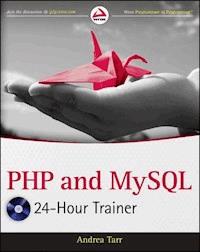
Step-by-step lessons for using PHP and MySQL in a unique book-and-video combination Assuming no previous experience with PHP or MySQL, this book-and-video package is ideal reading for anyone who wants to go beyond HTML/CSS in order to provide clients with the most dynamic web sites possible. The approachable tone breaks down the basics of programming and PHP and MySQL in individual lessons starting with the installation of the programs necessary to run PHP. You begin with a static web site and then watch and learn as PHP functionality is added as you work through the lessons. When working with databases, the MySQL database is introduced with demonstrations that show how to interact with it. The accompanying videos enhance your learning experience, as each lesson in the book is portrayed in the video exercises. Lessons include: * Getting started with PHP * Setting up your workspace * Adding PHP to a web page * Learning PHP syntax * Working with variables * Debugging code * Working with complex data * Making decisions * Repeating program steps * Learning about scope * Reusing code with functions * Creating forms * Introducing object-oriented programming * Defining classes * Using classes * Using advanced techniques * Handling errors * Writing secure code * Introducing databases * Introducing MySQL * Creating and connecting to the * Creating tables * Entering data * Selecting data * Using multiple tables * Changing data * Deleting data * Preventing database security issues * Creating user logins * Turn the case study into a content management system Note: As part of the print version of this title, video lessons are included on DVD. For e-book versions, video lessons can be accessed at wrox.com using a link provided in the interior of the e-book.
Sie lesen das E-Book in den Legimi-Apps auf:
Seitenzahl: 559
Veröffentlichungsjahr: 2011
Ähnliche



















Table of Contents
Section I: Getting Started with PHP
Lesson 1: Setting Up Your Workspace
Installing XAMPP
Installing Your Editor
Configuring Your Workspace
Lesson 2: Adding PHP to a Web Page
Writing Your First PHP Page
Introducing the Case Study
Using echo and include
Lesson 3: Learning PHP Syntax
Picking a Formatting Style
Learning PHP Syntax
Entering Comments
Using Best Practices
Lesson 4: Working with Variables
Introduction to Variables
Working with Text
Understanding Different Types of Numbers
Working with Numbers
Changing between Text and Numbers
Lesson 5: Debugging Code
Troubleshooting Techniques
Using Xdebug
Lesson 6: Working with Complex Data
Working with Arrays
Working with Logical Variables
Working with Constants
Working with Dates
Working with Built-in Functions
Working with Objects
Section II: Working with PHP Controls, Functions, and Forms
Lesson 7: Making Decisions
If/Else
Logical Operators
Switch Statements
Alternative Syntax
Lesson 8: Repeating Program Steps
While Loops
Do/While Loops
For Loops
Foreach Loops
Continue/Break
Lesson 9: Learning about Scope
Learning about Local Variables
Learning about Global Variables
Lesson 10: Reusing Code with Functions
Defining Functions
Passing Parameters
Getting Values from Functions
Using Functions
Including Other Files
Lesson 11: Creating Forms
Setting Up Forms
Processing Forms
Redirecting with Headers
Section III: Objects and Classes
Lesson 12: Introducing Object-Oriented Programming
Understanding the Reasons for Using OOP
Introducing OOP Concepts
Learning Variations in Different PHP Releases
Lesson 13: Defining Classes
Defining Class Variables (Properties)
Defining Class Functions (Methods)
Lesson 14: Using Classes
Instantiating the Class
Using Objects
Lesson 15: Using Advanced Techniques
Initializing the Class
Understanding Scope
Understanding Inheritance
Understanding Static Methods and Properties
Section IV: Preventing Problems
Lesson 16: Handling Errors
Testing for Errors
Using Try/Catch
Lesson 17: Writing Secure Code
Understanding Common Threats
Using Proper Coding Techniques
Section V: Using a Database
Lesson 18: Introducing Databases
What Is a Database?
Gathering Information to Define Your Database
Designing Your Tables
Setting Up Relationships between Tables
Instituting the Business Rules
Normalizing the Tables
Lesson 19: Introducing MySQL
Using phpMyAdmin
Learning the Syntax
Lesson 20: Creating and Connecting to the Database
Connecting with mysql/mysqli
Connecting with PDO
Creating the Database
Lesson 21: Creating Tables
Understanding Data Types
Using AUTO_INCREMENT
Understanding Defaults
Creating Tables in phpMyAdmin
Using .sql Script Files
Adding MySQL Tables to PHP
Lesson 22: Entering Data
Understanding the INSERT Command
Executing MySQL Commands in PHP
Processing Data Entry Forms in PHP
Lesson 23: Selecting Data
Using the SELECT Command
Using WHERE
Selecting Data in PHP
Lesson 24: Using Multiple Tables
Using the JOIN Clause
Using Subqueries
Lesson 25: Changing Data
Using the UPDATE Command
Updating Data in PHP
Using Prepared Statements
Lesson 26: Deleting Data
Using the DELETE Command
Deleting Data in PHP
Lesson 27: Preventing Database Security Issues
Understanding Security Issues
Using Best Practices
Filtering Data
Section VI: Putting It All Together
Lesson 28: Creating User Logins
Understanding Access Control
Protecting Passwords
Using Cookies and Sessions
Putting Logins to Work
Lesson 29: Turn the Case Study into a Content Management System
Designing and Creating the Table
Creating the Class
Creating the Maintenance Pages
Creating the Display Page
Lesson 30: Creating a Dynamic Menu
Setting up the Menu Table
Adding the Menu to the Website
Lesson 31: Next Steps
Introduction
Advertisements
Download CD/DVD Content
Section I
Getting Started with PHP
Lesson 1: Setting Up Your WorkspaceLesson 2: Adding PHP to a Web PageLesson 3: Learning PHP SyntaxLesson 4: Working with VariablesLesson 5: Debugging CodeLesson 6: Working with Complex DataIn this section, you learn the basics of working with PHP. In the first lesson, you learn what PHP requires on your computer before PHP will run. If your computer does not have the necessary software, you can use the instructions provided to download the free software, install it, and configure it to work. In the next lesson, you learn how HTML and PHP work together as you add your first PHP code to a web page. You are also introduced to the Case Study website you use throughout the book.
You learn in the third lesson about the syntax of PHP and how to write PHP statements. In the fourth lesson, you learn what variables are and how to use them. At this point, you will have learned enough to start making mistakes, so in the next lesson you learn about how to find your errors and debug your code. You need to know about debugging as you work with more complex data in the final lesson of this section.
Lesson 2
Adding PHP to a Web Page
PHP is a programming scripting language that was first developed to generate HTML statements. Even programs written totally in PHP are ultimately displayed as ordinary HTML.
You can also write programs that are mostly HTML with just the occasional PHP statement. In this lesson you start with an HTML page and learn how to add PHP statements to it.
You are also introduced to the Case Study website. By the end of this book, you will have changed it from a static HTML/CSS site to a dynamic website. In this lesson you add the first bit of dynamic code.
Writing Your First PHP Page
You start with a simple HTML page that looks like Figure 2-1. The file is called lesson2a.html.
Figure 2-1
Here's the HTML for that page:
Now you turn this into a PHP page. All you do is change the file extension from .html to .php and it becomes a PHP file. When you call that in your browser it still looks just like Figure 2-1.
You can display standard HTML in your browser by entering the file path. An example of a file path isc:/xamppfiles/htdocs/lesson2a.html. With.phpfiles, you enter the address that starts with the web root. An example of an address ishttp://localhost/lesson2a.php.
The difference is that, because of the .php extension, the PHP processor reads through the file to see if there is any PHP to process. Any HTML that it finds it prints to the screen. Because all it found was HTML, the results were just the same as the .html file.
So the first rule of writing PHP code is to use the file extension .php.
Other extensions run PHP code, but for this book, .php is the only one you need.
Today isn't really Sep 27, 2011, so you can add PHP code to dynamically display today's date. Make a copy of the previous file, call it lesson2b.php, change the title to Lesson 2b and replace Sep 27, 2011 with the following code:
The file now looks like the following:
When you run this code in your browser it looks similar to Figure 2-2. Of course your screen displays the current date.
Figure 2-2
The PHP processor looks for blocks of code that start with <?php. It interprets everything after that as PHP code until it gets to a ?>. The echo date('M j, Y') tells the processor to find today's date; format it with a three-character month, the day without leading zeros followed by a comma, and a four-digit year; and then output it. The program continues to output the HTML that it finds, but also processes the new PHP code.
You learn more about echo later in this lesson and about processing dates in Lesson 6.
Introducing the Case Study
To give you a feel for how PHP code can make a website dynamic, you take a static HTML/CSS website and replace sections of it with PHP code as you work through the lessons. The site is for a fictitious company called Smithside Auctions. This company holds auctions of historic clothing throughout the year. Figure 2-3 shows the Home page.
Figure 2-3
The About Us page lists the employees, as shown in Figure 2-4.
Figure 2-4
Smithside Auctions assigns the clothing into lots for the auctions and then puts those lots into appropriate categories. The categories are shown in Figure 2-5 and a sample of the detail of one of the categories is shown in Figure 2-6.
Figure 2-5
Figure 2-6
You can download the code for this site from the book's website at www.wrox.com. There is a version available for the start of each lesson in which you use the case study. Thus you can follow along, making the changes as you do the lessons, or you can simply download appropriate code at any point in the process if you want.
The photographs are from Augusta Auctions, an actual company that auctions consigned historic clothing and textiles. You can use the photographs for the exercises in this book. If you want to use them for any other purpose, contact Augusta Auctions through its website atwww.augusta-auction.com. While there, you can browse through the rest of the 30,000 photos on the site.
Using echo and include
The echo function tells the processor to output data. The PHP version
is the same as the HTML version
You can use either a single quote (') or a double quote ("). If the text you are printing already has single or double quotes in it, use the other type of quote to surround it. For example:
is the same as
You learn about some differences between the two quote types in Lesson 4.
The include function tells the processor to take the file that you specify and insert it in place of the include statement.
Create the file lesson02d.php with this code:
Some text editors automatically put a<?phpat the beginning of any PHP file you create. Just type over it if you are not starting the file with PHP code, as in this example.
Create the file lesson02e.php with the following code. Your output should look similar to Figure 2-7.
Figure 2-7
This is what the processor sees:
If you view the source in your browser, you see:
The include makes it possible to create a single file that can be called multiple times or to create a single file where you can swap different parts in and out.
Try It
In this Try It, you take the content out of the Home page (index.html), put it in a separate file, and include it into the renamed index.php file. This content file goes in a new folder called content. Then you change about.html so that the content section is called as an include in index.php.
Like most websites, the header information and the footer information in the Case Study site stay the same while the content on the page changes. Using the include enables you to create several web pages that share a single file for the header and footer information, making changes easier.
You can download the code and resources for this Try It from the book's web page atwww.wrox.com. You can find them in the Lesson02 folder in the download. You will find code for both before and after completing the exercises.
Lesson Requirements
Your computer needs to be able to run as a web server with PHP and MySQL. XAMPP is a package of software that installs the web server, PHP, and MySQL for you. You can find instructions for downloading and installing XAMPP in Lesson 1.
You need a text editor that can produce plain-text files. You can find instructions for downloading and installing Eclipse PDT in Lesson 1. Other text editors that you can use are Adobe's Dreamweaver in code mode, Notepad, TextWrangler, or NetBeans.
If you are following along with the Case Study, you need your files from the end of the previous lesson. Alternatively, you can download the files from the book's website at www.wrox.com.
Hints
Remember to rename the files to .php.
Remember to use the localhost address to call the website locally.
Step-by-Step
1. Start with the HTML Case Study code. You can download it from the Lesson02/lesson02cs folder on the book's web page at www.wrox.com. This exercise could also be done on any simple HTML site.
2. Rename the index.html file to index.php.
3. Create a folder called content.
4. Create a blank file content/home.php.
5. Cut the following code from index.php and put it in contents/home.php:
6. Replace that code in index.php with the following:
7. Change the menu to look for the .php file instead of the .html file. The code should look like this:
8. Call up the Home page in your browser. It should still look like Figure 2-3.
9. Rename about.html to about.php.
10. Move about.php to the content folder.
11. Remove all the code except the code in the <div class="content"> div.
12. Check that the remaining code in content/about.php is
13. Go to the index.php file and change the include statement from <?php include 'content/home.php';?> to <?php include 'content/about.php';?> .
14. Change the menu to look for the index.php file instead of the about.html file. The code should look like this:
15. Call up the About Us page in your browser. It should still look like Figure 2-4.
Both the Home page and the About Us page are called by theindex.phpfile. At the moment, you need to change theincludestatement in theindex.phpfile to switch between the pages. In Lesson 7 you learn how to make them change automatically.
16. Go back to the index.php file and change the include statement from <?php include 'content/about.php';?> to <?php include 'content/home.php';?>.
Watch the video for Lesson 2 on the DVD or watch online atwww.wrox.com/go/24phpmysql.
Lesson 3
Learning PHP Syntax
You’ve seen how PHP can work on a web page. Now it's time to learn some basics of coding in PHP before you get into the detail of the language.
In this lesson you find out about formatting styles for PHP. You learn the general rules of PHP syntax and how to create comments. You learn the specific syntax of different PHP elements as you go over them in subsequent chapters.
Finally, you learn some best practices to make life easier and your code better.
Picking a Formatting Style
When you read a book or type a letter you are used to certain conventions. For instance, each paragraph might have the first line indented and a space before the next paragraph. Each chapter might start with the first letter enlarged.
Styling makes the text easier to understand because it organizes the information and tells you what to expect. If there are no paragraphs, if all the sentences continue one after the other without a break, you can read it but it is more difficult.
Programming uses formatting styles in the same way. The program runs fine without using any formatting but it is more difficult for a human being to read. It is harder to see what is happening and harder to find errors.
Lesen Sie weiter in der vollständigen Ausgabe!
Lesen Sie weiter in der vollständigen Ausgabe!
Lesen Sie weiter in der vollständigen Ausgabe!
Lesen Sie weiter in der vollständigen Ausgabe!
Lesen Sie weiter in der vollständigen Ausgabe!
Lesen Sie weiter in der vollständigen Ausgabe!
Lesen Sie weiter in der vollständigen Ausgabe!
Lesen Sie weiter in der vollständigen Ausgabe!
Lesen Sie weiter in der vollständigen Ausgabe!
Lesen Sie weiter in der vollständigen Ausgabe!
Lesen Sie weiter in der vollständigen Ausgabe!
Lesen Sie weiter in der vollständigen Ausgabe!
Lesen Sie weiter in der vollständigen Ausgabe!
Lesen Sie weiter in der vollständigen Ausgabe!
Lesen Sie weiter in der vollständigen Ausgabe!
Lesen Sie weiter in der vollständigen Ausgabe!
Lesen Sie weiter in der vollständigen Ausgabe!
Lesen Sie weiter in der vollständigen Ausgabe!
Lesen Sie weiter in der vollständigen Ausgabe!
Lesen Sie weiter in der vollständigen Ausgabe!
Lesen Sie weiter in der vollständigen Ausgabe!
Lesen Sie weiter in der vollständigen Ausgabe!
Lesen Sie weiter in der vollständigen Ausgabe!
Lesen Sie weiter in der vollständigen Ausgabe!
Lesen Sie weiter in der vollständigen Ausgabe!
Lesen Sie weiter in der vollständigen Ausgabe!
Lesen Sie weiter in der vollständigen Ausgabe!
Lesen Sie weiter in der vollständigen Ausgabe!
Lesen Sie weiter in der vollständigen Ausgabe!
Lesen Sie weiter in der vollständigen Ausgabe!
Lesen Sie weiter in der vollständigen Ausgabe!
Lesen Sie weiter in der vollständigen Ausgabe!
Lesen Sie weiter in der vollständigen Ausgabe!
Lesen Sie weiter in der vollständigen Ausgabe!
Lesen Sie weiter in der vollständigen Ausgabe!
Lesen Sie weiter in der vollständigen Ausgabe!
Lesen Sie weiter in der vollständigen Ausgabe!
Lesen Sie weiter in der vollständigen Ausgabe!
Lesen Sie weiter in der vollständigen Ausgabe!
Lesen Sie weiter in der vollständigen Ausgabe!
Lesen Sie weiter in der vollständigen Ausgabe!
Lesen Sie weiter in der vollständigen Ausgabe!
Lesen Sie weiter in der vollständigen Ausgabe!
Lesen Sie weiter in der vollständigen Ausgabe!
Lesen Sie weiter in der vollständigen Ausgabe!




