


32,99 €
Mehr erfahren.
- Herausgeber: John Wiley & Sons
- Kategorie: Wissenschaft und neue Technologien
- Sprache: Englisch
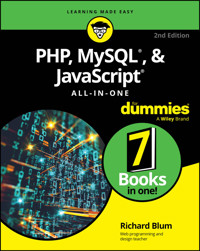
Learn the essentials of creating web apps with some of the most popular programming languages
PHP, MySQL, & JavaScript All-in-One For Dummies bundles the essentials of coding in some of the most in-demand web development languages. You'll learn to create your own data-driven web applications and interactive web content. The three powerful languages covered in this book form the backbone of top online apps like Wikipedia and Etsy. Paired with the basics of HTML and CSS—also covered in this All-in-One Dummies guide—you can make dynamic websites with a variety of elements. This book makes it easy to get started. You'll also find coverage of advanced skills, as well as resources you'll appreciate when you're ready to level up.
- Get beginner-friendly instructions and clear explanations of how to program websites in common languages
- Understand the basics of object-oriented programming, interacting with databases, and connecting front- and back-end code
- Learn how to work according to popular DevOps principles, including containers and microservices
- Troubleshoot problems in your code and avoid common web development mistakes
This All-in-One is a great value for new programmers looking to pick up web development skills, as well as those with more experience who want to expand to building web apps.
Sie lesen das E-Book in den Legimi-Apps auf:
Seitenzahl: 952
Veröffentlichungsjahr: 2025
Ähnliche



















PHP, MySQL®, & JavaScript® All-in-One For Dummies®
To view this book's Cheat Sheet, simply go to www.dummies.com and search for “PHP, MySQL®, & JavaScript® All-in-One For Dummies Cheat Sheet” in the Search box.
Table of Contents
Cover
Table of Contents
Title Page
Copyright
Introduction
About This Book
Foolish Assumptions
Icons Used in This Book
Beyond the Book
Where to Go from Here
Book 1: Getting Started with Web Programming
Chapter 1: Examining the Pieces of Web Programming
Creating a Simple Web Page
Creating a Dynamic Web Page
Storing Content
Chapter 2: Using a Web Server
Recognizing What’s Required
Considering Your Server Options
Tweaking the Servers
Building a Development Environment
Book 2: HTML5 and CSS3
Chapter 1: The Basics of HTML5
Diving into Document Structure
Looking at the Basic HTML5 Elements
Marking Your Text
Working with Characters
Making a List (And Checking It Twice)
Building Tables
Chapter 2: The Basics of CSS3
Understanding Styles
Styling Text
Working with the Box Model
Styling Tables
Positioning Elements
Chapter 3: HTML5 Forms
Understanding HTML5 Forms
Using Input Fields
Adding a Text Area
Using Drop-Down Lists
Enhancing HTML5 Forms
Using HTML5 Data Validation
Chapter 4: Advanced CSS3
Rounding Your Corners
Using Border Images
Looking at the CSS3 Colors
Playing with Color Gradients
Adding Shadows
Creating Fonts
Handling Media Queries
Chapter 5: HTML5 and Multimedia
Working with Images
Playing Audio
Watching Videos
Getting Help from Streamers
Book 3: JavaScript
Chapter 1: Introducing JavaScript
Learning about the Power of JavaScript
Including JavaScript in Your HTML Code
The Basics of JavaScript
Controlling Program Flow
Working with Functions
Chapter 2: Advanced JavaScript Coding
The Document Object Model
Finding Your Elements
Working with DOM Form Data
Chapter 3: Using jQuery
What Is jQuery?
Loading the jQuery Library
jQuery Basics
Replacing Data
Changing Styles
Changing the DOM
Playing with Animation
Chapter 4: Reacting to Events with JavaScript and jQuery
What Are Events?
JavaScript and Events
jQuery and Events
Chapter 5: Troubleshooting JavaScript Programs
Identifying Errors
Working with Browser Developer Tools
Working Around Errors
Book 4: PHP
Chapter 1: Understanding PHP Basics
Why Use PHP?
Using PHP
Working with PHP Variables
Utilizing PHP Operators
Including Files
Chapter 2: PHP Flow Control
Using Logic Control
Looping
Building Your Own Functions
Event-Driven PHP
Chapter 3: PHP Libraries
Understanding How PHP Uses Libraries
Tapping Into Text Functions
Working with Math Functions
Dealing with Date and Time Functions
Accessing Image-Handling Functions
Chapter 4: Considering PHP Security
Exploring PHP Vulnerabilities
PHP Vulnerability Solutions
Chapter 5: Object-Oriented PHP Programming
Understanding the Basics of Object-Oriented Programming
Using Magic Class Methods
Loading Classes
Extending Classes
Chapter 6: Sessions and Carts
Storing Persistent Data
Interacting with Cookies in PHP
Working with Sessions in PHP
Creating Online Shopping Carts
Book 5: MySQL
Chapter 1: Introducing MySQL
Understanding the Purpose of a Database
Presenting MySQL
Advanced MySQL Features
Chapter 2: Administering MySQL
MySQL Administration Tools
Managing User Accounts
Chapter 3: Designing and Building a Database
Managing Your Data
Creating Databases
Building Tables
Chapter 4: Using the Database
Working with Data
Searching for Data
Playing It Safe with Data
Chapter 5: Communicating with the Database from PHP Scripts
Database Support in PHP
Using the mysqli Library
Putting It All Together
Book 6: Creating Object-Oriented Programs
Chapter 1: Designing an Object-Oriented Application
Determining Application Requirements
Creating the Application Database
Designing the Application Objects
Designing the Application Layout
Coding the Website Layout
Chapter 2: Implementing an Object-Oriented Application
Working with Events
Bidder Object Events
Responding to Item Object Events
Logging Out of a Web Application
Testing Web Applications
Chapter 3: Using AJAX
Getting to Know AJAX
Communicating Using JavaScript
Using the jQuery AJAX Library
Transferring Data in AJAX
Modifying the AuctionHelper Application
Chapter 4: Extending WordPress
Getting Acquainted with WordPress
Installing WordPress
Examining the Dashboard
Customizing Your WordPress Website
Exploring the World of Plugins
Creating Your Own Widget
Book 7: Using PHP Frameworks
Chapter 1: The MVC Method
Getting Acquainted with MVC
Comparing MVC to Other Web Models
Seeing How MVC Fits into N-Tier Theory
Implementing MVC
Chapter 2: Selecting a Framework
Getting to Know PHP Frameworks
Knowing Why You Should Use a Framework
Focusing on Popular PHP Frameworks
Looking At Micro-Frameworks
Chapter 3: Creating an Application Using Frameworks
Building the Template
Creating an Application Scaffold
Modifying the Application Scaffold
Index
About the Author
Connect with Dummies
End User License Agreement
List of Tables
Book 1 Chapter 1
TABLE 1-1 HTML Versions
TABLE 1-2 HTTP Client Requests
TABLE 1-3 Common HTTP Server Response Status Codes
Book 1 Chapter 2
TABLE 2-1 Apache Web Server Error Levels
Book 2 Chapter 1
TABLE 1-1 HTML5 Section Elements
TABLE 1-2 HTML5 Text-Level Elements
TABLE 1-3 Ordered List Types
Book 2 Chapter 2
TABLE 2-1 CSS3 Pseudo-Elements
TABLE 2-2 The CSS3 Pseudo-Classes
TABLE 2-3 The CSS3 Cascading Rules Process
TABLE 2-4 CSS Font-Size Absolute Units of Measurement
TABLE 2-5 CSS Font-Size Relative Units of Measurement
Book 2 Chapter 3
TABLE 3-1 The Form Element Attributes
TABLE 3-2 HTML5 Form Field Elements
TABLE 3-3 The textarea Attributes
Book 2 Chapter 4
TABLE 4-1 The CSS3 Border Image Properties
TABLE 4-2 Font File Formats
TABLE 4-3 The CSS2 @media Types
TABLE 4-4 The CSS3 Media Features
Book 2 Chapter 5
TABLE 5-1 The CSS3 2D Transform Effects
TABLE 5-2 Defining the Area Element Hotspots
TABLE 5-3 Audio File and MIME Types
TABLE 5-4 The
<audio>
Tag Attributes
TABLE 5-5 Common Video Formats
TABLE 5-6 The
<video>
Tag Attributes
Book 3 Chapter 1
TABLE 1-1 JavaScript Math Operators
TABLE 1-2 JavaScript Boolean Operators
TABLE 1-3 The JavaScript Comparison Operators
TABLE 1-4 JavaScript Looping Statements
Book 3 Chapter 2
TABLE 2-1 JavaScript Document Properties
TABLE 2-2 JavaScript Document Methods
TABLE 2-3 JavaScript DOM Object Properties
TABLE 2-4 JavaScript DOM Object Methods
TABLE 2-5 The DOM Text Box Properties
TABLE 2-6 The DOM Check Box Properties
Book 3 Chapter 3
TABLE 3-1 The jQuery Class Functions
TABLE 3-2 The jQuery Functions to Add DOM Nodes
Book 3 Chapter 4
TABLE 4-1 Mouse Events
TABLE 4-2 Page Events
TABLE 4-3 The jQuery Event Functions
Book 3 Chapter 5
TABLE 5-1 Debugger Control Icons
TABLE 5-2 JavaScript Error Types
Book 4 Chapter 1
TABLE 1-1 PHP Arithmetic Operators
TABLE 1-2 PHP Boolean Operators
Book 4 Chapter 2
TABLE 2-1 PHP Comparison Operators
Book 4 Chapter 3
TABLE 3-1 PHP Extension Categories
TABLE 3-2 PHP String Manipulation Functions
TABLE 3-3 PHP String Splitting Functions
TABLE 3-4 PHP String Testing Functions
TABLE 3-5 PHP Arithmetic Functions
TABLE 3-6 PHP Logarithmic and Exponential Functions
TABLE 3-7 PHP Trigonometric Functions
TABLE 3-8 PHP Hyperbolic Functions
TABLE 3-9 The PHP
date()
Function Format Codes
TABLE 3-10 The GD2 Library Drawing Functions
Book 4 Chapter 4
TABLE 4-1 htmlspecialchars Flags
TABLE 4-2 The filter_var Data Sanitizing Options
TABLE 4-3 The filter_var() Data Validation Options
Book 4 Chapter 6
TABLE 6-1 Types of HTTP Cookies
TABLE 6-2 HTTP Cookie Attributes
Book 5 Chapter 1
TABLE 1-1 Standard Database Data Types
TABLE 1-2 SQL Commands
TABLE 1-3 SQL Query Modifiers
TABLE 1-4 The MySQL Storage Engines
Book 5 Chapter 2
TABLE 2-1 MySQL Command-Line Tools
TABLE 2-2 The mysql Commands
TABLE 2-3 MySQL Privileges
Book 5 Chapter 3
TABLE 3-1 ALTER TABLE Actions
Book 5 Chapter 4
TABLE 4-1 The phpMyAdmin Export Formats
Book 5 Chapter 5
TABLE 5-1 PHP Database Extension Libraries
TABLE 5-2 The mysqli Data Retrieval Functions and Methods
TABLE 5-3 Additional mysqli Library Functions
Book 6 Chapter 1
TABLE 1-1 The Bidders Table Layout
TABLE 1-2 The Items Table Layout
TABLE 1-3 The Admins Table Layout
Book 6 Chapter 3
TABLE 3-1 The XMLHttpRequest Class Methods
TABLE 3-2 The XMLHttpRequest Class Properties
TABLE 3-3 The $.ajax() Function Settings
TABLE 3-4 Popular PHP DOMDocument Methods
Book 6 Chapter 4
TABLE 4-1 The WordPress API Library Categories
List of Illustrations
Book 1 Chapter 1
FIGURE 1-1: Program code embedded in a web page.
FIGURE 1-2: Using client-side code in a web page.
FIGURE 1-3: Using server-side programming to create a web page.
FIGURE 1-4: Combining client-side and server-side programming.
Book 1 Chapter 2
FIGURE 2-1: The main phpMyAdmin page showing everything that is running.
FIGURE 2-2: The XAMPP Select Components window in the installation wizard.
FIGURE 2-3: The main XAMPP Control Panel window.
FIGURE 2-4: The
phpinfo()
function output.
Book 2 Chapter 1
FIGURE 1-1: The output for the sample web page.
FIGURE 1-2: A basic web page layout using HTML5 section elements.
FIGURE 1-3: Displaying all six heading levels in the Chrome web browser.
FIGURE 1-4: Using the hr element in a web page.
FIGURE 1-5: Displaying hypertext in a document.
FIGURE 1-6: Displaying an unordered list.
FIGURE 1-7: The display default for an ordered list.
FIGURE 1-8: Displaying a description list.
FIGURE 1-9: Displaying the table in Chrome.
FIGURE 1-10: Using the
rowspan
attribute in a table.
FIGURE 1-11: Using the
colspan
attribute in a table.
Book 2 Chapter 2
FIGURE 2-1: Using the first-letter pseudo-element on text.
FIGURE 2-2: Displaying elements with different colors in CSS3.
FIGURE 2-3: The CSS3 box model.
FIGURE 2-4: The updated
colortest.html
file output.
FIGURE 2-5: Adding a border to the table.
FIGURE 2-6: Displaying the web page with no positioning.
FIGURE 2-7: Using absolute positioning to place sections in the web page.
FIGURE 2-8: Using float positioning to place sections in the web page.
Book 2 Chapter 3
FIGURE 3-1: Using a fieldset to group form fields.
FIGURE 3-2: Using check boxes in a fieldset.
FIGURE 3-3: Using radio buttons to make a selection from a group.
FIGURE 3-4: The file input type interface as shown in the Microsoft Edge browse...
FIGURE 3-5: Using the
select
element.
FIGURE 3-6: Displaying multiple options in the select element.
FIGURE 3-7: Using a data list in the web page.
FIGURE 3-8: Viewing the
inputtypestest.html
output in the Google Chrome browser...
FIGURE 3-9: Using the placeholder HTML5 attribute.
Book 2 Chapter 4
FIGURE 4-1: Using the
border-radius
property to create rounded corners.
FIGURE 4-2: Slicing a border image to retrieve the pieces.
FIGURE 4-3: Using a Mozilla border image around an element.
FIGURE 4-4: A left-to-right color gradient.
FIGURE 4-5: Adding the text shadow effect to a heading element.
FIGURE 4-6: Using a box shadow on a div element.
Book 2 Chapter 5
FIGURE 5-1: Rotating images on the web page.
FIGURE 5-2: The audio controls in the Microsoft Edge browser.
FIGURE 5-3: Playing a video in the Microsoft Edge browser.
Book 3 Chapter 1
FIGURE 1-1: Testing the
scriptheadtest.html
program file.
FIGURE 1-2: Running JavaScript code in the body section.
FIGURE 1-3: The JavaScript
prompt()
function as displayed by the Microsoft Edge...
FIGURE 1-4: The JavaScript
alert()
function response as displayed by the Micros...
FIGURE 1-5: Prompting for the factorial number.
FIGURE 1-6: Displaying the factorial result.
Book 3 Chapter 2
FIGURE 2-1: The html object and its two contained elements.
FIGURE 2-2: The simple DOM tree.
FIGURE 2-3: The output from the domtest.html program.
FIGURE 2-4: The initial page and dialog box for the
findtest.html
web page.
FIGURE 2-5: The
walkingtest.html
results.
Book 3 Chapter 3
FIGURE 3-1: The output from the
jquery1.html
program.
FIGURE 3-2: The result of the
jquery2.html
program.
FIGURE 3-3: Changing the element using the
.html()
function.
FIGURE 3-4: The result of the
jquery4.html
program.
Book 3 Chapter 4
FIGURE 4-1: Running a function when the web page loads in the Chrome browser.
FIGURE 4-2: The Help alert dialog box appearing from the
buttontest.html
applic...
FIGURE 4-3: Counting keystrokes in the
keytest.html
program.
FIGURE 4-4: The jhover.html code test only changes one p element at a time.
FIGURE 4-5: The output of the jkeytest.html program in action.
Book 3 Chapter 5
FIGURE 5-1: The Microsoft Edge Developer Tools interface.
FIGURE 5-2: Using the DOM Explorer to examine the HTML in a web page.
FIGURE 5-3: The Developer Tools Console window in Microsoft Edge.
FIGURE 5-4: The Source debugger interface in the Microsoft Edge Developer Tools...
FIGURE 5-5: Pausing the code at a breakpoint in the Debugger.
FIGURE 5-6: Stopping the Debugger later in the code.
FIGURE 5-7: Catching an invalid data entry using the
try-catch
statement.
Book 4 Chapter 1
FIGURE 1-1: Processing PHP code in a web page.
FIGURE 1-2: Output generated by the
phptest.php
program.
FIGURE 1-3: Viewing the HTML5 code generated by the
phptest.php
program.
FIGURE 1-4: Output from the
phpdatatest.php
program.
FIGURE 1-5: The results of the
mymain.php
program.
FIGURE 1-6: The output from the
mybadmain.php
program.
Book 4 Chapter 2
FIGURE 2-1: The output from the
phpconditiontest.php
program.
FIGURE 2-2: The output of the
phpwhiletest.php
program.
FIGURE 2-3: The output from the
foreachtest.php
program.
FIGURE 2-4: The output from the
factest.php
program.
FIGURE 2-5: The output from the
linktest.html
file.
FIGURE 2-6: The result of clicking the “buy a product” link on the linktest.htm...
FIGURE 2-7: The web form produced by the
formtest.html
file.
FIGURE 2-8: The form results as shown from the
formtest.php
file.
Book 4 Chapter 3
FIGURE 3-1: The output from the
phpinfo()
function.
FIGURE 3-2: The web page generated by the
parseinput.html
code.
FIGURE 3-3: The web page result from the
parseoutput.php
code.
FIGURE 3-4: The output from the
imageupload.html
program.
FIGURE 3-5: Displaying the resampled and resized image.
Book 4 Chapter 4
FIGURE 4-1: The output from entering embedded JavaScript in a form.
FIGURE 4-2: The output from adding the
htmlspecialchars()
function.
FIGURE 4-3: The output from adding the
filter_var()
function.
FIGURE 4-4: The result from entering an invalid age value into the
typetest.htm
...
FIGURE 4-5: The result from entering an invalid email address.
Book 4 Chapter 5
FIGURE 5-1: The output from the
ooptest1.php
program.
FIGURE 5-2: The output from the
ooptest2.php
program.
FIGURE 5-3: The output from the
ooptest3.php
program.
FIGURE 5-4: The output from the
ooptest4.php
program.
Book 4 Chapter 6
FIGURE 6-1: Displaying the cookie in the Microsoft Edge Developer Tools window.
FIGURE 6-2: The result of the
cookietest2.php
code displaying the cookie data.
FIGURE 6-3: Looking for the PHP session cookie using the Developer Tools.
FIGURE 6-4: The output from the
sessiontest2.php
file.
FIGURE 6-5: The error message generated from trying to access data in an expire...
FIGURE 6-6: The initial shopping cart web page.
FIGURE 6-7: The shopping cart after selecting products.
Book 5 Chapter 1
FIGURE 1-1: A simple database management system.
FIGURE 1-2: A shared Microsoft Access environment.
FIGURE 1-3: A multiuser MySQL environment.
FIGURE 1-4: An example of an Employees table layout.
FIGURE 1-5: A view of customer order information.
Book 5 Chapter 2
FIGURE 2-1: The status command output.
FIGURE 2-2: The MySQL Workbench download web page.
FIGURE 2-3: The main Workbench window.
FIGURE 2-4: The Workbench Setup New Connection dialog box.
FIGURE 2-5: The Workbench administration window.
FIGURE 2-6: Submitting a query using MySQL Workbench.
FIGURE 2-7: The main phpMyAdmin window.
FIGURE 2-8: The MySQL Workbench Users and Privileges window.
FIGURE 2-9: Creating a new user account using Workbench.
FIGURE 2-10: The User Accounts Overview window in phpMyAdmin.
FIGURE 2-11: Entering a new user account in phpMyAdmin.
FIGURE 2-12: Displaying global user privileges from the CLI.
FIGURE 2-13: The Workbench Users and Privileges window.
FIGURE 2-14: The Workbench form to add schema privileges.
FIGURE 2-15: Adding schema privileges using Workbench.
FIGURE 2-16: Using the phpMyAdmin tool to display user accounts.
FIGURE 2-17: Setting database privileges using the phpMyAdmin tool.
Book 5 Chapter 3
FIGURE 3-1: Creating a new database using Workbench.
FIGURE 3-2: The Workbench Create Database Wizard.
FIGURE 3-3: The results of the Workbench Create Database Wizard.
FIGURE 3-4: The phpMyAdmin Databases page.
FIGURE 3-5: The phpMyAdmin database web page.
FIGURE 3-6: The phpMyAdmin database operations web page.
FIGURE 3-7: Creating a new table using Workbench.
FIGURE 3-8: The completed New Table form for the Employees table.
FIGURE 3-9: The
CREATE TABLE
statement generated by Workbench.
FIGURE 3-10: Viewing the Employees table created in the
dbtest2
database.
FIGURE 3-11: The database structure page in phpMyAdmin.
FIGURE 3-12: The empty new table form in phpMyAdmin.
FIGURE 3-13: The Index dialog box in phpMyAdmin.
FIGURE 3-14: The completed new table form in phpMyAdmin.
FIGURE 3-15: The phpMyAdmin table structure page.
FIGURE 3-16: The phpMyAdmin database structure page with an existing table.
Book 5 Chapter 4
FIGURE 4-1: The Workbench Result Grid for displaying table data.
FIGURE 4-2: The Apply SQL Wizard in Workbench.
FIGURE 4-3: Using the Form Editor in Workbench to manage data records.
FIGURE 4-4: The phpMyAdmin Database web page.
FIGURE 4-5: The
INSERT
form in phpMyAdmin.
FIGURE 4-6: The phpMyAdmin window for browsing data records.
FIGURE 4-7: The output from the
mysqldump
utility.
FIGURE 4-8: The Workbench Data Export window.
FIGURE 4-9: The Workbench Data Export advanced options window.
FIGURE 4-10: The phpMyAdmin export web page.
FIGURE 4-11: The Workbench Data Import/Restore window.
FIGURE 4-12: The phpMyAdmin Import web page.
Book 5 Chapter 5
FIGURE 5-1: The output from the
phpapptest.php
program.
Book 6 Chapter 1
FIGURE 1-1: Sample rule-of-thirds layout.
FIGURE 1-2: The basic AuctionHelper web page layout.
FIGURE 1-3: The AuctionHelper login window.
FIGURE 1-4: The main AuctionHelper window.
Book 6 Chapter 2
FIGURE 2-1: The main AuctionHelper web page.
FIGURE 2-2: The web page generated by the
listbidders.inc.php
include file.
FIGURE 2-3: The web page generated by the
displaybidder.inc.php
include file.
FIGURE 2-4: The web page generated by the
updatebidder.inc.php
include file.
FIGURE 2-5: The web page generated by the
newbidder.inc.php
include file.
FIGURE 2-6: The web page generated by the
listitems.inc.php
include file.
FIGURE 2-7: The web page generated by the
updateitem.inc.php
include file.
FIGURE 2-8: The web page generated by the
newitem.inc.php
include file.
FIGURE 2-9: Process diagram for the AuctionHelper include files.
Book 6 Chapter 3
FIGURE 3-1: The basics of AJAX.
FIGURE 3-2: The
ajaxcars1.html
initial web page.
FIGURE 3-3: Viewing the XML output using the Microsoft Edge browser.
FIGURE 3-4: The output of the
xmltest.html
program.
FIGURE 3-5: The AuctionHelper main window.
FIGURE 3-6: Displaying the output from the
realtime.php
file.
FIGURE 3-7: The AuctionHelper main page with the real-time data added.
Book 6 Chapter 4
FIGURE 4-1: The WordPress Setup Configuration File web page.
FIGURE 4-2: The WordPress Installation web page.
FIGURE 4-3: The main WordPress web page for your website.
FIGURE 4-4: The WordPress Dashboard web page.
FIGURE 4-5: The WordPress Themes web page.
FIGURE 4-6: The Blog Articles theme as the active theme.
FIGURE 4-7: The First Street Elementary web page using the Blog Articles theme.
FIGURE 4-8: Activating the AuctionHelper plugin in WordPress.
FIGURE 4-9: The Widgets web page, showing the sidebar elements.
FIGURE 4-10: The AuctionHelper Widget item.
FIGURE 4-11: The result of adding the AuctionHelper widget to the WordPress web...
Book 7 Chapter 1
FIGURE 1-1: A basic MVC theory diagram.
FIGURE 1-2: The relational data method model.
FIGURE 1-3: The object-oriented data method model.
FIGURE 1-4: Using multiple view modules for different display environments.
FIGURE 1-5: The model–view–presenter method.
FIGURE 1-6: The model–view–viewmodel method.
FIGURE 1-7: The
n
-tier theory architecture.
Book 7 Chapter 2
FIGURE 2-1: Using a file-naming convention to handle web requests.
FIGURE 2-2: A CRUD interface generated by the CakePHP framework package.
FIGURE 2-3: Using routing to direct client requests.
FIGURE 2-4: The default CakePHP framework web page.
FIGURE 2-5: The default CodeIgniter framework web page.
FIGURE 2-6: The default Laravel framework web page.
FIGURE 2-7: The default Symfony framework web page.
FIGURE 2-8: The default Laminas MVC Framework web page.
FIGURE 2-9: The default Slim framework web page.
Book 7 Chapter 3
FIGURE 3-1: The generic CakePHP application web page.
FIGURE 3-2: The main Bidders scaffolding web page.
FIGURE 3-3: The new link in the bidders action links.
FIGURE 3-4: The CakePHP error message generated by clicking the new link.
FIGURE 3-5: The find error message from the application.
FIGURE 3-6: The missing template error message.
FIGURE 3-7: The final results of adding the items won feature to the scaffoldin...
Guide
Cover
Table of Contents
Title Page
Copyright
Begin Reading
Index
About the Author
Pages
i
ii
1
2
3
4
5
6
7
8
9
10
11
12
13
14
15
16
17
18
19
20
21
22
23
24
25
26
27
29
30
31
32
33
34
35
36
37
38
39
40
41
42
43
44
45
46
47
48
49
50
51
52
53
54
55
56
57
58
59
60
61
62
63
64
65
66
67
68
69
70
71
72
73
74
75
76
77
78
79
80
81
82
83
84
85
86
87
88
89
90
91
92
93
94
95
96
97
98
99
100
101
102
103
104
105
106
107
108
109
110
111
112
113
114
115
116
117
118
119
121
122
123
124
125
126
127
128
129
130
131
132
133
134
135
136
137
138
139
140
141
142
143
144
145
146
147
148
149
150
151
152
153
154
155
156
157
158
159
160
161
163
164
165
166
167
168
169
170
171
172
173
174
175
176
177
178
179
180
181
183
184
185
186
187
188
189
190
191
192
193
194
195
196
197
198
199
200
201
202
203
204
205
206
207
208
209
210
211
213
214
215
216
217
218
219
220
221
222
223
224
225
226
227
228
229
230
231
233
234
235
236
237
238
239
240
241
242
243
244
245
246
247
248
249
250
251
253
254
255
256
257
258
259
260
261
262
263
264
265
266
267
268
269
270
271
272
273
274
275
276
277
278
279
280
281
282
283
284
285
286
287
288
289
290
291
292
293
294
295
296
297
298
299
300
301
302
303
304
305
306
307
308
309
310
311
312
313
314
315
316
317
318
319
320
321
322
323
324
325
326
327
328
329
330
331
332
333
334
335
336
337
338
339
340
341
342
343
344
345
346
347
348
349
350
351
352
353
354
355
356
357
358
359
360
361
362
363
364
365
366
367
368
369
370
371
372
373
374
375
376
377
378
379
380
381
382
383
384
385
386
387
388
389
390
391
392
393
394
395
396
397
398
399
400
401
402
403
404
405
406
407
408
409
410
411
412
413
414
415
416
417
418
419
420
421
422
423
424
425
426
427
428
429
430
431
432
433
435
436
437
438
439
440
441
442
443
444
445
446
447
448
449
450
451
452
453
454
455
456
457
458
459
460
461
462
463
464
465
466
467
468
469
470
471
472
473
474
475
476
477
478
479
480
481
483
484
485
486
487
488
489
490
491
492
493
494
495
496
497
498
499
500
501
502
503
504
505
506
507
508
509
510
511
512
513
514
515
516
517
518
519
520
521
522
523
524
525
526
527
528
529
530
531
532
533
534
535
537
538
539
540
541
542
543
544
545
546
547
548
549
550
551
552
553
554
555
557
558
559
560
561
562
563
564
565
566
567
568
569
570
571
572
573
574
575
576
577
578
579
580
581
582
583
584
585
586
587
588
589
590
591
592
593
594
595
596
597
598
599
600
601
602
603
604
605
606
607
608
609
610
611
612
613
614
615
616
617
618
619
620
621
622
623
624
625
626
627
628
629
630
631
632
633
634
635
636
637
638
639
640
641
642
643
644
645
646
647
648
649
650
651
652
653
654
655
656
657
658
659
660
661
662
663
664
665
666
667
668
669
670
671
672
673
674
675
676
677
678
679
680
681
682
683
684
685
686
687
688
689
690
691
692
693
694
695
696
697
698
699
700
701
702
703
704
705
706
707
708
709
710
711
712
713
714
715
716
717
718
719
720
721
722
723
724
725
726
727
729
730
731
732
733
734
735
736
737
738
739
740
741
742
743
744
745
746
747
748
749
750
751
752
753
PHP, MySQL®, & JavaScript® All-in-One For Dummies®, 2nd Edition
Published by: John Wiley & Sons, Inc., 111 River Street, Hoboken, NJ 07030-5774, www.wiley.com
Copyright © 2025 by John Wiley & Sons, Inc. All rights reserved, including rights for text and data mining and training of artificial technologies or similar technologies.
Media and software compilation copyright © 2025 by John Wiley & Sons, Inc. All rights reserved, including rights for text and data mining and training of artificial technologies or similar technologies.
Published simultaneously in Canada
No part of this publication may be reproduced, stored in a retrieval system or transmitted in any form or by any means, electronic, mechanical, photocopying, recording, scanning or otherwise, except as permitted under Sections 107 or 108 of the 1976 United States Copyright Act, without the prior written permission of the Publisher. Requests to the Publisher for permission should be addressed to the Permissions Department, John Wiley & Sons, Inc., 111 River Street, Hoboken, NJ 07030, (201) 748-6011, fax (201) 748-6008, or online at http://www.wiley.com/go/permissions.
The manufacturer’s authorized representative according to the EU General Product Safety Regulation is Wiley-VCH GmbH, Boschstr. 12, 69469 Weinheim, Germany, e-mail: [email protected].
Trademarks: Wiley, For Dummies, the Dummies Man logo, Dummies.com, Making Everything Easier, and related trade dress are trademarks or registered trademarks of John Wiley & Sons, Inc. and may not be used without written permission. MySQL is a trademark or registered trademark of MySQL AB. JavaScript is a trademark or registered trademark of Oracle America, Inc. All other trademarks are the property of their respective owners. John Wiley & Sons, Inc. is not associated with any product or vendor mentioned in this book.
LIMIT OF LIABILITY/DISCLAIMER OF WARRANTY: THE PUBLISHER AND THE AUTHOR MAKE NO REPRESENTATIONS OR WARRANTIES WITH RESPECT TO THE ACCURACY OR COMPLETENESS OF THE CONTENTS OF THIS WORK AND SPECIFICALLY DISCLAIM ALL WARRANTIES, INCLUDING WITHOUT LIMITATION WARRANTIES OF FITNESS FOR A PARTICULAR PURPOSE. NO WARRANTY MAY BE CREATED OR EXTENDED BY SALES OR PROMOTIONAL MATERIALS. THE ADVICE AND STRATEGIES CONTAINED HEREIN MAY NOT BE SUITABLE FOR EVERY SITUATION. THIS WORK IS SOLD WITH THE UNDERSTANDING THAT THE PUBLISHER IS NOT ENGAGED IN RENDERING LEGAL, ACCOUNTING, OR OTHER PROFESSIONAL SERVICES. IF PROFESSIONAL ASSISTANCE IS REQUIRED, THE SERVICES OF A COMPETENT PROFESSIONAL PERSON SHOULD BE SOUGHT. NEITHER THE PUBLISHER NOR THE AUTHOR SHALL BE LIABLE FOR DAMAGES ARISING HEREFROM. THE FACT THAT AN ORGANIZATION OR WEBSITE IS REFERRED TO IN THIS WORK AS A CITATION AND/OR A POTENTIAL SOURCE OF FURTHER INFORMATION DOES NOT MEAN THAT THE AUTHOR OR THE PUBLISHER ENDORSES THE INFORMATION THE ORGANIZATION OR WEBSITE MAY PROVIDE OR RECOMMENDATIONS IT MAY MAKE. FURTHER, READERS SHOULD BE AWARE THAT INTERNET WEBSITES LISTED IN THIS WORK MAY HAVE CHANGED OR DISAPPEARED BETWEEN WHEN THIS WORK WAS WRITTEN AND WHEN IT IS READ.
For general information on our other products and services, please contact our Customer Care Department within the U.S. at 877-762-2974, outside the U.S. at 317-572-3993, or fax 317-572-4002. For technical support, please visit https://hub.wiley.com/community/support/dummies.
Wiley publishes in a variety of print and electronic formats and by print-on-demand. Some material included with standard print versions of this book may not be included in e-books or in print-on-demand. If this book refers to media that is not included in the version you purchased, you may download this material at http://booksupport.wiley.com. For more information about Wiley products, visit www.wiley.com.
Library of Congress Control Number: 2025938536
ISBN 978-1-394-34209-9 (pbk); ISBN 978-1-394-34211-2 (ebk); ISBN 978-1-394-34210-5 (ebk)
Introduction
The Internet has become an amazing place to shop, do your banking, look up homework assignments, and even keep track of your bowling league scores. Behind all those great applications are a bunch of different web technologies that must all work together to create the web experience you come to expect.
You may think that creating web applications is best left for the professionals, but you’d be surprised by just how well you can do with just a little knowledge and experience! That’s the point of this book.
About This Book
Think of this book as a reference book. Like the dictionary or an encyclopedia (remember those?), you don’t have to read it from beginning to end. Instead, you can dip into the book to find the information you need and return to it again when you need more. That said, you won’t be disappointed if you work through the book from beginning to end, and you may find it easier to follow along with some of the examples.
In this book, I walk you through all the different technologies involved with creating dynamic web applications that can track data and present it in an orderly and pleasing manner. I cover several key topics that you’ll need to know to create a full-featured, dynamic web application:
Creating the basic layout of a web page:
In this book, you see the program code behind placing content on a web page and reacting to your website visitors’ mouse clicks.
Styling the web page:
Just placing data on a web page is boring. In this book, you learn how to use CSS to help use color, images, and placement to help liven up your web applications.
Adding dynamic features:
These days, having a static web page that just sits there doesn’t get you many followers. This book shows you how to incorporate JavaScript to animate your web pages and provide dynamic features.
Leveraging the power of the server:
The PHP programming language allows you to harness the power behind the web server to dynamically generate web pages “on the fly” as your website visitors make choices.
Storing data for the future:
Just about every dynamic web application needs to store data, and in this book you learn exactly how to do that using the MySQL server, which is commonly available in just about every web platform.
Creating full applications:
Many books throw a bunch of technology at you and expect you to put the pieces together yourself. This book not only shows you the technology, but also demonstrates how all the parts fit together to create a dynamic web application.
Using helper programs:
No one is an island; everyone needs some help putting together those fancy web applications. There are plenty of tools to help you get the job done, and with this book you find out which tools will help you with which features of your application.
Throughout this book you see sidebars (text in gray boxes) and material marked with the Technical Stuff icon. All of these things are skippable. If you have time and are interested, by all means read them, but if you don’t or aren’t, don’t.
Finally, within this book, you may note that some web addresses break across two lines of text. If you’re reading this book in print and want to visit one of these web pages, simply key in the web address exactly as it’s noted in the text, pretending as though the line break doesn’t exist. If you’re reading this as an e-book, you’ve got it easy — just click the web address to be taken directly to the web page.
Foolish Assumptions
You don’t need any level of programming experience to enjoy this book and start creating your own web applications. Each chapter walks through all the basics you need to know and doesn’t assume you’ve ever coded before. As long as you’re reasonably comfortable navigating your way around a standard desktop computer, you have all the experience you need!
That said, if you’ve already tried your hand at web programming and you just want to fill in a few holes, this book will work well for you, too!
This book doesn’t expect you to run out and buy any expensive software packages to start your web development career. All the tools that are used in the book are freely available open-source software. I walk you through how to set up a complete development environment, whether you’re working in Microsoft Windows, Apple macOS, or Linux.
Icons Used in This Book
I use some icons throughout the book to help you identify useful information. Here are the icons and what I use them for:
Anything marked with the Tip icon provides some additional information about a topic to help you better understand what’s going on behind the scenes or how to better use the feature discussed in the text.
You don’t have to commit this book to memory — there won’t be a test. But every once in a while, I tell you something so important that you should remember it. When I do, I mark it with the Remember icon.
The Warning icon is there to point out potential pitfalls that can cause problems. If you want to save yourself a lot of time or trouble, heed these warnings.
This icon explains technical details about the concept being explained. The details might be informative or interesting, but are not essential to your understanding of the concept at this stage.
Beyond the Book
So that you don't have to spend your precious time typing in long blocks of code, I have provided much of the code you find in this book for you online. You can download this code for each book and chapter by going to www.dummies.com/go/phpmysqlandjavascriptaio2e and following the instructions there.
You also get access to a free online Cheat Sheet filled with more tips and tricks on building a web application, including accessing any database from your PHP programs, filtering data your program receives from web forms to block unwanted or potentially dangerous data, quickly finding data in a MySQL database, and triggering JavaScript events at predetermined times in a browser. To access this resource go to www.dummies.com and enter PHP, MySQL & JavaScript All-in-One For Dummies Cheat Sheet in the search box.
Where to Go from Here
This book doesn’t have to be read from beginning to end, so you can dive in wherever you want! Use the Table of Contents and Index to find subjects that interest you. If you already know PHP and JavaScript and you’re just interested in learning how to create a dynamic web application from scratch, start out with Book 6, Chapter 1. If you’re interested in learning how to use one of the framework packages available for PHP, check out Book 7, Chapter 1. Or, if you’re interested in everything, start with Book 1, Chapter 1, and read until the very end.
With the information in this book, you’ll be ready to start creating your own dynamic web applications. Web programming is one of those skills that takes time and practice to get good at, so the more coding you can do, the better you’ll get at it. To get some practice, you may want to offer your services for free at first, to build up a reputation. Find a needy nonprofit organization that you’re interested in supporting and offer to work on its website. They’ll get a great website, and you’ll get a project to add to your résumé!
Don’t stop learning! There are always new things coming out in the web world, even if you just stick to using the same software packages to develop your web applications. Stay plugged in to the PHP world by visiting the official PHP website at www.php.net or by visiting (and even participating in) one or more of the many PHP forums. Just do some Googling to find them.
Enjoy your newfound skills in developing dynamic web applications!
Book 1
Getting Started with Web Programming
Contents at a Glance
Chapter 1: Examining the Pieces of Web Programming
Creating a Simple Web Page
Creating a Dynamic Web Page
Storing Content
Chapter 2: Using a Web Server
Recognizing What’s Required
Considering Your Server Options
Tweaking the Servers
Building a Development Environment
Chapter 1
Examining the Pieces of Web Programming
IN THIS CHAPTER
Understanding how simple web pages work
Incorporating programming into your web page
Storing content in a database
At first, diving into web programming can be somewhat overwhelming. You need to know all kinds of things in order to build a web application that not only looks enticing but also works correctly. The trick to learning web programming is to pull the individual pieces apart and tackle them one at a time.
This chapter gets you started on your web design journey by examining the different pieces involved in creating a simple web page. Then it kicks things up a notch and walks you through dynamic web pages. And finally, the chapter ends by explaining how to store your content for use on the web.
Creating a Simple Web Page
Before you can run a marathon, you need to learn how to walk. Likewise, before you can create a fancy website, you need to know the basics of how web pages work.
Nowadays, sharing documents on the Internet is easy, but it wasn’t always that way. Back in the early days of the Internet, documents were often created using proprietary word-processing packages and had to be downloaded using the cumbersome File Transfer Protocol (FTP). To retrieve a document, you had to know exactly what server contained the document, you had to know where it was stored on the server, and you had to be able to log into the server. After all that, you still needed to have the correct word-processing software on your computer to view the document. As you can imagine, it wasn’t long before a new way of sharing content was required.
To get to where we are today, several different technologies had to be developed:
A method for linking related documents together
A way for the document reader to display formatted text the same way in any type of device
An Internet standard allowing clients to easily retrieve documents from any server
A standard method of styling and positioning content in documents
This section describes the technology that made viewing documents on the Internet work the way it does today.
Kicking things off with the World Wide Web
In 1989, Tim Berners-Lee developed a method of interconnecting documents to make sharing research information on the Internet easier. His creation, the World Wide Web, defined a method for linking documents together in a web structure, so that a researcher could follow the path between related documents, no matter where they were located in the world. Clicking text in one document took you to another document automatically, without your having to manually find and download the related document.
The method Berners-Lee developed for linking documents is called hypertext. Hypertext embeds links that are hidden from view in the document and directs the software being used to view the document (known as the web browser) to retrieve the referenced document. With hypertext, you just click the link, and the software (the web browser) does all the work of finding and retrieving the related document for you.
Because the document-viewing software does all the hard work, a new type of software had to be developed that was more than just a document viewer. That’s where web browsers came into existence. Web browsers display a document on a computer screen and respond to the reader clicking hypertext links to retrieve other specified documents.
To implement hypertext in documents, Berners-Lee had to utilize a text-based document-formatting system. Fortunately for him, a lot of work had already been done on that.
Making sense of markup languages
Markup languages were developed to replace proprietary word-processing packages with a standard way of formatting documents so that they could be read by any type of document viewer on any type of device. This goal is accomplished by embedding tags in the text. Each tag indicates a formatting feature, such as headings, bold or italic text, or special margins. What made markup languages different from word-processing packages is that these tags were common text codes instead of proprietary codes, making it generic enough that any device could read and process them.
The first popular markup language was the Generalized Markup Language (GML), developed by IBM in the 1960s. The International Organization for Standardization (ISO) took up the challenge of creating markup languages and produced the Standard Generalized Markup Language (SGML), mainly based on GML, in the 1980s. However, because SGML was developed to cover all types of document formatting on all types of devices, it’s extremely complex and it wasn’t readily adapted.
Berners-Lee used the ideas developed in SGML to create a simplified markup language that could support his hypertext idea. He called it Hypertext Markup Language (HTML). HTML uses the same concept of tags that SGML uses, but it defines fewer of them, making it easier to implement in software.
An example of an HTML tag is <h1>. You use this tag to define text that's used as a page heading. Just surround the text with an opening <h1> tag, and a corresponding closing </h1> tag, like this:
<h1>This is my heading</h1>
When the browser gets to the <h1> tag, it knows to format the text embedded in the opening and closing tags using a different style of formatting, such as a larger font or a bold typeface.
To define a hypertext link to another document, you use the <a> tag:
<a href="anotherdoc.html">Click here for more info</a>
When the reader clicks the Click here for more info text, the browser automatically tries to retrieve the document specified in the <a> tag. That document can be on the same server or on another server anywhere on the Internet.
HTML development has seen quite a few changes since Berners-Lee created it and turned it over to the World Wide Web Consortium (W3C) to maintain. After many years of faithfully maintaining the HTML standard, unfortunately, it had met with some controversy, as a competing standard, maintained by the Web Hypertext Application Technology Working Group (WHATWG), a consortium of several vendors, emerged. Table 1-1 shows the path the HTML standard has taken.
TABLE 1-1 HTML Versions
Version
Description
HTML 1.0
Formally released in 1989 as the first public version of HTML
HTML 2.0
Released in 1995 to add interactive elements
HTML 3.0
Released in 1996 but never widely adopted
HTML 3.2
Released in 1997, adding support for tables
HTML 4.01
Released in 1999, widely adopted, and remains an often-used standard
XHTML 1.0
Released in 2001, standardizing HTML around the XML document format
XHTML 1.1
Released in 2002, making updates and corrections to XHTML 1.1
HTML 5.0
Released in 2014, adding multimedia features
HTML 5.1
Released in mid-2017, adding form validation and context menus
HTML 5.2
Released in late-2017, adding additional styling features
HTML 5.3
Also released in late-2017, this was the final version released by the W3C
In 2019, the W3C stopped as the sole maintainer of the official HTML standard and joined with the WHATWG consortium to produce a single HTML standard, called the HTML Living Standard. This is now considered the official HTML standard, and the standard that this book focuses on. The Living Standard doesn’t have specific release versions, but instead, incorporates changes “on the fly” to the HTML specifications once they are approved by their board. You can find the latest HTML features described at the WHATWG website, html.spec.whatwg.org/multipage/. The WHATWG documentation refers to the term HTML5 as a buzzword, often used to describe the modern HTML standard.
Retrieving HTML documents
Besides a document-formatting standard, Berners-Lee also developed a method of easily retrieving the HTML documents in a client–server environment. A web server software package runs in the background on a server, listening for connection requests from web clients (the browser). The browser sends requests to retrieve HTML documents from the server. The request can be sent anonymously (without using a login username), or the browser can send a username and password or certificate to identify the requestor.
These requests and responses are defined in the Hypertext Transfer Protocol (HTTP) standard. HTTP defines a set of requests the client can send to the server and a set of responses the server uses to reply back to the client.
This section walks you through the basics of how web servers and web clients use HTTP to interact with each other to move web pages across the Internet.
Web clients
The web client sends requests to the web server on a standard network communication channel. The requests use a common Internet protocol known as Transmission Control Protocol (TCP). Each TCP connection uses a defined port number to communicate between the server application and clients. HTTP uses TCP port 80 as the standard for communications between servers and clients. HTTP uses standard text requests sent to the server, either requesting information from the server or sending information to the server. Table 1-2 shows the basic HTTP client requests available.
TABLE 1-2 HTTP Client Requests
Request
Description
CONNECT
Converts the connection into a secure tunnel for sending data
DELETE
Deletes the specified resource
GET
Requests the specified resource
HEAD
Requests the title of the specified resource
OPTIONS
Retrieves the HTTP requests that the server supports
PATCH
Applies a modification to a resource
POST
Sends specified data to the server for processing
PUT
Stores specified data at a specified location
TRACE
Sends the received request back to the client
As shown in Table 1-2, when you ask to view a web page from your client browser, the browser sends the HTTP GET request to the server, specifying the filename of the web page. The server then responds with a response code along with the requested data. If the client doesn't specify a filename in the GET request, most servers have a default file with which to respond.
Web servers
With HTTP, the web server must respond to each client request received. If the client sends a request that the server can’t process, the server must send some type of error code back to the client indicating that something went wrong.
The first part of the server response is a status code and text that the client uses to determine whether the submitted request was successful. The format of the HTTP response uses a three-digit status code, followed by an optional text message that the browser can display. The three-digit codes are broken down into five categories:
1xx:
Informational messages
2xx:
Success
3xx:
Redirection
4xx:
Client error
5xx:
Server error
The three-digit status code is crucial to knowing what happened with the response. Many status codes are defined in the HTTP standards, providing some basic information on the status of client requests. Table 1-3 shows just a few of the standard HTTP response codes that you may run into.
As you can see from Table 1-3, a web server can return many possible responses. It’s the client’s job to parse the response and determine the next action to take.
If the response indicates the request was successful, the server will follow the response code with the data related to the request, such as the contents of an HTML file. The client must then read the returned data and decide what to do with it. For HTML files, the browser will display the requested file, applying the HTML formatting tags to the data.
Don’t worry about trying to memorize all the HTTP status codes. Most of them you’ll never run into in your web-programming career. Before long, you’ll start to remember a few of the more common ones, and you can always look up any others you run into.
TABLE 1-3 Common HTTP Server Response Status Codes
Status Code
Text Message
Description
100
Continue
The client should send additional information.
101
Switching Protocols
The server is using a different protocol for the request.
102
Processing
The server is working on the response.
200
OK
The server accepted the request and has returned the response.
201
Created
The server created a new resource in response to the request.
202
Accepted
The data sent by the client has been accepted by the server but has not completed processing the data.
206
Partial Content
The response returned by the server is only part of the full data; more will come in another response.
300
Multiple Choices
The request matched multiple possible responses from the server.
301
Moved Permanently
The requested file was moved and is no longer at the requested location.
302
Found
The requested resource was found at a different location.
303
See Other
The requested resource is available at a different location.
304
Not Modified
The requested resource was not modified since the last time the client accessed it.
307
Temporary Redirect
The requested resource was temporarily moved to a different location.
308
Permanent Redirect
The requested resource was permanently moved to a different location.
400
Bad Request
The server cannot process the request.
401
Unauthorized
The resource requires authentication that the client did not provide.
402
Payment Required
The requested resource is not freely available.
403
Forbidden
The resource requires authentication, and the client does not have the proper permission.
404
Not Found
The requested resource was not located on the server.
414
URI Too Long
The Uniform Resource Identifier (URI) describing the location of the resource was longer than the server is able to handle.
415
Unsupported Media Type
The server does not know how to process the requested resource file.
429
Too Many Requests
The client has sent too many requests within a specific amount of time.
500
Internal Server Error
An unexpected condition occurred on the server while trying to retrieve the requested resource.
501
Not Implemented
The server doesn’t recognize the request.
502
Bad Gateway
The server was acting as a proxy to another server but received an invalid response from the other server.
503
Service Unavailable
The server is currently unavailable, often due to maintenance.
505
HTTP Version Not Supported
The server doesn’t support the HTTP standard used by the client in the request.
507
Insufficient Storage
The server is unable to store the resource due to lack of storage space.
511
Network Authentication Required
The client is required to authenticate with a network resource to receive the response.
Styling your web content
The HTML standard defines how browsers perform basic formatting of text, but it doesn’t really provide a way to tell a browser how to display the text. The <h1> tag indicates that the text should be a heading, but nothing tells the browser just how to display the heading to make it different from any other text on the page.
This is where styling comes into play. Styling allows you to tell the browser just what fonts, sizes, and colors to use for text, as well as how to position the text in the display. This section explains how styling affects how your web pages appear to your visitors.
Style sheets
There are several ways to define styling for an HTML document. The most basic method is what the browser uses by default. When the browser sees an HTML formatting tag, such as the <h1> tag, it has a predefined font, size, and color that the developer of the browser felt was useful.
That's fine, but what if you want to make some headings black and others red? This is possible with inline styling. Inline styling allows you to define special styles that apply to only one specific tag in the document. For example, to make one heading red, you’d use the following HTML:
<h1 style="color: red">Warning, this is bad</h1>
The style term is called an attribute of the <h1> tag. There are a few different attributes you can apply directly to tags within HTML; each one modifies how the browser should handle the tag. The style attribute allows you to apply any type of styling to this specific <h1> tag in the document. In this example, I chose to change the color of the text.
Now, you're probably thinking that I’ve just opened another can of worms. What if you want to apply the red color to all the <h1> tags in your document? That’s a lot of extra code to write! Don’t worry, there’s a solution for that.
Instead of inserting styles inline, you can create a style definition that applies to the entire document. This method is known as internal styling. It defines a set of styles at the top of the HTML document that are applied to the entire document. Internal styling looks like this:
<style>h1 {color: red;}</style>




