


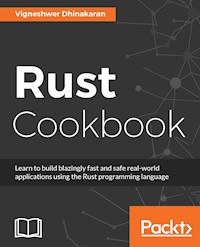
41,99 €
Mehr erfahren.
- Herausgeber: Packt Publishing
- Kategorie: Wissenschaft und neue Technologien
- Sprache: Englisch
75-80 recipes for learning Rust programming
About This Book
- Learn to build high-performance Rust units and integrate them into your existing application
- Work through recipes on performance, robustness, security, memory management, and scalability
- Work through recipes to build foreign function interface with C, JS, and Python
Who This Book Is For
If you want to write Rust programs, then this book is for you. This book is for those who have a basic knowledge of Rust or any programming language. If you are a C/C developer who is migrating to Rust for various reasons, this book is ideal for you.
What You Will Learn
- Understand system programming language problems and see how Rust provides unique solutions
- Get to know the core concepts of Rust to develop fast and safe applications
- Explore the possibility of integrating Rust units into existing applications to make them more efficient
- Achieve better parallelism, security, and performance
- Explore ways to package your Rust application and ship it for deployment in a production environment
- Discover how to build web applications and services using Rust to provide high-performance to the end user
In Detail
If you are building concurrent applications, server-side programs, or high-performance applications, you will benefit from this language. This book comes with a lot of application-specific recipes to kick-start your development of real-world high-performance applications with the Rust programming language and integrating Rust units into your existing applications. In this book, you will find some 80 practical recipes written in Rust that will allow you to use the code samples right away in your existing applications. These recipes have been tested with stable rust compiler versions of 1.14.0 and above.
This book will help you understand the core concepts of the Rust language, enabling you to develop efficient and high-performance applications by incorporating features such as zero cost abstraction and better memory management.
We'll delve into advanced-level concepts such as error handling, macros, crates, and parallelism in Rust. Toward the end of the book, you will learn how to create HTTP servers and web services, building a strong foundational knowledge in server-side programming and enabling you to deliver solutions to build high-performance and safer production-level web applications and services using Rust.
Style and approach
This book helps you learn the core concepts of Rust faster by taking a recipe-based approach, where you can try out different code snippets to understand a concept.
Sie lesen das E-Book in den Legimi-Apps auf:
Seitenzahl: 302
Veröffentlichungsjahr: 2017
Ähnliche



















BIRMINGHAM - MUMBAI
< html PUBLIC "-//W3C//DTD HTML 4.0 Transitional//EN" "http://www.w3.org/TR/REC-html40/loose.dtd">
Rust Cookbook
Copyright © 2017 Packt Publishing
All rights reserved. No part of this book may be reproduced, stored in a retrieval system, or transmitted in any form or by any means, without the prior written permission of the publisher, except in the case of brief quotations embedded in critical articles or reviews.
Every effort has been made in the preparation of this book to ensure the accuracy of the information presented. However, the information contained in this book is sold without warranty, either express or implied. Neither the author, nor Packt Publishing, and its dealers and distributors will be held liable for any damages caused or alleged to be caused directly or indirectly by this book.
Packt Publishing has endeavored to provide trademark information about all of the companies and products mentioned in this book by the appropriate use of capitals. However, Packt Publishing cannot guarantee the accuracy of this information.
First published: July 2017
Production reference: 1260717
ISBN 978-1-78588-025-4
www.packtpub.com
Credits
Author
Vigneshwer Dhinakaran
Copy Editor
Muktikant Garimella
Gladson Monteiro
Reviewer
Pradeep R
Project Coordinator
Ulhas Kambali
Commissioning Editor
Aaron Lazar
Proofreader
Safis Editing
Acquisition Editor
Denim Pinto
Indexer
Rekha Nair
Content Development Editor
Vikas Tiwari
Graphics
Abhinash Sahu
Technical Editor
Diwakar Shukla
Production Coordinator
Melwyn Dsa
About the Author
Vigneshwer Dhinakaran is an innovative data scientist with an artistic perception of technology and business, having over 3 years of experience in various domains, such as IOT, DevOps, computer vision, and deep learning, and is currently engaged as a research analyst crunching real-time data and implementing state-of-the-art AI algorithms in the innovation and development lab of the world's largest decision science company in Bengaluru, India.
He is an official Mozilla representative and Techspeaker in India and has been associated with Mozilla communities and technologies for more than 5 years. He has delivered various sessions on Rust language at many meetups and conferences; some of the highlighted events are Hong Kong Open Source Conference, FOSSMeet 17, and RainOfRust Campaign. He has played a key role in the formation and growth of the Rust community in India and was part of the Mozilla Reps mobilizer experiment, where he researched about the roadblocks and solutions to drive developers to adopt the Rust language in India.
Acknowledgments
I would like to thank the entire Packt team for providing me with all their support and guidance throughout publishing my first book. I would like to call out Mr.Vikas Tiwari, who is the content development editor of the book, for patiently handling all my queries and planning the entire project; it has been a great experience working with you.
Thanks to my college, Rajagiri School of Engineering and Technology, Kochi, from where I got my bachelor's degree. This place provided me with a great platform to learn, explore, and practice various engineering and leadership skills. I would like to express my sincere thanks to my professor, Dr. Deepti Das Krishna, who has always guided me in the right direction and supported all my activities. Thanks to all my teachers who have taught me so many important lessons throughout my life.
Thanks to Mr. Pradeep Ramalingam, the technical reviewer of the book and my mentor for providing support, offering comments, and assisting me during the entire editing, proofreading, and design of the book.
Thanks to Mr. Nitish Bhardwaj, who has always offered me a lot of mentorship and guidance to develop as an engineering professional in the early days of my career.
Being part of the Mozilla community is one the best things that has happened to me. I wouldn't have been here without the amazing exposure and learning experience from the network. I would like to express my gratitude to the many people who have helped me grow as a contributor in the ecosystem, and special thanks to the Mozilla Reps, Mozilla Tech Speakers, and Mozilla India community volunteers. Thanks also to the Rust community team and members for their amazing work and contribution in providing developers with great documentation, and inclusive practices and programs; it has truly been a great learning experience being part of the community.
Thanks to my longtime friends, Harry Prince, Jairam Sankar, Srinivas Srikanth, Sriram Subramanian, Krishna Prasad, Firoz Jamal, and Ashique MN, and to all well wishers for their support and friendship.
Above all, I want to thank my parents, D.Dhinakaran and D.Selvi, for providing me with all the right resources and for being a great source of encouragement and positivity in my life, to my younger sister D.Abhinaya for showing great confidence in my works, and to the rest of my family for their unconditional love and support, inspite of all the time it took me away from them. It was a long and difficult journey for them.
Last but not least, I beg forgiveness of all those who have been with me over the course of the years and whose names I have failed to mention.
About the Reviewer
Pradeep R is an avid programmer who is passionate in working on network security. He is an experienced developer working on network security and network monitoring/visibility platforms devices for the past 5 years. He has worked on areas such as NAT, Firewall, VPN, Intrusion Detection Systems, network switching, and routing solutions.
He loves different programming languages and strongly believes that all programming languages are similar in essence and can be easily adapted. His area of interest spans over different programming languages and extensively works with C, C++, Python, JavaScript, Perl, and occasionally with Java, .NET, and Rust.
He is currently working as a lead engineer in Gigamon Inc. on network visibility devices. The Gigamon Inc. manufactures network visibility next generation devices that are used for analyzing the network traffic and monitors them to detect malicious activity or determine abnormal network usage pattern to detect security breach.
www.PacktPub.com
For support files and downloads related to your book, please visit www.PacktPub.com. Did you know that Packt offers eBook versions of every book published, with PDF and ePub files available? You can upgrade to the eBook version at www.PacktPub.comand as a print book customer, you are entitled to a discount on the eBook copy. Get in touch with us at [email protected] for more details. At www.PacktPub.com, you can also read a collection of free technical articles, sign up for a range of free newsletters and receive exclusive discounts and offers on Packt books and eBooks.
https://www.packtpub.com/mapt
Get the most in-demand software skills with Mapt. Mapt gives you full access to all Packt books and video courses, as well as industry-leading tools to help you plan your personal development and advance your career.
Why subscribe?
Fully searchable across every book published by Packt
Copy and paste, print, and bookmark content
On demand and accessible via a web browser
Customer Feedback
Thanks for purchasing this Packt book. At Packt, quality is at the heart of our editorial process. To help us improve, please leave us an honest review on this book's Amazon page at https://www.amazon.com/dp/178588025X. If you'd like to join our team of regular reviewers, you can e-mail us at [email protected]. We award our regular reviewers with free eBooks and videos in exchange for their valuable feedback. Help us be relentless in improving our products!
Table of Contents
Preface
What this book covers
What you need for this book
Who this book is for
Sections
Getting ready
How to do it…
How it works…
There's more…
See also
Conventions
Reader feedback
Customer support
Downloading the example code
Downloading the color images of this book
Errata
Piracy
Questions
Let us Make System Programming Great Again
Introduction
Setting up Rust in Linux and macOS
Getting ready
How to do it...
Uninstalling Rust
Rust's compiler version
Advanced installation options
Troubleshooting
How it works...
Setting up Rust in Windows
Getting ready
How to do it...
How it works...
Creating your first Rust program
Getting ready
How to do it...
How it works...
Defining a variable assignment
Getting ready
How to do it...
How it works...
Setting up Boolean and the character types
Getting ready
How to do it...
How it works...
Controlling decimal points, number formats, and named arguments
Getting ready
How to do it...
How it works...
Performing arithmetic operations
Getting ready
How to do it...
How it works...
Defining mutable variables
Getting ready
How to do it...
How it works...
Declaring and performing string operations
Getting ready
How to do it...
How it works...
Declaring arrays and using slices in Rust
Getting ready
How to do it...
How it works...
Declaring vectors in Rust
Getting ready
How to do it...
How it works...
Declaring tuples in Rust
Getting ready
How to do it...
How it works...
Performing calculations on two numbers
Getting ready
How to do it...
How it works...
Advanced Programming with Rust
Introduction
Defining an expression
Getting ready
How to do it...
How it works...
Defining constants
Getting ready
How to do it...
How it works...
Performing variable bindings
Getting ready
How to do it...
How it works...
Performing type casting in Rust
Getting ready
How to do it...
How it works...
Decision-making with Rust
Getting ready
How to do it...
How it works...
Looping operations in Rust
Getting ready
How to do it...
How it works...
Defining the enum type
Getting ready
How to do it...
How it works...
Defining closures
Getting ready
How to do it...
How it works...
Performing pointer operations in Rust
Getting ready
How to do it...
How it works...
Defining your first user-defined data type
Getting ready
How to do it...
How it works...
Adding functionality to the user-defined data type
Getting ready
How to do it...
How it works...
Similar functionality for different data type
Getting ready
How to do it...
How it works...
Deep Diving into Cargo
Introduction
Creating a new project using Cargo
Getting ready
How to do it...
How it works...
Downloading an external crate from crates.io
Getting ready
How to do it...
How it works...
Working on existing Cargo projects
Getting ready
How to do it...
How it works...
Running tests with Cargo
Getting ready
How to do it...
How it works...
Configuration management of the project
Getting ready
How to do it...
How it works...
Building the project on the Travis CI
Getting ready
How to do it...
How it works...
Uploading to crates.io
Getting ready
How to do it...
How it works...
Creating Crates and Modules
Introduction
Defining a module in Rust
Getting ready
How to do it...
How it works...
Building a nested module
Getting ready
How to do it...
How it works...
Creating a module with struct
Getting ready
How to do it...
How it works...
Controlling modules
Getting ready
How to do it...
How it works...
Accessing modules
Getting ready
How to do it...
How it works...
Creating a file hierarchy
Getting ready
How to do it...
How it works...
Building libraries in Rust
Getting ready
How to do it...
How it works...
Calling external crates
Getting ready
How to do it...
How it works...
Deep Dive into Parallelism
Introduction
Creating a thread in Rust
Getting ready
How to do it...
How it works...
Spawning multiple threads
Getting ready
How to do it...
How it works...
Holding threads in a vector
Getting ready
How to do it...
How it works...
Sharing data between threads using channels
Getting ready
How to do it...
How it works...
Implementing safe mutable access
Getting ready
How to do it...
How it works...
Creating child processes
Getting ready
How to do it...
How it works...
Waiting for a child process
Getting ready
How to do it...
How it works...
Making sequential code parallel
Getting ready
How to do it...
How it works...
Efficient Error Handling
Introduction
Implementing panic
Getting ready
How to do it...
How it works...
Implementing Option
Getting ready
How to do it...
How it works...
Creating map combinator
Getting ready
How to do it...
How it works...
Creating and_then combinator
Getting ready
How to do it...
How it works...
Creating map for the Result type
Getting ready
How to do it...
How it works...
Implementing aliases
Getting ready
How to do it...
How it works...
Handling multiple errors
Getting ready
How to do it...
How it works...
Implementing early returns
Getting ready
How to do it...
How it works...
Implementing the try! macro
Getting ready
How to do it...
How it works...
Defining your own error types
Getting ready
How to do it...
How it works...
Implementing the boxing of errors
Getting ready
How to do it...
How it works...
Hacking Macros
Introduction
Building macros in Rust
Getting ready
How to do it...
How it works...
Implementing matching in macros
Getting ready
How to do it...
How it works...
Playing with common Rust macros
Getting ready
How to do it...
How it works...
Implementing designators
Getting ready
How to do it...
How it works...
Overloading macros
Getting ready
How to do it...
How it works...
Implementing repeat
Getting ready
How to do it...
How it works...
Implementing DRY
Getting ready
How to do it...
How it works...
Integrating Rust with Other Languages
Introduction
Calling C operations from Rust
Getting ready
How to do it...
How it works...
Calling Rust commands from C
Getting ready
How to do it...
How it works...
Calling Rust operations from Node.js apps
Getting ready
How to do it...
How it works...
Calling Rust operations from Python
Getting ready
How to do it...
How it works...
Writing a Python module in Rust
Getting ready
How to do it...
How it works...
Web Development with Rust
Introduction
Setting up a web server
Getting ready
How to do it...
How it works...
Creating endpoints
Getting ready
How to do it...
How it works...
Handling JSONRequests
Getting ready
How to do it...
How it works...
Building custom error handlers
Getting ready
How to do it...
How it works...
Hosting templates
Getting ready
How to do it...
How it works...
Advanced Web Development in Rust
Introduction
Setting up the API
Getting ready
How to do it...
How it works...
Saving user data in MongoDB
Getting ready
How to do it...
Fetching user data
Getting ready
How to do it...
How it works...
Deleting user data
Getting ready
How to do it...
How it works...
Advanced Rust Tools and Libraries
Introduction
Setting up rustup
Getting ready
How to do it...
How it works...
Setting up rustfmt
Getting ready
How to do it...
How it works...
Setting up rust-clippy
Getting ready
How to do it...
How it works...
Setting up and testing with Servo
Getting ready
How to do it...
How it works...
Generating random numbers
Getting ready
How to do it...
How it works...
Writing lines to a file
Getting ready
How to do it...
How it works...
Parsing unstructured JSON
Getting ready
How to do it...
How it works...
Parsing URL from a string
Getting ready
How to do it...
How it works...
Decompressing a tarball
Getting ready
How to do it...
How it works...
Compressing a directory to a tarball
Getting ready
How to do it...
How it works...
Finding file extensions recursively
Getting ready
How to do it...
How it works...
Preface
Rust is a system programming language that runs blazingly fast, prevents segfaults, and guarantees thread safety. If you are building concurrent applications, server-side programs, or high-performance applications, you will benefit from this language. This book comes with a lot of application-specific recipes to kick-start your developing real-world, high-performance applications with the Rust programming language and integrating Rust units into your existing applications. In this book, you will find over 85 practical recipes written in Rust that will allow you to use the code samples in your existing applications right away.
This book will help you understand the core concepts of the Rust language, enabling you to develop efficient and high-performance applications by incorporating features such as zero cost abstraction and better memory management. We'll delve into advanced-level concepts such as error handling, macros, crates, and parallelism in Rust. Toward the end of the book, you will learn how to create HTTP servers and web services, building a strong foundational knowledge in server-side programming and enabling you to deliver solutions to build high-performance and safer production-level web applications and services using Rust.
What this book covers
Chapter 1, Let us Make System Programming Great Again, provides a brief overview of how to get started with Rust programming by setting up the compiler and learning about various assignment operations and data types in Rust.
Chapter 2, Advanced Programming with Rust, covers recipes that help in implementing expressions that will represent the state of the code, build logic using decision-making statements, and declare custom complex data type to represent a real-world scenario.
Chapter 3, Deep Diving into Cargo, demonstrates the powerful features of the Cargo tool that is the Rust's package manager. This chapter contains recipes that help in creating, developing, packaging, maintaining, testing, and deploying Rust applications using the Cargo tool.
Chapter 4, Creating Crates and Modules, shows you how to develop a highly modular production-grade Rust application. This chapter contains recipes that help in building libraries in Rust and also define control and access for features through external programs.
Chapter 5, Deep Dive into Parallelism, contains recipes that will help you perform parallel operations to build a high-performance Rust application by learning the concurrency and parallelism features in Rust.
Chapter 6, Efficient Error Handling, explores various recipes by which the developer can prepare to efficiently manage and handle errors in the Rust application.
Chapter 7, Hacking Macros, teaches you how to create a Macro in the Rust programming language for creating powerful operations to execute specific tasks.
Chapter 8, Integrating Rust with Other Languages, covers the techniques that will help us to create Rust units in our existing applications written in other languages, such as C, Node.js, and Python.
Chapter 9, Web Development with Rust, outlines recipes that will help the developer to learn and use the existing web framework libraries in Rust to set up a web server, handle web requests, and more.
Chapter 10, Advanced Web Development in Rust, teaches you to build an end-to-end RESTful API solution using the Nickel crate in Rust language, which connects to MongoDB service and performs the GET, POST, and DELETE requests on user data from an endpoint.
Chapter 11, Advanced Rust Tools and libraries, lists recipes that help us to set up various advanced Rust tools that help the developer to write production-level Rust code, catch errors, and deep dive into ground-level libraries in Rust, which performs common operations and functionalities out of the box.
What you need for this book
You will need the following software to complete all the recipes in this book:
System running either Windows or Linux OS distribution with the minimum following resources:
Hard disk capacity: 2 GB
Processor: 1 GHz or higher (must support hyper-threading, multi-core CPUs)
Memory capacity: 2 GB or more recommended
These recipes have been tested with stable Rust compiler versions of 1.14.0 and above
We will need decent internet connection for downloading open source Rust libraries and other dependencies throughout the different recipes of the book
Who this book is for
The book is for developers, students, consultants, architects, and enthusiastic programmers across any vertical to learn about the state-of-the-art system programming language Rust and its unique features, which helps in delivering safe and high-performance production-level applications. The book comes with a lot of application specific recipes, which will help the developers get kick started with developing web applications and high-performance Rust modules into their existing applications.
Sections
In this book, you will find several headings that appear frequently (Getting ready, How to do it…, How it works…, There's more…, and See also). To give clear instructions on how to complete a recipe, we use these sections as follows:
Getting ready
This section tells you what to expect in the recipe, and describes how to set up any software or any preliminary settings required for the recipe.
How to do it…
This section contains the steps required to follow the recipe.
How it works…
This section usually consists of a detailed explanation of what happened in the previous section.
There's more…
This section consists of additional information about the recipe in order to make the reader more knowledgeable about the recipe.
See also
This section provides helpful links to other useful information for the recipe.
Conventions
In this book, you will find a number of text styles that distinguish between different kinds of information. Here are some examples of these styles and an explanation of their meaning. Code words in text, database table names, folder names, filenames, file extensions, pathnames, dummy URLs, user input, and Twitter handles are shown as follows: "A few other commands with the rustup.sh script are as follows."
A block of code is set as follows:
fn main() { println!("Welcome to Rust Cookbook"); }
Any command-line input or output is written as follows:
curl https://sh.rustup.rs -sSf | sh
New terms and important words are shown in bold.
Reader feedback
Feedback from our readers is always welcome. Let us know what you think about this book-what you liked or disliked. Reader feedback is important for us as it helps us develop titles that you will really get the most out of. To send us general feedback, simply e-mail [email protected], and mention the book's title in the subject of your message. If there is a topic that you have expertise in and you are interested in either writing or contributing to a book, see our author guide at www.packtpub.com/authors.
Customer support
Now that you are the proud owner of a Packt book, we have a number of things to help you to get the most from your purchase.
Downloading the example code
You can download the example code files for this book from your account at http://www.packtpub.com. If you purchased this book elsewhere, you can visit http://www.packtpub.com/support and register to have the files e-mailed directly to you. You can download the code files by following these steps:
Log in or register to our website using your e-mail address and password.
Hover the mouse pointer on the
SUPPORT
tab at the top.
Click on
Code Downloads & Errata
.
Enter the name of the book in the
Search
box.
Select the book for which you're looking to download the code files.
Choose from the drop-down menu where you purchased this book from.
Click on
Code Download
.
You can also download the code files by clicking on the Code Files button on the book's webpage at the Packt Publishing website. This page can be accessed by entering the book's name in the Search box. Please note that you need to be logged in to your Packt account. Once the file is downloaded, please make sure that you unzip or extract the folder using the latest version of:
WinRAR / 7-Zip for Windows
Zipeg / iZip / UnRarX for Mac
7-Zip / PeaZip for Linux
The code bundle for the book is also hosted on GitHub at https://github.com/PacktPublishing/Rust-Cookbook. We also have other code bundles from our rich catalog of books and videos available at https://github.com/PacktPublishing/. Check them out!
Downloading the color images of this book
We also provide you with a PDF file that has color images of the screenshots/diagrams used in this book. The color images will help you better understand the changes in the output. You can download this file from https://www.packtpub.com/sites/default/files/downloads/RustCookbook_ColorImages.pdf.
Errata
Although we have taken every care to ensure the accuracy of our content, mistakes do happen. If you find a mistake in one of our books-maybe a mistake in the text or the code-we would be grateful if you could report this to us. By doing so, you can save other readers from frustration and help us improve subsequent versions of this book. If you find any errata, please report them by visiting http://www.packtpub.com/submit-errata, selecting your book, clicking on the Errata Submission Form link, and entering the details of your errata. Once your errata are verified, your submission will be accepted and the errata will be uploaded to our website or added to any list of existing errata under the Errata section of that title. To view the previously submitted errata, go to https://www.packtpub.com/books/content/support and enter the name of the book in the search field. The required information will appear under the Errata section.
Piracy
Piracy of copyrighted material on the Internet is an ongoing problem across all media. At Packt, we take the protection of our copyright and licenses very seriously. If you come across any illegal copies of our works in any form on the Internet, please provide us with the location address or website name immediately so that we can pursue a remedy. Please contact us at [email protected] with a link to the suspected pirated material. We appreciate your help in protecting our authors and our ability to bring you valuable content.
Questions
If you have a problem with any aspect of this book, you can contact us at [email protected], and we will do our best to address the problem.
Let us Make System Programming Great Again
In this chapter, we will cover the following recipes:
Setting up Rust in Linux and macOS
Setting up Rust in Windows
Creating your first Rust program
Defining a variable assignment
Setting up Boolean and the character types
Controlling decimal points, number formats, and named arguments
Performing arithmetic operations
Defining mutable variables
Declaring and performing string operations
Declaring arrays and using slices in Rust
Declaring vectors in Rust
Declaring tuples in Rust
Performing calculations on two numbers
Introduction
This chapter is focused on bringing about a behavioral change in you in regard to setting up Rust and programming with it. The objective of this chapter is to make you realize why one should use Rust when there are so many other programming languages out there solving various problems in different verticals--why is there a need for yet another programming language?
These are the fundamental questions that would come to one's mind when they are learning a new language, well Rust is a systems programming language that runs blazingly fast, prevents segfaults, and guarantees thread safety. As the definition mentions Rust is focused towards eliminating a various class of system programming bugs and errors which at the end of the day helps in making secure, faster, and out-of-the-box production grade applications.
This chapter dives deeper into various assignment operations and their features, data types, and data structures in Rust.
Setting up Rust in Linux and macOS
We will explore ways in which we can install Rust components in Linux and macOS operating systems and also cover the different problems faced during the installation.
Getting ready
In order to run Rust code in your workstations, we have to install the Rust compiler. We require Unix-based operating systems such as Linux distributions and macOS.
How to do it...
Follow these steps to set up Rust on your system:
Open the Terminal.
Type the following command to install the Rust compiler and Cargo in your system:
curl https://sh.rustup.rs -sSf | sh
You can also try using the following command:
curl -sf https://static.rust-lang.org/rustup.sh | sudo sh
The preceding commands will start the installation, and as it proceeds, the script will require user input. Enter for the default installation, which is the standard way. After this step, different components will be downloaded. If the installation happens without any error, you should be able to see the following screenshot:
Uninstalling Rust
Uninstalling Rust is as easy as installing it. Open the Terminal and type the following command:
rustup self uninstall
Rust's compiler version
If you have reached here, you have got Rust installed on your system, and you can go ahead and verify it. Open up the Terminal and enter the following command, which will give you the version of Rust installed:
rustc --version
Take a look at the following screenshot:
Here, rustc stands for the Rust compiler and --version displays the Rust version we have downloaded. By default, the rustup.sh script downloads the latest stable build. In this book, we are working with the 1.14.0 version.
Congrats, if you have reached this step without any error! Rust has been installed successfully.
Advanced installation options
A few other commands with the rustup.sh script are as follows. These commands are not necessary for common usage. The following commands are advanced commands that are not usually used by developers at an early stage of Rust development.
Install to a particular location:
rustup.sh prefix=my/install/dir
Save the download for faster reinstallation:
rustup.sh save
Install nightly:
rustup.sh channel=nightly
Install nightly archives:
rustup.sh --channel=nightly date=2015-04-09
Install the explicit versions:
rustup.sh --revision=1.0.0-beta
These commands help with the installation of a particular build, unstable releases, and version-controlled component installation.
Troubleshooting
If you try to reinstall Rust after its uninstallation, you'll often get an error saying that rustup.sh already exists. Please refer the following screenshot:
To solve the error, just delete the .rustup executable file from the user space:
rm -rf /home/viki/.rustup
If the version command doesn't work for you, then you probably have the PATH environment variable wrong and have not included Cargo's binary directory, which is ~/.cargo/bin on Unix and %USERPROFILE%\.cargo\bin on Windows.
This is the directory where Rust development tools are present, and most Rust developers keep it in their PATH environment variable, which makes it possible for them to run rustc on the command line.
Due to the differences between operating systems, command shells, and bugs in the installation, you may need to restart your shell, log out of the system, or configure PATH manually as appropriate to your operating environment.
If you are still stuck, there are a number of places where you can get help. The easiest is the #rust--beginners IRC channel for general discussion, and the #rust IRC channel, which we can access through Mibbit. Other great resources include the Rust user's forum and Stack Overflow.
How it works...
The shell script rustup.sh is a great way to install Rust and has been used by many developers to not only install Rust, but also Cargo on their machines.
The working of this script is pretty straightforward, where the code of the bash script hosted on the rustup server is downloaded on the host system and run automatically by passing the script code to the pipe symbol. The script offers you various installation options through which you can choose the version and type of Rust compiler you want to install. We have the nightly version, which is not the stable one, in Rust's nightly version. This version is used by developers and contributors to test and develop features for their existing projects.
Setting up Rust in Windows
This recipe covers how to set up Rust on a Windows system.
Getting ready
We will require a Windows machine for this purpose.
How to do it...
It is very easy to install it on Windows:
Download and run the
.exe
file from
https://win.rustup.rs
.
Click on the downloaded executable; this will start the installation in a Command Prompt.
Select option 1 in the Command Prompt for regular installation, which is recommended.




