



9,99 €
Mehr erfahren.
- Herausgeber: BookRix
- Kategorie: Wissenschaft und neue Technologien
- Sprache: Englisch
Holen Sie das Beste aus Ihrem Samsung Galaxy S25 FE heraus – mit einem Benutzerhandbuch, das Alltagsnutzer Schritt für Schritt zu sicheren und selbstbewussten Smartphone-Anwendern macht. Dieser Leitfaden erklärt jede wichtige Funktion in klarer und verständlicher Sprache und eignet sich ideal für Einsteiger ebenso wie für Nutzer, die von einem älteren Modell umsteigen.
Das E-Book können Sie in Legimi-Apps oder einer beliebigen App lesen, die das folgende Format unterstützen:
Veröffentlichungsjahr: 2026
Ähnliche
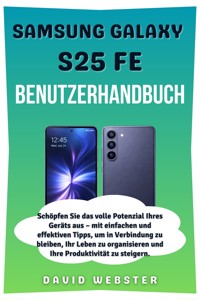

















Samsung Galaxy
S25 FE
User Manual
Unlock the Full Potential of Your Device with Simple and Effective Tips to Stay Connected, Manage Your Life, and Boost Productivity
David Webster
Copyright Notice
Copyright © 2025 by David Webster. All rights reserved.
This publication may not be copied, shared, or reproduced in any format—whether digital, mechanical, or otherwise—without explicit written consent from the author. Exceptions apply only for brief excerpts used in reviews or legally permitted noncommercial purposes under copyright law. For inquiries or permissions, please contact the author directly at the address provided below.
Disclaimer
This guide is designed solely to educate and inform users of the Samsung Galaxy S series. Although great care has been taken to ensure the information is accurate, the author and publisher cannot guarantee that all content provided is entirely complete or fully reliable. The specific features, functionalities, and software updates for the Samsung Galaxy S series may differ based on your location, device model, or software version.
The author and publisher are not responsible for any inaccuracies, omissions, or difficulties you may encounter when applying the instructions or suggestions in this guide. Users should always refer to the official Samsung Galaxy S series documentation or contact certified technicians for personalized technical assistance and troubleshooting. Furthermore, the author will not be held responsible for any damages, loss of data, or unexpected outcomes that may occur from using this guide.
Table of Contents
Chapter 1 5
Introduction 5
An Overview and Introduction to Your Samsung Galaxy S25 FE 5
1.1 Overview of the Samsung Galaxy S25 FE 5
1.2 What's in the Box? 6
1.3 Device Specifications 7
1.4 Design and Build Quality 8
Conclusion 9
Chapter 2 10
Getting Started 10
A Step-by-Step Guide to Setting Up Your Samsung Galaxy S25 FE 10
2.1 Inserting the SIM Card and Setting Up eSIM 10
2.2 Powering On and Initial Setup 11
2.3 Connecting to Wi-Fi and Mobile Networks 13
2.4 Signing into Google and Samsung Accounts 14
2.5 Transferring Data from an Old Device 15
Conclusion 16
Chapter 3 17
Device Anatomy and Navigation 17
Get to Know Your Samsung Galaxy S25 FE and How to Navigate Its Features 17
3.1 Understanding the Hardware Buttons 17
3.2 Exploring the Dynamic AMOLED 2X Display 18
3.3 Using the Under-Display Fingerprint Sensor 20
3.4 Navigating with One UI 8 21
Conclusion 23
Chapter 4 24
Display and Personalization 24
Customize Your Galaxy S25 FE to Fit Your Style 24
4.1 Adjusting Brightness and Refresh Rate 24
4.2 Customizing Themes and Wallpapers 25
4.3 Managing Widgets and App Icons 27
4.4 Enabling Always-On Display (AOD) 28
4.5 Utilizing Edge Panels 29
Conclusion 29
Chapter 5 30
Camera and Photography 30
Capture Stunning Photos and Videos with the Samsung Galaxy S25 FE 30
5.1 Overview of Camera Specifications 30
5.2 Taking Photos and Videos 31
5.3 Exploring Camera Modes: Portrait, Night, and Pro 32
5.4 Using AI Features: Generative Edit and Instant Slow-mo 33
5.5 Editing Photos with Galaxy AI Tools 34
5.6 Recording High-Quality Videos 35
Conclusion 36
Chapter 6 37
Connectivity and Communication 37
Stay Connected and Communicate Seamlessly with Your Samsung Galaxy S25 FE 37
6.1 Setting Up Dual SIM and eSIM 37
6.2 Connecting to Wi-Fi 6E and Bluetooth 5.4 38
6.3 Using NFC for Contactless Payments 39
6.4 Pairing with Galaxy Buds and Other Devices 40
6.5 Making Calls and Sending Messages 41
6.6 Utilizing RCS Messaging 42
Conclusion 43
Chapter 7 44
Battery and Charging 44
Maximize Battery Life and Charging Efficiency with Your Samsung Galaxy S25 FE 44
7.1 Understanding Battery Capacity and Management 44
7.2 Charging the Device: Wired and Wireless 45
7.3 Enabling Adaptive Battery and Power Saving Modes 46
7.4 Monitoring Battery Usage 47
7.5 Tips for Extending Battery Life 48
Conclusion 49
Chapter 8 50
Security and Privacy 50
Keep Your Samsung Galaxy S25 FE Safe and Secure 50
8.1 Setting Up Fingerprint Recognition 50
8.2 Configuring Face Unlock 51
8.3 Managing App Permissions 51
8.4 Using Secure Folder 52
8.5 Understanding Knox Enhanced Encryption 53
8.6 Setting Up Find My Mobile 54
Conclusion 55
Chapter 9 57
Software and Features 57
Maximize Your Experience with One UI 8 and Android 16 57
9.1 Navigating One UI 8 57
9.2 Exploring Android 16 Features 58
9.3 Using Galaxy AI Tools: Now Bar, Now Brief, and Circle to Search 59
9.4 Accessing Google Gemini Live 61
9.5 Customizing Quick Settings 61
9.6 Managing Software Updates 62
Conclusion 63
Chapter 10 64
Troubleshooting and FAQs 64
Get Solutions to Common Issues and Find Answers to Your Questions 64
10.1 Resolving Common Issues 64
10.2 Restoring Factory Settings 66
10.3 Accessing Samsung Support 66
10.4 Frequently Asked Questions (FAQs) 67
Conclusion 68
Chapter 11 70
Accessories and Customization 70
Enhance Your Samsung Galaxy S25 FE Experience with Accessories and Personalization 70
11.1 Recommended Cases and Screen Protectors 70
11.2 Using Pixelsnap Accessories 72
11.3 Exploring Compatible Galaxy Buds 72
11.4 Customizing with Third-Party Accessories 74
Conclusion 75
Chapter 12 77
Maintenance and Updates 77
Keep Your Samsung Galaxy S25 FE in Top Condition 77
12.1 Cleaning and Maintaining the Device 77
12.2 Managing Storage and Apps 78
12.3 Performing Software Updates 79
12.4 Backing Up and Restoring Data 80
Conclusion 81
Glossary 82
A 82
B 82
C 82
D 83
E 83
F 83
G 84
H 84
I 84
J 85
L 85
M 85
N 85
P 86
R 86
S 86
T 87
U 87
W 87
Z 88
Conclusion 88
Chapter 1
Introduction
An Overview and Introduction to Your Samsung Galaxy S25 FE
1.1 Overview of the Samsung Galaxy S25 FE
The Samsung Galaxy S25 FE is part of Samsung’s Galaxy FE (Fan Edition) series, designed to offer premium features typically found in flagship smartphones, at a more affordable price point. Whether you're upgrading from an older device or entering the Samsung ecosystem for the first time, the Galaxy S25 FE promises to deliver a smooth and efficient user experience with its impressive performance, cutting-edge camera capabilities, and stunning display.
This device features a large 6.4-inch Dynamic AMOLED 2X display that provides vibrant colors and a smooth 120Hz refresh rate, ensuring your browsing, gaming, and media consumption are visually immersive. Powered by the Qualcomm Snapdragon 8 Gen 2 for Galaxy chipset, the S25 FE ensures fast performance for demanding tasks, whether it’s multitasking, gaming, or handling professional apps. The combination of a large battery, efficient power management, and fast charging features makes sure your device lasts all day, even with heavy use.
Key Features of the Galaxy S25 FE:
This device is designed for those who demand high performance, a great display, and excellent camera quality without breaking the bank.




