



4,99 €
Mehr erfahren.
- Herausgeber: BookRix
- Kategorie: Wissenschaft und neue Technologien
- Sprache: Englisch
Unlock the Full Potential of Your Samsung Galaxy S26 Plus!
Are you ready to master your new Samsung Galaxy S26 Plus? Whether you're a first-time user or upgrading from an earlier model, this Samsung Galaxy S26 Plus guidebook is designed to make your experience seamless, efficient, and rewarding. This comprehensive manual will walk you through every step, from unboxing to advanced customization, helping you get the most out of your device.
What's Inside:
- S26 Plus Setup Guide: Easy-to-follow instructions on how to set up your device, including Samsung S26 Plus camera guide and performance optimization.
- Galaxy S26 Plus Photography Tips: Unlock the full potential of your camera with expert advice on capturing stunning photos, from low-light shooting to AI-driven enhancements.
- S26 Plus Tips and Tricks: Learn advanced settings and hidden features to enhance your experience, like customizing your S26 Plus for maximum productivity.
- Samsung S26 Plus Troubleshooting: Address common issues like battery drain, 5G drops, and overheating with easy fixes and diagnostic steps.
- Comprehensive User Manual: Discover how to optimize every feature, from multitasking with split-screen to setting up privacy and security with Samsung Knox.
Why You Need This Guide:
This S26 Plus user manual is more than just a setup guide — it’s your roadmap to mastering your new device. With detailed sections covering everything from customization to advanced settings, this book ensures you're equipped to make the most of your phone, no matter what your needs are.
Perfect for You If You Want To:
- Set up your Galaxy S26 Plus like a pro.
- Enhance your photography with AI and camera tips.
- Unlock advanced features with One UI 8.5.
- Troubleshoot and optimize performance for a smoother experience.
Das E-Book können Sie in Legimi-Apps oder einer beliebigen App lesen, die das folgende Format unterstützen:
Veröffentlichungsjahr: 2026
Ähnliche

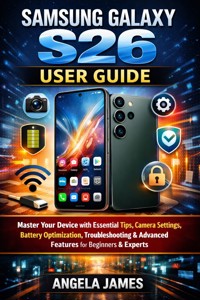

















Samsung galaxy s26 plus user guide
Table of content
Table of Contents
Welcome & Quick Start Guide
How to use this book
Printable 1-page setup checklist for first-time S26 Plus owners
Nigeria pricing (~₦1.2M) and unboxing overview
What's New in S26 Plus
Key upgrades vs. S25 Plus (Snapdragon 8 Elite Gen 5, 8K camera, One UI 8.5)
Specs table
Why it's the best mid-flagship for creators
First Steps & Setup
Unboxing and accessories (Charger, case recs for Abuja heat)
SIM/eSIM for MTN/Glo/Airtel 5G in FCT
Initial setup wizard: Google/Samsung account, fingerprint (ultrasonic), face unlock
Mastering the Interface
One UI 8.5 navigation: Swipe gestures, Edge Panels, Good Lock modules (Key Cafe, Home Up)
Customization: Themes, icons, Always On Display tweaks for battery saving
Multitasking: Split screen, pop-up view, DeX mode for laptop-like use
Camera & Mobile Photography
Triple camera breakdown: 50MP main (OIS), 10MP 3x tele, 12MP ultrawide; 8K@30fps tips
Galaxy AI magic: Photo Assist, Best Face, Generative Edit; pro prompts for portraits
Nigeria tips: Low-light for evening markets, gyro-EIS for shaky hands
Galaxy AI & Productivity
AI tools: Live Translate, Note Assist, Circle to Search; custom prompts
RAM)
Privacy features: Knox Vault, Secure Folder for OPay banking
Battery, Performance & Gaming
4900mAh optimization: Adaptive refresh, heat-proof modes for Abuja weather
120Hz gaming (120FPS titles); Game Booster, frame stabilizer
Charging: 45W wired/25W wireless; reverse charging phones
Connectivity & Extras
Wi-Fi 7, UWB pairing (Galaxy Watch/Tag); Bluetooth tweaks
Payments: Samsung Wallet, NFC for markets; VPN setup
Audio: Stereo speakers, Dolby Atmos; LDAC codec for headphones
Customization & Maintenance
Good Lock deep dive: Camera Assistant, NotiStar, Edge Lightning+
Software updates: Android 16+ checks, 2026 firmware guide
Storage management: 512GB cleanup, cloud backups
Troubleshooting & Fixes
Common issues: 5G drops in FCT, overheating, battery drain; error code fixes
Reset guides (factory, cache); diagnostic mode
FAQ: "Why no S Pen?" vs. Ultra
30-Day Beginner Challenge
Week 1: Basics (Day 1: SIM; Day 3: Camera)
Week 2: AI mastery (Day 10: Pro edits)
Weeks 3-4: Advanced (Gaming marathon, DeX workflows)
Welcome & Quick Start Guide
How to use this book
How to Use This Guide
“Technology is best when it works for you, not against you.” — Anonymous
This guide is more than a manual; it is a roadmap to help you unlock the full potential of your Galaxy S26 Plus. Whether you are new to Samsung devices or upgrading from an earlier model, the book is structured to grow with you — from the basics of setup to advanced mastery.
Structure of the Guide
Part I: Introduction
Sets the stage by explaining what’s new in the S26 Plus and how it compares to other models.
Part II: Getting Started
Walks you through unboxing, setup, and personalization. Ideal for first-time owners who want to get up and running quickly.
Part III: Navigating One UI
Explains Samsung’s interface, gestures, and customization options so you can tailor the phone to your style.
Part IV: Galaxy AI Features
Highlights the new AI-powered tools for photography, productivity, and privacy.
Part V: Camera & Multimedia
Provides step-by-step guidance on photography modes, video recording, and audio enhancements.
Part VI: Performance & Battery
Covers optimization, charging, and maintenance tips to keep your phone running at peak performance.
Part VII: Connectivity & Ecosystem
Shows how the S26 Plus integrates with Galaxy Buds, Watch, SmartThings, and Samsung DeX.
Part VIII: Security & Privacy
Guides you through biometric setup, Knox protection, and app permissions.
Part IX: Troubleshooting & Advanced Tips
Offers solutions to common issues, hidden features, and expert tricks.
Part X: Quick Reference
Cheat sheets, glossary, and FAQs for fast answers when you need them.
How to Maximize Value
Begin with Part II if you’re new.
It ensures your device is set up correctly and personalized to your needs.
Focus on Part IV and V.
These sections unlock the most exciting features — AI tools and camera mastery.
Use Part IX as your safety net.
Whenever something goes wrong, this section will guide you back on track.
Keep Part X handy.
It’s your quick-access toolkit for shortcuts, definitions, and FAQs.
Printable 1-page setup checklist for first-time S26 Plus owners
Galaxy S26 Plus Owner’s Checklist
A streamlined path to setup and confidence
“The beginning is the most important part of the work.” — Plato
This checklist ensures you cover the essentials quickly, without missing critical steps. Think of it as your launchpad: once complete, your Galaxy S26 Plus will be ready to perform at its best.
Step 1: Unboxing & Inspection
Confirm all items are present: Galaxy S26 Plus, charging cable, SIM ejector tool, documentation.
Inspect the device for physical integrity before powering on.
Step 2: SIM & Memory Card Installation
Use the SIM ejector tool to insert your SIM card.
Add a microSD card if you plan to expand storage.
Step 3: First Power-On
Hold the power button until the Samsung logo appears.
Follow the on-screen prompts to select language and region.
Step 4: Network & Accounts
Connect to Wi-Fi for updates and app downloads.
Sign in with your Samsung account to unlock cloud sync, Galaxy Store, and exclusive features.
Add Google account for Play Store access.
Step 5: Initial Updates
Check for system updates immediately to ensure security and performance.
Enable auto-updates for apps and firmware.
Step 6: Personalization
Set up lock screen security (fingerprint, face unlock, PIN).
Choose wallpapers, themes, and home screen layout.
Configure notifications and quick settings to your preference.
Step 7: Essential Apps & Services
Install or update core apps (Samsung Notes, SmartThings, Galaxy Wearable).
Sync contacts, calendars, and files from your old device or cloud storage.
Step 8: Battery & Charging
Connect to the charger and allow the device to reach full charge before heavy use.
Explore fast-charging options and battery health settings.
Step 9: Explore Galaxy AI
Test AI-powered camera features (scene optimization, auto-editing).
Try AI productivity tools like summarization and translation.
Step 10: Backup & Safety Net
Enable Samsung Cloud or Google Drive backup.
Set up Secure Folder for sensitive files.
Why This Checklist Matters
By following these steps in order, you eliminate guesswork and avoid common pitfalls. It ensures your Galaxy S26 Plus is secure, personalized, and optimized from day one — giving you confidence to explore advanced features later.
Nigeria pricing (~₦1.2M) and unboxing overview
Market Overview: Samsung Galaxy S26 Plus in Nigeria
The Samsung Galaxy S26 Plus has entered the Nigerian market at a premium price point, reflecting its flagship status. Current estimates place the device between ₦840,000 and ₦940,000, depending on storage configuration (12GB RAM + 256GB or 12GB RAM + 512GB). While some early reports speculated around ₦1.2M, the prevailing retail range is slightly lower, making it competitive against other high-end smartphones in Nigeria’s luxury tech segment
The Compelling Unboxing Experience
Unboxing the Galaxy S26 Plus is designed to feel premium and purposeful, reinforcing the value of the investment. Here’s what new owners encounter:
Minimalist Packaging
Slim, eco-friendly box with Samsung’s modern branding.
Device presented front and center, wrapped in protective film.
Inside the Box
Galaxy S26 Plus handset.
USB-C charging cable (fast-charging supported).
SIM ejector tool.
Quick start documentation.
(Note: Charger brick sold separately, consistent with Samsung’s sustainability push.)
First Impressions of the Device
Design
: Sleek aluminum frame, Gorilla Glass Victus 2 protection, and slim bezels.




