


39,59 €
Mehr erfahren.
- Herausgeber: Packt Publishing
- Kategorie: Wissenschaft und neue Technologien
- Sprache: Englisch
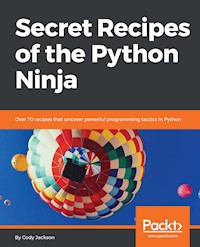
Test your Python programming skills by solving real-world problems
Key Features
- Access built-in documentation tools and improve your code.
- Discover how to make the best use of decorator and generator functions
- Enhance speed and improve concurrency by conjuring tricks from the PyPy project
Book Description
This book covers the unexplored secrets of Python, delve into its depths, and uncover its mysteries.
You’ll unearth secrets related to the implementation of the standard library, by looking at how modules actually work. You’ll understand the implementation of collections, decimals, and fraction modules. If you haven’t used decorators, coroutines, and generator functions much before, as you make your way through the recipes, you’ll learn what you’ve been missing out on.
We’ll cover internal special methods in detail, so you understand what they are and how they can be used to improve the engineering decisions you make. Next, you’ll explore the CPython interpreter, which is a treasure trove of secret hacks that not many programmers are aware of. We’ll take you through the depths of the PyPy project, where you’ll come across several exciting ways that you can improve speed and concurrency.
Finally, we’ll take time to explore the PEPs of the latest versions to discover some interesting hacks.
What you will learn
- Know the differences between .py and .pyc files
- Explore the different ways to install and upgrade Python packages
- Understand the working of the PyPI module that enhances built-in decorators
- See how coroutines are different from generators and how they can simulate multithreading
- Grasp how the decimal module improves floating point numbers and their operations
- Standardize sub interpreters to improve concurrency
- Discover Python’s built-in docstring analyzer
Who this book is for
Whether you’ve been working with Python for a few years or you’re a seasoned programmer, you’ll have a lot of new tricks to walk away with.
Cody Jackson is a military veteran and the founder of Socius Consulting, an IT and business management consulting company in San Antonio, Texas. He also works at CACI International as a constructive modeler. He has been involved in the tech industry since 1994. He worked at Gateway Computers as a lab technician prior to joining the Navy. He worked at ECPI University as a computer information systems adjunct professor. He is a self-taught Python programmer and the author of the book series Learning to Program Using Python.Sie lesen das E-Book in den Legimi-Apps auf:
Seitenzahl: 390
Veröffentlichungsjahr: 2018
Ähnliche


















Secret Recipes of the Python Ninja
Copyright © 2018 Packt Publishing
All rights reserved. No part of this book may be reproduced, stored in a retrieval system, or transmitted in any form or by any means, without the prior written permission of the publisher, except in the case of brief quotations embedded in critical articles or reviews.
Every effort has been made in the preparation of this book to ensure the accuracy of the information presented. However, the information contained in this book is sold without warranty, either express or implied. Neither the author, nor Packt Publishing or its dealers and distributors, will be held liable for any damages caused or alleged to have been caused directly or indirectly by this book.
Packt Publishing has endeavored to provide trademark information about all of the companies and products mentioned in this book by the appropriate use of capitals. However, Packt Publishing cannot guarantee the accuracy of this information.
Commissioning Editor: Aaron LazarAcquisition Editor: Chaitanya NairContent Development Editor: Anugraha ArunagiriTechnical Editor: Subhalaxmi NadarCopy Editor: Safis EditingProject Coordinator: Ulhas KambaliProofreader: Safis EditingIndexer: Aishwarya GangawaneGraphics: Tania DuttaProduction Coordinator: Aparna Bhagat
First published: May 2018
Production reference: 1180518
Published by Packt Publishing Ltd. Livery Place 35 Livery Street Birmingham B3 2PB, UK.
ISBN 978-1-78829-487-4
www.packtpub.com
Mapt is an online digital library that gives you full access to over 5,000 books and videos, as well as industry leading tools to help you plan your personal development and advance your career. For more information, please visit our website.
Why subscribe?
Spend less time learning and more time coding with practical eBooks and Videos from over 4,000 industry professionals
Improve your learning with Skill Plans built especially for you
Get a free eBook or video every month
Mapt is fully searchable
Copy and paste, print, and bookmark content
PacktPub.com
Did you know that Packt offers eBook versions of every book published, with PDF and ePub files available? You can upgrade to the eBook version at www.PacktPub.com and as a print book customer, you are entitled to a discount on the eBook copy. Get in touch with us at [email protected] for more details.
At www.PacktPub.com, you can also read a collection of free technical articles, sign up for a range of free newsletters, and receive exclusive discounts and offers on Packt books and eBooks.
Contributors
About the author
Cody Jackson is a military veteran and the founder of Socius Consulting, an IT and business management consulting company in San Antonio, Texas. He also works at CACI International as a constructive modeler. He has been involved in the tech industry since 1994. He worked at Gateway Computers as a lab technician prior to joining the Navy. He worked at ECPI University as a computer information systems adjunct professor. He is a self-taught Python programmer and the author of the book series Learning to Program Using Python.
About the reviewer
Scott M. Thompson currently works for CACI, Inc. as an ICS/SCADA Security Engineer. He has worked with industrial control systems for over 26 years with the United States Navy. His Navy career included working as an electrician, a main propulsion assistant, and chief engineer of Oliver Hazard Perry class frigates. He was with United States Cyber Command before retiring from the Navy. He holds a master's degree in Cyber Forensics. He has worked with incident response, malware analysis, network penetration testing, mobile device forensics, Windows forensics, and Linux and Python.
Packt is searching for authors like you
If you're interested in becoming an author for Packt, please visit authors.packtpub.com and apply today. We have worked with thousands of developers and tech professionals, just like you, to help them share their insight with the global tech community. You can make a general application, apply for a specific hot topic that we are recruiting an author for, or submit your own idea.
Table of Contents
Title Page
Copyright and Credits
Secret Recipes of the Python Ninja
Packt Upsell
Why subscribe?
PacktPub.com
Contributors
About the author
About the reviewer
Packt is searching for authors like you
Preface
Who this book is for
What this book covers
To get the most out of this book
Download the example code files
Download the color images
Conventions used
Get in touch
Reviews
Working with Python Modules
Introduction
Using and importing modules and namespaces
How to do it...
How it works...
There's more...
Implementing virtual Python environments
Getting ready
How to do it...
How it works...
There's more...
Python package installation options
How to do it...
How it works...
Utilizing requirement files and resolving conflicts
How to do it...
How it works...
There's more...
Using local patches and constraint files
How to do it...
How it works...
There's more...
Working with packages
How to do it...
How it works...
There's more...
Creating wheels and bundles
How to do it...
How it works...
There's more...
Comparing source code to bytecode
How to do it...
How it works...
There's more...
How to create and reference module packages
How to do it...
How it works...
There's more...
Operating system-specific binaries
How to do it...
There's more...
How to upload programs to PyPI
Getting ready
How to do it...
How it works...
Project packaging
How to do it...
Uploading to PyPI
Getting ready
How to do it...
How it works...
Utilizing the Python Interpreter
Introduction
Launching Python environments
How to do it...
How it works...
Utilizing Python command options
How to do it...
How it works...
Interface options
Generic options
Miscellaneous options
See also...
Working with environment variables
How to do it...
How it works...
Making scripts executable
How to do it...
There's more...
Modifying interactive interpreter startup
How to do it...
See also
Alternative Python implementations
How to do it...
There's more...
Installing Python on Windows
Getting ready
How to do it...
Using the Windows Python launcher
How to do it...
Embedding Python with other applications
How to do it...
How it works...
Using alternative Python shells – IPython
Getting ready
How to do it...
There's more...
Using alternative Python shells – bpython
Getting ready
How to do it...
There's more...
Using alternative Python shells – DreamPie
Getting ready
How to do it...
There's more...
Working with Decorators
Introduction
Reviewing functions
How to do it...
How it works...
Introducing decorators
How to do it...
How it works...
Using function decorators
How to do it...
How it works...
Using class decorators
How to do it...
Examples of decorators
Getting ready
How to do it...
How it works...
There's more...
Using the decorators module
How to do it...
How it works...
There's more...
See also
Using Python Collections
Introduction
Reviewing containers
How to do it...
There's more...
Lists and tuples
Dictionaries
Sets
Implementing namedtuple
How to do it...
There's more...
Implementing deque
How to do it...
Implementing ChainMap
How to do it...
Implementing Counters
How to do it...
There's more...
Implementing OrderedDict
How to do it...
Implementing defaultdict
How to do it...
Implementing UserDict
How to do it...
Implementing UserList
How to do it...
There's more...
Implementing UserString
How to do it...
Improving Python collections
How to do it...
Default dictionaries
Named tuples
Ordered dictionaries
Looking at the collections – extended module
Getting ready
How to do it...
setlist
bags
RangeMap
Bijection
Generators, Coroutines, and Parallel Processing
How iteration works in Python
How to do it...
Using the itertools module
How to do it...
Infinite iterators
Combinatoric iterators
Terminating iterators
Using generator functions
How to do it...
How it works...
There's more...
Simulating multithreading with coroutines
How to do it...
There's more...
When to use parallel processing
How to do it...
There's more...
Forking processes
How to do it...
How it works...
There's more...
How to implement multithreading
How to do it...
There's more...
Advantages
Disadvantages
How to implement multiprocessing
How to do it...
There's more...
Working with Python's Math Module
Using the math module's functions and constants
How to do it...
Working with complex numbers
How to do it...
Improving decimal numbers
How to do it...
Increasing accuracy with fractions
How to do it...
Working with random numbers
How to do it...
Using the secrets module
How to do it...
Implementing basic statistics
How to do it...
Improving functionality with comath
Getting ready
How to do it...
Improving Python Performance with PyPy
Introduction
What is PyPy?
Getting ready
How to do it...
There's more...
What is RPython?
How to do it...
Flow restrictions
Object restrictions
Integer types
There's more...
Some real-world examples
How to do it...
There's more...
Python Enhancement Proposals
Introduction
What are PEPs?
How to do it...
There's more...
PEP 556 – Threaded garbage collection
Getting ready
How to do it...
There's more...
PEP 554 – Multiple subinterpreters
How to do it...
How it works...
Channels
There's more...
PEP 551 – Security transparency
Getting ready
General security
Python and security
How to do it...
PEP 543 – Unified TLS API
How to do it...
There's more...
Documenting with LyX
Introduction
Python documentation tools and techniques
How to do it...
Inline comments and the dir command
Using docstrings
How to do it...
There's more...
Using PyDoc help
How to do it...
HTML reports
How to do it...
Using reStructuredText files
Getting ready
How to do it...
Using the Sphinx documentation program
Getting ready
How to do it...
Using LaTeX and LyX document preparation programs
Getting ready
How to do it...
There's more...
Other Books You May Enjoy
Leave a review - let other readers know what you think
Preface
Many readers might feel that they have mastered the Python language and know everything it takes to write applications that utilize the best features of the language. This book aims to delve into aspects of Python and related technology that some developers have never experienced.
The book will unveil little-known or misunderstood aspects of Python related to the implementation of the standard library and provide understanding of how the modules actually work. The book shows the proper implementation of collections and the math module, along with numbers such as decimals and fractions that will help readers expand their horizons. Readers will learn about decorators, context managers, coroutines, and generator functions before learning about internal special methods in detail. The book explores the CPython interpreter, covering command options that can change how the environment functions as well as alternative interactive shells that improve on the normal Python experience. Readers will take a tour of the PyPy project, where they will be exposed to several new ways to improve speed and concurrency of their applications. Several Python Enhancement Proposals of the latest versions are reviewed to see what will be coming in the future of Python. Finally, it provides information on the different ways to document Python code.
Who this book is for
This book is meant for Python software developers who want to learn how Python can be used in new ways to improve application performance. Working knowledge of Python is a must to make the most of the book.
What this book covers
Chapter 1, Working with Python Modules, looks at Python packages, modules, and namespaces, using virtual environments, and wrapping up Python code for distribution.
Chapter 2, Utilizing the Python Interpreter, explores Python command-line options, customizing interactive sessions, working with Python on Windows OS, and alternative Python interactive shells.
Chapter 3, Working with Decorators, reviews Python functions and shows how to improve them with decorators.
Chapter 4, Using Python Collections, covers containers and takes an in-depth look at the collections available in Python.
Chapter 5, Generators, Coroutines, and Parallel Processing, focuses on iteration within Python and how it works with generators and then it moves into concurrent and parallel processing.
Chapter 6, Working with Python's Math Module, takes a deep dive into how Python implements a variety of mathematical operations.
Chapter 7, Improving Python Performance with PyPy, outlines improving Python performance using just-in-time compilation.
Chapter 8, Python Enhancement Proposals, discusses how improvements to the Python language are handled and looks at several current proposals.
Chapter 9, Documenting with LyX, demonstrates different techniques and tools to document code.
To get the most out of this book
Intermediate knowledge of Python is required though many topics are covered in a way that even beginners should have an understanding of the basic principles being covered. Specifically, the experience of using both the interactive Python interpreter and writing Python files, how to import modules, and how to work with object-oriented principles is assumed.
This book uses Python 3.6 for the examples, unless otherwise indicated. While alternative implementations are briefly discussed, the book assumes the basic CPython implementation is being used.
Download the example code files
You can download the example code files for this book from your account at www.packtpub.com. If you purchased this book elsewhere, you can visit www.packtpub.com/support and register to have the files emailed directly to you.
You can download the code files by following these steps:
Log in or register at
www.packtpub.com
.
Select the
SUPPORT
tab.
Click on
Code Downloads & Errata
.
Enter the name of the book in the
Search
box and follow the onscreen instructions.
Once the file is downloaded, please make sure that you unzip or extract the folder using the latest version of:
WinRAR/7-Zip for Windows
Zipeg/iZip/UnRarX for Mac
7-Zip/PeaZip for Linux
The code bundle for the book is also hosted on GitHub at https://github.com/PacktPublishing/Secret-Recipes-of-the-Python-Ninja. In case there's an update to the code, it will be updated on the existing GitHub repository.
We also have other code bundles from our rich catalog of books and videos available at https://github.com/PacktPublishing/. Check them out!
Download the color images
We also provide a PDF file that has color images of the screenshots/diagrams used in this book. You can download it from https://www.packtpub.com/sites/default/files/downloads/SecretRecipesofthePythonNinja_ColorImages.pdf.
Get in touch
Feedback from our readers is always welcome.
General feedback: Email [email protected] and mention the book title in the subject of your message. If you have questions about any aspect of this book, please email us at [email protected].
Errata: Although we have taken every care to ensure the accuracy of our content, mistakes do happen. If you have found a mistake in this book, we would be grateful if you would report this to us. Please visit www.packtpub.com/submit-errata, selecting your book, clicking on the Errata Submission Form link, and entering the details.
Piracy: If you come across any illegal copies of our works in any form on the Internet, we would be grateful if you would provide us with the location address or website name. Please contact us at [email protected] with a link to the material.
If you are interested in becoming an author: If there is a topic that you have expertise in and you are interested in either writing or contributing to a book, please visit authors.packtpub.com.
Reviews
Please leave a review. Once you have read and used this book, why not leave a review on the site that you purchased it from? Potential readers can then see and use your unbiased opinion to make purchase decisions, we at Packt can understand what you think about our products, and our authors can see your feedback on their book. Thank you!
For more information about Packt, please visit packtpub.com.
Working with Python Modules
In this chapter, we will talk about Python modules, specifically covering the following topics:
Using and importing modules and namespaces
Implementing virtual Python environments
Python package installation options
Utilizing requirement files and resolving conflicts
Using local patches and constraint files
Working with packages
Creating wheels and bundles
Comparing source code to bytecode
How to create and reference module packages
Operating system-specific binaries
How to upload programs to PyPI
Project packaging
Uploading to PyPI
Introduction
Python modules are the highest-level components of Python programs. As suggested by their name, modules are modular, capable of being plugged in with other modules as part of an overall program to provide better separation of code while combining together to create a cohesive application.
Modules allow easy reuse of code, and provide separate namespaces to prevent variable shadowing between blocks of code. Variable shadowing involves having duplicate variables in different namespaces, possibly causing the interpreter to use an incorrect variable. Each Python file a developer creates is considered a separate module, allowing different files to be imported into a single, overall file that forms the final application.
Realistically, any Python file can be made a module by simply removing the .py extension; this is most commonly seen when importing libraries. Python packages are collections of modules; what makes a package special is the inclusion of an __init__.py file. We will cover the differences in detail later, so for now just recognize that there are several names for the same items.
Using and importing modules and namespaces
A key point with modules is that they produce separate namespaces. A namespace (also called a scope) is simply the domain of control that a module, or component of a module, has. Normally, objects within a module are not visible outside that module, that is, attempting to call a variable located in a separate module will produce an error.
Namespaces are also used to segregate objects within the same program. For example, a variable defined within a function is only visible for use while operating within that function. Attempting to call that variable from another function will result in an error. This is why global variables are available; they can be called by any function and interacted with. This is also why global variables are frowned upon as a best practice because of the possibility of modifying a global variable without realizing it, causing a breakage later on in the program.
Scope essentially works inside-out. If a variable is called for use in a function, the Python interpreter will first look within that function for the variable's declaration. If it's not there, Python will move up the stack and look for a globally-defined variable. If not found there, Python will look in the built-in libraries that are always available. If still not found, Python will throw an error. In terms of flow, it looks something like this: local scope -> global scope -> built-in module -> error.
One slight change to the scope discovery process comes when importing modules. Imported modules will be examined for object calls as well, with the caveat that an error will still be generated unless the desired object is explicitly identified via dot-nomenclature.
For example, if you want to generate a random number between 0 and 1,000, you can't just call the randint() function without importing the random library. Once a module is imported, any publicly available classes, methods, functions, and variables can be used by expressly calling them with <module_name> and <object_name>. Following is an example of this:
>>> randint(0, 1000) Traceback (most recent call last): File "<stdin>", line 1, in <module> NameError: name 'randint' is not defined >>> import random >>> random.randint(0, 1000) 607
In the preceding example, randint() is first called on its own. Since it is not part of the normal Python built-in functions, the interpreter knows nothing about it, thus throwing an error.
However, after importing the random library that actually contains the various random number generation functions, randint() can then be explicitly called via dot-nomenclature, that is, random.randint(). This tells the Python interpreter to look for randint() within the random library, resulting in the desired result.
To clarify, when importing modules into a program, Python assumes some things about namespaces. If a normal import is performed, that is, import foo, then both the main program and foo maintain their separate namespaces. To use a function within the foo module, you have to expressly identify it using dot-nomenclature: foo.bar().
On the other hand, if part of a module is imported, for example, from foo import bar, then that imported component becomes a part of the main program's namespace. This also happens if all components are imported using a wildcard: from foo import *.
The following example shows these properties in action:
>>> from random import randint >>> randint(0, 10) 2 >>> randrange(0, 25) Traceback (most recent call last): File "<stdin>", line 1, in <module> NameError: name 'randrange' is not defined
In the preceding example, the randint() function from the random module is expressly imported by itself; this importation puts randint() within the main program's namespace. This allows randint() to be called without having to clarify it as random.randint(). However, when attempting to do the same thing with the randrange() function, an error occurs because it wasn't imported.
How it works...
The location of a named assignment within the code determines its namespace visibility. In the preceding example, steps 1-3, if you directly call second_funct() immediately after calling first_funct(), you'll get an error stating second_funct() is not defined. This is true, because globally, the second function doesn't exist; it's nested within the first function and can't be seen outside the first function's scope. Everything within the first function is part of its namespace, just as the value for x within the second function can't be called directly but has to use the second_funct() call to get its value.
In the preceding examples, step 4-7, the math module is imported in its entirety, but it keeps its own namespace. Thus, calling math.sin() provides a result, but calling sin() by itself results in an error.
Then, the math module is imported using a wildcard. This tells the Python interpreter to import all the functions into the main namespace, rather than keeping them within the separate math namespace. This time, when sin() is called by itself, it provides the correct answer.
This demonstrates the point that namespaces are important to keep code separated while allowing the use of the same variables and function names. By using dot-nomenclature, the exact object can be called with no fear of name shadowing causing the wrong result to be provided.
In preceding examples, steps 7-10, using sys.argv() allows Python to parse command-line arguments and places them in a list for use. sys.argv([0]) is always the name of the program taking the arguments, so it can be safely ignored. All other arguments are stored in a list and can, therefore, be accessed by their index value.
Using *args tells Python to accept any number of arguments, allowing the program to accept a varying number of input values. An alternative version, **kwargs, does the same thing but with keyword:value pairs.
Implementing virtual Python environments
As touched on previously, Python virtual environments create separate Python environments, much like virtual machines allow multiple but separate operating systems. Python virtual environments are particularly useful when installing multiple instances of the same module.
For example, assume you are working on a project that requires version 1.2 of a particular library module for legacy support. Now assume you download a Python program that uses version 2.2 of the same library. If you install everything in the default global location on your hard drive, for example, /usr/lib/python3.6/site-packages, the new program will install the updated library into the same location, overwriting the legacy software. Since you were using an old library for legacy support, there's a good chance that the updated library will break your application.
Also, on shared systems (especially if you don't have admin rights), there is a strong possibility that you simply can't install modules on the system, at least not in the default global site-packages directory. You may luck out and be able to install software for your account but, if you can't, you have to either request permission to install it or go without.
This is where virtual Python environments come into play. Each environment has its own installation directories and there is no sharing of libraries between environments. This means that each version of a module within an environment stays the same, even if you update global libraries. It also means you can have multiple versions of modules installed on your computer at the same time without having conflicts.
Virtual environments have their own shells as well, allowing access to an OS shell that is independent of any other environment or the underlying operating system. This recipe also shows how to spawn a new Python shell from pipenv. Doing this ensures all commands will have access to the installed packages within the virtual environment.
How to do it...
The original, normal way to create a virtual environment comprises three separate steps. First, the virtual environment is created:
>>> python3 -m venv <dir_name>
Next, the virtual environment is activated so it can be used:
>>> source <dir_name>/bin/activate
Finally,
pip
is used to install the necessary module:
>>> pip install <module>
To make this process easier,
pipenv
combines the
pip
and
venv
calls, so first we have to move to the desired directory where the virtual environment will be placed:
>>> cd <project_name>
Next, we simply call
pipenv
to create the environment and install the desired module:
>>> pipenv install <module>
Use
pipenv
to call the
shell
command and wait for the shell to be created. Observe that a virtual environment has been created and the command prompt is now activated within the environment. The following screenshot includes the commands from the previous steps, for clarity:
How it works...
The preceding pipenv example shows the developer changing to the desired directory for the project, and then invoking pipenv to simultaneously create the virtual environment, activate it, and install the desired module.
In addition to creating the virtual environment, once you have created your Python program, you can run the program using pipenv as well:
>>> pipenv run python3 <program_name>.py
Doing this ensures all installed packages in the virtual environment are available to your program, thus reducing the likelihood of unexpected errors.
When launching a pipenv shell, a new virtual environment is created, with indications of where the environment is created in the file system. In this case, two environment executables are created, referencing both the Python 3.6 command and the default Python command. (Depending on the systems, these may actually reference different versions of Python. For example, the default Python command may call the Python 2.7 environment instead of Python 3.6.)
There's more...
On a side note, the -m option indicates that Python is to run the module as a stand-alone script, that is, its contents will be ran within the __main__ namespace. Doing this means you don't have to know the full path to the module, as Python will look for the script in sys.path. In other words, for modules that you would normally import into another Python file can be run directly from the command line.
In the example of running pipenv, the command takes advantage of the fact that Python allows the -m option to run a module directly or allow it to be imported; in this case, pipenv imports venv to create the virtual environment as part of the creation process.
Python package installation options
Installing packages normally happens by looking at http://pypi.python.org/pypi for the desired module, but pip supports installing from version control, local projects, and from distribution files as well.
Python wheels are pre-built archives that can speed up the package installation process compared to installing from source files. They can be compared to installing pre-made binary applications for an operating system rather than building and installing source files.
Wheels were developed to replace Python eggs, which performed wheels' functions before the new packaging standards were developed. Wheels improve on eggs by specifying the .dist-info directory (a database of installed Python packages that is very close to the on-disk format) and by implementing package metadata (which helps identify software dependencies).
pip installs from wheels whenever possible, though this feature can be disabled using pip install --no-binary. If wheel files aren't available, pip will look for source files. Wheels can be downloaded from PyPI manually or pulled from a local repository; just tell pip where the local file is located.
How to do it...
Use
pip
to pull the latest version of the package directly from PyPI:
$ pip install <package_name>
Alternately, a specific version of the package can be downloaded:
$ pip install <package_name>==1.2.2
Here is an example of downgrading pygments from our earlier install in pipenv:
As a final option, a minimum version of a package can be downloaded; this is common when a package has a significant change between versions:
$ pip install "<package_name> >= 1.1"
If a PyPI package has a wheel file available,
pip
will automatically download the wheel; otherwise, it will pull the source code and compile it.
$ pip install <some_package>
To install a local wheel file, provide the full path to the file:
$ pip install /local_files/SomePackage-1.2-py2.py3-none-any.whl
How it works...
The wheel file name format breaks down to <package_name>-<version>-<language_version>-<abi_tag>-<platform_tag>.whl. The package name is the name of the module to be installed, followed by the version of this particular wheel file.
The language version refers to Python 2 or Python 3; it can be as specific as necessary, such as py27 (any Python 2.7.x version) or py3 (any Python 3.x.x version).
The ABI tag refers to the Application Binary Interface. In the past, the underlying C API (Application Programming Interface) that the Python interpreter relies on changed with every release, typically by adding API features rather than changing or removing existing APIs. The Windows OS is particularly affected, where each Python feature release creates a new name for the Python Window's DLL.
The ABI refers to Python's binary compatibility. While changes to Python structure definitions may not break API compatibility, ABI compatibility may be affected. Most ABI issues occur from changes in the in-memory structure layout.
Since version 3.2, a limited set of API features has been guaranteed to be stable for the ABI. Specifying an ABI tag allows the developer to specify which Python implementations a package is compatible with, for example, PyPy versus CPython. Generally speaking, this tag is set to none, implying there is no specific ABI requirement.
The platform tag specifies which OS and CPU the wheel package is designed to run. This is normally any, unless the wheel's developer had a particular reason to limit the package to a specific system type.
Utilizing requirement files and resolving conflicts
As mentioned previously, a requirements file, requirements.txt, can be created to provide a list of packages to install all at once, via pip install -r requirements.txt. The requirements file can specify specific or minimum versions, or simply specify the library name and the latest version will be installed.
It should be noted that files pulled from the requirements file aren't necessarily installed in a particular order. If you require certain packages to be installed prior to others, you will have to take measures to ensure that the installation is sequential, such as having multiple pip install calls.
Requirements files can specify version numbers of packages explicitly. For example, two different modules (m1 and m2) both depend on a third module (m3). The module m1 requires m3 to be at least version 1.5, but m2 requires it to be no later than version 2.0; the current version of m3 is 2.3. In addition, the latest version of m2 (version 1.7) is known to contain a bug.
Hash digests can be used in requirements files to verify downloaded packages to guard against a compromise of the PyPI database or the HTTPS certificate chain. This is actually a good thing, as in 2017 ten Python libraries (https://www.bleepingcomputer.com/news/security/ten-malicious-libraries-found-on-pypi-python-package-index/) uploaded to PyPI were found to be hosting malicious files.
Because PyPI does not perform any security checks or code auditing when packages are uploaded, it is actually very easy to upload malicious software.
How it works...
In this example, module m1 is specified as a requirement, but the version number doesn't matter; in this case, pip will install the latest version. However, because of the bug in the latest version of m2, an earlier version is specified to be installed. Finally, m3




