


41,99 €
Mehr erfahren.
- Herausgeber: Packt Publishing
- Kategorie: Wissenschaft und neue Technologien
- Sprache: Englisch
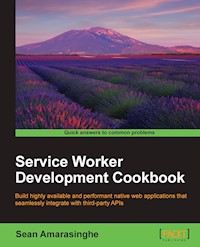
Build highly available and performant native web applications that seamlessly integrate with third-party APIs
About This Book
- Get straight into the action with step-by-step recipes that show you how to put Service Workers to work
- Find out what Service Workers can do for your app, then do it!
- Get the first in-depth look at this important new feature for web developers
Who This Book Is For
Web developers, mobile application developers, and software engineers with any level of knowledge can use this book. You should be familiar with JavaScript and HTML.
What You Will Learn
- Display a custom offline page
- Cache critical resources for offline use
- Implement offline Google Analytics
- Get network responses offline
- Implement push notifications
- Improve performance of your app
In Detail
It would be nice to have web apps that work offline and send push notifications. This is now possible with Service Workers, which can add native-like functionality to your web apps without requiring a download.
This book will get your mobile and web apps functioning without Internet connectivity, improve performance and network interaction in order to increase the level of availability, and show you how to build performant applications that seamlessly integrate with third-party APIs.
We'll show you how to add Service Worker functionality to web apps and sites, access offline content through basic and advanced techniques, and build powerful interactive system notifications. We'll also teach you about cache functionality and assets to provide immediate load even over narrow connections. We conclude by giving you various tips to improve app performance, including the background sync technique.
By the end of this book, you'll know build high performing and faster web and mobile applications with Service Workers.
Style and approach
This book provides lots of task-oriented, practical, and inspiring ways to put Service Workers to work. Step-by-step instructions will guide you through every task.
Sie lesen das E-Book in den Legimi-Apps auf:
Seitenzahl: 248
Veröffentlichungsjahr: 2016
Ähnliche



















Table of Contents
Service Worker Development Cookbook
Service Worker Development Cookbook
Copyright © 2016 Packt Publishing
All rights reserved. No part of this book may be reproduced, stored in a retrieval system, or transmitted in any form or by any means, without the prior written permission of the publisher, except in the case of brief quotations embedded in critical articles or reviews.
Every effort has been made in the preparation of this book to ensure the accuracy of the information presented. However, the information contained in this book is sold without warranty, either express or implied. Neither the author, nor Packt Publishing, and its dealers and distributors will be held liable for any damages caused or alleged to be caused directly or indirectly by this book.
Packt Publishing has endeavored to provide trademark information about all of the companies and products mentioned in this book by the appropriate use of capitals. However, Packt Publishing cannot guarantee the accuracy of this information.
First published: August 2016
Production reference: 1260816
Published by Packt Publishing Ltd.
Livery Place
35 Livery Street
Birmingham B3 2PB, UK.
ISBN 978-1-78646-529-0
www.packtpub.com
Credits
Author
Sean Amarasinghe
Reviewer
Daijiro Wachi
Commissioning Editor
David Barnes
Acquisition Editor
Nitin Dasan
Content Development Editor
Mehvash Fatima
Technical Editor
Siddhi Rane
Copy Editors
Safis Editing
Tom Jacob
Project Coordinator
Kinjal Bari
Proofreader
Safis Editing
Indexer
Hemangini Bari
Graphics
Kirk D'Penha
Production Coordinator
Shantanu N. Zagade
Cover Work
Shantanu N. Zagade
About the Author
Sean Amarasinghe is a software developer from Melbourne, Australia. He is a developer, designer, photographer, and also a blogger. He blogs about development, design, technology, and photography. He is passionate about offline apps and what they bring to the user. He has firsthand experience of how well offline apps work. He has written a couple of blog posts about offline cache manifests, as well as service workers.
About the Reviewer
Daijiro Wachi is a JavaScript developer from Tokyo, Japan. He is passionate about open web and some of open source projects/communities related to JavaScript on a daily basis. He has gained the highest award in Service Worker Hackathon 2015 held by Google Japan.
www.PacktPub.com
eBooks, discount offers, and more
Did you know that Packt offers eBook versions of every book published, with PDF and ePub files available? You can upgrade to the eBook version at www.PacktPub.com and as a print book customer, you are entitled to a discount on the eBook copy. Get in touch with us at <[email protected]> for more details.
At www.PacktPub.com, you can also read a collection of free technical articles, sign up for a range of free newsletters and receive exclusive discounts and offers on Packt books and eBooks.
https://www2.packtpub.com/books/subscription/packtlib
Do you need instant solutions to your IT questions? PacktLib is Packt's online digital book library. Here, you can search, access, and read Packt's entire library of books.
Why subscribe?
Preface
The service worker feature of the browser will enable you to build highly available and performant native web applications that seamlessly integrate with third-party APIs. Whether you want to create an offline web app or a proxy, this book will show you how to do it.
What this book covers
Chapter 1, Learning Service Worker Basics, covers setting up the service worker in your environment, and how to get up and running using service worker development. This chapter includes registering a service worker and debugging.
Chapter 2, Working with Resource Files, provides several recipes on how to handle resource files with the service worker, including loading CSS and fonts.
Chapter 3, Accessing Offline Content, takes a look at how to cache resources and serve content offline.
Chapter 4, Accessing Offline Content with Advanced Techniques, explores advanced techniques, including templating and Google Analytics, when working with offline content.
Chapter 5, Reaching Beyond the Offline Cache, provides recipes beyond the offline cache and explores topics ranging from getting network responses offline to how to use the service worker as a load balancer.
Chapter 6, Working with Advanced Libraries, talks about Google Analytics, circuit breakers, and dead letter queues.
Chapter 7, Fetching Resources, covers various techniques on fetching resources from different sources.
Chapter 8, Experimenting with Web Push, talks about different ways of implementing push notifications.
Chapter 9, Looking at General Usage, provides various recipes on general usages of the service worker from slow responses to a live flowchart.
Chapter 10, Improving Performance, talks about how to optimize your service worker application to perform efficiently and in a performant manner.
What you need for this book
This book was written using a Mac with Google Chrome as the browser, running Node.js. However, Node.js can be run on a Windows or Linux machine as well, along with Google Chrome.
All the software used in this book is free and open source. You will definitely need to be running Node.js and Google Chrome for most of the recipes.
Reader feedback
Feedback from our readers is always welcome. Let us know what you think about this book—what you liked or disliked. Reader feedback is important for us as it helps us develop titles that you will really get the most out of.
To send us general feedback, simply e-mail <[email protected]>, and mention the book's title in the subject of your message.
If there is a topic that you have expertise in and you are interested in either writing or contributing to a book, see our author guide at www.packtpub.com/authors.
Customer support
Now that you are the proud owner of a Packt book, we have a number of things to help you to get the most from your purchase.
Downloading the example code
You can download the example code files for this book from your account at http://www.packtpub.com. If you purchased this book elsewhere, you can visit http://www.packtpub.com/support and register to have the files e-mailed directly to you.
You can download the code files by following these steps:
You can also download the code files by clicking on the Code Files button on the book's webpage at the Packt Publishing website. This page can be accessed by entering the book's name in the Search box. Please note that you need to be logged in to your Packt account.
Once the file is downloaded, please make sure that you unzip or extract the folder using the latest version of:
The code bundle for the book is also hosted on GitHub at https://github.com/PacktPublishing/Service-Worker-Development-Cookbook. We also have other code bundles from our rich catalog of books and videos available at https://github.com/PacktPublishing/. Check them out!
Errata
Although we have taken every care to ensure the accuracy of our content, mistakes do happen. If you find a mistake in one of our books—maybe a mistake in the text or the code—we would be grateful if you could report this to us. By doing so, you can save other readers from frustration and help us improve subsequent versions of this book. If you find any errata, please report them by visiting http://www.packtpub.com/submit-errata, selecting your book, clicking on the Errata Submission Form link, and entering the details of your errata. Once your errata are verified, your submission will be accepted and the errata will be uploaded to our website or added to any list of existing errata under the Errata section of that title.
To view the previously submitted errata, go to https://www.packtpub.com/books/content/support and enter the name of the book in the search field. The required information will appear under the Errata section.
Piracy
Piracy of copyrighted material on the Internet is an ongoing problem across all media. At Packt, we take the protection of our copyright and licenses very seriously. If you come across any illegal copies of our works in any form on the Internet, please provide us with the location address or website name immediately so that we can pursue a remedy.
Please contact us at <[email protected]> with a link to the suspected pirated material.
We appreciate your help in protecting our authors and our ability to bring you valuable content.
Questions
If you have a problem with any aspect of this book, you can contact us at <[email protected]>, and we will do our best to address the problem.
Setting up service workers
In order to get service workers running, we need to serve our code via Hyper Text Transfer Protocol Secure (HTTPS). Service workers are designed to run only across HTTPS for security reasons. Source code repositories such as GitHub support HTTPS, where you can host your files.
Getting ready
If you are using a newer version of a browser, the chances are that service workers are already enabled on it. But, if that is not the case, we will have to change few things in the browser settings. In the following section, we are going to cover how to enable service worker features in Chrome and Firefox.
How to do it...
Follow the steps below to enable service worker in Chrome and Firefox.
Chrome
To experiment in Chrome, you need to download Chrome Canary:
Firefox
To experiment in Firefox, you need to download Firefox Nightly:
Note
At the time of writing, Opera offers partial support for service workers, including basic support, as well as installing and uninstalling events. Internet Explorer and Safari do not support service workers.
Service workers are currently an experimental technology, meaning the syntax and the behavior are subject to change in future versions as the specification changes.
Setting up SSL for Windows
Service workers are designed to run only across HTTPS, so in order for us to test our code, we need our web pages to be delivered across HTTPS. In this recipe, we will cover getting your site setup with SSL support for Windows.
Getting ready
This recipe assumes you run Windows 7 or higher with Internet Information Service (IIS) enabled.
How to do it...
Follow these instructions to enable SSL:
This will generate a self-signed certificate, which is marked for Server Authentication use, meaning it uses a server-side certificate for authenticating the identity of the server and also for HTTP SSL encryption.
In order to create an SSL binding, we have to select a site in the tree view and then, in the Actions pane, click Bindings.... This will bring up the bindings editor that manages bindings for your website, which include create, edit, and delete. Now, to add your new SSL binding to the site, click Add....
Port 80 is the default setting for a new binding for HTTP. We can select https in the Type drop-down list. Select the self-signed certificate we created in the previous section from the SSL Certificate drop-down list, and then click OK.Now we have a new SSL binding on our site and all that remains is to make sure that it works.Click Continue to this website to proceed.Setting up SSL for Mac
As mentioned in the previous recipe, service workers are designed to run only across HTTPS. So, in order for us to test our code, we need our web pages to be delivered across HTTPS. In this recipe, we will cover getting your site set up with SSL support for Mac.
Getting ready
This recipe assumes that you are running OS X 10.11, El Capitan, or higher. We are going to use a command-line utility called Vim for editing files, which already comes with Mac. Make sure not to use the number pad with Vim. Please be aware that this process is lengthy.
How to do it...
Follow these instructions to enable SSL:
Make sure you copy your development folder to the DocumentRoot directory as you did earlier: /Library/WebServer/Documents.
To get this all to work with Apache, we need to create a self-signed certificate that we have already referenced in the VirtualHost definition.
Generate a key:Tip
Detailed steps to download the code bundle are mentioned in the Preface of this book. Please have a look.
The code bundle for the book is also hosted on GitHub at https://github.com/PacktPublishing/Service-Worker-Development-Cookbook. We also have other code bundles from our rich catalog of books and videos available at https://github.com/PacktPublishing/. Check them out!
Setting up GitHub pages for SSL
Service workers are designed to run only across HTTPS. So, in order for us to test our code, we need our web pages to be delivered across HTTPS. GitHub pages are served across HTTPS and it's free to use. So let's get on with it.
Getting ready
Before registering for a GitHub account, please make sure you have a valid e-mail address.
How to do it...
Follow these instructions to set up GitHub pages:
username.github.io, where username is your username.
If the first part of the repository doesn't match your username exactly, it won't work.
Open your command-line window and clone your repository.




