


20,99 €
Mehr erfahren.
- Herausgeber: John Wiley & Sons
- Kategorie: Wissenschaft und neue Technologien
- Sprache: Englisch
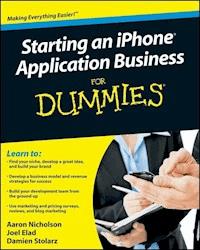
How to create a profitable, sustainable business developing and marketing iPhone apps iPhone apps are hot; the average app is downloaded more than 30,000 times. If you have some great apps in mind, Starting an iPhone Application Business For Dummies will show you how to produce and market them effectively. Starting an iPhone Application Business For Dummies provides clear, reliable business information to help developers and entrepreneurs create a profitable, sustainable business in this new and exciting market. * Identifies what goes into a successful iPhone application business * Helps you find the market niche your applications can fill, market and promote your business, and build your brand * Explains how to develop a pricing strategy, build your applications efficiently, and get them into the App Store * Explores finding a sustainable revenue model, including free trials, social media models, ad-based revenue models, and subscription models * Demonstrates effective ways to provide service and support to customers * Written by a team that combines knowledge of iPhone app development with sound business experience Starting an iPhone Application Business For Dummies can help you turn your ideas into income.
Sie lesen das E-Book in den Legimi-Apps auf:
Seitenzahl: 606
Veröffentlichungsjahr: 2009
Ähnliche



















Starting an iPhone® Application Business For Dummies®
Table of Contents
Introduction
About This Book
And Just Who Are You?
Icons Used in This Book
Where to Go from Here
Part I: Surveying the Marketplace
Chapter 1: The Wide, Wide World of iPhone App Development
Touring the Apple App Store
Perusing the storefront
The App Store on the iPhone
A word about updates
Apple’s Free Marketing
The Frictionless Selling Experience
Global Distribution
How iPhone App Developers Positioned Themselves
Price points
Market purpose
Quality level
Market size
Emulating existing products
Entering the Marketplace with a New Application
Finding your fit or unmet need
Identifying needs in the marketplace
Assessing the environment
Taking an inventory of what you can offer
Synthesizing the approaches to find your idea
Connecting with Apple’s Strategy and Vision
Connecting between iPhone hardware and applications
Following iPhone releases has affected the app world
Writing for current or future functionality
Chapter 2 : Understanding the iPhone Platform
Apple’s Entry into Mobile Computing
iPhone Location-Aware Capabilities
Telepresence
Telematics
Business automation
iPhone Networking Capabilities
Communication between devices
Crowdsourcing
Cloud computing
iPhone Hardware and Accessories
Unique iPhone Capabilities
The operating system
The accelerometer
Multitouch
iTunes Store
iPhone 1.0, 2.0, 3.0, and Beyond
Chapter 3: Pricing and Revenue Models
Identifying Revenue Streams
Paid apps
Price ranges
Free apps
Estimating Income
Determining your application’s price point
Predicting an application’s revenue
Testing estimates
Maximizing Sales
Participating in a promotion
Writing reviews
Offering a trial version
Repricing
Revising revenue projections
Moving on
Part II: Pinpointing the Business Offering
Chapter 4: Coming Up with a Winning Idea
Analyzing Your Competition
Studying an app’s strengths and weaknesses
Comparing similar apps
Generating Ideas
Specific idea-generation techniques
Surveying
Brainstorming
Mash-ups
Evolution
Creating Barriers to Competition
Time to market and first to market
Better product and execution
Exclusive content
Proprietary technology
Strategic partnerships
Cheaper supplies
More expensive ingredients
Products under regulation
The global scene
Undercutting
Switching costs
Network effects
Advertising and marketing
Protecting Your Intellectual Property
Copyright
Trademarks
Patents
Chapter 5: Leveraging Brand, Skills, and Content
Looking at the Big Picture
Defining your corporate vision
Writing your vision statement
Letting your goals motivate you
Understanding Your Corporate Culture
Putting Goals into Practice
Defining your operation
Introducing branding
Writing Your Business Plan
Recognizing that cynicism doesn’t work
Incorporating business plans into the culture
Inspecting the ingredients of a business plan
Seeing the forest and the trees
Chapter 6: Collaborating Internally and Externally
Getting an Idea of What is in the Marketplace
Surveying the marketplace
Utilizing Resources to Help You
Navigating the Apple Developer Forum
Meeting people in this space
Online Resources
Chapter 7: Sizing Up the Competition
Using Competitive-Analysis Tools to Analyze the Competition
Use a Spreadsheet to Make Feature-Comparison Charts
Finding Information Sources
Finding Paid Research
Listening to the Buzz
Part III: Lay the Groundwork
Chapter 8: Registering with Apple
Your Relationship with Apple
Preparing Your Data
Signing Up with Apple As an iPhone App Developer
Navigating the sign-up process
Registration information
Lining Up Your Requirements
Chapter 9: Understanding the Development Tools
Getting Set Up as a Developer
The introductory help videos
iPhone Development Tools Overview
Stanford University iPhone development classes on iTunes
Further resources
Third-Party Tools
Game SDKs
Frameworks and code libraries
Chapter 10: Staffing Your Team
Identifying the Team Positions
Getting the application programming skills
Understanding the importance of a great designer
IT skills to tie it all together
Rounding out the team with business skills
Filling the Gaps on your Team
Adding business sense
Applying technology
Borrowing skills within your company
Effective Outsourcing
Staying within your budget
Streamlining the integration
Making sure everything is solid and robust
Part IV: Assemble Your iPhone Application
Chapter 11 : Building Your Application Specifications
Creating an Application Blueprint
Documenting your app’s basic functionality
Creating mock-ups
Creating a full feature list
Defining the look and feel
Looking at the Role of Quality Assurance
Writing your test plan
Defining success criteria
Chapter 12: Assembling Your Development Team
Tooling Around with Your Programming Skills
Hiring an iPhone App Developer
Where to find an app developer
What to look for
References and a portfolio
Terms of engagement
Estimating Development Costs
Getting competitive bids
Comparing developer capabilities
In-house or outsource?
Getting Contracts in Place
Bid rate versus an hourly rate
Change management and billing
Licensing and ownership
Source code
Chapter 13: Greenlighting the Budget
Counting Up the Costs of Developing Your App
Estimating application development costs
Getting graphic design for your artwork
Budgeting for marketing expenses
Pricing the legal costs
Funding Your Project
Self-funding
Getting investors
Finding a client
Pitching your idea
Chapter 14: Managing the Development Process
Setting Up Hierarchy and Roles
Establishing a Timeline
The Software Development Process
Creating the specification
Building the application
Testing the application
Iterating (repeating) the build-test process
Submitting Your Completed App
Part V: Market to the Masses
Chapter 15: Capturing Free Publicity
The Importance of Getting Reviewed
Overview of iPhone app-review sites
How to write a press release
How to submit your app to be reviewed
High-Profile Endorsements
Celebrities
Opinion leaders
Writing Articles
Putting together your article
Be an opinion leader
Chapter 16 : Building the Buzz
How to Set Up a Blog
Identifying your blog audience
What to write in your blog entries
Reach Out to Your Social Networks
Quizzes
Create a widget
E-Mail Marketing
Crafting your e-mails
Generating and maintaining your list
Buying a list
Create a Demo Video for YouTube
Concepting
Scripting
Rehearsing
Shooting
Editing
Communication Is Two-Way!
Chapter 17: Promoting Your App with Paid Advertising
Marketing to Your Niche
Creating a Paid Advertisement Strategy
Researching needed keywords
Allocating your budget to multiple campaigns
Google AdWords
Banner Ads
Creating your banner ad
Finding the right banner ad network
Chapter 18: Planning Your Next Project
Building Your Brand
Keeping an app ideas inventory
Picking an app idea that fits your brand
Partnerships and joint ventures
Using Your First App to Promote Upcoming Applications
Surveying Your Existing Customers
Planning Your Future
Creating Your Own iPhone App Consultancy
Part VI: The Part of Tens
Chapter 19: Ten Traits of Highly Successful Applications
Great Design
Unique Data and/or Functionality
Connectivity
Stickiness
Specific Purpose
Ease of Use
Correct Pricing
Smart Use of iPhone Features
Fun to Use
Special Sauce
Chapter 20: Ten Influential Review Sites
148Apps
AppCraver
Apptism
AppVee
Gizmodo iPhone App Directory
Macworld
Major Newspapers
The Apple Web Site
The Unofficial Apple Weblog (TUAW)
Wired Gadget Lab
Appendix: App Store Submission Checklist
Starting an iPhone® Application Business For Dummies®
by Aaron Nicholson, Joel Elad, and Damien Stolarz
Starting an iPhone® Application Business For Dummies®
Published byWiley Publishing, Inc.111 River St.Hoboken, NJ 07030-5774www.wiley.com
Copyright © 2010 by Wiley Publishing, Inc., Indianapolis, Indiana
Published simultaneously in Canada
No part of this publication may be reproduced, stored in a retrieval system or transmitted in any form or by any means, electronic, mechanical, photocopying, recording, scanning or otherwise, except as permitted under Sections 107 or 108 of the 1976 United States Copyright Act, without either the prior written permission of the Publisher, or authorization through payment of the appropriate per-copy fee to the Copyright Clearance Center, 222 Rosewood Drive, Danvers, MA 01923, (978) 750-8400, fax (978) 646-8600. Requests to the Publisher for permission should be addressed to the Permissions Department, John Wiley & Sons, Inc., 111 River Street, Hoboken, NJ 07030, (201) 748-6011, fax (201) 748-6008, or online at http://www.wiley.com/go/permissions.
Trademarks: Wiley, the Wiley Publishing logo, For Dummies, the Dummies Man logo, A Reference for the Rest of Us!, The Dummies Way, Dummies Daily, The Fun and Easy Way, Dummies.com, Making Everything Easier, and related trade dress are trademarks or registered trademarks of John Wiley & Sons, Inc. and/or its affiliates in the United States and other countries, and may not be used without written permission. All other trademarks are the property of their respective owners. Wiley Publishing, Inc., is not associated with any product or vendor mentioned in this book.
Limit of Liability/Disclaimer of Warranty: The publisher and the author make no representations or warranties with respect to the accuracy or completeness of the contents of this work and specifically disclaim all warranties, including without limitation warranties of fitness for a particular purpose. No warranty may be created or extended by sales or promotional materials. The advice and strategies contained herein may not be suitable for every situation. This work is sold with the understanding that the publisher is not engaged in rendering legal, accounting, or other professional services. If professional assistance is required, the services of a competent professional person should be sought. Neither the publisher nor the author shall be liable for damages arising herefrom. The fact that an organization or Website is referred to in this work as a citation and/or a potential source of further information does not mean that the author or the publisher endorses the information the organization or Website may provide or recommendations it may make. Further, readers should be aware that Internet Websites listed in this work may have changed or disappeared between when this work was written and when it is read.
For general information on our other products and services, please contact our Customer Care Department within the U.S. at 800-762-2974, outside the U.S. at 317-572-3993, or fax 317-572-4002.
For technical support, please visit www.wiley.com/techsupport.
Wiley also publishes its books in a variety of electronic formats. Some content that appears in print may not be available in electronic books.
Library of Congress Control Number: 2009936809
ISBN: 978-0-470-52452-7
Manufactured in the United States of America
10 9 8 7 6 5 4 3 2 1
About the Authors
Aaron Nicholson is the Creative Director at Perceptive Development (www.perceptdev.com), a Los Angeles-based consultancy that develops iPhone software and accessories. He is an interactive media designer/developer, a musician, and a theater geek who lives at the intersection of culture and technology. His interactive media boutique, Open Secret Communications, has developed online properties for top entertainment companies, Fortune 500 firms, and many small- and medium-size businesses. He holds a BA from the University of Southern California’s Annenberg School for Communication.
Joel Elad has written five books about various online topics, including LinkedIn For Dummies, Starting an Online Business All-in-One Desk Reference For Dummies, and Web Stores Do-It-Yourself For Dummies (all from Wiley). He is the head of Real Method Consulting, a company dedicated to educating people through training seminars, DVDs, books, and other media. He holds a master’s degree in business from UC Irvine and a bachelor’s degree in computer science and engineering from UCLA. He has contributed to Entrepreneur magazine and Smartbiz.com, and has taught at institutions such as the University of California, Irvine.
Damien Stolarz is an inventor with a decade of experience in making different kinds of computers talk to each other. After studying computer science and electrical engineering at UCLA, Damien co-founded Blue Falcon Networks (formerly Static Online, Inc.), where he supervised, architected, and developed networking software for seven years. He has written and spoken at conferences about Internet video, content delivery, and peer-to-peer networking, and he created Robotarmy in 2002 to provide high-technology consulting in these areas.
Dedication
Aaron dedicates this book to his father, whose steadfast love and support have helped him more than words can say.
Joel dedicates this book to one of his best friends, Michael Bellomo. Not only did you get me started in this crazy world of being an author, but you always support me, make me laugh (with the big joke — you know the one) and believe in me. Thank you for the e-mails, the two-hour conversations on the phone, all the laughter, and (sniff sniff) the inspiration that tells me I can climb any mountain!
Publisher’s Acknowledgments
We’re proud of this book; please send us your comments through our online registration form located at www.dummies.com/register/.
Some of the people who helped bring this book to market include the following:
Acquisitions, Editorial, and Media Development
Project Editor: Pat O'Brien
Acquisitions Editor: Kyle Looper
Copy Editors: Teresa Artman, Barry Childs-Helton, Jen Riggs, Virginia Sanders, Beth Staton, Brian Walls, Rebecca Whitney
Technical Reviewer: Kira Hamilton
Editorial Manager: Kevin Kirschner
Editorial Assistant: Amanda Graham
Sr. Editorial Assistant: Cherie Case
Cartoons: Rich Tennant (www.the5thwave.com)
Composition Services
Project Coordinator: Katherine Crocker
Layout and Graphics: Timothy Detrick, Joyce Haughey, Melissa K. Jester
Proofreader: Caitie Copple, Sherry Massey
Indexer: ConText Editorial Services, Inc.
Publishing and Editorial for Technology Dummies
Richard Swadley, Vice President and Executive Group Publisher
Andy Cummings, Vice President and Publisher
Mary Bednarek, Executive Acquisitions Director
Mary C. Corder, Editorial Director
Publishing for Consumer Dummies
Diane Graves Steele, Vice President and Publisher
Composition Services
Debbie Stailey, Director of Composition Services
Introduction
When Apple opened its App Store along with the iPhone 3G in the summer of 2008, it took a mere three days for iPhone users to generate 10 million downloads from the 800 apps that were available, averaging 12,500 purchases per application. Barely a year later, the App Store has swelled to 65,000 applications and boasts over 1.5 billion app downloads. In short, the App Store is its own economy. Perhaps you’ve heard of the iPhone or you own one, or even several, applications and you want to see how you can take advantage of this 21st century gold rush. Perhaps you’re a software developer looking to create something for this booming economy. Perhaps your company is looking to reach out to new and existing customers. To all of you, welcome to Starting an iPhone Application Business For Dummies.
When the iPhone launched in June of 2007, it was a smash success. The ability to use a handheld device that was a real Apple computer enthralled Apple enthusiasts. The device’s sleek, leading-edge design and innovative features elevated it to a status symbol quickly in the eyes of the general public. But there was only one problem. What about all that space for more apps? Apple hadn’t made it possible to install additional apps and was mum about the subject.
By the time the iPhone SDK (Software Development Kit) was announced in March 2008, the thirst for apps on the iPhone was palpable from both consumers and developers. As soon as the SDK was released to developers, the mad dash to develop apps for the upcoming unveiling of the App Store resenbled the land grabs of the homestead days out West.
The success of the App Store is not the only source of excitement about iPhone apps. iPhone apps are fun to develop and use! A robust mobile platform that rivals the power of a laptop computer with an innovative easy-to-use interface is a real game changer in both technology and lifestyle. The fact that you or anyone else can sign up cheaply, learn what you need to know for free, put your ideas into action, and sell mobile computing software supported by a world class leader like Apple is an opportunity unlike any other in the world.
We’ve written this book to help you with the aspects of iPhone development you can’t find on Apple’s Developer Connection Web site: How to start and operate an iPhone app business.
You do not need to be a programmer to read this book!
Like anything else, this is a business and many of the modern business rules apply, with some Apple twists. We hope you enjoy the process of creating your very own iPhone software business. It’s fun, challenging, and rewarding.
About This Book
This book covers all aspects of creating, launching, and marketing an iPhone application. There’s a lot of advice and many concepts, but also some step-by-step instructions to get things done, and it’s all right here in this book.
This book is organized as a guide. You can read each chapter in order or read only specific chapters. Throughout the process of building an iPhone application, you can think of this book as a reference, where you can find the chapter you need that applies to your situation and the knowledge nugget you need to know, and then be on your merry way. We do a fair amount of cross-referencing too, so if you need to look elsewhere in the book for more information, you can easily find it.
In writing this book, we assume that you know a bit about computers, as most folks do today. But you may be utterly fresh to the concepts of programming an iPhone application and submitting it to the App Store. Despite what you may think, you do not need to be a programmer to create an iPhone application. (Naturally, though, it can make the process simpler if you are a programmer.) This book is designed to help everyone, from the aspiring entrepreneur who wants to enter this exciting world to the programmer who knows how to write XCode but needs help with the business and marketing aspects of the iPhone application to the company that wants to reach out to the iPhone user community and extend its brand with its own application.
We divide this book into six handy parts:
Part I starts with the basics, as we talk about the world of the iPhone, the App Store, mobile computing in general, and a crucial step in the process: how to price your iPhone application.
Part II goes into the idea generation process, helping you come up with your winning idea, figuring out what you can bring to the table, and identifying which market forces may affect your development. We describe how to craft the core of your iPhone application and make a competitive analysis of the idea and then show you resources where you can learn more.
Part III is designed to get the necessary stuff done up-front so you don’t have to worry about it later. We talk about how to register with Apple, gather all the development tools, and think about all the different team members you may need to help create your iPhone app.
Part IV takes everything we’ve covered and gets you into the nuts and bolts of turning your idea into a functioning iPhone application. We’ll talk about how to flesh out a concrete app specification, hire developers to write the code, put together a budget and figure out how to fund this project, and keep everything running as the developers are writing code and the designers are creating graphics.
Part V talks about everything you need to focus on after your iPhone app launches in the App Store. We talk about different ways to get publicity for your app and have it reviewed by different sites, and we help you build buzz by using the latest in social networking, blogging, and talking to the user community. We’ll show you some effective paid marketing options and describe how to build your business for the future.
Part VI is the traditional For Dummies Part of Tens — our lists detail a number of iPhone application review sites to consider and traits we found in highly successful applications.
And Just Who Are You?
We assume that you know how to use your computer for the basic operations, like checking e-mail, typing up a document, or surfing the great big World Wide Web. If you are worried that you will need a Ph.D. in Computer Operations to write an iPhone app, relax. If you can look at a Web site, you can use LinkedIn.
We use the words app and application interchangeably, to refer to the same thing.
This book assumes that you have a computer that can access the Internet; any PC or Macintosh computer will be fine, as well as Linux or any other operating system with a Web browser.
Programming for the iPhone requires a Mac. This book doesn’t.
We do not get into the core specifics of the programming necessary to build an iPhone application. In some parts of the book, we talk about specific applications, like Microsoft Excel, so we assume that if you have Microsoft Excel, you know how to use it for the purposes of building a spreadsheet and entering data, for example.
This book doesn’t describe the basic operations of a computer, accessing the Internet, or using an Internet Web browser like Safari, Internet Explorer or Firefox. We’ve tried to keep the information here specific to Apple, the iTunes store, and the App Store. Beyond that, if you need more information about connecting to the Internet or using a Web browser, check out The Internet For Dummies, by John R. Levine and Margaret Levine Young (published by Wiley).
Icons Used in This Book
The Tip icon notifies you about something cool, handy, or nifty or something that I highly recommend. For example,
A dancing clown out front doesn’t mean that it’s the best restaurant on the block.
Don’t forget! When you see this icon, you can be sure that it points out something you should remember. For example,
Always check your fly before you walk out on stage.
Danger! Ah-oogah! Ah-oogah! When you see the Warning icon, pay careful attention to the text. This icon flags something that’s bad or that could cause trouble. For example,
No matter how pressing the urge, no matter how well you know these things, do not ask that rather large woman next to you when she is due.
This icon alerts you to something technical, an aside or some trivial tidbit that we just cannot suppress the urge to share. Feel free to skip this incredibly unimportant technical information.For example,
It would be as ludicrous for us to recommend the 802.11q standard as it would be for me to insist that 1 is a prime number.
Where to Go from Here
You can start reading this book anywhere. Open the table of contents and pick a spot that amuses you or concerns you or has piqued your curiosity. Everything is explained in the text, and information is carefully cross-referenced so that you don’t waste your time reading repeated information.
Part I
Surveying the Marketplace
In this part . . .
Hey, if you’re wondering, “What does surveying have to do with creating an iPhone app?” then let us explain. The best analogy we can give is the saying, “To know where you are going, you first have to know where you are.” Reviewing the current state of this market will only help you build a better iPhone application.
In this part, we cover the exciting world that Applehas created for iPhone applications by looking at the App Store and the accompanying world of the iPhone app developers. We even take a look at the big picture of mobile application development to see how the iPhone has created some unique offerings that can change the market. We then describe one of the most challenging aspects current developers have had to face — how to price an iPhone application in the market. Trust us, this part lays a solid foundation for you to build your great idea on.
Let’s dig in!
Chapter 1
The Wide, Wide World of iPhone App Development
In This Chapter
Taking a tour of the Apple App Store
Accessing the App Store on your iPhone
Seeing how iPhone app developers have positioned themselves in the market
Sensing how to enter the marketplace with a new application
Finding your fit or an unmet need
Connecting with Apple’s strategy and vision
Understanding the connection between iPhone hardware and applications
Seeing how the progression of iPhone releases has affected the app world
Deciding whether to focus on current or future functionality
In July 2008, Apple Computer launched two momentous events. The first was an updated version of its hit iPhone product, the iPhone 3G. That same day, Apple launched something far more important to the success of its product: a central repository where iPhone users could purchase or download applications that could run on their iPhone. In simpler terms, Apple opened the App Store, where third-party developers from around the world could now have access to this new and growing market of iPhone owners who were eager to spend cash and get more capabilities from their gee-whiz phone.
In less than a year, Apple’s U.S. App Store alone has seen more than 40,000 applications approved and available on the store, and Apple celebrated its billionth application download in less than a year.
In this chapter, we present the App Store to you and talk about the different ways you can see or categorize the applications already present. We’ll talk about the link between the iPhone’s hardware and the applications that use it, and show how the development of the iPhone itself has affected the application development world. Sit back and enjoy!
Lesen Sie weiter in der vollständigen Ausgabe!
Lesen Sie weiter in der vollständigen Ausgabe!
Lesen Sie weiter in der vollständigen Ausgabe!
Lesen Sie weiter in der vollständigen Ausgabe!
Lesen Sie weiter in der vollständigen Ausgabe!
Lesen Sie weiter in der vollständigen Ausgabe!
Lesen Sie weiter in der vollständigen Ausgabe!
Lesen Sie weiter in der vollständigen Ausgabe!
Lesen Sie weiter in der vollständigen Ausgabe!
Lesen Sie weiter in der vollständigen Ausgabe!
Lesen Sie weiter in der vollständigen Ausgabe!
Lesen Sie weiter in der vollständigen Ausgabe!
Lesen Sie weiter in der vollständigen Ausgabe!
Lesen Sie weiter in der vollständigen Ausgabe!
Lesen Sie weiter in der vollständigen Ausgabe!
Lesen Sie weiter in der vollständigen Ausgabe!
Lesen Sie weiter in der vollständigen Ausgabe!
Lesen Sie weiter in der vollständigen Ausgabe!
Lesen Sie weiter in der vollständigen Ausgabe!
Lesen Sie weiter in der vollständigen Ausgabe!
Lesen Sie weiter in der vollständigen Ausgabe!
Lesen Sie weiter in der vollständigen Ausgabe!
Lesen Sie weiter in der vollständigen Ausgabe!
Lesen Sie weiter in der vollständigen Ausgabe!
Lesen Sie weiter in der vollständigen Ausgabe!




