


27,30 €
Mehr erfahren.
- Herausgeber: John Wiley & Sons
- Kategorie: Wissenschaft und neue Technologien
- Sprache: Englisch
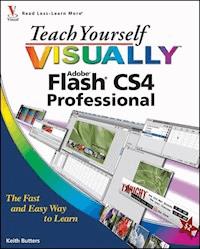
* As the industry standard for creating lively Web animations,Flash allows you to develop animation content or turn existinggraphics into dynamic Web page animations--the CS4 releaseguarantees a world of new and thrilling possibilities* If you are a beginner-to-intermediate level Flash user, thisbook will get you up and running fast as you dive into the tasks ofbuilding animation sequences and using ActionScript to createinteractive Web page components* Contains 150 useful and interesting Flash tasks presented infull color that demonstrates how easy it can be to design rich anddynamic content for any Web site
Sie lesen das E-Book in den Legimi-Apps auf:
Seitenzahl: 185
Veröffentlichungsjahr: 2015
Ähnliche



















Table of Contents
CHAPTER 1: Getting Started with Flash
Introducing Flash
Get to Know the Flash User Interface
Using Flash Utility Panels
Open a Flash File
Save and Close a Flash File
Save and Version Your Work with Save As
Create a New Flash Document
Organize and Save Your Workspace
Move and Zoom the Work Area
Using Rulers and Grids
Work from a Template
Using the Properties Inspector
Set up a New Flash Document
Adjust Publish Settings
Test a Flash Movie
Get Flash Help
CHAPTER 2: Drawing in Flash
Introducing Flash Drawing Tools
Understanding Groups
Using the Line Tool
Draw Lines Freehand with the Pencil Tool
Draw Fills with the Brush Tool
Draw Shapes with the Pen Tool
Draw Rectangles and Ovals
Fill Shapes with the Paint Bucket Tool
CHAPTER 3: Modifying and Positioning Artwork
Using the Eraser Tool
Select Artwor
Change the Color of Lines and Fills
Customize Lines with the Ink Bottle Tool
Reshape Lines and Shape Outlines
Copy Attributes
Create Custom Color Swatches
Make a Custom Gradient Fill
Transform a Gradient Fill
Scale and Rotate Objects with the Free Transform Tool
Create Groups of Lines, Fills, and Shapes
Send Groups Forward and Backward in Space
Align Shapes
Snap to Grid
Snap to Objects
chapter4: Working with Text
Add Text with the Text Tool
Format a Paragraph
Change Text Colors and Fonts
Copy Text Attributes
Adjust Text Kerning and Leading
Move and Resize Text Areas
Break Apart Text
Transform Text
CHAPTER 5: Importing Artwork
Understanding Vector Art and Bitmaps
Import a Bitmap
Break Apart a Bitmap
Create a Bitmap Fill
Convert a Bitmap to Vector Art Using Trace Bitmap
Import Vector Graphics from Illustrator
Set Bitmap Properties
Import a PSD File
CHAPTER 6: Working with Layers
Add and Delete Layers
Set Layer Properties
Add a Guide Layer
Make a Layer Mask
Group Layers into Folders
Show and Hide Layers and Layer Groups
Show Layers as Outlines
Lock Layers
Rearrange Layers
CHAPTER 7: Working with the Timeline
Add and Remove Frames and Keyframes
Add Frame Labels
Move Frames
Cut, Copy, and Paste Frames
Reverse Frames
Preview Frames in the Timeline
CHAPTER 8: Working with Symbols and Instances
Understanding Symbols and Instances
Types of Symbols
Create a Graphic Symbol
Add an Instance of a Symbol to the Stage
Modify Instances
Swap Symbols
Create a Button Symbol
Edit the States of a Button
Add a Behavior to a Button
Create a Movie Clip Symbol
Preview a Symbol
Apply Filters to an Instance
Apply a Blend Mode to an Instance
Understanding the Different Blend Modes
Rotate and Translate MovieClip Instances with 3-D Tools
CHAPTER 9: Creating Timeline Animation in Flash
Create a Frame-by-Frame Animation
Onion-Skinning an Animation
Edit Multiple Frames
Understanding Tweening
Create a Classic Tween
Create a Motion Tween
Create a Motion Tween with 3-D Transformations
Create a Shape Tween
Add Shape Hints
Animate Along a Path
Create a Movie Clip of an Animation
Animate a Mask
Add Animation to a Button
CHAPTER 10: Adding Interactivity with ActionScript
Lesen Sie weiter in der vollständigen Ausgabe!
Lesen Sie weiter in der vollständigen Ausgabe!
Lesen Sie weiter in der vollständigen Ausgabe!
Lesen Sie weiter in der vollständigen Ausgabe!
Lesen Sie weiter in der vollständigen Ausgabe!
Lesen Sie weiter in der vollständigen Ausgabe!
Lesen Sie weiter in der vollständigen Ausgabe!
Lesen Sie weiter in der vollständigen Ausgabe!
Lesen Sie weiter in der vollständigen Ausgabe!
Lesen Sie weiter in der vollständigen Ausgabe!
Lesen Sie weiter in der vollständigen Ausgabe!
Lesen Sie weiter in der vollständigen Ausgabe!
Lesen Sie weiter in der vollständigen Ausgabe!
Lesen Sie weiter in der vollständigen Ausgabe!
Lesen Sie weiter in der vollständigen Ausgabe!
Lesen Sie weiter in der vollständigen Ausgabe!
Lesen Sie weiter in der vollständigen Ausgabe!
Lesen Sie weiter in der vollständigen Ausgabe!
Lesen Sie weiter in der vollständigen Ausgabe!
Lesen Sie weiter in der vollständigen Ausgabe!
Lesen Sie weiter in der vollständigen Ausgabe!
Lesen Sie weiter in der vollständigen Ausgabe!
Lesen Sie weiter in der vollständigen Ausgabe!
Lesen Sie weiter in der vollständigen Ausgabe!
Lesen Sie weiter in der vollständigen Ausgabe!
Lesen Sie weiter in der vollständigen Ausgabe!




