


37,19 €
Mehr erfahren.
- Herausgeber: Packt Publishing
- Kategorie: Wissenschaft und neue Technologien
- Sprache: Englisch
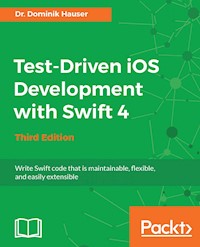
Use test-driven approach to develop highly-functional iOS apps with Swift 4 and Xcode 9
About This Book
- A practical guide to writing effective, organized, and clean code that works well
- Learn test-driven principles to help you build better-designed apps with fewer bugs
- A comprehensive overview of the techniques available for TDD in Swift
Who This Book Is For
To get the most out of this book, you will need some prior experience with Swift application development. You may have already heard about Test-Driven Development (TDD) but you don't need any prior experience of applying it to Swift applications.
What You Will Learn
- Implement TDD in Swift application development
- Find bugs before you enter code using the TDD approach
- Use TDD to build models, view controllers, and views
- Test network code with asynchronous tests and stubs
- Write code that is a joy to read and maintain
- Develop functional tests to ensure the app works as planned
In Detail
Test-driven development (TDD) is a proven way to find software bugs early. Writing tests before you code improves the structure and maintainability of your apps. Using TDD, in combination with Swift 4's improved syntax, means there is no longer any excuse for writing bad code.
This book will help you understand the process of TDD and how to apply it to your apps written in Swift.
Through practical, real-world examples, you'll learn how to implement TDD in context. You will begin with an overview of the TDD workflow and then delve into unit-testing concepts and code cycles.
You will also plan and structure your test-driven iOS app, and write tests to drive the development of view controllers and helper classes. Next, you'll learn how to write tests for network code and explore how the test-driven approach—in combination with stubs—helps you write network code even before the backend component is finished.
Finally, the book will guide you through the next steps to becoming a testing expert by discussing integration tests, Behavior Driven Development (BDD), open source testing frameworks, and UI Tests (introduced in Xcode 9).
Style and approach
Using a step-by-step approach, you will develop an entire iOS app using TDD. During the course of the book, you will explore different strategies for writing tests for models, View Controllers, and networking code.
Sie lesen das E-Book in den Legimi-Apps auf:
Seitenzahl: 242
Veröffentlichungsjahr: 2017
Ähnliche

















Third Edition
BIRMINGHAM - MUMBAI
Test-Driven iOS Development with Swift 4
Third Edition
Copyright © 2017 Packt Publishing
All rights reserved. No part of this book may be reproduced, stored in a retrieval system, or transmitted in any form or by any means, without the prior written permission of the publisher, except in the case of brief quotations embedded in critical articles or reviews.
Every effort has been made in the preparation of this book to ensure the accuracy of the information presented. However, the information contained in this book is sold without warranty, either express or implied. Neither the author, nor Packt Publishing, and its dealers and distributors will be held liable for any damages caused or alleged to be caused directly or indirectly by this book.
Packt Publishing has endeavored to provide trademark information about all of the companies and products mentioned in this book by the appropriate use of capitals. However, Packt Publishing cannot guarantee the accuracy of this information.
First published: February 2016
Second edition: October 2016
Third edition: October 2017
Production reference: 1271017
ISBN 978-1-78847-570-9
www.packtpub.com
Credits
Author
Dr. Dominik Hauser
Copy Editors
Charlotte Carneiro
Safis Editing
Reviewer
S Ravi Shankar
Project Coordinator
Sheejal Shah
Commissioning Editor
Kunal Chaudhari
Proofreader
Safis Editing
Acquisition Editor
Reshma Raman
Indexer
Francy Puthiry
Content Development Editor
Jason Pereira
Production Coordinator
Shraddha Falebhai
Technical Editor
Prajakta Mhatre
About the Author
Dr. Dominik Hauser completed his PhD in physics from the University of Heidelberg. While working as a university professor, he started iOS development in his spare time. His first app on physics has been an astounding success worldwide. Since then, he has turned himself into a full-time iOS developer, with a number of successful apps to his name. He has been a Swift developer since day one and runs a blog on iOS development.
About the Reviewer
S Ravi Shankar is a multi-skilled software consultant with over 17+ years of experience in IT industry. He has a good all-around ability to work in different technologies and extensive experience in product development, system maintenance, and support. He is a polyglot and a self-taught programmer with hands-on experience in Swift, Objective-C, and Java.
www.PacktPub.com
For support files and downloads related to your book, please visit www.PacktPub.com. Did you know that Packt offers eBook versions of every book published, with PDF and ePub files available? You can upgrade to the eBook version at www.PacktPub.com and as a print book customer, you are entitled to a discount on the eBook copy. Get in touch with us at [email protected] for more details.
At www.PacktPub.com, you can also read a collection of free technical articles, sign up for a range of free newsletters and receive exclusive discounts and offers on Packt books and eBooks.
https://www.packtpub.com/mapt
Get the most in-demand software skills with Mapt. Mapt gives you full access to all Packt books and video courses, as well as industry-leading tools to help you plan your personal development and advance your career.
Why subscribe?
Fully searchable across every book published by Packt
Copy and paste, print, and bookmark content
On demand and accessible via a web browser
Customer Feedback
Thanks for purchasing this Packt book. At Packt, quality is at the heart of our editorial process. To help us improve, please leave us an honest review on this book's Amazon page at https://www.amazon.com/dp/1788475704.
If you'd like to join our team of regular reviewers, you can e-mail us at [email protected]. We award our regular reviewers with free eBooks and videos in exchange for their valuable feedback. Help us be relentless in improving our products!
Table of Contents
Preface
What this book covers
What you need for this book
Who this book is for
Conventions
Reader feedback
Customer support
Downloading the example code
Downloading the color images of this book
Errata
Piracy
Questions
Your First Unit Tests
Building your first automatic unit test
What are unit tests?
Implementing a unit test example
Important built-in assert functions
Understanding TDD
The TDD workflow - red, green, and refactor
Red
Green
Refactor
TDD in Xcode
An example of TDD
Red - example 1
Green - example 1
Refactor - example 1
Red - example 2
Green - example 2
Refactor - example 2
A recap
Finding information about tests in Xcode
Test Navigator
Tests overview
Running tests
Running one specific test
Running all tests in a test case
Running a group of tests
The setUp() and tearDown() methods
Debugging tests
Breakpoint that breaks on test failure
The test again feature
The advantages of TDD
The disadvantages of TDD
What to test
Summary
Planning and Structuring Your Test-Driven iOS App
The task list view
The task detail view
The task input view
The structure of the app
The table view controller, the delegate, and the data source
Table view cells
The model
Other view controllers
The development strategy
Getting started with Xcode
Setting up useful Xcode behaviors for testing
Useful build behaviors
Testing behaviors
Summary
A Test-Driven Data Model
Implementing the ToDoItem struct
Adding a title property
Adding an itemDescription property
Removing a hidden source of bugs
Adding a timestamp property
Adding a location property
Implementing the Location struct
Adding a coordinate property
Implementing the ItemManager class
Count
Adding and checking items
Equatable
Removing all items
Ensuring uniqueness
Summary
A Test-Driven View Controller
Implementing ItemListViewController
Implementing ItemListDataProvider
Conducting the first tests
Fake objects
Using mocks
Checking and unchecking items
Implementing ItemCell
Implementing DetailViewController
Implementing InputViewController
Summary
Testing Network Code
Implementing tests using a web service
Implementing a login request
Handling errors
Summary
Putting It All Together
Connecting parts
The initial view controller
Showing the input view
Showing the detail view
Serialization and deserialization
Functional tests
Adding a UI test target
Recording and testing
Summary
Code Coverage
Enabling code coverage
Code coverage in Xcode
How much code coverage is enough?
Automatic deployment with fastlane
Installing fastlane
Setting up
Summary
Where to Go from Here
What you have learned so far
Integration tests
UI tests
Behavior-Driven Development
TDD in existing projects
Generating mocks with Sourcery
More information about TDD
Summary
Preface
iOS projects have become bigger and more complex. Many projects have already surpassed desktop applications in their complexity. One important strategy to manage this complexity is through the use of unit tests. By writing tests, a developer can point out the intention of the code and provide a safety net against the introduction of bugs.
By writing tests first (test-driven development), the developer focuses on the problem. This way, they are forced to think about the domain and rephrase a feature request using their own understanding by writing the test. In addition to this, applications are written using TDD only containing code that is necessary to solve the problem.
As a result, the code is clearer, and the developer gains more confidence that the code actually works.
In this book, you will develop an entire iOS app using TDD. You will experience different strategies for writing tests for models, view controller, and networking code.
What this book covers
Chapter 1, Your First Unit Tests, walks you through your first unit tests using Xcode and discusses the benefits of using TDD.
Chapter 2, Planning and Structuring Your Test-Driven iOS App, introduces the app you are going to write through the course of this book and how to set up a project in Xcode.
Chapter 3, A Test-Driven Data Model, discusses the TDD of a data model.
Chapter 4, A Test-Driven View Controller, shows you how to write tests for a view controller, and describes how to use fake objects to isolate micro features for the test.
Chapter 5, Testing Network Code, teaches you to test network code using stubs to fake a server component before it is developed.
Chapter 6, Putting It All Together, walks you through the integration of all the different parts developed in previous chapters and shows the use of functional tests.
Chapter 7, Code Coverage, shows you how to measure the code coverage of your tests using Xcode.
Chapter 8, Where to Go from Here, wraps up and shows you the possible next steps to improve your acquired testing skills.
What you need for this book
The following hardware and software is needed to follow the code examples in the book:
Mac with Sierra or above (macOS 10.12)
Xcode 9
Who this book is for
If debugging iOS apps is a nerve-racking task for you and you are looking for a fix, this book is for you.
Reader feedback
Feedback from our readers is always welcome. Let us know what you think about this book-what you liked or disliked. Reader feedback is important for us as it helps us develop titles that you will really get the most out of. To send us general feedback, simply email [email protected], and mention the book's title in the subject of your message. If there is a topic that you have expertise in and you are interested in either writing or contributing to a book, see our author guide at www.packtpub.com/authors.
Customer support
Now that you are the proud owner of a Packt book, we have a number of things to help you to get the most from your purchase.
Downloading the example code
You can download the example code files for this book from your account at http://www.packtpub.com. If you purchased this book elsewhere, you can visit http://www.packtpub.com/support and register to have the files e-mailed directly to you. You can download the code files by following these steps:
Log in or register to our website using your e-mail address and password.
Hover the mouse pointer on the
SUPPORT
tab at the top.
Click on
Code Downloads & Errata
.
Enter the name of the book in the
Search
box.
Select the book for which you're looking to download the code files
Choose from the drop-down menu where you purchased this book from.
Click on
Code Download
.
Once the file is downloaded, please make sure that you unzip or extract the folder using the latest version of:
WinRAR / 7-Zip for Windows
Zipeg / iZip / UnRarX for Mac
7-Zip / PeaZip for Linux
The code bundle for the book is also hosted on GitHub at https://github.com/PacktPublishing/Test-Driven-iOS-Development-with-Swift-4-Third-Edition. We also have other code bundles from our rich catalog of books and videos available at https://github.com/PacktPublishing/. Check them out!
Downloading the color images of this book
We also provide you with a PDF file that has color images of the screenshots/diagrams used in this book. The color images will help you better understand the changes in the output. You can download this file from https://www.packtpub.com/sites/default/files/downloads/TestDriveniOSDevelopmentwithSwift4ThirdEdition_ColorImages.pdf.
Errata
Although we have taken every care to ensure the accuracy of our content, mistakes do happen. If you find a mistake in one of our books-maybe a mistake in the text or the code-we would be grateful if you could report this to us. By doing so, you can save other readers from frustration and help us improve subsequent versions of this book. If you find any errata, please report them by visiting http://www.packtpub.com/submit-errata, selecting your book, clicking on the Errata Submission Form link, and entering the details of your errata. Once your errata are verified, your submission will be accepted and the errata will be uploaded to our website or added to any list of existing errata under the Errata section of that title.
To view the previously submitted errata, go to https://www.packtpub.com/books/content/support and enter the name of the book in the search field. The required information will appear under the Errata section.
Piracy
Piracy of copyrighted material on the Internet is an ongoing problem across all media. At Packt, we take the protection of our copyright and licenses very seriously. If you come across any illegal copies of our works in any form on the internet, please provide us with the location address or website name immediately so that we can pursue a remedy.
Please contact us at [email protected] with a link to the suspected pirated material.
We appreciate your help in protecting our authors and our ability to bring you valuable content.
Questions
If you have a problem with any aspect of this book, you can contact us at [email protected], and we will do our best to address the problem.
Your First Unit Tests
When the iPhone platform was first introduced, applications were small and focused only on one feature. It was easy to make money with an app that only did just one thing (for example, a flashlight app that only showed a white screen). The code for these apps only had a few hundred lines and could easily be tested by tapping the screen for a few minutes.
Since then, the App Store has changed a lot. Even now, there are small apps with a clear focus in the App Store, but it's much harder to make money from them. A common app is complicated and feature-rich, but still needs to be easy to use. There are companies with several developers per platform working on one app all the time. These apps sometimes have a feature set that is normally found in desktop applications. It is very difficult and time consuming to test all the features on such apps by hand.
One reason for this is that manual testing needs to be done through a user interface, and it takes time to load the app to be tested. In addition to this, human beings are very slow compared to the capabilities of computers. Most of the time, a computer waits for the user's next input. If we could let a computer insert values, testing could be drastically accelerated. Additionally, the computer could test the features of the app without loading the user interface; thus, the complete app could be tested within seconds. This is exactly what unit tests are all about.
Writing unit tests is hard at first because it is a new concept. This chapter is aimed at helping you to get started with unit tests and how they are used in Xcode. We will also discuss Test-Driven Development (TDD), in which the tests are written before the implementation code. We will see how TDD is done in Xcode, and we will discuss its advantages and disadvantages.
We will cover the following topics in this chapter:
Building your first automatic unit test
Understanding TDD
TDD in Xcode
The advantages of TDD
The disadvantages of TDD
Building your first automatic unit test
If you have done some iOS development (or application development in general) already, the following example might seem familiar to you.
You are planning to build an app. You start collecting features, drawing some sketches, or your project manager hands the requirements to you. At some point, you start coding. After you have set up the project, you start implementing the required features of the app.
Let's say an app is an input form, and the values the user puts in have to be validated before the data can be sent to the server. The validation checks, for example, whether the email address looks like it's supposed to and the phone number has a valid format. You implement the form and check whether everything works. But before you can test, you need to write code that presents the form on the screen. Then, you build and run your app in the iOS simulator. The form is somewhere deep in the view hierarchy. So, you navigate to this view and put the values into the form. It doesn't work. Next, you go back to the code and try to fix the problem. Sometimes, this also means that you need to run the debugger, and build and run to check whether the code still has errors.
Eventually, the validation works for the test data you put in. Normally, you would need to test for all possible values to make sure that the validation not only works for your name and your data, but also for all valid data. But there is this long list of requirements on your desk, and you are already running late. The navigation to the form takes three taps in the simulator, and putting in all the different values just takes too long. You are a coder after all.
If only a robot could perform this testing for you.
What are unit tests?
Automatic unit tests act like this robot for you. They execute code, but without the need of navigating to the screen with the feature to test. Instead of running the app over and over again, you write tests with different input data and let the computer test your code in the blink of an eye. Let's see how this works in a simple example.




