


31,19 €
Mehr erfahren.
- Herausgeber: Packt Publishing
- Kategorie: Wissenschaft und neue Technologien
- Sprache: Englisch
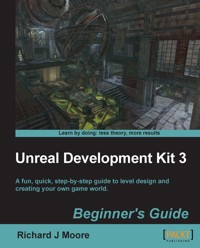
Unreal Development Kit (UDK) is the free version of the award-winning Unreal Engine 3. It is used to create a wide variety of games ranging from amateur to professional standard next generation AAA titles.
This book will show you exactly how to create an enjoyable and immersive game environment using the UDK. You will learn how to implement, level design, lighting, environmental effects, movement, terrain, map creation, item placement, kismet, materials and complex event sequences.
You will work through the level design process from navigating round the editor to learning how to develop a fully playable environment. You will quickly master all of the engine’s key tools that are accessible through Unreal Engine 3. You will then start putting together your first level using step-by-step instructions. Next we will implement real world features such as dynamic lighting and shadows, particle effects, physics, terrain, item placement and advanced AI/bot pathing. Finally you will learn how to use UDK’s cutting edge high level scripting. By the end of this book you will be equipped with the skills to create an entertaining and imaginative game world.
Das E-Book können Sie in Legimi-Apps oder einer beliebigen App lesen, die das folgende Format unterstützen:
Seitenzahl: 182
Veröffentlichungsjahr: 2011
Ähnliche



















Table of Contents
Unreal Development Kit 3
Beginner's Guide
Unreal Development Kit 3
Beginner's Guide
Copyright © 2011 Packt Publishing
All rights reserved. No part of this book may be reproduced, stored in a retrieval system, or transmitted in any form or by any means, without the prior written permission of the publisher, except in the case of brief quotations embedded in critical articles or reviews.
Every effort has been made in the preparation of this book to ensure the accuracy of the information presented. However, the information contained in this book is sold without warranty, either express or implied. Neither the author, nor Packt Publishing, and its dealers and distributors will be held liable for any damages caused or alleged to be caused directly or indirectly by this book.
Packt Publishing has endeavored to provide trademark information about all of the companies and products mentioned in this book by the appropriate use of capitals. However, Packt Publishing cannot guarantee the accuracy of this information.
First published: August 2011
Production Reference: 1180811
Published by Packt Publishing Ltd.
Livery Place
35 Livery Street
Birmingham B3 2PB, UK.
ISBN 978-1-849690-52-2
www.packtpub.com
Cover Image by Richard Moore (<[email protected]>)
Credits
Author
Richard J Moore
Reviewers
Taylor Paschal
Jamie Telford
Dave Voyles
Patrick Coan
Acquisition Editor
Steven Wilding
Development Editor
Meeta Rajani
Technical Editor
Lubna Shaikh
Copy Editor
Laxmi Subramanian
Project Coordinator
Leena Purkait
Proofreader
Samantha Lyon
Indexer
Tejal Daruwale
Production Coordinator
Alwin Roy
Cover Work
Alwin Roy
About the Author
Richard J Moore graduated in 2009 with a degree in video games design from Hull School of Art and Design, but has expanded his creativity by working as a web designer/illustrator in Hull, East Yorkshire, and London for three years. He is very passionate about 3D modeling, level design, concept drawing, web development, and graphical illustrations.
He has worked on a number of different projects with clients from different industrial backgrounds, building an impressive collection of stylish web templates, logos, brochures, business cards, web banners, animated graphics, and e-mail marketing campaigns.
Through the clouds lies his passion for video game development, complete creation of 3D art including modeling, texturing and high resolution rendering. He also dazzles in game documentation and conceptual drawings.
He will always take any opportunity to meet as many different people from the game development community as possible, and as a result he has attended the Games Grads career fair, participated in the Game Republic 2009 student showcase in Sheffield and Platform 2010, Hull's 1st Digital and Gaming event where he won the award for best character and a cheque for £100.
In March 2011, he was involved in Platform Expo's 2011, Hull's second video game expo where he entered in this year's video game showcase and won 2nd prize for his outstanding contribution to video game design and is now involved in Platform Expo's 2012.
In July 2011, he volunteered as a marketing assistant/designer for an online-based video games magazine, assisting the editor-in-chief in designing templates for latest issues of the magazine, writing reviews on the latest video game titles, and talking to clients about potential advertising coverage within the magazine and online. In his spare time he focuses on freelance design and development work with upcoming companies. As a result, Richard has had some impressive feedback from fellow designers and clients, and is very much interested in starting up his very own design company, focusing on all the things he loves. He has the ideas, the drive, and determination to put it together. 2011 is the start of something big for this video games designer.
I would like to thank all the people at Packt Publishing for producing this book and allowing me to take part in writing this creative guide to the Unreal Development Kit.
I would also like to thank the people at Epic Games for allowing me, as a games designer, to create fantastic 3D environments and brand new game ideas using their engine.
(Cheers, all I need from you now is a job position.)
Finally, I'd like to thank the people at Adobe, Autodesk, and Pixologic for letting me show my creativity in creating some amazing game design artwork, using your software.
(Keep up the good work.)
About the Reviewers
Taylor Paschal grew up surrounded by video games. As the game industry skyrocketed in the mid-nineties, games like GoldenEye and Zelda consumed his time. Inspired by the beautiful environments of the games he played, Taylor constantly dreamt of one day being able to entertain others with levels made by his own design. That dream never left him.
Now over a decade later, Taylor is a senior, expected to graduate from Radford University in May 2011 with a degree in Software Engineering. Specializing in game development practices and level design, he works with an upcoming studio of talented individuals, overseeing the art and level design of their games, which make use of the Mobile UDK. In his spare time, he does graphic design work, creating logos, ads, and wallpapers on request.
Taylor has over three years of experience with the Unreal 3 Engine. Meeting with developers from Epic Games to enhance his knowledge of the engine and attending game development conferences to learn about level design theory, Taylor applies his much sought-after skills to his work, creating vibrant and exciting worlds for players to explore.
I want to thank Andrew Bains and Demond Rogers at Epic Games for being great teachers and a great source of inspiration for me. I also want to thank Alex Meade and Austin De Vinney for convincing me to go to that first game developer's conference. I don't think I'd be pursuing a career in level design if it weren't for that trip. Also a shout out to Alex Meade (again) and Matt Varnell, for helping me make some awesome games in the Mobile UDK, as well as Michael Thola for letting us test on his iPad. Dr. Jeff Pittges, too, for giving me the confidence to network myself in the games industry. Last, and definitely the most important, my family. I wouldn't be here if it weren't for your patience and your help, so thank you Mom, Dad, James, Cody, Michaela, and Julie.
Jamie Telford is a Technical Artist in the field of real-time applications and game development. His primary expertise is in developing robust animation systems for deployment in modern cutting edge software applications.
Jamie's years of experience in the games and education industry have given him an excellent insight into current and upcoming methodology and techniques deployed in successful development environments.
He has worked for Fuzzyeyes Studio and Ksatria Gameworks as an animator and rigger. In addition to his industry experience, he has worked for several years as a lecturer in animation and modeling for Ngee Ann Polytechnic of Singapore.
Minazo, the walrus
Dave Voyles is Managing Editor and Podcast Producer for Armless Octopus. He covers Xbox Live Indie Game, Xbox Live Arcade, and Playstation Network news, reviews, and developer interviews. He holds a B.S. in Communication Studies from SUNY Oneonta, and is currently attending the New York Institute of Technology to work on his MBA in Management of Information Systems.
Dave also builds projects focusing on the Unreal Development Kit. Most notably, he is founder of the New York City-based UDK meetup group, where he works with other developers to collaborate on endeavors in a physical environment, as well as provides tutorials. He is currently developing a third-person adventure title of his own, and plans to release it on the PC later this year.
You can find more of his work by visiting his site at http://www.DaveVoyles.wordpress.com or www.ArmlessOctopus.com.
www.PacktPub.com
Support files, eBooks, discount offers and more
You might want to visit www.PacktPub.com for support files and downloads related to your book.
Did you know that Packt offers eBook versions of every book published, with PDF and ePub files available? You can upgrade to the eBook version at www.PacktPub.com and as a print book customer, you are entitled to a discount on the eBook copy. Get in touch with us at <[email protected]> for more details.
At www.PacktPub.com, you can also read a collection of free technical articles, sign up for a range of free newsletters and receive exclusive discounts and offers on Packt books and eBooks.
http://PacktLib.PacktPub.com
Do you need instant solutions to your IT questions? PacktLib is Packt's online digital book library. Here, you can access, read and search across Packt's entire library of books.
Why Subscribe?
Free Access for Packt account holders
If you have an account with Packt atwww.PacktPub.com, you can use this to access PacktLib today and view nine entirely free books. Simply use your login credentials for immediate access.
This book is dedicated to: My parents, Elizabeth and John, who taught me all that is important,my brother Adam, and my sister Sarah who taught me to never give up, andfinally to all my relatives, friends and fellow games designers.This book would not have been possible without your love and understanding. Thank you from the bottom of my heart. (I'll make it up to you all, I promise.)
Preface
UDK offers a fully integrated editing environment through the renowned Unreal Editor. You will learn all of the engine's key tools which are accessible through Unreal Editor. You will learn the basics, from installing to navigating around the editor. You will then start putting together your first level using step-by-step instructions.
You will then learn how to use UDK's real world features, such as dynamic lighting and shadows, particle effects, physics, terrain, item placement, and advanced AI/bot pathing.
Finally, you will learn about UDK's cutting edge high level scripting, adding materials followed by some advanced techniques to boost your skills as a designer, and look beyond UDK with further development into external content, unreal scripting, and modding.
What this book covers
Chapter 1, Level Design HQ will explain how to download and install UDK. It will show you how to launch the editor, how to move and rotate around the editor, and finally explain briefly about BSP brushes and static meshes.
Chapter 2, Hello UDK covers the most essential tools and functions you need to know to get started with UDK. You'll be able to quickly jump into UDK and begin feeling comfortable using the most commonly used functions.
Chapter 3, Applying Lighting Effects covers the different types of lighting used in developing and designing an environment in UDK, and how light maps are used on CSG surfaces and static meshes to reflect light off objects.
Chapter 4, Battling the Elements looks at UDK's particle editor (Cascade) works. It will quickly walk you through the interface of the editor and explain how a basic smoke particle, water, height, and fog can be set up.
Chapter 5, Movement with Movers introduces you to the world of animated level geometry in UDK, doors, and elevators, which are activated using InterpActors or triggers.
Chapter 6, Terrain will explain the reader how to set up and modify terrain in UDK.
Chapter 7, Adding Gameplay Elements into your Map explains how to get all of the basic gameplay elements into your map. In this section, we'll set up a Deathmatch map, which is the easiest type to create.
Chapter 8, Complex Event Sequences introduces the reader to UIScenes, for creation of HUD elements, menus, and things like subtitles and titles.
Chapter 9, Materials will explain the basics of creating a material. We'll build some basic (but extremely useful) materials from scratch, and in the process, learn how the material editor works.
What you need for this book
You will need the latest version of Unreal Development Kit.
System requirements:
Who this book is for
This book is for aspiring game developers who want to learn how to create their own levels, maps, game worlds, and environments. You don't need game design or game development experience, and no experience of UDK is required
Conventions
In this book, you will find several headings appearing frequently.
To give clear instructions of how to complete a procedure or task, we use:
Time for action – heading
Instructions often need some extra explanation so that they make sense, so they are followed with:
What just happened?
This heading explains the working of tasks or instructions that you have just completed.
You will also find some other learning aids in the book, including:
Pop quiz – heading
These are short multiple choice questions intended to help you test your own understanding.
Have a go hero – heading
These set practical challenges and give you ideas for experimenting with what you have learned.
You will also find a number of styles of text that distinguish between different kinds of information. Here are some examples of these styles, and an explanation of their meaning.
New terms and important words are shown in bold. Words that you see on the screen, in menus or dialog boxes for example, appear in the text like this: "To launch the unreal editor, go to the Start Menu | Unreal Development Kit | UDK Version | Editor".
Note
Warnings or important notes appear in a box like this.
Tip
Tips and tricks appear like this.
Reader feedback
Feedback from our readers is always welcome. Let us know what you think about this book—what you liked or may have disliked. Reader feedback is important for us to develop titles that you really get the most out of.
To send us general feedback, simply send an e-mail to <[email protected]>, and mention the book title via the subject of your message.
If there is a book that you need and would like to see us publish, please send us a note in the SUGGEST A TITLE form on www.packtpub.com or e-mail <[email protected]>.
If there is a topic that you have expertise in and you are interested in either writing or contributing to a book, see our author guide on www.packtpub.com/authors.
Customer support
Now that you are the proud owner of a Packt book, we have a number of things to help you to get the most from your purchase.
Errata
Although we have taken every care to ensure the accuracy of our content, mistakes do happen. If you find a mistake in one of our books—maybe a mistake in the text or the code—we would be grateful if you would report this to us. By doing so, you can save other readers from frustration and help us improve subsequent versions of this book. If you find any errata, please report them by visiting http://www.packtpub.com/support, selecting your book, clicking on the errata submission form link, and entering the details of your errata. Once your errata are verified, your submission will be accepted and the errata will be uploaded on our website, or added to any list of existing errata, under the Errata section of that title. Any existing errata can be viewed by selecting your title from http://www.packtpub.com/support.
Piracy
Piracy of copyright material on the Internet is an ongoing problem across all media. At Packt, we take the protection of our copyright and licenses very seriously. If you come across any illegal copies of our works, in any form, on the Internet, please provide us with the location address or website name immediately so that we can pursue a remedy.




