


41,99 €
Mehr erfahren.
- Herausgeber: Packt Publishing
- Kategorie: Wissenschaft und neue Technologien
- Sprache: Englisch
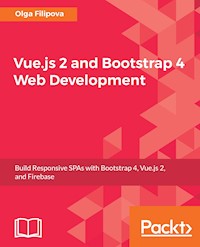
Learn how to combine Bootstrap with Vue.js to build responsive web applications.
About This Book
- Build applications with a good architecture and clean UI with Vue.js and Bootstrap
- Understand Bootstrap components and learn to integrate them with the Vue.js structure
- Build, deploy, and test your code with various utility tools provided by Vue.js
Who This Book Is For
This book is for JavaScript programmers who are new to web frameworks and want to start learning it by developing interactive and responsive web applications.
What You Will Learn
- Create and build web applications using Vue.js, Webpack, and Nuxt.js
- Combine Bootstrap components with Vue.js' power to enrich your web applications with reusable elements
- Connect the Vuex state management architecture to the Firebase cloud backend to persist and manage application data
- Explore the new grid system of Bootstrap 4 along with the far simpler directives in Vue.js
- Test Vue applications using Jest
- Authenticate your application using Bootstrap's forms, Vue.js' reactivity, and Firebase's authentication API
- Deploy your application using Firebase, which provides Backend as a Service
In Detail
In this book, we will build a full stack web application right from scratch up to its deployment.
We will start by building a small introduction application and then proceed to the creation of a fully functional, dynamic responsive web application called ProFitOro. In this application, we will build a Pomodoro timer combined with office workouts. Besides the Pomodoro timer and ProFitOro workouts will enable authentication and collaborative content management. We will explore topics such as Vue reactive data binding, reusable components, routing, and Vuex store along with its state, actions, mutations, and getters. We will create Vue applications using both webpack and Nuxt.js templates while exploring cool hot Nuxt.js features such as code splitting and server-side rendering. We will use Jest to test this application, and we will even revive some trigonometry from our secondary school!
While developing the app, you will go through the new grid system of Bootstrap 4 along with Vue.js' directives. We will connect Vuex store to the Firebase real-time database, data storage, and authentication APIs and use this data later inside the application's reactive components. Finally, we will quickly deploy our application using the Firebase hosting mechanism.
Style and Approach
Step-by-step tutorial
Sie lesen das E-Book in den Legimi-Apps auf:
Seitenzahl: 298
Veröffentlichungsjahr: 2017
Ähnliche

















Table of Contents
Vue.js 2 and Bootstrap 4 Web Development
Vue.js 2 and Bootstrap 4 Web Development
Copyright © 2017 Packt Publishing
All rights reserved. No part of this book may be reproduced, stored in a retrieval system, or transmitted in any form or by any means, without the prior written permission of the publisher, except in the case of brief quotations embedded in critical articles or reviews.
Every effort has been made in the preparation of this book to ensure the accuracy of the information presented. However, the information contained in this book is sold without warranty, either express or implied. Neither the author, nor Packt Publishing, and its dealers and distributors will be held liable for any damages caused or alleged to be caused directly or indirectly by this book.
Packt Publishing has endeavored to provide trademark information about all of the companies and products mentioned in this book by the appropriate use of capitals. However, Packt Publishing cannot guarantee the accuracy of this information.
First published: September 2017
Production reference: 1250917
Published by Packt Publishing Ltd.
Livery Place
35 Livery Street
Birmingham B3 2PB, UK.
ISBN 978-1-78829-092-0
www.packtpub.com
Credits
Author
Olga Filipova
Reviewer
Jan-Christian Nikles
Commissioning Editor
Kunal Chaudhari
Acquisition Editor
Reshma Raman
Content Development Editor
Nikhil Borkar
Technical Editor
Jijo Maliyekal
Copy Editor
Safis Editing
Project Coordinator
Ulhas Kambali
Proofreader
Safis Editing
Indexer
Rekha Nair
Graphics
Abhinash Sahu
Production Coordinator
Melwyn Dsa
Cover Work
Melwyn Dsa
About the Author
Olga Filipova was born in Kyiv, in Ukraine. She grew up in a family of physicists, scientists, and professors. She studied system analysis in the National University of Ukraine Kyiv Polytechnic Institute. At the age of 20, she moved to Portugal, where she did her bachelors' and masters' degrees in computer science from the University of Coimbra. During her studies, she participated in the research and development of European projects and became an assistant teacher of operating systems and computer graphics subjects. After obtaining her masters' degree, she started working at Feedzai. At that time, it was a small team of four, starting the development of a product from scratch, and now, it is one of the most successful Portuguese start-ups. At some point, her main responsibility became to develop a library written in JavaScript whose purpose was to bring data from the engine to the web interface. This marked Olga's main direction in tech: web development. At the same time, she continued her teaching practice, giving a course of professional web development to the local professional education center in Coimbra.
In 2013, along with her brother and her husband, she started an educational project based in Ukraine. This project's name is EdEra and it has grown up from a small platform of online courses into a big player at the Ukrainian educational system scene. Currently, EdEra is moving towards an international direction and preparing an awesome online course about IT. Don't miss it!
In 2014, Olga, with her husband and daughter, moved from Portugal to Berlin, where she started working at Meetrics as a frontend engineer and, after a year, became the team lead of an amazing team of frontend software developers. Currently Olga works in a fintech company called OptioPay as a lead frontend engineer.
Olga is happily married to an awesome guy called Rui, who is also a software engineer. Rui studied with Olga at the university of Coimbra and worked with her at Feedzai. Olga has a smart and beautiful daughter, Taissa, a fluffy cat, Patusca, and two fluffiest chinchillas, Barabashka and Cheburashka.
Acknowledgments
I would like to thank the people and the teams that surround me.
First of all, a huge thank you goes to the Packt team. You are amazing in supporting this process and striving for quality and delivery. Thank you, Nikhil, for being with me all this time and providing me with all the necessary and just-in-time feedback.
My Meetrics team not only gave me an invaluable moral support but also helped me with the book's content. Safi did a UI/UX investigation and helped me with the initial mockups for the application. Jan Christian made a thorough technical review of the book. His deep technical understanding helped me improve the code and his attention to tiny details helped me improve my writing and my way of expressing and approaching some subjects. Thanks a lot!
My EdEra team has given me great help and support. My friends from EdEra Berlin, thank you for helping me with ideas, thank you for listening and brainstorming with me, and thank you for helping me with CSS. Oleg, Jenia, and Nadia, you are awesome!
How can you create a great application if you are a total noob in design? You can't! But if you have friends who can help you with design, you are the happiest person on Earth. Thank you, Vanessa, for helping me with the application design and thank you, Filipe for helping me with its implementation. Thank you, Carina, for the fantastic logo!
Thank you, Marina for your friendship and for being the first person who heard the idea of ProFitOro and encouraged me to go ahead.
Thank you, mom and dad, for being with me and believing in me. Thank you my wonderful brother, Ilia, for being an inspiring example for me. Thank you Ukraine, for being with me in my heart. Thank you Portugal, for being my second Ukraine. Thank you Berlin, for being such a great city that helps people in being creative.
Thank you, my little Taissa, for being the reason for me to work and try my best. I know that you are proud of me, and this is something that drives me.
Thank you, my beloved husband, Rui, for reviewing all my chapters. Thank you for your patience. Thank you for your love.
About the Reviewer
Jan-Christian Nikles had already started tinkering around with computers in his teenage years and had developed a strong passion for it. After graduating from high school, he first followed a different path and studied audio engineering, since music plays a big role in his life.
He worked in this business for several years, mostly in television production. But soon enough, he found his way back to his old passion.
Graduating in media computer science at the Beuth University of Applied Science, Berlin, in 2013, Jan worked in multiple companies—agency work, early-stage start-ups, and, most recently, at Meetrics. While coming from a fullstack background originally, he specialized in frontend development with cutting-edge technologies. The fast paced JavaScript ecosystem both overwhelmed and fascinated him, but his fascination lasted eventually. He saw the whole thing starting from Vanilla JS, over the big, messy jQuery era, leading to very sophisticated frameworks that make JavaScript development such a pleasure these days. Jan lives and works in Berlin, Germany, always looking for new and interesting projects.
www.PacktPub.com
eBooks, discount offers, and more
Did you know that Packt offers eBook versions of every book published, with PDF and ePub files available? You can upgrade to the eBook version at www.PacktPub.com and as a print book customer, you are entitled to a discount on the eBook copy. Get in touch with us at <[email protected]> for more details.
At www.PacktPub.com, you can also read a collection of free technical articles, sign up for a range of free newsletters and receive exclusive discounts and offers on Packt books and eBooks.
https://www.packtpub.com/mapt
Get the most in-demand software skills with Mapt. Mapt gives you full access to all Packt books and video courses, as well as industry-leading tools to help you plan your personal development and advance your career.
Why subscribe?
Customer Feedback
Thanks for purchasing this Packt book. At Packt, quality is at the heart of our editorial process. To help us improve, please leave us an honest review.
If you'd like to join our team of regular reviewers, you can e-mail us at <[email protected]>. We award our regular reviewers with free eBooks and videos in exchange for their valuable feedback. Help us be relentless in improving our products!
I dedicate this book to my daughter, Taissa.
Preface
This book is about web development using Vue.js, Bootstrap, and Firebase. We will start with a simple tutorial, followed by the detailed explanation of it, and then, we will create a fully functional application from scratch. The application itself is a simple Pomodoro timer with integrated office workouts during the Pomodoro breaks. Throughout the book, you will go through the whole software development process, starting from the definition of requirements, user stories, and mockups, proceeding to the basic scaffolding, and followed by enriching the application with complex features such as authentication, routing, collaborative content, and finishing thorough testing and deployment. You will learn how to use Firebase to implement the authentication and storage for your Vue application and, in the end, how to deploy it. You will enjoy using Bootstrap along with your Vue application in order to easily implement complex components and achieve their responsiveness. You will revisit your trigonometry knowledge by having fun in using it with SVG and Vue.js to build a reactive timer component. So, technology-wise, we will cover as the following topics:
In the end, you will have your fully functional and fun Pomodoro application ready to use on a daily basis and to keep you fit at your workplace.
What this book covers
Chapter 1, Please Introduce Yourself, covers a tutorial that implements a "Hello, I am <name>" page. It uses Vue.js, combined with Bootstrap, for the basic form and Firebase for basic storage.
Chapter 2, Under the Hood - Tutorial Explained, explains the technologies used in the first chapter—Vue.js, Bootstrap, and Firebase. Not only does it cover each framework or service but it also explains how these tools can work together.
Chapter 3, Let's Get Started, describes what is going to be implemented during the course of the book. It describes the application and its requirements. It contains some user stories and defines the functionality of the application.
Chapter 4, Let It Pomodoro!, covers the bootstrapping phase of the Vue.js application using the Webpack loader. It adds the basic functionality to the Pomodoro timer. It also explains how to use Bootstrap's grid along with basic Vue.js directives.
Chapter 5, Configuring Your Pomodoro, enriches the application with configuration and personalization. It also covers data storage and retrieval mechanisms using the Firebase database and the Vuex state management architecture. It covers the usage of Bootstrap modals and forms along with the component system of Vue.js.
Chapter 6, Please Authenticate!, adds the authentication based on the Firebase auth API to the application. On the visualization layer, it explains how to build forms powered by Bootstrap.
Chapter 7, Adding a Menu and Routing Functionality Using vue-router and Nuxt.js, explains how to embed the navigation menu into the application using Bootstrap's elements and a routing functionality with the Vue router. It also describes how to use nuxt.js in order to achieve server-side rendering, code splitting, and routing in Vue applications.
Chapter 8, Let's Collaborate – Adding New Workouts Using Firebase Data Storage and Vue.js, adds collaborative content to the application. Again, it uses Bootstrap-powered forms, Vue.js to add reactivity to these forms, and Firebase to store the collaborative content.
Chapter 9, Test Test and Test, describes how to add unit and end-to-end tests to the Vue.js application.
Chapter 10, Deploying Using Firebase, covers the process of deployment of the application using the Firebase hosting solution.
What you need for this book
The requirements for this book are as follows:
Who this book is for
This book is for web developers or for someone who wants to become one. You will build a full-stack web application from scratch until its deployment. Even if you are an experienced programmer, you will probably find something new for yourself. If you are working with Vue.js, you will find out how to connect a Vue.js application to the Google Firebase backend. If you work with Bootstrap, you will learn how nicely it plays along with a Vue.js application. If you already work with Vue.js, Bootstrap, and Firebase, you will find out how to leverage the power of these three things to easily build complex applications. If you already use these technologies together, you will have fun building yet another application during the course of this book.
Conventions
In this book, you will find a number of text styles that distinguish between different kinds of information. Here are some examples of these styles and an explanation of their meaning.
Code words in text, database table names, folder names, filenames, file extensions, pathnames, dummy URLs, user input, and Twitter handles are shown as follows: " Now run npm install inside the newly created directory "
A block of code is set as follows:
When we wish to draw your attention to a particular part of a code block, the relevant lines or items are set in bold:
Any command-line input or output is written as follows:
New terms and important words are shown in bold. Words that you see on the screen, for example, in menus or dialog boxes, appear in the text like this: "Clicking the Next button moves you to the next screen."
Note
Warnings or important notes appear in a box like this.
Tip
Tips and tricks appear like this.
Reader feedback
Feedback from our readers is always welcome. Let us know what you think about this book—what you liked or disliked. Reader feedback is important for us as it helps us develop titles that you will really get the most out of.
To send us general feedback, simply e-mail <[email protected]>, and mention the book's title in the subject of your message.
If there is a topic that you have expertise in and you are interested in either writing or contributing to a book, see our author guide at www.packtpub.com/authors.
Customer support
Now that you are the proud owner of a Packt book, we have a number of things to help you to get the most from your purchase.
Downloading the example code
You can download the example code files for this book from your account at http://www.packtpub.com. If you purchased this book elsewhere, you can visit http://www.packtpub.com/support and register to have the files e-mailed directly to you.
You can download the code files by following these steps:
You can also download the code files by clicking on the Code Files button on the book's webpage at the Packt Publishing website. This page can be accessed by entering the book's name in the Search box. Please note that you need to be logged in to your Packt account.
Once the file is downloaded, please make sure that you unzip or extract the folder using the latest version of:
The code bundle for the book is also hosted on GitHub at https://github.com/PacktPublishing/Vue.js-2-and-Bootstrap-4-Web-Development. We also have other code bundles from our rich catalog of books and videos available at https://github.com/PacktPublishing/. Check them out!
Downloading the color images of this book
We also provide you with a PDF file that has color images of the screenshots/diagrams used in this book. The color images will help you better understand the changes in the output. You can download this file from https://www.packtpub.com/sites/default/files/downloads/Vuejs2andBootstrap4WebDevelopment_ColorImages.pdf.
Errata
Although we have taken every care to ensure the accuracy of our content, mistakes do happen. If you find a mistake in one of our books—maybe a mistake in the text or the code—we would be grateful if you could report this to us. By doing so, you can save other readers from frustration and help us improve subsequent versions of this book. If you find any errata, please report them by visiting http://www.packtpub.com/submit-errata, selecting your book, clicking on the Errata Submission Form link, and entering the details of your errata. Once your errata are verified, your submission will be accepted and the errata will be uploaded to our website or added to any list of existing errata under the Errata section of that title.
To view the previously submitted errata, go to https://www.packtpub.com/books/content/support and enter the name of the book in the search field. The required information will appear under the Errata section.
Piracy
Piracy of copyrighted material on the Internet is an ongoing problem across all media. At Packt, we take the protection of our copyright and licenses very seriously. If you come across any illegal copies of our works in any form on the Internet, please provide us with the location address or website name immediately so that we can pursue a remedy.
Please contact us at <[email protected]> with a link to the suspected pirated material.
We appreciate your help in protecting our authors and our ability to bring you valuable content.
Questions
If you have a problem with any aspect of this book, you can contact us at <[email protected]>, and we will do our best to address the problem.
Chapter 1. Please Introduce Yourself – Tutorial
Hello, user
Hello dear reader, my name is Olga. Would you like to introduce yourself as well? Open https://pleaseintroduceyourself.xyz/ and leave a message for me and the other readers.
The page itself doesn't look like anything special. It's just a web page that allows users to write a message, and then, this message is immediately displayed along with the other users' messages in a reverse chronological order:
The please introduce yourself page
Do you want to know how long it took me to create this page? It took me around half an hour, and I am not only talking about writing the HTML markup or reversing the order of the messages but also about the database setup, deployment, and hosting.
You probably noticed that the very first message never changes, and it's actually my message where I wrote that I love to learn and teach. This is indeed true. That's why I will devote this chapter to teaching you how to create the exact same page in just 15 minutes. Are you ready? Let's go!
Creating a project in the Firebase console
If you still don't have a Google account but you really want to continue with this tutorial, then well, I am really sorry, but you will have to create one this time. Firebase is a service powered by Google, so a Google account is more than required.
If you already have your account, log in to the Firebase console:
https://console.firebase.google.com/.
Let's start by creating your new Firebase project. Click on the Add project button. Give it a meaningful name and select your country from the list. Once you are done, click on CREATE PROJECT:
Create a project using the Firebase console
You're done! Now, you can use the Firebase-powered backend for your application, including a real-time database, authentication mechanism, hosting, and analytics.
Adding a first entry to the Firebase application database
Let's add the first database entry. Click on the Database tab on the left-hand side. You should see a dashboard similar to this one:
Real-time database on the Firebase project dashboard
Let's add an entry called messages and the very first message as a key-value object containing title, text, and timestamp by clicking on the plus sign:
Adding the first value to the Firebase real-time database
Click on the ADD button, and your database will persist the added entry. Add as many message entries as you wish or leave it like that. Now, for the sake of simplicity, let's change the rules of our database and make it readable and writable for everyone. Beware! Never do this for something in production for public usage. In this example, we just want to test some Firebase features, but your future applications must be smart and secure. Click on the RULES tab and type the following rules in the opened text area:
So, your RULES tab now looks like this:
Rules tab after changing the rules
Click on the PUBLISH button and you're done! Now, it would be interesting to start using this data within our application. However, first we have to create this application and connect it to our project.
Adding a Bootstrap-powered markup
Let's add basic styling to our application by adding Bootstrap and using its classes.
First of all, let's include Bootstrap's CSS and JS files from Bootstrap's CDN. We will use the upcoming version 4, which is still in alpha. Open the index.html file and add the necessary link and script tags inside the <head> section:
You've probably noticed that I added jQuery and Tether dependencies as well; this is because Bootstrap depends on them.
Now, we can use Bootstrap classes and components in our application. Let's start by adding a bit of styling using Bootstrap's classes.
I will wrap the whole app div tag into the jumbotron class, and then, I will wrap the content of it into the container class. So, the template will look a bit different:
Check out the page; doesn't it look different? Now, I would like to wrap up the content of each message into the card class. Cards seem to be an appropriate container for this kind of things. Check out the official Bootstrap documentation regarding cards at https://v4-alpha.getbootstrap.com/components/card/. I will add div tag with a card-group class and put all the cards with messages inside this container. Thus, I don't need to be worried about the positioning and layout. Everything becomes responsive just by itself! So, the markup for the messages will look like this:
Check out the page. It's almost looking nice! In a few steps, we were able to nicely display the messages that are stored in our Firebase database. Try to add another message using the Firebase real-time database dashboard. Keep the web page open! Fill in the Firebase database fields:
Adding an entry to the Firebase database
Now, click on the ADD button. The new message automatically appears on your web page:
Once we click on the ADD button, the new message immediately appears on our web page
Isn't it great? Now, we can add as many messages as we want. We can also delete them and manipulate them, and all changes will be automatically propagated to our web page. This is pretty nice, but do we really want to keep playing with our backend database to see something changing on the web page? Of course, not! We want the users of our page to be able to add their messages using our page and not our database dashboard. Let's go back to our Vue.js application and add a form that will allow us to add new messages.
Adding a form using Bootstrap
Let's add a simple form to our application that will enable us to add new messages to our message board. Check Bootstrap's documentation regarding forms at https://v4-alpha.getbootstrap.com/components/forms/.
Let's add a form just before the list of messages. This form will contain the input for the title, the text area for the message, and the submit button. It will look like this:
Look at the page. Doesn't look that beautiful, does it?
Our form doesn't look so beautiful
In fact, let's be honest, it just looks ugly! However, with Bootstrap classes, it is really easy to fix it. If we add the form-control class to the input and textarea elements, the form-group class to each div tag that surrounds these elements, and probably the btn btn-primary class to the submit button…well, we will have something nicer!
The form looks really nice with the Bootstrap classes
OK, so now we have a nice-looking form, but if we try to fill it out, nothing will happen. We have to make it functional, and for that, we will use the power of Vue.js.
Making things functional with Vue.js
So, what do we want to achieve with our form? We want the new message to be created. This message has to be composed of title, text, and the timestamp. We also want to add this message to our messages reference array.
Let's call this new message newMessage and add it to the data attributes of App.vue:
Now, let's bind the title and the text of this newMessage object to input and textarea of our form. Let's also bind a method called addMessage to the submit handler of our form so that the whole form's markup looks like this:
Well, we have bound the "addMessage" method to the submit callback of the form, but we haven't defined this method yet! So, let's define it. Add the methods




