


23,99 €
Mehr erfahren.
- Herausgeber: Packt Publishing
- Kategorie: Wissenschaft und neue Technologien
- Sprache: Englisch
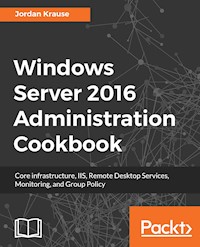
This book contains more than 65 recipes that will equip you with what you need to know to work with Windows 2016 Server. This book will help you learn how to administrate your Windows Server for optimal performance.
Key Features
A focussed guide to help you with the core functionalities of Windows Server 2016
Explore tasks that will help you build a datacenter from scratch using Windows Server 2016
Step-by-step instructions for common Windows Server administration duties
Book Description
Windows Server 2016 is an operating system designed to run on servers. It supports enterprise-level data storage, communications, management, and applications. This book contains specially selected, detailed help on core, essential administrative tasks of Windows Server 2016.
This book starts by helping you to navigate the interface of Windows Server 2016, and quickly shifts gears to implementing roles that are necessarily in any Microsoft-centric datacenter.
This book will also help you leverage the web services platform built into Windows Server 2016, available to anyone who runs this latest and greatest Server operating system. Further, you will also learn to compose optimal Group Policies and monitor system performance and IP address management.
This book will be a handy quick-reference guide for any Windows Server administrator, providing easy to read, step-by-step instructions for many common administrative tasks that will be part of any Server Administrator’s job description as they administer their Windows Server 2016 powered servers.
The material in the book has been selected from the content of Packt's Windows Server 2016 Cookbook by Jordan Krause to provide a specific focus on key Windows Server administration tasks.
What you will learn
-
- Become skilled in the navigation of Windows Server 2016, and explore the technologies and options that it provides
- Build the infrastructure required for a successful Windows Server network
- Move away from those open-source web server platforms and start migrating your websites to Server 2016's Internet Information Services today
- Provide a centralized point for users to access applications and data by confguring Remote Desktop Services
- Compose optimal Group Policies
Who this book is for
This book is for system administrators or IT professionals who want the skills to manage and maintain the core infrastructure of a Windows Server 2016 environment. Prior experience in Windows Server 2012 R2 environments will be helpful.
Jordan Krause is a six-time Microsoft MVP, currently awarded in the Cloud and Datacenter Management category. He has the unique opportunity to work daily with the Microsoft networking and remote access technologies as a Senior Engineer at IVO Networks. Jordan specializes in Microsoft DirectAccess and Always On VPN. Committed to continuous learning, Jordan holds Microsoft certifications as an MCP, MCTS, MCSA, and MCITP Enterprise Administrator, and regularly writes articles reflecting his experiences with these technologies. Jordan lives and works in beautiful west Michigan (USA).Sie lesen das E-Book in den Legimi-Apps auf:
Seitenzahl: 240
Veröffentlichungsjahr: 2018
Ähnliche











Windows Server 2016 Administration Cookbook
Copyright © 2018 Packt Publishing
All rights reserved. No part of this book may be reproduced, stored in a retrieval system, or transmitted in any form or by any means, without the prior written permission of the publisher, except in the case of brief quotations embedded in critical articles or reviews.
Every effort has been made in the preparation of this book to ensure the accuracy of the information presented. However, the information contained in this book is sold without warranty, either express or implied. Neither the author(s), nor Packt Publishing or its dealers and distributors, will be held liable for any damages caused or alleged to have been caused directly or indirectly by this book.
Packt Publishing has endeavored to provide trademark information about all of the companies and products mentioned in this book by the appropriate use of capitals. However, Packt Publishing cannot guarantee the accuracy of this information.
Commissioning Editor: Vijin BorichaAcquisition Editor:Vinay ArgekarContent Development Editor:Aditi GourTechnical Editor: Sushmeeta JenaCopy Editor: Safis EditingProject Coordinator: Hardik BhindeProofreader: Safis EditingIndexer: Pratik ShirodkarGraphics:Jason MonteiroProduction Coordinator:Arvindkumar Gupta
First published: April 2018
Production reference: 1190418
Published by Packt Publishing Ltd. Livery Place 35 Livery Street Birmingham B3 2PB, UK.
ISBN 978-1-78913-593-0
www.packtpub.com
Why subscribe?
Spend less time learning and more time coding with practical eBooks and Videos from over 4,000 industry professionals
Improve your learning with Skill Plans built especially for you
Get a free eBook or video every month
Mapt is fully searchable
Copy and paste, print, and bookmark content
PacktPub.com
Did you know that Packt offers eBook versions of every book published, with PDF and ePub files available? You can upgrade to the eBook version at www.PacktPub.com and as a print book customer, you are entitled to a discount on the eBook copy. Get in touch with us at [email protected] for more details.
At www.PacktPub.com, you can also read a collection of free technical articles, sign up for a range of free newsletters, and receive exclusive discounts and offers on Packt books and eBooks.
Contributors
About the author
Jordan Krause is a six-time Microsoft MVP, currently awarded in the Cloud and Datacenter Management category. He has the unique opportunity to work daily with the Microsoft networking and remote access technologies as a Senior Engineer at IVO Networks. Jordan specializes in Microsoft DirectAccess and Always On VPN. Committed to continuous learning, Jordan holds certifications as an MCP, MCTS, MCSA, and MCITP Enterprise Administrator, and regularly writes articles reflecting his experiences with these technologies. Jordan lives and works in beautiful west Michigan (USA).
About the reviewer
Florian Klaffenbach is a solutions architect and consultant for Microsoft Infrastructure and cloud, specialized in Microsoft Hyper-V, Fileservices, System Center Virtual Machine Manager, and Microsoft Azure IaaS. He is also a cochairman of the Azure Community Germany. In April 2016, Microsoft awarded Florian the Microsoft Most Valued Professional for Cloud and Datacenter Management. Currently, he is working at MSG service AG as a senior consultant of Microsoft cloud infrastructure. He has also worked on many books by Packt Publishing.
Packt is searching for authors like you
If you're interested in becoming an author for Packt, please visit authors.packtpub.com and apply today. We have worked with thousands of developers and tech professionals, just like you, to help them share their insight with the global tech community. You can make a general application, apply for a specific hot topic that we are recruiting an author for, or submit your own idea.
Table of Contents
Title Page
Copyright and Credits
Windows Server 2016 Administration Cookbook
Packt Upsell
Why subscribe?
PacktPub.com
Contributors
About the author
About the reviewer
Packt is searching for authors like you
Preface
Who this book is for
What this book covers
To get the most out of this book
Download the color images
Conventions used
Get in touch
Reviews
Bibliography
Learning the Interface
Introduction
Shutting down or restarting the server
Getting ready
How to do it...
How it works...
Launching Administrative Tools
Getting ready
How to do it...
How it works...
Using WinKey + X for quick admin tasks
Getting ready
How to do it...
How it works...
Using the search function to launch applications quickly
Getting ready
How to do it...
How it works...
Managing remote servers from a single pane with Server Manager
Getting ready
How to do it...
How it works...
See also
Using PowerShell to accomplish any function in Windows Server
Getting ready
How to do it...
How it works...
Installing a role or feature
Getting ready
How to do it...
How it works...
Administering Server 2016 from a Windows 10 machine
Getting ready
How to do it...
How it works...
See also
Identifying useful keyboard shortcuts in Server 2016
Getting ready
How to do it...
How it works...
Setting your PowerShell Execution Policy
Getting ready
How to do it...
How it works...
Building and executing your first PowerShell script
Getting ready
How to do it...
How it works...
Searching for PowerShell cmdlets with Get-Help
Getting ready
How to do it...
How it works...
Core Infrastructure Tasks
Introduction
Configuring a combination Domain Controller, DNS server, and DHCP server
Getting ready
How to do it...
How it works...
See also
Adding a second Domain Controller
Getting ready
How to do it...
How it works...
Organizing your computers with Organizational Units
Getting ready
How to do it...
How it works...
Creating an A or AAAA record in DNS
Getting ready
How to do it...
How it works...
See also
Creating and using a CNAME record in DNS
Getting ready
How to do it...
How it works...
See also
Creating a DHCP scope to assign addresses to computers
Getting ready
How to do it...
How it works...
Creating a DHCP reservation for a specific server or resource
Getting ready
How to do it...
How it works...
Pre-staging a computer account in Active Directory
Getting ready
How to do it...
How it works...
Using PowerShell to create a new Active Directory user
Getting ready
How to do it...
How it works...
See also
Using PowerShell to view system uptime
Getting ready
How to do it...
How it works...
Internet Information Services
Introduction
Installing the Web Server role with PowerShell
Getting ready
How to do it...
How it works...
See also
Launching your first website
Getting ready
How to do it...
How it works...
Changing the port on which your website runs
Getting ready
How to do it...
How it works...
Adding encryption to your website
Getting ready
How to do it...
How it works...
Using a Certificate Signing Request to acquire your SSL certificate
Getting ready
How to do it...
How it works...
Moving an SSL certificate from one server to another
Getting ready
How to do it...
How it works...
Rebinding your renewed certificates automatically
Getting ready
How to do it...
How it works...
Hosting multiple websites on your IIS server
Getting ready
How to do it...
How it works...
Using host headers to manage multiple websites on a single IP address
Getting ready
How to do it...
How it works...
Remote Desktop Services
Introduction
Building a single server Remote Desktop Services environment
Getting ready
How to do it...
How it works...
Adding an additional RDSH server to your RDS environment
Getting ready
How to do it...
How it works...
Installing applications on a Remote Desktop Session Host server
Getting ready
How to do it...
How it works...
Disabling the redirection of local resources
Getting ready
How to do it...
How it works...
Shadowing another session in RDS
Getting ready
How to do it...
How it works...
Installing a printer driver to use with redirection
Getting ready
How to do it...
How it works...
Removing an RD Session Host server from use for maintenance
Getting ready
How to do it...
How it works...
Publishing WordPad with RemoteApp
Getting ready
How to do it...
How it works...
Tracking user logins with Logon/Logoff scripts
Getting ready
How to do it...
How it works...
Monitoring and Backup
Introduction
Using Server Manager as a quick monitoring tool
Getting ready
How to do it...
How it works...
Using the new Task Manager to its full potential
Getting ready
How to do it...
How it works...
Evaluating system performance with Windows Performance Monitor
Getting ready
How to do it...
How it works...
Using Format-List to modify PowerShell data output
Getting ready
How to do it...
How it works...
Configuring a full system backup using Windows Server Backup
Getting ready
How to do it...
How it works...
Recovering data from a Windows backup file
Getting ready
How to do it...
How it works...
Using IP Address Management to keep track of your used IP addresses
Getting ready
How to do it...
How it works...
Checking for viruses in Windows Server 2016
Getting ready
How to do it...
How it works...
Group Policy
Introduction
Creating and assigning a new Group Policy Object
Getting ready
How to do it...
How it works...
Mapping network drives with Group Policy
Getting ready
How to do it...
How it works...
Redirecting the My Documents folder to a network share
Getting ready
How to do it...
How it works...
Creating a VPN connection with Group Policy
Getting ready
How to do it...
How it works...
Creating a printer connection with Group Policy
Getting ready
How to do it...
How it works...
Using Group Policy to enforce an Internet proxy server
Getting ready
How to do it...
How it works...
Viewing the settings currently enabled inside a GPO
Getting ready
How to do it...
How it works...
See also
Viewing the GPOs currently assigned to a computer
Getting ready
How to do it...
How it works...
See also
Backing up and restoring GPOs
Getting ready
How to do it...
How it works...
See also
Plugging in ADMX and ADML templates
Getting ready
How to do it...
How it works...
Other Books You May Enjoy
Leave a review - let other readers know what you think
Preface
Microsoft is the clear leader of server racks in enterprise data centers across the globe. Walk into any backroom or data center of any company and you are almost guaranteed to find the infrastructure of that organization being supported by the Windows Server operating system. We have been relying on Windows Server for more than 20 years, and rightfully so- –nowhere else can you find such an enormous mix of capabilities all provided inside one installer disc. Windows Server 2016 continues to provide the core functionality that we have




