


23,99 €
Mehr erfahren.
- Herausgeber: Packt Publishing
- Kategorie: Wissenschaft und neue Technologien
- Sprache: Englisch
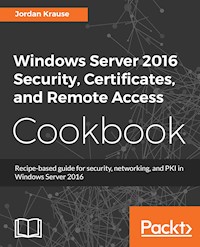
This book contains more than 25 hands-on recipes that will equip you to build a PKI and roll out remote access capabilities via Microsoft DirectAccess and VPN. This book also contains tips and tricks for increasing the security footprint of your Windows Server infrastructure.
Key Features
- Identify and mitigate security risks in your Windows Server 2016 infrastructure
- Learn how to build a PKI and use it to issue certificates within your network
- In-depth information for setting up Microsoft DirectAccess
Book Description
Windows Server 2016 is an operating system designed to run on today’s highly performant servers, both on-premise and in the cloud. It supports enterprise-level data storage, communications, management, and applications. This book builds off a basic knowledge of the Windows Server operating system, and assists administrators with taking the security of their systems one step further.
You will learn tips for configuring proper networking, especially on multi-homed systems, and tricks for locking down access to your servers.
Then you will move onto one of the hottest security topics of the year – certificates. You will learn how to build your own PKI, or how to better administer one that you already have. You will publish templates, issue certificates, and even configure autoenrollment in your network.
When we say “networking” we don’t only mean inside the LAN. To deal safely with mobile devices, you will learn about the capabilities of Windows Server 2016 for connecting these assets securely back into the corporate network, with information about DirectAccess and VPN.
The material in the book has been selected from the content of Packt's Windows Server 2016 Cookbook by Jordan Krause to provide a specific focus on these key Windows Server tasks.
What you will learn
- Implement solid networking and security practices into your Windows Server environment
- Design your own PKI and start issuing certificates today
- Connect your remote laptops back to the corporate network using Microsoft's own remote access technologies, including DirectAccess
- Learn to use commands that will help you with monitoring network traffic.
- Build and explore your first Server Core instance today!
Who this book is for
If you are a Windows Server administrator interested in learning the key security and networking functions available in Windows Server 2016, keep this book close at hand. If you are a server administrator setting up certificate services for the first time you will also benefit from the step-by-step instructions on implementation of a PKI.
Jordan Krause is a six-time Microsoft MVP, currently awarded in the Cloud and Datacenter Management category. He has the unique opportunity to work daily with the Microsoft networking and remote access technologies as a Senior Engineer at IVO Networks. Jordan specializes in Microsoft DirectAccess and Always On VPN. Committed to continuous learning, Jordan holds Microsoft certifications as an MCP, MCTS, MCSA, and MCITP Enterprise Administrator, and regularly writes articles reflecting his experiences with these technologies. Jordan lives and works in beautiful west Michigan (USA).Sie lesen das E-Book in den Legimi-Apps auf:
Seitenzahl: 153
Veröffentlichungsjahr: 2018
Ähnliche
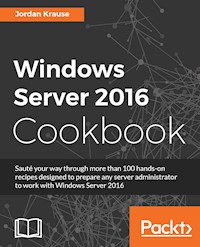










Windows Server 2016 Security, Certificates, and Remote Access Cookbook
Copyright © 2018 Packt Publishing
All rights reserved. No part of this book may be reproduced, stored in a retrieval system, or transmitted in any form or by any means, without the prior written permission of the publisher, except in the case of brief quotations embedded in critical articles or reviews.
Every effort has been made in the preparation of this book to ensure the accuracy of the information presented. However, the information contained in this book is sold without warranty, either express or implied. Neither the author(s), nor Packt Publishing or its dealers and distributors, will be held liable for any damages caused or alleged to have been caused directly or indirectly by this book.
Packt Publishing has endeavored to provide trademark information about all of the companies and products mentioned in this book by the appropriate use of capitals. However, Packt Publishing cannot guarantee the accuracy of this information.
Commissioning Editor: Vijin BorichaAcquisition Editor:Vinay ArgekarContent Development Editor:Aditi GourTechnical Editor: Sushmeeta JenaCopy Editor: Safis EditingProject Coordinator: Hardik BhindeProofreader: Safis EditingIndexer:Aishwarya GangawaneGraphics: Disha HariaProduction Coordinator:Deepika Naik
First published: April 2018
Production reference: 1250418
Published by Packt Publishing Ltd. Livery Place 35 Livery Street Birmingham B3 2PB, UK.
ISBN 978-1-78913-767-5
www.packtpub.com
Mapt is an online digital library that gives you full access to over 5,000 books and videos, as well as industry leading tools to help you plan your personal development and advance your career. For more information, please visit our website.
Why subscribe?
Spend less time learning and more time coding with practical eBooks and Videos from over 4,000 industry professionals
Improve your learning with Skill Plans built especially for you
Get a free eBook or video every month
Mapt is fully searchable
Copy and paste, print, and bookmark content
PacktPub.com
Did you know that Packt offers eBook versions of every book published, with PDF and ePub files available? You can upgrade to the eBook version at www.PacktPub.com and as a print book customer, you are entitled to a discount on the eBook copy. Get in touch with us at [email protected] for more details.
At www.PacktPub.com, you can also read a collection of free technical articles, sign up for a range of free newsletters, and receive exclusive discounts and offers on Packt books and eBooks.
About the author
Jordan Krause is a six-time Microsoft MVP, currently awarded in the Cloud and Datacenter Management category. He has the unique opportunity to work daily with the Microsoft networking and remote access technologies as a Senior Engineer at IVO Networks. Jordan specializes in Microsoft DirectAccess and Always On VPN. Committed to continuous learning, Jordan holds certifications as an MCP, MCTS, MCSA, and MCITP Enterprise Administrator, and regularly writes articles reflecting his experiences with these technologies. Jordan lives and works in beautiful west Michigan (USA).
About the reviewer
Florian Klaffenbach is a solutions architect and consultant for Microsoft Infrastructure and cloud, specialized in Microsoft Hyper-V, Fileservices, System Center Virtual Machine Manager, and Microsoft Azure IaaS. He is also a cochairman of the Azure Community Germany. In April 2016, Microsoft awarded Florian the Microsoft Most Valued Professional for Cloud and Datacenter Management. Currently, he is working at MSG service AG as a senior consultant of Microsoft cloud infrastructure. He has also worked on many books by Packt Publishing.
Packt is searching for authors like you
If you're interested in becoming an author for Packt, please visit authors.packtpub.com and apply today. We have worked with thousands of developers and tech professionals, just like you, to help them share their insight with the global tech community. You can make a general application, apply for a specific hot topic that we are recruiting an author for, or submit your own idea.
Table of Contents
Title Page
Copyright and Credits
Windows Server 2016 Security, Certificates, and Remote Access Cookbook
Packt Upsell
Why subscribe?
PacktPub.com
Contributors
About the author
About the reviewer
Packt is searching for authors like you
Preface
Who this book is for
What this book covers
To get the most out of this book
Download the color images
Conventions used
Get in touch
Reviews
Security and Networking
Introduction
Requiring complex passwords in your network
Getting ready
How to do it...
How it works...
Using Windows Firewall with Advanced Security to block unnecessary traffic
Getting ready
How to do it...
How it works...
Changing the RDP port on your server to hide access
Getting ready
How to do it...
How it works...
Multi-homing your Windows Server 2016
Getting ready
How to do it...
How it works...
See also
Adding a static route into the Windows routing table
Getting ready
How to do it...
How it works...
Using Telnet to test a connection and network flow
Getting ready
How to do it...
How it works...
Using the Pathping command to trace network traffic
Getting ready
How to do it...
How it works...
Setting up NIC Teaming
Getting ready
How to do it...
How it works...
Renaming and domain joining via PowerShell
Getting ready
How to do it...
How it works...
See also
Building your first Server Core
Getting ready
How to do it...
How it works...
Working with Certificates
Introduction
Setting up the first certification authority server in a network
Getting ready
How to do it...
How it works...
See also
Building a Subordinate certification authority server
Getting ready
How to do it...
How it works...
See also
Creating a certificate template to prepare for issuing machine certificates to your clients
Getting ready
How to do it...
How it works...
Publishing a certificate template to allow enrollment
Getting ready
How to do it...
How it works...
Using MMC to request a new certificate
Getting ready
How to do it...
How it works...
Using the web interface to request a new certificate
Getting ready
How to do it...
How it works...
Configuring Autoenrollment to issue certificates to all domain joined systems
Getting ready
How to do it...
How it works...
Renewing your root certificate
Getting ready
How to do it...
How it works...
Remote Access
Introduction
DirectAccess planning question and answers
Configuring DirectAccess, VPN, or a combination of the two
Getting ready
How to do it...
How it works...
Pre-staging Group Policy Objects to be used by DirectAccess
Getting ready
How to do it...
How it works...
Enhancing the security of DirectAccess by requiring certificate authentication
Getting ready
How to do it...
How it works...
Building your Network Location Server on its own system
Getting ready
How to do it...
How it works...
Enabling Network Load Balancing on your DirectAccess servers
Getting ready
How to do it...
How it works...
Adding VPN to your existing DirectAccess server
Getting ready
How to do it...
How it works...
Replacing your expiring IP-HTTPS certificate
Getting ready
How to do it...
How it works...
Reporting on DirectAccess and VPN connections
Getting ready
How to do it...
How it works...
Other Books You May Enjoy
Leave a review - let other readers know what you think
Preface
Microsoft is the clear leader of server racks in enterprise data centers across the globe. Walk into any backroom or data center of any company and you are almost guaranteed to find the infrastructure of that organization being supported by the Windows Server operating system. We have been relying on Windows Server for more than 20 years, and rightfully so-–nowhere else can you find such an enormous mix of capabilities all provided inside one installer disc. Windows Server 2016 continues to provide the core functionality that we have come to rely upon from all previous versions of Windows Server, but in better and more efficient ways. On top of that, we have some brand new capabilities in Server 2016 that are particularly mind-bending, new ways to accomplish more efficient and secure handling of our network traffic and data.
There is a relevant question mixed into all this server talk, "We hear so much about the cloud. Isn't everyone moving to the cloud? If so, why would we even need Windows Server 2016 in our company?" There are two different ways to answer this question, and both result in having huge benefits to knowing and understanding this newest version of Windows Server. First, there really aren't that many companies moving all of their equipment into the cloud. In fact, I have yet to meet any business with more than 10 employees who has gone all-in for the cloud. In almost all cases, it still makes sense that you would use at least one on premise server to manage local user account authentication, or DHCP, or print services, or for a local file server—the list goes on and on. Another reason companies aren't moving to the cloud like you might think they are is security. Sure, we might throw some data and some user accounts to the cloud to enable things like federation and ease of accessing that data, but what about sensitive or classified company data? You don't own your data if it resides in the cloud—you don't even have the capability to manage the backend servers that are actually storing that data alongside data from other companies. How can you be guaranteed of your data's security and survival? The ultimate answer is that you cannot, though there are steps being made in this direction. This alone keeps many folks that I have talked to away from moving some of their information to a cloud service provider.
The second reason it is still important to build knowledge on the Windows Server platform is that even if you have made the decision to move everything to the cloud, what server platform will you be running in the cloud that you now have to log into and administer? If you are using Azure for cloud services, there is a very good chance that you will be logging into Windows Server 2016 instances in order to administer your environment, even if those Server 2016 boxes are sitting in the cloud. So whether you have on premise servers, or you are managing servers sitting in the cloud somewhere, learning all you can about the new Windows Server 2016 operating system will be beneficial to your day job in IT.
When I first learned of the opportunity to put together this book, it was a difficult task to assemble an outline of possible recipes. Where to begin? There are so many different roles that can be run in Windows Server 2016, and so many tasks within each role that could be displayed. It was a natural reaction to start looking for all of the things that are brand new in Server 2016, and to want to talk only about recipes that display the latest and greatest features. But then I realized that those recipes on their own won't accomplish anything helpful for someone who is trying to learn about Windows Server administration for the first time. It is critical that we provide a base understanding of the important infrastructural roles that are commonly provided by Windows Server, because without that baseline the newest features won't amount to a hill of beans.
The recipes within this shortened volume are all accomplished using Windows Server 2016, but most companies still have a mix of 2016/2012R2/2012, and even 2008R2. Many of the recipes contained within can be beneficial to all of those server operating systems, helping you to strengthen security for all of your equipment and data. I hope that this book can also be a quick-reference guide that you keep near your desk into the future until you are fully versed and comfortable navigating around the new interface. Some recipes are clearly for the beginner, while others get deeper into the details so that someone already experienced with working inside Windows Server will gain some new knowledge out of reading this book. We will discuss some networking functions, and detail some security tasks that you can utilize to lock down your servers. Next covered is the very important topic of PKI and certificate distribution. Certificates are an extremely powerful tool for securing traffic and data on a network, it is vital that any server administrator understand how to utilize the Certification Authority role inside Windows Server. We will also walk through recipes regarding Microsoft's offerings in the Remote Access space, namely DirectAccess and VPN as you can use both of these roles to strengthen the security footprint of your enterprise.
A primary goal of this cookbook is to be a reference guide that you can come back to time and again when you need to accomplish common tasks in your environment, but want to ensure that you are performing them the right way. I hope that through these chapters you are able to become comfortable enough with Windows Server 2016 that you will go out and install it today!
Who this book is for
This book is for system administrators and IT professionals that may or may not have previous experience with Windows Server 2012 R2 or its predecessors. Since the start of this book, I have been contacted and asked many times whether the core, baseline information to beginning to work with Windows Server will be included. These requests have come from current desktop administrators wanting to get into the server world, and even from developers hoping to better understand the infrastructure upon which their applications run. Both will benefit from the information provided here. Anyone hoping to acquire the skills and knowledge necessary to manage and maintain the core infrastructure required for a Windows Server 2016 environment should find something interesting on the pages contained within.
What this book covers
Chapter 1, Security and Networking, teaches us some methods for locking down access on our servers. We will also cover commands which can be very useful tools as you start monitoring network traffic.
Chapter 2, Working with Certificates, will start to get us comfortable with the creation and distribution of certificates within our network. PKI is an area that is becoming more and more prevalent, but the majority of server administrators have not yet had an opportunity to work hands-on with them.
Chapter 3, Remote Access, digs into using your Server 2016 as the connectivity platform which brings your remote computers into the corporate network. We discuss DirectAccess and VPN in this chapter.
To get the most out of this book
All the technologies and features that are discussed in the recipes of this book are included with Windows Server 2016. As long as you have access to the operating system installer disc and either a piece of hardware or a virtualization environment where you can spin up a new virtual machine, you will be able to install the operating system and follow along with our lessons.
Many of the tasks that we are going to accomplish together require a certain amount of base networking and infrastructure to be configured, in order to fully test the technologies that we are working with. The easiest method to working through all of these recipes will be to have access to a Hyper-V server upon which you can build multiple virtual machines that run Windows Server 2016. With this available, you will be able to build recipe upon recipe as we move through setting up the core infrastructural tasks, and then utilize those same servers to build upon in the later recipes. Building a baseline lab network running Server 2016 for the Microsoft infrastructure roles like Active Directory, DNS, and DHCP will help you tremendously as you move throughout this book and your job in IT.
Download the color images
We also provide a PDF file that has color images of the screenshots/diagrams used in this book. You can download it here: http://www.packtpub.com/sites/default/files/downloads/WindowsServer2016SecurityCertificatesandRemoteAccessCookbook_ColorImages.pdf.
Conventions used
There are a number of text conventions used throughout this book.
CodeInText: Indicates code words in text, database table names, folder names, filenames, file extensions, pathnames, dummy URLs, user input, and Twitter handles. Here is an example: "Mount the downloaded WebStorm-10*.dmg disk image file as another disk in your system."
A block of code is set as follows:
html, body, #map { height: 100%; margin: 0; padding: 0}
When we wish to draw your attention to a particular part of a code block, the relevant lines or items are set in bold:
[default]exten => s,1,Dial(Zap/1|30)exten => s,2,Voicemail(u100)
exten => s,102,Voicemail(b100)
exten => i,1,Voicemail(s0)
Any command-line input or output is written as follows:
$ mkdir css
$ cd css
Bold: Indicates a new term, an important word, or words that you see onscreen. For example, words in menus or dialog boxes appear in the text like this. Here is an example: "Select System info from the Administration panel."
Get in touch
Feedback from our readers is always welcome.
General feedback: Email [email protected] and mention the book title in the subject of your message. If you have questions about any aspect of this book, please email us at [email protected].
Errata




