


29,99 €
Mehr erfahren.
- Herausgeber: Packt Publishing
- Kategorie: Fachliteratur
- Sprache: Englisch
DirectAccess is an amazing Microsoft technology that is truly the evolution of VPN; any Microsoft-centric shop needs this technology. DirectAccess is an automatic remote access solution that takes care of everything from planning to deployment.
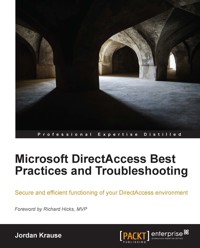
Microsoft DirectAccess Best Practices and Troubleshooting will provide you with the precise steps you need to take for the very best possible implementation of DirectAccess in your network. You will find answers to some of the most frequently asked questions from administrators and explore unique troubleshooting scenarios that you will want to understand in case they happen to you.
Microsoft DirectAccess Best Practices and Troubleshooting outlines best practices for configuring DirectAccess in any network. You will learn how to configure Manage Out capabilities to plan, administer, and deploy DirectAccess client computers from inside the corporate network. You will also learn about a couple of the lesser-known capabilities within a DirectAccess environment and the log information that is available on the client machines.
This book also focuses on some specific cases that portray unique or interesting troubleshooting scenarios that DirectAccess administrators may encounter. By describing the problem, the symptoms, and the fixes to these problems, the reader will be able to gain a deeper understanding of the way DirectAccess works and why these external influences are important to the overall solution.
Das E-Book können Sie in Legimi-Apps oder einer beliebigen App lesen, die das folgende Format unterstützen:
Seitenzahl: 159
Veröffentlichungsjahr: 2013
Ähnliche












Table of Contents
Microsoft DirectAccess Best Practices and Troubleshooting
Microsoft DirectAccess Best Practices and Troubleshooting
Copyright © 2013 Packt Publishing
All rights reserved. No part of this book may be reproduced, stored in a retrieval system, or transmitted in any form or by any means, without the prior written permission of the publisher, except in the case of brief quotations embedded in critical articles or reviews.
Every effort has been made in the preparation of this book to ensure the accuracy of the information presented. However, the information contained in this book is sold without warranty, either express or implied. Neither the author, nor Packt Publishing, and its dealers and distributors will be held liable for any damages caused or alleged to be caused directly or indirectly by this book.
Packt Publishing has endeavored to provide trademark information about all of the companies and products mentioned in this book by the appropriate use of capitals. However, Packt Publishing cannot guarantee the accuracy of this information.
First published: October 2013
Production Reference: 1071013
Published by Packt Publishing Ltd.
Livery Place
35 Livery Street
Birmingham B3 2PB, UK.
ISBN 978-1-78217-106-5
www.packtpub.com
Cover Image by Fereze Babu (<[email protected]>)
Credits
Author
Jordan Krause
Reviewers
Shannon Fritz
Richard Hicks
Acquisition Editor
Vinay Argekar
Commissioning Editor
Neha Nagwekar
Technical Editors
Novina Kewalramani
Rohit Kumar Singh
Project Coordinator
Sherin Padayatty
Proofreader
Clyde Jenkins
Indexer
Mariammal Chettiyar
Graphics
Yuvraj Mannari
Production Coordinator
Aparna Bhagat
Cover Work
Aparna Bhagat
Foreword
Microsoft DirectAccess is a revolutionary remote access solution for managed (domain-joined) Windows clients. DirectAccess provides always-on corporate network connectivity, enabling remote users to securely access on-premises data and applications anywhere they have a connection to the public Internet. Many mistakenly believe that DirectAccess is itself a protocol. It is not. DirectAccess leverages multiple Microsoft technologies to deliver this service, such as Active Directory, IPsec, IPv6, digital certificates, and more. Harnessing the power of Windows Server 2012 and Windows 8 Enterprise edition, DirectAccess represents a paradigm shift in the way we think about providing remote access. Traditional Virtual Private Networking (VPN) solutions require the user to proactively initiate a connection back to the corporate network when they need to access corporate resources. By contrast, DirectAccess is seamless and transparent, and does not require any input from the user to establish remote network connectivity. Through the use of Connection Security Rules in the Windows Firewall with Advanced Security (WFAS), IPsec tunnels are established automatically in the background any time the user has an active Internet connection. A distinct advantage that DirectAccess has over VPN is that DirectAccess is bidirectional, allowing hosts on the corporate intranet to initiate connections outbound to connected DirectAccess clients. This allows system administrators to "manage out" and enables help desk administrators to initiate remote desktop sessions or security administrators to conduct vulnerability scans, among other things. DirectAccess fundamentally extends the corporate network to the remote user, wherever they may be located.
DirectAccess has been around for a few years, originally appearing as a feature of the Windows Server 2008 R2 operating system. Windows Server 2008 R2 DirectAccess wasn't widely deployed, as it carried with it very steep infrastructure requirements in order to support DirectAccess, including the requirement for a Public Key Infrastructure (PKI) for management of digital certificates and IPv6 for network layer transport. My first experience with DirectAccess came when Forefront Unified Access Gateway (UAG) 2010 was released. UAG included support for the DirectAccess role, and also included new features that eliminated the need to deploy IPv6 internally to take advantage of the solution.
As a Microsoft Most Valuable Professional (MVP) in the Forefront discipline, I began to deploy Forefront UAG for DirectAccess on a regular basis. With the release of Windows Server 2012, DirectAccess is now fully integrated into the operating system, and the adoption rate is accelerating faster. Today, I spend most of my time deploying Windows Server 2012 DirectAccess solutions for some of the largest organizations in the world.
I met Jordan Krause a few years ago when he was first awarded the MVP from Microsoft. Our MVP group is small and tight-knit, and from the beginning Jordan fit right in. He had a wealth of knowledge and experience with DirectAccess and freely shared this with the rest of us in the group. All of us in the DirectAccess community have gained important knowledge from Jordan. With this book, Jordan is now able to share his valuable experience with the rest of the world. This book is focused on sharing real-world, practical advice for deploying DirectAccess in the best possible way for your given deployment model. Jordan pulls no punches, and isn't afraid to tell you when you shouldn't do something, even if it is possible! He provides valuable context to help you with your implementation, and makes sure that you avoid the common pitfalls and mistakes that many engineers who are new to DirectAccess invariably make. If you're going to deploy Windows Sever 2012 DirectAccess now or in the future, you'll definitely want to read this book first.
Enjoy!
Richard Hicks
Director of Sales Engineering at Iron Networks, Inc.
About the Author
Jordan Krause is a Microsoft MVP in Enterprise Security, and specializes in DirectAccess, which is a part of Forefront Unified Access Gateway (UAG) 2010 and Unified Remote Access (URA) in Windows Server 2012. As a Senior Engineer and Security Specialist for IVO Networks, he spends the majority of each workday planning, designing, and implementing DirectAccess for companies all over the world.
Committed to continuous learning, Jordan holds Microsoft certifications as an MCP, MCTS, MCSA, and MCITP Enterprise Administrator. He regularly writes tech notes and articles about some of the fun and exciting ways that DirectAccess can be used, which can be found at http://www.ivonetworks.com/news/.
He also strives to spend time helping the DirectAccess community, mostly by way of the Microsoft TechNet forums. Jordan is always open to direct contact for answering questions or helping out in any way that he can, so don't hesitate to head over to the forums and find him personally.
Huge thanks to my family for taking more on their plates while I worked on this. Laura, Grace, and Jackson—you are my motivation for doing what I do! Another big thank you to my family at IVO; without the opportunities you have provided, I may never have heard the word DirectAccess.
About the Reviewers
Shannon Fritz is an Infrastructure Architect and regional leader in Remote Connectivity solutions, including DirectAccess, Remote Desktop Services, and supporting technologies such as Hyper-V and Active Directory. Shannon is the Datacenter and Azure Team Lead for Concurrency's Infrastructure Practice, a systems integrator who is solely focused on Microsoft solutions.
Richard Hicks (MCP, MCSE, MCTS, and MCITP Enterprise Administrator) is a network and information security expert specializing in Microsoft technologies. As a four-time Microsoft Most Valuable Professional (MVP), he has traveled around the world speaking to network engineers, security administrators, and IT professionals about Microsoft edge security and remote access solutions. Richard has nearly two decades of experience working in large scale corporate computing environments, and has designed and deployed perimeter defense and secure remote access solutions for some of the largest companies in the world. He blogs extensively about Microsoft edge security and remote access solutions, and is a contributing author at popular sites such as WindowSecurity.com, ISAserver.org, and the Petri IT Knowledgebase. In addition, he is a Pluralsight author and has served as the technical reviewer on several Windows server and network security books. Richard is the Director of Sales Engineering for Iron Networks, a Microsoft OEM partner developing secure remote access, network virtualization, and converged cloud infrastructure solutions. He's an avid fan of Major League Baseball and in particular the Los Angeles Angels (of Anaheim!), and also enjoys craft beer and single malt Scotch whisky. Born and raised in beautiful, sunny Southern California, he still resides there with Anne, the love of his life and wife of 27 years, along with their four children. You can keep up with Richard by visiting http://www.richardhicks.com/.
www.PacktPub.com
Support files, eBooks, discount offers and more
You might want to visit www.PacktPub.com for support files and downloads related to your book.
Did you know that Packt offers eBook versions of every book published, with PDF and ePub files available? You can upgrade to the eBook version at www.PacktPub.com and as a print book customer, you are entitled to a discount on the eBook copy. Get in touch with us at <[email protected]> for more details.
At www.PacktPub.com, you can also read a collection of free technical articles, sign up for a range of free newsletters and receive exclusive discounts and offers on Packt books and eBooks.
http://PacktLib.PacktPub.com
Do you need instant solutions to your IT questions? PacktLib is Packt's online digital book library. Here, you can access, read and search across Packt's entire library of books.
Why Subscribe?
Free Access for Packt account holders
If you have an account with Packt at www.PacktPub.com, you can use this to access PacktLib today and view nine entirely free books. Simply use your login credentials for immediate access.
Instant Updates on New Packt Books
Get notified! Find out when new books are published by following @PacktEnterprise on Twitter, or the Packt Enterprise Facebook page.
Preface
If you have walked someone through installing and configuring a VPN connection over the phone, you might be a VPN Administrator.
If you have tried explaining to someone that they have to come into the office before they can log into their laptop, because you reset their password but they can't use it...you might be a VPN Administrator.
If you are aware that home subnets might have the same IP ranges as your corporate subnets, and the reason why that is bad...you might be a VPN Administrator.
If you cringe when a laptop is plugged into the network after being gone on vacation for a couple of weeks…well, you might be a network security admin yelling at your VPN Administrator.
If you want to rid yourself of all these issues and give users a completely seamless connection that they don't even have to know exists...you might get a big bonus check. Oh, and you might be a DirectAccess Administrator!
DirectAccess rocks
I always said if I had an opportunity to write something about DirectAccess, I would at some point say "DirectAccess rocks", and so there it is. I spend at least part of everyday describing the technology to new folks and comparing it to a traditional VPN connection, but there really is no comparison. Your users either have to launch a VPN client, or they don't. You either have to install and configure and update that VPN client software, or you don't. You either wait around for employees to choose to connect their VPN so that you can push security updates and settings at them, or you don't. DirectAccess is basically automatic VPN, and after years of talking about it on phone calls and at shows, I am convinced that I can get anyone interested in it. Though the technology has been around in one flavor or another for four years now, it is still a brand new concept to many, and all it takes is a few minutes to get anyone who has ever used a VPN interested in never having to use one again.
So many options
Unfortunately, a lot of DirectAccess implementations are halted before they even start, and it's really unnecessary. Part of the problem is IPv6; as soon as admins hear that DirectAccess uses IPv6, they immediately discount it as something that does not apply to them. This is completely untrue; you don't actually have to know anything about IPv6 or use it at all inside your network to get DirectAccess working! Another "problem" that I address all the time is that there are so many different ways in which DirectAccess can be implemented, how is one supposed to sift through and figure out what is best for them? This is a large part of the intention of this book, to clear the air on the options that are out there, and particularly address them from a set of "Best Practices" glasses. We are going to talk about specific settings and some general ideology about how to make DA work its hardest for you and your organization, and have a little fun along the way.
Take it from me
Implementing DirectAccess is quite literally my day job, and the ideas and steps outlined in this book reflect my own experience and knowledge directly from the field. We all know that implementation of technology rarely goes according to plan, and I hope that you can take some of the speed bumps that I have overcome along the way and apply them to your own situations to make your installation as seamless as possible.
Which flavor of DirectAccess are you talking about?
If you have done some reading on DA, you may be aware that there are two different server platforms which can provide DirectAccess. Well, there are three technically, but the original iteration in native Server 2008 R2 was quite difficult to handle, and I have yet to run across a network with it running. The other two, of which I still actively install both very regularly, are UAG DirectAccess and Server 2012 DirectAccess. As you can infer from the name, the latter runs on Server 2012 and is simply a role that you can add into Windows (don't do this until you read Chapter 1, DirectAccess Server Best Practices). UAG, on the other hand, is a software platform that needs to be installed on top of Server 2008 R2. If one is Server 2008 R2 and the other is Server 2012, why would anybody still be doing UAG? Both platforms provide DirectAccess connection for Windows 7 and Windows 8 client computers, but the two platforms handle non-DirectAccess machines very differently.
In Server 2012, you have the option to provide regular RRAS VPN connectivity, so if you still have Windows XP clients or Macs or smartphones with a VPN software client installed, you can connect those guys through the server via regular VPN. This may be beneficial, or it may be downright scary, depending on your perspective. With the UAG platform, you again have Windows 7 and Windows 8 running DirectAccess, and you also have the ability to publish SSLVPN portals out on the Internet. These portals enable browser-based access from home computers, kiosks, mobile devices, and so on, in a selective, locked-down way. There are already great books available on UAG and everything that it stands for so I won't say any more than that, but I wanted to make the point that UAG is still today a valid option for implementing DirectAccess, if those other features are important to you. Or you could, of course, have a server running UAG for those down-level clients, and a separate server running DirectAccess on Server 2012, if that is your preference.
Anyway, the point of this section is to simply say that the information contained within this book applies specifically to Server 2012 DirectAccess, but all of the concepts can absolutely also apply to UAG DirectAccess. I used Server 2012 to create my command output, screenshots, and for all of the verbiage within the book. But all of the security concepts and guides to troubleshooting client-side scenarios really apply to either solution.
Let's get rolling
I had a lot of fun putting this together, and I hope you get some enjoyment out of reading it. I genuinely believe that DirectAccess is the future of remote access. It is one of those rare gems in the IT world where your department can receive a well-deserved slap on the back by the end users and executive team. Trust me, it's that cool.
What this book covers
Chapter 1, DirectAccess Server Best Practices, describes the step-by-step procedure you should take to prepare your DirectAccess server. Following the procedures listed here will ensure that your server adheres to critical security practices.
Chapter 2, DirectAccess Environmental Best Practices, brings detail to the infrastructure and environmental considerations that need to be taken when implementing DirectAccess. Many common implementation questions are also addressed.
Chapter 3, Configuring Manage Out to DirectAccess Clients




