


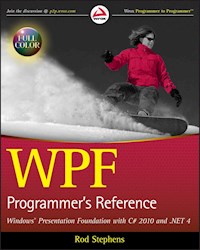
35,99 €
Mehr erfahren.
- Herausgeber: John Wiley & Sons
- Kategorie: Wissenschaft und neue Technologien
- Sprache: Englisch
Build effective user interfaces with Windows Presentation Foundation Windows Presentation Foundation (WPF) is included with the Windows operating system and provides a programming model for building applications that provide a clear separation between the UI and business logic. Written by a leading expert on Microsoft graphics programming, this richly illustrated book provides an introduction to WPF development and explains fundamental WPF concepts. Packed with helpful examples, this reference progresses through a range of topics that gradually increase in their complexity. You'll quickly start building applications while you learn how to use both Expression Blend and Visual Studio to build UIs. In addition, the book addresses the needs of programmer who write the code behind the UI and shows you how operations can be performed using both XAML and C#. Topics Covered: Overview of WPF WPF in Visual Studio Expression Blend Common Properties Content Controls Layout Controls User Interaction Controls Two-Dimensional Drawing Controls Properties Pens and Brushes Events and Code-Behind Resources Styles and Property Triggers Event Triggers and Animation Templates Themes and Skins Printing Data Binding Commanding Transformations and Effects Documents Navigation-Based Applications Three-Dimensional Drawing Silverlight Even if you only have a minimal amount of experience, by the end of the book, you will be able to build dynamic and responsive user interfaces with WPF.
Sie lesen das E-Book in den Legimi-Apps auf:
Veröffentlichungsjahr: 2010
Ähnliche















Table of Contents
Cover
Title Page
Copyright
About the Author
Credits
Acknowledgments
Introduction
Who This Book Is For
What This Book Covers (and What It Doesn’t)
How This Book Is Structured
What You Need to Use This Book
Conventions
Source Code
Errata
p2p.wrox.com
Chapter 1: WPF Overview
WPF in a Nutshell
Project Types
Goals and Benefits
Disadvantages
Summary
Chapter 2: WPF in Visual Studio
New Projects
Window Designer
XAML Editor
Toolbox
Solution Explorer
Properties Window
Window Tabs
Code-Behind
Summary
Chapter 3: Expression Blend
New Projects
Assets Window
Projects Window Tab
Window Designer
Properties Window
Resources Window
Objects and Timeline
Triggers
Control Toolbox
Code-Behind
Summary
Chapter 4: Common Properties
Size and Position
Font
Color
Image Shape
Miscellaneous
Summary
Chapter 5: Content Controls
Control Overview
Graphical Controls
Textual Controls
Spatial Controls
Summary
Chapter 6: Layout Controls
Control Overview
Canvas
DockPanel
Expander
Grid
ScrollViewer
StackPanel
StatusBar
TabControl
ToolBar and ToolBarTray
UniformGrid
Viewbox
WindowsFormsHost
WrapPanel
Summary
Chapter 7: User Interaction Controls
Control Overview
Button
CheckBox
ComboBox
ContextMenu
Frame
GridSplitter
ListBox
Menu
PasswordBox
RadioButton
RepeatButton
RichTextBox
ScrollBar
Slider
TextBox
Summary
Chapter 8: Two-Dimensional Drawing Controls
Control Overview
Stroke Properties
Ellipse
Line
Path
Polygon
Polyline
Rectangle
Summary
Chapter 9: Properties
Property Basics
Type Converters
Property Element Syntax
Property Inheritance
Attached Properties
Summary
Chapter 10: Pens and Brushes
Pens
Brushes
Summary
Chapter 11: Events and Code-Behind
Code-behind Files
Example Code
Event Name Attributes
Event Handlers at Run Time
The Handles Clause
Summary
Chapter 12: Resources
Defining Resources
Resource Types
Resource Hierarchies
Merged Resource Dictionaries
Dynamic Resources
Summary
Chapter 13: Styles and Property Triggers
Simplifying Properties
Keys and Target Types
Property Value Precedence
Style Inheritance
Triggers
Summary
Chapter 14: Event Triggers and Animation
Event Triggers
Property Trigger Animations
Storyboards
Controlling Storyboards
Media and Timelines
Animation without Storyboards
Easy Animations
Summary
Chapter 15: Templates
Template Overview
ContentPresenter
Template Binding
Changing Control Appearance
Template Events
Glass Button
Ellipse Button
Researching Control Templates
Summary
Chapter 16: Themes and Skins
Themes
Skins
Summary
Chapter 17: Printing
Printing Visual Objects
Printing Code-Generated Output
Printing Documents
Summary
Chapter 18: Data Binding
Binding Basics
Binding Collections
Binding Master-Detail Data
Binding XAML
Binding XML
Binding Database Objects
Summary
Chapter 19: Commanding
Commanding Concepts
Predefined Commands with Actions
Predefined Commands without Actions
Custom Commands
Summary
Chapter 20: Transformations and Effects
Transformations
Combining Transformations
Layout and Render Transforms
Effects
Summary
Chapter 21: Documents
Fixed Documents
Flow Documents
Summary
Chapter 22: Navigation-Based Applications
Page
Hyperlink Navigation
NavigationService
Frame
Summary
Chapter 23: Three-Dimensional Drawing
Basic Structure
Cameras
Lighting
Materials
Building Complex Scenes
Summary
Chapter 24: Silverlight
What Is Silverlight?
A Color Selection Example
A Bouncing Ball Example
For More Information
Summary
Appendix A: Common Properties
General Properties
Font Properties
Drawing Properties
Bitmap Effect Properties
Grid Attached Properties
DockPanel Attached Properties
Canvas Attached Properties
Appendix B: Content Controls
Border
BulletDecorator
DocumentViewer
FlowDocument
FlowDocumentPageViewer
FlowDocumentReader
FlowDocumentScrollViewer
GroupBox
Image
Label
ListView
MediaElement
Popup
ProgressBar
Separator
TextBlock
ToolTip
TreeView
Appendix C: Layout Controls
Canvas
DockPanel
Expander
Grid
ScrollViewer
StackPanel
StatusBar
TabControl
ToolBar and ToolBarTray
UniformGrid
Viewbox
WindowsFormsHost
WrapPanel
Appendix D: User Interaction Controls
Button
CheckBox
ComboBox
ContextMenu
Frame
GridSplitter
ListBox
Menu
PasswordBox
RadioButton
RepeatButton
RichTextBox
ScrollBar
Slider
TextBox
Appendix E: MediaElement Control
Appendix F: Pens
Appendix G: Brushes
Brush Classes
DrawingBrush
ImageBrush
LinearGradientBrush
RadialGradientBrush
SolidColorBrush
VisualBrush
Viewports and Viewboxes
Appendix H: Path Mini-Language
Appendix I: XPath
XML in XAML
Binding to XML Data
Selection
Predicates
Constraint Functions
Appendix J: Data Binding
Binding Components
Binding to Elements by Name
Binding to RelativeSource
Binding to Classes in Code-Behind
Binding to Classes in XAML Code
Making Collections of Data
Using ListBox and ComboBox Templates
Using TreeView Templates
Binding to XML Data
Appendix K: Commanding Classes
ApplicationCommands
ComponentCommands
Editing Commands
MediaCommands
NavigationCommands
Commands in XAML
Commands in Code-Behind
Appendix L: Bitmap Effects
Appendix M: Styles
Named Styles
Unnamed Styles
Inherited Styles
Appendix N: Templates
Label
CheckBox
RadioButton
ProgressBar
Oriented ProgressBar
Labeled ProgressBar
ScrollBar
Modified ScrollBar
Button
Appendix O: Triggers and Animation
EventTriggers
Property Triggers
Storyboard Properties
Animation Classes
Appendix P: Index of Example Programs
Chapter 1
Chapter 2
Chapter 3
Chapter 4
Chapter 5
Chapter 6
Chapter 7
Chapter 8
Chapter 9
Chapter 10
Chapter 11
Chapter 12
Chapter 13
Chapter 14
Chapter 15
Chapter 16
Chapter 17
Chapter 18
Chapter 19
Chapter 20
Chapter 21
Chapter 22
Chapter 23
Chapter 24
Appendix A
Appendix B
Appendix C
Appendix D
Appendix E
Appendix F
Appendix G
Appendix H
Appendix I
Appendix J
Appendix K
Appendix L
Appendix M
Appendix N
Appendix O
Appendix P
Index
Advertisement
WPF Programmer’s Reference: Windows Presentation Foundation with C# 2010 and .NET 4
Published by Wiley Publishing, Inc. 10475 Crosspoint Boulevard Indianapolis, IN 46256www.wiley.com
Copyright © 2010 by Wiley Publishing, Inc., Indianapolis, Indiana
Published simultaneously in Canada
ISBN: 978-0-470-47722-9
Manufactured in the United States of America
10 9 8 7 6 5 4 3 2 1
No part of this publication may be reproduced, stored in a retrieval system or transmitted in any form or by any means, electronic, mechanical, photocopying, recording, scanning or otherwise, except as permitted under Sections 107 or 108 of the 1976 United States Copyright Act, without either the prior written permission of the Publisher, or authorization through payment of the appropriate per-copy fee to the Copyright Clearance Center, 222 Rosewood Drive, Danvers, MA 01923, (978) 750-8400, fax (978) 646-8600. Requests to the Publisher for permission should be addressed to the Permissions Department, John Wiley & Sons, Inc., 111 River Street, Hoboken, NJ 07030, (201) 748-6011, fax (201) 748-6008, or online at http://www.wiley.com/go/permissions.
Limit of Liability/Disclaimer of Warranty: The publisher and the author make no representations or warranties with respect to the accuracy or completeness of the contents of this work and specifically disclaim all warranties, including without limitation warranties of fitness for a particular purpose. No warranty may be created or extended by sales or promotional materials. The advice and strategies contained herein may not be suitable for every situation. This work is sold with the understanding that the publisher is not engaged in rendering legal, accounting, or other professional services. If professional assistance is required, the services of a competent professional person should be sought. Neither the publisher nor the author shall be liable for damages arising herefrom. The fact that an organization or Web site is referred to in this work as a citation and/or a potential source of further information does not mean that the author or the publisher endorses the information the organization or Web site may provide or recommendations it may make. Further, readers should be aware that Internet Web sites listed in this work may have changed or disappeared between when this work was written and when it is read.
For general information on our other products and services please contact our Customer Care Department within the United States at (877) 762-2974, outside the United States at (317) 572-3993 or fax (317) 572-4002.
Wiley also publishes its books in a variety of electronic formats. Some content that appears in print may not be available in electronic books.
Library of Congress Control Number: 2009942828
Trademarks: Wiley, the Wiley logo, Wrox, the Wrox logo, Wrox Programmer to Programmer, and related trade dress are trademarks or registered trademarks of John Wiley & Sons, Inc. and/or its affiliates, in the United States and other countries, and may not be used without written permission. All other trademarks are the property of their respective owners. Wiley Publishing, Inc. is not associated with any product or vendor mentioned in this book.
About the Author
Rod Stephens started out as a mathematician, but while studying at MIT, discovered the joys of programming and has been programming professionally ever since. During his career, he has worked on an eclectic assortment of applications in such fields as telephone switching, billing, repair dispatching, tax processing, wastewater treatment, concert ticket sales, cartography, and training for professional football players.
Rod is a Microsoft Visual Basic Most Valuable Professional (MVP) and ITT adjunct instructor. He has written more than 20 books that have been translated into languages from all over the world, and more than 250 magazine articles covering Visual Basic, C#, Visual Basic for Applications, Delphi, and Java. He is currently a regular contributor to DevX (www.DevX.com).
Rod’s popular VB Helper web site www.vb-helper.com receives several million hits per month and contains thousands of pages of tips, tricks, and example code for Visual Basic programmers, as well as example code for this book.
Credits
Executive Editor
Bob Elliott
Senior Project Editor
Adaobi Obi Tulton
Technical Editor
John Mueller
Senior Production Editor
Debra Banninger
Copy Editor
Cate Caffery
Editorial Director
Robyn B. Siesky
Editorial Manager
Mary Beth Wakefield
Marketing Manager
Ashley Zurcher
Production Manager
Tim Tate
Vice President andExecutive Group Publisher
Richard Swadley
Vice President andExecutive Publisher
Barry Pruett
Associate Publisher
Jim Minatel
Project Coordinator, Cover
Lynsey Stanford
Compositor
James D. Kramer, Happenstance Type-O-Rama
Proofreader
Nancy Carrasco
Indexer
J & J Indexing
Cover Designer
Michael E. Trent
Cover Image
© Ben Blankenburg / istockphoto
Acknowledgments
Thanks to Bob Elliott, Adaobi Obi Tulton, Kristin Vorce, Cate Caffrey, and all of the others who worked so hard to make this book possible.
Thanks also to John Mueller for giving me another perspective and the benefit of his extensive expertise. Visit www.mwt.net/~jmueller to learn about John’s books and to sign up for his free newsletter .NET Tips, Trends & Technology eXTRA.
Introduction
Windows Presentation Foundation (WPF) is Microsoft’s next evolutionary step in user interface (UI) development. While WPF lets you drop controls on forms just as developers have been doing for years, WPF provides a quantum leap beyond what is possible using Windows Forms. WPF lets you use a consistent development model to build applications that run in more environments, on more hardware, using more graphical tools, and providing a more engaging visual experience than is normally possible with Windows Forms.
WPF lets you build stand-alone desktop applications that run as executable on a Windows system. WPF can also build simple web pages, compiled applications that run within a web browser, or Silverlight applications that run in a browser with enhanced security. By using these browser techniques, you can build applications that run just about anywhere, even on UNIX or Macintosh systems!
WPF allows you to build engaging interfaces that are responsive, interactive, and aesthetically pleasing. WPF interfaces can include static documents or documents that rearrange their content as needed, two- and three-dimensional graphics, high-resolution vector graphics that draw lines and curves instead of using bitmaps, animation, audio, and video.
All of the examples shown in this book are available for download in C# and Visual Basic versions on the book’s web pages. See the section, “Source Code,” later in this chapter for details. The names of the programs are shown in their title bars so it’s easy to tell which figures show which programs.
In fact, WPF makes it almost embarrassingly easy to:
Draw normal controls and simple graphics, as shown in Figure 0-1.Figure 0-1
Figure 0-2
Figure 0-3
Figure 0-4
Figure 0-5
Figure 0-6
Figure 0-7
Figure 0-8
Figure 0-9
In this introductory chapter, don’t worry about how the examples work. For now, focus on the cool and amazing things they can do. You’ll see how they work in later chapters.
Unfortunately, to use WPF, you must overcome a rather steep learning curve. Many of the fundamental concepts in modern Windows UI design are different from those used by WPF. Concepts as basic as how events are handled and how program code is attached to the user interface are different in WPF.
Many of these new concepts are unified, elegant, and simple. Ideas such as declaratively building an interface in Extensible Markup Language (XAML — pronounced zammel), property value inheritance, and allowing controls to contain any type of content make a simple yet powerful programming paradigm.
Unfortunately, shortcuts, exceptions, and inconsistencies built into WPF make it much harder to understand and use than you might hope from its elegant underlying philosophy. Depending on how properties are used, developers must use several different XAML notations, property value inheritance is trumped by performance issues in some cases, and some controls can only contain certain other kinds of controls.
This book provides an introduction to WPF development. It explains fundamental WPF concepts so you can start building applications quickly and easily. As it progresses, the book covers more complex topics, explaining how to handle the exceptions and shortcuts built into WPF.
The book finishes with a series of appendixes summarizing WPF concepts and syntax for easy reference. You can use these appendixes to refresh your memory of WPF’s intricate and sometimes counterintuitive syntax.
Of course, many future applications will be written without WPF. Many will be written using clunky old technologies such as command-line interfaces and pure HTML. Others will be written with competing technologies like Java and Flash.
Finally, some developers will continue using good old familiar Windows Forms in C# or Visual Basic. There’s a lot to be said for sticking with what you know, but the future of development in the Windows environment is WPF. Soon the beauty, grace, and level of responsiveness provided by WPF will become de rigueur, and if you’re still using Windows Forms, you’ll be left behind.
Who This Book Is For
This book is for anyone who wants to use or better understand WPF. In particular, it is intended for:
Specialized UI designers who build user interfaces but don’t write program codeProgrammers who write the code behind the user interfaceJack-of-all-trades developers who create user interfaces and write the code behind themWeb developers who want to learn how to use WPF in loose web pages, browser applications, and Silverlight applicationsProject managers who want a better understanding of what WPF is and what kinds of features it can provideFor decades, good developers have separated UI construction from the code behind the user interface. Keeping the two separate makes it easier to distribute work among different developers and makes it easier to build each piece separately. WPF continues this philosophy by making the separation between the user interface and the code behind it more distinct than ever before.
In fact, in Microsoft’s original vision, specialized graphic designers built the user interface, and programmers added the code behind it completely separately.
While many development projects cannot afford separate graphic designers and programmers, it’s still worthwhile to keep these two tasks separate. This book squarely addresses those who perform either of those tasks.
This book provides an introduction to WPF and does not require that you have any experience with it. In fact, it doesn’t require that you have any previous programming or UI design experience.
I don’t want to receive a bunch of flaming e-mails complaining that some of the material is too basic, so I’m warning you right now! If you’re mortally offended by introductory material, you’re welcome to skim the first few chapters and move on to the more advanced material.
Although this book does not require previous programming experience, it covers a lot of material and does get into some rather advanced topics. By the time you finish reading it, you should have learned a lot no matter how experienced you are at the start.
What This Book Covers (and What It Doesn’t)
This book explains WPF development. It explains how to build user interfaces by using Microsoft’s Expression Blend tool, Visual Studio, and the XAML programming language. It also explains how to use Visual Studio to attach code to the user interface.
WPF is a very flexible tool, and you can use it to make amazing user interfaces. Unfortunately, it is also often complicated, occasionally confusing, and sometimes downright intractable. You can use it to perform remarkable feats of UI sleight-of-hand, but doing so can be a heroic adventure in experimentation and web browsing.
Such deeds of development heroism fly in the face of Microsoft’s intent that graphic designers build user interfaces that programmers then attach to code. Perhaps I’m hanging out with the wrong crowd, but the graphic designers that I’ve met did not have the skills or interest to spend their time constructing elaborate UI animations. Instead, they wanted to focus on the interface’s appearance and usability.
This book’s philosophy is that the user interface is a front end to the application, not the application itself. It should not take six years of experience and a PhD in WPF to build a data entry form.
If it takes a huge assortment of sneaky tricks to make a program perform some esoteric stunt, this book doesn’t cover it. For more complex situations, the book will freely jump between the user interface and the code behind it. For example, if a particular animation is hard to control with pure WPF but easy to control using code behind the scenes, I’ll opt for option two every time.
This book also doesn’t cover programming the code behind the interface. It demonstrates some of that code so you can learn how to write your own code, but it doesn’t cover C#, Visual Basic, or any other programming language in detail.
How This Book Is Structured
The chapters in this book are generally arranged from the most basic in the beginning to the more advanced at the end. They start with fundamentals such as adding controls to windows and selecting the kinds of controls to use. Later chapters cover more advanced topics such as animation, transformations, and 3D graphics. The appendixes provide a handy reference for controls and other objects, and XAML syntax.
The book will probably make the most sense if you read the chapters in order, but you can skip around a bit if you need information on a particular topic. For example, after you read the first few chapters and know how to build simple WPF applications, you might want to skip ahead and read a bit more about styles or transformations.
If you have previous development experience, particularly with Expression Blend or Visual Studio, you may want to skim the earliest chapters.
If you know that you will not be using Expression Blend or Visual Studio, you may want to skip the corresponding chapters entirely. For example, if you know that you will be using Visual Studio and not Expression Blend, then you may want to skip Chapter 3.
Chapter 1: WPF Overview — Chapter 1 covers basic WPF concepts. It explains WPF’s advantages, how WPF is layered on top of DirectX, and how WPF separates UI design from the code behind it. It also describes the different kinds of WPF projects (stand-alone, XBAP, library) and explains how Page, Frame, and PageFunction projects work in general terms.Chapter 2: WPF in Visual Studio — Chapter 2 explains how to build WPF projects with Visual Studio. It tells how to build a simple user interface and how to connect interface elements with the code behind them. This chapter explains how to set control properties and how to edit XAML code in Visual Studio. It does not explain WPF controls in great depth because they are covered in later chapters.Chapter 3: Expression Blend — Chapter 3 explains how to build WPF projects with Expression Blend. It tells how to edit XAML code in Expression Blend and how to link to Visual Studio to add code behind the user interface.Chapter 4: Common Properties — Chapter 4 describes some properties that are common to many WPF controls. These properties determine basic control features such as color, size, and position.Chapter 5: Content Controls — Chapter 5 describes WPF’s controls that are intended to display content (as opposed to the controls described in the following chapters). These include such controls as Label, GroupBox, ListBox, and Image. This chapter describes the purpose of each control and summarizes its most important properties and behaviors.Chapter 6: Layout Controls — Chapter 6 describes WPF’s controls that are intended to arrange other controls. These include such controls as Grid, DockPanel, StackPanel, and WrapPanel. This chapter describes the purpose of each control and summarizes its most important properties and behaviors.Chapter 7: User Interaction Controls — Chapter 7 describes WPF’s controls that are intended to allow the user to control the application. These include such controls as Button, RadioButton, TextBox, and Slider. This chapter describes the purpose of each control and summarizes its most important properties and behaviors.Chapter 8: Two-Dimensional Drawing Controls — Chapter 8 describes WPF objects that perform two-dimensional (2D) drawing. These include Line, Ellipse, Rectangle, Polygon, Polyline, and Path. This chapter also explains the Path mini-language and geometries, which can contain multiple drawing objects.Chapter 9: Properties — Chapter 9 explains WPF properties in detail. Whereas the earlier chapters use properties to provide simple examples, this chapter describes properties in greater depth. It explains basic properties entered as simple text, properties that can be entered as multiple text values, properties that are objects, dependency properties, and attached properties.Chapter 10: Pens and Brushes — Chapter 10 describes the pen and brush objects that you can use to determine the graphical appearance of WPF objects. In addition to simple single-color pens and brushes, this chapter describes more complex objects such as dashed pens, gradient brushes, and image brushes.Chapter 11: Events and Code-Behind — Chapter 11 explains routed events, tunneling (preview) events, bubbling events, and attached events. These different kinds of events allow you to attach a user interface that was created with WPF to the code behind the scenes.Chapter 12: Resources — Chapter 12 explains WPF resources. It tells how to use static and dynamic resources in XAML code.Chapter 13: Styles and Property Triggers — Chapter 13 explains styles and property triggers. It tells how to use styles, usually stored as resources, to give objects a consistent appearance. (For an example, see Figure 0-4.) It also explains property triggers, which are often defined in styles, to change a control’s appearance when a property value changes.Chapter 14: Event Triggers and Animation — Chapter 14 explains event triggers and the animations they can run. It explains storyboards and timelines that let WPF applications perform animations with surprisingly little effort.Chapter 15: Templates — Chapter 15 describes control templates. It explains how you can use templates to change the appearance and behavior of predefined controls. It also tells how to use ItemsPresenter and ContentPresenter objects to change the way lists and menus work.Chapter 16: Themes and Skins — Chapter 16 explains how to use resource dictionaries to provide application themes and skins. By changing a single resource dictionary, you can make a WPF application change the appearance of some or all of its graphical components.Chapter 17: Printing — Chapter 17 explains how a WPF application can display print previews and how it can print documents.Chapter 18: Data Binding — Chapter 18 explains how to bind control properties to data. It explains basic data binding and also shows how to use DataTemplate objects to provide more complicated data display.Chapter 19: Commanding — Chapter 19 explains commanding, a tool that lets you associate controls to command objects that represent the actions they should perform. For standard operations such as copy, cut, and paste, these objects make providing consistent features much easier.Chapter 20: Transformations and Effects — Chapter 20 explains rotation, scaling, and other transformations that you can use to rotate, stretch, and otherwise change the appearance of WPF objects. It also describes special graphical effects such as blur, drop shadow, and glow. (For examples of drop shadow, see Figure 0-3.)Chapter 21: Documents — Chapter 21 explains the document objects provided by WPF. It explains fixed documents, which display items in the precise positions where you place them, and flow documents, which can rearrange objects much as a web browser does to take advantage of the available space. (For an example, see Figure 0-9.)Chapter 22: Navigation-Based Applications — Chapter 22 describes programs that use special navigation controls to manage how the user moves through the application. It explains how to build Page, Frame, and PageFunction projects.Chapter 23: Three-Dimensional Drawing — Chapter 23 explains how to display and control 3D drawings in WPF. Although it is possible to build these objects in XAML code, it is often easier to generate 3D scenes programmatically, so this chapter provides both XAML examples and examples that use C# code to build scenes.Chapter 24: Silverlight — Chapter 24 briefly introduces Silverlight, WPF’s web-oriented cousin. Although Silverlight has some restrictions that WPF doesn’t, it lets you build applications that can run in a web browser on any operating system.Appendix A: Common Properties — Appendix A summarizes properties that are shared by many WPF controls.Appendix B: Content Controls — Appendix B summarizes the most useful properties and behaviors of WPF controls that are intended to display content such as Label, ListBox, and Image.Appendix C: Layout Controls — Appendix C summarizes the most useful properties and behaviors of WPF controls that are intended to contain and arrange other controls such as Grid, StackPanel, and WrapPanel.Appendix D: User Interaction Controls — Appendix D summarizes the most useful properties and behaviors of WPF controls that let the user control the application such as Button, RadioButton, and TextBox.Appendix E: MediaElement Control — Appendix E summarizes the MediaElement control.Appendix F: Pens — Appendix F summarizes Pen classes and properties that an application can use to determine the graphical appearance of line features.Appendix G: Brushes — Appendix G summarizes Brush classes and properties that an application can use to determine the graphical appearance of filled areas.Appendix H: Path Mini-Language — Appendix H summarizes the Path mini-language that you can use to draw shapes with the Path object. Complicated paths are much easier to build with the Path mini-language rather than using objects contained inside a Path.Appendix I: XPath — Appendix I summarizes the XPath expressions that you can use to bind XML data to WPF controls.Appendix J: Data Binding — Appendix J summarizes data binding techniques you can use to bind property values to values provided by different objects such as other WPF controls or objects created by code-behind.Appendix K: Commanding Classes — Appendix K summarizes the most useful predefined commanding classes.Appendix L: BitmapEffects — Appendix L provides an example demonstrating the different BitmapEffect classes.Appendix M: Styles — Appendix M summarizes the syntax for creating named and unnamed styles.Appendix N: Templates — Appendix N provides example templates for the Label, CheckBox, RadioButton, ProgressBar, ScrollBar, and Button controls.Appendix O: Triggers and Animation — Appendix O summarizes the syntax for creating event triggers and the animations that they control.Appendix P: Index of Example Programs — Appendix P lists this book’s more than 250 example programs, all of which are available for download on the book’s web site. It gives a brief description of each program, tells where it is shown in a figure (if it is), and tells which page has more information. You can use this list to find examples that may help with specific problems.What You Need to Use This Book
There are several ways you can build and view WPF applications and XAML files, and each has different requirements.
If you’re a devout minimalist, all you really need to install is the latest version of the .NET Framework and a WPF-enabled browser such as one of the newer versions of Internet Explorer or Firefox.
At least some XAML files should work with .NET Framework 3.0, Internet Explorer 6, and Firefox 2, but I recommend installing the latest versions. Currently, that’s .NET Framework 3.5 with Service Pack 2, Internet Explorer 8, and Firefox 3. Don’t forget to look for other Service Packs for all three products!
The current release of Expression Blend doesn’t understand the .NET Framework version 4.0 so, for now at least, you may want to stick with version 3.5 if you plan to use Expression Blend.
Note that Windows Vista comes with the .NET Framework 3.0 preinstalled, so, if you’re running Vista, you may be all set. You can install the .NET Framework version 3 and later in Windows XP, although not in earlier versions of Windows. As far as I know, you cannot run WPF in UNIX or Macintosh operating systems, although in theory that could change some day.
In this bare-bones Framework-and-browser environment, you can create XAML files in a text editor and then look at them in your browser.
If you want to attach program code to your WPF user interfaces, or if you want to build compiled WPF applications or XAML Browser Applications (XBAP — pronounced ex-bap), you’ll need a programming environment that can write that code. The easiest solution is to install Visual Studio and write application code in C# or Visual Basic.
The programming code examples shown in this book are written in C# and Visual Basic; versions of the programs are available for download on the book’s web site.
Visual Studio makes attaching code to the WPF user interface practically trivial. The interactive Window Designer is missing a lot of functionality, so you often need to write XAML code to get the job done, but the Visual Studio Express Editions come at the unbeatable price of $0. Download the C# or Visual Basic Express Editions at www.microsoft.com/express.
If you want a more graphic designer–oriented development tool, you can install Expression Blend. It won’t help you build code to attach to the user interface, but it does have some nice features that are missing from Visual Studio. Its support for interactively manipulating different WPF objects is more complete than that provided by Visual Studio, and it provides fairly simple editors that let you build simple triggers and animations interactively.
Unfortunately, Expression Blend is far from free. At the time of writing, it’s priced at $499, although you can get a 30-day free trial. You can learn more about Expression Blend at www.microsoft.com/expression/products/Overview.aspx?key=blend.
Of course, the best configuration for building WPF applications includes both Visual Studio and Expression Blend. Neither of these tools is perfect, but they each cover some of the other’s shortcomings.
I also often find that one gives a mysterious error message, while the other is easy to understand — so switching back and forth sometimes helps with debugging.
To summarize, the best WPF development environment includes the latest .NET Framework and a WPF-enabled web browser, together with the latest versions of Visual Studio and Expression Blend, all installed in Windows Vista or Windows XP. If you want to save some money, you can do without Expression Blend, but then you’ll do a lot more XAML coding by hand.
Conventions
To help you get the most from the text and keep track of what’s happening, we’ve used several conventions throughout the book.
Boxes like this one hold important, not-to-be forgotten information that is directly relevant to the surrounding text.
Notes, tips, hints, tricks, and asides to the current discussion are offset and placed in italics like this.
As for styles in the text:
We highlight new terms and important words when we introduce them.We show keyboard strokes like this: [Ctrl]+A.We show URLs and code within the text in monofont type like so: persistence.properties. We present code like this:The Code Editors in Visual Studio and Expression Blend provide a rich color scheme to indicate various parts of code syntax. That’s a great tool to help you learn language features in the editor and to help prevent mistakes as you code.
To take advantage of the editors’ colors, the code listings in this book are colorized using colors similar to those you would see on screen in Visual Studio or Expression Blend. In order to optimize print clarity, some colors have a slightly different hue in print than what you see on screen. But all of the colors for the code in this book should be close enough to the default Visual Studio colors to give you an accurate representation of the colors.
Source Code
As you work through the examples in this book, you may choose either to type in all the code manually or to use the source code files that accompany the book. Many of the examples show only the code that is relevant to the current topic and may be missing some of the extra details that you need to make the example work properly.
All of the source code used in this book is available for download at www.wrox.com. Once at the site, simply locate the book’s title (either by using the Search box or by using one of the title lists) and click on the “Download Code” link on the book’s detail page to obtain all the source code for the book.
Because many books have similar titles, you may find it easiest to search by ISBN; this book’s ISBN is 978-0-470-47722-9.
Once you download the code, just decompress it with your favorite compression tool. Alternatively, you can go to the main Wrox code download page at www.wrox.com/dynamic/books/download.aspx to see the code available for this book and all other Wrox books.
You can also download the book’s source code from its web page on my VB Helper web site, www.vb-helper.com/wpf.htm. That page allows you to download all of the book’s code in one big chunk, the C# or Visual Basic versions separately, or the code for individual chapters.
Errata
We make every effort to ensure that there are no errors in the text or in the code. However, no one is perfect, and mistakes do occur. If you find an error in one of our books, like a spelling mistake or faulty piece of code, we would be very grateful for your feedback. By sending in errata you may save another reader hours of frustration and at the same time you will be helping us provide even higher quality information.
To find the errata page for this book, go to www.wrox.com and locate the title using the Search box or one of the title lists. Then, on the book details page, click on the Book Errata link. On this page you can view all errata that have been submitted for this book and posted by Wrox editors. A complete book list including links to each book’s errata is also available at www.wrox.com/misc-pages/booklist.shtml.
If you don’t spot “your” error on the Book Errata page, go to www.wrox.com/contact/techsupport.shtml and complete the form there to send us the error you have found. We’ll check the information and, if appropriate, post a message to the book’s errata page and fix the problem in subsequent editions of the book.
p2p.wrox.com
For author and peer discussion, join the P2P forums at p2p.wrox.com. The forums are a web-based system for you to post messages relating to Wrox books and related technologies and interact with other readers and technology users. The forums offer a subscription feature to e-mail you topics of interest of your choosing when new posts are made to the forums. Wrox authors, editors, other industry experts, and your fellow readers are present on these forums.
At http://p2p.wrox.com you will find a number of different forums that will help you not only as you read this book, but also as you develop your own applications. To join the forums, just follow these steps:
1. Go to p2p.wrox.com and click on the Register link.
2. Read the terms of use and click Agree.
3. Complete the required information to join as well as any optional information you wish to provide and click Submit.
4. You will receive an e-mail with information describing how to verify your account and complete the joining process.
You can read messages in the forums without joining P2P, but in order to post your own messages, you must join.
Once you join, you can post new messages and respond to messages other users post. You can read messages at any time on the Web. If you would like to have new messages from a particular forum e-mailed to you, click on the “Subscribe to this Forum” icon by the forum name in the forum listing.
For more information about how to use the Wrox P2P, be sure to read the P2P FAQs for answers to questions about how the forum software works as well as many common questions specific to P2P and Wrox books. To read the FAQs, click on the FAQ link on any P2P page.
Using the P2P forums allows other readers to benefit from your questions and any answers they generate. I monitor my book’s forums and respond whenever I can help.
If you have other comments, suggestions, or questions that you don’t want to post to the forums, feel free to e-mail me at [email protected] with your comments, suggestion, or questions. I can’t promise to solve every problem but I’ll try to help you out if I can.
Chapter 1: WPF Overview
This chapter explains fundamental Windows Presentation Foundation (WPF) concepts. Normally, it’s the glaringly obvious chapter that you skip to get to the good stuff. If this were a cookbook, this would be where I explain and tell you why it’s important (“so you don’t starve”).
Lesen Sie weiter in der vollständigen Ausgabe!
Lesen Sie weiter in der vollständigen Ausgabe!
Lesen Sie weiter in der vollständigen Ausgabe!
Lesen Sie weiter in der vollständigen Ausgabe!
Lesen Sie weiter in der vollständigen Ausgabe!
Lesen Sie weiter in der vollständigen Ausgabe!
Lesen Sie weiter in der vollständigen Ausgabe!
Lesen Sie weiter in der vollständigen Ausgabe!
Lesen Sie weiter in der vollständigen Ausgabe!
Lesen Sie weiter in der vollständigen Ausgabe!
Lesen Sie weiter in der vollständigen Ausgabe!
Lesen Sie weiter in der vollständigen Ausgabe!
Lesen Sie weiter in der vollständigen Ausgabe!
Lesen Sie weiter in der vollständigen Ausgabe!
Lesen Sie weiter in der vollständigen Ausgabe!
Lesen Sie weiter in der vollständigen Ausgabe!
Lesen Sie weiter in der vollständigen Ausgabe!
Lesen Sie weiter in der vollständigen Ausgabe!
Lesen Sie weiter in der vollständigen Ausgabe!
Lesen Sie weiter in der vollständigen Ausgabe!
Lesen Sie weiter in der vollständigen Ausgabe!
Lesen Sie weiter in der vollständigen Ausgabe!
Lesen Sie weiter in der vollständigen Ausgabe!
Lesen Sie weiter in der vollständigen Ausgabe!
Lesen Sie weiter in der vollständigen Ausgabe!
Lesen Sie weiter in der vollständigen Ausgabe!
Lesen Sie weiter in der vollständigen Ausgabe!
Lesen Sie weiter in der vollständigen Ausgabe!
Lesen Sie weiter in der vollständigen Ausgabe!
Lesen Sie weiter in der vollständigen Ausgabe!
Lesen Sie weiter in der vollständigen Ausgabe!
Lesen Sie weiter in der vollständigen Ausgabe!
Lesen Sie weiter in der vollständigen Ausgabe!
Lesen Sie weiter in der vollständigen Ausgabe!
Lesen Sie weiter in der vollständigen Ausgabe!
Lesen Sie weiter in der vollständigen Ausgabe!
Lesen Sie weiter in der vollständigen Ausgabe!
Lesen Sie weiter in der vollständigen Ausgabe!
Lesen Sie weiter in der vollständigen Ausgabe!
Lesen Sie weiter in der vollständigen Ausgabe!
Lesen Sie weiter in der vollständigen Ausgabe!




