


20,99 €
Mehr erfahren.
- Herausgeber: John Wiley & Sons
- Kategorie: Wissenschaft und neue Technologien
- Sprache: Englisch
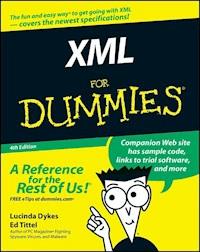
See how XML works for business needs and RSS feeds Create consistency on the Web, or tag your data for different purposes Tag -- XML is it! XML tags let you share your format as well as your data, and this handy guide will show you how. You'll soon be using this markup language to create everything from Web sites to business forms, discovering schemas and DOCTYPES, wandering the Xpath, teaming up XML with Office 2003, and more. Discover how to * Make information portable * Use XML with Word 2003 * Store different types of data * Convert HTML documents to XHTML * Add CSS to XML * Understand and use DTDs
Sie lesen das E-Book in den Legimi-Apps auf:
Seitenzahl: 489
Veröffentlichungsjahr: 2011
Ähnliche



















XML For Dummies®, 4th Edition
by Lucinda Dykes and Ed Tittel
XML For Dummies®, 4th Edition
Published byWiley Publishing, Inc.111 River St.Hoboken, NJ 07030-5774www.wiley.com
Copyright © 2005 by Wiley Publishing, Inc., Indianapolis, Indiana
Published by Wiley Publishing, Inc., Indianapolis, Indiana
Published simultaneously in Canada
No part of this publication may be reproduced, stored in a retrieval system or transmitted in any form or by any means, electronic, mechanical, photocopying, recording, scanning or otherwise, except as permitted under Sections 107 or 108 of the 1976 United States Copyright Act, without either the prior written permission of the Publisher, or authorization through payment of the appropriate per-copy fee to the Copyright Clearance Center, 222 Rosewood Drive, Danvers, MA 01923, (978) 750-8400, fax (978) 646-8600. Requests to the Publisher for permission should be addressed to the Legal Department, Wiley Publishing, Inc., 10475 Crosspoint Blvd., Indianapolis, IN 46256, (317) 572-3447, fax (317) 572-4355, or online at http://www.wiley.com/go/permissions.
Trademarks: Wiley, the Wiley Publishing logo, For Dummies, the Dummies Man logo, A Reference for the Rest of Us!, The Dummies Way, Dummies Daily, The Fun and Easy Way, Dummies.com, and related trade dress are trademarks or registered trademarks of John Wiley & Sons, Inc. and/or its affiliates in the United States and other countries, and may not be used without written permission. All other trademarks are the property of their respective owners. Wiley Publishing, Inc., is not associated with any product or vendor mentioned in this book.
LIMIT OF LIABILITY/DISCLAIMER OF WARRANTY: The publisher and the author make no representations or warranties with respect to the accuracy or completeness of the contents of this work and specifically disclaim all warranties, including without limitation warranties of fitness for a particular purpose. No warranty may be created or extended by sales or promotional materials. The advice and strategies contained herein may not be suitable for every situation. This work is sold with the understanding that the publisher is not engaged in rendering legal, accounting, or other professional services. If professional assistance is required, the services of a competent professional person should be sought. Neither the publisher nor the author shall be liable for damages arising herefrom. The fact that an organization or Website is referred to in this work as a citation and/or a potential source of further information does not mean that the author or the publisher endorses the information the organization or Website may provide or recommendations it may make. Further, readers should be aware that Internet Websites listed in this work may have changed or disappeared between when this work was written and when it is read.
For general information on our other products and services, please contact our Customer Care Department within the U.S. at 800-762-2974, outside the U.S. at 317-572-3993, or fax 317-572-4002.
For technical support, please visit www.wiley.com/techsupport.
Wiley also publishes its books in a variety of electronic formats. Some content that appears in print may not be available in electronic books.
Library of Congress Control Number: 2005923240
ISBN-13: 978-0-7645-8845-7
ISBN-10: 0-7645-8845-1
Manufactured in the United States of America
10 9 8 7 6 5 4 3 2 1
4O/QT/QV/QV/IN
About the Author
Lucinda Dykes started her career in a high-tech area of medicine, but left medicine to pursue her interests in technology and the Web. She has been writing code and developing Web sites since 1994, and also teaches and develops online courses — including the JavaScript courses for the International Webmasters Association/HTML Writers’ Guild at www.eclasses.org.
Lucinda has authored, co-authored, edited, and been a contributing author to numerous computer books; the most recent include Dreamweaver MX 2004 Savvy (Sybex), XML for Dummies (3rd Edition, Wiley), Dreamweaver MX Fireworks MX Savvy (Sybex), XML Schemas (Sybex), and Mastering XHTML (Sybex).When she can manage to move herself away from her keyboard, other interests include holographic technologies, science fiction, and Bollywood movies.
Ed Tittel is a 23-year veteran of the computing industry. After spending his first seven years in harness writing code, Ed switched to the softer side of the business as a trainer and talking head. A freelance writer since 1986, Ed has written hundreds of magazine and Web articles — and worked on over 100 computer books, including numerous For Dummies titles on topics that include several Windows versions, NetWare, HTML, XHTML, and XML.
Ed is also Technology Editor for Certification Magazine, writes for numerous TechTarget Web sites, and writes a twice-monthly newsletter, “Must Know News,” for CramSession.com. In his spare time, Ed likes to shoot pool, cook, and spend time with his wife Dina and his son Gregory. He also likes to explore the world away from the keyboard with his trusty Labrador retriever, Blackie. Ed can be contacted at [email protected].
Dedication
To the heroes at the W3C and OASIS, sung and unsung, especially members of the many XML working groups who have made the world (or the Web, at least) a better place through their tireless efforts, and to all those Web pioneers who generously offered help and support to those of us trying to figure out how to make our contribution to the Web in the early ‘90s.
Author’s Acknowledgments
Lucinda Dykes: Thanks to everyone on the scene and behind the scenes who has contributed to making this project possible.
First, I’d like to thank Ed Tittel for giving me not only the opportunity to be involved in this book, but who also played a major role in my entry into the world of technical writing. Ed and I share a long-term interest in language, computers, and markup languages. I’d also like to thank everyone involved in any edition of this book for the excellent foundation they made for this edition to build on.
Next, thanks to the team at Wiley, especially Katie Feltman for her vision and support of this project, Paul Levesque for quiet and steady guidance in addition to excellent editing, Allen Wyatt for insight and outstanding technical editing, and Barry Childs-Helton for superb copy-editing as well as a delightful sense of humor. And thanks to Carole McClendon, my agent at Waterside Productions, who made it possible for me to lead this project.
On a personal note, special thanks to my mother, Doris Dykes, who instilled and supported a lifelong interest in learning and in books. She claims that I’m the first child she lost to the Internet — but that makes me easy to find. Mom: I’ll be in front of the nearest computer screen. Thanks and love always to Wali for making it possible for me to spend all these late nights tapping away at the keyboard, and for always making me remember the things that are really important. Thanks to our dear friends, Rose Rowe and Karmin Perless, who walked softly and made room for having a writer around. And finally, thanks to Wendy Fries and Cheryl Kline for great conversation, good advice, and lots of laughter at our monthly writers’ session at the Coffee Grove.
Publisher’s Acknowledgments
We’re proud of this book; please send us your comments through our online registration form located at www.dummies.com/register/.
Some of the people who helped bring this book to market include the following:
Acquisitions, Editorial, and Media Development
Project Editor: Paul Levesque
Acquisitions Editor: Katie Feltman
Copy Editor: Barry Childs-Helton
Technical Editor: Allen Wyatt, Sr.
Editorial Manager: Leah Cameron
Permissions Editor: Laura Moss
Media Development Specialist: Kit Malone
Media Development Manager: Laura VanWinkle
Media Development Supervisor: Richard Graves
Editorial Assistant: Amanda Foxworth
Cartoons: Rich Tennant (www.the5thwave.com)
Composition Services
Project Coordinator: Maridee Ennis
Layout and Graphics: Andrea Dahl, Stephanie D. Jumper, Julie Trippetti
Proofreaders: Leeann Harney, Joe Niesen, Carl William Pierce, TECHBOOKS Production Services
Indexer: TECHBOOKS Production Services
Publishing and Editorial for Technology Dummies
Richard Swadley, Vice President and Executive Group Publisher
Andy Cummings, Vice President and Publisher
Mary Bednarek, Executive Acquisitions Director
Mary C. Corder, Editorial Director
Publishing for Consumer Dummies
Diane Graves Steele, Vice President and Publisher
Joyce Pepple, Acquisitions Director
Composition Services
Gerry Fahey, Vice President of Production Services
Debbie Stailey, Director of Composition Services
Introduction
W elcome to the latest frontier of Web technology. In XML For Dummies, 4th Edition, we introduce you to the mysteries of eXtensible Markup Language (XML). XML is helping developers capture, manipulate, and exchange all kinds of documents and data, ranging from news feeds to financial transactions. In fact, many experts believe XML represents a kind of “lingua franca” that can represent information in just about any imaginable form, more accessibly than ever before — not only to human readers, but also to all kinds of computer applications and services.
We take a practical and straightforward approach to telling you about XML and what it can do for your data and document capture, management, and exchange efforts. We try to keep the amount of technobabble to a minimum and stick to plain English as much as possible. We also try to keep the focus on practical applications of XML technology, including desktop applications such as Office 2003. We have carefully chosen what we feel are the most relevant XML technologies for developers today. Besides plain talk about XML — and the many special-purpose applications that XML supports for document designers and authors, graphics developers, and many other communities of technical and business interests — we include lots of sample markup to help you put XML to work in your organization, business, or personal life. (No personal life is quite complete without a little XML.)
The Web page for this book is available at www.dummies.com/go/xmlfd4e. This Web page includes all the XML example files from this book, as well as numerous XML authoring tools, parsers, development kits, and other goodies for you to download. We hope you’ll find it helpful for your own projects!
About This Book
Think of this book as your friendly, approachable guide to using XML for all kinds of interesting purposes. Using XML is a bit trickier than using HTML, so this book is organized to make it easier to grapple with XML’s fundamentals, wrestle them to the ground, and use them well. We also document voluminous additional sources of information, both online and offline. Here are some of the topics we include:
An overview of XML’s capabilities, terminology, and technologies
Tips for styling XML with CSS and XSLT
Hands-on practice in developing DTDs and XML Schema for validating XML documents
A beginner’s guide to XPath
An introduction to XForms and InfoPath
A guide to XML application development, including Web services, databases, and news feeds
Because XML is essentially a markup language used to create other XML-based markup languages — or what we also call XML applications — it’s not exactly accurate to call a document based on one particular XML application or another an “XML document.” It really makes more sense to call it an “XML-based document” because the document itself contains markup defined using XML. But for brevity’s sake, we call such documents XML documents in this book. After all, such documents must adhere to the rules of XML syntax and structure if they are to work properly. We could get all fussy and always refer to them (more correctly) as “XML-based documents” or “documents based on such-and-such an XML application.” But that makes us squirm too.
Although you might think that using XML requires years of training and advanced technical wizardry, we don’t think that’s true. If you can tell someone how to drive across town, you can certainly use XML to build documents that do what you want them to. The purpose of this book isn’t to turn you into a true-blue geek, complete with pocket protector. Rather, XML For Dummies, 4th Edition shows you which design and technical elements you need so you can get a practical handle on what XML is and how it works. We also provide numerous examples and case studies to illustrate how XML behaves, so you can gain the know-how and confidence to use XML to good effect!
Conventions Used in This Book
Throughout this book, you see lots and lots of markup. All XML markup appears in monospace type, like this:
<Greeting>Hello, world!</Greeting>. ..
When you type XML tags or other related information, be sure to copy the information exactly as you see it between the angle brackets (< and >), because that’s part of the magic that makes XML work. Other than that, we tell you how to marshal and manage the content that makes your pages special, and we tell you exactly what you need to do to mix the elements of XML with your own work.
Because the margins in this book can’t accommodate some long lines of XML markup and still stay legible, sometimes we have to break lines of code. That tends to happen in designations for Web sites (called URLs, for Uniform Resource Locators) or special XML identifiers for namespaces and other information objects (called URIs, or Uniform Resource Identifiers) and also in the odd monstrously long line of markup that wraps to the next line. On your computer, these wrapped lines would appear on-screen as a single line of XML or as a single URL or URI — so don’t insert a hard return when you see any such lines wrap in the book. Here are some examples of wrapped lines:
www.infomagic.austin.com/nexus/plexus/lexus/praxis/
this_is_deliberately_long.html
and
<Item>Scientists have developed a robot that “learns” to walk like a toddler,
improving its step and balance with every stride.</Item>
XML is sensitive to how element text is entered. If you’re following our examples from the comfort of your living room, keep in mind that you have to use uppercase, lowercase, or other characters exactly as they appear in the book (or, more important, as they’re defined in the document description that governs any well-formed, valid XML document — be it an XML Schema or a Document Type Definition, or DTD). To make your work look like ours as much as possible, enter all element text exactly as it appears in this book. Better yet, download the file from the Web page for the book (www.dummies.com/go/xmlfd4e)!
Foolish Assumptions
Someone once said that making assumptions makes a fool out of the person who makes them and the person who is their subject. Even so, we’re going to make a few assumptions about you, our gentle reader:
You’re already familiar with text files and know how to use a text editor.
You have a working connection to the Internet.
You’re hip to the difference between a Web browser and a Web server.
You want to build your own XML documents for fun, for profit, or because it’s part of your job.
Also, we assume that you have a modern Web browser — one that can support XML directly. As we write this, that elite includes Internet Explorer 5.5 (and higher), Netscape Navigator 6 (and later), Opera, Firefox, Mozilla, and Amaya — all have decent XML parsing and rendering capabilities. Don’t worry, though, if you don’t have such a browser. Part of what you find in these pages and on the Web page for the book is a collection of pointers to help you obtain the tools you need to work directly with XML on your own computer. You don’t need to be a master logician or a programming whiz to work with XML; all you need are the time required to discover its ins and outs and the determination to understand its intricacies and capabilities.
Even if you were one of those who fled English Composition in school and hid out in the computer lab, take heart: If you can write a sentence and you know the difference between a heading and a paragraph, you can build and publish your own XML documents. If you have an imagination and the ability to communicate what’s important to you in an organized manner, you’ve already mastered the ingredients necessary to build useful, information-rich XML documents and data collections. The rest is details — and we help you with those!
How This Book Is Organized
This book contains six major parts; each part contains three or more chapters; each chapter has (in all modesty) lots of good stuff. Any time you need help or information, pick up the book and start anywhere you like, or use the table of contents and index to locate specific topics or keywords. This section of your friendly intro offers a preview of the six parts and what you find in each one.
Part I: XML Basics
Part I sets the stage. It begins with an overview of XML’s special capabilities and discusses what XML is and what XML is not. We tempt you toward the XML side of the Force (hopefully) by exploring the many uses for XML — and checking out the applications to which it’s so well suited. We also briefly discuss the relationships between and among the many XML languages and let you know which ones we think are particularly useful for today’s developer. We conclude Part I with a look at techniques for analyzing and classifying your data so that you can make XML documents meet your data requirements. You also get to see how XML documents gain their structure and content — from a thorough analysis of requirements and examples.
Part II: XML and the Web
In Part II, you find out all about displaying XML content on Web pages. First, we cover what’s involved in converting HTML to its XML-based equivalent, XHTML, as a way of introducing XML’s syntax and structure.
Chapter 5 picks up that thread, and you find out how to construct an XML document piece by piece while playing by the rules of XML. We show you how to create well-formed documents and discuss how XML documents and data can be made subject to formal descriptions (a great way to define a set of rules that humans and computers can follow with equal ease). You find out why you might (or might not) want to validate your XML documents with a DTD or XML Schema.
In Chapter 6 we explore character sets and related entities that XML depends on to represent content and explain how to use them in your documents.
We conclude Part II with an explanation of what’s involved in bringing XML documents to the Web and talk about the best ways to use styles to make their contents more presentable. To that end, we explore ways to use Cascading Style Sheets (CSS) to make native XML documents (or XML content transformed into HTML) easier to read and appreciate online.
Part III: Building in Validation with DTDs and Schemas
In Part III, we explain the purpose and functions that Document Type Definitions (DTDs) can play in describing XML documents. We use a DTD to teach you about the XML markup that it enables. We explain how to read a DTD to recognize the elements, attributes, and content models it contains.
After that, we look at an “all-XML, all the time” alternative to DTDs called XML Schema — an application that provides even more capabilities to describe, use, and control XML documents. One part of XML Schema’s appeal derives from its basis in XML itself. Because XML Schema is just another XML application (albeit one that allows you to describe other XML applications), you’ve got a leg up if you already have a working knowledge of XML: You can apply that knowledge to describing XML applications without having to learn yet another markup language. DTDs (on the other hand) are based on SGML, not XML; you have to have XML under your belt before you can use, customize, or create DTDs that describe XML applications. Another major part of XML Schema’s appeal derives from its broad selection of built-in datatypes and support for user-derived datatypes; you can be as specific as you want (or need) to be in describing your data.
We explain how to create elements, attributes, datatypes, and content models to work in XML Schemas. We provide details on how to construct a valid XML Schema document and show you how to use this document to create new XML documents in Word 2003.
We conclude Part III by explaining how to combine XML Schemas and how to mix and match XML Schema contents or components to maximize this technology. We also introduce XML namespaces and take a look at converting DTDs to XML Schemas.
The four chapters in this part represent some of the most important nuts and bolts in the entire book.
Part IV: Transforming and Processing XML
In Part IV, we jump into the ins and outs of the eXtensible Stylesheet Language (XSL) that can be used to turn XML-based data or documents into just about any form or format imaginable. After that, we explore the details of transforming an XML document into different formats — and dispel the mysteries involved in putting XSL to work for you when you change things around.
Next, we show you how to use XPath to describe the precise location of elements, attributes, and their values in an XML document.
To conclude Part IV, our final stop is inside the machinery that makes XML usable, as we explore what’s involved when a computer reads and absorbs an XML document and list what kinds of capabilities the necessary software (usually called an XML processor) can deliver.
Part V: XML Application Development
In Part V, we explore what you can do with XML when you’ve got some ready to work with — and show you many possible ways to get things done with a little help from XML.
First, we take a look at an exciting set of XML-based applications designed to advertise, locate, and use so-called “Web services” — a software and messaging architecture that enables service providers to advertise their services on the Web and users to locate and use such services. Web services can involve anything from access to proprietary databases, remote storage or processing, or even access to basic productivity applications (word processing, spreadsheets, e-mail, and so forth) that users normally see on their own desktops but often show up running elsewhere on the Internet. There’s plenty of hype and hope for the future of Web services, and you explore the reasons why this is the case.
Next, you find out all about using forms to collect XML data and take a close look at two very different ways to use forms with XML: XForms, the W3C’s “next generation” of Web forms, and InfoPath, Microsoft’s visual XML forms editor.
In Chapter 17, you explore using XML with databases and how to import and export XML data using Word, InfoPath, XMLSpy, and Access.
To conclude Part V, we explain how to use XML on the Web for syndicating content with RSS news feeds. You get the word on how to create an RSS file, as well as how to validate your file and submit it for syndication.
Part VI: The Part of Tens
Part VI introduces our picks of the best XML tools, applications and resources. We begin this part with a brief survey of popular, widely used XML tools and technologies. These include special-purpose XML editors and authoring tools, XML-based management tools, XML-capable browsers, parsers and engines, and conversion tools.
In Chapter 20, you have a chance to observe some of the best and brightest uses of XML and to understand why a certain set of XML applications is of such great interest to so many content designers and developers. Finally, in Chapter 21, you can read about some of the most appealing and useful sources of information about XML and related applications known to man and woman.
Glossary
In the glossary, you can find definitions for all terms that make you go “Huh?” We did our best to choose the ones that really need an explanation and to define them in a way that’s easy to understand.
The materials on the XML For Dummies, 4th Edition Web site (www.dummies.com/go/xmlfd4e/) are designed to help you match up the markup and examples that appear within the pages of the book to their electronic counterparts on the Web site. In addition, we’ve provided links to as comprehensive a collection of tools and programs for XML as we could gather here for your delectation and use.
Icons Used in This Book
This icon signals technical details that are informative and interesting but not critical to writing XML. Skip these if you want (but please, for the sake of your inner geek, come back and read them later).
This icon flags useful information that demystifies (and helps uncomplicate) XML markup, Web-page design, or other important stuff.
This icon points out information that you shouldn’t pass by — don’t overlook these gentle reminders (the life you save could be your own).
Be cautious when you see this icon. It warns you of things you shouldn’t do; the bomb emphasizes that the consequences of ignoring these bits of wisdom can be severe.
Where to Go from Here
To keep up with the latest version of these references, please visit the related XML For Dummies site at www.dummies.com/go/xmlfd4e/. Here, you find the results of our best efforts to keep the information in the book current and a list of errata to straighten out any mistakes, boo-boos, or gotchas that we weren’t able to root out before the book went to publication. We hope you find this a convincing demonstration that our hearts are in the right place (we already know we’re not perfect).
Please share your feedback with us about the book. We can’t claim that we’ll follow every suggestion or react to every comment, but you can be pretty certain that suggestions that occur repeatedly — or that add demonstrable value to the book — will find a place in the next edition!
Good luck on your journey, and don’t forget to keep your eyes on the road and your hands on the wheel as you cruise the information highway.
Enjoy!
Part I
XML Basics
In this part . . .
H ere you get a gentle-but-formal introduction to the eXtensible Markup Language, also known as XML. Starting in Chapter 1, you get a look at XML’s capabilities, strengths, and versatility. You get tips on the best uses of XML, and draw a bead on the other pieces that may be necessary for an XML solution. In Chapter 2, we introduce you to the options for XML output — including Web pages, print documents, forms, spreadsheets, and databases. Then the wide variety of XML languages comes to light. Finally, Chapter 3 rounds out your basic toolkit with a close look at how to develop and test a classification scheme for your data.
Chapter 1
Getting to Know XML
In This Chapter
Introducing XML
Examining the many uses of XML
Deciphering what XML is and what XML isn’t
Building an XML document
H ave you ever needed a document format that you could use to exchange data — either across the Internet or across an intranet? Well, eXtensible Markup Language (XML) may be just the solution. In fact, many different industries have discovered the wonders of XML — and use it extensively to help organize and classify their data.
XML is a markup language — it uses tags to label, categorize, and organize information in a specific way. Markup describes document or data structure and organization. Content, such as text, images, and data, is that part of the code that the markup tags contain; it’s also what’s of greatest interest to most everyday humans who read or interact with data or documents. XML isn’t limited to a particular set of markup — you create your own markup to suit your data and document needs. The flexibility of XML has led to its widespread use for exchanging data in a multitude of forms.
Lesen Sie weiter in der vollständigen Ausgabe!
Lesen Sie weiter in der vollständigen Ausgabe!
Lesen Sie weiter in der vollständigen Ausgabe!
Lesen Sie weiter in der vollständigen Ausgabe!
Lesen Sie weiter in der vollständigen Ausgabe!
Lesen Sie weiter in der vollständigen Ausgabe!
Lesen Sie weiter in der vollständigen Ausgabe!
Lesen Sie weiter in der vollständigen Ausgabe!
Lesen Sie weiter in der vollständigen Ausgabe!
Lesen Sie weiter in der vollständigen Ausgabe!
Lesen Sie weiter in der vollständigen Ausgabe!
Lesen Sie weiter in der vollständigen Ausgabe!
Lesen Sie weiter in der vollständigen Ausgabe!
Lesen Sie weiter in der vollständigen Ausgabe!
Lesen Sie weiter in der vollständigen Ausgabe!
Lesen Sie weiter in der vollständigen Ausgabe!
Lesen Sie weiter in der vollständigen Ausgabe!
Lesen Sie weiter in der vollständigen Ausgabe!
Lesen Sie weiter in der vollständigen Ausgabe!
Lesen Sie weiter in der vollständigen Ausgabe!
Lesen Sie weiter in der vollständigen Ausgabe!
Lesen Sie weiter in der vollständigen Ausgabe!
Lesen Sie weiter in der vollständigen Ausgabe!
Lesen Sie weiter in der vollständigen Ausgabe!
Lesen Sie weiter in der vollständigen Ausgabe!
Lesen Sie weiter in der vollständigen Ausgabe!




