


Erhalten Sie Zugang zu diesem und mehr als 300000 Büchern ab EUR 5,99 monatlich.
- Herausgeber: epubli
- Kategorie: Wissenschaft und neue Technologien
- Sprache: Englisch
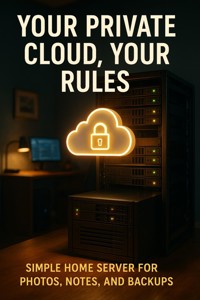
Take back control of your data and privacy with Your Private Cloud, Your Rules—the hands-on guide to building a personal home server that works exactly the way you want. Perfect for beginners and tech enthusiasts alike, this book walks you step-by-step through setting up your own NAS (Network-Attached Storage) system to securely store photos, notes, and backups—without relying on big tech or monthly fees. Discover how to self-host your favorite apps, organize media, and protect your digital life with full transparency and control. From choosing hardware to configuring cloud software and automating backups, every chapter is packed with clear explanations, practical examples, and troubleshooting tips to get you online fast. You'll learn how to synchronize devices across your network, access your files remotely, and maintain privacy with encryption and smart settings. Whether you're looking to declutter your digital world or explore the growing movement of data independence, this guide gives you everything you need to create a private cloud that's secure, scalable, and uniquely yours.
Sie lesen das E-Book in den Legimi-Apps auf:
Seitenzahl: 237
Veröffentlichungsjahr: 2025
Das E-Book (TTS) können Sie hören im Abo „Legimi Premium” in Legimi-Apps auf:
Ähnliche


















Table of Contents
Chapter 1: Understanding the Need for Your Private Cloud
The Growing Concerns of Data Privacy
The Advantages of a Personal Cloud
The Basics of Network-Attached Storage (NAS)
Self-Hosting vs. Cloud Services
Security Enhancements with Your Private Cloud
The Path to Digital Independence
Chapter 2: Choosing the Right Hardware for Your NAS
Understanding NAS Hardware Components
Deciding Between DIY and Pre-built NAS
Budgeting for Your NAS Setup
Essential Features to Look For
Chapter 3: Setting Up Your NAS System
Understanding NAS Operating Systems
Preparing Your Hard Drives
Configuring Your NAS
Optimizing Storage Organization
Chapter 4: Configuring Your Cloud Software
Understanding Cloud Software Options
Preparing for Installation
Installation Process
Configuring User Accounts and Permissions
Optimizing Your Cloud Environment
Troubleshooting Common Issues
Chapter 5: Self-Hosting Applications for a Personal Touch
Understanding Self-Hosting
Selecting the Right Applications
Setting Up Your First Application
Managing Your Applications
Integrating with Other Services
Troubleshooting Common Issues
Chapter 6: Organizing Your Media Library
Understanding Media Types
Creating a Folder Structure
Tagging and Indexing Your Media
Backing Up Your Media Library
Sharing Media Securely
Chapter 7: Automating Backups for Peace of Mind
Understanding Backup Fundamentals
Choosing Backup Tools and Software
Structuring Your Backup Process
Configuring Automated Backups
Best Practices for Backup Security
Chapter 8: Securing Your Private Cloud
Understanding Data Security
Implementing Strong Passwords
Firewalls and Network Security
Data Encryption
Regular Updates and Patching
Backups and Disaster Recovery
Monitoring and Logging
Chapter 9: Remote Access to Your Cloud
Understanding Remote Access
Setting Up a VPN for Your NAS
Using Dynamic DNS for Remote Access
Accessing Your NAS Remotely
Chapter 10: Synchronizing Devices Across Your Network
Understanding Synchronization
Tools for Device Synchronization
Setting Up Synchronization for Home Servers
Best Practices for Effective Synchronization
Troubleshooting Synchronization Issues
Chapter 11: Exploring Advanced Features of Your NAS
Media Streaming with Your NAS
Running Virtual Machines on Your NAS
Integrating Smart Home Devices
Optimizing Your NAS for Backups
Chapter 12: Troubleshooting Common Issues
Understanding Common Connectivity Issues
Dealing with Software Glitches
Troubleshooting User Access Issues
Managing Data Loss Scenarios
Resolving Performance Issues
Chapter 13: Evolving Your Setup: Scaling Up Your Private Cloud
Assessing Your Storage Needs
Choosing the Right Hardware
Expanding Your Media Library
Ensuring Data Redundancy
Enhancing Security Measures
Automating Maintenance Tasks
Chapter 14: Understanding Data Privacy Laws
Introduction to Data Privacy Laws
General Data Protection Regulation (GDPR)
California Consumer Privacy Act (CCPA)
Practical Steps for Compliance
Chapter 15: The Future of Personal Data Management
Understanding Decentralization in Data Management
Enhanced Privacy Technologies on the Horizon
The Rise of Personal Cloud Solutions
Data Management Strategies for the Future
Chapter 16: Embracing the DIY Tech Movement
The Impact of DIY Tech
Resources for Learning and Growth
Your Next Steps in DIY Tech
The Future of DIY Tech
Final Thoughts: Your Empowering Journey to Data Independence
Reflecting on Your Learning Journey
The Shift Towards Digital Independence
Continuous Learning and Adaptation
Expanding Your Home Server Capabilities
Sharing Your Knowledge and Experience
Looking Ahead: The Future of Your Home Server
Chapter 1: Understanding the Need for Your Private Cloud
In today’s digital landscape, data privacy and control are more important than ever. As we increasingly rely on cloud services, we often surrender our data to big tech companies. In Chapter 1, we will explore why having your own private cloud is essential. Learn how a personal home server can give you back control over your photos, notes, and backups. This chapter sets the stage for the entire book, emphasizing the value of digital independence.
The Growing Concerns of Data Privacy
As our lives become increasingly digital, the concerns surrounding data privacy have intensified. Many individuals are unaware of how their information is collected, used, and shared by large corporations. In this section, we will discuss the importance of understanding these concerns to realize the necessity of a personal cloud.
Understanding Data Collection
In today's interconnected world, understanding how data collection works is essential for safeguarding your privacy. Large corporations utilize sophisticated algorithms and technologies to gather vast amounts of information about their users. This includes not only personal details such as names and email addresses but also behavioral data, location tracking, and even preferences based on your online activities.
Every click, search, and interaction can feed into a data ecosystem that monetizes your information, often without your explicit consent. This lack of transparency raises significant concerns about user privacy and data ownership. By recognizing how data is collected, you can appreciate the value of creating your own private cloud.
A personal home server offers a path to regain control over that data, allowing you to manage and store it according to your own rules and preferences, free from corporate surveillance.
Risks of Surrendering Privacy
Surrendering your privacy to corporations comes with inherent risks that users must recognize. When you rely on third-party cloud services, you essentially hand over sensitive personal information that can be used for targeted advertising, profiling, or even sold to other entities. This commodification of personal data undermines individual autonomy and can lead to unwanted intrusions.
Moreover, many users overlook the long-term implications of such reliance. Your data, once relinquished, may become part of a larger dataset without your control. By establishing your own private cloud, you mitigate these risks and create a safer environment for your data. It empowers you to dictate who accesses your information and how it is used, enhancing not only security but also peace of mind.
Data Breaches and Unauthorized Access
Data breaches have become alarmingly common, exposing personal information to malicious actors. High-profile incidents demonstrate that even the largest organizations can fall victim to cyberattacks, leaving users vulnerable to identity theft, financial fraud, and more. Each breach is a stark reminder of the potential dangers involved in storing data on shared platforms.
The reality is that personal information stored on cloud services can be accessed by unauthorized individuals if proper security measures are not in place. A personal home server provides a controlled environment where you can implement robust security protocols such as encryption, secure passwords, and physical safeguards that directly protect your data.
By taking the reins of your data storage and actively securing it, you can significantly reduce the likelihood of unauthorized access and protect against the ever-growing threat of data breaches.
The Role of Trusted Devices
In the quest for data privacy, the selection of trusted devices plays a pivotal role. Devices that you personally control—such as your home server—are essential for minimizing risks associated with data breaches and unauthorized access. Unlike public cloud services, a personal server ensures that your data remains within your trusted tech ecosystem.
Utilizing devices that you have configured and secured allows for a greater layer of protection. You can choose hardware that meets your needs and implement the software that aligns with your security protocols. This level of customization is often unattainable with mainstream solutions. Investing in trusted devices can dramatically enhance your overall control over your data, ensuring that your private cloud remains a secure sanctuary for your essential information.
The Advantages of a Personal Cloud
Creating your own private cloud comes with numerous benefits. It allows you to manage your data, enhance your security, and tailor your storage solutions. This section will outline the key advantages of having your own personal home server.
Increased Control Over Data
One of the most significant advantages of setting up your own private cloud is the increased control you gain over your data. Unlike relying on cloud services provided by large tech companies, a personal cloud allows you to decide exactly how your information is stored, accessed, and managed. You can set your own access permissions, encryption standards, and data retention policies.
This level of control is particularly important in today’s digital age, where data breaches and privacy concerns are rampant. By self-hosting your data, you mitigate the risk of unauthorized access, ensuring that your sensitive information remains protected. Additionally, you can easily organize and categorize your data according to your preferences, making it simpler to locate files when needed.
Ultimately, having a personal cloud empowers you to prioritize your data privacy and security, allowing you to safeguard your information on your own terms.
Cost Effectiveness Compared to Subscription Services
Building a personal home server can lead to significant cost savings compared to traditional subscription-based cloud services. While many popular cloud platforms charge monthly fees that can add up over time, investing in a one-time setup for your own server eliminates ongoing costs. Once your system is up and running, you’ll primarily incur expenses related to maintenance rather than recurring subscriptions.
Moreover, personal clouds often allow you to utilize existing hardware, such as old computers or external drives, further reducing initial costs. As your data storage needs grow, you can expand your system with additional hard drives without significant financial burden. This not only saves money but also grants you the flexibility to scale your storage according to your requirements.
In essence, a personal cloud offers a more economic long-term solution for data storage and management.
Customization to Your Needs
Another appealing aspect of a personal cloud is the level of customization it offers. Unlike generic cloud services that come with predefined features and limitations, building your own server allows you to tailor the system to your specific requirements. You can choose the software and applications that best suit your needs, whether it's for file sharing, media streaming, or data backup.
This customization extends to the user interface, security settings, and backup protocols, allowing you to create a personalized experience that aligns with your technology habits. For instance, you might prefer an interface that prioritizes photo management or a system that simplifies note-taking and organization.
Such tailored configurations can significantly enhance user experience and productivity, making your private cloud not just a storage solution, but a fully functional workspace that matches your lifestyle.
No Data Limitations from Third Parties
When utilizing third-party cloud services, users often face data limitations regarding storage capacity, file types, or even bandwidth. These restrictions can hinder your ability to efficiently manage your digital assets. However, with a personal cloud, you are free from such constraints. You determine how much storage to allocate and can upgrade your system as necessary without being beholden to external policies.
This freedom also means you can store any file type without fearing compatibility issues or the risk of losing access due to changes in a service provider’s terms. With no fear of sudden account suspensions or data caps, you can have peace of mind that your files are available whenever you need them.
Furthermore, having full ownership of your data allows you to implement your own organization and management strategies without third-party interference.
The Basics of Network-Attached Storage (NAS)
Network-Attached Storage (NAS) is a vital component of building a personal cloud. This section will introduce NAS, explaining what it is and how it works to store and share data over a network.
Definition and Functionality of NAS
Network-Attached Storage (NAS) is a dedicated file storage solution that connects to a network, allowing users to easily store and retrieve data from a centralized location. Unlike traditional hard drives, NAS systems are designed to be accessed over a network, making them ideal for multiple users and devices.
A NAS operates as a standalone device with its own operating system, which manages data files and handles connections from various devices. Users can share files across different platforms, including PCs, smartphones, and tablets, without complex configurations. This functionality enables seamless sharing of media, documents, and backups, providing a reliable solution for both home and work environments.
In essence, NAS combines server capabilities with storage efficiency, offering enhanced access, collaboration, and data management. By implementing a NAS system, you can streamline data access and ensure your important files are always within reach.
How NAS Differs from Traditional Storage
When compared to traditional storage solutions such as external hard drives, NAS systems offer significant advantages. Firstly, NAS devices are networked, allowing multiple users to access shared files simultaneously from various devices without needing to connect directly to the storage unit.
Additionally, NAS typically features built-in redundancy and fault tolerance via multiple drives. Traditional storage options generally do not have this safeguard, making them more prone to data loss in case of hardware failures. Moreover, NAS systems offer scalability; you can easily add more storage drives as your data needs grow, while traditional storage solutions often have fixed capacities.
Ultimately, NAS provides a centralized platform designed for both accessibility and security, fundamentally changing the way individuals and organizations handle their data storage needs.
Understanding RAID and Data Redundancy
RAID, or Redundant Array of Independent Disks, is a critical component in many NAS implementations. It refers to a technology that employs multiple hard drives to increase data reliability and performance. By spreading data across several disks, RAID can help prevent data loss in the event of a drive failure.
There are various RAID levels, each offering different balances of performance, redundancy, and capacity. For example, RAID 1 mirrors data across two drives, ensuring that if one fails, the other retains the data. On the other hand, RAID 5 requires three drives and offers a combination of striping (for performance) and parity (for redundancy), providing a more efficient use of storage space.
Understanding RAID is essential for anyone setting up a NAS, as it directly affects the overall safety and accessibility of stored data. Implementing RAID can significantly augment your digital security strategy, ensuring that important files remain intact even in failure scenarios.
Accessing NAS from Multiple Devices
One of the standout features of a NAS system is its ability to facilitate access from multiple devices. Whether you’re using a laptop, smartphone, or smart TV, accessing the data stored on your NAS is straightforward. Most NAS devices come with user-friendly interfaces and mobile apps that simplify this process.
Users can configure their NAS to be accessible over the Internet, allowing remote access to files and media from anywhere. By setting up proper permissions, NAS systems also enable sharing among family members or colleagues securely, providing different access levels as needed.
This versatility enhances the user experience, allowing seamless integration into everyday life. With just a few clicks, you can stream videos, share photos, or retrieve important documents, making NAS a powerful tool for maintaining a connected digital environment.
Self-Hosting vs. Cloud Services
Many users depend on third-party cloud services for their data needs. In this section, we will contrast self-hosting your applications on a personal server with using mainstream cloud solutions.
What Self-Hosting Means
Self-hosting refers to the practice of running applications and services on your own hardware rather than relying on external cloud providers. This means that you set up and maintain your own server—be it a dedicated home server or a simpler NAS (Network-Attached Storage) device—where all your data is stored and managed. By self-hosting, you directly control the installation, configuration, and management of the software, ensuring it works according to your specific needs.
In contrast to traditional cloud services, self-hosting allows for enhanced customization and flexibility. You can install various applications such as file sharing, media streaming, or personal notes, tailoring each setup to best suit your preferences. While self-hosting does require some initial technical know-how, numerous resources and communities are available to help beginners navigate the setup process effectively.
Advantages of Self-Hosting Your Applications
One of the primary advantages of self-hosting is the level of control it provides. By managing your own server, you decide how your data is stored, accessed, and secured. This independence reduces reliance on third-party services, which may have varying data privacy policies. Additionally, self-hosting can lead to significant cost savings in the long run, especially when compared with expensive subscription fees charged by commercial cloud platforms.
Furthermore, self-hosting enhances privacy as you are less susceptible to data breaches associated with centralized cloud storage. With the right security measures, such as encryption and firewalls, your data remains safer. Finally, self-hosting fosters a deeper understanding of the technologies involved, enabling you to develop valuable technical skills that can benefit you in various other areas.
Limitations of Commercial Cloud Services
While commercial cloud services offer convenience and scalability, they often come with inherent limitations. Firstly, users typically have limited control over their data, as it is stored on servers managed by external companies. This lack of control raises significant privacy concerns, especially when companies may change their data policies or face security breaches.
Moreover, commercial cloud providers frequently charge subscription fees that can escalate over time. Many users may find that their long-term costs surpass that of a self-hosted solution, which, although it requires an upfront investment, can be more economical. Finally, cloud services can also impose restrictions on data access speeds and service availability, affecting the overall user experience.
Potential Costs of Ownership versus Subscription Models
When considering whether to self-host or use a subscription model, it’s crucial to analyze the costs associated with each option. Self-hosting involves initial expenses for purchasing hardware, such as a NAS or a dedicated server. Beyond this, there may be additional costs for electricity, internet bandwidth, and any necessary software licenses, depending on the applications you choose to run.
In contrast, subscription-based cloud services typically feature predictable monthly fees that add up over time. For many users, these fees can surpass the one-time investment of setting up a personal server in just a few years. Additionally, self-hosting often allows for unlimited data storage without incurring extra fees as your storage needs grow, further enhancing its long-term viability. Ultimately, the decision should balance initial costs with ongoing expenses and your level of comfort with managing technology.
Security Enhancements with Your Private Cloud
Security is paramount when it comes to protecting your data. In this section, we will discuss how owning a private cloud can enhance your personal security and privacy.
Implementing Strong Encryption
One of the primary benefits of owning a private cloud is the ability to implement strong encryption protocols for your data. By encrypting your files, you ensure that even if unauthorized individuals gain access to your storage, they cannot read or misuse your information.
When setting up your personal home server, consider using encryption methods such as AES (Advanced Encryption Standard), which is widely recognized for its robust security. Encrypting your data both at rest and in transit adds layers of protection, safeguarding your photos, notes, and backups from potential breaches.
Furthermore, utilizing encrypted connections, like VPNs or SSL/TLS for remote access, enhances your security posture. This means your data transfers over the internet remain secure, thereby minimizing the risk of interception. By prioritizing encryption, you take a significant step toward ensuring your private cloud is safe and your data is kept confidential.
Regular Software Updates and Maintenance
Keeping your home server's software up to date is crucial for maintaining security. Software developers regularly release updates to patch vulnerabilities that could be exploited by cybercriminals. Neglecting these updates can leave your system exposed to attacks, potentially compromising your sensitive data.
Establish a routine for checking and applying updates for your operating system, applications, and any server software you use. Automating updates where possible can help ensure that you are always protected against the latest threats.
Additionally, regular maintenance involves monitoring your server’s performance, checking logs for unusual activities, and cleaning unused data. These practices not only enhance security but also contribute to the overall efficiency of your private cloud setup, ensuring it runs smoothly and securely.
Firewall and Network Protection Strategies
Implementing firewall and network protection strategies is essential for securing your private cloud. A firewall acts as a barrier between your trusted internal network and untrusted external networks, monitoring and controlling incoming and outgoing traffic based on predefined security rules.
For a home server, consider using both software and hardware firewalls. A software firewall can be installed directly on your server, while a hardware firewall can be configured on your router for an additional layer of protection. It’s crucial to configure these firewalls properly to block unauthorized access and protect sensitive data.
Additionally, segmenting your network can enhance security further. By creating separate networks for different devices and applications, you minimize the risk of widespread breaches. Implementing these strategies will greatly enhance the security of your private cloud.
Backups and Redundancy for Disaster Recovery
Backing up your data regularly is a cornerstone of an effective disaster recovery strategy. In the event of hardware failure, cyber-attacks, or accidental deletion, having reliable backups ensures that you do not lose valuable files stored in your private cloud.
Consider adopting a 3-2-1 backup strategy: keep three copies of your data, on two different media types, with one copy stored off-site or in the cloud. This approach ensures data redundancy and accessibility in case of calamities. Utilizing external drives or secondary NAS devices can help facilitate this redundancy.
Furthermore, automating your backup processes minimizes the risk of human error. Schedule regular backups to run automatically, ensuring that your data is consistently protected without requiring manual intervention. By prioritizing backups and redundancy, you enhance the resilience of your private cloud ecosystem.
The Path to Digital Independence
The idea of digital independence is becoming a significant trend among technology enthusiasts. This section will explore how setting up your private cloud contributes to a life free of reliance on corporate giants.
Understanding Digital Independence
Digital independence refers to the ability to manage and control your own data without undue reliance on major corporations. As more individuals become aware of the risks associated with centralized data storage, the appeal of owning a private cloud grows significantly. A personal home server empowers you to store, organize, and access your files, all while bypassing the extensive data mining practices frequently employed by big tech companies.
This independence means that you can dictate the terms of service for your data, minimizing exposure to breaches and misuse. By investing in your NAS, you not only ensure privacy but also strengthen your technical skills in maintaining your digital resources effectively. In essence, cultivating digital independence allows for a healthier relationship with your technology, encouraging a sense of ownership and responsibility over your digital footprint.
Building Resilience in Your Digital Life
Establishing a private cloud can significantly improve your resilience against data loss and external threats. With your home server, you can implement redundant backup systems that secure your essential documents, photos, and memories. This redundancy can include local backups on separate devices and remote backups in encrypted formats, ensuring that your data is never at the mercy of a single point of failure.
Additionally, by understanding how to secure your own network, you can protect against unauthorized access and cyber-attacks. Regularly updating your systems and utilizing encryption further fortifies your digital resilience. In doing so, you cultivate a secure environment where your data remains accessible only to you or those you choose to share it with, effectively shielding your digital life from external influences.
Community and Support for DIY Tech
The growth of DIY tech communities has made it easier than ever to embark on the journey of setting up a personal cloud. Online forums, social media groups, and local meetups provide spaces where individuals can share experiences, troubleshoot problems, and find inspiration. These communities are invaluable, especially for beginners who may feel overwhelmed at first.
Moreover, by engaging with like-minded enthusiasts, you can gain insights into the latest trends in technology, software options, and hardware recommendations. Collaborating with others encourages a deeper understanding of the tools and techniques needed for maintaining your own server. This collective knowledge fosters an atmosphere of support that not only enhances your skills but also creates lasting connections in the broader DIY tech landscape.
Future of Personal Data Management
The future of personal data management is shifting towards decentralized solutions, driven by individuals wanting greater control over their digital lives. As technology advances, self-hosted options for managing data will become more user-friendly and accessible, paving the way for broader adoption of personal cloud systems. Innovations in privacy-focused applications and services will increasingly emerge to meet consumer demand for secure and resilient solutions.
Furthermore, as awareness regarding data ownership grows, more people will seek personalized approaches to their digital storage needs. The trend toward enhanced privacy and data control will put pressure on traditional cloud providers to rethink their business models. Ultimately, this shift signifies a broader societal movement towards valuing individual autonomy over digital assets, leading to a more secure and independent digital future.
Chapter 2: Choosing the Right Hardware for Your NAS
The first step in building your private cloud is selecting the right hardware. In Chapter 2, we’ll break down the essential components of a Network-Attached Storage (NAS) system. You’ll discover which specifications to look for, how to choose between DIY builds or pre-built options, and tips for budget-friendly setups. With practical advice, you’ll be ready to make informed decisions to suit your needs.
Understanding NAS Hardware Components
To effectively build your NAS, it’s crucial to understand the key hardware components involved. These components are the backbone of your system, impacting performance, storage capacity, and your overall experience. By grasping what each piece does, you can make better-informed choices.
Motherboard: The Foundation
The motherboard serves as the central nervous system of your NAS, linking all the internal components together. When selecting a motherboard, it's essential to check for ample SATA ports, as these will determine the number of storage drives you can connect. Look for models that support various configurations, including RAID, which can enhance data redundancy and improve performance.
Additionally, consider the motherboard's support for RAM. A motherboard with more RAM slots allows for future upgrades, which is beneficial as your storage needs grow. Compatibility with current technologies such as PCIe can also enhance connectivity options. Investing in a quality motherboard sets a strong foundation for a reliable storage solution, making it a key component in your NAS setup.
Processor: Powering Performance
The processor, or CPU, is vital in ensuring your NAS operates efficiently, especially when multiple users access files simultaneously. A capable processor not only improves file access speeds but also enhances the overall system responsiveness. Aim for a CPU that strikes a balance between performance and energy efficiency—this is particularly important for a system designed to run 24/7.
Many NAS setups benefit from processors with multiple cores, as this allows for better multitasking capabilities. Consider using processors designed specifically for NAS systems, as they often include integrated graphics and low power consumption features, ensuring you maintain efficient operation while minimizing energy costs.
RAM: Speed and Efficiency
Random Access Memory (RAM) plays a crucial role in the performance of your NAS. More RAM allows for smoother multitasking, enabling your NAS to handle multiple tasks without slowing down. For most home server environments, starting with at least 4GB of RAM is recommended to ensure efficient file handling and application performance.
As your requirements grow—especially if you plan to run more resource-intensive applications or accommodate multiple users—you may wish to upgrade your RAM. More memory can significantly reduce loading times and enhance overall system responsiveness, which is essential for a reliable server experience. Always check your motherboard specifications for compatibility when deciding on RAM capacity and type.
Storage Drives: SSD vs. HDD
Your choice of storage drives is critical for optimizing both performance and capacity in your NAS. Solid State Drives (SSDs) offer exceptional speed, making them ideal for applications requiring quick access to files, such as media streaming or photo editing. On the other hand, Hard Disk Drives (HDDs) provide significant bulk storage at a lower cost, making them suitable for archiving large amounts of data.
To balance speed and capacity, many users opt for a combination of both SSDs and HDDs. This hybrid approach allows you to benefit from the fast access times of SSDs while taking advantage of the cost-effectiveness of HDDs for larger files. Ensure that your NAS can support the drive types you select, and consider how each component's performance will align with your intended usage.
Power Supply: Reliability Matters
A reliable Power Supply Unit (PSU) is essential for the stable operation of your NAS. It ensures consistent performance and helps protect your hardware from potential power surges that could lead to data loss or hardware failure. When selecting a power supply, look for one with enough wattage to support your entire build, including all drives, the CPU, and any additional components.




