


32,99 €
Mehr erfahren.
- Herausgeber: John Wiley & Sons
- Kategorie: Wissenschaft und neue Technologien
- Serie: Digital Classroom
- Sprache: Englisch
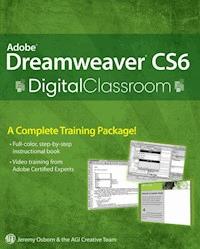
Learn Dreamweaver CS6 at your own speed with this complete training package Dreamweaver is the industry standard software for professional website design, with more than 90 percent of the market. In this book-and-DVD package, expert instructors provide a complete course in basic Dreamweaver that you can access at your own speed. Step-by-step instructions in the book are supported by lesson files and video tutorials on the DVD, presenting the newest version of Dreamweaver in 16 self-paced lessons. You'll learn to use style sheets, dynamic HTML, multimedia, databases, and much more to design, develop, and maintain your website. * Newcomers to website development will learn to design and maintain fully functioning sites using the newest version of Dreamweaver with this book-and-DVD package * The self-paced lessons cover applying style sheets, using dynamic HTML, adding style with images and multimedia, publishing and maintaining a website, and using databases to create dynamic websites * Shows how to use hyperlinks to navigate throughout a website or link to other sites on the Internet and how to format web pages and forms * Created by a team of Adobe experts who have developed training programs for Adobe Systems Dreamweaver CS6 Digital Classroom is the next best thing to having a personal tutor teach you this award-winning software. Note: DVD and other supplementary materials are not included as part of the e-book file, but are available for download after purchase.
Sie lesen das E-Book in den Legimi-Apps auf:
Seitenzahl: 587
Veröffentlichungsjahr: 2012
Ähnliche


















Contents
Cover
Contents
Title Page
Copyright
About the Authors
Acknowledgments
Credits
Advertisement
Starting Up
About Dreamweaver Digital Classroom
Prerequisites
Starting Adobe Dreamweaver
Resetting the Dreamweaver workspace
Loading lesson files
Working with the video tutorials
Hosting your websites
Additional resources
Lesson 1: Dreamweaver CS6 Jumpstart
Starting up
What is Dreamweaver?
Dreamweaver's workspace features
Live View and Live Code
Related files
Code Navigator
Photoshop smart objects
Support for Content Management Systems
HTML5, CSS3, and PHP code hinting
HTML and CSS Starter Pages
Subversion
Business Catalyst integration
How websites work
An introduction to HTML
A look at the Welcome Screen
Creating, opening, and saving documents
Self study
Review
Lesson 2: Setting Up a New Site
Starting up
Creating a new site
Adding pages
Defining page properties
Work views
A deeper look into the Files panel
Self study
Review
Lesson 3: Adding Text and Images
Starting up
Typography and images on the Web
Adding text
An introduction to styles
Previewing pages in a web browser
Understanding hyperlinks
Creating hyperlinks
Creating lists
Using the Text Insert panel
Inserting images
Linking images
Using image placeholders
Editing images
Self study
Review
Lesson 4: Styling Your Pages with CSS
Starting up
What are Cascading Style Sheets?
Creating and modifying styles
Div tags and CSS IDs
Self study
Review
Lesson 5: Creating Page Layouts with CSS
Starting up
The CSS Box model
Creating a centered container for your page
Positioning content with AP Divs
Setting margins and borders
The pros and cons of Absolutely Positioned CSS layouts
Self study
Review
Lesson 6: Advanced Page Layout
Starting up
Layout with AP divs versus layout with floats
Creating columns with HTML and CSS
Creating a list-based navigation bar
Changing column layout and size
Creating the appearance of equal height columns
Browser compatibility
Creating more sophisticated layouts
Dreamweaver Fluid Grid Layout
Self study
Review
Lesson 7: CSS3 Transitions and Web Fonts
Starting up
Understanding the role of CSS3
Adding a CSS Transition
Modifying a CSS Transition
Adding CSS Transitions to a navigation menu
The basics of web fonts
Adding web fonts to your site
Styling your heading with a web font
Self study
Review
Lesson 8: Working with Tables
Starting up
Using tables in web design
Importing table data
Selecting table elements
Modifying table size
Modifying table structure
Creating a table
Formatting and styling tables in HTML
Formatting and styling tables with CSS
Advanced CSS styling of tables
Controlling cell alignment, padding, and borders with CSS
Creating alternate row styling with CSS
Reusing CSS for other tables
Data sorting tables
Self study
Review
Lesson 9: Fine-Tuning Your Workflow
Starting up
Customizing panels and panel groups
Using the Favorites tab on the Insert bar
Resizing the document window
Changing the Zoom level
Using guides
Using grids
The tag selector
Tiling documents
Self study
Review
Lesson 10: Adding Flash, Video, and Sound Content
Starting up
Making web content interesting
Inserting Flash movies
Adding video
QuickTime video and Windows Media
Inserting sound
Self study
Review
Lesson 11: Maximizing Site Design
Starting up
Creating modular page elements
Introducing snippets
Introducing library items
Introducing templates
Modifying templates
Repeating regions
Self study
Review
Lesson 12: Working with Code-editing Features
Starting up
Working with code
Using HTML5 Code-hinting
Working in the Code view
Validating your code
Formatting code
Self study
Review
Lesson 13: Building Web Forms
Starting up
The basics of HTML forms
Building a contact form
Adding form elements
Styling forms with CSS
Form processing and validation
Adding form validation
Validating form fields
Self study
Review
Lesson 14: Adding Interactivity with the Spry Framework
Starting up
Introducing the Spry Widgets
A look at the project
The Spry Menu bar
Customizing Spry Widgets with CSS
The Spry Tabbed panel
The Spry Accordion panel
The Spry Collapsible panel
Working with Spry Data Widgets
Styling and fine-tuning data widgets
Self study
Review
Lesson 15: Mobile Design and Layout
Starting up
The rise of the mobile web
Self study
Review
Lesson 16: Managing your Website: Reports, Optimization, and Maintenance
Starting up
Working with the Files panel
Using Check In/Check Out and Design Notes
Testing site integrity
Generating site reports
Optimizing pages for launch
Launching your site
Getting help and using the reference guides
Self study
Review
Lesson 17: Dreamweaver CS6 New Features
What’s new in Dreamweaver CS6?
jQuery Mobile Swatches
PhoneGap Build Service
New Features in Dreamweaver CS5.5
End User License Agreement
Guide
Cover
Contents
Start Reading
Pages
iii
iv
v
vi
vii
1
2
3
4
5
6
7
9
10
11
12
13
14
15
16
17
18
19
20
21
22
24
25
26
27
28
29
30
31
32
35
36
38
39
40
41
42
43
44
45
46
47
48
49
50
51
52
53
54
55
56
57
58
59
60
61
63
64
65
66
67
68
69
70
71
72
73
74
75
76
77
78
79
80
81
82
83
84
85
86
87
88
89
90
91
92
93
94
95
96
97
98
99
100
101
102
103
104
105
106
107
108
109
110
111
112
113
114
115
116
117
118
119
120
121
122
123
124
125
126
127
128
129
130
131
132
133
134
135
136
137
138
139
140
141
142
143
144
145
146
147
148
149
150
151
152
153
154
155
156
157
158
159
160
161
162
163
164
165
166
167
168
169
170
171
172
173
174
175
176
177
178
179
180
181
182
183
184
185
186
187
188
189
190
191
192
193
194
195
196
197
198
199
200
201
202
203
204
205
206
207
208
209
210
211
212
213
214
215
216
217
218
219
220
221
222
223
224
225
226
227
228
229
230
231
232
233
234
235
236
237
238
239
240
241
242
243
244
245
246
247
248
249
250
251
252
253
254
255
256
257
259
260
261
262
263
264
265
266
267
268
269
270
271
272
273
274
275
276
277
278
279
280
281
282
283
284
285
286
287
288
289
290
291
292
293
294
295
296
297
298
299
300
301
302
303
304
305
306
307
308
309
310
311
312
313
314
315
316
317
318
319
320
321
322
323
324
325
326
327
328
329
330
331
332
333
334
335
336
337
338
339
340
341
342
343
344
345
346
347
348
349
350
351
352
353
354
355
356
357
358
359
360
361
362
363
364
365
366
367
368
369
370
371
372
373
375
376
377
378
379
380
381
382
383
384
385
386
387
388
389
390
391
392
393
394
395
396
397
398
399
400
401
402
403
404
405
406
407
408
409
410
411
412
413
414
415
416
417
418
419
420
421
422
423
424
425
426
427
428
429
430
431
432
433
434
435
436
437
438
439
440
441
443
444
445
446
447
448
449
450
451
Adobe® Dreamweaver® CS6 Digital Classroom
Jeremy Osborn
AGI Creative Team
Adobe® Dreamweaver® CS6 Digital Classroom
Published byJohn Wiley & Sons, Inc.10475 Crosspoint Blvd.Indianapolis, IN 46256
Copyright © 2012 by John Wiley & Sons, Inc., Indianapolis, Indiana
Published simultaneously in Canada
ePub Edition © 2012
ePub ISBN: 9781118238288
No part of this publication may be reproduced, stored in a retrieval system or transmitted in any form or by any means, electronic, mechanical, photocopying, recording, scanning or otherwise, except as permitted under Sections 107 or 108 of the 1976 United States Copyright Act, without either the prior written permission of the Publisher, or authorization through payment of the appropriate per-copy fee to the Copyright Clearance Center, 222 Rosewood Drive, Danvers, MA 01923, (978) 750-8400, fax (978) 646-8600. Requests to the Publisher for permission should be addressed to the Permissions Department, John Wiley & Sons, Inc., 111 River Street, Hoboken, NJ 07030, (201) 748-6011, fax (201) 748-6088, or online at http://www.wiley.com/go/permissions.
Limit of Liability/Disclaimer of Warranty: The publisher and the author make no representations or warranties with respect to the accuracy or completeness of the contents of this work and specifically disclaim all warranties, including without limitation warranties of fitness for a particular purpose. No warranty may be created or extended by sales or promotional materials. The advice and strategies contained herein may not be suitable for every situation. This work is sold with the understanding that the publisher is not engaged in rendering legal, accounting, or other professional services. If professional assistance is required, the services of a competent professional person should be sought. Neither the publisher nor the author shall be liable for damages arising herefrom. The fact that an organization or website is referred to in this work as a citation and/or a potential source of further information does not mean that the author or the publisher endorses the information the organization or website may provide or recommendations it may make. Further, readers should be aware that Internet websites listed in this work may have changed or disappeared between when this work was written and when it is read.
For general information on our other products and services or to obtain technical support, please contact our Customer Care Department within the U.S. at (877) 762-2974, outside the U.S. at (317) 572-3993 or fax (317) 572-4002.
Wiley publishes in a variety of print and electronic formats and by print-on-demand. Some material included with standard print versions of this book may not be included in e-books or in print-on-demand. If this book refers to media such as a CD or DVD that is not included in the version you purchased, you may download this material after registering your book at www.digitalclassroombooks.com/epub/dreamweavercs6. For more information about Wiley products, visit www.wiley.com.
Please report any errors by sending a message to [email protected]
Library of Congress Control Number: 2012933617
Trademarks: Wiley and the John Wiley & Sons logos are trademarks or registered trademarks of John Wiley & Sons, Inc. and/or its affiliates in the United States and/or other countries, and may not be used without written permission. The AGI logo is a trademark of American Graphics Institute, LLC in the United States and other countries, and may not be used without written permission. All other trademarks are the property of their respective owners. John Wiley & Sons, Inc. is not associated with any product or vendor mentioned in this book.
Wiley also publishes its books in a variety of electronic formats. Some content that appears in print may not be available in electronic books.
About the Authors
Jeremy Osborn is the Content Director at American Graphics Institute (agitraining.com). He has more than 15 years of experience in web and graphic design, filmmaking, writing, and publication development for both print and digital media. He has contributed to several of the Digital Classroom book series. Jeremy holds a MS in Management from the Marlboro College Graduate Center and a BFA in Film/TV from the Tisch School of the Arts at NYU.
Greg Heald has 20 years of design and production experience in both web and print environments. He has served as a contributing author or editor on a number of books on Dreamweaver, Flash, InDesign, and Acrobat. Greg has contributed to the development of Adobe’s certification exams, and as Training Manager for American Graphics Institute, he oversees the delivery of professional development training programs for individuals and organizations. Greg holds a degree in Advertising Design from the acclaimed College of Visual and Performing Arts at Syracuse University.
The AGI Creative Team is composed of Adobe Certified Experts and Adobe Certified Instructors from American Graphics Institute (AGI). The AGI Creative Team has authored more than 10 Digital Classroom books, and previously created many of Adobe’s official training guides. They work with many of the world’s most prominent companies, helping them to use creative software to communicate more effectively and creatively. They work with marketing, creative, and communications teams around the world, delivering private customized training programs, and teach regularly scheduled classes at AGI’s locations. They are available for professional development sessions at schools and universities. More information is available at agitraining.com.
Acknowledgments
A special thanks to our many friends at Adobe Systems, Inc. who made this book possible and assisted with questions and feedback during the writing process. To the many clients of AGI who have helped us better understand how they use Dreamweaver and provided us with many of the tips and suggestions found in this book. And thanks to the instructional team at AGI for their input and assistance in the review process and for making this book such a team eff ort.
Thanks to Lesa and the team at iStockPhoto for the use of their exclusive iStockPhoto.com photographers’ images.
Credits
Additional Writing
Greg Heald
President, American Graphics Institute and Digital Classroom Series Publisher
Christopher Smith
Executive Editor
Jody Lefevere
Technical Editors
Kate Erickson, Cheri White
Editor
Karla E. Melendez
Editorial Director
Robyn Siesky
Business Manager
Amy Knies
Senior Marketing Manager
Sandy Smith
Vice President and Executive Group Publisher
Richard Swadley
Vice President and Executive Publisher
Barry Pruett
Senior Project Coordinator
Katherine Crocker
Project Manager
Cheri White
Graphics and Production Specialist
Jason Miranda, Spoke & Wheel
Media Development Project Supervisor
Chris Leavey
Proofreading
Jay Donahue, Barn Owl Publishing
Indexing
Michael Ferreira
Stock Photography
iStockPhoto.com
Starting up
About Dreamweaver Digital Classroom
Adobe® Dreamweaver® lets you design, develop, and maintain web pages and websites. Designers and developers both use Dreamweaver, which lets you create and edit content using either a visual layout or a coding environment. Dreamweaver CS6 also provides tight integration with other Adobe products such as Photoshop® CS6 and Flash® CS6 Professional.
The Adobe Dreamweaver CS6 Digital Classroom helps you to understand these capabilities, and how to get the most out of your software, so that you can get up-and-running right away with the CS6 version of the software. You can work through all the lessons in this book, or complete only specific lessons. Each lesson includes detailed, step-by-step instructions, along with lesson files, useful background information, and video tutorials.
Adobe Dreamweaver CS6 Digital Classroom is like having your own expert instructor guiding you through each lesson while you work at your own pace. This book includes 17 self-paced lessons that let you discover essential skills, explore new features, and understand capabilities that will save you time. You’ll be productive right away with real-world exercises and simple explanations. Each lesson includes step-by-step instructions, lesson files and video tutorials, all of which are available on the Digital Classroom website: . The lessons are developed by the same team of Adobe Certified Instructors and Dreamweaver experts who have created many official training titles for Adobe Systems.
Lesen Sie weiter in der vollständigen Ausgabe!
Lesen Sie weiter in der vollständigen Ausgabe!
Lesen Sie weiter in der vollständigen Ausgabe!
Lesen Sie weiter in der vollständigen Ausgabe!
Lesen Sie weiter in der vollständigen Ausgabe!
Lesen Sie weiter in der vollständigen Ausgabe!
Lesen Sie weiter in der vollständigen Ausgabe!
Lesen Sie weiter in der vollständigen Ausgabe!
Lesen Sie weiter in der vollständigen Ausgabe!
Lesen Sie weiter in der vollständigen Ausgabe!
Lesen Sie weiter in der vollständigen Ausgabe!
Lesen Sie weiter in der vollständigen Ausgabe!
Lesen Sie weiter in der vollständigen Ausgabe!
Lesen Sie weiter in der vollständigen Ausgabe!
Lesen Sie weiter in der vollständigen Ausgabe!
Lesen Sie weiter in der vollständigen Ausgabe!
Lesen Sie weiter in der vollständigen Ausgabe!
Lesen Sie weiter in der vollständigen Ausgabe!




