


34,99 €
Mehr erfahren.
- Herausgeber: John Wiley & Sons
- Kategorie: Wissenschaft und neue Technologien
- Serie: Digital Classroom
- Sprache: Englisch
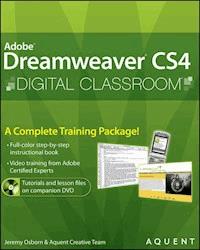
Dreamweaver CS4 Digital Classroom is like having a personalinstructor guiding readers through each lesson, while they work attheir own pace. This book includes 13 self-paced lessons that letreaders discover essential skills and explore new features andcapabilities of Adobe Dreamweaver CS4. Each lesson is presented infull color with step-by-step instructions. Learning is reinforcedwith video tutorials and lesson files on a companion DVD that weredeveloped by the same team of Adobe Certified Instructors andDreamweaver experts who have created many of the official trainingtitles for Adobe Systems. Each video tutorial is approximately fiveminutes long and demonstrates and explains the concepts andfeatures covered in the lesson. This training package demonstrateshow to design, develop, and maintain a fully functioning Web site.Coverage includes applying style sheets, using dynamic HTML, addingstyle with images and multimedia, publishing and maintaining a website, using hyperlinks to navigate throughout a website or link toother sites on the Internet, and using databases to create dynamicwebsites. Jam-packed with information, this book takes users fromthe basics through intermediate level topics and helps readers findthe information they need in a clear, approachable manner. Note: CD-ROM/DVD and other supplementary materials arenot included as part of eBook file.
Sie lesen das E-Book in den Legimi-Apps auf:
Seitenzahl: 516
Veröffentlichungsjahr: 2011
Ähnliche


















Adobe® Dreamweaver® CS4 Digital Classroom
Jeremy Osborn and the AGI Creative Team
Table of Contents
Starting Up
Lesson 1: Dreamweaver CS4 Jumpstart
Lesson 2: Setting Up a New Site
Lesson 3: Adding Text and Images
Lesson 4: Styling Your Pages with CSS
Lesson 5: Creating Page Layouts with CSS
Lesson 6: Working with Tables
Lesson 7: Fine-Tuning Your Workflow
Lesson 8: Adding Flash, Video, and Sound Content
Lesson 9: Maximizing Site Design
Lesson 10: Under the Hood: Editing in the Code View
Lesson 11: Building Web Forms
Lesson 12: Working with the Spry Framework
Lesson 13: Managing Your Web Site: Reports, Optimization, and Maintenance
Lesson 14: Using Legacy Tools: Frames and Tables
About Dreamweaver Digital Classroom
Adobe® Dreamweaver® CS4 lets you design, develop, and maintain web pages and web sites. Designers and developers both use Dreamweaver CS4, which lets you create and edit content using either a visual layout or a coding environment. Dreamweaver CS4 also provides tight integration with other Adobe products such as Photoshop® CS4 and Flash® CS4 Professional.
The Adobe Dreamweaver CS4 Digital Classroom helps you to understand these capabilities, and how to get the most out of your software, so that you can get up-and-running right away. You can work through all the lessons in this book, or complete only specific lessons. Each lesson includes detailed, step-by-step instructions, along with lesson files, useful background information, and video tutorials.
Adobe Dreamweaver CS4 Digital Classroom is like having your own expert instructor guiding you through each lesson while you work at your own pace. This book includes 14 self-paced lessons that let you discover essential skills, explore new features, and understand capabilities that will save you time. You’ll be productive right away with real-world exercises and simple explanations. Each lesson includes step-by-step instructions and lesson files available on the Digital Classroom web site at www.digitalclassroombooks.com/epub/dreamweavercs4. The Adobe Dreamweaver CS4 Digital Classroom lessons are developed by the same team of Adobe Certified Instructors and Dreamweaver experts who have created many of the official training titles for Adobe Systems.
Prerequisites
Before you start the Adobe Dreamweaver CS4 Digital Classroom lessons, you should have a working knowledge of your computer and its operating system. You should know how to use the directory system of your computer so that you can navigate through folders. You also need to understand how to locate, save, and open files, and you should also know how to use your mouse to access menus and commands.
Before starting the lesson files in the Adobe Dreamweaver CS4 Digital Classroom, make sure that you have installed Adobe Dreamweaver CS4. The software is sold separately, and not included with this book. You may use the free 30-day trial version of Adobe Dreamweaver CS4 available at the Adobe.com web site, subject to the terms of its license agreement.
System requirements
Before starting the lessons in the Adobe Dreamweaver CS4 Digital Classroom, make sure that your computer is equipped for running Adobe Dreamweaver CS4. The minimum system requirements for your computer to effectively use the software are listed on the following page.
System requirements for Adobe Dreamweaver CS4
These are the minimum system requirements for using the Dreamweaver CS4 software.
Windows OS
• Intel® Pentium® 4, Intel Centrino®, Intel Xeon®, or Intel Core™ Duo (or compatible) processor
• Microsoft® Windows® XP with Service Pack 2 or Windows Vista™ Home Premium, Business, Ultimate, or Enterprise (certified for 32-bit editions)
• 512MB of RAM (1GB recommended)
• 1.8GB of available hard-disk space (additional free space required during installation)
• 1024x768 monitor resolution with 16-bit video card
• DVD-ROM drive
• QuickTime 7 software required for multimedia features
• Internet or phone connection required for product activation
Macintosh OS
• 1GHz PowerPC® G4 or G5 or multicore Intel® processor
• Mac OS X v10.4.8–10.5 (Leopard)
• 512MB of RAM (1GB recommended)
• 1.6GB of available hard-disk space (additional free space required during installation)
• 1024x768 monitor resolution with 16-bit video card
• DVD-ROM drive
• QuickTime 7 software required for multimedia features
• Internet or phone connection required for product activation
Starting Adobe Dreamweaver CS4
As with most software, Adobe Dreamweaver CS4 is launched by locating the application in your Programs folder (Windows) or Applications folder (Mac OS). If you are not familiar with starting the program, follow these steps to start the Adobe Dreamweaver CS4 application:
Windows
1 Choose Start > All Programs > Adobe Dreamweaver CS4.
2 Close the Welcome Screen when it appears. You are now ready to use Adobe Dreamweaver CS4.
Mac OS
1 Open the Applications folder, and then open the Adobe Dreamweaver CS4 folder.
2 Double-click on the Adobe Dreamweaver CS4 application icon.
3 Close the Welcome Screen when it appears. You are now ready to use Adobe Dreamweaver CS4
Menus and commands are identified throughout the book by using the greater-than symbol (>). For example, the command to print a document appears as File > Print.
Resetting the Dreamweaver workspace
To make certain that your panels and working environment are consistent, you should reset your workspace at the start of each lesson. To reset your workspace, choose Window > Workspace Layout > Designer.
Loading lesson files
The Dreamweaver CS4 Digital Classroom book includes files that accompany the exercises for each of the lessons. You may copy the entire lessons folder from the supplied DVD to your hard drive, or copy only the lesson folders for the individual lessons you wish to complete. If you are reading the ePub version, you will need to download these files from www.digitalclassroombooks.com/epub/dreamweavercs4.
For each lesson in the book, the files are referenced by the file name of each file. The exact location of each file on your computer is not used, as you may have placed the files in a unique location on your hard drive. We suggest placing the lesson files in the My Documents folder (Windows) or at the top level of your hard drive (Mac OS).
Copying the lesson files to your hard drive:
1 Insert the Dreamweaver CS4 Digital Classroom DVD supplied with this book. ePub users go to www.digitalclassroombooks.com/epub/dreamweavercs4.
2 On your computer desktop, navigate to the DVD and locate the folder named dwlessons. If you download these files, you will need to Unzip (expand) the files before working with them.
3 You can install all the files, or just specific lesson files. Do one of the following:
• Install all lesson files by dragging the dwlessons folder to your hard drive.
• Install only some of the files by creating a new folder on your hard drive named dwlessons. Open the dwlessons folder on the supplied DVD, select the lesson(s) you wish to complete, and drag the folder(s) to the dwlessons folder you created on your hard drive.
Macintosh users may need to unlock the files if they are copied from the accompanying disc. This only applies to Mac OS computers. After copying the files to your computer, select the dwlessons folder, then choose File > Get Info. In the dwlessons info window, click the You can drop-down menu labeled Read Only, which is located in the Ownership section of this window. From the You can drop-down menu, choose Read & Write. Click the arrow to the left of Details, then click the Apply to enclosed items... button at the bottom of the window. You may need to click the padlock icon to change these permissions. After making these changes, close the window.
Working with the video tutorials
Your Dreamweaver CS4 Digital Classroom book comes with video tutorials developed by the authors to help you understand the concepts explored in each lesson. Each tutorial is approximately five minutes long and demonstrates and explains the concepts and features covered in the lesson.
The videos are designed to supplement your understanding of the material in the chapter. We have selected exercises and examples that we feel will be most useful to you. You may want to view the entire video for each lesson before you begin that lesson. ePub readers can view these video tutorials online at www.digitalclassroombooks.com/epub/dreamweavercs4.
Additional resources
The Digital Classroom series goes beyond the training books. You can also continue your learning online, with training videos, at seminars and conferences, and in-person training events.
Book series
Expand your knowledge of creative software applications with the Digital Classroom training series. Learn more at digitalclassroombooks.com.
Seminars and conferences
The authors of the Digital Classroom seminar series frequently conduct in-person seminars and speak at conferences, including the annual CRE8 Conference. Learn more at agitraining.com and CRE8summit.com.
Resources for educators
Visit digitalclassroombooks.com to access resources for educators, including instructors’ guides for incorporating Digital Classroom into your curriculum.
Lesson 1: Dreamweaver CS4 Jumpstart
Whether you are a novice web designer or an experienced developer, Dreamweaver is a comprehensive tool you can use for site design, layout, and management. In this lesson, you’ll take a tour of Dreamweaver’s key features and get a better understanding of how web pages work.
What you’ll learn in this lesson:
• Exploring Dreamweaver’s primary features
• Introducing new features in CS4
• Understanding how web sites and web pages work
• Coding HTML/XHTML: the basics
Starting up
Before starting, make sure that your tools and panels are consistent by resetting your workspace. See “Resetting the Dreamweaver workspace” on page 3.
You will work with several files from the dw01lessons folder in this lesson. Make sure that you have loaded the dwlessons folder onto your hard drive from the supplied DVD or online at www.digitalclassroombooks.com/epub/dreamweavercs4. See “Loading lesson files” on page 3.
Note: If you want to get started creating a page, jump ahead to “Tag structure and attributes” on page 20. Otherwise, the next few pages provide you with an overview of key capabilities and features of Dreamweaver CS4.
What is Dreamweaver?
Dreamweaver is an excellent coding and development tool for new and experienced users alike, and it has quickly become the preferred web site creation and management program, providing a creative environment for designers. Whether you design web sites, develop mobile phone content, or script complex server-side applications, Dreamweaver has something to offer.
Design and layout tools
Dreamweaver’s many icon-driven menus and detailed panels make it easy to insert and format text, images, and media (such as video files and Flash movies). This means that you can create great-looking and functional web pages without knowing a single line of code—Dreamweaver takes care of building the code behind the scenes for you. Dreamweaver does not create graphics from scratch; instead, it is fully integrated with Adobe Photoshop CS4, so you can import and adjust graphics from within the application.
The Insert panel features objects in several categories that let you easily add images, web forms, and media to your page.
Site management and File Transfer Protocol
Dreamweaver has everything you need for complete site management, including built-in file transfer protocol (FTP) capabilities between a server and your local machine, reusable objects (such as page templates and library items), and several safety mechanisms (such as link checkers and site reports) so that you can ensure that your site works well and looks good. If you’re designing your pages with Cascading Style Sheets (CSS), the Browser Compatibility Check and CSS Advisor features will help you to locate and troubleshoot any potential display issues that may occur across different web browsers.
Coding environment and text editor
Dreamweaver lets you work in a code-only view of your document that acts as a powerful text editor. Edit HTML code directly and switch views to see the results of your code as you work. Features such as color-coding, indentation, and visual aids make Dreamweaver a perfect text editing or coding environment for web designers of any level.
For more experienced developers, Dreamweaver also supports popular coding and scripting languages, such as JavaScript, and several server-side languages, including ColdFusion, PHP, and ASP.NET. Specialized insert menus and code panels help you to build pages and applications in the language of your choice.
Code view is a full-featured text editor that color-codes tags and scripts for editing that’s easier to decipher.
Scripting languages, such as those used to build interactive web pages or e-commerce sites, fall into two categories: client-side and server-side. Client-side languages (such as JavaScript) run in your browser, while server-side languages (such as ColdFusion) require special software installed on the server to run.
Who uses Dreamweaver?
Dreamweaver’s popularity is a result of its diversity. Its ability to take a site from conception through to launch—and maintenance afterward—makes it a preferred tool among industry professionals, businesses, and educational institutions. However, it remains easy and accessible enough for novice designers to get up-and-running quickly. It’s not unusual to see Dreamweaver utilized for personal projects or by small businesses and media professionals, such as photographers and painters, to maintain a web presence.
What’s new in Dreamweaver CS4?
In this lesson, you’ll look at some of the newest features in Dreamweaver CS4, if you are using Dreamweaver for the first time or new to web design, keep in mind that some of these features are geared to intermediate or advanced users. You may choose to skip this section and go directly ”An overview of the features” later in this lesson.
Lesen Sie weiter in der vollständigen Ausgabe!
Lesen Sie weiter in der vollständigen Ausgabe!
Lesen Sie weiter in der vollständigen Ausgabe!
Lesen Sie weiter in der vollständigen Ausgabe!
Lesen Sie weiter in der vollständigen Ausgabe!
Lesen Sie weiter in der vollständigen Ausgabe!
Lesen Sie weiter in der vollständigen Ausgabe!
Lesen Sie weiter in der vollständigen Ausgabe!
Lesen Sie weiter in der vollständigen Ausgabe!
Lesen Sie weiter in der vollständigen Ausgabe!
Lesen Sie weiter in der vollständigen Ausgabe!
Lesen Sie weiter in der vollständigen Ausgabe!
Lesen Sie weiter in der vollständigen Ausgabe!
Lesen Sie weiter in der vollständigen Ausgabe!
Lesen Sie weiter in der vollständigen Ausgabe!
Lesen Sie weiter in der vollständigen Ausgabe!




