


34,79 €
Mehr erfahren.
- Herausgeber: Packt Publishing
- Kategorie: Wissenschaft und neue Technologien
- Sprache: Englisch
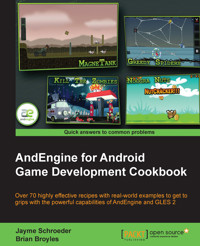
AndEngine is a broad 2D game engine which allows game developers, both experienced and inexperienced, to develop games for the Android platform with ease. Don't be fooled by the simplicity, though. As easy as it is to “pick up and go,” AndEngine includes enough functionality to bring any type of 2D game world to life.The "AndEngine for Android Game Development Cookbook" contains all of the necessary information and examples in order to build the games as you imagine them. The book's recipes will walk you through the various aspects of game design with AndEngine and provides detailed instructions on how to achieve some of the most desirable effects for your games.The "AndEngine for Android Game Development Cookbook" begins with detailed information on some of the more useful structuring techniques in game design and general aspects of resource management. Continuing on, the book will begin to discuss AndEngine entities, including sprites, text, meshes, and more. Everything from positioning, to modifiers, and even tips on improving entity functionality with raw OpenGL capabilities. From here on, everything from applying physics to your game, working with multi-touch events and gestures, game optimization, and even an overview of the various AndEngine extensions will be covered.The book has a widerange of recipes, from saving and loading game data, applying parallax backgrounds to create a seemingly 3D world, relying on touch events to zoom the game camera, taking screen-shots of the device's screen, and performance optimization using object pools. If physics-based games are more interesting to you, there's also a list of recipes ranging from controlling the world forces and calculating forces applied to bodies, creating destructible objects, and even creating rag-dolls.Pong styled games were fun 35 years ago, but it is time to take your game to the next level with the AndEngine for Android Game Development Cookbook.
Das E-Book können Sie in Legimi-Apps oder einer beliebigen App lesen, die das folgende Format unterstützen:
Seitenzahl: 517
Veröffentlichungsjahr: 2013
Ähnliche




















Table of Contents
AndEngine for Android Game Development Cookbook
AndEngine for Android Game Development Cookbook
Copyright © 2013 Packt Publishing
All rights reserved. No part of this book may be reproduced, stored in a retrieval system, or transmitted in any form or by any means, without the prior written permission of the publisher, except in the case of brief quotations embedded in critical articles or reviews.
Every effort has been made in the preparation of this book to ensure the accuracy of the information presented. However, the information contained in this book is sold without warranty, either express or implied. Neither the authors, nor Packt Publishing, and its dealers and distributors will be held liable for any damages caused or alleged to be caused directly or indirectly by this book.
Packt Publishing has endeavored to provide trademark information about all of the companies and products mentioned in this book by the appropriate use of capitals. However, Packt Publishing cannot guarantee the accuracy of this information.
First published: January 2013
Production Reference: 1070113
Published by Packt Publishing Ltd.
Livery Place
35 Livery Street
Birmingham B3 2PB, UK.
ISBN 978-1-84951-898-7
www.packtpub.com
Cover Image by Jayme Schroeder (<[email protected]>)
Credits
Authors
Jayme Schroeder
Brian Broyles
Reviewers
Mateusz Mysliwiec
Sergio Viudes Carbonell
Jafar Abdulrasoul [Jimmar]
Acquisition Editor
Kartikey Pandey
Lead Technical Editor
Sweny M. Sukumaran
Technical Editors
Sharvari Baet
Dominic Pereira
Project Coordinator
Priya Sharma
Proofreader
Kevin McGowan
Indexer
Rekha Nair
Graphics
Aditi Gajjar
Production Coordinator
Shantanu Zagade
Cover Work
Shantanu Zagade
About the Authors
Jayme Schroeder was introduced to computers at a very young age. By 11, he had started creating modifications and level packs for his favorite game. By age 16, he had found his true passion in game development and network programming in C++ and OpenGL. In early 2011, Jayme had received an Android smartphone and immediately fell in love with the development experience. Since then, he has been researching and developing for the Android platform on a daily basis.
There are many people I would like to thank for the opportunity to write this book and also thank those who helped me out every step of the way.
First and foremost, I would like to thank Packt Publishing for the acceptance of AndEngine for Android Game Development Cookbook and Amber D'souza for first approaching me with the opportunity to write this book. I would also like to thank Kartikey Pandey, Michelle Quadros, Sweny Sukumaran, Priya Sharma from Packt Publishing who all played a large part in making the writing process much easier than anticipated and comfortable for me. I would also like to thank Dominic Pereira and Sharvari Baet for the effort they've put in throughout the production stage and the suggestions they've made.
I would like to thank Nicolas Gramlich for creating AndEngine. Not only has he created an amazing engine for novice and advanced developers alike, but he's created a great community for Android developers to both learn and strengthen their development skills relating to game development.
I would like to also thank my co-author, Brian Broyles, for his contributions and commitment to the book. It's been an honor to share the experience with him.
Finally, I would like to thank all of my family and friends who showed their support and provided feedback during this experience. More specifically, I would like to thank Kent and Judy Schroeder; my parents, Shannon, Hollie, Taylor, and Brittanie; my brothers and sisters and my girlfriend, Krystal Guevremont. Of my friends, I would like to specifically thank Leo Wandersleb and Jordi Puigdellívol, with whom I've spent many days discussing the finer details of AndEngine which greatly helped to improve my knowledge.
Brian Broyles is a freelance programmer and 2D/3D graphic designer with over 12 years of experience. Before entering the mobile development industry in 2010 as the lead programmer of IFL Game Studio, he designed advanced artificial intelligence systems and graphical effects for interactive PC applications. In addition to his vast programming and design experience, he is also a commercial pilot, instrument flight instructor, and advanced instrument ground instructor.
I'd like to thank my amazing, beautiful wife, Bethany, for her support and enthusiasm as well as my family for encouraging me in all of my endeavors.
About the Reviewers
Mateusz Mysliwiec was born 1993 in Tarnow, Poland, graduating from high school in 2012. He currently lives in England. During his last year of high school, he decided that he would like to study Software Engineering or a different subject connected with math, programming, and engineering. He is also an independent game developer. In his free time, he develops professional mobile games focusing especially on the Android platform. His goal is to permanently impact the global mobile gaming industry in the near future. He is active in a variety of projects, including open source. His passions away from game development are sports and recreation such as football, skydiving, and jogging. His family and friends are the important aspects of his life.
Sergio Viudes is a 30 years old software developer from Elche (Spain). He works developing commercial web apps, and develops video games for Android in his free time.
He likes to play video games since childhood. He started playing with his brother's Spectrum when he was 5 years old. When he bought his first PC (well, his parents did), he was 14 years old, and started learning computer programming, computer drawing, and music composing (using the famous "FastTracker 2"). When he finished high school, he studied Computer Science at the University of Alicante.
His interest in mobile devices started with his first smart phone, ten years ago (2002), when he bought the first Symbian device from Nokia, the Nokia 7650. He really liked the idea that he could develop software that could run everywhere. So, along with his studies and his job, Sergio started creating simple mobile apps for his phone. About two years ago he decided to create his first video game for mobile devices. He really enjoys developing for mobile devices, he likes to compose music, he likes to draw, and, of course, he likes to play video games. So he decided to put all his hobbies together and develop his first video game for his favorite mobile platform—Android.
So far Sergio has released 3 games and he continues developing apps and games for Android as a hobby. He wishes that someday it will be his job, not just a hobby.
Jafar Abdulrasoul—a graduate from the Kuwait University—is a Computer Engineer and an Android game enthusiast who wrote a couple of excellent tutorials on his blog about creating games using AndEngine. He is known online by the name Jimmar.
My gratitude goes to my mother who tries to support me in everything I do, so thank you mama!
www.PacktPub.com
Support files, eBooks, discount offers and more
You might want to visit www.PacktPub.com for support files and downloads related to your book.
Did you know that Packt offers eBook versions of every book published, with PDF and ePub files available? You can upgrade to the eBook version at www.PacktPub.com and as a print book customer, you are entitled to a discount on the eBook copy. Get in touch with us at <[email protected]> for more details.
At www.PacktPub.com, you can also read a collection of free technical articles, sign up for a range of free newsletters and receive exclusive discounts and offers on Packt books and eBooks.
http://PacktLib.PacktPub.com
Do you need instant solutions to your IT questions? PacktLib is Packt's online digital book library. Here, you can access, read and search across Packt's entire library of books.
If you have an account with Packt at www.PacktPub.com, you can use this to access PacktLib today and view nine entirely free books. Simply use your login credentials for immediate access.
Preface
AndEngine is an excellent, full-featured, free, and open source 2D framework for the Android platform. It is one of few 2D frameworks for the Android platform which is consistently being used to create stylish and fun games by both independent and professional developers alike, and has even been used in some of the most successful games on the market to date. However, it takes more than just using a specific framework to achieve success.
AndEngine for Android Game Development Cookbook provides many informative walkthroughs relating to the most important aspects of AndEngine at a general game-programming level. The book covers everything from the life cycle of an AndEngine game to placing sprites on the scene and moving them around, all the way through to creating destructible objects and raycasting techniques. Even more importantly, this book is entirely based on AndEngine's latest and most efficient Anchor-Center branch.
What this book covers
Chapter 1, AndEngine Game Structure, covers the important aspects of game development with AndEngine regarding the core components that most games need to survive. Everything from audio, textures, the AndEngine life cycle, saving/loading game data, and more, are covered in this chapter.
Chapter 2, Working with Entities, begins to familiarize us with AndEngine's Entity class as well as its subtypes, such as sprites, text, primitives, and more. The Entity class is the core component of AndEngine that allows objects in code to be displayed onscreen. More specifically, this chapter includes a list of the most important methods included in the Entity class in order to allow us to take full control over how our entities act, react, or simply what they will look like.
Chapter 3, Designing Your Menu, introduces some of the more common aspects of menu design in mobile games. The topics covered in this chapter include creating buttons, adding theme music to the menu, creating parallax backgrounds, and menu screen navigation. The topics found within this chapter can easily be used in other areas of a game as well.
Chapter 4, Working with Cameras, discusses the various options included in AndEngine when it comes to how the game camera and engine view the game's scene. We begin by going over the different types of camera objects available to us in order to give us a proper understanding of the benefits of each for an informative decision. From there, we continue on to cover camera movement and zooming, creating extra large backgrounds, creating a heads-up-display, and even go as far as introducing the split screen game engine for more complex game design.
Chapter 5, Scene and Layer Management, shows how to create a robust scene manager framework that incorporates scene-specific loading screens and animated layers. The managed scenes in this chapter utilize a resource manager and are extremely customizable.
Chapter 6, Applications of Physics, explores the various techniques used to create an AndEngine physics simulation with the Box2D physics extension. The recipes in this chapter cover the basic setup for a Box2D physics world: body types, category filtering, bodies with multiple fixtures, polygon-based bodies, forces, joints, rag dolls, rope, collision events, destructible objects, and raycasting.
Chapter 7, Working with Update Handlers, demonstrates the use of update handlers that are called once per engine update. The recipes in this chapter show how to register entity-based update handlers, conditional updating, and the creation of a game timer.
Chapter 8, Maximizing Performance, introduces some of the most beneficial, high-level practices to follow when it comes to improving the performance of any Android game. This chapter covers optimization techniques involving audio, graphical/rendering, and general memory management to help alleviate performance issues where necessary.
Chapter 9, AndEngine Extensions Overview, is where we discuss some of the more popular AndEngine extensions which can be beneficial to a project, depending on the game. These extensions may not be for everyone, but for those interested, this chapter includes insight on how we can go about creating live wallpapers, multiplayer components via networking servers and clients, creating high resolution SVG textures, and color mapping textures.
Chapter 10, Getting More From AndEngine, provides several useful recipes that expand upon the concepts presented in the previous chapters. The recipes in this chapter include batch texture-loading, textured meshes, autonomous shadows, moving platforms, and rope bridges.
Appendix A, Source Code for MagneTank, outlines the game, MagneTank, with class-by-class descriptions to show how a full game made with AndEngine can be set up. The game includes many of the recipes found throughout the chapters, and the source code is available with the bundled code.
Appendix B, Additional Recipes, is not present in the book but is available as a free download from the following link: http://downloads.packtpub.com/sites/default/files/downloads/8987OS_AppB_Final.pdf.
What you need for this book
AndEngine for Android Game Development Cookbook is useful for the majority of AndEngine developers. Starting with the first few chapters, the reader will begin to work with the basics of AndEngine, and even intermediate developers will find useful tips throughout these chapters. As the reader progresses through the chapters, topics that are more difficult will be covered so it is important that beginners do not skip ahead. Additionally, intermediate developers who have not yet made the transition to AndEngine's latest development branch will find useful information throughout the book on the differences between the GLES1/GLES2 branches versus the Anchor-Center branch discussed in this book.
A fundamental understanding of the Java programming language is suggested.
The software required in order to execute the various topics in this book include the Eclipse IDE for building and compiling the code, GIMP for image drawing/editing, and Inkscape for SVG drawing/editing. Please feel free to use alternatives to these products if you are more comfortable with them. Additionally, this book assumes the reader has obtained the required libraries, including AndEngine and its various extensions prior to working with the recipes.
Who this book is for
AndEngine for Android Game Development Cookbook is geared toward developers who are interested in working with the most up-to-date version of AndEngine, sporting the brand new GLES 2.0 Anchor-Center branch. The book will be helpful for developers who are attempting to break into the mobile game market intending to release fun and exciting games while eliminating a large portion of the learning curve that is otherwise inevitable when getting into AndEngine development.
Reader feedback
Feedback from our readers is always welcome. Let us know what you think about this book—what you liked or may have disliked. Reader feedback is important for us to develop titles that you really get the most out of.
To send us general feedback, simply send an e-mail to <[email protected]>, and mention the book title via the subject of your message.
If there is a topic that you have expertise in and you are interested in either writing or contributing to a book, see our author guide on www.packtpub.com/authors.
Customer support
Now that you are the proud owner of a Packt book, we have a number of things to help you to get the most from your purchase.
Downloading the example code
You can download the example code files for all Packt books you have purchased from your account at http://www.PacktPub.com. If you purchased this book elsewhere, you can visit http://www.PacktPub.com/support and register to have the files e-mailed directly to you.
Errata
Although we have taken every care to ensure the accuracy of our content, mistakes do happen. If you find a mistake in one of our books—maybe a mistake in the text or the code—we would be grateful if you would report this to us. By doing so, you can save other readers from frustration and help us improve subsequent versions of this book. If you find any errata, please report them by visiting http://www.packtpub.com/support, selecting your book, clicking on the erratasubmissionform link, and entering the details of your errata. Once your errata are verified, your submission will be accepted and the errata will be uploaded on our website, or added to any list of existing errata, under the Errata section of that title. Any existing errata can be viewed by selecting your title from http://www.packtpub.com/support.
Piracy
Piracy of copyright material on the Internet is an ongoing problem across all media. At Packt, we take the protection of our copyright and licenses very seriously. If you come across any illegal copies of our works, in any form, on the Internet, please provide us with the location address or website name immediately so that we can pursue a remedy.
Please contact us at <[email protected]> with a link to the suspected pirated material.
We appreciate your help in protecting our authors, and our ability to bring you valuable content.
Questions
You can contact us at <[email protected]> if you are having a problem with any aspect of the book, and we will do our best to address it.
Chapter 1. AndEngine Game Structure
In this chapter, we're going to take a look at the main components needed for structuring a game in AndEngine. The topics include:
Introduction
The most appealing aspect of AndEngine is the incredible ease of creating games. The possibility of designing and coding a game in a matter of weeks after first looking into AndEngine is not too farfetched, but that's not to say it will be a perfect game. The coding process can be a tedious task when we do not understand how the engine works. It is a good idea to understand the main building blocks of AndEngine and the game structure in order to create precise, organized, and expandable projects.
In this chapter, we're going to go over a few of the most necessary components of AndEngine and general game programming. We're going to take a look at some classes that will aid us in quickly and efficiently creating a foundation for all sorts of games. Additionally, we'll cover some of the differences between resources and object types, which play the biggest role in shaping the overall look and feel of our games. It is encouraged to keep tabs on this chapter as reference if needed.
Choosing our engine type
Before we start programming our game, it is a good idea to come up with the performance needs of the game. AndEngine includes a few different types of engines we can choose to use, each with their own benefits. The benefits,of course, depend on the type of game we plan to create.
Getting ready
Carry out the Know the life cycle recipe in this chapter to get a basic AndEngine project set up in our IDE, then continue on to the How to do it... section.
How to do it…
In order for us to properly define a specific Engine object for our game to use, we must override the onCreateEngine() method, which is part of AndEngine's startup process. Add the following code to any base AndEngine activity in order to handle the Engine's creation manually:
How it works…
The following is an overview of the various Engine objects available in AndEngine, as well as a brief code snippet displaying how to set up each of the Engine objects:




