


6,99 €
Mehr erfahren.
- Herausgeber: BookRix
- Kategorie: Wissenschaft und neue Technologien
- Sprache: Englisch
Master Your Apple Watch SE 3 in Minutes – The Complete Step-by-Step Manual for Beginners and Seniors
Are you struggling to unlock the full potential of your new Apple Watch SE 3?
Do you wish you had a simple, step-by-step guide that explains setup, features, tips, tricks, and hidden functions without all the tech jargon?
This Apple Watch SE 3 User Guide is your all-in-one manual and quick start handbook, carefully designed to help beginners, seniors, and everyday users navigate the Apple Watch SE 3 with ease.
✅ Inside This Complete Guide, You Will Discover:
- Step-by-step Apple Watch SE 3 setup tutorial — unbox, pair, and personalize in minutes
- Apple Watch SE 3 tips and tricks to boost productivity and save time
- Hidden features & advanced settings most users never discover
- Troubleshooting and fixes for common Apple Watch SE 3 problems
- Comprehensive fitness & health tracking guide – sleep, workouts, heart rate & more
- How to customize watch faces and complications for a unique experience
- Apple Watch SE 3 for beginners — simple instructions, large text, and easy navigation
- Communication made easy – making calls, sending messages, and using Siri
- Safety and emergency features explained – Fall Detection, SOS, and wrist detection
🎯 Why This Book?
Unlike generic manuals, this guide is clear, practical, and beginner-friendly. Whether you are a first-time smartwatch owner or upgrading from an older model, this book shows you exactly how to use Apple Watch SE 3 step by step.
Written with easy-to-follow instructions, screenshots, and real-life examples, it helps you get the most from your device without wasting time searching online.
Perfect For:
✔️ Beginners and seniors who want a simple Apple Watch SE 3 manual
✔️ Anyone who wants a complete Apple Watch SE 3 reference book in one place
✔️ Users looking for Apple Watch SE 3 troubleshooting solutions and quick tips
🚀 Take Control of Your Apple Watch SE 3 Today!
Don’t just own your watch—master it. With this complete Apple Watch SE 3 companion guide, you’ll transform your device into a powerful tool for health, fitness, productivity, and communication.
👉 Scroll up and grab your copy now to unlock the full power of your Apple Watch SE 3!
Das E-Book können Sie in Legimi-Apps oder einer beliebigen App lesen, die das folgende Format unterstützen:
Veröffentlichungsjahr: 2025
Ähnliche

















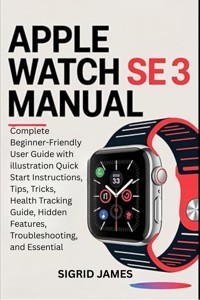
Apple Watch Se 3 Manual
Complete Beginner-Friendly User Guide with illustration Quick Start Instructions, Tips, Tricks, Health Tracking Guide, Hidden Features, Troubleshooting, and Essential
SIGRID JAMES
Copyright © 2025
All rights reserved. No portion of this book may be duplicated, stored in a repossession system, or transmitted in any form or by any means, electronic, mechanical, photocopying, recording, scanning, or otherwise, without the prior written consent of the copyright owner
TABLE OF CONTENTS
Contents
Introduction
About the Apple Watch SE 3
Key Features Overview
What’s Included in the Box
Compatible Devices and Software Requirements
Getting Started
Unboxing and First Look
Charging Your Apple Watch SE 3 (Fast Charging Explained)
Powering On and Off
Pairing with Your iPhone (Step-by-Step)
Setting Up Cellular Plan (If Applicable)
Choosing Your Wrist and Watch Size
Navigating the Watch Face and Home Screen Basics
Navigating Your Watch
Using the Touchscreen and Gestures (Tap, Swipe, Double Tap, Wrist Flick)
Using the Digital Crown and Side Button
Understanding the Always-On Display and How to Control It
Accessing Control Center and Notification Center
Health and Fitness
Introduction to Health and Fitness Features
Activity Rings and How to Close Them
Workout Tracking: How to Start, Pause, and End Workouts
Sleep Tracking and Understanding Your Sleep Score
Using Workout Buddy and Other Fitness Coaching Features
Health Notifications and Alerts (Heart Rate, Sleep Apnea, Ovulation, Wrist Temperature)
Using the Breathe App for Relaxation
Communication and Connectivity
Setting Up and Using 5G Cellular Connectivity
Making and Receiving Calls on the Watch
Sending and Receiving Messages
Using Walkie-Talkie
Using Siri: Voice Commands and On-Device Processing
Managing Notifications and Customizing Alerts
Customization and Settings
Changing and Customizing Watch Faces and Complications
Adjusting Display Brightness, Text Size, and Sounds
Setting Up Passcode, Wrist Detection, Emergency SOS, and Fall Detection
Managing Do Not Disturb and Focus Modes
Accessibility Settings Overview (Vision, Hearing, Mobility)
Accessibility Features in Depth: VoiceOver, Zoom, AssistiveTouch, Taptic Time, and More
Apps and Storage
Installing Apps from the App Store on the Watch
Organizing and Deleting Apps
Using Pre-installed Apps Effectively
Managing Storage: Checking Available Space and Clearing Cache
Useful Tips and Tricks
New Gestures and How to Use Them Effectively
Battery Optimization and Fast Charging Tips
Using Wrist Temperature Sensing: How It Works and Benefits
Troubleshooting Connectivity Issues (Bluetooth, Cellular, Wi-Fi)
Software Updates and Management
Checking for watchOS Updates
Updating Your Apple Watch SE 3
New Features and Bug Fixes in Updates
Backup and Restore: Syncing with iPhone and iCloud
Family Setup and Multi-User Management
Setting Up Apple Watch for Family Members Without iPhones
Managing Multiple Watches via One iPhone
Privacy and Data Security
Overview of Privacy Controls and Settings
Managing Health and Location Data
How Apple Protects Your Personal Information
Maintenance and Troubleshooting
Cleaning and Caring for Your Apple Watch SE 3
Common Issues and How to Fix Them
Restarting, Resetting, and Factory Reset Procedures
How to Unpair and Pair Again
When and How to Contact Apple Support
Introduction
About the Apple Watch SE 3
The Apple Watch SE 3 is Apple’s most accessible smartwatch, designed for users who want essential features without the premium price tag. It’s part of Apple’s 2025 lineup, sitting just below the Series 11 and Ultra 3 in terms of capabilities and cost. While it doesn’t include every sensor or material found in the higher-end models, it delivers a solid experience for everyday use, health tracking, and staying connected.
This third-generation SE introduces several upgrades that matter. It now includes an always-on display, making it easier to check the time or glance at notifications without raising your wrist. It runs on the same S10 chip as the Series 11, which means faster performance and smoother animations. It also supports wrist temperature sensing, sleep score tracking, and enhanced safety features like crash detection and fall detection.
The SE 3 is ideal for first-time smartwatch users, students, seniors, and anyone looking for a reliable companion for fitness, communication, and wellness. It’s compatible with watchOS 26, so users get access to new features like Live Translation, redesigned Health app views, and improved Siri interactions. It’s also swim-proof, durable, and available in multiple sizes and finishes.
In Apple’s lineup, the SE 3 fills the role of a capable, budget-conscious option that doesn’t feel like a compromise. It’s not about cutting corners—it’s about focusing on what most users actually need. If you’re deciding between models, the SE 3 is a smart starting point that covers the essentials and leaves room to grow.
Key Features Overview
The Apple Watch SE 3 is built around the idea that a smartwatch should be useful, intuitive, and ready to help you through your day. It doesn’t try to be everything—it focuses on what most people actually need. This section breaks down the standout features and explains how they show up in real life, whether you're checking a text, tracking a walk, or getting help in an emergency.
Always-On Retina DisplayThis is the first SE model to include an always-on screen. That means you can glance at the time, your workout stats, or notifications without raising your wrist or tapping the display. It’s especially helpful during meetings, workouts, or while cooking—any moment when you want quick info without interrupting what you’re doing.
S10 Chip for Faster PerformanceThe SE 3 uses the same S10 chip found in the Series 11. Apps launch faster, animations are smoother, and Siri responds more quickly. You’ll notice the difference when switching watch faces, opening messages, or using third-party apps. It’s not just about speed—it’s about making the watch feel effortless.
Crash Detection and Fall DetectionThese safety features are designed to recognize serious incidents and automatically contact emergency services if you’re unresponsive. Whether you’re biking, hiking, or just walking around town, it’s reassuring to know your watch can help if something goes wrong.
Wrist Temperature SensorThis sensor tracks subtle changes in your skin temperature overnight. It’s used to improve sleep tracking and can provide retrospective ovulation estimates for cycle tracking. You won’t see dramatic temperature graphs, but the data quietly supports your health insights in the background.
Sleep Score and Apnea AlertsSleep tracking now includes a sleep score, which gives you a simple way to understand how well you’re resting. If the watch detects patterns that might suggest sleep apnea, it can alert you to follow up with a doctor. It’s not a diagnosis tool, but it’s a helpful nudge toward better sleep habits.
watchOS 26 FeaturesThe SE 3 runs watchOS 26, which adds Live Translation for real-time language support, redesigned Health app views, and improved Siri interactions. These updates make the watch more useful in everyday situations—like traveling, checking your vitals, or asking for directions.
Durable and Swim-ReadyThe SE 3 uses Ion-X glass, which is more crack-resistant than previous models. It’s also water resistant up to 50 meters, so you can wear it in the pool or shower without worry. It’s not built for deep dives, but it handles everyday splashes and swims just fine.
Fitness and Activity TrackingYou still get the full suite of fitness features: activity rings, workout tracking, GPS, and motivational awards. Whether you’re walking the dog or training for a 5K, the SE 3 keeps you moving and helps you stay accountable.
What’s Included in the Box
When you open the box for your Apple Watch SE 3, you’ll find a compact set of essentials designed to get you up and running right away. Each item has a specific purpose, and knowing what’s included helps you start with confidence and avoid surprises.
1. Apple Watch SE 3This is the main device, available in either 40mm or 44mm case sizes. It comes in aluminum with a choice of finishes like Midnight, Starlight, or Silver. The watch itself houses the display, sensors, buttons, and everything you’ll use to interact with your apps, track your health, and stay connected.
2. Band (Two Sizes)Apple includes a sport band or sport loop, depending on your selection at purchase. Inside the band packaging, you’ll find two strap sizes: S/M and M/L. This lets you choose the fit that’s most comfortable for your wrist. The band attaches easily to the watch case and can be swapped out later if you want a different style.
3. Magnetic Fast Charger to USB-C Cable (1m)This is your charging cable. One end has a round magnetic puck that snaps onto the back of the watch, and the other end connects to a USB-C power adapter or port. It’s designed for fast and safe charging. Note that Apple no longer includes the wall adapter, so you’ll need to use one you already own or purchase separately.
4. Quick Start GuideThis small booklet gives you a basic overview of how to set up and use your Apple Watch. It includes diagrams, pairing instructions, and safety information. While it’s not a full manual, it’s a helpful reference for getting started.
5. Regulatory and Warranty InformationTucked behind the guide, you’ll find a folded sheet with legal details, warranty coverage, and compliance information. It’s not something you’ll need often, but it’s good to keep in case you have questions about service or repairs.
That’s everything you’ll find in the box. There’s no wall adapter, no extra accessories, and no surprises. Apple keeps it simple, but each item plays a role in helping you get started smoothly.
Compatible Devices and Software Requirements
Before you set up your Apple Watch SE 3, it’s important to make sure your iPhone is compatible. The watch doesn’t work on its own—it relies on your iPhone for setup, syncing, and many core features. Knowing what works and what doesn’t will save you time and frustration.
iPhone CompatibilityThe Apple Watch SE 3 requires an iPhone that supports iOS 17 or later. That means you’ll need one of the following models or newer:
iPhone XR
iPhone XS and XS Max
iPhone 11, 11 Pro, 11 Pro Max
iPhone SE (2nd generation or later)
iPhone 12, 13, 14, 15 series
iPhone 16 series (released in 2025)
If you’re using an older iPhone like the iPhone X or iPhone 8, it won’t work with the SE 3. The watch needs the latest software features and Bluetooth capabilities that older models don’t support.
Why This MattersYour iPhone handles the initial setup, app syncing, notifications, and software updates for the watch. If your phone isn’t compatible, you won’t be able to pair the watch or use most of its features. Even if the watch powers on, it won’t function properly without a supported iPhone nearby.
Checking Compatibility in PracticeHere’s how to check if your iPhone is ready:
Check Your iPhone Model
Go to
Settings > General > About
. Look for “Model Name.” If it’s listed above, you’re good.
Check Your iOS Version
Go to
Settings > General > Software Update
. If your phone is running iOS 17 or later, you’re ready to pair.
Update if Needed
If your phone supports iOS 17 but hasn’t been updated yet, tap “Download and Install” to get the latest version.
Bluetooth and Wi-Fi
Make sure Bluetooth is turned on and your phone is connected to Wi-Fi. These are required for pairing and syncing.
If your iPhone doesn’t meet these requirements, you’ll need to upgrade before using the Apple Watch SE 3. It’s not just about having the latest tech—it’s about making sure everything works together smoothly.
Getting Started
Unboxing and First Look
Opening your Apple Watch SE 3 box should feel simple and satisfying. Here’s exactly what to expect, step by step, so you can identify each item and get ready for setup without confusion.
Step 1: Slide Off the Outer SleeveStart by removing the paper sleeve around the box. Inside, you’ll find two smaller boxes—one for the watch and one for the band.
Step 2: Open the Watch BoxLift the lid to reveal the Apple Watch SE 3 wrapped in a protective paper sleeve. Gently slide it out and set it aside. This is the main device, and it includes the display, sensors, and buttons.
Step 3: Find the Charging CableUnderneath the watch, you’ll see a coiled magnetic fast charger with a USB-C connector. This cable snaps onto the back of the watch to charge it. There’s no wall adapter included, so you’ll need one with a USB-C port.
Step 4: Open the Band BoxNext, open the separate box labeled with your chosen band style (Sport Band or Sport Loop). Inside, you’ll find two strap sizes: S/M and M/L. Pick the one that fits best and attach it to the watch case by sliding each end into the slots until you hear a click.
Step 5: Locate the Paper InsertsTucked beneath the charger or band packaging, you’ll find a small envelope with a quick start guide and warranty information. The guide gives a basic overview of setup steps, while the warranty sheet covers service and support details.
Step 6: Inspect the WatchBefore setup, take a moment to check the watch for any visible damage. Look at the screen, the back sensor area, and the buttons. Make sure the band is securely attached and the charger is ready to use.
Step 7: Power On and Prepare to PairPress and hold the side button until the Apple logo appears. The watch will prompt you to bring your iPhone nearby to start pairing. Make sure your iPhone is charged, connected to Wi-Fi, and running iOS 17 or later.
This first look is all about getting familiar with the hardware and making sure everything is ready for setup. No need to rush—take a few minutes to explore the watch and its accessories before diving into the next steps.
Charging Your Apple Watch SE 3 (Fast Charging Explained)
Charging your Apple Watch SE 3 is simple once you know what to expect. This section walks you through how to connect the charger, how fast charging works, which accessories are recommended, and how to charge safely.




