


34,99 €
Mehr erfahren.
- Herausgeber: John Wiley & Sons
- Kategorie: Wissenschaft und neue Technologien
- Sprache: Englisch
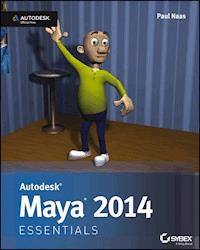
The premiere book on getting started with Maya 2014 Whether you're just beginning, or migrating from another 3Dapplication, this step-by-step guide is what you need to get a goodworking knowledge of Autodesk Maya 2014. Beautifully illustratedwith full-color examples and screenshots, Autodesk Maya 2014Essentials explains the basics of Maya as well as modeling,texturing, animating, setting a scene, and creating visual effects.You'll absorb important concepts and techniques, and learn how toconfidently use Maya tools the way professionals do. Each chapter includes fun and challenging hands-on projects,which you can do as you go using the downloadable files from thebook's website. They include starting and ending files, so you cancompare your results to how professionals do the projects. Thisinformation-packed Autodesk Official Press book also helps youprepare for the Autodesk Maya 2014 certification exams. * Helps beginners and those migrating from other 3D animation andeffects programs get up and running on Autodesk Maya 2014 * Features step-by-step tutorials, hands-on exercises withdownloadable files, and four-color examples and screenshots * Covers modeling, texturing, animating, visual effects,lighting, compositing, setting a scene, and more * Written by an Autodesk Authorized Author and is an AutodeskOfficial Press * Autodesk Maya is the industry-leading 3D animation and effectssoftware used in movies, games, cartoons, short films, commercials,and other animation Get firsthand experience with Maya 2014, as well as an initialstart on preparing for the Autodesk Maya 2014 CertifiedProfessional exam, with Autodesk Maya 2014 Essentials.
Sie lesen das E-Book in den Legimi-Apps auf:
Seitenzahl: 201
Veröffentlichungsjahr: 2013
Ähnliche


















Table of Contents
Cover
Acknowledgments
About the Author
Introduction
Who Should Read This Book
What Is Covered in This Book
The Essentials Series
Chapter 1: Understanding the Maya Interface
Exploring Interface Elements
Moving Views and Manipulating Objects
Using Maya Windows and Menus
Setting Preferences
Getting Help
Chapter 2: Creating Your First Animation
Using Good Scene-File Management
Creating and Animating a Bouncing Ball
Refining Movement in the Graph Editor
Using Animation Principles to Improve Your Work
Creating a Playblast of Your Animation
Chapter 3: Modeling with Polygons, Part 1
Understanding Polygons
Constructing a Good Model
Getting Started and Using the Main Modeling Tools
Box Modeling and Building a Character
Chapter 4: Modeling with Polygons, Part 2
Creating Edge Loops
Adjusting Vertices, Polygons, and Edges, and Adding Details
Chapter 5: Modeling with Polygons, Part 3
Refining and Cleaning Up
Mirroring Your Model
Deleting History
Chapter 6: Surfacing Your Character
Creating a Surface
Laying Out UVs
Texture Mapping
Chapter 7: Getting Bent Out of Shape: Blend Shapes
Understanding Blend Shapes and How They Work
Creating Deformers for Your Character
Setting Up the Blend Shape Interface
Chapter 8: Dem Bones: Setting Up Your Joint System
Understanding How Joints Work
Building Joint Chains
Putting It All Together
Putting It to Use: Connecting the Joints to Your Model
Chapter 9: Weighting Your Joints
Understanding Joint Weighting and Why It’s Important
Adjusting Weights
Chapter 10: Rigging Your Character
Understanding Basic Rigging Concepts
Setting Up the Leg Controls
Setting Up the Torso Control
Setting Up the Character Control
Creating a Custom Shelf
Chapter 11: Setting the Scene: Creating an Environment
Building a Room
Building Props
Chapter 12: Making It Move: Animating Your Character
Setting Up Maya for Animation
Animating Your Character
Chapter 13: Let There Be Light: Lighting Your Shot
Understanding the Three-Point Lighting System
Using the Maya Lights
Lighting Your Scene
Performing Light Linking
Chapter 14: Rendering and Compositing Your Scene
Making 2D Images Out of 3D Scenes
Performing Compositing
Appendix A: Autodesk® Maya® 2014 Certification
Acquisitions Editor: Mariann Barsolo
Development Editor: Kim Beaudet
Technical Editor: Jon McFarland
Production Editor: Christine O’Connor
Copy Editor: Tiffany Taylor
Editorial Manager: Pete Gaughan
Production Manager: Tim Tate
Vice President and Executive Group Publisher: Richard Swadley
Vice President and Publisher: Neil Edde
Book Designer: Happenstance Type-O-Rama
Compositor: Cody Gates, Happenstance Type-O-Rama
Proofreader: Daniel Aull, Word One New York
Indexer: Nancy Guenther
Project Coordinator, Cover: Katherine Crocker
Cover Designer: Ryan Sneed
Cover Image: Paul Naas
Copyright © 2013 by John Wiley & Sons, Inc., Indianapolis, Indiana
Published simultaneously in Canada
ISBN: 978-1-118-57507-9
ISBN: 978-1-118-74443-7 (ebk.)
ISBN: 978-1-118-75032-2 (ebk.)
ISBN: 978-1-118-74437-6 (ebk.)
No part of this publication may be reproduced, stored in a retrieval system or transmitted in any form or by any means, electronic, mechanical, photocopying, recording, scanning or otherwise, except as permitted under Sections 107 or 108 of the 1976 United States Copyright Act, without either the prior written permission of the Publisher, or authorization through payment of the appropriate per-copy fee to the Copyright Clearance Center, 222 Rosewood Drive, Danvers, MA 01923, (978) 750-8400, fax (978) 646-8600. Requests to the Publisher for permission should be addressed to the Permissions Department, John Wiley & Sons, Inc., 111 River Street, Hoboken, NJ 07030, (201) 748-6011, fax (201) 748-6008, or online at http://www.wiley.com/go/permissions.
Limit of Liability/Disclaimer of Warranty: The publisher and the author make no representations or warranties with respect to the accuracy or completeness of the contents of this work and specifically disclaim all warranties, including without limitation warranties of fitness for a particular purpose. No warranty may be created or extended by sales or promotional materials. The advice and strategies contained herein may not be suitable for every situation. This work is sold with the understanding that the publisher is not engaged in rendering legal, accounting, or other professional services. If professional assistance is required, the services of a competent professional person should be sought. Neither the publisher nor the author shall be liable for damages arising herefrom. The fact that an organization or Website is referred to in this work as a citation and/or a potential source of further information does not mean that the author or the publisher endorses the information the organization or Website may provide or recommendations it may make. Further, readers should be aware that Internet Websites listed in this work may have changed or disappeared between when this work was written and when it is read.
For general information on our other products and services or to obtain technical support, please contact our Customer Care Department within the U.S. at (877) 762-2974, outside the U.S. at (317) 572-3993 or fax (317) 572-4002.
Library of Congress Control Number: 2013935676
TRADEMARKS: Wiley, the Wiley logo, and the Sybex logo are trademarks or registered trademarks of John Wiley & Sons, Inc. and/or its affiliates, in the United States and other countries, and may not be used without written permission. Autodesk and Maya are registered trademarks of Autodesk, Inc. All other trademarks are the property of their respective owners. John Wiley & Sons, Inc. is not associated with any product or vendor mentioned in this book.
10 9 8 7 6 5 4 3 2 1
Dear Reader,
Thank you for choosing Autodesk Maya 2014 Essentials. This book is part of a family of premium-quality Sybex books, all of which are written by outstanding authors who combine practical experience with a gift for teaching.
Sybex was founded in 1976. More than 30 years later, we’re still committed to producing consistently exceptional books. With each of our titles, we’re working hard to set a new standard for the industry. From the paper we print on, to the authors we work with, our goal is to bring you the best books available.
I hope you see all that reflected in these pages. I’d be very interested to hear your comments and get your feedback on how we’re doing. Feel free to let me know what you think about this or any other Sybex book by sending me an email at [email protected]. If you think you’ve found a technical error in this book, please visit http://sybex.custhelp.com. Customer feedback is critical to our efforts at Sybex.
Best regards,
Neil Edde
Vice President and Publisher
Sybex, an Imprint of Wiley
To everyone I’ve worked with, I’ve learned from, and has encouraged me over the years, thanks for your support. I do what I love every day thanks to you.
And to my students, who keep me on my toes and teach me things every day without ever realizing it. Now go do your homework!
Acknowledgments
A couple of years ago at SIGGRAPH, I was trying to find a book to use as a textbook for an Introduction to 3D class I was teaching. I hit every publisher’s booth, complaining to anyone who would listen that there wasn’t a good, basic, introductory book for learning Autodesk® Maya® software. In the Wiley/Sybex booth, Mariann Barsolo listened to my whining and then simply said, “Why don’t you write one?” The end result of that brief (but certainly not final) conversation is the book you hold in your hands. My thanks to Mariann for giving me this terrific opportunity.
Thanks also go to the editing team at Wiley: Kim Beaudet, Pete Gaughan, Christine O’Connor, Tiffany Taylor, and Jon McFarland. I may have typed the words into the computer, but they made sure it all made sense.
None of this would have been possible without the support and encouragement of the staff and faculty of Cañada College. I am especially grateful to our Vice President of Instruction Linda Hayes, my dean Jan Roecks, and our division office staff Jonna Pounds and Peter Tam. I can never fully express my gratitude for how you all made this easier for me.
About the Author
Paul Naas is an associate professor and coordinator for the Multimedia Arts & Technology department at Cañada College in Redwood City, California. Trained as a traditional animator, Paul got some early professional experience while still in college, working on station IDs for MTV. He transitioned into CG in 1994 with his first job in the video game industry, working on 3D Studio DOS. Later he became one of the first animators hired at the Disney Institute in Orlando, Florida, where he taught animation, character design, animation history, and voice-over. Over the course of his nearly 20-year career, Paul has worked on independent films, TV spots, video games, e-learning projects, location-based entertainment, and mobile-device applications. Paul holds a Master of Fine Arts degree in animation from Academy of Art University, San Francisco, California.
Introduction
Welcome to Autodesk® Maya® 2014 Essentials. Autodesk® Maya® software is one of many 3D computer graphics (CG) packages available on the market, and although it has many unique features, it shares one trait with every other package out there: it’s very powerful and very complex. The goal of this book is to walk you through some of the features of the software and familiarize you with the tools Maya provides and how to use them.
Although nearly every chapter in this book provides a tutorial that covers a particular facet of the software, the goal is not to show you how to do one single procedure. In every case, the intent is to provide you with background and context for the steps you’re performing, so that you develop an understanding of the procedure and its place within the overall CG workflow and can apply that knowledge to all your future projects. In many cases, the tutorials provided take you step by step through an entire process, ending with a specific result. In other chapters, while there are still step-by-step instructions provided, it would be impossible to take you through the entire procedure. In these cases, the information presented is more conceptual and explains the “why” of what you’re doing, rather than the “what.”
With that end in mind, the tutorials in this book are designed to be comprehensive but as simple as possible to complete. Many books on CG provide tutorials that are too complex, frustrating readers and leaving them with more questions than answers. The results of the tutorials in this book may look simple, but the process of completing them will give you a solid foundation in creating CG imagery.
That said, you will probably make some mistakes along the way. That’s simply part of the learning process. If it happens, just try again. After all, you don’t learn to drive a car by hopping on the freeway or entering the Daytona 500—you start out in a parking lot where there is lots of room for error. I tell my students that if they have to redo a procedure, they’ll find that the second time around it’ll go faster and the results will be better—and that has always been the case.
Who Should Read This Book
Anyone who wants to learn how to use Maya should start learning with this book. The exercises are organized like a production would be, moving from preproduction tasks (modeling, rigging) through production (animation), and finally postproduction (lighting, rendering, compositing). In addition to mimicking the structure of a game or film production, the exercises here are designed to expose you to the process of creating CG while being as easy to complete as possible. Many books try to cram too much into their tutorials, confusing and frustrating readers in the process. The goal of Autodesk® Maya® 2014 Essentials is to give you a solid foundation in the software so you can explore the areas that most interest you in further detail.
What You Will Learn
This book covers the fundamentals of working in CG with Maya. It’s only a starting point, though. As with any artistic pursuit, CG is a lifelong process of learning. With what you learn in this book forming a solid foundation, you can continue exploring all the complex, interesting facets of creating CG imagery. And I promise you that by the end of this book, you’ll never watch a CG animated film or an effects-laden summer blockbuster the same way again.
What You Need
As with any CG software, Maya requires a significant amount of computing power to run smoothly and efficiently. A good rule of thumb for Maya (or any 3D software) is to run it on a computer with the fastest processor, the most RAM, and the best video card you can get your hands on. At a minimum, you need 4 GB of RAM, 10 GB of hard drive space, and a qualified hardware-accelerated OpenGL graphics card. Maya runs on Windows, Mac, and Linux systems. For details on system specifications and qualified graphics cards, go to http://www.autodesk.com/products/autodesk-maya/overview and click on the System Requirements link.
What Is Covered in This Book
As mentioned earlier, the bulk of this book is organized like a production, with the chapters proceeding through the process of creating and animating a character similar to how that process would take place when developing a game or film project.
The Essentials Series
The Essentials series from Sybex provides outstanding instructions for readers who are just beginning to develop their professional skills. Every Essentials book includes these features:
Skill-based instruction with chapters organized around projects rather than abstract concepts or subjects.
Suggestions for additional exercises at the end of each chapter, where you can practice and extend your skills.
Digital files (via download) so you can work through the project tutorials yourself. Please check the book’s web page at
www.sybex.com/go/maya2014essentials
for these companion downloads.
You can contact the author through Wiley or on Facebook at www.facebook.com/MayaEssentials. I hope you have fun with the material that follows.
Chapter 1
Understanding the Maya Interface
Before you start creating in the Autodesk Maya program, it’s a good idea to familiarize yourself with the application’s interface and the tools you’ll need to use frequently. The Maya interface can be intimidating and confusing, but you can start by getting to know a few of the windows and tools, and then learn the rest as necessary. This chapter presents what you need to know to get started.
Lesen Sie weiter in der vollständigen Ausgabe!
Lesen Sie weiter in der vollständigen Ausgabe!
Lesen Sie weiter in der vollständigen Ausgabe!
Lesen Sie weiter in der vollständigen Ausgabe!
Lesen Sie weiter in der vollständigen Ausgabe!
Lesen Sie weiter in der vollständigen Ausgabe!
Lesen Sie weiter in der vollständigen Ausgabe!
Lesen Sie weiter in der vollständigen Ausgabe!
Lesen Sie weiter in der vollständigen Ausgabe!
Lesen Sie weiter in der vollständigen Ausgabe!
Lesen Sie weiter in der vollständigen Ausgabe!
Lesen Sie weiter in der vollständigen Ausgabe!
Lesen Sie weiter in der vollständigen Ausgabe!
Lesen Sie weiter in der vollständigen Ausgabe!




