


36,40 €
Mehr erfahren.
- Herausgeber: John Wiley & Sons
- Kategorie: Wissenschaft und neue Technologien
- Sprache: Englisch
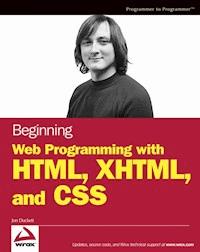
What is this book about?Beginning Web Programming with HTML, XHTML, and CSSteaches you how to write Web pages using HTML, XHTML, and CSS. Itfollows standards-based principles, but also teaches readers waysaround problems they are likely to face using (X)HTML.While XHTML is the "current" standard, the book still coversHTML because many people do not yet understand that XHTML is theofficial successor to HTML, and many readers will still stick withHTML for backward compatibility and simpler/informal Web pages thatdon't require XHTML compliance.The book teaches basic principles of usability and accessibilityalong the way, to get users into the mode of developing Web pagesthat will be available to as many viewers as possible from thestart. The book also covers the most commonly usedprogramming/scripting language -- JavaScript -- andprovides readers with a roadmap of other Web technologies to learnafter mastering this book to add more functionality to theirsites.
Sie lesen das E-Book in den Legimi-Apps auf:
Seitenzahl: 1187
Veröffentlichungsjahr: 2011
Ähnliche



















Contents
Cover
Half Title Page
Title Page
Copyright
About the Author
Credits
Introduction
About the Book
Who This Book Is For
What This Book Covers
What You Need to Use This Book
How This Book Is Organized
Conventions
Source Code
Errata
p2p.wrox.com
Chapter 1: Untangling the Web
A Web of Structured Documents
How the Web Works
Introducing Web Technologies
Creating Your First Web Page
Viewing the Source of Web Pages
Summary
Exercises
Chapter 2: The Structure of a Page
Understanding the Basic Document Structure
Attribute Groups
Basic Text Formatting
Presentational Elements
Phrase Elements
Lists
Editing Text
Using Character Entities for Special Characters
Comments
The <font> Element (deprecated)
Understanding Block and Inline Elements
Grouping Elements with <div> and <span>
Summary
Exercises
Chapter 3: Links and Navigation
Basic Links
Understanding Directories and Directory Structures
What Are You Linking To?
Creating Links with the <a> Element
Advanced E-mail Links
Summary
Exercises
Chapter 4: Colors, Images, and Objects
Adding Color to Your Site
Choosing Your Colors for the Web
Adding Images to Your Site
Adding Other Objects with the <object> Element
Using Images as Links
Image Maps
Summary
Exercises
Chapter 5: Tables
Introducing Tables
Basic Table Elements and Attributes
Advanced Tables
Accessibility Issues with Tables
Summary
Exercises
Chapter 6: Forms
Introducing Forms
Creating a Form with the <form> Element
Form Controls
Creating Labels for Controls and the <label> Element
Structuring Your Forms with <fieldset> and <legend> Elements
Focus
Disabled and Read-Only Controls
Sending Form Data to the Server
Summary
Exercises
Chapter 7: Frames
When to Use Frames
Introducing the Frameset
The <frameset> Element
The <frame> Element
The <noframes> Element
Creating Links Between Frames
Nested Framesets
Floating or Inline Frames with <iframe>
Summary
Exercises
Chapter 8: Deprecated and Browser-Specific Markup
Why Deprecated Markup Exists
Older Pages Break Many Rules
Fonts
Backgrounds
Formatting
Links
Lists
Tables
Miscellaneous Attributes
IE-Specific Elements
Netscape-Specific Elements and Attributes
Summary
Exercises
Chapter 9: Cascading Style Sheets
Introducing CSS
Where You Can Add CSS Rules
CSS Properties
Controlling Fonts
Text Formatting
Text Pseudo-Classes
Selectors
Lengths
Percentages
Coming to Grips with the Box Model
Summary
Exercises
Chapter 10: More Cascading Style Sheets
Links
Backgrounds
Lists
Tables
Outlines
The :focus and :active Pseudo-Classes
Generated Content
Miscellaneous Properties
Additional Rules
Positioning with CSS
Overflow
Summary
Exercises
Chapter 11: Page Layout
Understanding the Site
Page Size (and Screen Resolution)
Designing Pages
Structuring Pages
Summary
Exercises
Chapter 12: Design Issues
Text
Navigation
Tables
Forms
Summary
Exercises
Chapter 13: Modularized XHTML and Serving Multiple Devices
Introducing Modularized XHTML
XHTML 1.1
XHTML Basic
Understanding XML Namespaces
Hybrid Document Types
XHTML on Mobile Phones
Creating Sites for Different Platforms
Summary
Exercises
Chapter 14: Learning JavaScript
What Is Programming About?
How to Add a Script to Your Pages
The Document Object Model
Starting to Program with JavaScript
Variables
Operators
Functions
Conditional Statements
Looping
Events
Built-in Objects
Writing JavaScript
Summary
Exercises
Chapter 15: Creating a JavaScript Library
Practical Tips for Writing Scripts
Form Validation
Form Enhancements
Breadcrumb Trails
Image Rollovers
Random Script Generator
Pop-Up Windows
When Not to Use JavaScript
Summary
Exercises
Chapter 16: Taking Your Site Live
Meta Tags
Testing Your Site
Taking the Leap to Live
What Next?
Introducing Other Technologies
Summary
Appendix A: Answers to Exercises
Appendix B: XHTML Element Reference
Appendix C: CSS Properties
Appendix D: Color Names and Values
Appendix E: Character Encodings
Appendix F: Special Characters
Appendix G: Language Codes
Appendix H: MIME Media Types
Index
Beginning Web Programming with HTML, XHTML, and CSS
Beginning Web Programming with HTML, XHTML, and CSSCopyright © 2004 by Wiley Publishing, Inc. All rights reserved.
Published simultaneously in Canada
No part of this publication may be reproduced, stored in a retrieval system, or transmitted in any form or by any means, electronic, mechanical, photocopying, recording, scanning, or otherwise, except as permitted under Section 107 or 108 of the 1976 United States Copyright Act, without either the prior written permission of the Publisher, or authorization through payment of the appropriate per-copy fee to the Copyright Clearance Center, Inc., 222 Rosewood Drive, Danvers, MA 01923, (978) 750-8400, fax (978) 646-8700. Requests to the Publisher for permission should be addressed to the Legal Department, Wiley Publishing, Inc., 10475 Crosspoint Blvd., Indianapolis, IN 46256, (317) 572-3447, fax (317) 572-4355, E-mail: [email protected].
LIMIT OF LIABILITY/DISCLAIMER OF WARRANTY: THE PUBLISHER AND THE AUTHOR MAKE NO REPRESENTATIONS OR WARRANTIES WITH RESPECT TO THE ACCURACY OR COMPLETENESS OF THE CONTENTS OF THIS WORK AND SPECIFICALLY DISCLAIM ALL WARRANTIES, INCLUDING WITHOUT LIMITATION WARRANTIES OF FITNESS FOR A PARTICULAR PURPOSE. NO WARRANTY MAY BE CREATED OR EXTENDED BY SALES OR PROMOTIONAL MATERIALS. THE ADVICE AND STRATEGIES CONTAINED HEREIN MAY NOT BE SUITABLE FOR EVERY SITUATION. THIS WORK IS SOLD WITH THE UNDERSTANDING THAT THE PUBLISHER IS NOT ENGAGED IN RENDERING LEGAL, ACCOUNTING, OR OTHER PROFESSIONAL SERVICES. IF PROFESSIONAL ASSISTANCE IS REQUIRED, THE SERVICES OF A COMPETENT PROFESSIONAL PERSON SHOULD BE SOUGHT. NEITHER THE PUBLISHER NOR THE AUTHOR SHALL BE LIABLE FOR DAMAGES ARISING HEREFROM. THE FACT THAT AN ORGANIZATION OR WEBSITE IS REFERRED TO IN THIS WORK AS A CITATION AND/OR A POTENTIAL SOURCE OF FURTHER INFORMATION DOES NOT MEAN THAT THE AUTHOR OR THE PUBLISHER ENDORSES THE INFORMATION THE ORGANIZATION OR WEBSITE MAY PROVIDE OR RECOMMENDATIONS IT MAY MAKE. FURTHER, READERS SHOULD BE AWARE THAT INTERNET WEBSITES LISTED IN THIS WORK MAY HAVE CHANGED OR DISAPPEARED BETWEEN WHEN THIS WORK WAS WRITTEN AND WHEN IT IS READ.
For general information on our other products and services please contact our Customer Care Department within the United States at (800) 762-2974, outside the United States at (317) 572-3993 or fax (317) 572-4002.
Trademarks: Wiley, Wrox, the Wrox logo, Programmer to Programmer, and related trade dress are trademarks or registered trademarks of John Wiley & Sons, Inc. and/or its affiliates, in the United States and other countries, and may not be used without written permission. All other trademarks are the property of their respective owners. Wiley Publishing, Inc., is not associated with any product or vendor mentioned in this book.
Wiley also publishes its books in a variety of electronic formats. Some content that appears in print may not be available in electronic books.
ISBN: 0-7645-7078-1
About the Author
Jon Duckett published his first Web site in 1996 while studying for a BSc (Hons) in Psychology at Brunel University, London. Since then he has helped create a wide variety of Web sites and has co-written more than ten programming-related books on topics from ASP to XML (via many other letters of the alphabet) covering diverse aspects of Web programming including design, architecture, and coding.
After graduation, Jon worked for Wrox Press first in its Birmingham (UK) offices for three years and then in Sydney, Australia, for another year. He is now a freelance developer and consultant based in a leafy suburb of London, working for a range of clients spread across three continents.
When not stuck in front of a computer screen, Jon enjoys listening to music and writing.
Credits
Senior Acquisitions EditorJim Minatel
Development EditorJames H. Russell
Production EditorEric Newman
Copy EditorNancy Rapoport
Editorial ManagerMary Beth Wakefield
Vice President & Executive Group PublisherRichard Swadley
Vice President and Executive PublisherBob Ipsen
Vice President and PublisherJoseph B. Wikert
Introduction
There are a lot of books about designing and building Web pages, so thank you for picking up this one. Why do I think it is different? Well, the Web has been around for quite a few years now, and during its life several technologies have been introduced to help you create Web pages, some of which have lasted, others of which have disappeared. Indeed, even enduring technologies such as HTML have had features added and removed over the years. Many books that teach you to write Web pages are revisions of earlier versions of the same book and therefore still take the same approach as the previous edition did. This book, however, is completely new, written from scratch, and its purpose is to teach you how to create Web pages for the Web as it is today and will be for the next few years. Once you have worked through this book, it should continue to serve as a helpful reference text you can keep nearby and dip into when you need to.
About the Book
At the time of this writing, Internet Explorer version 6 and Netscape version 7 are the main Web browsers, and each of the previous versions of these browsers had added new features as the Web developed (and sometimes old features were removed). As all this change might suggest, there is more than one way to build a Web site. For example, if you want to have a heading for a page displayed in a bold, black, Arial typeface, you can achieve this in several ways. However, you can also consider this a very good time to come to the Web, as many of the technologies used to create Web pages are maturing, and favored methods for creating Web sites, or “best practices,” are emerging.
Writing Web pages today thus requires a balance. On the one hand you want to use the latest and best methods, while on the other hand you have to remember that not everyone who visits your Web site has the latest browser software. So you need to be able to write pages that take advantage of the features of the latest browsers while at the same time ensuring your sites can be viewed in older browsers. (Indeed, if you want to make a living from working on Web pages, you will need to be aware of some of the older ways of doing things.) In this book, I teach you the best practices that you should be learning, and, where necessary, I expose the older techniques that help you achieve the results you want.
Over the past few years there have also been innovations and changes in the way people access the Internet. The Web is no longer just viewed on desktop computers; Web sites are becoming available on devices with small screens, such as mobile phones and PDAs (personal digital assistants), and some devices such as televisions have lower resolutions than computer monitors. There are even stories in the newspapers about how we will all soon have refrigerators and other appliances that will allow us to browse the Web. So, while most of the examples in this book are written for a computer, I will teach you to code your Web pages so that you can make them available to other devices without rewriting your whole site. Learning to code for the emerging generation of applications will make your Web sites and your skills last much longer.
Another area where the Web has changed from a few years back is the increased emphasis on usability and accessibility. Usability refers to making the site easy for users to get around (or navigate) and achieve what they came to your site for, whereas accessibility addresses making a site available to as many users as possible, in particular people with disabilities (who may have impaired vision or difficulty using a mouse). Many governments around the world will not issue a contract to build Web sites for them unless the site will meet strict accessibility standards. A little careful thought before you build your Web site means that people with vision impairments can either view your site with larger text or have it read to them by a screen reader. There are books dedicated to the topics of usability and accessibility that are aimed at Web developers who need to learn how to make their code more accessible and usable, but my aim is to teach you to code with these principles in mind from the start.
By the end of this book, you will be writing Web pages that not only use the latest technologies, but also are still viewable by older browsers. Pages that look great can still be accessed by those with visual and physical impairments—pages that not only address the needs of today’s audiences but can also work on emerging technologies—and the skills you learn should be relevant for longer.
Who This Book Is For
This book is written for anyone who wants to learn how to create Web pages, and for people who might have dabbled in writing Web pages (perhaps using some kind of Web page authoring tool) but want to really understand the languages of the Web to create better pages.
More experienced Web developers can also benefit from this book because it teaches some of the latest technologies, such as XHTML, and encourages you to embrace Web standards that not only meet the needs of the new devices that access the Web, but also help make your sites available to more visitors.
You do not need any previous programming experience to work with this book—even though these big red Wrox books are published under the trademark Programmer to Programmer (because the books are written by programmers for programmers). This is one of the first steps on the programming ladder. Whether you are just a hobbyist or want to make a career of Web programming, this book will teach you the basics of programming for the Web. Sure, the term “programmer” might be associated with geeks, but as you will see by the end of the book, even if you would prefer to be known as a Web designer, you need to know how to code to write great Web sites.
What This Book Covers
By the end of this book, you will be able to create professional looking, and well-coded Web pages.
Not only will you learn the code that makes up markup languages such as HTML, but you will also see how to apply this code so you can create sophisticated layouts for your pages, positioning text and images where you want and getting the colors and fonts you want. Along the way, you will see how to make your pages easy to use and available to the biggest audience possible. You will also learn practical techniques such as how to put your Web site available on the Internet and how to get search engines to recognize your site.
The main technologies covered in this book are HTML, XHTML, and CSS. XHTML is not actually a completely different language than HTML; it is more like the latest version of it. What would have been HTML 5 was named XHTML, rather like how Microsoft called what would have been Windows 2001 Windows XP. XHTML stands for eXtensible Hypertext Markup Language; it describes the structure of Web pages such as the headings, paragraphs of text, tables, bulleted lists, and so on. CSS is then used to apply styles the documents, to change things such as colors, typefaces, sizes of text, and so on. Once you have learned the basics of these languages you will learn some more practical aspects of applying them. You will also learn the basics of JavaScript, enough to work on some examples that add interactivity to you pages and allow you to work with basic scripts. Along the way I introduce and point you to other technologies you might want to learn in the future.
The code I will encourage you to write is based on what are known as Web standards; HTML, XHTML, and CSS are all created and maintained by the World Wide Web Consortium, or W3C (http://www.w3.org/), an organization dedicated to creating specifications for the Web. You will also learn about some features that are not standards, but it is helpful to know some of these in case you come across such markup and need to know what it does (where these are introduced I make it clear that they are not part of the standard).
What You Need to Use This Book
All you need to work through this book is a computer with a Web browser (preferably Netscape 6 or higher, or Internet Explorer 6 or higher), and a simple text editor such as Notepad on Windows or SimpleText on Mac.
If you have a Web page editor program, such as Macromedia Dreamweaver or Microsoft FrontPage, you are welcome to use it, but I will not be teaching you how to use these programs. Each program is different and entire books could be and have been written on the individual programs. Even if you were to use one of these tools, you can write much better sites when you really understand the code such programs generate. Like many of the other books on the shelves, these programs were created years ago and do not address the best way to write pages today. They get jobs done, but not necessarily in the best way possible, so you will often want to edit the code they create.
How This Book Is Organized
The first chapter of this book gives you the big picture of creating pages for the Web. It explains how all the technologies you will be learning in this book fit together. In this very first chapter you will also create your first Web page and learn how the main task in creating a Web site is marking up the text you want to appear on your site using things called elements and attributes.
The next six chapters of the book describe the different elements and attributes that make up HTML and XHTML and how you can use them to write Web pages. The chapters are organized into task-related areas, such as structuring a document into headings and paragraphs, creating links between pages, adding color and images, displaying tables, and so on. With each task or topic that is introduced you will see an example first to give you an idea of what is possible; then you can look at the elements and attributes used in detail.
These task-focused chapters are followed by one on deprecated markup, which is markup that is no longer part of XHTML, and browser-specific markup, which was introduced by the main browser vendors but not used in the W3C HTML and XHTML recommendations. While you should not rely on this markup for writing your pages, you are likely to come across it when working with older Web pages.
At the end of each are exercises that are designed to get you working with some of the concepts you learned about in each chapter. Don’t worry if you have to go back and review the content of the chapter in order to complete the exercises; this book has been created with the intention that it should be a helpful reference for years to come, so don’t feel you need to learn everything by heart. Along the way you see which browsers support each element, and you learn plenty of handy tips, tricks, and techniques for creating professional Web pages.
Once you have seen how to create and structure a document using HTML and XHTML, you then learn how to make your pages look more attractive using cascading style sheets (CSS). You’ll learn how to change the typefaces and size of fonts used, color of text, backgrounds and borders around items, and alignment of objects to the center, left, or right of the page.
Having worked through these chapters, and using the examples in the book, you should be able to write quite complex Web pages. These chapters will serve as a helpful reference you can keep coming back to and the examples will act as a toolkit for building your own sites.
The next chapters look at important Web page design issues. You see some examples of popular page layouts and how to construct them; you learn how to create a good navigation bar to allow users to find the pages they want on your site; you find out what makes a form effective; and you learn how to make your Web sites available to as many people as possible. These chapters really build upon the theory you learned in the first half of the book and help you create professional looking pages that really attract users and make your site easy to use.
The final chapters then take you through some more advanced issues. There is a chapter on Modularized XHTML, which is the future of XHTML, and which will allow you to create pages for devices other than desktop computers. Indeed, you will see an example of a site that uses XHTML to send pages to a mobile phone. Then two chapters introduce you to JavaScript, a programming language known as a scripting language that you use in Web pages. While the entire JavaScript language is too large to teach you in two chapters, you should get a feel for how it works and see how to integrate scripts into your pages. The last chapter prepares you to put your site on the Internet and covers Web hosting, FTP, and validating your code. Finally, I give you some ideas of where you can go now that you’ve worked through this book; there are a lot of other things you might want to add to your site or learn to advance your Web skills, and this chapter gives you an idea of what else is possible and what you need to learn to do that.
Conventions
To help you get the most from the text and keep track of what’s happening, this book uses a number of typographical conventions.
Boxes like this one hold important, not-to-be forgotten information that is directly relevant to the surrounding text.
Tips, hints, tricks, and asides to the current discussion are set off and placed in italics like this.
As for styles in the text:
Important words are italicized when first introduced.
Keyboard strokes appear like this: Ctrl+A.
Filenames, URLs, and code within the text appear in monospace, like so:
Code appears two different ways:
In code examples, new and important code appears with a gray background.
The gray highlighting is not used for code that’s less important in the present context or has been shown before.
Source Code
As you work through the examples in this book, you may choose either to type in all the code manually or to use the source code files that accompany the book. All of the source code used in this book is available for download at www.wrox.com. Once at the site, simply locate the book’s title (either by using the Search box or by using one of the title lists) and click the Download Code link on the book’s detail page to obtain all the source code for the book.
Because many books have similar titles, you may find it easiest to search by ISBN; this book’s ISBN is 0-7645-7078-1.
Once you download the code, just decompress it with your favorite compression tool. Alternately, you can go to the main Wrox code download page at www.wrox.com/dynamic/books/download.aspx to see the code available for this book and all other Wrox books.
Errata
I’ve made every effort to ensure that there are no errors in the text or in the code. However, no one is perfect, and mistakes do occur. If you find an error in this book, such as a spelling mistake or faulty piece of code, I would be very grateful for your feedback. By sending in errata you may save another reader hours of frustration and at the same time you will be helping to provide even higher quality information.
To find the errata page for this book, go to www.wrox.com and locate the title using the Search box or one of the title lists. Then, on the book details page, click the Book Errata link. On this page you can view all errata that has been submitted for this book and posted by Wrox editors. A complete book list including links to each book’s errata is also available at www.wrox.com/misc-pages/booklist.shtml.
If you don’t spot “your” error on the Book Errata page, go to www.wrox.com/contact/techsupport.shtml and complete the form there to send us the error you discovered. We’ll check the information and, if appropriate, post a message to the book’s errata page and fix the problem in subsequent editions of the book.
p2p.wrox.com
For author and peer discussion, join the P2P forums at p2p.wrox.com. The forums are a Web-based system for you to post messages related to Wrox books and related technologies and interact with other readers and technology users. The forums offer a subscription feature to e-mail you about topics of your choosing when new posts are made to the forums. Wrox authors, editors, other industry experts, and your fellow readers are present on these forums.
At http://p2p.wrox.com you will find a number of different forums that will help you not only as you read this book, but also as you develop your own applications. To join the forums, just follow these steps:
1. Go to p2p.wrox.com and click the Register link.
2. Read the terms of use and click Agree.
3. Complete the required information to join as well as any optional information you wish to provide and click Submit.
4. You will receive an e-mail with information describing how to verify your account and complete the registration process.
You can read messages in the forums without joining P2P, but in order to post your own messages, you must join.
Once you join, you can post new messages and respond to messages other users post. You can read messages at any time on the Web. If you would like to have new messages from a particular forum e-mailed to you, click the Subscribe to this Forum icon by the forum name in the forum listing.
For more information about how to use the Wrox P2P, be sure to read the P2P FAQs for answers to questions about how the forum software works as well as many common questions specific to P2P and Wrox books. To read the FAQs, click the FAQ link on any P2P page.
Beginning Web Programming with HTML, XHTML, and CSS
Chapter 1
Untangling the Web
At one time, you had to learn only one language to write Web pages: HTML. As the Web has advanced, however, so have the technologies you need to learn in order to create effective and attractive Web pages. As the title of this book suggests, you will be learning a few different languages: HTML, XHTML, CSS, and a bit of JavaScript. But before you start learning each of these languages individually, it helps if you understand what each of these languages does and how they fit together.
This is not just a theory and history lesson, however; you will be writing your first Web page sooner than you might think, and along the way you will also learn some of the essential background information, such as what a markup language actually is, the difference between a tag and an element, and how a Web page is structured.
As you are about to see, a Web page is made up of not only the text or images you see when you visit a site, but also information about the structure of the document, such as what text is a heading and where each paragraph starts and finishes. Each Web page can also contain general information such as a title for the page, a description that can help search engines such as Google index your Web site, and links to things called style sheets that change the appearance of fonts, colors, and so on.
In this chapter, then, you will:
Meet HTML, XHTML, CSS, and JavaScript and learn what each does
Learn the difference between tags, elements, and attributes
See how a Web page is structured
Learn why rules that say how a document looks are best kept separate from the content of the Web page
Cover the differences between writing HTML and XHTML
Meet some of the tools you can use to help you write Web pages
Learn the basics of how a Web page gets to you when you request it
By the end of the chapter you will have a good idea of how Web pages are created, and you will have built your own first Web page.
A Web of Structured Documents
To start off, you need to consider the concept of the Web as a sea of documents. In its relatively short life, the Web has grown to feature millions of sites and billions of pages. For the moment, think of each of these pages as a document. Many documents on the Web bear a strong similarity to the documents you meet in everyday life, and all documents have a structure, so think for a moment about the structure of some of the documents you see in everyday life.
Every morning I used to read a newspaper. A newspaper is made up of several stories or articles (and probably a fair smattering of advertisements, too). Each story has a headline and then some paragraphs, perhaps a subheading and then some more paragraphs; it may also include a picture or two.
I don’t buy a daily paper anymore as I tend to look at news online, but the structure of articles on news Web sites is very similar to the structure of articles in newspapers. Each article is made up of headings, paragraphs of text, the odd picture (and, yes, maybe some ads, too). The parallel is quite clear. The only real difference is that each story gets its own page on a Web site, which is usually accessible from a headline and a brief summary either on the home page or the title pages for one of the subsections (such as the politics, sports, or entertainment sections).
Consider another example: Say I’m catching a train to see a friend, so I check the schedule to see what time the trains go that way. The main part of the schedule is a table telling me what times trains arrive at and when they depart from different stations. Like paragraphs and headings, a lot of documents use tables. From the stocks and shares pages in the financial supplement of my paper to the TV listings at the back, you come across tables of information every day—and these are often recreated on the Web.
Lesen Sie weiter in der vollständigen Ausgabe!
Lesen Sie weiter in der vollständigen Ausgabe!
Lesen Sie weiter in der vollständigen Ausgabe!
Lesen Sie weiter in der vollständigen Ausgabe!
Lesen Sie weiter in der vollständigen Ausgabe!
Lesen Sie weiter in der vollständigen Ausgabe!
Lesen Sie weiter in der vollständigen Ausgabe!
Lesen Sie weiter in der vollständigen Ausgabe!
Lesen Sie weiter in der vollständigen Ausgabe!
Lesen Sie weiter in der vollständigen Ausgabe!
Lesen Sie weiter in der vollständigen Ausgabe!
Lesen Sie weiter in der vollständigen Ausgabe!
Lesen Sie weiter in der vollständigen Ausgabe!
Lesen Sie weiter in der vollständigen Ausgabe!
Lesen Sie weiter in der vollständigen Ausgabe!
Lesen Sie weiter in der vollständigen Ausgabe!
Lesen Sie weiter in der vollständigen Ausgabe!
Lesen Sie weiter in der vollständigen Ausgabe!
Lesen Sie weiter in der vollständigen Ausgabe!
Lesen Sie weiter in der vollständigen Ausgabe!
Lesen Sie weiter in der vollständigen Ausgabe!
Lesen Sie weiter in der vollständigen Ausgabe!
Lesen Sie weiter in der vollständigen Ausgabe!
Lesen Sie weiter in der vollständigen Ausgabe!




