


25,19 €
Mehr erfahren.
- Herausgeber: Packt Publishing
- Kategorie: Wissenschaft und neue Technologien
- Sprache: Englisch
Work with the fundamentals of Blazor to create rich and interactive web application
Key Features
- First book about the new .NET-based framework for client and server side applications
- Explore Blazor, and create client side applications with C#
- Build rich, modern single-page application (SPA) using .NET end-to-end across server and client
Book Description
Blazor is an open source .NET web framework based on C#, Razor, and HTML that runs in the browser with WebAssembly. It simplifies web development by allowing us to write .NET-based web apps that run client-side in web browsers. We can take advantage of our existing knowledge of C# to write both client - side and server-side applications, and have a full stack .NET development experience.
This book introduces you to the core concepts of Blazor, and how to apply these to a real-world web app with the help of Entity Framework Core and SQL Server.
The book begins with an introduction to Blazor and its advantages. Then, you will learn about the building blocks of Blazor, including Blazor components, data binding, dependency injection, routing, and JavaScript Interop.
Moving on, you will learn how to create a Single Page Application (SPA) using Blazor. You will also use the Entity Framework Core and ADO.NET with Blazor to extend your application's data-handling capabilities. Toward the end, you will deploy the application on IIS and Azure.
By the end of this book, you will have a solid foundation working with the Blazor framework as it stands today. Using it, you will be able to create rich and interactive web applications using Blazor on the frontend, and SQL Server as a database provider
What you will learn
- Familiarize yourself with the core concepts of Blazor
- Develop applications with Blazor
- Blazor applications with Visual Studio code and Command Line Interface (CLI)
- Create a Tic-Tac-Toe game with Blazor
- Design and build a calculator app with Blazor
- Create an ASP.NET core-hosted Blazor application using SQL Server 2017
- Use EF Core and ADO.NET to access data in a Blazor application
- Deploy a Blazor application on IIS and Azure
Who this book is for
This book is for people who want to explore .NET's latest framework, Blazor. If you want to move beyond concepts and learn how to put Blazor to work, this book is for you. Knowledge of C# and basic web development experience is required.
Ankit Sharma is a software engineer currently working with IVY Comptech in Hyderabad, India. He acquired a bachelor's degree in computer science from Siddaganga Institute of Technology, Karnataka, in 2014. He has over four years of extensive experience in Microsoft technologies, including C#, ASP.NET, and SQL Server, as well as in UI technologies, such as jQuery and Angular. Ankit is a technical author and speaker who loves to contribute to the technical community. He writes articles for multiple platforms, including C# Corner, DZone, Medium, and TechNet Wiki. For his dedicated contribution to the developer community, he has been recognized as a C# Corner MVP, a DZone MVB, and a Top Contributor in Technology at Medium. You can tweet him @ankitsharma_007.Sie lesen das E-Book in den Legimi-Apps auf:
Seitenzahl: 129
Veröffentlichungsjahr: 2018
Ähnliche




















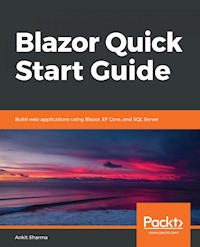
Blazor Quick Start Guide
Copyright © 2018 Packt Publishing
All rights reserved. No part of this book may be reproduced, stored in a retrieval system, or transmitted in any form or by any means, without the prior written permission of the publisher, except in the case of brief quotations embedded in critical articles or reviews.
Every effort has been made in the preparation of this book to ensure the accuracy of the information presented. However, the information contained in this book is sold without warranty, either express or implied. Neither the author, nor Packt Publishing or its dealers and distributors, will be held liable for any damages caused or alleged to have been caused directly or indirectly by this book.
Packt Publishing has endeavored to provide trademark information about all of the companies and products mentioned in this book by the appropriate use of capitals. However, Packt Publishing cannot guarantee the accuracy of this information.
Commissioning Editor: Kunal ChaudhariAcquisition Editor: Reshma RamanContent Development Editor: Mohammed Yusuf ImaratwaleTechnical Editor: Jinesh TopiwalaCopy Editor:Safis EditingProject Coordinator: Hardik BhindeProofreader: Safis EditingIndexer:Priyanka DhadkeGraphics:Alishon MendonsaProduction Coordinator:Shraddha Falebhai
First published: October 2018
Production reference: 211118
Published by Packt Publishing Ltd. Livery Place 35 Livery Street Birmingham B3 2PB, UK.
ISBN 978-1-78934-414-1
www.packtpub.com
Mapt is an online digital library that gives you full access to over 5,000 books and videos, as well as industry leading tools to help you plan your personal development and advance your career. For more information, please visit our website.
Why subscribe?
Spend less time learning and more time coding with practical eBooks and Videos from over 4,000 industry professionals
Improve your learning with Skill Plans built especially for you
Get a free eBook or video every month
Mapt is fully searchable
Copy and paste, print, and bookmark content
Packt.com
Did you know that Packt offers eBook versions of every book published, with PDF and ePub files available? You can upgrade to the eBook version at www.packt.com and as a print book customer, you are entitled to a discount on the eBook copy. Get in touch with us at [email protected] for more details.
At www.packt.com, you can also read a collection of free technical articles, sign up for a range of free newsletters, and receive exclusive discounts and offers on Packt books and eBooks.
Foreword
.NET has been around for a decade now, and Blazor uses all goodness of .NET to create a Single Page web application. It is a single-page web app framework built on .NET that runs on the browser with WebAssembly. If you are wondering how .NET can run browsers; well, that is possible through this new technology called WebAssesmbly. Code compiled with WebAssembly can run on any browser with a native speed.
In my opinion, every web developer should learn Blazor, and Ankit has done good justice to the subject for beginners. There are seven chapters in this book, which cover everything you need to know, right from the basics to the deployment of Single Page Application created in Blazor.
Lastly, I congratulate Ankit for writing such a detailed book on such a new technology Blazor.
– Dhananjay Kumar
9 times Microsoft MVP, Developer Evangelist for Infragistics and founder of geek97. He organizes India's Angular Conference ng-India. Tweet him @debug_mode
Contributors
About the author
Ankit Sharma is a software engineer currently working with IVY Comptech in Hyderabad, India. He acquired a bachelor's degree in computer science from Siddaganga Institute of Technology, Karnataka, in 2014. He has over four years of extensive experience in Microsoft technologies, including C#, ASP.NET, and SQL Server, as well as in UI technologies, such as jQuery and Angular.
Ankit is a technical author and speaker who loves to contribute to the technical community. He writes articles for multiple platforms, including C# Corner, DZone, Medium, and TechNet Wiki. For his dedicated contribution to the developer community, he has been recognized as a C# Corner MVP, a DZone MVB, and a Top Contributor in Technology at Medium. You can tweet him @ankitsharma_007.
About the reviewer
Sarath Lal is a passionate software developer who has more than 10 years’ experience in the software industry. He possess strong experience in web and Windows development using .Net technologies such as ASP.Net Web forms, MVC, and Web API. He is well versed with C, HTML, C #, .Net, CSS, JavaScript, jQuery, AngularJS, Angular 6, Python, and Cosmos DB.
He is an excellent communicator, articulate, combined with strong business acumen and logical approach, an ability to handle multiple functions and activities in high pressure environments with tight deadlines.
He is always enthusiastic in learning new things along with sharing his knowledge through various communities like C# Corner and Codeproject.
Syed Shanu is a three-time Microsoft MVP, a four-time C# Corner MVP, and four-time Code project MVP. Shanu is also an author, blogger, and speaker. He's from Madurai, Tamil Nadu, India, and works as technical lead in South Korea. With more than 11 years of experience with Microsoft technologies, Shanu is an active person in the community and always happy to share his knowledge on topics related to ASP.NET (http://asp.net/), MVC, ASP.NET Core , Web API, SQL Server, Angular, ASP.NET Core Blazor, among others. He has written more than 100 articles on various technologies. He's also a several-time TechNet Guru Gold Winner. Follow him on Twitter @syedshanu3.
Packt is searching for authors like you
If you're interested in becoming an author for Packt, please visit authors.packtpub.com and apply today. We have worked with thousands of developers and tech professionals, just like you, to help them share their insight with the global tech community. You can make a general application, apply for a specific hot topic that we are recruiting an author for, or submit your own idea.
Table of Contents
Title Page
Copyright and Credits
Blazor Quick Start Guide
Dedication
Packt Upsell
Why subscribe?
Packt.com
Foreword
Contributors
About the author
About the reviewer
Packt is searching for authors like you
Preface
Who this book is for
What this book covers
To get the most out of this book
Download the example code files
Code in action
Conventions used
Get in touch
Reviews
An Introduction to Blazor
Technical requirements
What is Blazor?
What is WebAssembly?
How does Blazor run in the browser?
Why should we use Blazor?
Features of Blazor
Creating our first Blazor application
Prerequisites
Steps to create the Blazor application
Understanding the Blazor boot process
HTML generation by Blazor
How Blazor generates render trees
Demo execution of a Blazor application
Summary
Exploring Blazor Concepts
Technical requirements
Creating a sample Blazor application
Components in Blazor
Creating a component in Blazor
Using a single file
Using a code-behind file
Using a component within another component
Data binding in Blazor
One-way data binding
Two-way data binding
Event handling with Blazor
Life cycle methods of Blazor
Layouts in Blazor
Dependency injection in Blazor
Routing in Blazor
Defining the route for a page
Parameterized routing
Navigation between components
NavLink component
Rendering raw HTML
Summary
A Deep Dive into JavaScript Interop
Technical requirements
What is JavaScript Interop?
Creating an example Blazor application
How to call a JavaScript function from C# code
Defining JavaScript methods
Calling a JavaScript function without parameters
Calling a JavaScript function with parameters
Capturing references to HTML elements
Calling a C# method from JavaScript code
Using third-party JS libraries
Summary
Getting Started with Blazor Using Visual Studio 2017
Technical requirements
Setting up the Blazor development environment using Visual Studio 2017
Creating a Tic-Tac-Toe game using Blazor
Creating the components
Implementing the game logic
Creating the application's UI 
Adding a navigation link
Running the application
Creating a basic calculator app using Blazor
Creating the component
Creating the UI of the application 
Adding the calculator logic
Running the application
Summary
Creating a Single Page Application Using Blazor
Creating the database objects
Creating the table
Creating the stored procedures
Adding an employee record
Updating an employee record
Deleting an employee record
Fetching all employee records
Fetching cities records
Creating the Blazor application using VS 2017
Scaffolding the model using EF Core's database-first approach
Creating the data access layer for the application
Data access using EF Core
Fetching all employee records
Adding a new employee record
Updating an employee record
Fetching the records of an employee
Deleting an employee record
Fetching the list of cities
Data access using ADO.NET
Fetching all employee records
Adding a new employee record
Updating an employee record
Fetching the record of an employee
Deleting an employee record
Fetching the list of cities
Adding the API controller to the application
Summary
Extending your Application
Technical requirements
Creating the Blazor component
Adding references for JS Interop
Adding code to the component
Coding the EmployeeData.cshtml.cs file
Coding the EmployeeData.cshtml file
Adding the navigation link to our component
Execution demo
Summary
Hosting and Deployment
Deploying a Blazor app on IIS
Prerequisites
Installing IIS
Installing the URL rewrite module
Installing .NET Core hosting bundle
Publishing the Blazor app to IIS
Configuring IIS
Configuring the DNS host
Execution demo
Troubleshoot IIS hosting issues
Deploying the Blazor app on Azure
Creating a resource group
Creating database objects
Creating a SQL database and database server
Creating DB tables and stored procedures
Setting the DB connection string
Publishing application to Azure
Summary
Other Books You May Enjoy
Leave a review - let other readers know what you think
Preface
Modern web applications are more inclined toward using a client-side framework than a server-side one. Some of the popular options available to us include Angular, React.js, and Vue.js. All of these use JavaScript or TypeScript (a superset of JavaScript) as their scripting language. However, moving to a client-side framework from a server-side technology, such as C#, requires learning a new JavaScript framework. This demands a substantial amount of time and training resources.
Blazor is an open source .NET web framework based on C#/Razor and HTML that runs in the browser with WebAssembly. It simplifies web development by allowing us to write .NET-based web apps that run client-side in web browsers. This alleviates the problem of moving to a new JavaScript framework. We can take advantage of the existing knowledge of C# to write both client-side and server-side applications and have a full-stack .NET development experience.
In this book, we will explore the Blazor framework. We will touch upon the following points:
What Blazor is and how it works
The advantages of the Blazor framework
The core concepts of Blazor, such as Blazor components, data binding, dependency injection, routing, and JavaScript interop
How to create a
Single Page Application
(
SPA
) using Blazor
How to use Entity Framework Core and ADO.NET with Blazor
Deploying a Blazor application on IIS and Azure
By the end of this book, you will have mastered the Blazor framework and will be able to create rich and interactive web applications using Blazor as a frontend and SQL Server as the database provider.
Who this book is for
If you are working in a .NET environment, then ask yourself these questions:
Do you want to use a client-side framework in your web application?
Are you comfortable with C# and struggling to migrate to JavaScript-based frameworks?
Do you want to have a full-stack .NET experience in your application?
If the answer to these questions is yes, then this book is for you.
What this book covers
Chapter 1, An Introduction to Blazor, looks at what Blazor is and how it works. We will create our first Blazor application using Visual Studio Code and the Command-Line Interface (CLI).
Chapter 2, Exploring Blazor Concepts, explores the building blocks of the Blazor framework, including Blazor components, data binding, layouts, event handling, dependency injection, Blazor routing, and the life cycle methods of Blazor.
Chapter 3, A Deep-Diving into JavaScript Interop, covers JavaScript interop, one of the important features of Blazor. We will examine JavaScript interop and how to call a JavaScript function from C# and vice versa.
Chapter 4, Getting Started with Blazor Using Visual Studio 2017, has you set up the Blazor development environment using Visual Studio 2017. We will also create two client-side applications using Blazor: a Tic-Tac-Toe game and a basic calculator.
Chapter 5, Creating a Single Page Application Using Blazor, is where we will start creating an ASP.NET Core-hosted Blazor application. In this chapter, we will create the server part of the application. We will explore two different methods for handling database interaction in a Blazor application: one using Entity Framework Core and another using ADO.NET.
Chapter 6, Extending Your Application, continues with the application started in the previous chapter, looking at finishing the client side of things. We will also see the execution demo of our app.
Chapter 7, Hosting and Deployment, teaches you how to deploy a Blazor application on IIS and Azure.
To get the most out of this book
Before starting this book, you must have the following skills:
A basic understanding of the .NET Core framework in general and ASP.NET Core in particular
A working knowledge of the web development process
A good understanding of the C# language
A basic understanding of Entity Framework Core and ADO.NET concepts
Download the example code files
You can download the example code files for this book from your account at www.packt.com. If you purchased this book elsewhere, you can visit www.packt.com/support and register to have the files emailed directly to you.
You can download the code files by following these steps:
Log in or register at
www.packt.com
.
Select the
SUPPORT
tab.
Click on
Code Downloads & Errata
.
Enter the name of the book in the
Search
box and follow the onscreen instructions.
Once the file is downloaded, please make sure that you unzip or extract the folder using the latest version of:
WinRAR/7-Zip for Windows
Zipeg/iZip/UnRarX for Mac
7-Zip/PeaZip for Linux
The code bundle for the book is also hosted on GitHub at https://github.com/PacktPublishing/Blazor-Quick-Start-Guide.




