


34,79 €
Mehr erfahren.
- Herausgeber: Packt Publishing
- Kategorie: Wissenschaft und neue Technologien
- Sprache: Englisch
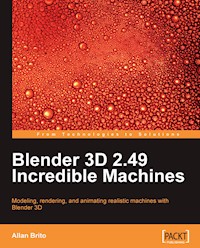
Blender 3D provides all the features you need to create super-realistic 3D models of machines for use in artwork, movies, and computer games. Blender 3D 2.49 Incredible Machines gives you step-by-step instructions for building weapons, vehicles, robots, and more.
This book will show you how to use Blender 3D for mechanical modeling and product visualization. Through the pages of the book, you will find a step-by-step guide to create three different projects: a fantasy weapon, a spacecraft, and a giant robot. Even though these machines are not realistic, you will be able to build your own sensible and incredible machines with the techniques that you will learn in this book along with the exercises and examples.
All the three sections of this book, which cover three projects, are planned to have an increasing learning curve. The first project is about a hand weapon, and with that we can image a small-sized object with tiny details. This first part of the book will show you how to deal with these details and model them in Blender 3D.
In the second project, we will create a spacecraft, adding a bit of scale to the project, and new materials and textures as well. With this project, we will be working with metal, glass, and other elements that make the spacecraft. Along with the object, a new space environment will be created in the book too.
At the end we have a big and complex object, which is the transforming robot. This last part of the book will cover the modeling of two objects and show how you can make one transform into the other. The scale and number of objects in this project are quite big, but the same principles as in the other projects are applied here with a step-by-step guide on how to go through the workflow of the project.
Das E-Book können Sie in Legimi-Apps oder einer beliebigen App lesen, die das folgende Format unterstützen:
Seitenzahl: 245
Veröffentlichungsjahr: 2009
Ähnliche
















Table of Contents
Blender 3D 2.49 Incredible Machines
Allan Brito
Blender 3D 2.49 Incredible Machines
Copyright © 2009 Packt Publishing
All rights reserved. No part of this book may be reproduced, stored in a retrieval system, or transmitted in any form or by any means, without the prior written permission of the publisher, except in the case of brief quotations embedded in critical articles or reviews.
Every effort has been made in the preparation of this book to ensure the accuracy of the information presented. However, the information contained in this book is sold without warranty, either express or implied. Neither the author, nor Packt Publishing, and its dealers and distributors will be held liable for any damages caused or alleged to be caused directly or indirectly by this book.
Packt Publishing has endeavored to provide trademark information about all of the companies and products mentioned in this book by the appropriate use of capitals. However, Packt Publishing cannot guarantee the accuracy of this information.
First published: November 2009
Production Reference: 1121109
Published by Packt Publishing Ltd.
32 Lincoln Road
Olton
Birmingham, B27 6PA, UK.
ISBN 978-1-847197-46-7
www.packtpub.com
Cover Image by Vinayak Chittar (<[email protected]>)
Credits
Author
Allan Brito
Reviewers
Claudio "malefico" Andaur
Yorik van Havre
Acquisition Editor
David Barnes
Development Editor
Swapna V. Verlekar
Technical Editor
Aanchal Kumar
Indexer
Rekha Nair
Editorial Team Leader
Gagandeep Singh
Project Team Leader
Lata Basantani
Project Coordinator
Joel Goveya
Proofreader
Jade Schuler
Production Coordinator
Aparna Bhagat
Cover Work
Aparna Bhagat
About the Author
Allan Brito is a Brazilian architect specialized in information visualization. He lives and works in Recife, Brazil. He works with Blender 3D to produce animations and still images for visualization and instructional material. Besides his work with Blender as an artist, he also has a large experience in teaching and researching about 3D modeling, animation, and multimedia.
He is an active member of the community of Blender users, writing about Blender 3D and its development for websites in Brazilian Portuguese (http://www.allanbrito.com) and English (http://www.blendernation.com).
This is his third book on Blender 3D, the first one was Blender 3D—Guia do Usuário, which was published in Brazil. It's a guide on how to use Blender that covers everything from the basics to character animation. The second book, Blender 3D: Architecture, Buildings, and Scenery, covers the use of Blender for architectural visualization. It is written in English, and is published by Packt Publishing.
He can be reached at his website, http://www.blender3darchitect.com, where he covers the use of Blender 3D and other tools for architectural visualization.
I would like to thank my family for supporting me during the production of this book, especially my wife Érica, and my parents Maria and Luiz.
About the Reviewers
Claudio "malefico" Andaur is an argentine CG artist residing in Buenos Aires. He graduated as a Chemical Engineer from Universidad Tecnologica Nacional, Buenos Aires, Argentina in 1998.
He started working with Blender and open source applications in 2000. He was increasingly involved in Blender animation projects mainly for television shows. In 2003, he was part of the team who wrote the Blender 2.3 Official Guide. In 2005, he quit his regular job as an engineer and started working as one of the project leaders of Plumiferos, a CG feature film project made in Blender. In his blog (www.malefico3d.org), he likes to write about character animation, rigging, and personal projects. In 2008, he started his own animation studio called Licuadora Studio (www.licuadorastudio.com).
Claudio, better known as "malefico" in the Blender community, has given lectures and classes in Argentina, Venezuela, Colombia, Belgium, and Spain, as well as the Blender Conference in Amsterdam, The Netherlands on several occasions.
I'd like to thank my wife Laura for her constant support and patience, and my fellow Licuadores: Ivan, Manuel, and Diego.
Yorik van Havre is a Belgian architect who currently lives and works in Brazil. Blender occupies a big portion of his daily work. He regularly writes articles and tutorials about Blender, architecture, and architecture software, and is actively involved in several communities and open source projects. He has also reviewed Allan's previous book, Blender 3D: Architecture, Buildings, and Scenery. More about Yorik's work can be found at his website: http://yorik.orgfree.com.
Preface
Blender 3D provides all the features that you need for creating super-realistic 3D models of machines for use in artwork, movies, and computer games. Blender 3D 2.49 Incredible Machines gives you step-by-step instructions for building weapons, vehicles, robots, and more.
This book will show you how to use Blender 3D for mechanical modeling and product visualization. Through the pages of the book, you will find a step-by-step guide to create three different projects: a fantasy weapon, a spacecraft, and a giant robot. Even though these machines are not realistic, you will be able to build your own sensible and incredible machines with the techniques that you will learn in this book along with the exercises and examples.
All three sections of this book, which cover three projects, are planned to have an increasing learning curve. The first project is about a hand weapon, where we will model a small-sized object with tiny details. This first part of the book will show you how to deal with these details and model them in Blender 3D.
In the second project, we will create a spacecraft, adding a bit of scale to the project, as well as new materials and textures. With this project, we will be working with metal, glass, and other elements that make the spacecraft.
At the end, we have a big and complex object, which is a transforming robot. This last part of the book will cover the modeling of two objects and show how you can make one transform into the other. The scale and number of objects in this project are quite big, but the same principles, as in the other projects, are applied here with a step-by-step guide on how to go through the workflow of the project.
What this book covers
Chapter 1: Machinery Modeling and Visualization with Blender introduces us to a few concepts and relevant information about this book and, of course, talks a bit about this incredible software called Blender 3D, and how we can take advantage of all of the tools of Blender. It gives a brief description of its history and also explains us the concept of an Incredible Machine.
Chapter 2: Modeling a Handgun gets us started with working on the first of the three projects of this book—modeling of a handgun. It explains why a handgun was chosen for our first project, what the final image of the project will look like, our modeling workflow, and the modeling technique that will be used to work on this project.
Chapter 3: Polygon Modeling of the Weapon guides you through the first steps of the modeling by using concept drawings to create a base model in Blender. The base model is very important to add details and upgrade the first flat surfaces into something more complex. This chapter tells us how to set up and configure a background image, and how to model and transform a mesh by using the background image as a guide. It also demonstrates the use of various tools such as Edge Loop tool, Face Loop Cut tool, and 3D Cursor as a tool.
Chapter 4: Adding Details adds a few more details to the model created in the previous chapter. It teaches us to create creases, and use the new snapping tools and others such as the Spin tool and Bevel tool.
Chapter 5: Rendering the Project with YafaRay winds up the weapon project with the setup of textures and materials for the model, and the installation and setup of an external render engine for Blender 3D. The render engine for this project is YafaRay, which allows us to use advanced global illumination features not available in the Blender internal render. This chapter describes how to install and use the renderer to use it in more detail with the next project.
Chapter 6: Steampunk Spacecraft describes what steampunk is and what the characteristics of a steampunk machine are. It initializes the creation of a steampunk spacecraft with even smaller details and more UV Mapping techniques to add more realism to the model. It creates a base mesh for the spacecraft and also gives us an experience in edge modeling, deforming, and adjusting the shape of a model to get the shape of the desired object.
Chapter 7: Working with Smaller Areas adds more details and parts to the base model created in the previous chapter. It teaches us how to use the Spin tool to create rounded bevels, how to work with curves and the different curves of Blender, how to create cables and wires with curves, and how to twist curves.
Chapter 8: Advanced UV Mapping will teach us how to add a few extra details with textures, which can be a great help in any modeling project. One of the advantages of using a great set of textures to create details is the ability to use images instead of models to create geometry.
Chapter 9: Putting the Spacecraft to Fly and Shoot with Special Effects uses some special effects to put our spacecraft in outer space and even make both weapons shoot! All these effects are created with a mix of particles and materials that generate the effects in a very short time. Both techniques and tools help a lot in this project, and can be used in other 3D modeling and rendering projects as well. It adds even more elements and visual aids to our project in order to bring more realism to the scene.
Chapter 10: Rendering the Spacecraft with YafaRay teaches us a bit more about YafaRay and renders our spacecraft project with it to achieve a photo-real effect from the lighting and materials. It demonstrates the spacecraft flying at both daylight and night environments. Along with the rendering process of YafaRay, it also teaches how to set up the environment settings, render methods, and materials of YafaRay.
Chapter 11: Transforming Robot initializes the work on the last Incredible Machine—a transforming robot. It is the most complex and difficult project of the three and, as you can imagine, it is about a robot that can transform its shape into something else. This chapter creates the base model of the robot, and tells us the differences between poly and subdivision modeling. It also describes what LuxRender is.
Chapter 12: Using Modifiers and Curves to Create Details for the Robot and Scene continues the modeling process by using some modifiers and curves turned into 3D meshes in order to add more details to the overall model. Along with the robot, its starts the creation of the scenario used to create the robot in LuxRender, using a few tricks and special materials to give it sci-fi look. It teaches us how to work with the bevel, array, and simple deform modifiers and how to deform curves by using hooks.
Chapter 13: Making the Robot Look Metallic with Materials in LuxRender assembles all parts into the robot model and adds materials to the model in LuxRender. This chapter teaches us how to install LuxRender and export our scenes to the renderer, how to set up the basic parameters of LuxRender materials, how to choose from several preset materials of LuxRender, and how to add textures to 3D models in order for LuxRender to recognize the material.
Chapter 14: Adding Lights to the Scene and Rendering with LuxRender is the next step in the creation of our third Incredible Machine project. It explains us the working of lights and effects, and makes the light interact with the materials and textures to give reflections and other optical effects that result in a very nice illumination effect. Besides the setting up lights in LuxRender, it also adds lots of elements and creates the scenario to receive the robot model in the next chapter.
Chapter 15: It's Alive! Animating the Robot assembles our robot and uses animation tools to create the transforming movement of the machine. By using the same controls, we can easily create animations with Blender and render the movement in LuxRender.
Chapter 16: Post-production of the Robot takes us through the post-production process of the robot in LuxRender that can be executed at the renderer window. It shows us how to make the necessary adjustments to the image inside LuxRender. It teaches us to add lens effects in the rendering to make the image look like a photograph, add color schemes to fit artificial and natural lighting, remove the noise of the image with LuxRender.
What you need for this book
The Blender Foundation recommends the following minimum requirements:
However, if you really want to get maximum performance, there is a more powerful configuration:
There isn't much to say about the software, only that you can run Blender on almost any operating system available. The following is the list of systems that support Blender:
Who this book is for
This book targets game designers/developers, artists, and product designers who want to create realistic images, 3D models, and videos of machines. The book will also help Blender artists interested in external renders like YafaRay and LuxRender, to add more realism to their projects. No previous experience of working with Blender 3D, YafaRay or LuxRender is required.
Conventions
In this book, you will find a number of styles of text that distinguish between different kinds of information. Here are some examples of these styles, and an explanation of their meaning.
New terms and important words are shown in bold. Words that you see on the screen, in menus or dialog boxes for example, appear in the text like this: "Go to the Edit panel and locate the BevOb option, which is located right below the menu ".
Note
Warnings or important notes appear in a box like this.
Note
Tips and tricks appear like this.
Reader feedback
Feedback from our readers is always welcome. Let us know what you think about this book—what you liked or may have disliked. Reader feedback is important for us to develop titles that you really get the most out of.
To send us general feedback, simply send an email to <[email protected]>, and mention the book title via the subject of your message.
If there is a book that you need and would like to see us publish, please send us a note in the SUGGEST A TITLE form on www.packtpub.com or email<[email protected]>.
If there is a topic that you have expertise in and you are interested in either writing or contributing to a book on, see our author guide on www.packtpub.com/authors.
Customer support
Now that you are the proud owner of a Packt book, we have a number of things to help you to get the most from your purchase.
Errata
Although we have taken every care to ensure the accuracy of our content, mistakes do happen. If you find a mistake in one of our books—maybe a mistake in the text or the code—we would be grateful if you would report this to us. By doing so, you can save other readers from frustration, and help us to improve subsequent versions of this book. If you find any errata, please report them by visiting http://www.packtpub.com/support, selecting your book, clicking on the let us know link, and entering the details of your errata. Once your errata are verified, your submission will be accepted and the errata added to any list of existing errata. Any existing errata can be viewed by selecting your title from http://www.packtpub.com/support.
Piracy
Piracy of copyright material on the Internet is an ongoing problem across all media. At Packt, we take the protection of our copyright and licenses very seriously. If you come across any illegal copies of our works, in any form, on the Internet, please provide us with the location address or website name immediately so that we can pursue a remedy.
Please contact us at <[email protected]>with a link to the suspected pirated material.
We appreciate your help in protecting our authors, and our ability to bring you valuable content.
Questions
You can contact us at <[email protected]>if you are having a problem with any aspect of the book, and we will do our best to address it.
Chapter 1. Machinery Modeling and Visualization with Blender
Welcome to the first chapter of Blender 3D—Incredible Machines! This chapter will introduce you to a few concepts and relevant information about this book, and of course, talk a bit about this incredible software called Blender 3D and how we can take advantage of all of the tools of Blender.
Before we start talking about more technical stuff, such as modeling surfaces and polygons for our machines, let's just answer this simple question: What is Blender 3D? Blender 3D is a very powerful 3D graphics suite, which is open source and available for almost all of the operating systems in the market. One of its most impressive features is that it's light weight and can run on computers that don't have updated hardware.
Blender history
Blender is an open source software available for anyone to use and create 3D content, but it wasn't always like this. When Blender was created, the software was a proprietary platform developed by a Dutch studio called NeoGeo (not related to the NeoGeo game console) and a company called Not a Number (NaN). The primary creator and developer of Blender is Ton Roosendaal. He was involved in the technical development of Blender at NeoGeo and the marketing of NaN.
By 2002, the investors behind NaN decided to end all operations of the company, including the development of Blender 3D. In the same year, Ton Roosendaal created the Blender Foundation to promote the use and development of Blender as an open source project, using the GNU Public License (GPL). With the Free Blender worldwide campaign, the foundation was able to raise 100,000 EUR necessary to buy the source code from NaN and release Blender to the world.
Today, Ton Roosendaal runs the Blender Foundation and the newly established Blender Institute that organizes the development and promotion of Blender.
Working with Blender
Well, if you are planning to work on high-definition videos or complex models, you will need updated hardware. It's all a matter of scale; when we work on big projects with complex models and high-definition renderings, more will be required from both Blender 3D and the hardware. The good news is that, for most of the projects, these full resolution tools and complex models won't be required.
With Blender, we can work on projects that involve polygonal modeling, 3D animation, and setup textures. We can work on materials with nodes and even create interactive animations. This book won't deal with interactive animation features of Blender, but the rest of the tools will be used to work on our projects.
As Blender is an open source and free software, if you don't have it yet, visit the Blender Foundation website to download it (http://www.blender.org). You will be amazed by the size of the software, which is only about 20 MB. It's quite impressive for a software that can produce images and animations just like the tools such as 3Ds Max, Maya, and Softimage XSI can.
Blender 3D, YafaRay, and GIMP
This book was written when Blender 2.49a was the most updated version of the software, so throughout the book, the same version has been used for the images and examples. The previous versions of Blender brought forward a few important updates for any artist interested in working with mechanical modeling, such as snapping improvements that will make modeling with precision easier. The snapping tools are one of the examples of the tools that we will be using to improve our work, and this will probably be the first book dealing with those tools.
As you may already know, Blender development never stops, and right now, the Blender Foundation is working hard on the next version of Blender, which will be Blender 2.50. They are planning complete re-formulations of the Blender interface and tools. This book is organized and planned in a way that will allow you to follow the workflow of the projects, regardless of the Blender version you are using.
For all our projects, we will not only be using Blender 3D, but also a set of tools that will enable us to create some great images. Along with Blender 3D, we will use YafaRay and GIMP. The first one is the most-used external renderer that can add advanced global illumination options to the renders created in Blender 3D. What's the reason most-used using YafaRay? Blender is a powerful software for modeling and animation, but so far, it can only add more realism to images and renders by using a technique called Ambient Occlusion.
The YafRay render engine is well know by previous Blender users because it was the best and the only tool to render with global illumination for a long time. However, in the past few months, the YafRay core has been completely rewritten and has given birth to YafaRay, which is the most recent and updated version of the software. The name was changed from YafRay to YafaRay to reflect the changes in the render engine core. In this book, we will cover the tools and options to use YafaRay to render our images. The setup and workflow of the images will have to follow a few rules to work on YafaRay, but the final result will show the reward for our efforts. Just for the record, YafaRay is an open source project like Blender 3D, and you can find more information about it from its official website: http://www.yafaray.org.
Finally, GIMP is the best solution in the open source world to edit and create texture maps for 3D software. In all of our projects, we will have to create and edit images called texture maps. These texture maps have to be created or edited in some software (that even have the ability to edit and paint them)—Blender can't do everything alone. That's why we will use GIMP as a part of the workflow for our projects. The GIMP software can be downloaded from its official website: http://www.gimp.org.
What is an Incredible Machine?
Now that we know a bit more about Blender and the other tools that we will be using, let's talk about the main subject of the book, which is Incredible Machines! What is an Incredible Machine? Well, it's a kind of machine that doesn't exist in our world, has amazing capabilities, and has a great sci-fi look. One of its main characteristics is its element of fantasy related with its nature. Several books and movies, such as steampunk stories or sci-fi movies, often use machines that don't exist in our world.
When we start our projects in the next chapters, you'll notice that the best part about working on projects like this is that we don't have any boundaries that will hold down our imagination. In fact, after reading this book, you should design and create your own Incredible Machines! Just pick a machine that exists today, and turn it into something better, with stronger sources of energy and new tools.
Knowing the potential of these machines, we will work on three main projects that will deal with very different types of machines. Let's see how the book is organized.
How the book is organized
We now know that the book is about incredible mechanical models and vehicles with extreme designs, all modeled and created with Blender 3D. But, how will we be working on those models along the book? The entire book is organized into three big modeling projects, which will require skills in textures, effects, and animation.
For each project, an Incredible Machine has been chosen. The order in which those projects are placed creates a continuous learning curve, ranging from a simple project to a more complex and difficult one to finish. Here are the three projects that we will cover in the book:




