


31,19 €
Mehr erfahren.
- Herausgeber: Packt Publishing
- Kategorie: Wissenschaft und neue Technologien
- Sprache: Englisch
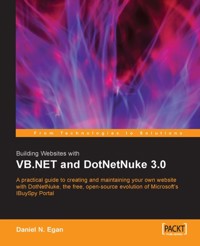
DotNetNukeDotNetNuke is a free, open source evolution of Microsoft's celebrated ASP.NET reference implementation, the IBuySpy Portal Solution Kit. DotNetNuke began life as a framework for constructing data-driven intranet and Internet portal applications. It has now developed into an advanced web content management system with tools to manage a dynamic and interactive data-driven website.If you work with ASP.NET and VB.NET, and want an interactive website, with forums, news and image management, where visitors can register, participate and contribute to your site, then DotNetNuke is the ideal solution for you. This book is your indispensable guide to creating content-rich websites with DotNetNuke 3.0, as quickly as possible.The first part of this book gives you a deep understanding of working with basic DotNetNuke sites, guiding you through the features and giving you the confidence to create and manage your own site. After that, you will journey to the heart of DotNetNuke, and learn about its core architecture. From there, you will learn how to customize DotNetNuke sites through skinning and creating custom modules. Enhancing your site with forums and ecommerce functionality, creating multiple sites and deploying your site round off the book. You will master each of these topics as you leap into the development of a DotNetNuke 3.0 site.
Das E-Book können Sie in Legimi-Apps oder einer beliebigen App lesen, die das folgende Format unterstützen:
Seitenzahl: 335
Veröffentlichungsjahr: 2005
Ähnliche



















Table of Contents
Building Websites with VB.NET and DotNetNuke 3.0
Daniel N. Egan
Building Websites with VB.NET and DotNetNuke 3.0
Copyright © 2005 Packt Publishing
All rights reserved. No part of this book may be reproduced, stored in a retrieval system, or transmitted in any form or by any means, without the prior written permission of the publisher, except in the case of brief quotations embedded in critical articles or reviews.
Every effort has been made in the preparation of this book to ensure the accuracy of the information presented. However, the information contained in this book is sold without warranty, either express or implied. Neither the author, Packt Publishing, nor its dealers or distributors will be held liable for any damages caused or alleged to be caused directly or indirectly by this book.
Packt Publishing has endeavored to provide trademark information about all the companies and products mentioned in this book by the appropriate use of capitals. However, Packt Publishing cannot guarantee the accuracy of this information.
First published: February 2005.
Published by Packt Publishing Ltd.
32 Lincoln Road
Olton
Birmingham, B27 6PA, UK.
ISBN 10: 1-904811-27-2
ISBN 13: 978-1-904811-27-5
www.packtpub.com
Cover Design by www.visionwt.com
Credits
Author
Daniel N. Egan
Technical Reviewers
Dennis J Bottjer
K. Scott Allen
Colin Munford
Layout*
Niranjan Jahagirdar
Indexer*
Niranjan Jahagirdar
Commissioning Editor
Douglas Paterson
Technical Editors*
Nanda Padmanabhan
Niranjan Jahagirdar
Proofreader
Chris Smith
Cover Designer
Helen Wood
*Services provided by www.editorialindia.com
About the Author
Daniel N. Egan has, over the past seven years, held a variety of positions in the information technology and engineering fields. Currently, he is a System Development Specialist for Automated Data Processing’s Southern California region working extensively in database applications and web development. Daniel is an MCP and MCSD. In addition to his development work, he teaches a VB.NET Certification course at California State University Fullerton and also serves on its .NET Advisory board. He is also the founder and chief author of Dot Net Doc (www.DotNetDoc.com), a .NET and DotNetNuke developer resource website built using the DotNetNuke framework. He has written numerous articles on DotNetNuke and the underlying architecture. He is the cofounder of the LA/Orange County DotNetNuke User Group.
I would like to thank Kirsten, my true love and best friend, for putting up with the many hours spent at the computer during this process. I love you with all my heart. I would also like to thank Douglas Paterson for all his generous help answering my never ending flood of questions, and keeping me on track to finish this book. Finally I would like to thank the technical reviewers, among others, for all of the time they spent helping me find the right things to say and exactly how to say them.
Introduction
DotNetNuke is a free, open-source evolution of Microsoft’s celebrated ASP.NET reference implementation, the IBuySpy portal solution kit. DotNetNuke began life as a framework for constructing data-driven intranet and Internet portal applications, and has now developed into an advanced web content management system with tools to manage a dynamic and interactive data-driven website. The DotNetNuke portal framework allows you to quickly create a fully featured community-driven website, complete with standard modules, user registration, and integrated security. This free open-source application puts a staggering range of functionality into your hands, and, either by using it as is or by customizing it to your requirements, you are giving your projects a great head start.
Supported and tested by thousands of developers in the DotNetNuke community across the world, the DotNetNuke framework, on one hand, offers you the luxury of a well-tested and proven architecture, and on the other, the ability to manage your site through an easy web-based administration system.
The book is structured to help you understand, implement, and extend the DotNetNuke framework; it will take you inside DotNetNuke, allowing you to harness its power for easily creating your own websites.
What This Book Covers
Chapter 1 introduces DotNetNuke (DNN) and discusses the meaning and purpose of web portals, and the common aspects of successful web portals. It looks at different types of open-source web portals, and discusses why we selected DotNetNuke for this book. We then meet our fictional client Coffee Connections and, using user stories, gather the requirements needed to build this client’s site.
In Chapter 2 we see how to install a local version of DotNetNuke with Microsoft SQL Server, and cover setting the required permissions on your machine to run DNN properly. The chapter also covers the process of upgrading from previous versions of DotNetNuke.
In Chapter 3 we cover users, roles, and pages. Users are the individuals who visit or administer your portal, and their power depends on the roles that they have been assigned. We discuss how each page of your portal can be administered differently, laying the foundation for the rest of the book. From defining users, to registration, to security roles, this chapter will help you to begin administering a DNN portal.
In Chapter 4 we cover the standard modules that come pre-packaged with DotNetNuke. We cover their basic uses as well as situations they may be used in. You will use these modules to build your portal’s content.
Chapter 5 introduces the administrative functions available to the host and admin logins. These are special logins that have access to all areas of your portal, and are used to secure your site and make changes to its content. This chapter takes you through the tools to make sure you are comfortable with all that is available to you.
Understanding the core architecture of DNN is essential if you want to extend the system or even modify the existing code. In Chapter 6 we learn how the DotNetNuke framework builds the pages, and what are the major classes that drive it.
In Chapter 7 we take the knowledge we learned in the last chapter and use it to build a custom module. You will learn everything you need to know to start building your own modules so you can extend the capabilities of your portal. We begin by setting up a private assembly project, which allows you to create your custom module outside the core project code while still giving you the ability to debug within the DotNetNuke project. After creating your user controls, you will create your data access and business logic layers, and finish by learning how to package your module for distribution.
Chapter 8 talks about skins. A skin is the outer layer of your site, and defines the look and feel of the portal. In this chapter we design a custom skin for the Coffee Connections site. You will learn the skills needed to skin both your portal and your module containers.
Chapter 9 shows you how to enhance your module with some of the modules that are available to you from the DotNetNuke community. From user forums, to e-Commerce, to security modules, this chapter will help you get the most out of your portal without having to create everything yourself.
When you finally have your portal the way you want it to look and function, you are ready to deploy it, and that is what Chapter 10 shows you how to do. The chapter advises on what you should look for in a web host and helps to steer you clear of common deployment mistakes.
In Chapter11 we show you how to take advantage of one of the most exciting features of DotNetNuke: multiple portals. These are additional portals that use the same underlying database, but can contain different content. So instead of just having one website, you can create as many as you need using just one DotNetNuke installation. From parent portals to child portals, this chapter gives you the information necessary to create new portals from scratch or to use the new template structure built into the framework.
Chapter 12, the final chapter of the book, focuses back on the DotNetNuke developer. In this chapter we walk through the steps necessary to create a new provider for a RichTextBox control, improving on the FreeTextBox. The provider model is used extensively throughout DotNetNuke and allows you to have a "pluggable" architecture, giving you the freedom to add different tools while keeping the core code unchanged.
What You Need for Using This Book
This book has been written both for the beginner wanting to set up a website and also for ASP.NET developers with a grasp of VB.NET and access to Visual Studio .NET. No prior knowledge of DotNetNuke is assumed. To use this book, you need to have access to Visual Studio .NET Professional or higher.
This book uses the DotNetNuke open-source project available from http://www.DotNetNuke.com. To install and run DotNetNuke, you will need:
Conventions
In this book, you will find a number of styles of text that distinguish between different kinds of information. Here are some examples of these styles, and an explanation of their meaning.
There are three styles for code. Code words in text are shown as follows: "The GetPortalSettings method call will retrieve enough information to populate the PortalSettings object".
A block of code will be set as follows:
When we wish to draw your attention to a particular part of a code block, the relevant lines or items will be made bold:
New terms and important words are introduced in a bold-type font. Words that you see on the screen, in menus or dialog boxes for example, appear in our text like this: "clicking the Next button moves you to the next screen".
Note
Tips, suggestions, or important notes appear in a box like this.
Any command-line input and output is written as follows:
Reader Feedback
Feedback from our readers is always welcome. Let us know what you think about this book, what you liked or may have disliked. Reader feedback is important for us to develop titles that you really get the most out of.
To send us general feedback, simply drop an e-mail to <[email protected]>, making sure to mention the book title in the subject of your message.
If there is a book that you need and would like to see us publish, please send us a note in the SUGGEST A TITLE form on www.packtpub.com or e-mail <[email protected]>.
If there is a topic that you have expertise in and you are interested in either writing or contributing to a book, see our author guide on www.packtpub.com/authors.
Customer Support
Now that you are the proud owner of a Packt book, we have a number of things to help you to get the most from your purchase.
Downloading the Example Code for the Book
Visit http://www.packtpub.com/support, and select this book from the list of titles to download any example code or extra resources for this book. The files available for download will then be displayed.
Note
The downloadable files contain instructions on how to use them.
Errata
Although we have taken every care to ensure the accuracy of our contents, mistakes do happen. If you find a mistake in one of our books — maybe a mistake in text or code — we would be grateful if you could report this to us. By doing this you can save other readers from frustration, and also help to improve subsequent versions of this book. If you find any errata, report them by visiting http://www.packtpub.com/support, selecting your book, clicking on the Submit Errata link, and entering the details of your errata. Once your errata have been verified, your submission will be accepted and the errata added to the list of existing errata. The existing errata can be viewed by selecting your title from http://www.packtpub.com/support.
Questions
You can contact us at <[email protected]> if you are having a problem with some aspect of the book, and we will do our best to address it.
Chapter 1. What Is DotNetNuke?
From company intranets to mom and pop shops to local chapters of the 4H club, most organizations are looking to have a presence on the World Wide Web. Open-source web portals answer this demand by providing easy to install and use websites that are not only extremely functional but also free. Whether it is to sell services or to have a place to meet, web portals play an important part of communications on the Web.
In this chapter, we will first discuss what web portals are and what successful web portals have in common. We will explore different types of open-source web portals and discuss why we selected DotNetNuke for our project over other available portals. In addition, we will cover the benefits gained by using an established program as a framework and the benefits of DotNetNuke specifically. We will then introduce Coffee Connections, our fictional client. We will get a brief overview of Coffee Connections, determine the specific requirements for its website and gather the requirements using user stories. This will give you a general overview of what to expect from this book and how to best use it depending on your role and experience with web portals and Visual Basic .NET.
Open-Source Web Portals
So what does it actually mean to have a web portal? We begin the chapter with an explanation of what a portal is, and then go on to the features of a web portal and reasons for selecting open-source web portals.
What Is a Web Portal?
You have decided to start a portal and first need to find out what makes a web portal. Does throwing up a few web pages with links to different topics make it a web portal? A portal, in its most basic sense, aims to be an entry point to the World Wide Web. Portals will typically offer services such as search engines, links to useful pages, news, forums, and e-mail, all in an effort to draw users to their site. In most cases, portals provide these services free in the hope that users will make the site their home page or at least come back often. Successful examples include Yahoo! and MSN. These sites are horizontal portals because they typically attract a wide audience and primarily exist to produce advertising income for their owners. Other web portals may focus on a specific group of users or be part of a corporate intranet.They will most often concentrate on one particular subject, like gardening or sports. This type of portal is a vertical portal because they focus inward and cater to a more select group of people.
The type of portal you create depends on the target audience you are trying to attract. You may discover that the portal you create is a combination of both horizontal and vertical portals in order to address specific needs, while simultaneously giving a broader range of services to your visitors. Whatever type of portal you decide on, horizontal or vertical, they both will share certain key characteristics and functionality that guarantee users will return to your site.
Common Portal Features
What makes a great portal? Is it a free prize giveaway, local weather forecasts, or sports scores for the teams you watch? While this package of extras might attract some users, you will certainly miss a large group of people who have no interest in these offerings. There are as many web portals to choose from as programming languages they are written in. However, one thing is for certain: there are particular services your portal should incorporate in order for it to be successful and attract a wide audience.
Why DotNetNuke?
When the time comes to decide how you want to build your portal, you will have to make many decisions: Do I create my portal from scratch? If not, which web portal framework should I use? What type of hardware and software do I have available to me? Moreover, what is my skill level in any particular platform? In this section, we will discuss some of the better-known portals that are available.
For our portal, we have decided that it would be counter-productive to start from scratch. Instead, we will be using an already developed framework in designing our portal. We will have many options from which to select. We will discuss a few of our options and determine why we believe DotNetNuke fits us best.
PHP-Nuke
Most likely the grandfather of DotNetNuke (in name at least) is PHP-Nuke (http://www.phpnuke.org). PHP-Nuke is a web portal that uses PHP (a recursive acronym for PHP: Hypertext Preprocessor) pages to create dynamic web pages. You can use it in a Windows environment but it is most comfortable in a Linux/Unix environment. PHP is and open-source, HTML-embedded scripting language, which is an alternative to Microsoft’s ASP (Active Server Pages) the precursor to ASP.NET, which is the programming language used in DotNetNuke. PHP-Nuke, like DotNetNuke, is a modular system that comes with pre-built standard modules and allows you to enhance the portal by creating custom modules. Since we will be using a Windows platform, and are more comfortable using ASP.NET, this choice would not fit our needs.
Metadot
Metadot Portal Server is another open-source portal system available to those looking to create a web portal. Metadot states that "its user friendly environment" allows non-technical individuals to create powerful websites with just a "few clicks of the mouse". Like PHP-Nuke, Metadot runs primarily on the Linux operating system, Apache web server, and a MySQL database. It uses Perl as its scripting language. It also supports Windows but is most comfortable in a Linux environment. For the same reasons as PHP-Nuke, this framework will not fit our needs.
Rainbow
Similar to DotNetNuke, the Rainbow project is an open-source initiative to build a CMS (content management system) based on the IBuySpy portal using Microsoft’s ASP.NET. In contrast to DotNetNuke, the Rainbow Project used the C# implementation of IBuySpy as its starting point. It does run on Windows and uses ASP.NET, but our language of choice for this project is VB.NET so we will rule our Rainbow.
DotNetNuke
So why did we select DotNetNuke as the web portal of choice for this book? Well here are a few reasons for selecting DotNetNuke:
Benefits of Using an Established Program
Whether you are building a website to gather information about your soccer club or putting up a department website on your company’s intranet, one thing is certain — to write your web portal from the ground up, you should plan on "coding" for a long time. Just deciding on the structure, design, and security of your site will take you months. After all this is complete, you will still need to test and debug. At this point, you still have not even begun to build the basic functionality of your web portal.
So why start from scratch when you have the ability to build on an existing structure? Just as you would not want to build your own operating system before building a program to run on it, using an existing architecture allows you to concentrate on enhancing and customizing the portal for your specific needs. If you are like me and use Visual Studio to do your development, then you already adhere to this concept. There is no need for you to create the basic building blocks of your application (forms, buttons, textboxes, etc.); instead you take the building blocks already there for you and assemble (and sometimes enhance) them to suit your needs.
The DotNetNuke Community
The DotNetNuke has one of the most active and dynamic support forums on the ASP.NET website and has over 120,000 users registered on the DotNetNuke website.
Core Team
The core team comprises individuals invited to join the team by Shaun Walker, whom they affectionately call the "Benevolent Dictator". Their invitations were based on their contributions and their never-ending support of others in the DotNetNuke forum. Each team member has a certain area of responsibility based on his or her abilities. From database functionality and module creation to skinning, they are the ones responsible for the continued advancement of the framework. However, not being a member of the core team does not mean that you cannot contribute to the project. There are many ways for you to help with the project. Many developers create custom modules they make freely available to the DotNetNuke community. Other developers create skins they freely distribute. Still others help answer the many questions in the DotNetNuke forum (http://www.asp.net/forums/showforum.aspx?forumid=90). You can also be a contributor to the core architecture. You are welcome to submit code improvements to extend, and/or expand the capabilities of DotNetNuke. These submissions will be evaluated by the core team and could possibly be added to the next version.
The DotNetNuke Discussion Forum
With well over 80,000 individual posts in the main DotNetNuke forum alone, it is one of the most active and attentive forums on the ASP.NET Forums website (http://www.asp.net/Forums/). Here you will find help for any issue you may be having in DotNetNuke.
The main forum is where you will find most of the action but there are also sub-forums covering topics such as Core Framework, Resources, Getting Started, and Custom Modules. You can search and view posts in any of the forums but will need to register if you want to post your own questions or reply to other users posts. The great thing about the forums is that you will find the core team hanging out there. Who better to ask questions about DotNetNuke than those who created it? However, do not be shy, if you know the answer to someone else’s question feel free to post an answer. That is what the community is all about, people helping people through challenging situations.
The Bug Tracker
Like any application there are bound to be a few bugs that creep into the application now and then. To manage this occurrence, DotNetNuke core team uses a third-party bug tracking system called Gemini, by CounterSoft. The bug tracker is not for general questions or setup and configuration errors; questions of that nature should be posted in the discussion forum. You can view the status of current bugs at the Gemini site (http://support.dotnetnuke.us), but will not be able to add new bugs to the system. Reporting a bug is currently done by posting to the DotNetNuke forum. Follow the guidelines currently posted there ( http://www.asp.net/Forums/ShowPost.aspx?tabindex=1&PostID=752638). To summarize; you need to first search the bug tracker to make sure that it has not already been reported. If you cannot find it in the system you will need to supply the forum with exactly what you did, what you expected to have happen, and what actually happened. Verified bugs will be assigned to core team members to track down and repair.
DotNetNuke Project Roadmap Team
If you want to find out what is in the works for future releases of DotNetNuke then you will want to check out the DotNetNuke Project Roadmap (http://www.dotnetnuke.com/Default.aspx?tabid=616). The main purpose of this document is as a communication vehicle to inform users and stakeholders of the project’s direction. The Roadmap accomplishes this by using User Stories. User Stories are closely related to Use Cases with the exception that they take the view of a fictitious customer requesting an enhancement. The priority of the enhancements depends on both the availability of resources (core team) and the perceived demand for the feature.
The License Agreement
The license type used by the DotNetNuke project is a modified version of the BSD (Berkeley Software Distribution) license. As opposed to the more restrictive GPL (GNU General Public License) used by many other open-source projects, the BSD license is very permissive and imposes very few conditions on what a user can do with the software; this includes charging clients for binary distributions, with no obligation to include source code. If you have further questions on the specifics of the license agreement, you can find it in the documents folder of the DotNetNuke application or on the DotNetNuke website.
Coffee Connections
Wherever your travels take you, from sunny Long Beach, California to the cobblestone streets of Hamburg, Germany, chances are that there is a coffee shop nearby. Whether it is a Starbucks (located on just about every corner) or a local coffee shop tucked neatly in between all the antique stores on Main Street, they all have one thing in common. Coffee, right? Well yes, they do have coffee in common, but more importantly, they are places for people with shared interests to gather, relax, and enjoy their coffee while taking in the environment around them. Coffee shops offer a wide variety of services in addition to coffee, from WiFi to poetry readings to local bands; they keep people coming back by offering them more than just a cup o’ joe.




