


17,99 €
Mehr erfahren.
- Herausgeber: John Wiley & Sons
- Kategorie: Wissenschaft und neue Technologien
- Serie: Digital Field Guide
- Sprache: Englisch
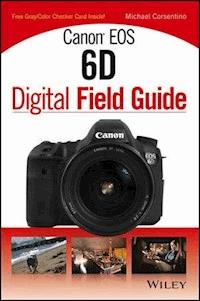
The Canon EOS 6D is Canon's smallest and lightest full-frame DSLR camera to date and boasts an extensive feature set. This full-color, portable guide goes beyond the owner's manual to deliver clear, succinct descriptions of how these features and functions work and explains how they affect the resulting photos. With the expert advice and clear instructions, the Canon EOS 6D Digital Field Guide makes this sophisticated camera accessible to even first-time DSLR users * Helps you to consistently achieve professional-level photography using the Canon EOS 6D * Walks you through the essential controls, features, and functions using step-by-step instructions and providing full-color images of each menu screen * Shows you how to get the exact shots you want, when you want them, and is packed with beautiful color photos * Shoot in Live View, choose the best settings for movie-making, and learn how to share your images and video online via the built-in Wi-Fi * Includes step-by-step techniques and professional tips on taking exceptional photos with your Canon EOS 6D Canon EOS 6D Digital Field Guide is packed with so much helpful advice for getting the most out of your Canon EOS 6D, you'll find yourself referencing it again and again
Sie lesen das E-Book in den Legimi-Apps auf:
Seitenzahl: 461
Veröffentlichungsjahr: 2013
Ähnliche


















Canon® EOS 6D Digital Field Guide
Table of Contents
Quick Tour
Key Canon EOS 6D Controls
The Canon EOS 6D Menu System
Setting the date and time
Setting the image quality
Choosing a Shooting Mode
Getting Sharp Focus
Putting it All Together
Chapter 1: A Map of the Canon EOS 6D
The Controls on the Canon EOS 6D
The front of the camera
The top of the camera
The back of the camera
The side of the camera
Lens Controls
The Viewfinder Display
The Camera Menus
Chapter 2: Camera Setup and Image Playback
Setting Image Quality and Processing RAW Images In-Camera
JPEG format
RAW capture
RAW+JPEG
Processing RAW images in-camera
Improving Image Quality
Reducing digital noise in-camera
Correcting vignetting and color fringing
Working with Folders and Files
Creating and selecting folders
Setting and changing file numbering
Changing Setup Options
Changing general setup options
Changing playback options
Erasing and Protecting Images and Movies
Erasing images and movies
Protecting images and movies
Chapter 3: Working with Exposure
Setting Exposure Objectives
Defining exposure goals
Practical exposure considerations
Choosing an Exposure Mode
Basic Zone exposure modes
Creative Zone exposure modes
Setting the ISO Sensitivity
Metering Light and Adjusting Exposures
Using metering modes
Evaluating exposures
Modifying and bracketing exposures
Creative Exposure Techniques
Making multiple-exposure images
Shooting High Dynamic Range images
Selecting a Drive Mode
Chapter 4: Getting Sharp Focus
Understanding the Autofocus System
Cross-type sensors
High- and standard-precision sensors
Setting Up and Using Autofocus
Choosing an autofocus mode and point
Focusing on action
Chapter 5: Getting Great Color
Working with Color
Choosing a Color Space
Comparing color spaces
Setting the color space
Setting the White Balance
Setting a Custom white balance
Setting a specific color temperature
Fine-tuning white balance
Working with Picture Styles
Choosing and customizing Picture Styles
Registering a new Picture Style
Using the Picture Style Editor
Chapter 6: Customizing the Canon EOS 6D
Custom Function Groups
Custom Function Menus
C.Fn I: Exposure
C.Fn II: Autofocus/Drive
C.Fn III: Operation/Others
Setting Custom Functions
Registering Custom Modes
Customizing My Menu
Chapter 7: Using the Live View Shooting Mode
About Live View Mode
Live View Mode Features and Functions
Focus options
Aspect ratio
Exposure simulation
Silent shooting modes
Metering timer
Using a flash
Working with Live View Mode
Setting up to shoot
Using the Quick Control button
Using metering modes
Shooting in Live View mode
Chapter 8: Recording and Watching Movies
About Movies
Video standards
Video on the 6D
Preparing to Record
Choosing the resolution and exposure mode
The Movie menu settings
Focusing options
Setting the ideal shutter speed
Color, audio, and lighting settings
Recording a Movie
Starting the recording
Tips for recording better movies
Playing Back Movies on the Camera
Chapter 9: Working with Flash
Deciding Whether to Use Flash
Calculating Flash Exposure
Using E-TTL II Technology
Using Off-camera Flashes
Radio versus optical Speedlite systems
Multicamera remote shooting
Working with Canon Speedlites
Setting Up Wireless Flashes
Chapter 10: Using the Canon EOS 6D Wireless Features
Wi-Fi Capabilities
Wi-Fi settings
Sharing images and video on the web
The Canon EOS Remote App
GPS Features and Functions
GPS settings
Image geotagging
The Canon Map Utility
Appendix A: How to Use the Gray Card and Color Checker
Canon® EOS 6D Digital Field Guide
Published byJohn Wiley & Sons, Inc. 10475 Crosspoint BoulevardIndianapolis, IN 46256www.wiley.com
Copyright © 2013 by John Wiley & Sons, Inc., Indianapolis, Indiana
Published simultaneously in Canada
ISBN: 978-1-118-51670-6
Manufactured in the United States of America
10 9 8 7 6 5 4 3 2 1
No part of this publication may be reproduced, stored in a retrieval system or transmitted in any form or by any means, electronic, mechanical, photocopying, recording, scanning or otherwise, except as permitted under Sections 107 or 108 of the 1976 United States Copyright Act, without either the prior written permission of the Publisher, or authorization through payment of the appropriate per-copy fee to the Copyright Clearance Center, 222 Rosewood Drive, Danvers, MA 01923, (978) 750-8400, fax (978) 646-8600. Requests to the Publisher for permission should be addressed to the Permissions Department, John Wiley & Sons, Inc., 111 River Street, Hoboken, NJ 07030, 201-748-6011, fax 201-748-6008, or online at http://www.wiley.com/go/permissions.
Limit of Liability/Disclaimer of Warranty: The publisher and the author make no representations or warranties with respect to the accuracy or completeness of the contents of this work and specifically disclaim all warranties, including without limitation warranties of fitness for a particular purpose. No warranty may be created or extended by sales or promotional materials. The advice and strategies contained herein may not be suitable for every situation. This work is sold with the understanding that the publisher is not engaged in rendering legal, accounting, or other professional services. If professional assistance is required, the services of a competent professional person should be sought. Neither the publisher nor the author shall be liable for damages arising herefrom. The fact that an organization or Web site is referred to in this work as a citation and/or a potential source of further information does not mean that the author or the publisher endorses the information the organization of Web site may provide or recommendations it may make. Further, readers should be aware that Internet Web sites listed in this work may have changed or disappeared between when this work was written and when it is read.
For general information on our other products and services or to obtain technical support, please contact our Customer Care Department within the U.S. at (877) 762-2974, outside the U.S. at (317) 572-3993 or fax (317) 572-4002.
Wiley publishes in a variety of print and electronic formats and by print-on-demand. Some material included with standard print versions of this book may not be included in e-books or in print-on-demand. If this book refers to media such as a CD or DVD that is not included in the version you purchased, you may download this material at http://booksupport.wiley.com. For more information about Wiley products, visit www.wiley.com.
Library of Congress Control Number: 2013935673
Trademarks: Wiley and the Wiley logo are trademarks or registered trademarks of John Wiley & Sons, Inc. and/or its affiliates in the United States and other countries and may not be used without written permission. Canon is a registered trademark of Canon, Inc. All other trademarks are the property of their respective owners. John Wiley & Sons, Inc. is not associated with any product or vendor mentioned in this book.
Credits
Acquisitions Editor
Carol Kessel
Project Editor
Amanda Gambill
Technical Editor
George Maginnis
Copy Editor
Lauren Kennedy
Special Help
Katharine Dvorak
Editorial Director
Robyn Siesky
Business Manager
Amy Knies
Senior Marketing Manager
Sandy Smith
Vice President and Executive Group Publisher
Richard Swadley
Vice President and Executive Publisher
Barry Pruett
Project Coordinator
Sheree Montgomery
Graphics and Production Specialists
Jennifer GoldsmithJennifer Mayberry
Quality Control Technician
Jessica Kramer
Proofreading and Indexing
Lindsay AmonesMelissa Cossell
Jessica KramerPotomac Indexing, LLC
About the Author
Michael Corsentino is an award-winning, contemporary wedding and portrait photographer, Adobe Photoshop and Lightroom expert, Capture One Pro Certified Professional, author, contributing writer for Photoshop User magazine, and columnist for Shutter Magazine and Resource Magazine. Based in Northern California and shooting digitally since 1999, Michael shot his first image when he was 12-years-old and hasn’t put his camera down since.
Michael is equally passionate about educating photographers, and loves to share his lighting and posing secrets, post-processing techniques, timesaving workflow strategies, and shooting philosophy at his workshops and speaking engagements. Learn more at www.michaelcorsentino.com and www.corsentinoblog.com, or follow Michael on twitter: @Corsentino.
To my dear mother, Stephanie. Without your beautiful love, caring, and lifelong support of my artistic dreams I wouldn’t be who I am today. Thank you so much!
To my father, Joseph. Thank you for igniting the spark that turned into a wonderful lifelong love affair with the art, science, and magic of photography.
Acknowledgments
To my fine editing team at Wiley Publishing: Thanks so much for your insight, skillful editing, and continuous support and encouragement.
I owe a huge debit of gratitude to Carol Kessel, my awesome acquisitions editor, for her always-calming demeanor, handholding during the process, and gentle, yet firm guidance. She kept me on track, told me everything would be okay when I was stressed, organized all the details involved in producing this book, and was always quick to reply to my many, many questions.
Equally important in the production of this project is Amanda Gambill, my project editor. Thank you, Amanda, for your attention to detail, for helping to organize my scattered brain, and for your patience while explaining the various processes to me at least twice. Your contributions definitely made this a better book and made me look better!
Big thanks to the awesome team at www.borrowlenses.com for putting a 6D in my hands for the length of this project. This was above and beyond, and much appreciated.
A special shout out goes to my buddy, Dennis Urbiztondo. Thank you so much for your contributions to this book, for your amazing friendship, and for your endless patience and support. You are one of a kind and I’m honored to call you my friend. Everyone should be lucky enough to have a friend like you.
Finally, eternal thanks to my mother Stephanie for her boundless love and support, and for infusing me with her love of the arts at an early age. Throughout my life, your encouragement, endless laughter, work ethic, class, and belief in my dreams, have been my guiding light!
Introduction
Welcome to the Canon EOS 6D Digital Field Guide. This book was written and designed to help you get the most from Canon’s newest (and lightest) full-frame dSLR. This 20.2-megapixel camera delivers the excellent image quality you’ve come to expect from Canon, and speedy performance at 4.5 frames per second. Under the hood of the 6D, is the latest iteration of Canon’s venerable DIGIC processor, DIGIC 5+, which is 17 times faster than the DIGIC 4 processor. Of course, you also get 14-bit files that provide smooth tonal gradations and rich color. The 6D also introduces the best low-light ISO performance to date, a huge boon for event shooters. Also exciting are the many built-in dSLR Wi-Fi features, such as posting images directly from the camera to popular social media sites — another first for Canon.
A multitude of carry over and trickle-down features from Canon’s 5DMKII, 5DMKIII, and 7D give 6D owners a lot of bang for their buck considering the 6D’s price as of this writing is $1,400 less than a 5D MKIII. Two of these features — multiple exposures and HDR (High Dynamic Range) shooting — are not only fun but also practical. The HDR image series can be processed in the camera or later in an HDR program of your choice.
The 6D is a fully capable still photography camera, but it is also an exciting storytelling tool with onboard high-resolution, and low noise video capture. There are two compression methods available for video recording, and audio levels can be controlled manually during recording. The Time code feature for movies offers four setup options, giving you flexibility when arranging clips.
For professional photographers, the 6D is a great primary or secondary camera; it’s versatile enough to shoot demanding assignments, handle low light with ease, and keep on ticking with a shutter rated at 100,000 actuations. For aspiring professionals, the full-frame 6D is the ideal camera to help take their work and creative expression to the next level. The camera offers a full complement of creative and automatic options, intuitive controls, and a menu system that is easy to understand and navigate — all in a lightweight package with solid build quality at a relatively low cost.
Because the intended audience for the 6D is beginner to advanced amateur, this book reflects these levels. However, I know that some experienced photographers will buy this book, too, so I’ve tried to strike a balance and make the material useful to them as well.
Feel free to jump around the book at will, and reference random chapters in whole or in part. This is a great way to work when you’re using the book to find a specific topic or feature. However, to lay a solid foundation for your experience with the 6D, and photography in general, I recommend that you read Chapters 1 through 5 first. These chapters cover important topics designed to help you learn about the camera from the ground up. They also cover essential basics, such as understanding and achieving great exposures and focus, best practices, setting up a good workflow, and getting great color. From there, you can explore Live View and Movie shooting, working with flash, and the 6D Wi-Fi functions in any order you want.
The team at Wiley and I hope that you enjoy reading and using this book as much as we enjoyed creating it for you.
Quick Tour
Whether you just got your Canon EOS 6D or you’ve been using it for a while, it’s important to set up the camera for the image quality and program settings that suit your preferences and skill level. This Quick Tour gives you a brief look at the 6D’s key controls and provides the basics for quickly setting up and using the camera.
The 6D is versatile and fun to use. You can begin by using one of the automated modes or leverage a full range of creative options using the semi-automatic and manual modes — the choice is yours. As you gain experience, you gain the power and skills you need to take image creation with the 6D to the next level.
The sophisticated, yet simple-to-use capabilities of the Canon EOS 6D don’t disappoint. Exposure: ISO 400, f/5.6, 1/1600 second with the Lensbaby Composer.
Key Canon EOS 6D Controls
The camera controls you’ll use most often are easily within reach. The following main controls can be used together or separately to control key functions on the 6D:
• Mode dial. This dial enables you to choose an exposure mode and is grouped into two Zones: Basic and Creative. The Basic Zone is great for beginners who don’t yet have a solid grasp of how to set exposure properly on their own. It’s comprised of the following automatic modes: Scene Intelligent Auto (), Creative Auto (), and Special Scene (). The second section on the Mode dial includes the Creative Zone exposure modes, which consist of Program Auto Exposure (AE for short) (), Shutter-priority AE (), Aperture-priority AE (), Manual (), and Bulb (), as well as two Custom modes, () and (), which users can use to program their favorite settings. Creative Zone exposure modes give you significantly more control over exposure settings; therefore, they are appropriate for more experienced or adventurous users. For the purpose of this Quick Tour, select Program AE () to get up and running quickly. Program AE mode () is fully automatic, but unlike the Basic Zone modes, it allows you to override the settings the camera determines to be optimum, and gives you access to all menu items and most camera features.
QT.1 The Mode dial.
• Quick Control dial (), Multi-controller (), and Set button (). When shooting in any one of the Creative Zone exposure modes — Program AE (), Shutter-priority AE (), Aperture-priority AE (), Manual (), Bulb (), and the two custom modes () and () — you use the Quick Control dial () to make adjustments to the ISO, and autofocus (AF), drive, and metering modes. Each setting is represented by a corresponding icon displayed on camera’s top LCD panel. When you use the camera’s menus, you’ll use the Quick Control dial () as well as the Multi-controller () to navigate through the menu system, view options, and make selections. The Quick Control dial () enables you to rotate through options and the Multi-controller () allows you to move up, down, left, and right. With the Quick Control dial (), you can navigate the shooting controls and set almost all the relevant ones without having to access the menu system. Pressing the Set button () confirms your choices.
QT.2 The Quick Control dial, Set button, and Multi-controller.
• Main dial () and shutter button. Use the Main dial () to move among camera menu tabs, make selections on the Quick Control screen, change the aperture in Aperture-priority AE shooting mode (), and change the shutter speed in Manual shooting mode (). Half-press the shutter release button to set the focus and exposure. Continue holding the shutter button down halfway to lock both the exposure and focus, allowing you to recompose without losing these readings. Press the shutter button fully to capture the image.
Lesen Sie weiter in der vollständigen Ausgabe!
Lesen Sie weiter in der vollständigen Ausgabe!
Lesen Sie weiter in der vollständigen Ausgabe!
Lesen Sie weiter in der vollständigen Ausgabe!
Lesen Sie weiter in der vollständigen Ausgabe!
Lesen Sie weiter in der vollständigen Ausgabe!
Lesen Sie weiter in der vollständigen Ausgabe!
Lesen Sie weiter in der vollständigen Ausgabe!
Lesen Sie weiter in der vollständigen Ausgabe!
Lesen Sie weiter in der vollständigen Ausgabe!
Lesen Sie weiter in der vollständigen Ausgabe!
Lesen Sie weiter in der vollständigen Ausgabe!




