


38,39 €
Mehr erfahren.
- Herausgeber: Packt Publishing
- Kategorie: Wissenschaft und neue Technologien
- Sprache: Englisch
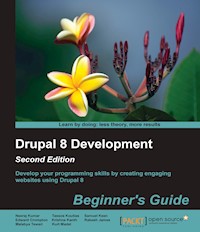
Develop your programming skills by creating engaging websites using Drupal 8
About This Book
- Explore the new features of Drupal 8 through practical and interesting examples while building a fully functional recipe sharing website
- Learn about web content management, multi-media integration, and the newly introduced native web services in Drupal 8
- A hands-on, example-driven guide to developing Drupal websites that covers everything from site building, theme development, creating custom modules, as well as the development environment
Who This Book Is For
If you are a developer who wants to use Drupal to enhance your website project and web application to manage content, this book is for you. Whether you are new to Drupal or an experienced web developer, you will be able to master both basic configuration and advanced module development in Drupal through this book.
What You Will Learn
- Set up your Drupal development environment
- Brush up on your understanding of the concepts of object-oriented programming, module development, and test-driven development
- Install and configure Drupal, add new content type, and work through lot of dummy content to create listing pages using views
- Enhance the content author's user experience and custom block
- Find out about field Type API and explore custom theme development
- Manage various media types in Drupal for your content-rich website
In Detail
Drupal is one of the most popular platforms with which to develop websites. With more and more organizations looking to build engaging digital experience for their stakeholders, the Drupal Content Management System offers a mobile-first platform with native support for integrations, better performance, and scalability. The new version brings significant changes to its module development and theme creation techniques, improving performance and refining the development experience.
This book will help you develop your own website using Drupal 8 in a step-by-step manner. You'll start off by setting up your development environment, enabling you to begin writing custom code for a Drupal-powered website through PHPStorm. You will learn about configuration management and creating custom content types before exploring the HTML5 features included with Drupal 8.
You will then get familiar with Drupal 8's mobile-first features, explore the built-in WYSIWYG and in-line editing capabilities of Drupal 8, and enhance the overall authoring experience. Later, you will create and enhance a Media Entity Lightbox module, before taking an in-depth look at the Views module.
We then cover some advanced search concepts and walk you through the installation and integration of the Java-based Apache Solr search engine. Finally, you will explore and configure the built-in support for REST and extend its support by installing the RESTful module. By the end of the book, you will have created a recipe sharing website while gaining a solid understanding of development best practices for Drupal 8.
Style and approach
Each chapter provides examples in a sequential manner from basic to advanced, and each example is explained using easy-to-understand language and a step-by-step approach. This programming experience will enable you to create a wide range of content authoring as well as end user experience.
Sie lesen das E-Book in den Legimi-Apps auf:
Seitenzahl: 344
Veröffentlichungsjahr: 2016
Ähnliche




















Table of Contents
Drupal 8 Development Beginner's Guide Second Edition
Drupal 8 Development Beginner's Guide Second Edition
Copyright © 2016 Packt Publishing
All rights reserved. No part of this book may be reproduced, stored in a retrieval system, or transmitted in any form or by any means, without the prior written permission of the publisher, except in the case of brief quotations embedded in critical articles or reviews.
Every effort has been made in the preparation of this book to ensure the accuracy of the information presented. However, the information contained in this book is sold without warranty, either express or implied. Neither the authors, nor Packt Publishing, and its dealers and distributors will be held liable for any damages caused or alleged to be caused directly or indirectly by this book.
Packt Publishing has endeavored to provide trademark information about all of the companies and products mentioned in this book by the appropriate use of capitals. However, Packt Publishing cannot guarantee the accuracy of this information.
First published: May 2012
Second edition: June 2016
Production reference: 1280616
Published by Packt Publishing Ltd.
Livery Place
35 Livery Street
Birmingham B3 2PB, UK.
ISBN 978-1-78528-488-5
www.packtpub.com
Credits
Authors
Neeraj Kumar
Tassos Koutlas
Samuel Keen
Edward Crompton
Krishna Kanth
Rakesh James
Malabya Tewari
Kurt Madel
Reviewer
Partha Bose
Commissioning Editor
Amarabha Banerjee
Acquisition Editor
Tushar Gupta
Content Development Editor
Arun Nadar
Technical Editor
Vivek Arora
Copy Editor
Vikrant Phadke
Project Coordinator
Ritika Manoj
Proofreader
Safis Editing
Indexer
Hemangini Bari
Graphics
Jason Monteiro
Production Coordinator
Melwyn Dsa
Cover Work
Melwyn Dsa
About the Authors
Neeraj Kumar is a Drupal architect, author, project manager, and overall geeky guy who enjoys using technology for bringing value to businesses. He is also the chief engagement officer of Valuebound, an India-based Drupal consulting firm that provides enterprise Drupal solutions for media and product companies.
He earned his bachelor's degree in architecture from the Indian Institute of Roorkee. Yes, you heard it right; he is an architect by degree training and used to design buildings. But nowadays, he is more into architecting Drupal solutions for enterprises and advocating best practices, along with contributing to the awesome Drupal community. You can follow Neeraj on Twitter at http://twitter.com/neerajskydiver or his LinkedIn profile at https://in.linkedin.com/in/neerajskydiver.
I would like to thank the entire team at Valuebound who made this book possible. I would also like to thank my wife, Puja, and our little son, Aaryan, for allowing me time to work on this book. Thank you for being cheerful and happy even when I spent late evenings working.
Tassos Koutlas is a senior technical consultant at Cameron & Wilding in London. He has over 13 years of experience in producing web-based projects and machine learning / image processing algorithms, and administering IT systems. He has worked in commercial and research-based environments in the UK, Greece, and Italy. Tassos has successfully delivered projects such as the National Baseball Hall of Fame redevelopment, where he helped develop a better way to deliver content online, utilizing the Hall's vast asset collection. He has been part of award-winning projects such as the Qatar Museums website, where he helped extend their website with an events calendar and a blog section, and has been supporting MoMA online collections. More recently, he has been helping Investors in People embark on becoming an agile organization.
Prior to joining Cameron and Wilding, Tassos had been a part of the team working at the Southbank Centre, providing support at multiple levels in their digital transformation efforts. His previous projects include Q base R&D, a start-up focused on personalized skin cancer prevention, and the Athens 2004 Olympic games. Tassos graduated from the University of Manchester with a BSc Hons in computing science and holds a PhD in image processing and machine learning. He has been working with Drupal for 10 years. He is an Acquia certified developer and certified Scrum Master.
I would like to thank my wife, Fani, for her constant support of my endeavors.
Samuel Keen first found an interest in web development while traveling abroad, when he learned how to build an online photography portfolio. A trained musician, he found that the same interests drove his web development: "Both music and the Web have frameworks that give us almost endless abilities to build and be creative." Returning to the UK, he began designing and developing websites for people in creative industries. Since 2011, Samuel has worked almost exclusively with Drupal. He is particularly interested in the frontend, UX, and automated workflows, with a passion for cutting edge Sass.
He currently works as a frontend developer for Cameron & Wilding, a Drupal development agency based in London. Samuel has worked on projects for The Economist, the Imperial War Museums, London South Bank University, and The Telegraph.
My endless love and thanks to my wife, Romilly.
Edward Crompton has been developing with Drupal since he was first hooked by version 5 in 2007. His adventures in open source software development have taken him from the so-called Silicon Roundabout in London to the villages of South India, where he built an application for gathering data about school building projects. He's now based back in London, where he can often be found riding a rusty bicycle and digging in his rented potato patch.
Edward works as a Drupal developer for Cameron & Wilding Ltd. He's a keen supporter of Drupal community events in London and likes to exchange knowledge about Drupal at meetups and in the pub.
I'd like to thank Gorka Guridi and Lucia Otoyo for their valuable feedback while writing the chapter and for shaming me into doing something about my dirty coffee cups.
Krishna Kanth is a Drupal developer and an active contributor to the Drupal community who has been building websites since he was a student at engineering college. He is a specialist in the Drupal backend and equally loves to work with other PHP frameworks.
He is a graduate in information technology from Jawaharlal Nehru Technological University, Anantapur, Andhra Pradesh, India. Krishna started his career as a freelancer and worked with many NGOs. Now he works as a senior Drupal consultant and developer at Valuebound, India. You can follow him on Twitter at https://twitter.com/_krishna_kanth or his LinkedIn profile at https://in.linkedin.com/in/krishnakanthp.
Rakesh James is a Drupal developer, evangelist, enthusiast, and contributor to the Drupal community. He is a specialist in Drupal who simply loves to work with Drupal again and again. He is one of those who believes and thanks God for Drupal on a daily basis, because he believes that if Dries hadn't created Drupal, he may not have achieved his current lifestyle. So he is always looking to evangelize, train, and mentor newbies to Drupal.
Rakesh graduated from the Government Engineering College, Thrissur, which is one of the finest engineering institutes in Kerala. He started his career as a software programmer in PHP and Drupal. Currently, he is hand in hand with Valuebound as a senior Drupal consultant, developer, contributor, mentor, trainer, and architect for Drupal projects.
Malabya Tewari is a full-stack Drupal developer, Drupal evangelist, trainer, and open source enthusiast who likes to reinvent and improve his working environment continuously, mainly because of his unsatisfied soul which seeks to achieve perfection. He is an active contributor to the Drupal community via code, as well as by organizing Drupal meetups and "Drupal in a day" workshops in Bangalore.
A graduate in computer science from Sikkim Manipal Institute of Technology, who started his career as an intern in a Drupal firm, Malabya now works as a Drupal consultant and developer at Valuebound, which is a Drupal shop that delivers enterprise Drupal solutions for media and product companies.
Kurt Madel is a senior manager and developer for Captech Consulting in Richmond, Virginia, USA. He has worked on open source CMS projects for over 6 years. Kurt contributes regularly to Drupal.org and is the maintainer of several modules. In addition to Drupal, he has been doing Java EE development since 2000 and has focused on mobile web development over the last 2 years. When he is not writing or programming, Kurt enjoys cycling and spending time with his wife and four boys.
About the Reviewer
Partha Bose is an MCA, sun certified. He has been working in web development for the last 10 years.
He has been working with Drupal since late 2011. He soon became as interested in the challenge of fixing bugs and adding features to Drupal core and contributed modules. He has been using Drupal as the primary platform for creating beautiful and feature-rich sites. Partha's passion for Drupal is evident in his obsession with evangelizing the platform and his enthusiasm when speaking with clients about the possibilities of what they can accomplish by using Drupal.
He is currently working for PWC India as a senior Drupal developer. He played a crucial role of being a Drupal SME for the successful development of web-based applications.
I'd like to thank to my wife, Mrs. Modhumita Bose, for her active support in producing this book.
www.PacktPub.com
eBooks, discount offers, and more
Did you know that Packt offers eBook versions of every book published, with PDF and ePub files available? You can upgrade to the eBook version at www.PacktPub.com and as a print book customer, you are entitled to a discount on the eBook copy. Get in touch with us at <[email protected]> for more details.
At www.PacktPub.com, you can also read a collection of free technical articles, sign up for a range of free newsletters and receive exclusive discounts and offers on Packt books and eBooks.
https://www2.packtpub.com/books/subscription/packtlib
Do you need instant solutions to your IT questions? PacktLib is Packt's online digital book library. Here, you can search, access, and read Packt's entire library of books.
Why subscribe?
Preface
The traditional Web, where websites are viewed by people on desktop computers, is obsolete. Web content is now viewed in a myriad of ways by users with mobile phones, tablets, and even watches. Content on the Internet may not be consumed directly by humans at all—web services now power apps on our phones and almost every device that's part of the emerging and much lauded Internet of Things.
Drupal is evolving to reflect the changes we're seeing on the Internet as a whole, and Drupal 8 represents a big technological leap forward for open source content management systems. Its central focus is shifting from building websites, where desktop users came first, to supporting a whole range of ways in which content is now consumed on the Internet.
Drupal 8 comes with mobile-first, responsive themes by default. HTML5 is baked in, making Drupal content viewable by any user with a device that supports a web browser. RESTful web services are included in Drupal 8 core, meaning that Drupal content can be consumed through apps or other machines, as well as through the traditional web browser.
Unsurprisingly, major changes in the way Drupal is used are accompanied by some major changes in the way you will be working with it as a developer. This book will guide you through the exciting and far-reaching changes that Drupal 8 brings. You'll learn how to build complex, powerful web applications by configuring Drupal without having to write any code. You'll also learn how to create responsive, mobile-first themes, write custom modules, and manage your Drupal projects using modern incremental development techniques.
If you're already a PHP developer, Drupal 8 is going to be an exhilarating ride for you. Modern object-orientated programming techniques that use many elements of the Symfony PHP framework are going to help you write more flexible, robust, and reusable code. The Drupal community will be attracting more and more non-Drupal PHP programmers over the coming years, as it's more elegant and cutting edge than before. Whether or not you're part of the Drupal community, there has never been a better, more exciting time to get heavily involved.
What this book covers
Chapter 1, Setting Up a Drupal Development Environment, walks you through the setup of a Drupal development environment as the professionals do it. You'll be introduced to a range of powerful tools that will make Drupal development more efficient and fun, and it will also help you drastically improve your productivity.
Chapter 2, Custom Module Development, gets stuck into code. You'll be writing object-orientated code to make your modules more flexible and extendable. The chapter will also cover test-driven development, which is the basis of everything you need to deploy Drupal sites that consistently do what they should.
Chapter 3, Drupal Views and Configuration Management, showcases the new configuration management system of Drupal 8, which allows you to properly separate site configuration from site content. You'll see how content types and field configuration is now done using a markup language called YAML.
Chapter 4, Introduction to the Field Types API and Developing the Custom Field Module, explores how HTML5 support has been built into Drupal 8 and the new features that this provides. You'll be building a new custom field to showcase some of these features.
Chapter 5, Theming in Drupal 8, introduces the Twig templating engine and guides you through building a fully responsive theme. The chapter will also cover theme hooks that allow you to further modify the default look and feel of Drupal 8.
Chapter 6, Enhancing the Content Author's User Experience, illustrates how Drupal 8 vastly improves the administration interface, where users have often been sadly forgotten in previous versions of Drupal. Drupal 8 isn't just for end users, it's also for editors, moderators, and administrators of the site too.
Chapter 7, Adding Media to Our Site, helps you launch a multimedia campaign by introducing a range of media elements to your site. You'll learn how to make your site more compelling and convey the required message, not only in words, but also in other types of media.
Chapter 8, How Does it Taste? – Getting Feedback, walks you through the built-in functionality of Drupal 8 to get feedback from your users. This chapter will also cover starting a two-way conversation by building a form to help your users communicate with you and submit their views or requests.
Chapter 9, Advanced Views Development, takes an in-depth look at the Views module, which you'll use in many of your Drupal projects. We'll look at how to create a custom Views plugin that uses jQuery.
Chapter 10, Drupal Project Management and Collaboration, introduces you to a place where you can make some best friends—the Drupal community. We'll look at tools for collaboration, how to get more involved in the Drupal community, and how to work as a team to build something amazing.
Chapter 11, Searching Your Site with the Search API Module, introduces some powerful search functionality provided by the Search API, a framework for extending Drupal's standard search. We'll look at what it can achieve on its own, and then take a look at Apache Solr, a third-party search engine that will make your search functionality lightning fast.
Chapter 12, RESTful Web Services in Drupal, breaks down all the boundaries of your Drupal development. You'll create a custom API using REST and an AngularJS app that will consume content from Drupal using the API. Now Drupal doesn't just need to power websites—it could power almost anything.
Appendix, Pop Quiz Answers, covers all the answers enlisted in the pop quiz sections of the book.
What you need for this book
To follow the examples in this book, you'll need a computer on which you can set up your own development environment with a number of useful tools. All these tools are either open source or have free equivalents. The PhpStorm IDE mentioned in Chapter 1, Setting Up a Drupal Development Environment, is a proprietary and fairly expensive piece of software, but you could also use NetBeans or Eclipse as alternative IDEs, as they have comparable features.
You're also going to need an Internet connection. Many of the examples in this book rely on external services such as GitHub or PuPHPet and you'll have to do some fairly large downloads if you're installing some of the recommended software packages from scratch.
Who this book is for
This book is aimed at people who would like to start configuring, developing, or theming with Drupal 8. Although no experience with previous versions of Drupal is necessary, you'll find many familiar Drupal concepts if you've already used Drupal 7.
For development-focused chapters, it's assumed that you have some prior knowledge of PHP and are aware of modern PHP development practices. The theming chapters will assume that you are familiar with HTML and CSS. Some experience using the command line would be useful, but not essential.
Above all, an inquisitive mind, a readiness to make mistakes, and an enthusiasm to embark on a great Drupal adventure are most important.
Sections
In this book, you will find several headings that appear frequently (Time for action, What just happened?, Pop quiz, and Have a go hero).
To give clear instructions on how to complete a procedure or task, we use these sections as follows:
Time for action – heading
Instructions often need some extra explanation to ensure they make sense, so they are followed with these sections:
What just happened?
This section explains the working of the tasks or instructions that you have just completed.
You will also find some other learning aids in the book, for example:
Pop quiz – heading
These are short multiple-choice questions intended to help you test your own understanding.
Have a go hero – heading
These are practical challenges that give you ideas to experiment with what you have learned.
Conventions
You will also find a number of text styles that distinguish between different kinds of information. Here are some examples of these styles and an explanation of their meaning.
Code words in text, database table names, folder names, filenames, file extensions, pathnames, dummy URLs, user input, and Twitter handles are shown as follows: "Navigate to the module page on Drupal to get the link to the latest packaged tar.gz file."
A block of code is set as follows:
Any command-line input or output is written as follows:
New terms and important words are shown in bold. Words that you see on the screen, in menus or dialog boxes for example, appear in the text like this: "Click on Save and then re-index your content."
Note
Warnings or important notes appear in a box like this.
Tip
Tips and tricks appear like this.
Reader feedback
Feedback from our readers is always welcome. Let us know what you think about this book—what you liked or disliked. Reader feedback is important for us as it helps us develop titles that you will really get the most out of.
To send us general feedback, simply e-mail <[email protected]>, and mention the book's title in the subject of your message.
If there is a topic that you have expertise in and you are interested in either writing or contributing to a book, see our author guide at www.packtpub.com/authors.
Customer support
Now that you are the proud owner of a Packt book, we have a number of things to help you to get the most from your purchase.
Downloading the example code
You can download the example code files for this book from your account at http://www.packtpub.com. If you purchased this book elsewhere, you can visit http://www.packtpub.com/support and register to have the files e-mailed directly to you.
You can download the code files by following these steps:
You can also download the code files by clicking on the Code Files button on the book's webpage at the Packt Publishing website. This page can be accessed by entering the book's name in the Search box. Please note that you need to be logged in to your Packt account.
Once the file is downloaded, please make sure that you unzip or extract the folder using the latest version of:
The code bundle for the book is also hosted on GitHub at https://github.com/PacktPublishing/Drupal-8-Development-Beginners-Guide-Second-Edition. We also have other code bundles from our rich catalog of books and videos available at https://github.com/PacktPublishing/. Check them out!
Errata
Although we have taken every care to ensure the accuracy of our content, mistakes do happen. If you find a mistake in one of our books—maybe a mistake in the text or the code—we would be grateful if you could report this to us. By doing so, you can save other readers from frustration and help us improve subsequent versions of this book. If you find any errata, please report them by visiting http://www.packtpub.com/submit-errata, selecting your book, clicking on the Errata Submission Form link, and entering the details of your errata. Once your errata are verified, your submission will be accepted and the errata will be uploaded to our website or added to any list of existing errata under the Errata section of that title.
To view the previously submitted errata, go to https://www.packtpub.com/books/content/support and enter the name of the book in the search field. The required information will appear under the Errata section.
Piracy
Piracy of copyrighted material on the Internet is an ongoing problem across all media. At Packt, we take the protection of our copyright and licenses very seriously. If you come across any illegal copies of our works in any form on the Internet, please provide us with the location address or website name immediately so that we can pursue a remedy.
Please contact us at <[email protected]> with a link to the suspected pirated material.
We appreciate your help in protecting our authors and our ability to bring you valuable content.
Questions
If you have a problem with any aspect of this book, you can contact us at <[email protected]>, and we will do our best to address the problem.
Chapter 1. Setting Up a Drupal Development Environment
In this chapter, we will be setting up a development environment for the Drupal framework. We will be also installing and exploring Drupal 8 from a developer's perspective and learn about the virtual development environment.
In this chapter, we will cover:
Installing Drupal for local development
You can install Drupal using different web servers and databases. The most commonly used combination is Apache, MySQL, and PHP, often referred as the *AMP stack.
Specific to Drupal, there are two main ways you can do this:
These two ways have the following minimum system requirements:
Time for action – installing Drupal using Acquia Dev Desktop
If you are using Mac or Windows, Acquia Dev Desktop is the easiest method to develop Drupal:
Creating credentials for the first Drupal site
Acquia Dev Desktop Control Panel
Login page for setting up the site
What just happened?
You have installed Drupal using Acquia Dev Desktop. From here, you can begin working on your new Drupal site.
Note that the site is running using Acquia Drupal, which is little different in that you would download from your https://www.drupal.org/. Installing Acquia Dev Desktop on Windows is almost similar.
Installing Drupal the localhost way
Now we will go through installation steps of AMP packages for both Mac OS X and Windows operating systems.
Time for action – installing a Mac OS X AMP stack
For Mac OS X, we will use the MAMP package to install an AMP stack.
The default MAMP start page
Tip
The process for setting up a development environment for Mac OS X is very similar to setting a development environment for a Linux distribution. They are both Unix-based operating systems. If you aren't already tied to a particular Linux distribution and would like to set up a development environment in Linux, then I highly recommend Ubuntu. There are excellent directions on setting up a Drupal development environment available at https://help.ubuntu.com/community/Drupal.
What just happened?
Congratulations! You now have a working AMP stack installed on your Mac.
Time for action – installing a Windows AMP Stack
For windows, we will use XAMP:
Tip
I do most of my Drupal development on Mac OS or Ubuntu. Unix-based OS is a better fit for Drupal development as there are many development-oriented aspects of Drupal that are Unix-centric. From cron to .htaccess based clean URL, a lot of documentation on http://drupal.org/ will be biased towards the Unix OS.
XAMPP Control Panel
What just happened?
Congratulations! You now have a working AMP stack installed on your Windows PC. And also you have a working AMP stack installed on your Mac!
PHP configuration
Drupal 8 recommends PHP version 5.4 or higher with the CURL extension. The latest version of MAMP includes PHP version 5.5 (it also includes an older PHP version and allows you to switch between them). The latest version of XAMPP for Windows includes PHP version 5. Although this version of PHP meets the requirements of Drupal 7, there are some PHP-related settings that need to be tweaked before we install Drupal in order to ensure that things will run smoothly. The PHP requirements list is from Drupal 8 at https://www.drupal.org/requirements/php.




