


44,99 €
Mehr erfahren.
- Herausgeber: John Wiley & Sons
- Kategorie: Wissenschaft und neue Technologien
- Sprache: Englisch
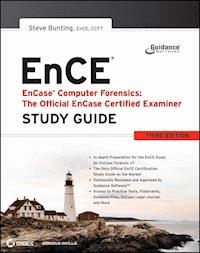
The official, Guidance Software-approved book on the newest EnCE exam! The EnCE exam tests that computer forensic analysts and examiners have thoroughly mastered computer investigation methodologies, as well as the use of Guidance Software's EnCase Forensic 7. The only official Guidance-endorsed study guide on the topic, this book prepares you for the exam with extensive coverage of all exam topics, real-world scenarios, hands-on exercises, up-to-date legal information, and sample evidence files, flashcards, and more. * Guides readers through preparation for the newest EnCase Certified Examiner (EnCE) exam * Prepares candidates for both Phase 1 and Phase 2 of the exam, as well as for practical use of the certification * Covers identifying and searching hardware and files systems, handling evidence on the scene, and acquiring digital evidence using EnCase Forensic 7 * Includes hands-on exercises, practice questions, and up-to-date legal information * Sample evidence files, Sybex Test Engine, electronic flashcards, and more If you're preparing for the new EnCE exam, this is the study guide you need.
Sie lesen das E-Book in den Legimi-Apps auf:
Seitenzahl: 1088
Veröffentlichungsjahr: 2012
Ähnliche



















Table of Contents
Cover
Acknowledgments
About the Author
Introduction
Chapter 1: Computer Hardware
Computer Hardware Components
Partitions
File Systems
Summary
Exam Essentials
Review Questions
Chapter 2: File Systems
FAT Basics
NTFS Basics
CD File Systems
exFAT
Summary
Exam Essentials
Review Questions
Chapter 3: First Response
Planning and Preparation
Handling Evidence at the Scene
Summary
Exam Essentials
Review Questions
Chapter 4: Acquiring Digital Evidence
Creating EnCase Forensic Boot Disks
Booting a Computer Using the EnCase Boot Disk
Drive-to-Drive DOS Acquisition
Network Acquisitions
FastBloc/Tableau Acquisitions
FastBloc SE Acquisitions
LinEn Acquisitions
Enterprise and FIM Acquisitions
EnCase Portable
Helpful Hints
Summary
Exam Essentials
Review Questions
Chapter 5: EnCase Concepts
EnCase Evidence File Format
CRC, MD5, and SHA-1
Evidence File Components and Function
New Evidence File Format
Evidence File Verification
Hashing Disks and Volumes
EnCase Case Files
EnCase Backup Utility
EnCase Configuration Files
Evidence Cache Folder
Summary
Exam Essentials
Review Questions
Chapter 6: EnCase Environment
Home Screen
EnCase Layout
Creating a Case
Tree Pane Navigation
Table Pane Navigation
View Pane Navigation
Summary
Exam Essentials
Review Questions
Chapter 7: Understanding, Searching For, and Bookmarking Data
Understanding Data
EnCase Evidence Processor
Searching for Data
Summary
Exam Essentials
Review Questions
Chapter 8: File Signature Analysis and Hash Analysis
File Signature Analysis
Hash Analysis
Summary
Exam Essentials
Review Questions
Chapter 9: Windows Operating System Artifacts
Dates and Times
Recycle Bin
Link Files
Windows Folders
Recent Folder
Desktop Folder
My Documents/Documents
Send To Folder
Temp Folder
Favorites Folder
Windows Vista Low Folders
Cookies Folder
History Folder
Temporary Internet Files
Swap File
Hibernation File
Print Spooling
Legacy Operating System Artifacts
Windows Volume Shadow Copy
Windows Event Logs
Summary
Exam Essentials
Review Questions
Chapter 10: Advanced EnCase
Locating and Mounting Partitions
Mounting Files
Registry
EnScript and Filters
Base64 Encoding
EnCase Decryption Suite
Virtual File System (VFS)
Restoration
Physical Disk Emulator (PDE)
Putting It All Together
Summary
Exam Essentials
Review Questions
Appendix A: Answers to Review Questions
Chapter 1: Computer Hardware
Chapter 2: File Systems
Chapter 3: First Response
Chapter 4: Acquiring Digital Evidence
Chapter 5: EnCase Concepts
Chapter 6: EnCase Environment
Chapter 7: Understanding, Searching For, and Bookmarking Data
Chapter 8: File Signature Analysis and Hash Analysis
Chapter 9: Windows Operating System Artifacts
Chapter 10: Advanced EnCase
Appendix B: Creating Paperless Reports
Exporting the Web Page Report
Creating Your Container Report
Burning the Report to CD or DVD
Appendix C: About the Additional Study Tools
Additional Study Tools
System Requirements
Using the Study Tools
Troubleshooting
Index
Advertisement
Senior Acquisitions Editor: Jeff Kellum
Development Editor: David Clark
Technical Editors: Jessica M. Bair and Lisa Stewart
Production Editor: Eric Charbonneau
Copy Editor: Kim Wimpsett
Editorial Manager: Pete Gaughan
Production Manager: Tim Tate
Vice President and Executive Group Publisher: Richard Swadley
Vice President and Publisher: Neil Edde
Media Project Manager 1: Laura Moss Hollister
Media Associate Producer: Doug Kuhn
Media Quality Assurance: Marilyn Hummel
Book Designer: Judy Fung
Compositor: Craig Johnson, Happenstance Type-O-Rama
Proofreaders: Jen Larsen and James Saturnio, Word One New York
Indexer: Ted Laux
Project Coordinator, Cover: Katherine Crocker
Cover Designer: Ryan Sneed
Copyright © 2012 by John Wiley & Sons, Inc., Indianapolis, Indiana
Published simultaneously in Canada
ISBN: 978-0-470-90106-9
ISBN: 978-1-118-21940-9 (ebk.)
ISBN: 978-1-118-05898-5 (ebk.)
ISBN: 978-1-118-21942-3 (ebk.)
No part of this publication may be reproduced, stored in a retrieval system or transmitted in any form or by any means, electronic, mechanical, photocopying, recording, scanning, or otherwise, except as permitted under Sections 107 or 108 of the 1976 United States Copyright Act, without either the prior written permission of the Publisher, or authorization through payment of the appropriate per-copy fee to the Copyright Clearance Center, 222 Rosewood Drive, Danvers, MA 01923, (978) 750-8400, fax (978) 646-8600. Requests to the Publisher for permission should be addressed to the Permissions Department, John Wiley & Sons, Inc., 111 River Street, Hoboken, NJ 07030, (201) 748-6011, fax (201) 748-6008, or online at www.wiley.com/go/permissions.
Limit of Liability/Disclaimer of Warranty: The publisher and the author make no representations or warranties with respect to the accuracy or completeness of the contents of this work and specifically disclaim all warranties, including without limitation warranties of fitness for a particular purpose. No warranty may be created or extended by sales or promotional materials. The advice and strategies contained herein may not be suitable for every situation. This work is sold with the understanding that the publisher is not engaged in rendering legal, accounting, or other professional services. If professional assistance is required, the services of a competent professional person should be sought. Neither the publisher nor the author shall be liable for damages arising herefrom. The fact that an organization or Web site is referred to in this work as a citation and/or a potential source of further information does not mean that the author or the publisher endorses the information the organization or Web site may provide or recommendations it may make. Further, readers should be aware that Internet Web sites listed in this work may have changed or disappeared between when this work was written and when it is read.
For general information on our other products and services or to obtain technical support, please contact our Customer Care Department within the U.S. at (877) 762-2974, outside the U.S. at (317) 572-3993 or fax (317) 572-4002.
Wiley publishes in a variety of print and electronic formats and by print-on-demand. Some material included with standard print versions of this book may not be included in e-books or in print-on-demand. If this book refers to media such as a CD or DVD that is not included in the version you purchased, you may download this material at http://booksupport.wiley.com. For more information about Wiley products, visit www.wiley.com.
Library of Congress Control Number: 2012941757
TRADEMARKS: Wiley, the Wiley logo, and the Sybex logo are trademarks or registered trademarks of John Wiley & Sons, Inc. and/or its affiliates, in the United States and other countries, and may not be used without written permission. EnCase and EnCE are registered trademarks of Guidance Software, Inc. for all such names used in the manual. All other trademarks are the property of their respective owners. John Wiley & Sons, Inc. is not associated with any product or vendor mentioned in this book.
10 9 8 7 6 5 4 3 2 1
Dear Reader,
Thank you for choosing EnCase Computer Forensics—The Official EnCE: EnCase Certified Examiner Study Guide, Third Edition.This book is part of a family of premium-quality Sybex books, all of which are written by outstanding authors who combine practical experience with a gift for teaching.
Sybex was founded in 1976. More than 30 years later, we’re still committed to producing consistently exceptional books. With each of our titles, we’re working hard to set a new standard for the industry. From the paper we print on to the authors we work with, our goal is to bring you the best books available.
I hope you see all that reflected in these pages. I’d be very interested to hear your comments and get your feedback on how we’re doing. Feel free to let me know what you think about this or any other Sybex book by sending me an email at [email protected]. If you think you’ve found a technical error in this book, please visit http://sybex.custhelp.com. Customer feedback is critical to our efforts at Sybex.
Best regards,
Neil Edde
Vice President and Publisher
Sybex, an Imprint of Wiley
To Donna, my loving wife and partner for life, for your unwavering love, encouragement, and support.
Acknowledgments
Any work of this magnitude requires the hard work of many dedicated people, all doing what they enjoy and what they do best. In addition, many others have contributed indirectly, and without their efforts and support, this book would not have come to fruition. That said, many are people deserving of my gratitude, and my intent here is to acknowledge them all.
I would like to first thank Maureen Adams, former Sybex acquisitions editor, who brought me on board with this project with the first edition and tutored me on the fine nuances of the publishing process. I would also like to thank Jeff Kellum, another Sybex acquisitions editor, for his work on the second edition and most recently the third edition. Jeff guided me through the third edition, trying to keep me on schedule and helping in many ways. I would also like to thank David Clark, developmental editor. David allowed me to concentrate on content while he handled the rest. In addition to many varied skills that you’d normally find with an editor, David has a strong understanding of topic material and has himself written in the technical field, which helped in so many ways. In addition, with several hundred screen shots in this book to mold and shape, I know there is a graphics department at Sybex deserving of my thanks. To those folks, I say thank you.
A special thanks goes to Jessica M. Bair of Guidance Software, Inc. In addition to being a friend and mentor of many years, Jessica was the technical editor for the first edition and again for the third addition. She worked diligently, making sure the technical aspects of both editions are as accurate and as complete as possible.
I would also thank Lisa Stewart, also of Guidance Software, Inc. Lisa is also a friend and colleague of many years. She reviewed the final material for technical accuracy and, as usual, did a superb job of catching those final details and keeping things as accurate as humanly possible.
The study of computer forensics can’t exist within a vacuum. To that extent, any individual examiner is a reflection and product of their instructors, mentors, and colleagues. Through them you learn, share ideas, troubleshoot, conduct research, grow, and develop. Over my career, I’ve had the fortune of interacting with many computer forensics professionals and have learned much through those relationships. In no particular order, I would like to thank the following people for sharing their knowledge over the years: Keith Lockhart, Ben Lewis, Chris Stippich, Grant Wade, Ed Van Every, Raemarie Schmidt, Mark Johnson, Bob Weitershausen, John Colbert, Bruce Pixley, Lance Mueller, Howie Williamson, Lisa Highsmith, Dan Purcell, Ben Cotton, Patrick Paige, John D’Andrea, Mike Feldman, Mike Nelson, Steve Mahoney, Joel Horne, Mark Stringer, Dustin Hurlbut, Fred Cotton, Ross Mayfield, Bill Spernow, Arnie “A. J.” Jackson, Ed Novreske, Steve Anson, Warren Kruse, Bob Moses, Kevin Perna, Dan Willey, Scott Garland, and Steve Whalen. I’d also like to thank my fellow ATA Cyber instructors who have shared their knowledge and friendship over the past few years while we trained law enforcement officers together around the world. They are Scott Pearson, Steve Williams, Lance Mueller, Art Ehuan, Nate Tiegland, Gerard Myers, Tom Bureau, and Scot Bradeen. Those who teach, learn.
Every effort has been made to present all material accurately and completely. To achieve this, I verified as much information as possible with multiple sources. In a few instances, published or generally accepted information was in conflict or error. When this occurred, the information was researched and tested, and the most accurate information available was published in this book. I would like to thank the authors of the following publications because I relied on their vast wealth of knowledge and expertise for research and information verification:
These books are valuable resources and should be in every examiner’s library. In addition to these publications, I relied heavily on the wealth of information contained in the many training, product, and lab manuals produced by Guidance Software. To the many staff members of Guidance Software who have contributed over the years to these publications, I extend my most grateful appreciation.
Last, but by no means least, I would like to acknowledge the contributions by my parents and my loving wife. My parents instilled in me, at a very young age, an insatiable quest for knowledge that has persisted throughout my life, and I thank them for it along with a lifetime of love and support. My best friend and loving wife, Donna, encouraged and motivated me long ago to pursue computer forensics. Although the pursuit of computer forensics never ends, without her support, sacrifices, motivation, sense of humor, and love, this book would never have been completed.
Thank you, everyone.
About the Author
Steve Bunting is a senior forensic examiner for Forward Discovery, Inc. In that capacity, he conducts digital examinations on a wide variety of devices and operating systems. He responds to client sites and carries out incident response on compromised systems. He consults with clients of a wide variety of digital forensics and security, as well as electronic discovery matters. He develops and delivers training programs both domestically and abroad.
Prior to becoming a senior forensic examiner with Forward Discovery, Steve Bunting served as a captain with the University of Delaware Police Department, where he was responsible for computer forensics, video forensics, and investigations involving computers. He has more than 35 years’ experience in law enforcement, and his background in computer forensics is extensive.
While with the University Police Department’s computer forensics unit, Bunting conducted hundreds of examinations for the University Police Department and for many local, state, and federal law enforcement agencies on an wide variety of cases, including extortion, homicide, embezzlement, child exploitation, intellectual property theft, and unlawful intrusions into computer systems. He has also testified in court on several occasions as a computer forensics expert.
As an instructor, Bunting has taught several courses for Guidance Software, makers of EnCase, serving as a lead instructor at all course levels, including the Expert Series (Internet and Email Examinations). Also, he has instructed computer forensics students for the University of Delaware and is also an adjunct faculty member of Goldey-Beacom College. Bunting has taught various forensics courses internationally as well as developing and teaching courses for the Anti-Terrorism Assistance Program Cyber Division.
Bunting is a speaker and an author. Besides the previous editions of this book, he also coauthored the first and second editions of Mastering Windows Network Forensics and Investigation.
Some of Bunting’s industry credentials include EnCase Certified Examiner (EnCE), Certified Computer Forensics Technician (CCFT), and Access Data Certified Examiner (ACE). He was also the recipient of the 2002 Guidance Software Certified Examiner Award of Excellence and has a bachelor’s degree in Applied Professions/Business Management from Wilmington University and a Computer Applications Certificate in Network Environments from the University of Delaware.
Table of Exercises
Exercise 1.1 Examining the Partition Table 23
Exercise 2.1 Viewing FAT Entries 55
Exercise 3.1 First Response to a Computer Incident 112
Exercise 4.1 Previewing Your Own Hard Drive 162
Exercise 5.1 Understanding How EnCase Maintains Data Integrity 213
Exercise 6.1 Navigating EnCase 302
Exercise 7.1 Searching for Data and Bookmarking the Results 414
Exercise 8.1 Performing a File Signature Analysis 445
Exercise 9.1 Windows Artifacts Recovery 558
Exercise 10.1 Partition Recovery 587
Exercise 10.2 Conducting Email Examinations 617
Introduction
This book was designed for several audiences. First and foremost, it was designed for anyone seeking the EnCase Certified Examiner (EnCE) credential. This certification has rapidly grown in popularity and demand in all areas of the computer forensics industry. More and more employers are recognizing the importance of this certification and are seeking this credential in potential job candidates. Equally important, courts are placing increasing emphasis on certifications that are specific to computer forensics. The EnCE certification meets or exceeds the needs of the computer forensics industry. Moreover, it has become the global gold standard in computer forensics certification.
This book was also designed for computer forensics students working either in a structured educational setting or in a self-study program. The chapters include exercises, as well as evidence files on the publisher’s website, making it the ideal learning tool for either setting.
Finally, this book was written for those with knowledge of EnCase or forensics who simply want to learn more about either or both. Every topic goes well beyond what’s needed for certification with the specific intent of overpreparing the certification candidate. In some cases, the material goes beyond that covered in many of the formal training classes you may have attended. In either case, that added depth of knowledge provides comprehensive learning opportunities for the intermediate or advanced user.
The EnCE certification program is geared toward those who have attended the EnCase Intermediate Computer Forensics training or its equivalent. To that extent, this book assumes the reader has a general knowledge of computer forensics and some basic knowledge of EnCase. For those who may need a refresher in either, you’ll find plenty of resources. Many users may have used earlier versions of EnCase and have not yet transitioned to EnCase 7. Those users may benefit by starting with Chapter 6, which discusses the EnCase environment, which has radically changed with the release of EnCase 7.
The chapters are organized into related concepts to facilitate the learning process, with basic concepts in the beginning and advanced material at the end. At the end of each chapter, you will find the “Summary,” “Exam Essentials,” and “Review Questions” sections. The “Summary” section is a brief outline of the essential points contained in the chapter; the “Exam Essentials” section explains the concepts you’ll need to understand for the examination.
I strongly urge you to make full use of the “Review Questions” section. A good way to use the questions is as a pretest before reading each chapter and then again as a posttest when you’re done. Although answering correctly is always important, it’s more important to understand the concepts covered in the question. Make sure you are comfortable with all the material before moving to the next chapter. Just as knowledge is cumulative, a lack thereof impedes that accumulation. As you prepare for your certification examinations (written and practical), take the time to thoroughly understand those items that you may have never understood. The journey along the road to certification is just as important as the destination.
What Is the EnCE Certification?
Guidance Software, Inc., developed the EnCE in late 2001 to meet the needs of its customer base, who requested a solid certification program covering both the use of the EnCase software and computer forensics concepts in general. Since its inception, the EnCE certification has become one of the most recognized and coveted certifications in the global computer forensics industry. You might ask why, but the answer is simple. The process is demanding and challenging. You must have certain knowledge, skills, and abilities to be able to pass both a written and a practical examination. For certain, it is not a “giveaway” program. You will work hard, and you will earn your certification. When you are certified, you’ll be proud of your accomplishment. What’s more, you will have joined the ranks of the elite in the industry who have chosen to adhere to high standards and to excel in their field. Remember, in the field of computer forensics, excellence is not an option; it is an operational necessity.
Why Become EnCE Certified?
The following benefits are associated with becoming EnCE certified:
EnCE certification demonstrates professional achievement.
EnCE certification increases your marketability and provides opportunity for advancement.
EnCE certification enhances your professional credibility and standing when testifying before courts, hearing boards, and other fact-finding bodies.
EnCE certification provides peer recognition.
EnCE certification is a rigorous process that documents and demonstrates your achievements and competency in the field of computer forensics. You must have experience as an investigator and examiner, and you must have received training at the EnCase Intermediate Computer Forensics level or other equivalent classroom instruction before you can apply for the program. Next, you will have to pass both a written and a practical examination before receiving your certification. EnCE certification assures customers, employers, courts, your peers, and others that your computer forensics knowledge, skills, and abilities meet the highest professional standards.
How to Become EnCE Certified
Guidance Software publishes on its website the most current requirements and procedures for EnCE certification, which is at www.guidancesoftware.com/computer-forensics-training-ence-certification.htm. Generally, the process, as it currently exists, is as follows, but it could change. Therefore, always check the website for the most accurate procedure. To become EnCE certified, you must do the following:
Have attended 64 hours authorized computer forensic training (online or classroom)
or
have 12 months computer forensic experience. Register for the test and study guide, which includes completion of the application and payment of required fees.
Have all application and supporting documents verified by Guidance Software prior to authorization for exam.
Pass the written test with a minimum score of 80 percent. The test is administered with ExamBuilder or during the Guidance Software EnCE Prep Course. You are given two hours to complete this test.
Complete the practical examination within 60 days with a minimum score of 85 percent. These requirements are quoted directly from Guidance Software’s website and are current as of the publication date of this book. You should check the website before you apply to make sure you are complying with the most current requirements. You can find the requirements, the application form, and other important information relating to the EnCE certification program here:
www.guidancesoftware.com/computer-forensics-training-ence-certification.htm
How to Use This Book and the Publisher’s Website
We’ve included several testing features, both in the book and on the publisher’s website, which can be accessed at: www.sybex.com/go/ence3e. Following this introduction is an assessment test that you can use to check your readiness for the actual exam. Take this test before you start reading the book. It will help you identify the areas you may need to brush up on. The answers to the assessment test appear after the last question of the test. Each answer includes an explanation and tells you in which chapter this material appears.
As mentioned, to test your knowledge as you progress through the book, each chapter includes review questions at the end. As you finish each chapter, answer the review questions and then check to see whether your answers are right—the correct answers appear in the Appendix A of this book. You can go back to reread the section that deals with each question you got wrong to ensure that you answer the question correctly the next time you are tested on the material. You’ll also find 100 flashcard questions on the publisher’s website for on-the-go review. Download them onto your mobile device for quick and convenient reviewing.
In addition to the assessment test and the review questions, you’ll find two bonus exams on the publisher’s website. Take these practice exams just as if you were actually taking the exam (that is, without any reference material). When you have finished the first exam, move on to the next exam to solidify your test-taking skills. If you get more than 85 percent of the answers correct, you’re ready to take the real exam.
Also included on the publisher’s website are the following:
Evidence files for use with the EnCase forensic software
Guidance Software’s
EnCase Legal Journal
Information on the Guidance Software Forensic and Enterprise products
Guidance Software’s EnCase Legal Journal
The most important aspect of any computer forensic examination is the legal admissibility of the evidence found. Guidance Software’s full-time legal staff provides case law research and litigation support for its EnCase Forensic and EnCase Enterprise customers. As part of its support, Guidance Software provides the EnCase Legal Journal.
The EnCase Legal Journal was updated in late 2011 with the most up-to-date case law, and it is provided on the publisher’s website in a PDF file. Updates to the EnCase Legal Journal are available for download from a link on the EnCE FAQ’s web page on the Guidance Software website: www.guidancesoftware.com/computer-forensics-training-ence-faqs.htm.
The EnCE written exam includes six legal questions, whose answers are found in the EnCase Legal Journal. Individuals preparing for the EnCE exam are strongly encouraged to review this document.
You can contact Guidance Software’s legal staff by email at [email protected].
Tips for Taking the EnCE Exam
When taking the EnCE written test, here are a few tips that have proven helpful:
Get a good night’s rest before your test.
Eat a healthy meal before your test, avoiding heavy fats and starches that can make you lethargic or drowsy.
Arrive at your class or testing site early so that you won’t feel rushed. Once there, stretch, relax, and put your mind at ease.
Read each question carefully. Some questions ask for one correct answer, while other questions ask you to select all answers that are correct. Make sure you understand what each question is asking, and don’t rush to a quick answer.
If you don’t answer a question, it will be scored as a wrong answer. Given that, it’s better to guess than leave an answer blank.
When you aren’t sure of an answer, eliminate the obviously incorrect answers. Consider the remaining choices in the context of the question. Sometimes a keyword can lead you to the correct answer.
You’ll be provided with scratch paper at your examination station. As soon as you sit down and you can start, write down formulas, memory aids, or other facts you may need before starting the exam. Once you do that, you can relax, knowing you have committed those memory items to paper, freeing your memory to work on the questions. You might think of it as being somewhat analogous to the process by which RAM frees up memory space by writing it to the swap file.
Important: Hardware Requirements and Configuring EnCase 7
In past editions, I have not addressed the ideal hardware configuration for running EnCase. However, with EnCase 7 I feel I must address this matter, as it is critical to using EnCase 7. EnCase 7 changed, and with it our hardware and configurations also must change. To be blunt, if you don’t change and provide an adequate hardware environment, you won’t have a good experience using EnCase 7. Conversely, if you provide EnCase 7 with the proper computing resources and configure them properly, you will be delighted with the features and performance of EnCase 7.
Guidance Software has published a recommended set of hardware specifications upon which I will expound and speak much more forcefully. Those specifications (summarized in Table 1) are found at: http://download.guidancesoftware.com/ADlkyEKTv9Dwc77R5rnLOCbRPyH0sC/47tjQ24rmxcbIDESZsIpBlaict49llscMs00VTjszsVQw862ZZ dCajXnSXeLBk9KXCsBTyxXA7kg%3D or http://tiny.cc/sjmzgw.
Table 1: Guidance Software Hardware Recommendations
Component
Recommended Specifications
Memory
16 GB
Storage Drives
Drive 1: Operating System and page fileDrive 2: EvidenceDrive 3: Primary Evidence Cache—this drive should be as fast as possible
CPU
Quad-core i7
Operating System
Windows 7 (64-bit) or Windows Server 2008 (64-bit)
Table 2: Author’s Hardware Recommendations
Component
Recommended Specifications
Memory
16 GB (more is better, though!)
Storage Drives
Drive 1: Operating System and page file (use SSD)Drive 2: Evidence (RAID 5 delivers high throughput for reads)Drive 3: Primary Evidence Cache—(use SSD in RAID 0 configuration)
CPU
Quad-core i7
Operating System
Windows 7 (64-bit) or Windows Server 2008 (64-bit)
EnCase 7 throughout its range of functions relies upon a high volume of reads and writes to the evidence cache. Some data that used to reside in RAM in previous versions of EnCase (mounted compound files for example) is now stored in evidence cache. It only makes logical sense to have the fastest possible throughput for both reads and writes to the evidence cache, which with today’s technology would be SSDs (solid state drives) configured in a RAID 0 configuration. For those concerned about data loss in a RAID 0, rest assured that EnCase 7.04 has resolved that issue with a backup feature that backs up your evidence cache and your case files every 30 minutes.
Along the same lines, the Encase Evidence Processor will make a very large number of reads and writes to cache files and temporary files on the operating system drive. Aside from that, the O/S drive is a very busy drive on any platform and especially on a forensics platform. It only makes sense, then, to use an SSD for your operating system. Considering all the cost that goes into a computer forensics platform, this added cost is insignificant. When you see the performance increase you get by having your O/S on an SSD, you’ll never question the decision to have done so!
Finally, you want to have your evidence files available on the local system bus and available for fast reads. A hardware-based RAID 5 offers fast throughput for read activity and provides the added benefit of redundancy in the event of a single drive failure in the RAID 5. If you get near twice the speed when EnCase reads your evidence files, that cuts processing time in half for that portion of the task.
For those of you contemplating storing evidence cache on network-attached storage, don’t do it. Performance will be miserable. If you attempt to process evidence files over network resources, you can expect lowered performance. You would do well to reserve network storage for backup purposes, which would be for EnCase’s backup feature and redundant copies of evidence files. Even a fiber-connected SAN is a shared resource and that bandwidth is shared. EnCase 7 is at its best when throughput to all data is optimized.
I recently tested two systems. They were nearly identical, except that one machine was using platter-based storage and the other was using SSD-based storage and RAID 5 with a SAS controller for evidence files. The latter processed the evidence using the EnCase Evidence Processor in less than a third of the time taken by the former. When you’re looking at days to process evidence, that effectively means one day instead of three days, two days instead of six days, and so forth. The advantages of configuring EnCase 7 with SSDs can’t be overstated. You will see EnCase 7 shine if you provide it with the proper resources.
I have summarized my hardware recommendations in Table 2. They are more robust and specific than those recommended by Guidance Software, but you will have a much improved experience with EnCase 7 if you follow them.
Assessment Test
1. You are a computer forensic examiner tasked with determining what evidence is on a seized computer. On what part of the computer system will you find data of evidentiary value?
A. Microprocessor or CPU
B. USB controller
C. Hard drive
D. PCI expansion slots
2. You are a computer forensic examiner explaining how computers store and access the data you recovered as evidence during your examination. The evidence is a log file and was recovered as an artifact of user activity on the ____________, which was stored on the _____________, contained within a ____________ on the media.
A. partition, operating system, file system
B. operating system, file system, partition
C. file system, operating system, hard drive
D. operating system, partition, file system
3. You are a computer forensic examiner investigating a seized computer. You recovered a document containing potential evidence. EnCase reports the file system on the forensic image of the hard drive is File Allocation Table (FAT). What information about the document file can be found in the FAT on the media? (Choose all that apply.)
A. Name of the file
B. Date and time stamps of the file
C. Starting cluster of the file
D. Fragmentation of the file
E. Ownership of the file
4. You are a computer forensic examiner investigating media on a seized computer. You recovered a document containing potential evidence. EnCase reports the file system on the forensic image of the hard drive is New Technology File System (NTFS). What information about the document file can be found in the NTFS master file table on the media? (Choose all that apply.)
A. Name of the file
B. Date and time stamps of the file
C. Starting cluster of the file
D. Fragmentation of the file
E. Ownership of the file
5. You are preparing to lead a team to serve a search warrant on a business suspected of committing large-scale consumer fraud. Ideally, you would assign which tasks to search team members? (Choose all that apply.)
A. Photographer
B. Search and seizure specialists
C. Recorder
D. Digital evidence search and seizure specialists
6. You are a computer forensic examiner at a scene and have determined you will seize a Linux server, which, according to your source of information, contains the database records for the company under investigation for fraud. What is the best practice for “taking down” the server for collection?
A. Photograph the screen and note any running programs or messages, capture volatile data, and so on, and use the normal shutdown procedure.
B. Photograph the screen and note any running programs or messages, capture volatile data, and so on, and pull the plug from the wall.
C. Photograph the screen and note any running programs or messages, capture volatile data, and so on, and pull the plug from the rear of the computer.
D. Photograph the screen and note any running programs or messages, capture volatile data, and so on, and ask the user at the scene to shut down the server.
7. You are a computer forensic examiner at a scene and are authorized to seize only media that can be determined to have evidence related to the investigation. What options do you have to determine whether evidence is present before seizure and a full forensic examination? (Choose all that apply.)
A. Use a DOS boot floppy or CD to boot the machine, and browse through the directory for evidence.
B. Use a forensically sound Linux boot CD to boot the machine into Linux, and use LinEn to preview the hard drive through a crossover cable with EnCase for Windows.
C. Remove the subject hard drive from the machine, and preview the hard drive in EnCase for Windows with a hardware write blocker such as FastBloc/Tableau.
D. Boot the computer into Windows and use Explorer search utility to find the finds being sought.
8. You are a computer forensic examiner at a scene and have determined you will need to image a hard drive in a workstation while on-site. What are your options for creating a forensically sound image of the hard drive? (Choose all that apply.)
A. Use a regular DOS boot floppy or CD to boot the machine, and use EnCase for DOS to image the subject hard drive to a second hard drive attached to the machine.
B. Use a forensically sound Linux boot CD to boot the machine into Linux, and use LinEn to image the subject hard drive to a second hard drive attached to the machine.
C. Remove the subject hard drive from the machine, and image the hard drive in EnCase for Windows with a hardware write blocker such as FastBloc/Tableau.
D. Use a forensically sound Linux boot CD to boot the machine into Linux, and use LinEn to image the hard drive through a crossover cable with EnCase for Windows.
9. You are a computer forensic examiner and have imaged a hard drive on site. Before you leave the scene, you want to ensure the image completely verifies as an exact forensic duplicate of the original. To verify the EnCase evidence file containing the image, you should do which of the following?
A. Use a hex editor to compare a sample of sectors in the EnCase evidence file with that of the original.
B. Load the EnCase evidence files into EnCase for Windows, and after the verification is more than halfway completed, cancel the verification and spot-check the results for errors.
C. Load the EnCase evidence files into EnCase for DOS, and verify the hash of those files.
D. Load the EnCase evidence files into EnCase for Windows, allow the verification process to finish, and then check the results for complete verification.
10. You are a computer forensic examiner and need to verify the integrity of an EnCase evidence file. To completely verify the file’s integrity, which of the following must be true?
A. The MD5 hash value must verify.
B. The CRC values and the MD5 hash value both must verify.
C. Either the CRC or MD5 hash values must verify.
D. The CRC values must verify.
11. You are a computer forensic examiner and need to determine what files are contained within a folder called Business documents. What EnCase pane will you use to view the names of the files in the folder?
A. Tree pane
B. Table pane
C. View pane
D. EnScripts pane
12. You are a computer forensic examiner and need to view the contents of a file contained within a folder called Business documents. What EnCase pane will you use to view the contents of the file?
A. Tree pane
B. Table pane
C. View pane
D. EnScripts pane
13. You are a computer forensic examiner and are viewing a file in an EnCase evidence file. With your cursor, you have selected one character in the file. What binary term is used for the amount of data that represents a single character?
A. A bit
B. A nibble
C. A byte
D. A word
14. You are a computer forensic examiner and need to search for the name of a suspect in an EnCase evidence file. You enter the name of the suspect into the EnCase keyword interface as John Doe. What search hits will be found with this search term with the default settings? (Choose all that apply.)
A. John Doe
B. John D.
C. john doe
D. John.Doe
15. You are a computer forensic examiner and need to determine whether any Microsoft Office documents have been renamed with image extensions to obscure their presence. What EnCase process would you use to find such files?
A. File signature analysis
B. Recover Folders feature
C. File content search
D. File hash analysis
16. You are a computer forensic examiner and want to reduce the number of files required for examination by identifying and filtering out known good or system files. What EnCase process would you use to identify such files?
A. File signature analysis
B. Recover Folders feature
C. File content search
D. File hash analysis
17. You are a computer forensic examiner and want to determine whether a user has opened or double-clicked a file. What folder would you look in for an operating system artifact for this user activity?
A.Temp
B.Recent
C.Cookies
D.Desktop
18. You are a computer forensic examiner and want to determine when a user deleted a file contained in a Windows 7 Recycle Bin. In what file is the date and time information about the file deletion contained?
A.$R0F5B7C.docx
B.$I0F5B7C.docx
C.INFO2
D.deleted.ini
19. You are a computer forensic examiner and want to determine how many times a program was executed. Where would you find information?
A.Temp folder
B. Registry
C. Recycle Bin
D.Program Files
20. You are a computer forensic examiner and want to examine any email sent and received by the user of the computer system under investigation. What email formats are supported by EnCase? (Choose all that apply.)
A. Outlook PSTs
B. Outlook Express
C. America Online
D. MBOX
E. Lotus Notes NSF
F. Microsoft Exchange EDB
Answers to Assessment Test
1.C. The hard drive is the main storage media for most computer systems; it holds the boot files, operating system files, programs, and data, and it will be the primary source of evidence during a forensic examination of a computer system. See Chapter 1 for more information.
2.B. A file system is nothing more than system or method of storing and retrieving data on a computer system that allows for a hierarchy of directories, subdirectories, and files. It is contained within a partition on the media. File systems are the management tools for storing and retrieving data in a partition. Some operating systems require certain file systems for them to function. Windows needs a FAT or NTFS file system, depending on its “flavor” or version, and won’t recognize or mount other systems with its own native operating system. See Chapter 1 for more information.
3.C, D. A major component of the FAT file system is the File Allocation Table (FAT), which, among other functions, tracks the sequence of clusters used by a file when more than one cluster is allocated or used. In addition to tracking cluster runs or sequences, the FAT tracks the allocation status of clusters, assuring that the operating system stores data in clusters that are available and that those storing data assigned to files or directories aren’t overwritten. FAT does not track file ownership. The other information about the file is stored in directory entries. See Chapter 2 for more information.
4.A, B, C, D, E. A file system used by the Windows operating system, starting with Windows NT, is the NTFS file system. NTFS, compared to FAT file systems, is more robust, providing stronger security, greater recoverability, and better performance with regard to read, write, and searching capabilities. Among other features, it supports long filenames, a highly granular system of file permissions, ownership and access control, and compression of individual files and directories. The master file table in NTFS contains, among other items, the name of a file, the date and time stamps of the file, the starting cluster of a file, the fragmentation of a file, and the ownership of a file. See Chapter 2 for more information.
5.A, B, C, D. After the area is secure, the search team enters the area and begins their job. Before anything is touched or removed, the scene is recorded through a combination of field notes, sketches, video, or still images. Once the area has been recorded to show how things were initially found, the search team begin its methodical search and seizure process. Search teams often consist of the following functions:
Recorder
: Takes detailed notes of everything seized
Photographer
: Photographs all items in place before seized
Search and seizure specialist
: Searches and seizes and bags and tags traditional evidence (documents, pictures, drugs, weapons, and so on)
Digital evidence search and seizure specialist
: Searches and seizes and bags and tags digital evidence of all types
See Chapter 3 for more information.
6.A. For Linux and Unix servers, photograph the screen, noting any running programs or messages, and so on, and use the normal shutdown procedure.
In many cases, the user will need to be root to shut down the system. If it’s a GUI, right-click the desktop, and from the context menu, select Console or Terminal. At the resulting prompt, look for # at the right end. If it doesn’t appear, type su root. You will be prompted for a password. If you have it, type it. If you don’t have it, you’ll probably have no choice but to pull the plug if the system administrator isn’t available or can’t be trusted. When at root, note the # at the end of the prompt. When at root, type shutdown –h now, and the system should halt. See Chapter 3 for more information.
7.B, C. The purpose of the forensic boot disk is to boot the computer and load an operating system, but to do so in a forensically sound manner in which the evidentiary media is not changed. Using a regular DOS boot disk will change the evidence. EnCase provides many options for previewing subject hard drives before seizure. See Chapter 4 for more information.
8.B, C, D. The purpose of the forensic boot disk is to boot the computer and load an operating system but to do so in a forensically sound manner in which the evidentiary media is not changed. Using a regular DOS boot disk will change the evidence. EnCase provides many options for imaging subject hard drives. See Chapter 4 for more information.
9.D. The verification of EnCase evidence files is conducted in EnCase for Windows and starts automatically when an EnCase evidence file is added to EnCase. The verification must be allowed to complete to confirm the validity of the image. See Chapter 5 for more information.
10.B. When an EnCase evidence file containing an MD5 hash value is added to a case, EnCase verifies both the CRC and MD5 hash values. Both must verify to confirm the complete integrity of the EnCase evidence file. See Chapter 5 for more information.
11.B. In the EnCase environment, the Table pane contains a list of all objects (files) within a folder selected in the Tree pane. This pane has columns for the metadata of each file, including the name. Also, there is no EnScripts pane. See Chapter 6 for more information.
12.C. In the EnCase environment, the View pane allows you to view the contents of a file, both in the Text and Hex tabs. Also, there is no EnScripts pane. See Chapter 6 for more information.
13.C. A single character stored on digital media is composed of eight bits, each either 0 or 1. This set of 8 bits is known as a byte. See Chapter 7 for more information.
14.A, C. By default, EnCase will find both uppercase and lowercase versions of a search term. The other terms could be found with a properly crafted GREP expression. See Chapter 7 for more information.
15.A. Until a file signature analysis is run, EnCase relies on a file’s extension to determine its file type, which in turn determines the viewer used to display the data. A file signature analysis is initiated or run from within the EnCase Evidence Processor. Once a file signature is run, EnCase will view files based on file header information and not based on file extension. This is critical for viewing files whose extensions are missing or have been changed. See Chapter 8 for more information.
16.D. File hashing and analysis, within EnCase, are based on the MD5 hashing algorithm. When a file is hashed using the MD5, the result is a 128-bit value. The odds of any two dissimilar files having the same MD5 hash is one in 2128, or approximately one in 340 billion billion billion billion. Using this method, you can statistically infer that the file content will be the same for files that have identical hash values and that the file content will differ for files that do not have identical hash values. This can be used to identify known good or system files. See Chapter 8 for more information.
17.B. Certain actions by the user create link files without their knowledge. Because the user is creating virtual “tracks in the snow,” such files are of particular forensic interest. Specifically, when a user opens a document, a link file is created in the Recent folder, which appears in the root of the user folder named after the user’s logon name in legacy versions of Windows, but now appears deep down in the roaming branch of the user’s AppData folder. The link files in this folder serve as a record of the documents opened by the user. See Chapter 9 for more information.
18.B. The INFO2 file is a database file containing information about the files in a legacy Windows Recycle Bin. Current Windows Recycle Bins use pairs of $I and $R files, with the former containing the file deletion metadata and he later being the deleted file. When you look at files in the Recycle Bin, you are really looking at the contents of all of the $I files. Thus, when a file is sent to the Recycle Bin, the following information is placed these files: the file’s original filename and path (entered twice, once in ASCII and again in Unicode) and the date and time of deletion. See Chapter 9 for more information.
19.B. The Windows registry contains a great deal of information and artifacts about user activity on a computer system, including the number of times a particular program is executed. See Chapter 10 for more information.
20.A, B, C, D, E, F. EnCase 7 supports all of the listed email formats. See Chapter 10 for more information.
Chapter 1
Computer Hardware
EnCE Exam Topics Covered in This Chapter:
Computer hardware components
The boot process
Partitions
File systems
Computer forensics examiners deal most often with the media on which evidentiary data is stored. This includes, but is not limited to, hard drives, CDs, DVDs, flash memory devices, smart phones, tablets, and even legacy floppies and tapes. Although these devices might be the bane of the examiner’s existence, media devices don’t exist in a void, and knowledge of a computer’s various components and functions is a must for the competent examiner.
As an examiner, you may be called upon to explain how a computer functions to a jury. Doing so requires you know a computer’s function from a technical standpoint and that you can translate those technical concepts into real-world, easy-to-understand terms.
As an examiner, you may also be subjected to a voir dire examination by opposing counsel to challenge your competence to testify. Acronyms are hardly in short supply in the field of computing—some well-known and meaningful, others more obscure. Imagine being asked during such an examination to explain several of the common acronyms used with computers, such as RAM, CMOS, SCSI, BIOS, and POST. If you were to draw a blank on some obscure or even common acronym, picture its impact on your credibility.
Lesen Sie weiter in der vollständigen Ausgabe!
Lesen Sie weiter in der vollständigen Ausgabe!
Lesen Sie weiter in der vollständigen Ausgabe!
Lesen Sie weiter in der vollständigen Ausgabe!
Lesen Sie weiter in der vollständigen Ausgabe!
Lesen Sie weiter in der vollständigen Ausgabe!
Lesen Sie weiter in der vollständigen Ausgabe!
Lesen Sie weiter in der vollständigen Ausgabe!
Lesen Sie weiter in der vollständigen Ausgabe!
Lesen Sie weiter in der vollständigen Ausgabe!
Lesen Sie weiter in der vollständigen Ausgabe!
Lesen Sie weiter in der vollständigen Ausgabe!
Lesen Sie weiter in der vollständigen Ausgabe!
Lesen Sie weiter in der vollständigen Ausgabe!




