


39,59 €
Mehr erfahren.
- Herausgeber: Packt Publishing
- Kategorie: Wissenschaft und neue Technologien
- Sprache: Englisch
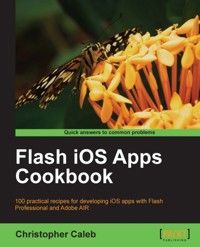
The latest version of Flash Professional can directly target iOS, allowing Flash developers to write applications that will run natively on Apple's iPhone, iPad, and iPod touch. What's more, with Apple loosening its restrictions on third-party technologies, apps written in Flash can now be sold and distributed within the App Store.Flash iOS Apps Cookbook provides the recipes required to build native iOS apps using your existing knowledge of the Flash platform. Whether you want to create something new or simply convert an existing Flash project, the relevant steps and techniques will be covered, helping you achieve your goal.Learn how to configure and use Flash Professional for iOS development by writing and deploying a simple app to a device. Implement many iOS-specific features such a multi-touch, the virtual keyboard, camera support, screen orientation and the Retina display. Overcome the limitations of mobile development by mastering hardware acceleration and optimization. Whether you're an enthusiast or professional developer, the Flash iOS Apps Cookbook is your toolkit to creating high-quality content for iPhone, iPad and iPod touch.
Das E-Book können Sie in Legimi-Apps oder einer beliebigen App lesen, die das folgende Format unterstützen:
Seitenzahl: 569
Veröffentlichungsjahr: 2012
Ähnliche



















Table of Contents
Flash iOS Apps Cookbook
Flash iOS Apps Cookbook
Copyright © 2012 Packt Publishing
All rights reserved. No part of this book may be reproduced, stored in a retrieval system, or transmitted in any form or by any means, without the prior written permission of the publisher, except in the case of brief quotations embedded in critical articles or reviews.
Every effort has been made in the preparation of this book to ensure the accuracy of the information presented. However, the information contained in this book is sold without warranty, either express or implied. Neither the author, nor Packt Publishing, and its dealers and distributors will be held liable for any damages caused or alleged to be caused directly or indirectly by this book.
Packt Publishing has endeavored to provide trademark information about all of the companies and products mentioned in this book by the appropriate use of capitals. However, Packt Publishing cannot guarantee the accuracy of this information.
First published: February 2012
Production Reference: 2250112
Published by Packt Publishing Ltd.
Livery Place
35 Livery Street
Birmingham B3 2PB, UK.
ISBN 978-1-84969-138-3
www.packtpub.com
Cover Image by Charwak A (<[email protected] >)
Credits
Author
Christopher Caleb
Reviewers
Daniel Albu
JP Berrie
Simon Buckley
Mark Doherty
Richard England
Stuart McLeman
Brian Rinaldi
David Wagner
Acquisition Editor
Douglas Paterson
Lead Technical Editor
Dayan Hyames
Technical Editor
Kedar Bhat
Copy Editor
Neha Shetty
Project Coordinator
Alka Nayak
Proofreader
Mario Cecere
Indexer
Rekha Nair
Graphics
Valentina D'Silva
Manu Joseph
Production Coordinator
Arvindkumar Gupta
Cover Work
Arvindkumar Gupta
About the Author
Christopher Caleb has been developing rich interactive experiences with the Flash platform for almost a decade. He remembers a time when browsers didn't support images, and has witnessed technologies such as Flash help drive the web to where it is today. During that period he has been fortunate enough to have worked with a wide range of clients including the BBC, Activision, Samsung, and Aardman Animations on projects encompassing film, games, education, and children's entertainment.
He has a love for all things mobile and has been a proponent of Flash in this space since its emergence. He is also an active member of the Flash community, both through his personal blog and the various articles he contributes elsewhere. Whenever he finds a spare minute, Christopher likes to chip away at the many apps and experiments he has inspired to undertake.
Christopher is currently a lead Flash developer at WeeWorld—an avatar-based social network and virtual world for teens. He blogs at www.yeahbutisitflash.com and tweets as @chriscaleb.
Acknowledgement
This book would not have been possible without the help and support of so many individuals.
First and foremost, I'd like to thank the people at Packt Publishing; in particular, Steven Wilding for providing me with this wonderful and unexpected opportunity; Maitreya Bhakal for his guidance and encouragement; and Kedar Bhat for his assistance and endless patience.
I'm extremely lucky to have had such talented technical reviewers (Daniel Albu, JP Berrie, Simon Buckley, Mark Doherty, Richard England, Stuart McLeman, Brian Rinaldi, and David Wagner) who, despite their workloads, managed to find the time to provide invaluable feedback. Dave and JP: I really owe you both for your perseverance over the last few weeks.
Various individuals at Adobe have also helped me along the way. Particularly, I'd like to thank Mark Doherty and Brian Rinaldi for their immense contribution and enthusiasm towards the project. I'd also like to extend thanks to Robert Christensen for always taking the time to answer my questions over the past twelve months.
A huge debt of gratitude is also owed to my brother Alan (alancaleb.com), Steve Koren (popjunk.co.uk), and Selina Wagner (blobina.com) whose creative talents grace the many code examples found within these pages. Also, a mention must go out to Matt McKenna (maketh.com) and Andrew Nicolson (drewnotweird.co.uk) for the part they both played.
I would also like to thank Graham MacDonald for affording me the time to write and, at the same time, earn a living; Helen and my little nephew Freddy (I love him even more than Flash) for making me smile; Gregory for providing the arm wrestling training that helped develop my typing stamina; and Amanda who makes every day better than the last. Special thanks must also be extended to Bobby Farmer who has always made time for me over the years and has been a constant source of encouragement.
Finally, to my father, mother, brother, and sister, I cannot thank you enough for your love and support, without which I am nothing.
About the Reviewers
Daniel Albu is a freelance Flash platform developer with more than ten years of experience in the production and deployment of rich media websites, games, and applications.
Daniel has unique expertise in production and integration of Flash and Flash platform-based technologies. Most recently, Daniel entered the mobile development field by using Adobe AIR to develop for the Android and iOS platforms.
Daniel also provides worldwide remote training and consultancy around Flash platform technologies for companies and individuals alike.
JP Berrie first encountered Macromedia Director 4 in 1995 while at university studying Multimedia Technology, and subsequently embarked upon a career as a Multimedia Developer, specializing in Director Lingo and latterly Flash ActionScript 3.0 programming.
He was appointed lead programmer for several BBC games titles, including Walking with Beasts, Bill & Ben the Flowerpot Men, and Rotten Ralph. Other titles include the Chicken Run game for Activision / Aardman Animations, and a title for interactive publishing giants Dorling Kindersley.
Since 2002, JP has freelanced for many clients including global brands such as AstraZeneca, BP, Diageo, Guinness, Kellogg's, Pepsi, Pfizer, and the Post Office.
Website: www.jpberrie.com.
Simon Buckley received his M.Sc in Physics from the University of Birmingham, England, in 2007 before moving into Computer Science to gain a M.Sc in Intelligent Systems Engineering at the same university in 2008.
After graduating, Simon spent some time as an enterprise Java developer before opting to go freelance. He is now a Flex Adobe Certified expert and his company, Techjump, specializes in developing workflow tools and Rich Internet Applications for desktop and mobile platforms. He loves working with new technologies, developing rich user experiences, and solving tough programming problems.
Mark Doherty is the Platform Evangelist for Mobile and Devices at Adobe, working to create a vibrant ecosystem around Flash Player and Adobe AIR for devices. He has spent ten years in the mobile and devices industry, including seven at Adobe, holding Engineering, Consulting, Business Development, and Marketing roles. Prior to this, Mark has worked with leading OEMs at Mobile Innovation, Nokia, Samsung, and Panasonic.
Richard England is an award winning freelance developer, who has worked with Flash technology for over 10 years, including building BAFTA-nominated educational games, interactive learning resources, and truly Rich Internet Applications.
An eternal student of all things digital, Richard is enthused by the ever-evolving mobile development landscape, creating applications for iOS both natively in Objective-C and with Adobe AIR.
Richard can be contacted through Twitter—@englandrp.
Stuart McLeman has been involved with web and mobile software development for ten years since his previous life in electronic engineering. From working on educational Flash content for the BBC through to his current role as lead iOS developer at WeeWorld, he has always been passionate about aesthetics and usability as well as good code. Although Objective-C is his new love, he still has fond memories of AS3. He can't wait to see how the mobile landscape will evolve so he can decide what to learn next!
Stuart can be contacted through his website: www.stuartmcleman.com where he promises to someday start a blog, or through Twitter—@stuartmcleman.
Brian Rinaldi is a content and community manager for the Adobe Developer Center team, where he oversees community strategy for developers with a focus on HTML5 and JavaScript. Brian has been a Flex, Flash, and ColdFusion developer for over a dozen years and has been always known for his contributions to the community as an open source developer, a speaker, and an author. Brian founded the ColdFusion user group in Boston as well as the RIA Unleashed conference. Brian blogs regularly at http://remotesynthesis.com and is an unreformed twitter addict—@remotesynth.
David Wagner has been creating mobile phone games and applications for over a decade—from the days when 96x64 pixel displays with four shades of green were a luxury, through to the present with multi-cored, GPU-accelerated devices of pure awesomeness. In between, he has played with assembler, made a career of embedded C programming, decided browsers were more fun with ActionScript, and then went back to the future with Objective-C. He is currently a senior engineer at HuzuTech, working on a cross-platform virtual world framework.
If you want to read his occasionally coherent ravings, visit www.noiseandheat.com, or you can follow his stream of sarcasm on Twitter—@kaeladan.
www.PacktPub.com
Support files, eBooks, discount offers, and more
You might want to visit www.PacktPub.com for support files and downloads related to your book.
Did you know that Packt offers eBook versions of every book published, with PDF and ePub files available? You can upgrade to the eBook version at www.PacktPub.com and as a print book customer, you are entitled to a discount on the eBook copy. Get in touch with us at <[email protected]> for more details.
At www.PacktPub.com, you can also read a collection of free technical articles, sign up for a range of free newsletters, and receive exclusive discounts and offers on Packt books and eBooks.
http://PacktLib.PacktPub.com
Do you need instant solutions to your IT questions? PacktLib is Packt's online digital book library. Here, you can access, read, and search across Packt's entire library of books.
Why Subscribe?
Free Access for Packt account holders
If you have an account with Packt at www.PacktPub.com, you can use this to access PacktLib today and view nine entirely free books. Simply use your login credentials for immediate access.
Preface
The iPhone is revolutionary. Every day, it seems, someone finds an innovative use for it and, in the App Store, the perfect outlet for their work. Its success has made apps cool and helped shift delivery of content away from the browser. Adobe has reacted to this change by repositioning the Flash platform, and providing the tools required for the creation and publication of native iOS applications directly from Flash Professional.
The Flash iOS Apps Cookbook is a culmination of my experience working with AIR for iOS since its beginnings. I have paid particular attention to the fundamentals, focusing on the groundwork that many newcomers find daunting. For those with a firm grasp of the basics, there is plenty to learn, from working with the device's many sensors, to maximizing the performance of graphics using hardware acceleration.
By the end of this book, you will have acquired the necessary skills to write and distribute your own native iOS applications using Flash. I hope that you will use what you have learned here to create beautiful applications that befit the talented and inspiring community you are about to become a part of.
What this book covers
Chapter 1, Getting Started with iOS App Development, leads you through the often intimidating process of becoming a registered iOS developer. By the end of the chapter you will have the necessary files required to publish native iOS apps from Flash Professional.
Chapter 2, Building iOS Apps Using Flash, covers everything required to configure Flash Professional and publish native iOS apps from it. You will also learn how to install apps on an iPhone for testing.
Chapter 3, Writing your First App, takes you through the steps necessary to build and test your very first iOS app using Flash Professional with a modest amount of ActionScript. Some best practices for development will also be explored.
Chapter 4, Porting Flash Projects to iOS, will get you started on the right foot when converting Flash projects from the desktop to iOS. You will learn how to work within mobile constraints and how to avoid common pitfalls that can often cripple an app's performance.
Chapter 5, Multi-touch and Gesture Support, will show you how to take full advantage of the touch-screen. You will learn how to detect multiple touch points and respond to swipe, pan, and pinch gestures with ActionScript.
Chapter 6, Graphics and Hardware Acceleration, provides invaluable recipes for an area that often causes frustration. We will cover powerful techniques for dramatically boosting your application's frame rate and learn the intricacies of Flash's rendering pipeline. With this knowledge, you will be able to push the graphics performance of your own creations to the limit!
Chapter 7, Working with Text and the Virtual Keyboard, will help you adjust to life without physical keys by exploring support for iOS's virtual keyboard and native text-input controls. Time will also be spent covering relevant features of Flash's own text engine.
Chapter 8, Screen Resolution and Orientation Changes, details how to render content on any iOS device regardless of its screen resolution or physical orientation. Support for the high resolution Retina display can also be found, along with instructions detailing how to set up a universal app that can target iPhone, iPad, and iPod touch.
Chapter 9, Geolocation and Accelerometer APIs, covers recipes that utilize both the device's GPS sensor and its accelerometer. Learn how to make location-aware apps, respond to changes in physical orientation and detect vibration.
Chapter 10, Camera and Microphone Support, will help you master two of the most popular sensors built into iOS devices. With the camera, you will learn how to shoot video, capture photos, and access the image library. This chapter will conclude by covering how to record and play back audio captured with the microphone.
Chapter 11, Rendering Web Pages, focuses on the presentation of web content—both directly within your app and by launching Safari. It also covers how to dynamically generate HTML, navigate the browsing history, and capture a snapshot of the current page.
Chapter 12, Working with Video and Audio, explores the many A/V options available when targeting iOS. In addition to utilizing Flash's popular FLV video format, this chapter will detail how to take advantage of hardware-accelerated H.264 video for best quality high-definition playback.
Chapter 13, Connectivity, Persistence, and URI Schemes, ties up some loose ends, beginning with Internet connectivity. Next, file system access is discussed—a topic touched upon by a number of recipes throughout the book. At the end of the chapter, space is given over to the use of URI schemes to launch various system apps including Mail, YouTube, App Store, and Maps.
Chapter 14, Using Native Extensions and ADT, details how to use the command line to take advantage of AIR for iOS features that aren't currently provided from Flash Professional directly. Specifically, you will learn how to use native extensions to access iOS-specific APIs missing from the AIR SDK. This chapter is not present in the book but is available as a free download at the following link: http://www.packtpub.com/sites/default/files/downloads/1383_Chapter14.pdf
Chapter 15, ActionScript Optimization, covers a range of invaluable optimizations that can be applied to your project's ActionScript. You will see how even the simplest of changes can improve your application's execution speed or improve its memory usage. This chapter is not present in the book but is available as a free download at the following link: http://www.packtpub.com/sites/default/files/downloads/1383_Chapter15.pdf
Appendix A, Flash Professional CS5.5 Specific Recipes, contains a list of the recipes throughout this book that require Flash Professional CS5.5 and AIR 2.6 or above. The appendix is not present in the book but is available as a free download at the following link: http://www.packtpub.com/sites/default/files/downloads/1383_AppendixA.pdf
Appendix B, ActionScript Optimization Measurements, provides the results from various optimizations detailed in Chapter 15. This appendix is not present in the book but is available as a free download at the following link: http://www.packtpub.com/sites/default/files/downloads/1383_AppendixB.pdf
What you need for this book
This book has been written for users of Adobe Flash Professional CS5 or CS5.5.
The majority of recipes covered are compatible with both CS5 and CS5.5. However, some are specific to CS5.5 and require the latest version of the Adobe AIR SDK.
You will also need an iPhone, iPad, or iPod touch. Flash Professional CS5.5 supports the development of applications for iOS 4 or above, whereas CS5 also provides support for older devices running iOS 3.
You can build native iOS apps using either Flash Professional for Mac OS X or Microsoft Windows.
Who this book is for
The material throughout this book is written for both beginners and seasoned developers with a working knowledge of ActionScript 3.0 and Flash Professional. If you ever want to leverage your existing Flash skills to write iOS apps, then this book will show you how, starting with the basics. Those users who are already up to speed can go directly to the more advanced topics that are on offer.
Reader feedback
Feedback from our readers is always welcome. Let us know what you think about this book—what you liked or may have disliked. Reader feedback is important for us to develop titles that you really get the most out of.
To send us general feedback, simply send an e-mail to <[email protected]>, and mention the book title via the subject of your message.
If there is a topic that you have expertise in and you are interested in either writing or contributing to a book, see our author guide on www.packtpub.com/authors.
Customer support
Now that you are the proud owner of a Packt book, we have a number of things to help you to get the most from your purchase.
Downloading the example code
You can download the example code files for all Packt books you have purchased from your account at http://www.PacktPub.com. If you purchased this book elsewhere, you can visit http://www.PacktPub.com/support and register to have the files e-mailed directly to you.
Errata
Although we have taken every care to ensure the accuracy of our content, mistakes do happen. If you find a mistake in one of our books—maybe a mistake in the text or the code—we would be grateful if you would report this to us. By doing so, you can save other readers from frustration and help us improve subsequent versions of this book. If you find any errata, please report them by visiting http://www.packtpub.com/support, selecting your book, clicking on the errata submission form link, and entering the details of your errata. Once your errata are verified, your submission will be accepted and the errata will be uploaded on our website, or added to any list of existing errata, under the Errata section of that title. Any existing errata can be viewed by selecting your title from http://www.packtpub.com/support.
Piracy
Piracy of copyright material on the Internet is an ongoing problem across all media. At Packt, we take the protection of our copyright and licenses very seriously. If you come across any illegal copies of our works, in any form, on the Internet, please provide us with the location address or website name immediately so that we can pursue a remedy.
Please contact us at <[email protected]> with a link to the suspected pirated material.
We appreciate your help in protecting our authors, and our ability to bring you valuable content.
Questions
You can contact us at <[email protected]> if you are having a problem with any aspect of the book, and we will do our best to address it.1
Chapter 1. Getting Started with iOS App Development
In this chapter, we will cover:
Introduction
When writing iOS applications, the creation and management of certain files is necessary in order to test on a real device. The exact files required depends on whether you are currently developing or preparing for distribution. We will focus primarily on development.
By the end of this chapter, you will have created a P12 certificate file and a development provisioning profile, both of which are required if you want to make full use of the recipes throughout this book. Along the way, you will learn the ins and outs of various tools including Apple's iOS Provisioning Portal, which you will come to use extensively during your time as an iOS developer.
Don't worry if it doesn't all make perfect sense at first. If you follow the steps detailed in each recipe, you will end up with the development files required to work through the rest of the book.
Joining the iOS Developer Program
Registering as an Apple developer and enrolling in one of the iOS Developer Programs are prerequisites for anyone wishing to write iOS apps.
Although you can enroll in a free program, if you want to install your applications on devices and distribute them in the App Store, you will need to pay a $99 annual fee to join the standard program.
Those developing with the iOS SDK can select the free program and test their apps using the iOS simulator, which is provided with Apple's official development tools. Unfortunately, native iOS apps built withFlash Professional do not run on the simulator. Therefore, if you want to fully test the examples provided in this book, you will need to install them on an iOS device.
Note
Within Flash Professional, you can use the AIR Debug Launcher (ADL) to test your applications on the desktop; however, no iOS device capabilities are supported thus restricting ADL's usefulness.
Let us take a look at the steps required to enroll.
Getting ready
Enrollment takes place on the Apple Developer website. If you aren't using Apple's Safari browser, then it is recommended that you download and install it, as problems are reported from time to time when trying to use certain areas of the site on other browsers.
Safari is the default web browser preinstalled on Mac OS X. Those using Windows, who don't already have Safari, can download it from www.apple.com/safari/download.
If you already have Safari installed, then make sure that you have the most recent version.
Tip
There are several paths you can take during the enrollment process and once you have completed it, it may not be possible to change some of your choices. Think carefully before submitting your enrollment details and purchasing your Developer Program. You may want to first read through this recipe in its entirety to ensure that you are fully aware of all the options available to you.
How to do it...
Tip
Be aware that Apple regularly makes alterations to its various developer websites. Therefore, the location of items shown within this chapter's screenshots may differ slightly by the time you read this. The links described throughout the chapter may be subject to change too.
Note
Next to the Continue button you will find text outlining the technical requirements for enrollment. This refers to developers using Apple's iOS SDK and does not apply to those using Flash Professional. Ignore it.
Register as an Apple developer
Note
If you currently have an Apple ID, then click on the second radio button within the column. If you are an existing Apple developer, then you should select the appropriate radio button from the Existing Apple Developer column instead.
Two options are provided. Enroll as an individual or enroll on behalf of a company.
Note
To enroll as a company, you will need to provide Apple with business documents and have the legal authority to bind your company to the legal agreements presented to you during enrollment.
Note
When submitting your contact information, the name you specify will appear as the "seller" for any apps you distribute on the App Store.
Do not attempt to add an alias or organization name within the name fields. This will most likely result in failure of your Apple Developer registration or suspension of your account when the error is eventually noticed by Apple.
If you want to have a company name to appear as the "seller", then enroll as a company and provide Apple with the relevant legal documentation to verify your identity.
If you are registering as an individual, then enter your first and last name into the Company/Organization field.
Note
By selecting to develop commercial applications, you will have to provide your banking details before you can distribute your apps; however, you won't be asked for this information as part of the enrollment process. If you plan only to distribute free apps, then you can select the Free Applications radio button and no banking details will be required. This option will suffice for the examples within this book; however, if you plan to sell apps at some point, then stick with the Commercial Applications option.
A second e-mail will be sent confirming that you are now a registered Apple developer.
Note
The e-mail will also contain the Apple ID you chose. Keep this e-mail safe as you will need your Apple ID (along with your password) to access certain resources on the Apple Developer website.
Select your program
Within your web browser you will be taken to the Enter your billing information for identity verification page.
Note
At this point your credit card details will be used for identity verification. You will not be asked for your credit card number and won't be charged.
Complete your purchase
How it works...
Registering as an Apple developer and activating your Developer Program enables you to access the iOS Provisioning Portal through Apple's iOS Dev Center website. The iOS Provisioning Portal takes you through the necessary steps to test and distribute your apps on iOS devices, and will be used throughout this chapter.
You will use the Apple ID and password that you set up to log into the iOS Dev Center at http://developer.apple.com/devcenter/ios.
There's more...
The following additional pieces of information are worth considering.
Working with multiple team members
If you opt to enroll as a company, then you can add additional team members to your account who can access iOS Developer Program resources. This will allow, for example, other team members to generate and download the developer files required to build and deploy apps to an iOS device.
If you enroll as an individual, then you will be the sole developer who has access to the program resources. It will be your responsibility to generate all required developer files and manage the list of test devices.
iOS SDK, tools, and documentation
The iOS Dev Center contains a wealth of resources. While the documentation and tools available are aimed at developers using the iOS SDK, you will find some that will be of use when building your own apps with Flash Professional.
An important document to start with is the iOS Human Interface Guidelines at http://developer.apple.com/library/ios/#documentation/UserExperience/Conceptual/MobileHIG. It describes the guidelines and principles that help you create apps that feel as though they were designed specifically for iOS.
Also, if you are planning to release your apps on the App Store, then read the App Store Review Guidelines at http://developer.apple.com/appstore/guidelines.html.
If you are developing on Mac OS X you may also want to download the developer toolset. While this book will not cover Apple's developer tools, spend some time exploring the Instruments application, which comes as part of the bundle, and provides powerful profiling and debugging features that can help you fine tune your apps.
A good place to start is the Introduction to Instruments User Guide at http://developer.apple.com/library/ios/#documentation/DeveloperTools/Conceptual/InstrumentsUserGuide/Introduction.
Accessing the iOS Provisioning Portal
The iOS Provisioning Portal is an online tool designed to take you through the steps required to test your apps on iOS devices and prepare them for distribution on the App Store.
This is where you will create and download the developer files that are required to build your apps with Flash Professional.
Let us go through the steps required to access it.
Getting ready
You will need an Apple ID to enroll on the iOS Developer Program.
If you haven't already done so, follow the steps detailed in the Joining the iOS Developer Program recipe.
How to do it...
How it works...
The Provisioning Portal provides you with the resources to develop and distribute your iOS apps.
For the examples in this book, you only need to concern yourself with development. The following are the four main steps required to do this:
These steps can be performed from the links on the left-hand side of the Provisioning Portal page and are broken down and covered throughout the remainder of this chapter.
Alternatively, Apple has provided the Development Provisioning Assistant, which can be used to guide you through the process. However, the Provisioning Assistant is not covered in this book.
There's more...
You are encouraged to spend time exploring the Provisioning Portal as it is integral to the iOS development process.
The following information may also be of some use.
Resources
On the right-hand side of the portal's home page is the Resources section where you can find links to guides, "how to" videos, documentation, and user forums.
The "how to" videos are ideal if you need further clarification regarding the provisioning steps. At the head of the Resources section you will also find a link to the Program User Guide, which covers the provisioning process in detail.
Remember that all content on the site will be aimed at Mac OS X owners. If you are using Windows, then some of the content may not be applicable.
Adding team members
If you enrolled on behalf of a company, then you will also be able to add other team members to your account.
As the original enrollee, you have access to all iOS Provisioning Portal capabilities and can assign roles for any members you invite. The role you assign to an individual determines the privileges they get and dictates the tasks they can undertake.
Team management is handled within the Member Center, which you can access from the Provisioning Portal's home page. Simply click on the Visit the Member Center now link on the center of the portal's home page.
Those who have signed-up as an individual will not be able to add team members but will have access to all Provisioning Portal capabilities.
For a comprehensive guide to team administration, take a look at the Program User Guide within the Resources section.
Distribution
The steps required for preparing your apps for App Store submission and distribution are not covered within this book. However, once you are comfortable with the provisioning process for application development, you will find that distribution isn't too dissimilar.
Comprehensive documentation regarding distribution is available from the Program User Guide in the Provisioning Portal's Resources section.
Technical support
As a member of the iOS Developer Program, you are entitled to support from the Apple Developer Technical Supportteam, where you can receive direct one-to-one help from a qualified Apple engineer.
Included with your Developer Program membership is free technical support for two incidents during your membership period.
However, you should be aware that this support is primarily for developers using the iOS SDK. Apple engineers will not be able to help with questions regarding Flash Professional.
Generating a Certificate Signing Request using Windows
A Development Certificate is used to identify a developer for the purpose of installing and testing apps on iOS devices. Without one you can't publish native iOS apps from Flash Professional. You obtain a development certificate from Apple's iOS Provisioning Portal but to do that you must first generate a Certificate Signing Request (CSR)file.
The process for generating a CSR differs depending on your choice of operating system.
The steps for Microsoft Windows are covered here. If you are using Mac OS X, then refer to the Generating a Certificate Signing Request using Mac OS X recipe.
Getting ready
How to do it...
Note
How you run a command session with administrator privileges depends on your choice of operating system.
If you are a Windows 7 or Vista user, then click on the Start button and type cmd into the search box. However, rather than simply pressing Enter, you should press Ctrl + Shift + Enter. A dialog will appear asking if you want to allow the program to make changes to your computer. Click on the Yes button.
If you are using Windows XP, then ensure you are logged on with an administrator account. Click on the Windows Start button and then select Run. From the Run dialog box, type cmd and press Enter.
followed by:
Note
OpenSSL may still output a file after reporting an error on the command line. If you find an error, check your syntax and run the command again as it's unlikely your file will be usable.
You will need to make some changes when typing the preceding command into the command line. Replace the e-mail address and certificate name with the same e-mail address and name you enrolled within the iOS Developer Program. Also, if you live outside the United States, you will need to edit the country code.
Note
A list of country codes that can be used when creating a CSR can be found on the DigiCert website at www.digicert.com/ssl-certificate-country-codes.htm.
A CSR file named, CertificateSigningRequest.certSigningRequest will be created and output to the bin folder.
How it works...
You now have a CSR file that contains your personal information (your name, e-mail address, and country) and will be used to request a development certificate from Apple.
When the CSR file was created, OpenSSL also created a public and private key. The public key is included within the CSR file while the private key is used to sign the request.
Don't delete your CSR file or the private key as they will both be required later in this chapter.
See also
Generating a Certificate Signing Request using Mac OS X
A development certificate is used to identify a developer for the purpose of installing and testing apps on iOS devices. Without one you can't publish native iOS apps from Flash Professional. You obtain a development certificate from Apple's iOS Provisioning Portal but to do that you must first generate a Certificate Signing Request (CSR) file.
The process for generating a CSR differs depending on your choice of operating system.
The steps for Mac OS X are covered here. If you are using Microsoft Windows then refer to the Generating a Certificate Signing Request using Windows recipe.
How to do it...
Follow the steps to generate a CSR:
A CSR file named CertificateSigningRequest.certSigningRequest will be created and saved on disk.




