


34,79 €
Mehr erfahren.
- Herausgeber: Packt Publishing
- Kategorie: Wissenschaft und neue Technologien
- Sprache: Englisch
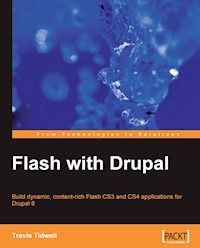
Due to its power and expandability, Drupal has become one of the most popular open source content management systems. At the same time, Flash has been adopted for its ability to create beautiful and dynamic web applications. By combining these technologies, you can create Flash applications that are both visually stunning and rich in content.
This book is an in depth discussion and tutorial on how to integrate Flash applications with Drupal CMS. It will describe the best techniques and practices for integrating Flash technology with the power and flexibility of Drupal by building real-life Flash applications.
Within this book, you will learn how to build Flash applications that show text from within Drupal and also present images, music, and video within a single Flash application. You will also be able to take advantage of the expandable fields and content filtering provided from the CCK and Views modules to add flexibility and power to your Flash applications. Finally, you will learn how to add your own custom functionality to Drupal and then utilize that from within your Flash applications leaving you with a world of possibilities.
This book starts out with a simple introduction to Flash and Drupal technology where you will create a simple Flash application and then embed that within Drupal. From there, each subsequent chapter builds on the previous chapters tackling a new and challenging task.
For each new task, you will take a step-by-step approach to building a real-life application that utilizes the feature introduced within that chapter. You will also explore alternative design approaches that will eliminate the current design challenges that developers face when building Flash-driven Drupal sites; and all this while staying true to the Object Oriented Principles that govern the foundation of the ActionScript 3 language. By the end of this book, you will be able to apply all the lessons learned from this book to any other use case you may encounter.
Das E-Book können Sie in Legimi-Apps oder einer beliebigen App lesen, die das folgende Format unterstützen:
Seitenzahl: 428
Veröffentlichungsjahr: 2009
Ähnliche




















Table of Contents
Flash with Drupal
Travis Tidwell
Flash with Drupal
Copyright © 2009 Packt Publishing
All rights reserved. No part of this book may be reproduced, stored in a retrieval system, or transmitted in any form or by any means, without the prior written permission of the publisher, except in the case of brief quotations embedded in critical articles or reviews.
Every effort has been made in the preparation of this book to ensure the accuracy of the information presented. However, the information contained in this book is sold without warranty, either express or implied. Neither the author, nor Packt Publishing, and its dealers or distributors will be held liable for any damages caused or alleged to be caused directly or indirectly by this book.
Packt Publishing has endeavored to provide trademark information about all of the companies and products mentioned in this book by the appropriate use of capitals. However, Packt Publishing cannot guarantee the accuracy of this information.
First published: May 2009
Production Reference: 1200509
Published by Packt Publishing Ltd.
32 Lincoln Road
Olton
Birmingham, B27 6PA, UK.
ISBN 978-1-847197-58-0
www.packtpub.com
Cover Image by Gabriela y la pintura (<[email protected]>)
Credits
Author
Travis Tidwell
Reviewer
Steve Zeidner
Acquisition Editor
David Barnes
Development Editor
Swapna V. Verlekar
Technical Editor
Aditi Srivastava
Copy Editor
Ajay Shanker
Indexer
Hemangini Bari
Editorial Team Leader
Abhijeet Deobhakta
Project Team Leader
Lata Basantani
Project Coordinator
Joel Goveya
Proofreader
Laura Booth
Production Coordinator
Aparna Bhagat
Cover Work
Aparna Bhagat
About the Author
Travis Tidwell is the founder and CTO for TMT Digital (http://www.tmtdigital.com), a company that specializes in the development of Flash applications for the Drupal Content Management System. He is also the sole developer for the Dash Media Player (http://www.tmtdigital.com/project/dash_player, http://www.drupal.org/project/dashplayer), which is a media player built specifically for Drupal. As well as contributing to this media player, Travis is also the author and co-maintainer for the FlashVideo module (http://www.drupal.org/project/flashvideo), which is a complete video solution for Drupal.
Travis graduated with a degree of Bachelors of Science in Electrical and Computer Engineering from Oklahoma State University and has worked as an Embedded Systems Engineer for companies specializing in automotive and agricultural GPS products. Travis then fell in love with web development and more specifically with Drupal and Flash, where he has developed numerous sites including http://www.delicioso.com for Food Networks, Ingrid Hoffmann.
In his spare time (which is rare these days), Travis enjoys the performing arts where he sings, plays the guitar, and even tap dances (go to http://www.youtube.com and search for "Soul Man Tap" to see him in action).
Travis currently lives in Des Moines, IA with his beautiful wife Erin, and is the proud parent of a feisty one-year-old named Brycen.
I would like to thank my wife, Erin, who has stood by me and supported me through the long evenings and weekends where I pursued my passions, including writing this book. Without her support, I would not be where I am today.
About the Reviewer
Steve Zeidner is a web developer who has been using Perl, PHP, ActionScript, Flash, and other technologies to design and code web sites and web applications since 1999. In the past, he has been involved in educational projects such as Moodle and WeBWorK while pursuing his degree in Computer Science and Engineering at The Ohio State University.
After completing his undergraduate Computer Science studies, Steve went on to develop his SQL database, web programming, and IT administration skills at the Ohio Farm Bureau Federation. In 2007, he became the lead web developer at Guardian Enterprise Studios, where he broadened his knowledge and use of web design elements with content management systems as well as PHP, Perl, and MySQL database integration. He currently resides in Columbus, Ohio and has an interest in social media and how the Web is changing the way people communicate.
Preface
This book is an in-depth discussion and tutorial session on how to integrate Flash applications with the Drupal CMS. It describes the best techniques and practices for integrating Flash technology with the power and flexibility of Drupal—by building real-life Flash applications.
In this book, you will learn how to build Flash applications that show text from within Drupal and also present images, music, and video within a single Flash application. You will also be able to take advantage of the expandable fields and content filtering provided from the CCK and Views module to add flexibility and power to your Flash applications. Finally, you will learn how to add your own custom functionality to Drupal and then utilize that from within your Flash applications, leaving you with a world of possibilities.
This book starts out as a simple introduction to Flash and Drupal technology, where you will create a simple Flash application and then embed that within Drupal. From there, each subsequent chapter will build onto the previous chapter and you will tackle new and challenging tasks. For each new task, you will take a step-by-step approach to building a real-life application that utilizes the features introduced within that chapter. You will also explore alternative design approaches that eliminate the current design challenges that developers face when building Flash-driven Drupal sites; and all this while staying true to the object-oriented principles that govern the foundation of the ActionScript 3 language. By the end of this book, you will be able to apply all the lessons learned from this book to any other use case you may encounter.
What this book covers
Chapter 1 sets the stage for the reader to learn how Flash and Drupal can combine to create a dynamic, content-rich experience for our users. We will learn how to embed Flash applications within Drupal, as well as learn about some important modules that make it easier to work with Flash in Drupal.
Chapter 2 builds a "Hello World" application. We will say hello to the world in Flash using Drupal-driven content. However, unlike any other "Hello World" tutorial, we will learn the important concepts of asynchronous programming and how that relates to working with Drupal content in Flash.
Chapter 3 covers how to add custom content to our Flash applications using the popular Content Construction Kit (CCK). We will illustrate this concept by building a hypothetical Recipe Flash application designed for a Drupal cooking web site.
Chapter 4 shows us how to use Drupal managed images to give our application a little visual flare as a visually stunning Flash application would not be complete without the integration of images. We will build on from the previous chapter by adding an image to our Recipe Flash application.
Chapter 5 explores how to use Drupal to manage a list of audio nodes and also builds a Flash application to play that music. When it comes to multimedia, Flash is the portal of choice for playing audio on a web sites.
Chapter 6 expands our custom media player to not only play music, but also show Flash videos managed from our Drupal web site, which is built onto the concept from the previous chapter. In addition, we will learn some important concepts of object-oriented practices while we reuse common components to build a media player for Drupal.
Chapter 7 explains the basics of how to take an existing Flash application and break apart the components for remote communication. We achieve this by first abstracting out separate functionalities into two separate components, and then laying the foundation for a communication gateway between the two different components. This is an essential first step to create a robust and easily maintained system, where Flash applications can be separated on a Drupal web site, thus implementing a hybrid Flash integration approach.
Chapter 8 creates the necessary components required to implement the hybrid approach. This chapter focuses on creating the bridge between two different Flash applications. Once we create this bridge, we will have the ability to control our media from a remote Flash application. In other words, we will be building a remote control for our media player that can be placed anywhere on the page, separate from the media player.
Chapter 9 builds a media player whose playlist is driven from the power of the Drupal Views module. Arguably, the most important aspect of any content-rich web site is its ability to build lists of each piece of content in a meaningful manner. The Drupal Views module gives the administrator the ability to manage the contents of their site in a meaningful list of content to present to the users. By combining this power within Flash, we can learn how to create a playlist of video nodes for our custom media player.
Chapter 10 shows how to utilize user management within a Flash application by building a User Login Flash widget. One of the most important aspects of the Drupal CMS is its ability to manage its users and protect the content of that site using a permission-based role system.
Chapter 11 shows how to add content to our Drupal web site while at the same time keep our data safe from malicious software. Not only can Flash be used to show Drupal content, but it can also be utilized to add and manipulate Drupal content from a remote Flash application.
Chapter 12 will sum up all lessons learned in this book by building a five-star voting mechanism in Flash. We will learn how to build a custom Voting Service as well as create our very own Flash driven five-star voter compatible with the popular FiveStar module.
What you need for this book
We need to install Drupal version 6, Flash CS3 or CS4, and Apache-MySQL-PHP (AMP) for this book.
Who this book is for
This book is written for developers who wish to build dynamic Flash applications. Although, we will be using Drupal for our Content Management System, the lessons learned within this book can easily be applied to other content management systems such as Joomla or WordPress. Because of this, you are not required to be familiar with Drupal. Any interaction with Drupal will be described in full detail so that anyone can follow along. As for Flash, it is not necessary to be familiar with how to use Flash since that too will be covered in this book. However, it is recommended that you have some modest understanding of ActionScript and PHP since there are many code examples in this book.
Reader feedback
Feedback from our readers is always welcome. Let us know what you think about this book—what you liked or may have disliked. Reader feedback is important for us to develop titles that you really get the most out of.
To send us general feedback, simply drop an email to <[email protected]>, and mention the book title in the subject of your message.
If there is a book that you need and would like to see us publish, please send us a note via the SUGGEST A TITLE form on www.packtpub.com, or send an email to <[email protected]>.
If there is a topic that you have expertise in and you are interested in either writing or contributing to a book on, see our author guide on www.packtpub.com/authors.
Customer support
Now that you are the proud owner of a Packt book, we have a number of things to help you to get the most from your purchase.
Downloading the example code for the book
Visit http://www.packtpub.com/files/code/7580_Code.zip to directly download the example code.
The downloadable files contain instructions on how to use them.
Errata
Although we have taken every care to ensure the accuracy of our contents, mistakes do happen. If you find a mistake in one of our books—maybe a mistake in text or code—we would be grateful if you would report this to us. By doing so, you can save other readers from frustration and help us to improve subsequent versions of this book. If you find any errata, please report them by visiting http://www.packtpub.com/support, selecting your book, clicking on the let us know link, and entering the details of your errata. Once your errata are verified, your submission will be accepted and the errata added to any list of existing errata. Any existing errata can be viewed by selecting your title from http://www.packtpub.com/support.
Piracy
Piracy of copyright material on the Internet is an ongoing problem across all media. At Packt, we take the protection of our copyright and licenses very seriously. If you come across any illegal copies of our works in any form on the Internet, please provide us with the location address or website name immediately, so that we can pursue a remedy.
Please contact us at <[email protected]> with a link to the suspected pirated material.
We appreciate your help in protecting our authors, and our ability to bring you valuable content.
Questions
You can contact us at <[email protected]> if you are having a problem with any aspect of this book, and we will do our best to address it.
Chapter 1. Flash with Drupal
It is no secret that the web sites that become the most popular on the Web are those which possess a series of traits that appeal to the masses; most prominently, content and beauty. Because of this trend, many web developers strive to produce sites that are not only beautiful, but also rich in content. In order to satisfy the beauty requirement, Flash has easily risen to the top as being an ideal portal to deliver dynamic and beautiful web experiences to its users. At the same time, with the explosion of content on the Internet, Drupal has stood out, among other content management systems, as a powerful and expandable means to manage content. It only seems natural, then, to combine these two incredible technologies together to create the ultimate user experience.
In this book, we will learn how to integrate Flash with Drupal by taking a hands-on approach to building real-life Flash applications for Drupal CMS. Each chapter will introduce a different and more difficult challenge, where we will continually build onto the skills learned from the previous chapters. It is my goal, that by the end of this book, you should be able to venture off on your own and build your very own Flash applications that integrate beautifully with Drupal. But before we get ahead of ourselves, we need to take a step back and understand the motivation for this book. We also need to touch base on some of the basics for integrating Flash with Drupal, which include:
Why Flash with Drupal?
Within the past couple of years, there has been a major paradigm shift in the world of product development. Everything from phones, web sites, and automobiles has been affected from this movement, where the importance of functionality has seemed to have been replaced with style and usability. No longer do the products that offer maximum features sell more than their competitors. Instead, the products that offer style and ease of use are the ones that rule the trade and are considered to be the "next big thing".
Web development is no stranger to this trend. Just take a look at some of your favorite web sites and you will realize how important style and usability are to the world of web development. With this movement taking hold, it is easy to see how Flash technology has risen to the top as being the portal of choice for many web site user interfaces. Flash offers many tools that make it easy to create stylish and easy-to-use applications, and because of this, many people know a Flash web site when they see one (and usually, remember it). What is not so apparent about Flash, though, is its lack of ability to effectively manage and deliver dynamic content. Fortunately, this is where Drupal shines.
With the explosion of content on the Internet, Content Management Systems (CMS) have become mainstream for any web site administrator, who wishes to manage the onslaught of new content on his/her site. Although there are many different flavors of CMS, Drupal is rapidly becoming the system of choice because it offers a powerful and extensible framework that can mould to any application. However, when it comes to style and usability, Drupal requires a lot of work to get the look and feel in the way that you and your visitors would expect from any top-notch web site. With that said, one can easily see how the combination of Flash and Drupal is a match made in heaven between beauty and the brain.
Who is this book for?
This book is written for developers who wish to build dynamic Flash applications, whose content is governed from a CMS. Although we will be using Drupal for our CMS, the lessons learned within this book can easily be applied to other content management systems such as Joomla or WordPress. Because of this, it is not assumed that you are familiar with how to use Drupal, and any interaction with Drupal will be described in full detail so that anyone can follow along. As for Flash, it is not necessary to be familiar with how to use Flash since the basics will also be covered in detail within this book. However, it is recommended that you have a modest understanding of ActionScript 3.0 and PHP, since there will be many code samples in this book. With that said, let's get started!
Getting started with Flash
Adobe Flash is a multimedia platform that allows us to create animations and rich Internet applications. Each of these applications, created with Flash, is pre-compiled into the Shockwave Flash (SWF) file format. These applications can be embedded within a webpage or used on the desktop for local functionality. These SWF files are read and interpreted using the Flash Player, which must be installed as a plug-in for the browser viewing the page. This is rarely an issue though, since Flash is so widely used by so many web sites that it is rare to not have Flash installed on your visitor's browser.
So, our first task is to install Adobe Flash CS4 onto our computer, so that we are able to walk through the examples in this book. Although Flash CS4 is not a free application, you can easily download the 30-day trial version by going to http://www.adobe.com/go/tryflash and complete this book within that trial period. Once you have Flash CS4 installed on your machine, we are ready to move on.
Note
If you are using Flash CS3, you will still be able to use all of the tutorials in this book. Flash CS3 and CS4 are very similar, so there should not be any discrepancies between the two when following through the examples in this book.
Creating a new Flash project
With Flash CS4 installed on our computer, we can open up the application and create a new project. When the application first comes up, you should see a welcome screen, where we can Create a new project. For all of the examples in this book, we will be using ActionScript 3.0 for our Flash applications. So, we will continue by clicking on the link that says Flash File (ActionScript 3.0), which should then bring up an empty project. Since there are differences in the way that Flash CS3 and Flash CS4 look, our next task is to change the default workspace for Flash CS4 so that it looks like CS3. This will make it easier for everyone to follow every lesson in this book and keep any reference that I make regarding the location of certain tools consistent.
Setting up the workspace
In this step we will set the workspace layout so that it looks identical to the Flash CS3 default. In Flash CS4, we can accomplish this by clicking on the Window menu item. Once this menu item opens up, we will select the Workspace menu item, and then select Classic.
We should now have a workspace that resembles the following diagram. We will take a look at each highlighted section within this workspace, so that we know what they are when they are referenced in this book.
For each of the following sections, simply refer back to this diagram to see where to find the item under discussion.
A: The Stage
With our workspace set up the way that we want, we can shift our focus to the white square in the middle of the screen. This white square region is called the stage and will be referenced quite a bit in this book. The stage is simply the visible window for any object that is placed within our Flash application. By dragging an object off of the stage, we are removing the object from the visible region of our Flash application.
B: The Toolbar
The toolbar presents many of the tools that can be used to create or edit objects on the stage.
C: The Timeline
When you click on this tab, you should see the timeline for our Flash application. The timeline is a very important aspect in Flash since it allows us to create objects that can change in time. There are many elements within the timeline that will be important for us in this book, and each of these items is described as follows:
D: The Properties panel
The properties panel is used to describe the object that is currently selected. We will use this panel quite often in order to change the width and height, and to give names to our object's instance.
E: The Color Palette
We will use this tool to change the fill colors for the objects that we create. We will also use this tool to create gradients to give our application depth and character.
F: The Library
This tool is used to keep track of all objects that we have created within our Flash application. We will use this to edit existing objects as well as to create new objects that will be used in our Flash application.
Now that we are familiar with the Flash Integrated Development Environment (IDE), we can create something within Flash and then embed that within Drupal.
Creating a Flash application
For this example, our Flash application will be very basic. For the most part I would just like us to walk through the process of creating a Flash application within Flash, and then take that application and embed it within a page in Drupal. Once we have conquered this, we will be geared up to create some really cool applications that will surely wow your visitors. But keep in mind that your imagination is the key, so feel free to go crazy and create something very cool, and not feel limited with what we create in this section.
Before we begin, however, we will need to create a home for our Flash project. In this book we will always start out each chapter by first creating a new directory to hold the contents for that chapter. With that said, we first need to create a new folder called chapter1 and then save our currently opened up Flash application as chapter1.fla within this folder, by clicking on the File | Save As menu item. Once we have saved our Flash application, we can now start by adding objects to our stage.
Creating a background
Rectangle properties
We will now shift our focus to the PROPERTIES panel, which should show some of the options that we have for drawing a rectangle object.
The FILL AND STROKE region is used to describe how the rectangle will be drawn and what colors can be used to either fill or stroke (border) the rectangle. For this example we would like to have a rectangle that has a 3 pixel dark grey border, with a dark blue center, which we can configure by setting the following:
Finally, we would like our rectangle to have rounded corners. We can do this by adding a value within the RECTANGLE OPTIONS section that shows the symbols. To have a 15 pixel radius for the rounded corners, we can provide the following:We can now move our cursor over the upper left-hand corner of our stage region (where the white square begins), and draw our rectangle region as follows:
Adding a gradient
We are now done with our background, and ready to move onto adding some text.
Adding text to a Flash application
Text properties
The text properties are most likely familiar to anyone who has used a Word processor application. It allows you to change the color, size, style, and letter spacing. In our example, we want a fairly large size and light color so that our text will stand out against the dark background that we just created. For that reason, we should provide the following information for our text field properties:
After we have our properties set up, we can add our text to our stage by clicking anywhere on the stage we would like to show our text. When we are done, we should see the following:
Compiling our Flash application (making a SWF)
Now that we have created our Flash application, the next step is to run and compile this into a SWF file, so that we can embed it within our Drupal web site. This will first require us to take a look at the Publish Settings, so that we can make the necessary changes to our published SWF file.
Publish Settings
Publish Settings can be found by clicking on the File | Publish Settings menu item, where we will see the following page:
Since we are using Drupal to show our Flash applications, the first thing that we need to do is uncheck HTML from the publish type column. After we have done this, we can take a look at the Flash tab on the publish settings, which will show the following screen:
Since our goal is to stay consistent with the Flash CS3 readers, we will probably want to use Flash Player 9 to compile and run our SWF movies. We can do this by clicking on the Player drop-down box and then selecting Flash Player 9. When we are done, we can click on the OK button at the bottom of the settings page to accept the changes.
Now that we have our set tings in place, we can run and compile our Flash application by pressing +Enter for Mac, or Ctrl+Enter for Windows. If you wish to just compile your application, then you can alternatively select File | Publish from the main menu. When we are done with this step, we should be able to navigate to our chapter1 folder and see the following:The SWF file is the compiled Flash file that we will now embed within our Drupal web site.
Adding Flash content to Drupal
There are many ways to add Flash content to Drupal, but what I am going to cover in this section is what I have found to be the easiest. Thanks to the wonderful Drupal community, there is already a fantastic module that was built to easily add Flash applications to Drupal. This module is called FlashNode and can be found at http://www.drupal.org/project/flashnode. Within this project page, we need to download the latest version for Drupal 6. We can determine a module's Drupal version by taking a look at the first number in the package version, where 6.x means it is for Drupal 6. After we have downloaded the version build for Drupal 6, which was version 6.x-3.1 at the time of writing, we can install this module in our local host Drupal installation.




