


8,49 €
Mehr erfahren.
- Herausgeber: Dr Saheed Y. K.
- Kategorie: Bildung
- Sprache: Englisch
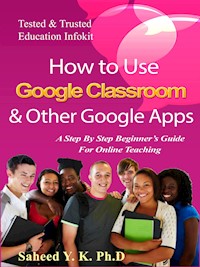
This book teaches you step by step how to set up Google Classroom, and create lecture periods.
Google Classroom is a free web service, developed by Google for schools, that aims to simplify creating, distributing, and grading assignments in a paperless way. The primary purpose of Google Classroom is to streamline the process of sharing files between teachers and students.
In this book you will also learn how to create Google Classroom for combining Google Drive for assignment creation and distribution, Google Docs, Sheets and Slides for writing, Gmail for communication, and Google Calendar for scheduling.
Order this book now to start learning how to use Google Classroom like a pro.
Das E-Book können Sie in Legimi-Apps oder einer beliebigen App lesen, die das folgende Format unterstützen:
Veröffentlichungsjahr: 2021
Ähnliche



















How to Use
Google Classroom
& Other Google Apps
A Step By Step Beginner’s Guide for
Online Teaching
By
Saheed Y. K. Ph.D.
How to Use Google Classroom & Other Google Apps
Copyright©Kaptain Publisher
ISBN: 9791220824729
Published in the United States
All rights reserved. No part of this book may be reproduced, stored in a retrieval system, or transmitted in any form or by any means, without the prior written permission of the publisher, except in the case of brief quotations embedded in critical articles or reviews. Every effort has been made in the preparation of this book to ensure the accuracy of the information presented. However, the information contained in this book is sold without warranty, either express or implied. The author/publisher, its dealers and distributors will not be held liable for any damages caused or alleged to be caused directly or indirectly by this book and videos. The author/publisher has endeavored to provide trademark information about all the companies and products mentioned in this book. However, he cannot guarantee the accuracy of this information.
Table of Contents
Introduction and Google Drive for files
Upload Files and Folders to Google Drive
Getting started with Google Drive
How to use Google Drive online
Basic Terms
Uploading a File Using Google Drive
Downloading Files
Google Classroom
Steps to Create Lecture Period using Google Classroom
How to Create a Class with Google Classroom
Customize the Appearance of Your Class
Steps to Join Lecture by Students
Add students via class code
How to Add Students in Classroom
Steps to Start New Lecture by Teachers
Adding Teachers
How to Control Activities on Google Classroom
View Your Class Resource Page
How to use Google Calendar
Test, Assignment and Marking control
Create Assignments
Marking Control and Grading
Steps on How to Grade with the Classroom
Advantages of Google Classroom
Limitation
How to Get Further Help
Introduction and Google Drive for files
Google Drive is a free, web-based office suite, data storage service and online storage solution offered by Google. According to Wikipedia, Google Drive is a file storage and synchronization service developed by Google, Launched on April 24, 2012. Google Drive allows users to store files on their servers, synchronize files across devices, and share files. In addition to a website, Google Drive offers apps with offline capabilities for Windows and macOS computers, and Android and iOS smartphones and tablets. Google Drive encompasses Google Docs, Google Sheets, and Google Slides, which are a part of an office suite that permits collaborative editing of documents, spreadsheets, presentations, drawings, forms, and more. Files created and edited through the office suite are saved in Google Drive.
Google Drive offers users 15 gigabytes of free storage through Google One. Google One also offers 100 gigabytes, 200 gigabytes, 2 terabytes, 10 terabytes, 20 terabytes, and 30 terabytes offered through optional paid plans. Files uploaded can be up to 5 terabytes in size. Users can change privacy settings for individual files and folders, including enabling sharing with other users or making content public. On the website, users can search for an image by describing its visuals, and use natural language to find specific files, such as "find my Computer Architecture Lecture note".
Upload Files and Folders to Google Drive
You can upload, view, share, and edit files with Google Drive. When you upload a file to Google Drive, it will take up space in your Drive, even if you upload to a folder owned by someone else.
Types of files
Documents
Images
Audio
Video
Getting started with Google Drive
If you have a Google account, then you already have access to Google Drive. If you do not have a Google account, you can sign up easily by creating a new account from the accounts.google web page. Consumer accounts are free and business or enterprise accounts may be provided by your employer.
Once you have a Google account, you can upload, store and share your files using Google Drive by means of three different methods:
Google Drive online
Google Drive computer application
Google Drive mobile application




