


31,19 €
Mehr erfahren.
- Herausgeber: Packt Publishing
- Kategorie: Wissenschaft und neue Technologien
- Sprache: Englisch
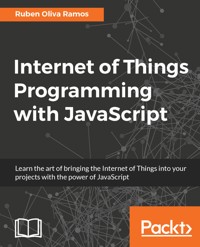
The Internet of Things is taking the tech world by storm, and JavaScript is at its helm. This book will get you to grips with this exciting new technology. Where do Node.js, HTML5 and Windows 10 IoT Core come in with JavaScript and IoT? Why Raspberry Pi Zero rather than Arduino? How do you configure and build an IoT network from scratch? All your IoT JavaScript questions are answered in this book.
Das E-Book können Sie in Legimi-Apps oder einer beliebigen App lesen, die das folgende Format unterstützen:
Seitenzahl: 148
Veröffentlichungsjahr: 2017
Ähnliche




















Table of Contents
Internet of Things Programming with JavaScript
Internet of Things Programming with JavaScript
Copyright © 2017 Packt Publishing
All rights reserved. No part of this book may be reproduced, stored in a retrieval system, or transmitted in any form or by any means, without the prior written permission of the publisher, except in the case of brief quotations embedded in critical articles or reviews.
Every effort has been made in the preparation of this book to ensure the accuracy of the information presented. However, the information contained in this book is sold without warranty, either express or implied. Neither the author, nor Packt Publishing, and its dealers and distributors will be held liable for any damages caused or alleged to be caused directly or indirectly by this book.
Packt Publishing has endeavored to provide trademark information about all of the companies and products mentioned in this book by the appropriate use of capitals. However, Packt Publishing cannot guarantee the accuracy of this information.
First published: February 2017
Production reference: 1150217
Published by Packt Publishing Ltd.
Livery Place
35 Livery Street
Birmingham
B3 2PB, UK.
ISBN 978-1-78588-856-4
www.packtpub.com
Credits
Author
Rubén Oliva Ramos
Copy Editor
Safis Editing
Reviewer
Jacqueline Wilson
Project Coordinator
Nidhi Joshi
Commissioning Editor
Wilson D'souza
Proofreader
Safis Editing
Acquisition Editor
Tushar Gupta
Indexer
Pratik Shirodkar
Content Development Editor
Aishwarya Pandere
Production Coordinator
Nilesh Mohite
Technical Editor
Karan Thakkar
About the Author
Rubén Oliva Ramos is a computer systems engineer, with a master's degree in computer and electronic systems engineering, teleinformatics and networking specialization from University of Salle Bajio in Leon, Guanajuato Mexico. He has more than five years of experience in: developing web applications to control and monitor devices connected with Arduino and Raspberry Pi using web frameworks and cloud services to build Internet of Things applications.
He is a mechatronics teacher at University of Salle Bajio and teaches students on the master's degree in Design and Engineering of Mechatronics Systems. He also works at Centro de Bachillerato Tecnologico Industrial 225 in Leon, Guanajuato Mexico, teaching the following: electronics, robotics and control, automation, and microcontrollers at Mechatronics Technician Career. He has worked on consultant and developer projects in areas such as monitoring systems and datalogger data using technologies such as Android, iOS, Windows Phone, Visual Studio .NET, HTML5, PHP, CSS, Ajax, JavaScript, Angular, ASP .NET databases (SQlite, mongoDB, and MySQL), and web servers (Node.js and IIS). Ruben has done hardware programming on Arduino, Raspberry Pi, Ethernet Shield, GPS and GSM/GPRS, ESP8266, and control and monitor systems for data acquisition and programming.
"I want to thank God for helping me writing this book and his inspiration, to my wife, Mayte, and my sons, Ruben and Dario, for their support while writing this book and in general for their support in all my projects. To my parents, my brother and sister whom I love.
I hope this book covers the main topics for students that want to learn more about Internet of Things projects, and all the prerequisites for building this kind of application."
www.packtpub.com
For support files and downloads related to your book, please visit www.PacktPub.com.
Did you know that Packt offers eBook versions of every book published, with PDF and ePub files available? You can upgrade to the eBook version at www.PacktPub.com and as a print book customer, you are entitled to a discount on the eBook copy. Get in touch with us at [email protected] for more details.
At www.PacktPub.com, you can also read a collection of free technical articles, sign up for a range of free newsletters and receive exclusive discounts and offers on Packt books and eBooks.
https://www.packtpub.com/mapt
Get the most in-demand software skills with Mapt. Mapt gives you full access to all Packt books and video courses, as well as industry-leading tools to help you plan your personal development and advance your career.
Why subscribe?
Customer Feedback
Thanks for purchasing this Packt book. At Packt, quality is at the heart of our editorial process. To help us improve, please leave us an honest review on this book's Amazon page at https://goo.gl/pZ7EFn.
If you'd like to join our team of regular reviewers, you can e-mail us at [email protected]. We award our regular reviewers with free eBooks and videos in exchange for their valuable feedback. Help us be relentless in improving our products!
Preface
The Raspberry Pi Zero is a powerful, low-cost, credit-card sized computer, which lends itself perfectly to begin the controller of sophisticated home automation devices. Using the available on-board interfaces, the Raspberry Pi Zero can be expanded to allow the connection of a virtually infinite number of security sensors and devices.
Since the Arduino platform is more versatile and useful for making projects, including the networking applications of the Internet of Things, this is what we will see in this book: the integration of devices connected to the nodes using the amazing and important Arduino board, and how to integrate the Raspberry Pi Zero to control and monitor the devices from a central interface working as a hub. With software programming you will create an Internet of Things system based in developing technologies such as JavaScript, HTML5, and Node.js.
This is exactly what I will teach you to do in this book. You will learn how to use the Raspberry Pi Zero board in several home domotics projects in order for you to build your own.
The books guides you, making the projects in each chapter from preparing the field, the hardware, the sensors, the communication, and the software programming-control in order to have a complete control and monitoring system.
What this book covers
Chapter 1, Getting Started with Raspberry Pi Zero, describes the procedure to set up the Raspberry Pi and the Arduino board, and how to communicate among the devices. We will install and set up the operating system, connect our Pi to the network, and access it remotely. We'll also secure our Pi and make sure it can keep the right time.
Chapter 2, Connecting Things to the Raspberry Pi Zero, shows how to connect signals to the Raspberry Pi Zero and Arduino. It explores the GPIO port and the various interfaces it features. We'll look at the various things we can connect to the Raspberry Pi using the GPIO.
Chapter 3, Connecting sensors - Measure the Real Things, shows how to implement the sensors for detecting different kinds of signal, for security systems, flow current for energy consumption, detecting some risk in the home, implementing a gas sensor, flow water sensor to measure water volume, and will also show how to make a security system that will control entrance to the home with a fingerprint sensor.
Chapter 4, Control-connected devices, shows how to control your Arduino board, using modules of communication in a networking area from the Raspberry Pi Zero in a central interface dashboard.
Chapter 5, Adding a Webcam to Monitor Your Security System, shows how to configure a webcam connected to your board to monitor your security system for the Internet of Things.
Chapter 6, Building a Web Monitor and Controlling Devices from a Dashboard, shows how to set up a system to monitor your security system using web services. Integrating the Raspberry Pi Zero with Arduino to build a complete system connected-devices and monitor.
Chapter 7, Building a Spy Police with the Internet of Things dashboard, shows how to make different mini home domotics projects and how to connect web services and monitor your security system using the Internet of Things.
Chapter 8, Monitor and Control your devices from a Smart Phone, explains how to develop an app for Smart Phone using Android Studio and APP inventor, and control your Arduino board and the Raspberry Pi Zero.
Chapter 9, Putting It All Together, shows how to put everything together, all the parts of the project, the electronics field, software configurations, and power supplies.
What you need for this book
You’ll need the following software:
In the first chapters, we explain all the basics so you will have everything configured and will be able to use the Raspberry Pi Zero without any problems, so you can use it for the projects in this book. We will use some basic components, such as sensors, and move to more complex components in the rest of the book.
On the software side, it is good if you actually have some existing programming skills, especially in JavaScript and in the Node.js framework. However, I will explain all the parts of each software piece of this book, so even if you don't have good programming skills in JavaScript you will be able to follow along.
Who this book is for
This book is for all the people who want to automate their homes and make them smarter, while at the same time having complete control of what they are doing. If that's your case, you will learn everything there is to learn in this book about how to use the amazing Raspberry Pi Zero board to control your projects.
This book is also for makers who have played in the past with other development boards, such as Arduino. If that's the case, you will learn how to use the power of the Raspberry Pi platform to build smart homes. You will also learn how to create projects that can easily be done with other platforms, such as creating a wireless security camera with the Pi Zero.
Conventions
In this book, you will find a number of text styles that distinguish between different kinds of information. Here are some examples of these styles and an explanation of their meaning.
Code words in text, database table names, folder names, filenames, file extensions, pathnames, dummy URLs, user input, and Twitter handles are shown as follows: "Extract 2015-09-24-raspbian-jessie.img to your Home folder."
A block of code is set as follows:
# passwd root@raspberrypi:/home/pi# passwd Enter new UNIX password: Retype new UNIX password: passwd: password updated successfully root@raspberrypi:/home/pi#When we wish to draw your attention to a particular part of a code block, the relevant lines or items are set in bold:
[default] exten => s,1,Dial(Zap/1|30) exten => s,2,Voicemail(u100) exten => s,102,Voicemail(b100) exten => i,1,Voicemail(s0)Any command-line input or output is written as follows:
sudo npm install express requestNew terms and important words are shown in bold. Words that you see on the screen, for example, in menus or dialog boxes, appear in the text like this:




