



32,99 €
Mehr erfahren.
- Herausgeber: John Wiley & Sons
- Kategorie: Wissenschaft und neue Technologien
- Sprache: Englisch
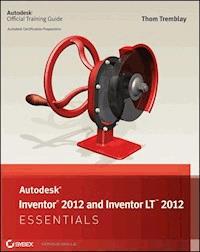
Quickly learn essential inventor tools and techniques This full-color Autodesk Official Press guide will help you quickly learn the powerful manufacturing software's core features and functions. Thom Tremblay, an Autodesk Certified Instructor, uses concise, straightforward explanations and real-world, hands-on exercises to help you become productive with Inventor. Full-color screenshots illustrate tutorial steps, and chapters conclude with a related and more open-ended project to further reinforce the chapter's lessons. Based on the very real-world task of designing tools and a toolbox to house them, the book demonstrates creating 2D drawings from 3D data, modeling parts, combining parts into assemblies, annotating drawings, using advanced assembly tools, working with sheet metal, presenting designs, and more. Full-color screenshots illustrate the steps, and additional files are available for download so you can compare your results with those of professionals. You'll also get information to help you prepare for the Inventor certification exams. * Introduces new users to the software with real-world projects, hands-on tutorials, and full-color illustrations * Begins each chapter with a quick discussion of concepts and learning goals and then moves into approachable, hands-on exercises * Covers the interface and foundational concepts, modeling parts, combining them into assemblies building with the frame generator, using weldments * Includes material to help you prepare for the Inventor certification exams Autodesk Inventor 2014 Essentials provides the information you need to quickly become proficient with the powerful 3D mechanical design software.
Sie lesen das E-Book in den Legimi-Apps auf:
Seitenzahl: 383
Veröffentlichungsjahr: 2013
Ähnliche


















Contents
Introduction
Chapter 1: Connecting to the Interface
Exploring the Graphical User Interface
Setting Application Options
Using Visualization Tools
Working with Project Files
Chapter 2: Introducing Parametric Sketching
Exploring the Essential Elements of a 2D Sketch
Controlling a Sketch
Using Dimensional Sketch Constraints
Defining and Placing Sketches
Chapter 3: Introducing Part Modeling
Creating 3D Geometry: The Parametric Solid Model
Defining the Base Feature
Defining Axial Features
Building Complex Shapes
Including Placed Features
The Hole Feature
Chapter 4: Creating 2D Drawings from 3D Data
Drawing Views of a Part
Editing Views
Adding Detail to Drawing Views
Dimensioning
Chapter 5: Introducing Assembly Modeling
Creating an Assembly
Understanding Grounded Components
Applying Assembly Constraints
Working with the Content Center
Using the Bolted Connection Generator
Joints: An Alternative to Constraints
Chapter 6: Exploring Part Modeling
Modeling using Primitives
Understanding Work Features
Using Sketched Feature Termination Options
Editing and Redefining Work Features
Chapter 7: Advanced Part Modeling
Creating 3D Sketches
Building a Hole Pattern
Exploring Advanced Efficiency Features
Chapter 8: Creating Advanced Drawings and Annotations
Creating Advanced Drawing Views
Using Advanced Drawing Annotation Tools
Chapter 9: Advanced Assembly and Engineering Tools
Controlling the Assembly Environment
Using Design Accelerators
Working with Additional Assembly Tools
Chapter 10: Creating Sculpted and Multibody Parts
Developing Specialized Features for Plastic Components
Creating an Assembly Using a Multibody Solid to Maintain a Consistent Shape
Chapter 11: Working with Sheet Metal Parts
Defining Sheet Metal Material Styles
Building Sheet Metal Components
Preparing the Part for Manufacture
Documenting Sheet Metal Parts
Chapter 12: Building with the Frame Generator
Creating Metal Frames
Editing Metal Frames
Controlling Frame Documentation
Chapter 13: Working in a Weldment Environment
Converting an Assembly
Calculating a Fillet Weld
Preparing to Apply Weld Features
Applying Weld Features
Adding Machined Features to the Weldment
Documenting Welds and Weldments
Appendix: Autodesk Inventor Certification
Senior Acquisitions Editor: Willem Knibbe
Development Editor: Alexa Murphy
Technical Editor: Dan Hunsucker
Production Editor: Eric Charbonneau
Copy Editor: Liz Welch
Editorial Manager: Pete Gaughan
Production Manager: Tim Tate
Vice President and Executive Group Publisher: Richard Swadley
Vice President and Publisher: Neil Edde
Book Designer: Happenstance Type O Rama
Proofreader: Nancy Bell
Indexer: Ted Laux
Project Coordinator, Cover: Katherine Crocker
Cover Designer: Ryan Sneed
Cover Image: © Thom Tremblay
Copyright © 2013 by John Wiley & Sons, Inc., Indianapolis, Indiana
Published simultaneously in Canada
ISBN: 978-1-118-57520-8
ISBN: 978-1-118-75759-8 (ebk.)
ISBN: 978-1-118-75757-4 (ebk.)
No part of this publication may be reproduced, stored in a retrieval system or transmitted in any form or by any means, electronic, mechanical, photocopying, recording, scanning or otherwise, except as permitted under Sections 107 or 108 of the 1976 United States Copyright Act, without either the prior written permission of the Publisher, or authorization through payment of the appropriate per-copy fee to the Copyright Clearance Center, 222 Rosewood Drive, Danvers, MA 01923, (978) 750-8400, fax (978) 646-8600. Requests to the Publisher for permission should be addressed to the Permissions Department, John Wiley & Sons, Inc., 111 River Street, Hoboken, NJ 07030, (201) 748-6011, fax (201) 748-6008, or online at www.wiley.com/go/permissions.
Limit of Liability/Disclaimer of Warranty: The publisher and the author make no representations or warranties with respect to the accuracy or completeness of the contents of this work and specifically disclaim all warranties, including without limitation warranties of fitness for a particular purpose. No warranty may be created or extended by sales or promotional materials. The advice and strategies contained herein may not be suitable for every situation. This work is sold with the understanding that the publisher is not engaged in rendering legal, accounting, or other professional services. If professional assistance is required, the services of a competent professional person should be sought. Neither the publisher nor the author shall be liable for damages arising herefrom. The fact that an organization or Web site is referred to in this work as a citation and/or a potential source of further information does not mean that the author or the publisher endorses the information the organization or Web site may provide or recommendations it may make. Further, readers should be aware that Internet Web sites listed in this work may have changed or disappeared between when this work was written and when it is read.
For general information on our other products and services or to obtain technical support, please contact our Customer Care Department within the U.S. at (877) 762-2974, outside the U.S. at (317) 572-3993 or fax (317) 572-4002.
Wiley publishes in a variety of print and electronic formats and by print-on-demand. Some material included with standard print versions of this book may not be included in e-books or in print-on-demand. If this book refers to media such as a CD or DVD that is not included in the version you purchased, you may download this material at http://booksupport.wiley.com. For more information about Wiley products, visit www.wiley.com.
Library of Congress Control Number: 2013936845
TRADEMARKS: Wiley, the Wiley logo, and the Sybex logo are trademarks or registered trademarks of John Wiley & Sons, Inc. and/or its affiliates, in the United States and other countries, and may not be used without written permission. Autodesk, Inventor, and Inventor LT are trademarks or registered trademarks of Autodesk, Inc. All other trademarks are the property of their respective owners. John Wiley & Sons, Inc. is not associated with any product or vendor mentioned in this book.
Dear Reader,
Thank you for choosing Autodesk Inventor 2014 and Inventor LT 2014 Essentials. This book is part of a family of premium-quality Sybex books, all of which are written by outstanding authors who combine practical experience with a gift for teaching.
Sybex was founded in 1976. More than 30 years later, we’re still committed to producing consistently exceptional books. With each of our titles, we’re working hard to set a new standard for the industry. From the paper we print on to the authors we work with, our goal is to bring you the best books available.
I hope you see all that reflected in these pages. I’d be very interested to hear your comments and get your feedback on how we’re doing. Feel free to let me know what you think about this or any other Sybex book by sending me an email at [email protected]. If you think you’ve found a technical error in this book, please visit http://sybex.custhelp.com. Customer feedback is critical to our efforts at Sybex.
Best regards,
Neil Edde
Vice President and Publisher
Sybex, an Imprint of Wiley
To the code writers, product developers, product managers, and program managers who created Inventor and made a difference: thank you.
Acknowledgments
I want to thank the tremendous team at Sybex for their patience and professionalism; specifically, Willem Knibbe, Pete Gaughan, Alexa Murphy, Eric Charbonneau, Liz Welch, Jenni Housh, Rebekah Worthman, Connor O’Brien, Rayna Erlick, and everyone else who worked hard behind the scenes with whom I didn’t get a chance to communicate directly. Special thanks once again to Dan Hunsucker for being the technical editor. If you’re in the Kansas City area and want to learn to use the Autodesk® Inventor® software from a real expert, you’ll be in great hands with Dan. Thanks to Tom Joseph, Don Carlson, and Debra Pothier of Autodesk for their support. Most of all, thank you to my wife Nancy for tolerating another “book season.”
About the Author
Thom Tremblay is a Strategy Manager for Autodesk Education and has worked with hundreds of schools and companies to help them understand how Inventor can help them with their designs. He is an Autodesk Inventor Certified Professional, an Autodesk Certified Instructor, and an Autodesk Certification Evaluator, and he has been working with Inventor for more than 14 years and with other Autodesk products for more than 27 years. He has used Autodesk software to design everything from cabinets and castings to ships and video monitors. He has close ties to the Inventor community; is a frequent speaker at colleges, universities, and training centers; and presents at Autodesk University annually.
Introduction
This book is designedto be a direct, hands-on guide to learning Inventor by using Inventor. The book includes lessons for absolute beginners, but experienced users can also find exercises to show them how tools they’re not familiar with work.
Nearly all of the over 200 exercises can be started from an existing file, so you need to do only those exercises that will help you most.
Who Should Read This Book
Autodesk Inventor 2014 and Inventor LT 2014 Essentials is designed to meet the needs of the following groups of users:
Professionals who use 2D or 3D design systems and want to learn Inventor at their own pace
Professionals attending instructor-led Inventor training at an Autodesk Authorized Training Center
Engineering and design students who need to learn Inventor to support their education and career
What You Will Learn
Autodesk Inventor 2014 and Inventor LT 2014 Essentials covers the most common uses of the tools in Autodesk Inventor® and Inventor LT®. Not every option is covered, but you will easily understand the options once you learn to use the primary tool.
The first nine chapters cover the core of Inventor in a way that steps the reader through creating drawings, parts, and assemblies in phases so there is a better opportunity to absorb the concepts.
The second portion of the book consists of four chapters that focus on tools and workflows specific to types of design and visualization. I recommend readers complete the work in these chapters to learn alternative workflows that may not be an obvious fit for their design needs but may help them nonetheless.
What You Need
To perform the exercises in this book, you must have Autodesk Inventor 2014 or Inventor LT 2014.
While offering a somewhat limited feature set, Inventor LT is a flexible and powerful tool focused on the core user needs of part modeling and 2D drawings. Inventor LT does not use a project file.
Autodesk Inventor LT is best aligned with Chapters 1–4 and 6–8 but is capable of doing some of the functions covered in Chapters 10 and 11. In cases where an assembly is used for an exercise on visualization you can use a part file instead.
To make sure that your computer is compatible with Autodesk Inventor 2014, check the latest hardware requirements at www.autodesk.com/inventor.
What Is Covered in This Book
Autodesk Inventor 2014 and Inventor LT 2014 Essentials is organized to provide you with the knowledge needed to master the basics of Inventor.
Chapter 1: Connecting to the Interface This chapter presents the interface, the basics of working with Inventor, and how to become productive with Inventor.
Chapter 2: Introducing Parametric Sketching The fundamental element of a 3D part is a 2D sketch using parametric dimensions to control its size. This chapter shows how to create these sketches.
Chapter 3: Introducing Part Modeling Building parametric solid models is essential to the effective use of Inventor. This chapter introduces the tools you need to build basic parts in Inventor.
Chapter 4: Creating 2D Drawings from 3D Data Creating 2D documentation of your designs is critical. This chapter presents the basic tools for placing views and dimensions in your drawings.
Chapter 5: Introducing Assembly Modeling Most products are made of many parts. Assembly tools help you control the position of the components relative to one another.
Chapter 6: Exploring Part Modeling In this chapter you dive deeply into the structure of 3D part models and learn techniques for refining your control over features.
Chapter 7: Advanced Part Modeling Advanced geometry requires more advanced modeling tools. Learn how to use advanced fillets, lofts, and other tools that create the complex shapes you need.
Chapter 8: Creating Advanced Drawings and Annotations This chapter focuses on creating and editing more complex drawing views and adding finishing touches to your drawings.
Chapter 9: Advanced Assembly and Engineering Tools An assembly is more than a group of parts. Inventor features many engineering-based tools that work in the assembly. This chapter also describes tools to help you control complex assemblies.
Chapter 10: Creating Sculpted and Multibody Parts Plastics have a number of common features that make them easier to assemble. These features are developed using specialized tools in Inventor.
Chapter 11: Working with Sheet Metal Parts The process of manufacturing sheet metal parts heavily influences how they are designed in Inventor. Creating material styles makes it easy for you to change the components by changing the style.
Chapter 12: Building with the Frame Generator Using traditional solid modeling tools to build metal frames is arduous and time-consuming. The Frame Generator tools shortcut the process and make even complex frames easy to design.
Chapter 13: Working in a Weldment Environment A weldment is a combination of an assembly and a part model. Inventor puts the needs of manufacturing first when defining a weldment, saving you time.
Appendix: Autodesk Inventor Certification Show the world that you know Inventor by becoming an Autodesk Certified User, Associate, or Expert. This appendix will help you find the resources in the book to get certified.
Visit the book’s website at www.sybex.com/go/inventor2014essentials for this additional content:
Bonus Chapter 1: Customizing Styles and Templates Using standards in manufacturing improves quality and efficiency. The same is true for Inventor. This chapter helps you understand the options that are available for building your own design standard.
Bonus Chapter 2: Working with Non–Inventor Data Inventor has the ability to import and export data to and from nearly any other design system. This chapter helps you understand what options you have in working with that data.
Bonus Chapter 3: Automating the Design Process and Table-Driven Design If you have repeatable design processes and products that share a lot of common features using tables can greatly improve productivity. Using rules to create new components that comply with production capabilities gives you even more flexibility.
Bonus Chapter 4: Creating Images and Animation from Your Design Data Sharing images and animations made from your designs can help others understand how your designs are created and understand their value. This chapter guides you through tools for sharing your work with others.
Exercise Data To complete the exercises in Autodesk Inventor 2014 and Inventor LT 2014 Essentials, you must download the data files from www.sybex.com/go/inventor2014essentials.
Please also check the book’s website for any updates to this book should the need arise. You can also contact the author directly by email at [email protected].
The Essentials Series
The Essentials series from Sybex provides outstanding instruction for readers who are just beginning to develop their professional skills. Every Essentials book includes these features:
Skill-based instruction with chapters organized around projects rather than abstract concepts or subjects.
Suggestions for additional exercises at the end of each chapter, where you can practice and extend your skills.
Digital files (via download) so you can work through the project tutorials yourself. Please check the book’s web page at
www.sybex.com/go/inventor2014essentials
for these companion downloads.
Chapter 1
Connecting to the Interface
To access the power of Autodesk® Inventor® 2014, you have to start with the interface. To some extent, Inventor is an interface between your ideas and your computer.
The ability to navigate and leverage the nuances of a program interface can mean the difference between struggling and excelling with the application. In this chapter, you will explore the components of dialog boxes, Ribbons, tabs, and viewing tools that will help you create your designs. You will also learn how to modify the interface to increase your comfort with Inventor.
Exploring the graphical user interface
Setting application options
Using visualization tools
Working with project files
Exploring the Graphical User Interface
Autodesk Inventor 2014 opens with a Welcome screen (Figure 1.1), which presents the new user with the tools needed to create a new file, open an existing one, and access the many Essential Skills Videos and tutorials built into the product. You can even change the units of the default templates to spare you from selecting Metric or English templates all the time.
FIGURE 1.1 The Autodesk Inventor Welcome screen
When you first see the interface, you will probably think it is rather bare. With no file open, you just have the absolute basics there. Even when a file is loaded, your design remains the focus of the interface. In Figure 1.2, you can see the primary elements of the interface that we will refer to in this chapter.
FIGURE 1.2 Elements of the Inventor user interface
Users of other current Autodesk or Microsoft applications will recognize the Ribbon-style interface and the Application icon in the upper left. The adoption of the Ribbon interface in Inventor goes beyond most other applications by actively offering you tools when they’re most needed. But let’s not get ahead of ourselves; let’s start by getting more details on these features.
Across the top of the Inventor window is the title bar. It lets you know you’re using Autodesk Inventor, or it displays the name of the active file when you’re editing one.
In the upper-left corner is an icon with a large I on it. Clicking it opens the Application menu (), which displays tools for creating and manipulating files (on the left) and a list of recently opened files (on the right). If you want to be able to return to a file frequently, you can select the pushpin icon to the right of the filename and keep it on the list of recently accessed files.
Lesen Sie weiter in der vollständigen Ausgabe!
Lesen Sie weiter in der vollständigen Ausgabe!
Lesen Sie weiter in der vollständigen Ausgabe!
Lesen Sie weiter in der vollständigen Ausgabe!
Lesen Sie weiter in der vollständigen Ausgabe!
Lesen Sie weiter in der vollständigen Ausgabe!
Lesen Sie weiter in der vollständigen Ausgabe!
Lesen Sie weiter in der vollständigen Ausgabe!
Lesen Sie weiter in der vollständigen Ausgabe!
Lesen Sie weiter in der vollständigen Ausgabe!
Lesen Sie weiter in der vollständigen Ausgabe!
Lesen Sie weiter in der vollständigen Ausgabe!
Lesen Sie weiter in der vollständigen Ausgabe!




