


4,99 €
Mehr erfahren.
- Herausgeber: Raymond James
- Kategorie: Wissenschaft und neue Technologien
- Sprache: Englisch
The new iPhone 15 Pro Max is the latest addition to the iPhone 15 series. It includes the iPhone 15 Pro, iPhone 15 Plus, and iPhone 15. The network is on 5G connectivity, with a variety of colors including Blue Titanium, Black Titanium, White Titanium, and Natural Titanium.
The iPhone 15 Pro Max holds an IP68 rating, while it boasts a gigantic lightweight Titanium design, thus resistant to dust and water. In height, it measures a dimension of 159.90 mm, its width is 76.70, while it's about 8.25 mm in thickness.
Moreso, its screen resolution is 2796 x 1290 pixels, a 6.7-inch display, and about 460 pixels per inch (ppi), thus this makes it deliver a quality viewing experience for videos, movies, and games.
In this book, you can’t wait to learn the following:
- Basic Navigation
- Widget Library
- Opening an Application
- Exiting an Application
- Opening Web Pages Application
- Organizing Your Apps
- Organizing your Applications in Folders
- Downloading Applications from the App Store
- Adding Widgets to the Home Screen
- How to Add Widget to the Home Screen
- The Basics to the iPhone 15 Settings
- Notifications
- How to Change the Display Notification
- Sounds and Haptics
- Focus and Screen Time
- Display and Brightness
- Battery Life
- Turning on the Power Saving Mode
- Lock Screen
- Turning Off your iPhone 15 Pro Max
- Turning On your iPhone
- Accessing the Lock Screen
- How to Add more apps to the control center
- The App Switcher and Multitasking on your iPhone 15
- The Search
- The Virtual Assistant with the iPhone Siri
- Setting up Siri
- Interacting with Dynamic Island
- The Camera App
- More Tips and Tricks
- Run a Safety Check
- Calling up Apple Pay
- How to Turn your iPhone 15 Pro Max into a Long Clock Bed Side.
- Focus Mode
- Personal Voice
- And More…
Das E-Book können Sie in Legimi-Apps oder einer beliebigen App lesen, die das folgende Format unterstützen:
Veröffentlichungsjahr: 2023
Ähnliche


















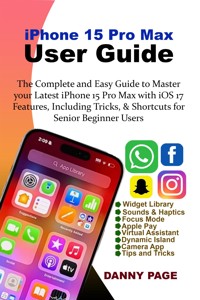
iPhone 15 Pro Max User Guide: The Complete and Easy Guide to Master your Latest iPhone 15 Pro Max with iOS 17 Features, Including Tricks & Shortcuts for Senior Beginner Users
Danny Page
Published by Danny Page, 2023.
While every precaution has been taken in the preparation of this book, the publisher assumes no responsibility for errors or omissions, or for damages resulting from the use of the information contained herein.
IPHONE 15 PRO MAX USER GUIDE: THE COMPLETE AND EASY GUIDE TO MASTER YOUR LATEST IPHONE 15 PRO MAX WITH IOS 17 FEATURES, INCLUDING TRICKS & SHORTCUTS FOR SENIOR BEGINNER USERS
First edition. October 6, 2023.
Copyright © 2023 Danny Page.
Written by Danny Page.
10 9 8 7 6 5 4 3 2 1
Also by Danny Page
Samsung Galaxy S23 Experts Guide
iPhone 15 Pro Max User Guide: The Complete and Easy Guide to Master your Latest iPhone 15 Pro Max with iOS 17 Features, Including Tricks & Shortcuts for Senior Beginner Users
To everyone looking forward to having in-depth knowledge of mastering the latest iPhone 15 Pro Max.
iPhone 15 Pro Max User Guide
The Complete and Easy Guide to Master your Latest iPhone 15 Pro Max with iOS 17 Features, Including Tricks & Shortcuts for Senior Beginner Users
By Danny Page
Copyright © 2023 Danny Page
All rights reserved. No part of this publication may be reproduced, distributed, or transmitted in any form or by any means, including photocopying, recording, or other electronic or mechanical methods, without the prior written permission of the publisher, except in the case of brief quotations embodied in critical reviews and certain other noncommercial uses permitted by copyright law.
Limit of Liability/Disclaimer of Warranty: While the publisher and author have used their best efforts in preparing this book, they make no representations or warranties with respect to the accuracy or completeness of the contents of this book and specifically disclaim any implied warranties of merchantability or fitness for a particular purpose. No warranty may be created or extended by sales representatives or written sales materials. The advice and strategies contained herein may not be suitable for your situation. You should consult with a professional where appropriate. Neither the publisher nor author shall be liable for any loss of profit or any other commercial damages, including but not limited to special, incidental, consequential, or other damages.
Table of Content
INTRODUCTION
Chapter One
Basic Navigation
Widget Library
Opening an Application
Exiting an Application
Chapter Two
Opening Web Pages Application
Organizing Your Apps
Organizing your Applications in Folders
Downloading Applications from the App Store
Chapter Three
Adding Widgets to the Home Screen
How to Add Widget to the Home Screen
Chapter Four
The Basics to the iPhone 15 Settings
Notifications
How to Change the Display Notification
Sounds and Haptics
Focus and Screen Time
Chapter Five
Display and Brightness
Battery Life
Turning on the Power Saving Mode
Chapter Six
The Lock Screen
Turning Off your iPhone 15 Pro Max
Turning On your iPhone
Accessing the Lock Screen
Chapter Seven
How to Add more apps to the control center
The App Switcher and Multitasking on your iPhone 15
The Search
Chapter Eight
The Virtual Assistant with the iPhone Siri
Setting up Siri
Interacting with Dynamic Island
The Camera App
Chapter Nine
More Tips and Tricks
Run a Safety Check
Calling up Apple Pay
How to Turn your iPhone 15 Pro Max into a Long Clock Bed Side.
Focus Mode
Linking Your Focus Mode with Lock Screen
Personal Voice
INTRODUCTION
The new iPhone 15 Pro Max is the latest addition to the iPhone 15 series. It includes the iPhone 15 Pro, iPhone 15 Plus, and iPhone 15. The network is on 5G connectivity, with a variety of colors including Blue Titanium, Black Titanium, White Titanium, and Natural Titanium.
The iPhone 15 Pro Max holds an IP68 rating, while it boasts a gigantic lightweight Titanium design, thus resistant to dust and water. In height, it measures a dimension of 159.90 mm, its width is 76.70, while it's about 8.25 mm in thickness.
Moreso, its screen resolution is 2796 x 1290 pixels, a 6.7-inch display, and about 460 pixels per inch (ppi), thus this makes it deliver a quality viewing experience for videos, movies, and games.
I’m going to be showing you how to use the iPhone 15 Pro Max. The Pro plus the standard iPhone 15.
This is the Beginners’ guide to the new iPhone 15 Pro Max and 15 series of iPhones, we’ve got titanium, pink, and we’ve got the new Action Button that we’re going to talk about, with so many things I’m going to walk you through in this book.
Now let’s begin with the basics and then walk our way up to some advanced features, and of course you can start getting the most out of this iPhone.
Chapter One
Basic Navigation
What we are actually looking at here is our home page. The Home page comprises of applications which are small, little apps, and some widgets at the top, at the bottom is the Dock which holds four applications that are always there on this page. You’ll notice that when we navigate away from these page, all the four applications on the Dock never move, and navigating through is done by touches, and gestures with your fingers.




