


33,59 €
Mehr erfahren.
- Herausgeber: Packt Publishing
- Kategorie: Wissenschaft und neue Technologien
- Sprache: Englisch
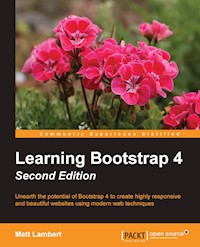
Unearth the potential of Bootstrap 4 to create highly responsive and beautiful websites using modern web techniques
About This Book
- This book shows how to take advantage of the all new features introduced in Bootstrap
- Learn responsive web design and discover how to build mobile-ready websites with ease
- Find out how to extend the capabilities of Bootstrap with a huge range of tools and plugins, including jQuery,
- Do more with JavaScript and learn how to create an enhanced user experience
Who This Book Is For
If you want to learn to build enterprise-level websites efficiently with Bootstrap, this book is for you. You must have a basic and fundamental understanding of HTML, CSS, and JavaScript; however, there is no need to have prior Bootstrap experience.
What You Will Learn
- Fire up Bootstrap and set up the required build tools to get started
- See how and when to use Flexbox with the Bootstrap layouts
- Find out how to make your websites responsive, keeping in mind Mobile First design
- Work with content such as tables and figures
- Play around with the huge variety of components that Bootstrap offers
- Extend your build using plugins developed from JavaScript
- Use Sass to customize your existing themes
In Detail
Bootstrap, the most popular front-end framework built to design elegant, powerful, and responsive interfaces for professional-level web pages has undergone a major overhaul. Bootstrap 4 introduces a wide range of new features that make front-end web design even simpler and exciting.
In this gentle and comprehensive book, we'll teach you everything that you need to know to start building websites with Bootstrap 4 in a practical way. You'll learn about build tools such as Node, Grunt, and many others. You'll also discover the principles of mobile-first design in order to ensure your pages can fit any screen size and meet the responsive requirements. Learn to play with Bootstrap's grid system and base CSS to ensure your designs are robust and that your development process is speedy and efficient. Then, you'll find out how you can extend your current build with some cool JavaScript Plugins, and throw in some Sass to spice things up and customize your themes. This book will make sure you're geared up and ready to build amazingly beautiful and responsive websites in a jiffy.
Style and approach
With the help of several real-world examples and code, this book will teach you to build a full-featured responsive website in Bootstrap, which is mobile-ready.
Sie lesen das E-Book in den Legimi-Apps auf:
Seitenzahl: 267
Veröffentlichungsjahr: 2016
Ähnliche


















Table of Contents
Learning Bootstrap 4 - Second Edition
Learning Bootstrap 4 - Second Edition
Copyright © 2016 Packt Publishing
All rights reserved. No part of this book may be reproduced, stored in a retrieval system, or transmitted in any form or by any means, without the prior written permission of the publisher, except in the case of brief quotations embedded in critical articles or reviews.
Every effort has been made in the preparation of this book to ensure the accuracy of the information presented. However, the information contained in this book is sold without warranty, either express or implied. Neither the author, nor Packt Publishing, and its dealers and distributors will be held liable for any damages caused or alleged to be caused directly or indirectly by this book.
Packt Publishing has endeavored to provide trademark information about all of the companies and products mentioned in this book by the appropriate use of capitals. However, Packt Publishing cannot guarantee the accuracy of this information.
First published: December 2014
Second edition: August 2016
Production reference: 1220816
Published by Packt Publishing Ltd.
Livery Place
35 Livery Street
Birmingham B3 2PB, UK.
ISBN 978-1-78588-100-8
www.packtpub.com
Credits
Author
Matt Lambert
Copy Editor
Safis Editing
Reviewer
Sherwin Robles
Project Coordinator
Ulhas Kambali
Commissioning Editor
Wilson Dsouza
Proofreader
Safis Editing
Acquisition Editor
Dharmesh Parmar
Indexer
Tejal Daruwale Soni
Content Development Editor
Prashanth G Rao
Production Coordinator
Melwyn Dsa
Technical Editor
Murtaza Tinwala
Graphics
Abhinash Sahu
About the Author
Matt Lambert is a designer and developer with more than 16 years of experience. He currently works full-time as a senior product designer for CA Technologies in Vancouver, BC, Canada.
In his free time, he is an author, artist, and musician. In 2005, Matt founded Cardeo Creative, which is a small web design studio based in Vancouver. He works with a select list of clients on a part-time basis while producing his own products on the side.
To date, Matt has self-published three additional development books titled: Mastering Bootstrap, CSS3 Handbook, and the Freelance Startup Guide. He is also the author of Bootstrap Site Blueprints Volume II, Packt Publishing.
About the Reviewer
Sherwin Robles is a web application developer from the Philippines with a solid 5 years of experience of designing, developing, and implementing automated solutions. Most of his projects are built with the CakePHP framework with the help of Bootstrap, which makes development even faster. In April 2015 he joined INIGOTECH, a company that aims to make your ideas into reality.
His expertise is rooted in research and development endeavors on the subject of achieving improved levels of dependability from Internet and computing systems.
www.PacktPub.com
eBooks, discount offers, and more
Did you know that Packt offers eBook versions of every book published, with PDF and ePub files available? You can upgrade to the eBook version at www.PacktPub.com and as a print book customer, you are entitled to a discount on the eBook copy. Get in touch with us at [email protected] for more details.
At www.PacktPub.com, you can also read a collection of free technical articles, sign up for a range of free newsletters and receive exclusive discounts and offers on Packt books and eBooks.
https://www2.packtpub.com/books/subscription/packtlib
Do you need instant solutions to your IT questions? PacktLib is Packt's online digital book library. Here, you can search, access, and read Packt's entire library of books.
Why subscribe?
Preface
Bootstrap, the most popular frontend framework built to design elegant, powerful, and responsive interfaces for professional-level web pages, has undergone a major overhaul. Bootstrap 4 introduces a wide range of new features that make frontend web design even more simple and exciting. In this comprehensive tutorial, we'll teach you everything you need to know to start building websites with Bootstrap 4 in a practical way. You'll get a feel of build tools such as Node, Grunt, and more to start building your project. You'll discover the principles of mobile-first design to ensure your pages can adapt to fit any screen size and meet the responsive requirements of the modern age. You'll get to play with Bootstrap’s grid system and base CSS to ensure your designs are robust and beautiful, and that your development process is speedy and efficient. Then, you'll find out how you can extend your current build with some cool JavaScript plugins, and throw in some Sass to spice things up and customize your themes. If you’ve tinkered with Bootstrap before and are planning on migrating to the latest version, we’ll give you just the right tricks to get you there. This book will make sure you’re geared up and ready to build amazingly beautiful and responsive websites in a jiffy.
What this book covers
Chapter 1 , Introducing Bootstrap 4, will be a quick overview of what Bootstrap is, what's new in Bootstrap 4, and why a developer should take the time to learn about the new framework. We'll also discuss the basic files and templates needed for any web page. I'll also cover the different ways you can download or build a Bootstrap project.
Chapter 2 , Using Bootstrap Build Tools, will teach the user how to use build tools such as Node, Grunt, and Autoprefixer to build their own projects.
Chapter 3 , Jumping into Flexbox, will give a quick explanation of what a flexbox layout is compared to traditional layouts. Also, you will learn about the benefits of flexbox and when to use it. Then it will briefly explain how to create a flexbox layout using the new Bootstrap layout component and review it with the reader.
Chapter 4 , Working with Layouts, will teach you the basic Bootstrap layout components and what is new in Bootstrap 4 in regard to them. For the components that are significantly different, the chapter will provide coded examples for the users.
Chapter 5 , Working with Content, covers the new Bootstrap CSS reset named REBOOT. It will also cover typography, code, images, tables, and figure components.
Chapter 6 , Playing with Components, will be one of the longer chapters in the book as it will cover a large amount of Bootstrap components. It will cover all remaining Bootstrap components, including Buttons, button groups, button drop-down, forms, input groups, drop-downs, jumbotron, labels, alerts, cards, navs, navbars, breadcrumbs, pagination, progress, and list groups.
Chapter 7, Extending Bootstrap with JavaScript Plugin, will cover any and all components in Bootstrap that rely on JavaScript. This will include Modal, Tooltips, Popovers, Collapse, and Carousel.
Chapter 8, Throwing in Some Sass, will explain how, in Bootstrap 4, the framework has moved from Less to Sass as its CSS preprocessor. It will cover the basics of using Sass in a Bootstrap theme and explain how you can customize or use existing variables or write your own.
Chapter 9, Migrating from Version 3, will cover the basic steps required to migrate a website from version 3 to 4 and point out some of the known trouble areas for doing this.
What you need for this book
To get started using Bootstrap 4 there are a few tools I would recommend installing on your computer. First of all you'll need a text editor like Sublime Text or Notepad. Secondly you'll need a command line tool. If you're on a MAC you can use Terminal which is included with OSX. If you're on Windows I would recommend downloading Cygwin. That's all you need to get started with the book. In Chapter 2, Using Bootstrap Build Tools, I'll cover the installation of a few other tools that we'll be using in our project like: Node.js, NPM, Grunt.js, Jekyll, Harp.js and Sass. If you already have those tools installed great! If not, don't worry we'll go through it step by step later in the book.
Who this book is for
If you want to learn to build enterprise-level websites efficiently with Bootstrap, this book is for you. You must have a basic and fundamental understanding of HTML, CSS, and JavaScript; however, there is no need to have prior Bootstrap experience.
Conventions
In this book, you will find a number of text styles that distinguish between different kinds of information. Here are some examples of these styles and an explanation of their meaning.
Code words in text, database table names, folder names, filenames, file extensions, pathnames, dummy URLs, user input, and Twitter handles are shown as follows: "Bootstrap has taken normalize.css and extended it with a new module. "
A block of code is set as follows:
<!DOCTYPE html> <html lang="en"> <head> <!-- Required meta tags always come first --> <meta charset="utf-8"> <meta name="viewport" content="width=device-width, initial-scale=1, shrink-to-fit=no">Any command-line input or output is written as follows:
$ sudo npm install -g harpNew terms and important words are shown in bold. Words that you see on the screen, for example, in menus or dialog boxes, appear in the text like this: "The first is the white button labeled Close, which, when clicked, will close the Modal."
Note
Warnings or important notes appear in a box like this.
Tip
Tips and tricks appear like this.
Reader feedback
Feedback from our readers is always welcome. Let us know what you think about this book—what you liked or disliked. Reader feedback is important for us as it helps us develop titles that you will really get the most out of.
To send us general feedback, simply e-mail [email protected], and mention the book's title in the subject of your message.
If there is a topic that you have expertise in and you are interested in either writing or contributing to a book, see our author guide at www.packtpub.com/authors.
Customer support
Now that you are the proud owner of a Packt book, we have a number of things to help you to get the most from your purchase.
Downloading the example code
You can download the example code files for this book from your account at http://www.packtpub.com. If you purchased this book elsewhere, you can visit http://www.packtpub.com/support and register to have the files e-mailed directly to you.
You can download the code files by following these steps:
You can also download the code files by clicking on the Code Files button on the book's webpage at the Packt Publishing website. This page can be accessed by entering the book's name in the Search box. Please note that you need to be logged in to your Packt account.
Once the file is downloaded, please make sure that you unzip or extract the folder using the latest version of:
The code bundle for the book is also hosted on GitHub at https://github.com/PacktPublishing/Learning-Bootstrap-4. We also have other code bundles from our rich catalog of books and videos available at https://github.com/PacktPublishing/. Check them out!
Downloading the color images of this book
We also provide you with a PDF file that has color images of the screenshots/diagrams used in this book. The color images will help you better understand the changes in the output. You can download this file from https://www.packtpub.com/sites/default/files/downloads/LearningBootstrap4_ColorImages.pdf.
Errata
Although we have taken every care to ensure the accuracy of our content, mistakes do happen. If you find a mistake in one of our books—maybe a mistake in the text or the code—we would be grateful if you could report this to us. By doing so, you can save other readers from frustration and help us improve subsequent versions of this book. If you find any errata, please report them by visiting http://www.packtpub.com/submit-errata, selecting your book, clicking on the Errata Submission Form link, and entering the details of your errata. Once your errata are verified, your submission will be accepted and the errata will be uploaded to our website or added to any list of existing errata under the Errata section of that title.
To view the previously submitted errata, go to https://www.packtpub.com/books/content/support and enter the name of the book in the search field. The required information will appear under the Errata section.
Piracy
Piracy of copyrighted material on the Internet is an ongoing problem across all media. At Packt, we take the protection of our copyright and licenses very seriously. If you come across any illegal copies of our works in any form on the Internet, please provide us with the location address or website name immediately so that we can pursue a remedy.
Please contact us at [email protected] with a link to the suspected pirated material.
We appreciate your help in protecting our authors and our ability to bring you valuable content.
Questions
If you have a problem with any aspect of this book, you can contact us at [email protected], and we will do our best to address the problem.
Chapter 1. Introducing Bootstrap 4
Bootstrap is the most popular HTML, CSS, and JavaScript framework on the planet. Whether you are new to web development or an experienced master, Bootstrap is a powerful tool for whatever type of web application you are building. With the release of version 4, Bootstrap is more relevant than ever and brings a complete set of components that are easy to learn to use. In this book, I'll jump right into using Bootstrap, what's new in version 4, and strategies you can use to get the most out of the framework. In my opinion, the best way to learn to code is through real-world examples. As we progress through the book, we'll build a blog and portfolio website so that you will have a fully functional template once you're done. In this chapter, I'll cover the following topics:
Introducing Bootstrap
There are several reasons to use Bootstrap but let me boil it down to a few of the key reasons I recommend it. If you're like me, you're constantly starting new web projects. One of the most frustrating parts of getting a project off the ground is to reinvent the base HTML, CSS, and JavaScript for each project. It makes much more sense to reuse the same base code and then build on top of it. Some developers may prefer to write their own framework, and in some cases this may make sense. However, with most projects, I've found that it is easier to just use an existing framework. On top of the components that Bootstrap provides out-of-the-box, there are hundreds of other third-party components you can integrate it with, with a large community of other developers to help you.
Bootstrap is also a powerful prototyping tool in the start-up world. Often, you will want to vet an idea without investing tons of time into it. Bootstrap allows you to quickly build a prototype to prove out your idea without a large time commitment to build out a frontend that you might not end up using. Even better, if you're working in a team of developers, it is very likely everyone will be familiar with the framework. This will allow for code consistency from day one. No arguing over how to name the selectors or the best way to structure a CSS file. Most of the configuration is already set up for you and you can get on with creating your project faster.
Bootstrap 4 advantages
With the release of Bootstrap 4, there are a number of key updates to the framework. One of the biggest changes is the move from Less, which is a CSS preprocessor, to Sass. When Bootstrap first started out, there was no clear favorite when it came to preprocessors. Over the last couple of years, Sass has gained a bit of an edge, so this switch should come as no surprise. If you haven't used Sass before, don't worry; it is similar to Less and really easy to learn. In later chapters, I will cover Sass in greater depth.
Improved grid system and flexbox
Another big new feature in version 4 is the improved grid system and the inclusion of flexbox. For the regular grid, another grid level has been added to better target mobile devices, and media queries have been reworked too. Flexbox is the grid of the future and it's really exciting that it's been included. By default, the regular grid will work out-of-the-box but you can switch to the flexbox grid by switching a simple Sass variable to take advantage of this new layout component.
Card component
Bootstrap 4 sees the deprecation of components such as wells, thumbnails, and panels, and the introduction of the new card component. This is a good thing for a couple of reasons. First of all, it removes a few components that were similar and replaces them with a single card component. This makes the framework a little lighter and easier to learn for the new user. The card component has also seen an increase in popularity lately, so it makes sense to include it here. All one has to do is to look at the popularity of Google's Material Design to see how cards are a great component to use in a web application.
Rebooting normalize.css
One change that you might not notice immediately but is great nonetheless is the improvements to the built-in CSS reset. Bootstrap has taken normalize.css and extended it with a new module called Reboot. Reboot improves on Normalize and tightens up the default browser styling that needs to be reset for all web-based projects.
Internet Explorer 8 support dropped
I couldn't be happier to see that Bootstrap has dropped support for Internet Explorer 8 (IE8). The time has come to leave this browser in the past! If you need IE8 support, the recommendation is to continue using Bootstrap 3.
Other updates
All of the JavaScript plugins that come with Bootstrap have been rewritten in ES6, which allows for the use of the latest JavaScript functionality. The tooltip and popover components have been extended to use the Tether library. This is just scratching the surface, as there are a ton of other minor updates that have been built into the framework.
Implementing framework files
Before we get into building the basic template for a Bootstrap project, we should review the files that we need to include to make the framework run properly. At the very minimum, we require one CSS file and two JavaScript files. These files can either be served from the Bootstrap Content Delivery Network (CDN) or downloaded and included directly in our project. If you are using the CDN, simply include this line of code in the head of your file:
<link rel="stylesheet" href="https://maxcdn.bootstrapcdn.com/bootstrap/4.0.0-alpha.2/css/bootstrap.min.css" integrity="sha384-y3tfxAZXuh4HwSYylfB+J125MxIs6mR5FOHamPBG064zB+AFeWH94NdvaCBm8qnd" crossorigin="anonymous">If you would like to include the CSS file yourself, go to http://getbootstrap.com/ and download the framework. Extract the resultant ZIP file and locate the /css directory. Within this directory will be a number of CSS files. The only one you need to worry about is bootstrap.min.css. Locate that file and copy it to the /css directory of your own project. Once there, link it into the head of your document, which will look something like this:
<link rel="stylesheet" href="/path/to/your/file/bootstrap.min.css">Inserting the JavaScript files
As I mentioned earlier, we need to include two JavaScript files to implement the framework properly. The files are the jQuery and Bootstrap JavaScript framework files. As with the CSS file, you can either do this through the use of a CDN or download and insert the files manually. The JavaScript files should be inserted at the bottom of your page right before the closing </body> tag. If you choose to use the CDN, insert the following lines of code:
<script src="https://ajax.googleapis.com/ajax/libs/jquery/2.1.4/jquery.min.js"></script> <script src="https://maxcdn.bootstrapcdn.com/bootstrap/4.0.0-alpha.2/js/bootstrap.min.js" integrity="sha384-vZ2WRJMwsjRMW/8U7i6PWi6AlO1L79snBrmgiDpgIWJ82z8eA5lenwvxbMV1PAh7" crossorigin="anonymous"></script>If you prefer to insert the files yourself, go back to the Bootstrap package you downloaded earlier and locate the /js directory. There will be a few files here but the one you want is bootstrap.min.js. You'll need to also head to http://jquery.com to download the jQuery framework file. Once you've done that, drop both files into the /js directory for your own project. Next, enter the following lines of code at the bottom of your page template. Make sure jQuery is loaded before bootstrap.min.js. This is critical; if you load them in the opposite order, the framework won't work properly:
<script src="/path/to/your/files/jquery.min.js"></script> <script src="/path/to/your/files/bootstrap.min.js"></script>That concludes the explanation of the key Bootstrap framework files you need to include to get your project started. The next step will be to set up the basic starter template so you can begin coding your project.
The starter template
The basic starter template is the bare bones of what you'll need to get a page going using Bootstrap. Let's start by reviewing the code for the entire template and then I'll break down each critical part:
<!DOCTYPE html> <html lang="en"> <head> <!-- Required meta tags always come first --> <meta charset="utf-8"> <meta name="viewport" content="width=device-width, initial-scale=1, shrink-to-fit=no"> <meta http-equiv="x-ua-compatible" content="ie=edge"> <!-- Bootstrap CSS --> <link rel="stylesheet" href="https://maxcdn.bootstrapcdn.com/bootstrap/4.0.0-alpha.2/css/bootstrap.min.css" integrity="sha384-y3tfxAZXuh4HwSYylfB+J125MxIs6mR5FOHamPBG064zB+AFeWH94NdvaCBm8qnd" crossorigin="anonymous"> </head> <body> <h1>Hello, world!</h1> <!-- jQuery first, then Bootstrap JS. --> <script src="https://ajax.googleapis.com/ajax/libs/jquery/2.1.4/jquery.min.js"></script> <script src="https://maxcdn.bootstrapcdn.com/bootstrap/4.0.0-alpha.2/js/bootstrap.min.js" integrity="sha384-vZ2WRJMwsjRMW/8U7i6PWi6AlO1L79snBrmgiDpgIWJ82z8eA5lenwvxbMV1PAh7" crossorigin="anonymous"></script> </body> </html>HTML5 DOCTYPE
Like most projects nowadays, Bootstrap uses the HTML5 DOCTYPE for its template. That is represented by the following line of code:
<!DOCTYPE html>Avoid using other DOCTYPES such as XHTML strict or transitional or unexpected issues will arise with your components and layouts.
Structuring the responsive meta tag
Bootstrap is a mobile-first framework so the following meta tag needs to be included to allow for responsive web design. To make sure your project renders properly on all types of devices, you must include this meta tag in the <head> of your project:
<meta name="viewport" content="width=device-width, initial-scale=1, shrink-to-fit=no">If you're interested in learning more about how responsive web design works in Bootstrap, you should check out the documentation at: http://v4-alpha.getbootstrap.com/layout/responsive-utilities/ .
That brings to a close the most important parts of the template that you need to be aware of. The remainder of the code in the starter template should be straightforward and easy to understand.
Normalizing and Rebooting
As I mentioned earlier, Bootstrap uses normalize.css as the base CSS reset. With the addition of the Reboot reset, Bootstrap extends Normalize and allows for styling to only be done using CSS classes. This is a much safer pattern to follow, as it's much easier to deal with CSS specificity if you are NOT using CSS IDs for styling purposes. The CSS reset code is baked right into bootstrap.min.css so there is no need to include any further CSS files for the reset.
Taking the starter template further
Although we have our template set up, one of the main problems with static websites is when things change. If your project grew to 50, 100, or 500 pages and you wanted to possibly update to a new version of Bootstrap, you might be looking at having to update all of those files. This is extremely painful, to put it mildly. Now we enter static site generators.
Using a static site generator
One of the hottest trends right now in web development is the use of static site generators. What exactly does that mean? Instead of having several static files that require updating every time something changes globally, you can use a series of base templates then load your body content into them. This is sometimes called includes or partials. This way, you only have one or two layout files that include the header and footer code.
Then, when something changes, you only have to update a few files instead of 500. Once your website is complete, you then generate a version that is plain HTML, CSS, and JavaScript, and deploy it to your server. This is what I would call creating your own frontend web development environment. This is also how most people work on larger projects nowadays to keep them manageable.
Converting the base template to a generator
Why don't we integrate the basic template into a generator so I can show you what I'm talking about? My generator of choice is called Harp.js and you can install it over at http://harpjs.com/.
Before we get too far ahead of ourselves, we need to install Node.js. Harp runs off Node.js so it's a dependency you'll need to use. If this feels too advanced for you, feel free to skip ahead to Chapter 2 , Using Bootstrap Build Tools. This section is totally optional. Head to the following URL to install Node.js if you don't already have it on your computer: https://nodejs.org/download/ .
Follow the instructions on the Node.js website and, once you've finished installing it, run the following command in a command-line application such as Terminal or Cygwin:
$ node -vThis should spit out the version number of Node.js that you just installed and will also confirm that the installation worked. You should see something like this:
$ v0.10.33Perfect, now let's move on to installing Harp.
Installing Harp.js
If you closed your command-line app, open it back up. If you are on a Mac, run the following command to install Harp:
$ sudo npm install -g harp




