


8,99 €
Mehr erfahren.
- Herausgeber: Tylara LLC
- Kategorie: Wissenschaft und neue Technologien
- Sprache: Englisch
Discover the power and flexibility of Linux Mint 22 with this comprehensive beginner's guide that takes you from installation to mastery.
Whether you're new to Linux or transitioning from Windows or macOS, this step-by-step manual provides everything you need to confidently navigate, customize, and optimize your Linux Mint 22 system. Written in clear, jargon-free language, this guide makes Linux accessible to everyone.
What You'll Learn:
Master the complete installation process and initial system setup. Navigate the Cinnamon desktop environment with confidence and efficiency. Install, update, and manage software using the Software Manager and terminal commands. Customize your desktop appearance, themes, and workflow to match your preferences. Manage files, folders, and organize your data effectively. Connect to networks, browse securely, and manage email and communications. Work productively with LibreOffice suite for documents, spreadsheets, and presentations. Handle multimedia tasks including audio, video, and photo management. Maintain system performance through regular updates and optimization. Secure your system with proper firewall configuration and privacy settings. Troubleshoot common issues and recover from system problems. Automate tasks and use advanced terminal commands for power users.
Why This Book Stands Out:
Each chapter builds progressively, ensuring you develop solid foundational knowledge before advancing to more sophisticated techniques. Real-world examples demonstrate practical applications you'll use daily. Detailed troubleshooting sections help you resolve issues independently. Security and privacy receive thorough coverage to protect your data. System maintenance guidance keeps your installation running smoothly for years.
Linux Mint 22 offers a free, secure, and powerful alternative to commercial operating systems. This manual transforms complexity into clarity, providing the knowledge and confidence to take full control of your computing environment.
Perfect for: Complete Linux beginners, Windows and macOS users exploring alternatives, students and educators, privacy-conscious users, anyone seeking a reliable and cost-free operating system, users wanting to revive older hardware with efficient software.
Start your Linux journey today. Get your copy now and unlock the full potential of Linux Mint 22!
Das E-Book können Sie in Legimi-Apps oder einer beliebigen App lesen, die das folgende Format unterstützen:
Veröffentlichungsjahr: 2025
Ähnliche















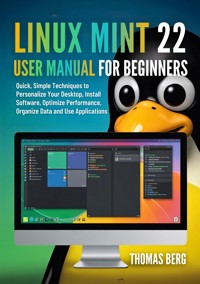
LINUX MINT 22 USER MANUAL FOR BEGINNERS
Quick, Simple Techniques to Personalize Your Desktop, Install Software, Optimize Performance, Organize Data and Use Applications
Thomas Berg
Copyright © 2025 by Thomas Berg
All rights reserved. No part of this publication may be reproduced, distributed, or transmitted in any form or by any means, including photocopying, recording, or other electronic or mechanical methods, without the prior written permission of the publisher, except in the case of brief quotations embodied in critical reviews and certain other noncommercial uses permitted by copyright law.
Publisher: Tylara LLC
Disclaimer: The information provided in this book is for educational purposes only. While every effort has been made to ensure accuracy, the author and publisher assume no responsibility for errors or omissions, or for damages resulting from the use of the information contained herein. Linux Mint is a trademark of the Linux Mint project. This book is an independent publication and has not been authorized, sponsored, or otherwise approved by the Linux Mint project.
First Edition, 2025
Introduction
Linux Mint 22 represents one of the most user-friendly Linux distributions available today. Built on Ubuntu's reliable foundation, Linux Mint offers a familiar desktop experience that welcomes both newcomers to Linux and experienced users seeking a stable, efficient operating system.
Who This Book Is For
This manual is designed for beginners who are either completely new to Linux or transitioning from other operating systems like Windows or macOS. Whether you're looking to breathe new life into an older computer, seeking a more secure computing environment, or simply curious about alternatives to mainstream operating systems, this guide will walk you through everything you need to know.
You don't need any prior Linux experience. Each chapter builds progressively, starting with basic concepts and advancing to more sophisticated techniques. The instructions assume no technical background beyond basic computer literacy.
What You'll Learn
By working through this manual, you'll gain practical knowledge in several key areas. You'll learn how to install Linux Mint 22 from scratch, navigate the desktop environment confidently, and customize your workspace to suit your preferences. The guide covers essential daily tasks like managing files, installing software, and connecting to networks.
You'll discover how to accomplish common productivity tasks, from word processing to spreadsheet management. The manual explains multimedia capabilities, including playing music and videos, viewing photos, and recording audio. System maintenance receives thorough coverage, ensuring your installation remains fast, secure, and reliable.
Beyond basics, you'll explore optimization techniques that keep your system running smoothly. Security practices protect your data and privacy. Troubleshooting sections help resolve common issues independently. By the conclusion, you'll operate Linux Mint with confidence and efficiency.
How to Use This Guide
This manual follows a logical progression from installation through advanced customization. New users benefit most from reading chapters sequentially, as later sections build on earlier concepts. However, the detailed table of contents allows experienced users to jump directly to specific topics.
Each chapter presents step-by-step instructions in clear, straightforward language. Technical jargon appears only when necessary, with plain-language explanations provided. Instructions specify exact menu locations and button names, removing guesswork from procedures.
Practical examples throughout demonstrate real-world applications. Rather than abstract concepts, you'll work through concrete tasks you'll encounter daily. This hands-on approach ensures you can immediately apply what you learn.
Take time to explore features as they're introduced. Linux Mint's design encourages experimentation, and most changes can be reversed easily. The more you interact with the system, the more comfortable you'll become.
About Linux Mint 22
Linux Mint 22, codenamed "Wilma," brings significant improvements while maintaining the distribution's reputation for stability and ease of use. Based on Ubuntu 24.04 LTS (Long Term Support), this release receives security updates and support until 2029, making it an excellent foundation for long-term use.
The default Cinnamon desktop environment provides a traditional layout that feels immediately familiar to users transitioning from Windows. A taskbar at the bottom displays running applications, while a menu in the corner offers access to installed programs. This conventional design reduces the learning curve significantly.
Performance optimizations ensure smooth operation even on older hardware. Linux Mint 22 runs efficiently on computers that struggle with modern Windows versions, making it popular for reviving aging machines. At the same time, it takes full advantage of powerful hardware when available.
Privacy and security receive particular emphasis. Unlike some operating systems that collect user data, Linux Mint respects your privacy by default. The open-source nature of the software means the code undergoes regular scrutiny by security researchers worldwide.
The Software Manager provides access to thousands of free applications covering virtually every computing need. From web browsers to video editors, office suites to games, the selection rivals or exceeds what's available on other platforms. Most software installs with a single click, without hunting for downloads across the internet.
Linux Mint's commitment to user experience extends beyond the software itself. The project maintains extensive documentation, active forums, and helpful communities. When questions arise, assistance is readily available from experienced users who remember their own beginnings with Linux.
This release introduces several refinements that enhance daily use. The file manager offers improved performance and additional features. System settings received reorganization for easier navigation. Hardware support expanded, particularly for newer graphics cards and wireless adapters.
Update management strikes a careful balance. Critical security updates install automatically, protecting your system without requiring constant attention. Other updates can be reviewed and applied according to your schedule. This approach prioritizes both security and stability.
The distribution philosophy centers on providing a complete, working system out of the box. Immediately after installation, you can browse the web, check email, play media files, and handle documents. Additional software installs easily, but you're not forced to spend hours configuring basics before accomplishing real work.
Linux Mint 22 supports multiple desktop environments beyond Cinnamon, including MATE and Xfce. Each offers different balances of features and resource requirements. This manual focuses on the default Cinnamon edition, as it provides the most polished experience for newcomers.
As you progress through this guide, you'll discover that Linux Mint combines power with accessibility. Features that seem complex initially become second nature with practice. The operating system grows with you, offering depth for those who wish to explore while remaining approachable for those who prefer simplicity.
Your journey with Linux Mint begins with installation, so let's move forward to getting the system running on your computer.
Chapter 1: Getting Started with Linux Mint 22
Understanding Linux Mint
Linux Mint represents a complete operating system that can replace Windows or macOS on your computer. Unlike those commercial options, Linux Mint is free and open source, meaning anyone can use, modify, and distribute it without cost. The "open source" designation indicates that the underlying code is publicly available for inspection and improvement by programmers worldwide.
The distribution descends from Ubuntu, which itself builds on Debian, one of the oldest and most respected Linux distributions. This heritage provides a solid, well-tested foundation. Linux Mint adds its own desktop environment, tools, and philosophy focused on ease of use and elegant design.
The name "Linux" refers to the kernel, the core component that manages hardware and system resources. "Mint" distinguishes this particular distribution from hundreds of others available. Each Linux distribution packages the kernel with different software selections, desktop environments, and configurations. Linux Mint's choices emphasize user-friendliness and a polished experience.
The project began in 2006, founded by Clement Lefebvre. His vision centered on creating a Linux system that "just works" without requiring extensive technical knowledge. This philosophy continues guiding development today. Features are added only when they enhance usability without introducing unnecessary complexity.
Linux Mint's independence from corporate control means decisions prioritize users over commercial interests. No advertisements clutter the interface. No data collection occurs without explicit permission. Updates don't force unwanted changes. This user-first approach distinguishes it from many commercial operating systems.
System Requirements
Linux Mint 22 runs efficiently on a wide range of hardware, including computers several years old. The minimum specifications allow basic functionality, while recommended specifications ensure smooth performance for typical use.




