


113,99 €
Mehr erfahren.
- Herausgeber: John Wiley & Sons
- Kategorie: Wissenschaft und neue Technologien
- Sprache: Englisch
A logical problem-based introduction to the use of GeoGebra for mathematical modeling and problem solving within various areas of mathematics
A well-organized guide to mathematical modeling techniques for evaluating and solving problems in the diverse field of mathematics, Mathematical Modeling: Applications with GeoGebra presents a unique approach to software applications in GeoGebra and WolframAlpha. The software is well suited for modeling problems in numerous areas of mathematics including algebra, symbolic algebra, dynamic geometry, three-dimensional geometry, and statistics. Featuring detailed information on how GeoGebra can be used as a guide to mathematical modeling, the book provides comprehensive modeling examples that correspond to different levels of mathematical experience, from simple linear relations to differential equations.
Each chapter builds on the previous chapter with practical examples in order to illustrate the mathematical modeling skills necessary for problem solving. Addressing methods for evaluating models including relative error, correlation, square sum of errors, regression, and confidence interval, Mathematical Modeling: Applications with GeoGebra also includes:
- Over 400 diagrams and 300 GeoGebra examples with practical approaches to mathematical modeling that help the reader develop a full understanding of the content
- Numerous real-world exercises with solutions to help readers learn mathematical modeling techniques
- A companion website with GeoGebra constructions and screencasts
Mathematical Modeling: Applications with GeoGebrais ideal for upper-undergraduate and graduate-level courses in mathematical modeling, applied mathematics, modeling and simulation, operations research, and optimization. The book is also an excellent reference for undergraduate and high school instructors in mathematics.
Sie lesen das E-Book in den Legimi-Apps auf:
Seitenzahl: 778
Veröffentlichungsjahr: 2016
Ähnliche




















Table of Contents
COVER
TITLE PAGE
PREFACE
INTRODUCTION
ABOUT THIS BOOK
ABOUT MATHEMATICAL MODELING
ABOUT MATHEMATICAL MODELING TECHNIQUES
ABOUT BEING A GOOD MODELER
ABOUT THE MODELING PROBLEMS
ABOUT GEOGEBRA
ABOUT WOLFRAM ALPHA
ABOUT TYPOGRAPHY
ABOUT THE DIGITAL MATERIAL FOR THE BOOK
ABOUT THE AUTHORS
REFERENCES
ABOUT THE COMPANION WEBSITE
1 SOME INTRODUCTORY PROBLEMS
1.1 TICKET PRICES
1.2 HOW LONG WILL THE PASTURE LAST IN A FIELD?
1.3 A BIT OF CHEMISTRY
1.4 SYDNEY HARBOR BRIDGE
1.5 PERSPECTIVE
1.6 LAKE ERIE’S AREA
1.7 ZEBRA CROSSING
1.8 THE SECURITY CASE
1.9 PERSONAL MEASUREMENTS
1.10 HEIGHT OF THE BODY
1.11 LAMP POLE
1.12 THE SKYSCRAPER
1.13 THE FENCE
1.14 THE CORRIDOR
1.15 BIRD FEEDERS
1.16 GOLF
2 LINEAR MODELS
2.1 ARE WOMEN FASTER THAN MEN?
2.2 TAXI COMPANIES
2.3 CRIME DEVELOPMENT
2.4 THE METAL WIRE
2.5 OPTIONS TRADING
2.6 FLYING FOXES
2.7 KNOTS ON A ROPE
2.8 THE CANDLE
2.9 HOOKE’S LAW
2.10 RANKING
2.11 DOLBEAR'S LAW
2.12 MAN AT OFFICE
2.13 A STACK OF PAPER
2.14 MILK PRODUCTION IN COWS
3 NONLINEAR EMPIRICAL MODELS I
3.1 GALAXY ROTATION
3.2 OLYMPIC POLE VAULTING
3.3 KEPLER’S THIRD LAW
3.4 DENSITY
3.5 YEAST
3.6 COOLING I
3.7 MODELING THE POPULATION OF IRELAND
3.8 THE RULE OF 72
3.9 THE FISH FARM I
3.10 NEW ORLEANS TEMPERATURES
3.11 THE RECORD MILE
3.12 THE ROCKET
3.13 STOPPING DISTANCES
3.14 A BOTTLE WITH HOLES
3.15 THE PENDULUM
3.16 RADIO RANGE
3.17 RUNNING 400 METERS
3.18 BLUE WHALE
3.19 USED CARS
3.20 TEXTS
4 NONLINEAR EMPIRICAL MODELS II
4.1 COOLING II
4.2 BODY SURFACE AREA
4.3 WARM‐BLOODED ANIMALS
4.4 CONTROL OF INSECT PESTS
4.5 SELLING MAGAZINES FOR CHRISTMAS
4.6 TUMOR
4.7 FREE FALL
4.8 CONCENTRATION
4.9 AIR CURRENT
4.10 TIDES
4.11 FITNESS
4.12 LIFE EXPECTANCY VERSUS AVERAGE INCOME
4.13 STOCKHOLM CENTER
4.14 WORKFORCE
4.15 POPULATION OF SWEDEN
4.16 WHO KILLED THE LION?
4.17 AIDS IN UNITED STATES
4.18 THERMAL COMFORT
4.19 WATTS AND LUMEN
4.20 THE BEAUFORT SCALE
4.21 THE VON BERTALANFFY GROWTH EQUATION
5 MODELING WITH CALCULUS
5.1 THE FISH FARM II
5.2 TITRATION
5.3 THE BOWL
5.4 THE AIRCRAFT WING
5.5 THE GATEWAY ARCH IN ST. LOUIS
5.6 VOLUME OF A PEAR
5.7 STORM FLOOD
5.8 EXERCISE
5.9 BICYCLE REFLECTORS
5.10 CARDIAC OUTPUT
5.11 MEDICATION
5.12 NEW SONG ON SPOTIFY
5.13 TEMPERATURE CHANGE
5.14 TAR
5.15 BICYCLE REFLECTORS REVISITED
5.16 GAS PRESSURE
5.17 AIRBORNE ATTACKS
5.18 RAILROAD TRACKS
5.19 COBB–DOUGLAS PRODUCTION FUNCTIONS
5.20 FUTURE CARBON DIOXIDE EMISSIONS
5.21 OVERTAKING
5.22 POPULATION DYNAMICS OF INDIA
5.23 DRAG RACING
5.24 SUPER EGGS
5.25 MEASURING STICKS
5.26 THE LECTURE HALL
5.27 PROGRESSIVE BRAKING DISTANCES
5.28 CYLINDER IN A CONE
6 USING DIFFERENTIAL EQUATIONS
6.1 COOLING III
6.2 MOOSE HUNTING
6.3 THE WATER CONTAINER
6.4 SKYDIVING
6.5 FLU EPIDEMICS
6.6 USA’S POPULATION
6.7 PREDATORS AND PREY
6.8 SMOKE
6.9 ALCOHOL CONSUMPTION
6.10 WHO KILLED THE MATHEMATICS TEACHER
6.11 RIVER CLAMS
6.12 CONTAMINATION
6.13 DAMPED OSCILLATION
6.14 THE POTASSIUM–ARGON METHOD
6.15 BARIUM, LANTHANUM, AND CERIUM
6.16 IODINE
6.17 ENDEMIC EPIDEMICS
6.18 WAR
6.19 FARMERS, BANDITS, AND RULERS
6.20 EPIDEMICS WITHOUT IMMUNITY
6.21 ZOMBIE APOCALYPSE I
6.22 ZOMBIE APOCALYPSE II
7 GEOMETRICAL MODELS
7.1 THE LOOPING PEN
7.2 COMPARING AREAS
7.3 CROSSING LINES
7.4 POINTS IN A TRIANGLE
7.5 TRISECTED AREA
7.6 SPIROGRAPH
7.7 CONNECTED LP PLAYERS
7.8 FOLDING PAPER
7.9 THE LOCOMOTIVE
7.10 MAXIMUM VOLUME
7.11 PASCAL’S SNAIL OR LIMAÇON
7.12 EQUILATERAL TRIANGLE DISSECTION
7.13 DIVIDING THE SIDES OF A TRIANGLE
7.14 THE PEDAL TRIANGLE
7.15 THE INFINITY DIAGRAM
7.16 DISSECTING A CIRCULAR SEGMENT
7.17 NEUBERG CUBIC ART
7.18 PHASE PLOTS FOR TRIANGLES
7.19 THE JOUKOWSKI AIRFOIL
8 DISCRETE MODELS
8.1 THE CABINETMAKER
8.2 WEATHER
8.3 Squirrels
8.4 CHLORINE
8.5 THE DEER FARM
8.6 ANALYZING A NUMBER SEQUENCE
8.7 INNER AREAS IN A SQUARE
8.8 INNER AREAS IN A TRIANGLE
8.9 A CLIMATE MODEL BASED ON ALBEDO
8.10 TRAFFIC JAM
8.11 WILDFIRE
8.12 A MODERN CARPENTER
8.13 CONWAY'S GAME OF LIFE
8.14 MATRIX TAXIS
8.15 THE CAR PARK
8.16 SELECTING A COLLAGE
8.17 APPORTIONMENT
8.18 STEINER TREES FOR REGULAR POLYGONS
8.19 HUGS AND HIGH FIVES
8.20 PYTHAGOREAN TRIPLES
8.21 CREDITS
8.22 THE PIANO
9 MODELING IN THE CLASSROOM
9.1 THE TEACHER CREATING DIAGRAMS
9.2 STUDENT’S LAB REPORTS
9.3 MAKING SCREENCAST INSTRUCTIONS
9.4 DEMONSTRATIONS
9.5 STUDENTS INVESTIGATING CONSTRUCTIONS
9.6 WORKING IN GROUPS
9.7 STUDENTS CONSTRUCTING MODELS
9.8 BROADER ASSIGNMENTS
9.9 THE SAME OR DIFFERENT ASSIGNMENTS
9.10 PREVIOUS ASSIGNMENTS
9.11 THE CONSULTANCY BUREAU
10 ASSESSING MODELING
10.1 TO EVALUATE MATHEMATICAL MODELING ASSIGNMENTS
10.2 CONCRETIZING GRADING CRITERIA
10.3 EVALUATING STUDENTS’ WORK
11 ASSESSING MODELS
11.1 RELATIVE ERROR
11.2 CORRELATION
11.3 SUM OF SQUARED ERRORS
11.4 SIMPLE LINEAR REGRESSION
11.5 MULTIPLE REGRESSION ANALYSIS
11.6 NONLINEAR REGRESSION
11.7 CONFIDENCE INTERVALS
11.8 2D CONFIDENCE INTERVAL TOOLS
12 INTERPRETING MODELS
12.1 MATHEMATICAL REPRESENTATIONS
12.2 GRAPHICAL REPRESENTATIONS
12.3 A SAMPLE MODEL INTERPRETED
12.4 CREATING THE MODEL
APPENDIX A: INTRODUCTION TO GEOGEBRA
A.1 GEOGEBRATUBE AND THE ECOSYSTEM
A.2 GEOGEBRABOOKS
A.3 GEOGEBRA ON DIFFERENT DEVICES
A.4 THE USER INTERFACE
A.5 CUSTOMIZING GEOGEBRA
A.6 SLIDERS
A.7 BASIC SKILLS AND EXERCISES
A.8 WRITING INSTRUCTIONS
A.9 REMEMBER
APPENDIX B: FUNCTION LIBRARY
B.1 DIFFERENT FUNCTIONS AND THEIR PARAMETRIZATIONS
B.2 LINEAR TRANSFORMATIONS IN GENERAL
B.3 DRAGGING A FUNCTION IN GEOGEBRA
B.4 GEOGEBRA'S GENERIC FITTING COMMANDS
B.5 EXAMPLE OF A GENERIC FIT
INTEGER PROPERTIES
INDEX
LIST OF PROBLEMS BY NAME
END USER LICENSE AGREEMENT
List of Tables
Chapter 01
TABLE 1.1 Linear Relationship between the Number of Sold Air Seats and the Price for a Seat
TABLE 1.2 Organizing Your Data in a Table
TABLE 1.3 Two by Two Table for Organizing Proportional Data
TABLE 1.4 Proportionality Is Invariant under Rotation and Mirroring Operations
Chapter 02
TABLE 2.1 Olympic Winners in the 200 Meter Sprint
TABLE 2.2 Number of Reported Crimes in Sweden, 1950 to 1990
TABLE 2.3 Thermal Expansion of a Wire
TABLE 2.4 Points versus Rank
TABLE 2.5 Cricket Chirps at Different Temperatures
TABLE 2.6 Heights and Weights for Male Office Workers
Chapter 03
TABLE 3.1 Galaxy Rotation Values
TABLE 3.2 Olympic Records in Pole Vaulting for Men, 1900 to 1996
TABLE 3.3 Planetary Average Distances from the Sun and Orbital Times in Our Solar System
TABLE 3.4 Density of Water at Different Temperatures
TABLE 3.5 Number of Yeast Cells Does Not Grow without Bounds
TABLE 3.6 Cooling Temperatures
TABLE 3.7 Population of Ireland, 1672 to 1966
TABLE 3.8 New Orleans Temperature Averages, 1951 to 1980
TABLE 3.9 Rocket elevations
Chapter 04
TABLE 4.1 Cooling a Cupper Sphere
TABLE 4.2 Physical Exam Data for 16 Different Patients
TABLE 4.3 Heat Production of Some Animals
TABLE 4.4 Trapped Male Moths as a Function of the Odorant Amount
TABLE 4.5 Points from Sales
TABLE 4.6 Earnings from Points
TABLE 4.7 Calculating the Size of the Errors of the Model
TABLE 4.8 “Price” of an iPhone
TABLE 4.9 Coordinates of Tumor Edge
TABLE 4.10 Distance Fallen as a Function of Time
TABLE 4.11 Concentration of Dissolved Agent over Time
TABLE 4.12
Jackknife Resampling
Results
TABLE 4.13 Varying the Initial Concentration to Get a Range of Possible Values
TABLE 4.14 Air Current Data
TABLE 4.15 Tidal Data for Nova Scotia
TABLE 4.16 An Increasing Workforce
TABLE 4.17 Population of Sweden
TABLE 4.18 AIDS Cases in the United States
TABLE 4.19 Watts to Lumen
Chapter 05
TABLE 5.1 Titration Results
TABLE 5.2 Titration Points by Different Models
TABLE 5.3 Results So Far
TABLE 5.4 Coordinates for a Future Bowl
TABLE 5.5 Coordinates for a Wing
TABLE 5.6 Coordinates for the Gateway Arch
TABLE 5.7 Treadmill Data for Increasing Load
TABLE 5.8 Oxygen Uptake
TABLE 5.9 Power during a Race
TABLE 5.10 Reading of Dye Concentration in Blood
TABLE 5.11 Amount of Medicine in Blood over Time
TABLE 5.12 Temperature Change in Gothenburg
TABLE 5.13 Amount of Tar Inhaled in Different Sections of the Cigarette
TABLE 5.14 Comparison of Measured and Calculated Values of Tar Amounts
TABLE 5.15 Equations from Wolfram Alpha
TABLE 5.16 Comparing Different Solutions to Estimate Errors
TABLE 5.17 Predicted Carbon Dioxide Emissions
Chapter 06
TABLE 6.1 Cooling Data
TABLE 6.2 US Population over Time
TABLE 6.3 Comparing the Models
TABLE 6.4 Comparing Polynomial Models
TABLE 6.5 Are Antelopes Endangered?
TABLE 6.6 Four Different Solution Attempts
Chapter 07
TABLE 7.1 Number of “Flower Petals” as r Varies
Chapter 08
TABLE 8.1 Transition Probabilities of Three Weather Conditions
TABLE 8.2 Number of Areas Overrun by Different Squirrel Types from Year to Year
TABLE 8.3 Instructions for Command Buttons
Chapter 10
TABLE 10.1 Summary of Criteria for Grading in Mathematics
TABLE 10.2 Summary of Grading Criteria Adjusted to Mathematical Modeling
Chapter 11
TABLE 11.1 Measured Times for 10 Swings of a Pendulum
List of Illustrations
Introduction
FIGURE 0.1 Example of a model presenting Ohms law as a (near) proportionality.
FIGURE 0.2 Main stages in modeling (from Mason, 1988, p. 209).
Chapter 01
FIGURE 1.1 How to copy a formula using the fill handle.
FIGURE 1.2 Table with values and corresponding points of a graphical representation.
FIGURE 1.3 The dock button that allows you to dock a free window.
FIGURE 1.4 Graphic Window 2 showing another graph with a different scale.
FIGURE 1.5 Income as it decreases dramatically after the first 50 empty seats.
FIGURE 1.6 Cow in a dandelion field.
FIGURE 1.7 Linear model.
FIGURE 1.8 Nonlinear model based on the concept of cow days.
FIGURE 1.9 Solutions.
FIGURE 1.10 Dynamic graphic model of the chemical mixture.
FIGURE 1.11 Solving a problem automatically.
FIGURE 1.12 Input box dialogue.
FIGURE 1.13 A simple calculator.
FIGURE 1.14 Button dialogue.
FIGURE 1.15 CAS window used to help you solve for variables in a formula.
FIGURE 1.16 Where to find the layout settings.
FIGURE 1.17 A “Solver” tool in GeoGebra.
FIGURE 1.18 Sydney Harbor Bridge. By Yun Huang Yong via Flickr, CC BY‐SA 2.0. https://www.flickr.com/photos/goosmurf/3001997390/sizes/o/.
FIGURE 1.19 One of the bridge heads stands prominent in the mist behind a ferry.
FIGURE 1.20
Digitize It
, a program for digitalization of photos.
FIGURE 1.21 Perspective run.
FIGURE 1.22 Lock the image in the coordinate system.
FIGURE 1.23 Measuring the girl’s height in GeoGebra.
FIGURE 1.24 Lake Erie, Google Earth. Image Data from Landsat and NOAA.
FIGURE 1.25 Estimating the area of the lake by a polygon.
FIGURE 1.26 A segment used to measure a distance.
FIGURE 1.27 Wolfram Alpha can provide you with geographical data.
FIGURE 1.28 Lorain Lighthouse.
FIGURE 1.29 Zebra crossing.
FIGURE 1.30 Camera photographing people strolling over Zebra crossing.
FIGURE 1.31 Triangles KCB and POB are uniform.
FIGURE 1.32 Distances from the bottom of the image to the upper edge of the white lines as shown in the spreadsheet.
FIGURE 1.33 Measuring a man’s length to find the scale.
FIGURE 1.34 Window to change the graphics area you want the object to be visible in.
FIGURE 1.35 Regression used to find answers.
FIGURE 1.36 Type of security locker case.
FIGURE 1.37 Dynamic model of the locker case.
FIGURE 1.38 Plot of cost c against side s.
Chapter 02
FIGURE 2.1 Information stored in the GeoGebra spreadsheet.
FIGURE 2.2 Women’s record times as seen to decrease faster than men’s.
FIGURE 2.3 Taxis G7's Paris fares 2015.
FIGURE 2.4 Using the spreadsheet in GeoGebra.
FIGURE 2.5 Comparing two taxi companies.
FIGURE 2.6 Style Bars for the Graphics and Algebra windows.
FIGURE 2.7 How to define a slider.
FIGURE 2.8 Objects may be redefined by a double‐click on them.
FIGURE 2.9 Any object may be visible in both graphic areas at the same time, in one of them at a time, or be completely hidden.
FIGURE 2.10 A point that leaves a trace indicates the functional relation.
FIGURE 2.11 Linear relations vary with respect to the value of k.
FIGURE 2.12 Varying k gives rational functions with a vertical asymptote at k = 5.
FIGURE 2.13 Crime development in Sweden, 1950 to 1990.
FIGURE 2.14 Linear regression of the data from 1970 and forward.
FIGURE 2.15 Error limits by manual calculations.
FIGURE 2.16 Two variable analyses in GeoGebra.
FIGURE 2.17 Calculations in the spreadsheet.
FIGURE 2.18 Measured values in a diagram.
FIGURE 2.19 Make sure that the
x
‐axis will intersect the
y
‐axis at
y
= 999.
FIGURE 2.20 Data points and the calculated regression line.
FIGURE 2.21 Trading at the São Paolo stock exchange.
FIGURE 2.22 Bull and Bear in front of Frankfurt’s stock exchange.
FIGURE 2.23 Profit of buying a call option as a piecewise defined function.
FIGURE 2.24 Profit of selling a call option is also a piecewise defined function.
FIGURE 2.25 Total profit for a
spread
with call options having two “knees.”
FIGURE 2.26 A spread where the profit never is negative.
FIGURE 2.27 Grey‐headed flying fox.
FIGURE 2.28 Two data points with large error margins visualized as two sets of four points.
FIGURE 2.29 Linear models.
FIGURE 2.30 Exponential models can give really high results.
Chapter 03
FIGURE 3.1 Messier 88 Galaxy.
FIGURE 3.2 A minimum is easiest found by fitting a polynomial to the points closest to the minimum.
FIGURE 3.3 Théo Mancheron in the pole vaults completions in the Athletics Games France 2013.
FIGURE 3.4 Graphical representation for the gold medal heights in pole vault jumping in the Olympic Games.
FIGURE 3.5 Line tool box in GeoGebra.
FIGURE 3.6 Simple linear model describing how the height of pole vaults has increased in 1912 to 1996.
FIGURE 3.7 A first attempt to fit a logarithmic function to our data.
FIGURE 3.8 A function of the expected shape.
FIGURE 3.9 Pole vaulting with stiff poles a long time ago.
FIGURE 3.10 Planet’s orbital time against their average distance to the Sun represented in GeoGebra.
FIGURE 3.11 Style Bar is shown when you click on the small upper triangle.
FIGURE 3.12 A power function fits the data well.
FIGURE 3.13 A quadratic function fits the data almost perfectly.
FIGURE 3.14 Two Variable Regression Analysis dialogue.
FIGURE 3.15 Two Variable Regression Analysis with (a) second‐ and (b) fourth‐degree polynomial. Pay attention to the difference between the residual diagrams.
FIGURE 3.16 Two Variable Analysis using a logistic model.
FIGURE 3.17 Hot water (cropped).
FIGURE 3.18 Exponential fit to data not decreasing toward zero.
FIGURE 3.19 First six points are selected for removal.
FIGURE 3.20 New graph fits the data much better because the first six data points are excluded.
FIGURE 3.21 General fit to the data, using the model
m
(
x
).
FIGURE 3.22 Intersection will give us the answer to our question.
FIGURE 3.23 120 Irish passengers were on the Titanic in 1912.
FIGURE 3.24 Population of Ireland, 1672 to 1966.
FIGURE 3.25 Two different exponential functions fit to different parts of the data.
FIGURE 3.26 Money, making more money.
FIGURE 3.27 Both functions are very close in a large interval.
FIGURE 3.28 Difference between two functions can give more information than the individual functions if they are close.
FIGURE 3.29 Finding a better, but as simple, function for low interest rates.
FIGURE 3.30 70/p works best in the interval 1 to 5%.
FIGURE 3.31 Fish farming in Turkey.
FIGURE 3.32 Nearly cubic function fits the data well.
FIGURE 3.33 Total mass as a function of time.
FIGURE 3.34 Relation between r and the optimal time.
FIGURE 3.35 Manually fitted relation between a parameter and its function.
FIGURE 3.36 Parameter k’s influence over the optimal time for extracting the fish.
FIGURE 3.37 New Orleans town center.
FIGURE 3.38 Temperature shown as both a bar chart (data) and a function (model).
Chapter 04
FIGURE 4.1 A cooling graph fitted to data.
FIGURE 4.2 A sixth‐degree polynomial fits the first few data points well but fails in the region where we are most interested in exact results.
FIGURE 4.3 A fourth‐degree polynomial with 5 parameters passes exactly through 5 data points.
FIGURE 4.4 Calculating the length of the patients in the spreadsheet.
FIGURE 4.5 Calculating the sum of squared errors, the SSE.
FIGURE 4.6 Three warm‐blooded animals.
FIGURE 4.7 A linear fit seems to work well enough.
FIGURE 4.8 Constructing log‐log diagrams in GeoGebra.
FIGURE 4.9 Initial and logarithmic values with a power function and corresponding linear function fitted to the data.
FIGURE 4.10
Lymantria dispar
, the gypsy moth.
FIGURE 4.11 Just data points.
FIGURE 4.12 Finding a power function to fit data.
FIGURE 4.13 A popular phone.
FIGURE 4.14 Both tables represented graphically.
FIGURE 4.15 Earnings are a linear function of the points received.
FIGURE 4.16 A quadratic function is fit to the first part of the table.
FIGURE 4.17 Using CAS to calculate
f
(
g
(
x
)).
FIGURE 4.18 Table represented as a piecewise defined function.
FIGURE 4.19 Converting points to earnings, as a piecewise defined function.
FIGURE 4.20 Earnings as a piecewise defined function of sales.
FIGURE 4.21 Input Box dialogue.
FIGURE 4.22 An “app” to calculate our earnings.
FIGURE 4.23 Creating a minimalistic look.
FIGURE 4.24 Using the app online.
FIGURE 4.25 Possible cancer in left lung.
FIGURE 4.26 How we fit a circle to geometrical data points.
FIGURE 4.27 Circle in the process of being adjusted to the data points.
FIGURE 4.28 Final, best circle.
FIGURE 4.29 Fitting an implicit curve.
FIGURE 4.30 Letting GeoGebra re‐discover the conic from the curve.
FIGURE 4.31 Analyzing the conic.
FIGURE 4.32 Sky diving.
FIGURE 4.33 Exponential function fitted to the data.
FIGURE 4.34 Calculating errors in the spreadsheet.
FIGURE 4.35 Docking button allows you to dock or undock a window from the rest.
FIGURE 4.36 Residual diagram created manually.
FIGURE 4.37 Same construction with another model.
FIGURE 4.38 Sum of two exponential functions can model an initial pulse.
FIGURE 4.39 Danger of having too many parameters.
FIGURE 4.40 More elaborate model—maybe?
FIGURE 4.41 Too few parameters fit the data poorly.
FIGURE 4.42 Wing profile in a wind tunnel.
FIGURE 4.43 Scattered data requires a good theory to fit.
FIGURE 4.44 Intuitive way of estimating the error of the fitted parameters.
FIGURE 4.45 Hall’s Harbor, Nova Scotia, at low tide.
FIGURE 4.46 A trigonometric fit.
FIGURE 4.47 Successive regression analysis.
Chapter 05
FIGURE 5.1 Loch Ainort fish farm.
FIGURE 5.2 Two possible supply functions.
FIGURE 5.3 Finding the maximum profit from a linear supply function.
FIGURE 5.4 Maximum profit for a cubic supply function.
FIGURE 5.5 Using more information to find a better supply function.
FIGURE 5.6 Points are created when you type the coordinates within parentheses.
FIGURE 5.7 Typical titration curve.
FIGURE 5.8 Derivative of the titration curve.
FIGURE 5.9 Second‐Degree Polynomial Fit to Three Points for the Derivative.
FIGURE 5.10 Pulse function of the type 1/(1 +
x
2
) adjusted to the derivative of the titration curve.
FIGURE 5.11 Normal distribution curve adjusted for our purposes.
FIGURE 5.12 Linear and cubic regression functions from the points around the half‐titration point.
FIGURE 5.13 Exponential function is used to trace the inside of a bowl.
FIGURE 5.14 3D rendering of a bowl created from an exponential function.
FIGURE 5.15 Mathematical model of a bowl.
FIGURE 5.16 Cross‐sectional area as a function of
y
along the
x
‐axis.
FIGURE 5.17 One liter bowl.
FIGURE 5.18 Schematic image of an aircraft wing.
FIGURE 5.19 Model of an aircraft wing.
FIGURE 5.20 Gateway Arch in St. Louis.
FIGURE 5.21 Model of the Gateway Arch.
FIGURE 5.22 Wolfram Alpha helps you to calculate the arc length to about 453 m.
FIGURE 5.23 Fitting a curve in Curve Expert.
FIGURE 5.24 User‐defined model in Curve Expert.
FIGURE 5.25 Result from Curve Expert.
FIGURE 5.26 Eight varieties of pears.
FIGURE 5.27 Williams pear. Public domain/Wikimedia Commons. https://upload.wikimedia.org/wikipedia/commons/0/08/Williams_Bon_Chr%C3%A9tien_1822.png.
FIGURE 5.28 Model for the measuring of the volume of a pear.
FIGURE 5.29 Water flow in a river.
FIGURE 5.30 Heavy rain falling over the Murrumbidgee river.
FIGURE 5.31 Background image in GeoGebra.
FIGURE 5.32 Positioning a background image in GeoGebra.
FIGURE 5.33 Measuring a given function and recreating it.
FIGURE 5.34 Area under the curve is calculated.
FIGURE 5.35 Sprint finish.
FIGURE 5.36 Power that seems to increase linearly over time.
FIGURE 5.37 Oxygen uptake appearing to be nonlinear.
FIGURE 5.38 Table created with values for the new function
u02
(
t
).
FIGURE 5.39 Selecting the graphics areas where the function should be visible.
FIGURE 5.40 Calculating the integral that gives the total amount of oxygen taken up by the runner.
FIGURE 5.41 Two different running styles.
FIGURE 5.42 Let the values start on row 3.
FIGURE 5.43 Oxygen uptake values in column I and J.
FIGURE 5.44 Jacob will take up more oxygen than Michael.
FIGURE 5.45 Bicycle side reflectors.
FIGURE 5.46 First attempt with the reflector moved in the wrong direction.
FIGURE 5.47 Correct path for the reflector.
FIGURE 5.48 Cycloid.
FIGURE 5.49 Parametric curve in GeoGebra.
FIGURE 5.50 Area calculated by fitting a polygon to data points.
FIGURE 5.51 Seventh‐degree polynomial is not a candidate for a good fit but there are worse fits.
FIGURE 5.52 Logarithmic diagram. The recirculation part lies above the line.
FIGURE 5.53 Diagram adjusted for the recirculation.
FIGURE 5.54 Pills containing L‐DOPA.
FIGURE 5.55 Typical pulse.
FIGURE 5.56 Two different functions adjust to different intervals.
FIGURE 5.57 Exponential function without constant term used to model the tail of the pulse.
FIGURE 5.58 Fitting a product of a power function and an exponential function.
FIGURE 5.59 Model in three parts.
FIGURE 5.60 Spotify logotype.
FIGURE 5.61 Having determined the period and phase, you now need to determine the amplitude.
FIGURE 5.62 Complete model for the playing rate.
FIGURE 5.63 Complete model for the total number of played songs.
FIGURE 5.64 Parabola as model for the playing rate.
FIGURE 5.65 Total number of played songs as a cubic polynomial.
FIGURE 5.66 Comparison of the total times the song was played.
FIGURE 5.67 Comparison of the playing rate.
FIGURE 5.68 Gothenburg panorama.
FIGURE 5.69 Differences can be hard to model.
FIGURE 5.70 Two sine functions are better than one.
FIGURE 5.71 Inhaled tar (mg/cm) as a function of the position of the glow on the cigarette.
FIGURE 5.72 Five lines intersect in 10 points.
FIGURE 5.73 Drag racing time slip sample.
Chapter 06
FIGURE 6.1 Fitting a rational function to cooling data.
FIGURE 6.2 New attempt with better—but still not completely satisfying—results.
FIGURE 6.3 Rational function with an arbitrary exponent.
FIGURE 6.4 Best answer so far.
FIGURE 6.5 Moose cow with calves. [CC BY 2.0 (http://creativecommons.org/licenses/by/2.0)], via Wikimedia Commons. https://upload.wikimedia.org/wikipedia/commons/1/1f/Moose_Cow_and_Calves_%286187093400%29.jpg.
FIGURE 6.6 Symbolic solution of a differential equation in GeoGebra.
FIGURE 6.7 Numerical solution of a differential equation in GeoGebra.
FIGURE 6.8 Direct solution of a differential equation in GeoGebra with a slope field.
FIGURE 6.9 Possible future for the moose without hunting.
FIGURE 6.10 Collapsing moose tribe.
FIGURE 6.11 Moderate hunt to ensure a stable population.
FIGURE 6.12 Water dispenser. [CC BY‐SA 3.0 (http://creativecommons.org/licenses/by‐sa/3.0)], via Wikimedia Commons. https://upload.wikimedia.org/wikipedia/commons/5/54/Water_dispenser_with_lemons.JPG.
FIGURE 6.13 Slope field with a solution through a given point.
FIGURE 6.14 Complete solution.
FIGURE 6.15 Skydivers quickly reach their terminal velocity. [CC BY‐SA 4.0 (http://creativecommons.org/licenses/by‐sa/4.0)], via Wikimedia Commons. https://upload.wikimedia.org/wikipedia/commons/2/22/Skydiving_16_way_Over_Peterborough.jpg.
FIGURE 6.16 Wolfram Alpha used to solve a differential equation based on initial conditions.
FIGURE 6.17
vt
‐Diagram for a parachute jumper.
FIGURE 6.18 Time of flight almost inversely proportional to the square root of the mass.
FIGURE 6.19
vt
‐Diagram for a skydiving human.
FIGURE 6.20 Peregrine in flight. [CC BY 2.0 (http://creativecommons.org/licenses/by/2.0)], via Wikimedia Commons. https://upload.wikimedia.org/wikipedia/commons/1/1e/Peregrine_Falcon_in_flight.jpg.
FIGURE 6.21 Swedish Influenza season 2014–2015 summarized in June 2015.
FIGURE 6.22 Building a spreadsheet model of epidemics.
FIGURE 6.23 Creating points in the spreadsheet.
FIGURE 6.24 Visualizing the SIR model.
FIGURE 6.25 Connecting the dots.
FIGURE 6.26 Adjust the parameters so that the model fits with the epidemic.
FIGURE 6.27 Relatively low value for
R
0
still demands that more than every fourth person in the population must be vaccinated to stop the epidemic.
FIGURE 6.28 GeoGebra’s own numerical solution.
FIGURE 6.29 People—How many will we become?
FIGURE 6.30 US population growth over the last 200 years.
FIGURE 6.31 Logistic function that fits the data well.
FIGURE 6.32 Spreadsheet so far.
FIGURE 6.33 Graphics Area 2 showing
r
(
t
) decreasing over time.
FIGURE 6.34 New solution
g
(
x
) compared with the logistic
f
(
x
) (dashed).
FIGURE 6.35 Long‐term prognoses differences.
FIGURE 6.36
r
(
t
) as an exponentially decreasing function.
FIGURE 6.37 Another function that can help you understand the data.
FIGURE 6.38 Human population will pass the billion level around year 2260.
FIGURE 6.39 Two Variable Regression Analysis tool gives quick information when comparing different standard models.
FIGURE 6.40 Table values in a phase diagram.
FIGURE 6.41 Model under construction.
FIGURE 6.42 Graphics 2 showing the evolution for individuals over time.
FIGURE 6.43 Typical phase‐and‐time diagram for Lotka–Volterras equations.
FIGURE 6.44 Function for the food intake relation. Maximum value
K
= 5. Half this value is reached when x/
y
= 1.
FIGURE 6.45 Catastrophic situation where both spices becomes extinct.
FIGURE 6.46 Greek letters accessed by clicking the α‐sign in the input field.
FIGURE 6.47 Stochastic model affected by randomness.
FIGURE 6.48 Dynamic solution of a differential equation.
FIGURE 6.49 Seven‐day solution.
FIGURE 6.50 Final value does not change from week to week.
FIGURE 6.51 Amount of alcohol in the blood decreases almost linearly over time if taken at the start of the evening.
FIGURE 6.52 Alcohol intake for the same person when drinking at a constant rate.
FIGURE 6.53 Exponentially decreasing fit to two measured temperatures.
FIGURE 6.54 Solid curve showing body temperature, which decreases when the outdoor temperature is falling.
Chapter 07
FIGURE 7.1 Supported pens.
FIGURE 7.2 Building a model of a sliding pen.
FIGURE 7.3 Loop that is not a circle.
FIGURE 7.4 Compare the areas.
FIGURE 7.5 It is easy to measure and compare areas in GeoGebra.
FIGURE 7.6 Special case that might be easier to prove.
FIGURE 7.7 Four crossing lines form four triangles.
FIGURE 7.8 Bisectors and the inscribed circle of a triangle.
FIGURE 7.9 Create New Tool Dialogue.
FIGURE 7.10 Remember to write a short help text.
FIGURE 7.11 New tool created.
FIGURE 7.12 Four inscribed circles.
FIGURE 7.13 With four circumscribed circles, all four seem to pass through the same point.
FIGURE 7.14 Euler line coincides with several interesting points in a triangle.
FIGURE 7.15 Which point P is closest to all vertices?
FIGURE 7.16 Creating a dynamic text box.
FIGURE 7.17 Model for investigating the point “closest” to all vertices.
FIGURE 7.18 Drawing a color map to get a better feeling for how the sum varies.
FIGURE 7.19 Angles between PA, PB, and PC that seem to be 120°.
FIGURE 7.20 P does not lie on the Euler line.
FIGURE 7.21 Constructing the Fermat point.
FIGURE 7.22 Dudney’s dissection where a triangle can be rearranged to form a square.
FIGURE 7.23 Model for investigating the trisection of a triangle.
FIGURE 7.24 What properties for this particular trisection can we discover?
FIGURE 7.25 Another trisection of a triangle.
FIGURE 7.26 What is special about P, and what are its properties?
FIGURE 7.27 One of many different ways to divide a triangle into four parts of equal area.
FIGURE 7.28 One example of a spirograph.
FIGURE 7.29 Patterns produced with a spirograph.
FIGURE 7.30 Spirograph’s construction protocol.
FIGURE 7.31 Selecting which columns to show.
FIGURE 7.32 Spirograph model halfway finished.
FIGURE 7.33 Spirograph in action.
FIGURE 7.34 Auto‐spirograph generating a pattern directly when the sliders are updated.
FIGURE 7.35 Mechanical harmonograph.
FIGURE 7.36 Start the construction of an LP harmonograph.
FIGURE 7.37 When something is animated, a pause/play‐button appears in the lower left of the Graphics window.
FIGURE 7.38 Point J as equally far away from G and H.
FIGURE 7.39 First links finished.
FIGURE 7.40 Each object can be hidden or shown by clicking on the visibility buttons in the Algebra window.
FIGURE 7.41 Two final links.
FIGURE 7.42 Model of the linkage that is almost finished.
FIGURE 7.43 One of several possible patterns created by the LP‐harmonograph simulator.
FIGURE 7.44 Locus demonstrates the patterns that would occur if one of the LP players were standing still.
FIGURE 7.45 Folding paper.
FIGURE 7.46 Our model of the folded paper.
FIGURE 7.47 Trace of our measurements showing a clear maximum.
FIGURE 7.48 How to find the maximum of a locus.
FIGURE 7.49 Steam locomotive, or steam engine.
FIGURE 7.50 Simple model connecting circular to linear motion in a locomotive.
FIGURE 7.51 E’s
x
‐coordinate generating a cosine function.
FIGURE 7.52 Piston not describing a pure cosine function.
FIGURE 7.53 Pascal's snail.
FIGURE 7.54 Creating the pedal triangle.
FIGURE 7.55 Infinity diagram.
FIGURE 7.56 Dividing a circular segment in two equal areas with a line.
FIGURE 7.57 Art from the Euler line.
FIGURE 7.58 Reading a ternary diagram.
Chapter 08
FIGURE 8.1 Table upon which Ohio’s first constitution was signed. The table is exhibited in Chillicothe’s (Ohio’s first capital town) Town Hall.
FIGURE 8.2 Overlapping inequalities forming an area of interest.
FIGURE 8.3 Profit line through the optimal vertex with interesting points highlighted.
FIGURE 8.4 Raising the price.
FIGURE 8.5 Coding Python online at Codingground.
FIGURE 8.6 Beautiful weather at the outer coast line in the archipelago.
FIGURE 8.7 GeoGebra’s matrix calculations.
FIGURE 8.8a Red Squirrel.
FIGURE 8.8b Gray squirrel.
FIGURE 8.9 Spreadsheet transforms a table to a matrix.
FIGURE 8.10 Matrix2 shows the long‐term distribution of squirrel region types.
FIGURE 8.11 Tooting Bec Lido, south London. Nick Cooper at en.wikipedia [CC BY‐SA 3.0 (http://creativecommons.org/licenses/by‐sa/3.0) or GFDL (http://www.gnu.org/copyleft/fdl.html)], from Wikimedia Commons. https://upload.wikimedia.org/wikipedia/commons/5/5b/Tooting_Bec_Lido_20080724.JPG.
FIGURE 8.12 Decreasing exponential functionmodeled on the data.
FIGURE 8.13 Model where all parameters can be varied.
FIGURE 8.14 Fallow deer in field. Av Johann‐Nikolaus Andreae (originally posted to Flickr as p9036717.jpg) [CC BY‐SA 2.0 (http://creativecommons.org/licenses/by‐sa/2.0)], via Wikimedia Commons. https://upload.wikimedia.org/wikipedia/commons/f/f3/Fallow_deer_in_field.jpg.
FIGURE 8.15 Parameters and the spreadsheet model.
FIGURE 8.16 Hunt starts after six years.
FIGURE 8.17 Birthrate will decrease with the number of animals when the resources are limited.
FIGURE 8.18 Deer population living with limited resources but without being hunted.
FIGURE 8.19 Polynomial generating a number sequence.
FIGURE 8.20 Difference schema for analyzing a number sequence.
FIGURE 8.21 Wolfram Alpha suggests a rational function.
FIGURE 8.22 OEIS only finds well‐known series—why not try with 1, 3, 4, 7, 11….
FIGURE 8.23 Inner shapes of a square.
FIGURE 8.24 How to divide a segment in equal parts.
FIGURE 8.25 How to construct points, dividing a segment in different parts.
FIGURE 8.26 Ratio of the inner area to the whole area for differently positioned points.
FIGURE 8.27 Creating a new tool.
FIGURE 8.28 Measured data from the geometrical model.
FIGURE 8.29 Inverted value is a better representation for analyzing patterns.
FIGURE 8.30 Difference analysis of a number sequence generated by 2
m
2
– 2
m
+ 1 (column B).
FIGURE 8.31
n
= 1 and
m
= 2 gives an inner area that is one‐fifth of the outerarea.
FIGURE 8.32 Inner shapes of a triangle.
FIGURE 8.33 Inner area of a triangle.
FIGURE 8.34 Regression analysis can be used to find generating polynomials to number sequences.
FIGURE 8.35 Nonagon numbers.
FIGURE 8.36 Sunrise over Haleakala.
FIGURE 8.37 Freehand function that defines the relation between the average temperature and albedo.
FIGURE 8.38 Spreadsheet model for the feedback loop.
FIGURE 8.39 Climate model exhibiting a global temperature collapse.
FIGURE 8.40 Spreadsheet part of the simulation of traffic jam.
FIGURE 8.41 Cars ready to go.
FIGURE 8.42 Creating a command button is easy.
FIGURE 8.43 Longer script executing several commands at once.
FIGURE 8.44 Update script for the time variable where positions and velocities are updated.
FIGURE 8.45 Center of the congestion at the gray car.
FIGURE 8.46 Hollow symbol car runs one turn but the density maximum (gray) has only moved a little.
FIGURE 8.47 Bugaboo forest fire.
FIGURE 8.48 Representation of the map in a spreadsheet.
FIGURE 8.49 So far no wildfire.
FIGURE 8.50 Simple GUI.
FIGURE 8.51 Writing a program to write another program ….
FIGURE 8.52 Wildfire when the wind is coming from the north.
FIGURE 8.53 Steiner Tree for a square.
FIGURE 8.54 Folding Pascal's triangle.
Chapter 09
FIGURE 9.1 Logotype of the Consultancy Bureau that all students were told to use in their reports and on the posters.
Chapter 10
FIGURE 10.1 Poster by Sebastian Genas.
Chapter 11
FIGURE 11.1 Geometrical interpretation of the method of least squares.
FIGURE 11.2 Two 2D confidence ellipses.
Chapter 12
FIGURE 12.1 Moving train.
FIGURE 12.2 Train’s movement and velocity in the same graphical representation.
Appendix A
FIGURE A.1 GeoGebra forum.
FIGURE A.2 Open from GeoGebraTube… dialogue.
FIGURE A.3 Shift‐click Open to open constructions on any website.
FIGURE A.4 GeoGebraBook with chapters.
FIGURE A.5 Starting GeoGebra for the first time.
FIGURE A.6 Spreadsheet window.
FIGURE A.7 Login for easier uploads.
FIGURE A.8 Dropdown toolbar.
FIGURE A.9 Selection and Point tools menus.
FIGURE A.10 Line and Construction tools menus.
FIGURE A.11 Polygon tools menu.
FIGURE A.12 Circle tools menu.
FIGURE A.13 Conics and Measurement tools menus.
FIGURE A.14 Transformation and Special tools menus.
FIGURE A.15 Action and Window tools menus.
FIGURE A.16 Input bar where you can type commands.
FIGURE A.17 Special characters input.
FIGURE A.18 GeoGebra has an extensive help system.
FIGURE A.19 GeoGebra will autocomplete commands for you.
FIGURE A.20 Algebra window and the graphics window show different representations of the objects.
FIGURE A.21 Options menu.
FIGURE A.22 Style Bars allow immediate adjustments to object appearances.
FIGURE A.23 Quick way to the Properties dialogue.
FIGURE A.24 Right‐click menu for the graphics window.
FIGURE A.25 Different tabs are represented as icons.
FIGURE A.26 Layout tab.
FIGURE A.27 Tabs in the Graphics window settings.
FIGURE A.28 Several different ways to zoom.
FIGURE A.29 Object properties is a tab in the Properties dialogue.
FIGURE A.30 Graphic representation of a number.
FIGURE A.31 Slider dialogue.
FIGURE A.32 Blue/white buttons control the object’s visibility.
FIGURE A.33 Automatic slider creation.
FIGURE A.34 Geometric construction without axes or grid.
FIGURE A.35 With the lines selected, choose a dashed line in the Style Bar.
FIGURE A.36 Finished construction, complete with angle measurements.
FIGURE A.37 GeoGebra spreadsheet. Notice the button Auxiliary Objects.
FIGURE A.38 Rectangle controlled by point B and C.
FIGURE A.39 2D drawing of a cube in GeoGebra.
FIGURE A.40 Creating three sliders to control the box.
FIGURE A.41 Creating the back plane.
FIGURE A.42 Dynamic box.
FIGURE A.43 Width and depth now both depend on the height of the box.
FIGURE A.44 Your model goes in one window, your analysis in the other.
FIGURE A.45 Recording P:s coordinates to the spreadsheet.
FIGURE A.46 Record to Spreadsheet dialogue.
FIGURE A.47 Creating a list of points from data.
FIGURE A.48 Set your labels to your preferences.
FIGURE A.49 Finding the minimum value.
FIGURE A.50 CAS will return exact algebraic solutions whenever possible.
FIGURE A.51 Least surface value in exact form.
FIGURE A.52 Creating a dynamic text.
Appendix B
FIGURE B.1a and b Linear functions.
FIGURE B.2a and b Quadratic functions.
FIGURE B.3a and b Increasing exponential functions with
y
' > 0.
FIGURE B.4a and b Decreasing exponential functions with
y
' < 0.
FIGURE B.5a and b Increasing exponential functions with
y
' < 0.
FIGURE B.6a and b Logistic functions.
FIGURE B.7a and b Symmetric single pulses.
FIGURE B.8a and b Two kinds of asymmetric pulses.
FIGURE B.9a and b Examples of double pulse functions.
FIGURE B.9c Example of a double pulse with a distinct start.
FIGURE B.10a and b Power functions with positive exponents.
FIGURE B.10c Power function with a negative exponent.
FIGURE B.11a, b, and c Rational functions are characterized by one or several asymptotes.
FIGURE B.12a and b Simple rational functions tending to an asymptotic value.
FIGURE B.13a and b Logarithmic functions.
FIGURE B.14a and b Periodic functions.
FIGURE B.15a and b Examples of asymmetric extreme points.
FIGURE B.16a and b Examples of linear combinations of basic functions.
FIGURE B.17a and b Examples of products of functions.
FIGURE B.18a and b Gradual transitions between functions.
FIGURE B.19a, b, and c Examples of linear transforms.
FIGURE B.20
f
(
x
) =
x
3
translated with the vector (2, 3).
FIGURE B.21 Sending an image to the background.
FIGURE B.22 Sydney Harbor Bridge image in GeoGebra with sliders.
FIGURE B.23 Modeling the bridge.
FIGURE B.24 The fitted function.
Guide
Cover
TABLE of Contents
Begin Reading
Pages
iii
iv
xi
xii
xiii
xiv
xv
xvi
xvii
xviii
xix
xx
xxi
xxii
xxiii
xxiv
xxv
xxvi
xxvii
xxviii
xxix
1
2
3
4
5
6
7
8
9
10
11
12
13
14
16
15
19
17
18
20
21
22
23
24
25
26
27
28
29
30
31
32
33
34
35
36
37
38
39
40
41
45
46
42
43
44
47
48
49
52
50
51
53
56
54
55
57
58
59
60
61
62
63
64
66
67
68
69
70
71
72
73
74
75
76
77
78
79
80
81
82
83
84
85
86
87
88
89
90
91
92
93
94
95
96
97
98
99
100
101
102
103
104
105
106
107
108
109
110
111
112
114
113
115
116
117
118
119
120
121
122
123
124
125
126
127
128
129
130
131
132
133
134
135
136
137
138
139
140
141
145
142
143
144
146
147
148
149
150
151
152
153
154
155
156
157
158
159
160
161
162
163
164
165
166
167
168
169
170
172
173
174
175
176
177
178
179
180
181
182
183
184
185
186
187
188
189
190
191
192
193
194
195
196
197
198
199
200
201
202
206
203
204
205
207
208
209
211
212
214
213
215
216
217
218
219
220
221
222
223
224
225
227
226
228
229
230
231
232
233
234
235
236
237
238
239
240
241
242
243
244
245
246
247
248
249
250
251
254
256
252
253
255
257
258
259
260
261
262
263
264
265
266
267
268
269
270
271
272
273
274
275
276
277
278
279
280
281
282
283
284
285
286
287
288
289
290
292
291
293
294
295
296
297
298
299
300
301
302
303
304
305
306
307
308
309
310
311
312
313
314
315
316
317
318
319
320
321
322
323
324
325
326
327
328
329
330
331
332
333
334
335
336
337
338
339
340
341
342
343
344
345
346
347
348
349
350
351
352
353
354
355
356
357
358
359
360
361
362
363
364
365
366
367
368
369
370
371
372
373
374
375
376
377
378
379
380
381
382
383
384
385
386
387
388
389
390
391
392
393
394
395
396
397
398
399
400
401
402
403
404
405
406
407
408
409
410
411
412
413
414
415
416
417
418
419
420
421
422
423
424
425
426
427
428
429
430
431
432
433
434
435
436
437
438
439
440
441
442
443
444
445
446
447
448
449
450
451
452
453
454
455
456
457
458
459
460
461
462
463
464
465
466
467
468
469
470
471
472
473
474
475
476
477
478
479
480
481
482
483
484
485
486
487
488
489
490
491
492
493
494
495
496
497
498
499
500
501
502
503
504
505
506
507
508
511
512
513
514
515
516
517
518
519
520
521
522
523
524
525
526
527
528
529
530
531
532
533
534
535
536
537
MATHEMATICAL MODELING
Applications with GeoGebra™
JONAS HALL AND THOMAS LINGEFJÄRD
Copyright © 2017 by John Wiley & Sons, Inc. All rights reserved
Published by John Wiley & Sons, Inc., Hoboken, New JerseyPublished simultaneously in Canada
No part of this publication may be reproduced, stored in a retrieval system, or transmitted in any form or by any means, electronic, mechanical, photocopying, recording, scanning, or otherwise, except as permitted under Section 107 or 108 of the 1976 United States Copyright Act, without either the prior written permission of the Publisher, or authorization through payment of the appropriate per‐copy fee to the Copyright Clearance Center, Inc., 222 Rosewood Drive, Danvers, MA 01923, (978) 750‐8400, fax (978) 750‐4470, or on the web at www.copyright.com. Requests to the Publisher for permission should be addressed to the Permissions Department, John Wiley & Sons, Inc., 111 River Street, Hoboken, NJ 07030, (201) 748‐6011, fax (201) 748‐6008, or online at http://www.wiley.com/go/permissions.
Limit of Liability/Disclaimer of Warranty: While the publisher and author have used their best efforts in preparing this book, they make no representations or warranties with respect to the accuracy or completeness of the contents of this book and specifically disclaim any implied warranties of merchantability or fitness for a particular purpose. No warranty may be created or extended by sales representatives or written sales materials. The advice and strategies contained herein may not be suitable for your situation. You should consult with a professional where appropriate. Neither the publisher nor author shall be liable for any loss of profit or any other commercial damages, including but not limited to special, incidental, consequential, or other damages.
For general information on our other products and services or for technical support, please contact our Customer Care Department within the United States at (800) 762‐2974, outside the United States at (317) 572‐3993 or fax (317) 572‐4002.
Wiley also publishes its books in a variety of electronic formats. Some content that appears in print may not be available in electronic formats. For more information about Wiley products, visit our web site at www.wiley.com.
Library of Congress Cataloging‐in‐Publication Data
Names: Hall, Jonas, 1963– | Lingefja¨rd, Thomas, 1952–Title: Mathematical modeling : applications with GeoGebra / Jonas Hall, Thomas Lingefja¨rd.Description: Hoboken, New Jersey : John Wiley & Sons, Inc., [2017] | Includes index.Identifiers: LCCN 2016009974 (print) | LCCN 2016019552 (ebook) | ISBN 9781119102724 (cloth) | ISBN 9781119102694 (pdf) | ISBN 9781119102847 (epub)Subjects: LCSH: Mathematical analysis–Data processing. | Mathematical models–Data processing.Classification: LCC QA300 .H353 2017 (print) | LCC QA300 (ebook) | DDC 003–dc23LC record available at https://lccn.loc.gov/2016009974
PREFACE
Welcome to the world of GeoGebra! GeoGebra is a mathematical environment that will allow you to work with graphing, dynamic 2D and 3D geometry, dynamic and symbolic algebra, spreadsheets, probability, complex numbers, differential equations, dynamic text, fitting functions of any kind to data, and so forth. All representations of mathematical objects are linked and allow you to view, experiment with, and analyze problems and situations in a laboratory‐like setting. You can build a geometrical model in one window, animate it, and collect data to a spreadsheet or directly to a graph. GeoGebra works on computers, tablets, and iPhones, under multiple operating systems and is free to use for noncommercial purposes. It can be used in over 65 different languages delivered from a menu option.
Welcome also to the world of mathematical modeling in high school (grades 10–12). With computer tools such as GeoGebra and Wolfram Alpha you can now expand the relatively modest modeling normally done in class to include more real‐life situations and solve more interesting and difficult problems. While the computer does the necessary calculations and graphing, with GeoGebra your students will learn the process of translating problem situations to the mathematical language that the computer needs to be able to work efficiently. They will also learn to interpret the results that the computer gives them and draw sensible conclusions from them.
These competencies—translating problem situations to mathematical language suitable for computer processing and analyzing, reasoning about and presenting results—are more important in a modern world than performing specific algorithmic calculations. After all, no one today complains about the fact that we no longer teach the manual algorithm for calculating square roots.
This book came about because the authors strongly believe that modeling lies at the heart of mathematics. And in order to model interesting problems, you need powerful tools. The strong user community and fast development of GeoGebra made it the tool of choice. With it, we were able to explore a multitude of modeling situations, some quite simple and some involving systems of differential equations, something not normally taught in high school but rendered possible with the use of computers.
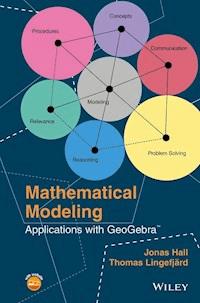
In Sweden, modeling is one of seven competencies the students are to develop in mathematics education. On the cover of this book, we have symbolically placed the modeling competence at the center of the other competencies, indicating our belief that modeling is absolutely central in mathematics.
In this English translation of the book, we have restructured our material so that it now comes in order of mathematical content. Thus we explore linear models, nonlinear models, models requiring calculus and differential equations, and discrete and geometrical models. It is then up to you to decide what problems in this book might be suitable for what courses and what students you teach in your school.
This book should be useful for both experienced teachers and for those students who are in teacher education programs. In addition, students of mathematical modeling at starting level university courses may find this book useful, as may anyone wishing to learn GeoGebra really well. Indeed, the book is intended to be a handy reference on both modeling and GeoGebra, for the reader to keep and return to look up the details of problem solving, modeling, and GeoGebra techniques. If you are new to GeoGebra, we suggest that you read Appendix A, An Introduction to GeoGebra, first before continuing with the rest of the book.
Several digital resources are available with this book. On the book’s website you will find a collection of all the GeoGebra files used in the book’s problems, a list of clickable links, and some screencasts showing basic techniques.
Last we wish to acknowledge the continued support we have received from the GeoGebra community, which has encouraged us to write this book, and we wish to thank our families for being, above all else, patient.
Sweden, May 2016
Jonas Hall and Thomas Lingefjärd
INTRODUCTION
ABOUT THIS BOOK
This book is written primarily for teachers of mathematical modeling in upper secondary schools or in high schools. Students in a teacher training program at a university or studying mathematical modeling in an introductory course at the university may also want to explore the possibilities that GeoGebra can afford. The book was conceived from the standpoint of the Swedish curriculum, which regards mathematical modeling competence to be one of seven competencies that should be taught and assessed in upper secondary school.
As a school subject, mathematics is no longer only about calculation. Some parts of mathematics, of course, relate strongly to procedures and counting, but altogether this part of the curriculum has less emphasis today than it used to have. Today, mathematics is treated as a tool, as an aid, as a language, and as logic. The curriculum in many countries is nowadays expressed in terms of competency objectives. The competencies are general and not related to a specific mathematical content. Yet, the competencies are developed in levels by students’ processing specific content. The modeling competency is one of these competencies that draw heavily on functions and differential equations.
Mathematical models and other mathematical representations such as diagrams, histograms, functions, graphs, tables, and symbols normally make it easier for abstract mathematical concepts to be understood and for other phenomena to be described in mathematical terms. Educators today are facing a world that is shaped by increasingly complex, dynamic, and powerful systems of information that are meet through various media. Being able to interpret, understand, and work with mathematical models and other complex systems involves important mathematical processes that become discernible and obvious when teaching mathematical modeling.
In mathematics education, as seen from the K–12 perspective, teachers work with different representations in order to help students understand mathematical objects and concepts. Models such as geometrical constructions, graphs of functions, and a variety of diagrams are used to introduce new concepts and to show relationships, dependency, and change. Mathematical models, structures, and constructions are also used in different scientific fields, such as in physics and the social sciences. To be able to construct, interpret, and understand mathematical models is becoming increasingly important for students all over the world.
Our main academic position is that once modeling competency is acquired in the classroom, all other competencies will be addressed automatically. With training in mathematical modeling, instead of always asking “Why are we doing this?” students will find classroom work to be interesting and related to reality, and then concepts, procedures, problem solving, reasoning, communication, and relevance will follow without much effort. If you, the teacher, try to do it the other way around, you may soon discover that in sticking with too many routine calculations you will end up without time to address the modeling and reasoning competencies.
There were some basic considerations that we needed to address in writing this text on mathematical modeling. We could have chosen to only focus on the process of constructing and developing models or instead on the evaluation of already produced mathematical models. We decided to try and address both situations in this book. However, for those of you teaching mathematical modeling in upper secondary school, it may be a good idea to start with existing and well‐developed models. Then, as students become familiar with the mathematical modeling concept, they could be started on constructing their own mathematical models.
To place mathematical modeling into a particular branch of mathematics, one could consider it as applied problem solving using data that have already been gathered in some way. We try to address the many different data that can be used in our selection of modeling examples in order to show how mathematical models are applied everywhere in our society. In some instances, however, we investigate purely geometrical models.
In today’s schools, teachers have the possibility to allow every student to use powerful mathematical instruments that help them learn and do mathematics in a way that humans once only could dream about. Students can tackle difficult problems a lot earlier with these tools, so they can connect concepts and procedures to more realistic situations and open up their minds to a more nuanced communications.
In this book we decided to mainly work with GeoGebra, but other tools, primarily Wolfram Alpha, can be used as well. GeoGebra was created in 2001 by Marcus Hohenwarter, and as a tool, it could be considered a mathematical laboratory, or even an environment. GeoGebra is free and platform independent, and it handles algebra, plane geometry, 3D geometry, functions, statistics, spreadsheet calculations, and symbolic algebra. GeoGebra has been translated to over 50 languages and is used all over the world. In this book we show how to use GeoGebra for mathematical modeling as well as how to apply it to teaching mathematics in general.
We have organized the mathematical modeling examples in the following order:
Chapter 1
: Some Introductory Problems
Chapter 2
: Linear Models
Chapter 3
: Nonlinear Empirical Models I
Chapter 4
: Nonlinear Empirical Models II
Chapter 5
: Modeling with Calculus
Chapter 6
: Using Differential Equations
Chapter 7
: Geometrical Models
Chapter 8
: Discrete Models
Then we have added four more chapters on the teaching and assessing of mathematical modeling, in accord with the methodology of the teaching profession:
Chapter 9
: Modeling in the Classroom
Chapter 10
: Assessing Modeling
Chapter 11
: Assessing Models
Chapter 12
: Interpreting Models
For those of you who are new to GeoGebra, we have added an introduction to this interactive, dynamic platform. We have further added a function library that can be browsed for different functions to fit data.
Appendix A: Introduction to GeoGebra
Appendix B: Function Library




